CXComponents

A collection of custom UI components for Lazarus.
- Active · last change 11-5-2026
- ★ 6 on GitHub
README
CX Components
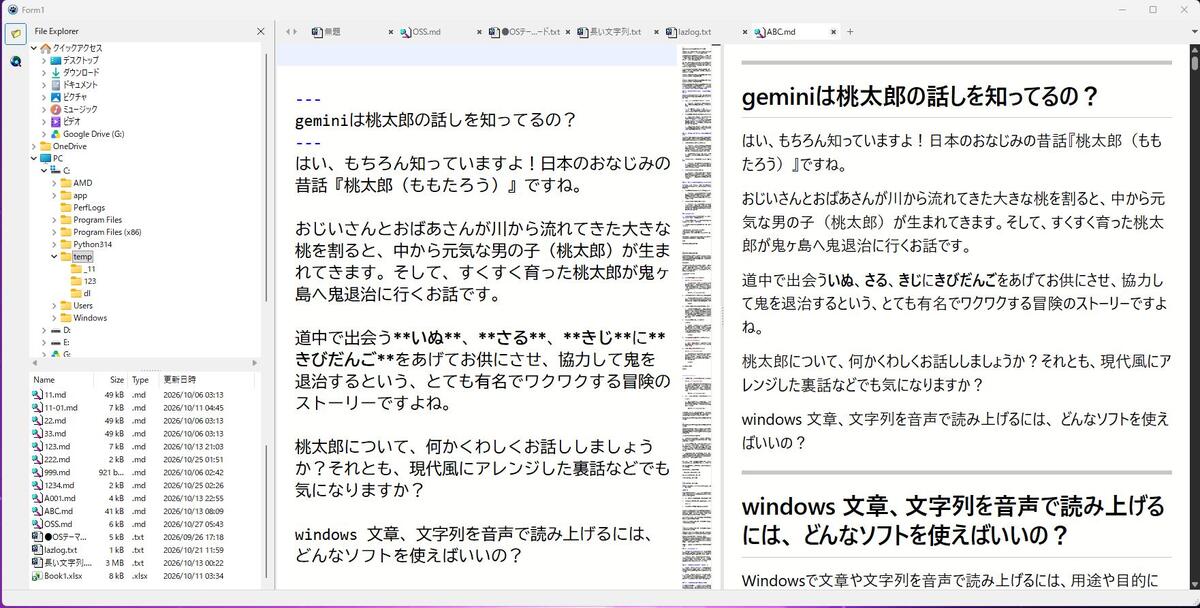
I love Delphi and Lazarus and use them all the time. However, in Japan almost nobody knows Lazarus, and very few people use it. When I looked for the tools I wanted, I couldn't find them in Japan. So I built them myself and use them. This is a set of components for Lazarus (Free Pascal). Just place them on a form and you can use Explorer-style file operations, a tabbed browser, a tabbed editor (Monaco and SynEdit), Markdown preview, bookmark management, and more. Currently there is only a Windows version. If there is demand, I would like to create a Linux version as well. For usage, please see the Usage documents. For how the internals work, see the Design documents. If you are interested, please take a look. My English is weak, so the comments in the code are still in Japanese.
Author: aotan083 / License: MIT
English Documentation | 日本語ドキュメント
Components
| Component | Contents | Usage | Design |
|---|---|---|---|
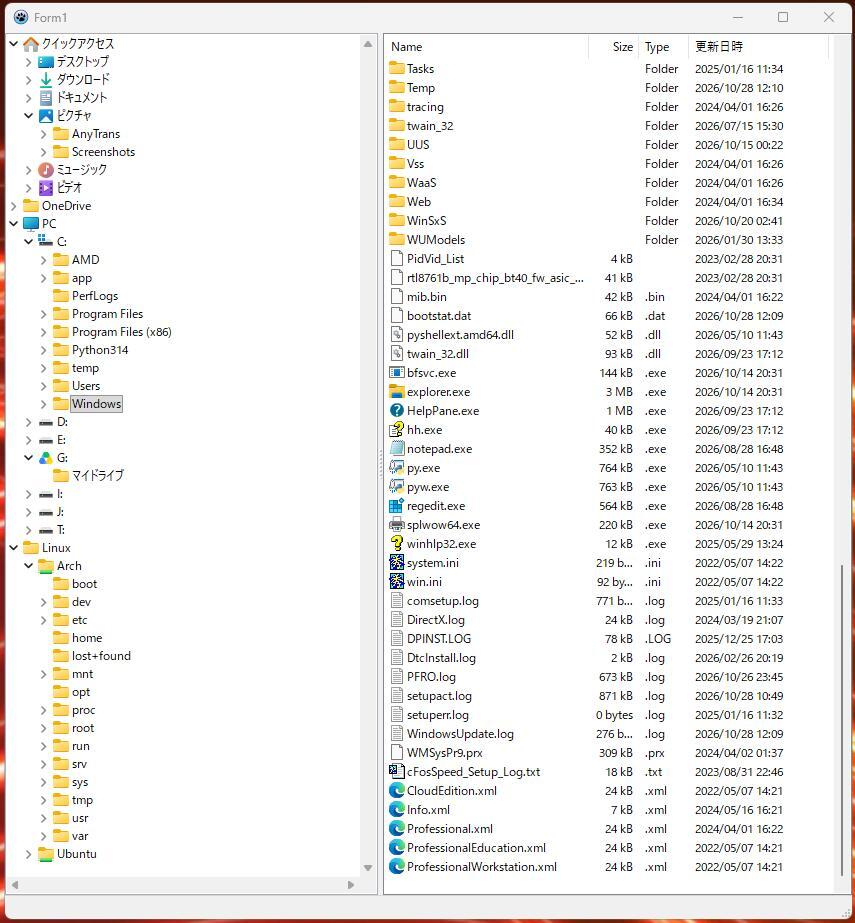
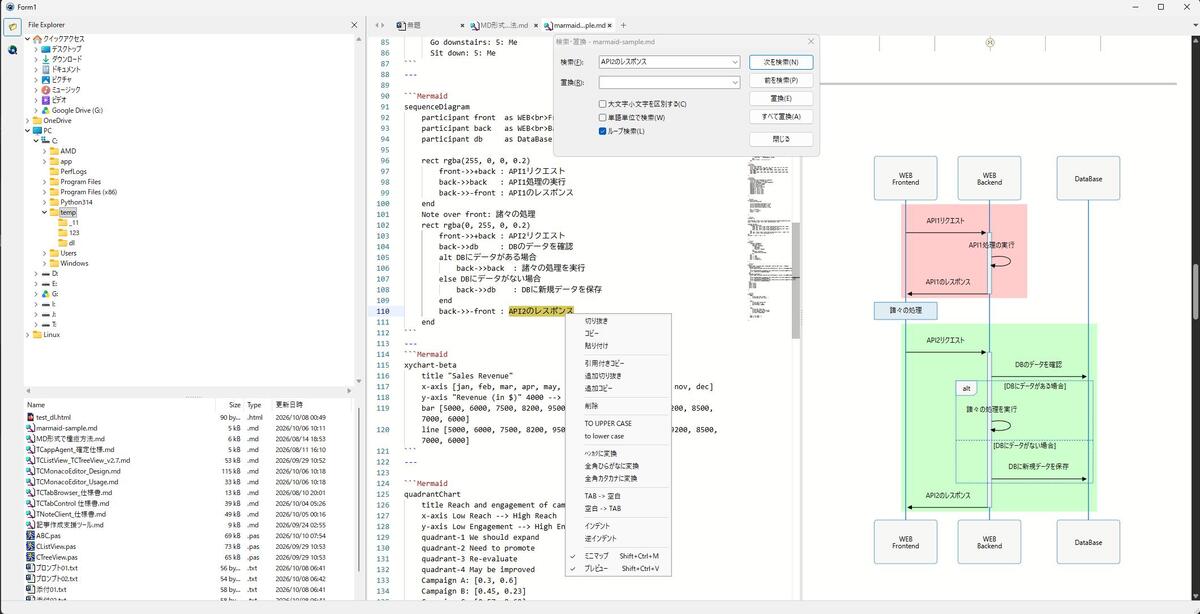
| TCTreeView | The same folder tree as the left side of Explorer | Usage | Design |
| TCListView | The same file list as the right side of Explorer | Usage | Design |
| TCFileTree | Shows folders and files in a single tree rooted at a specified folder (usable like the VS Code Explorer; TCListView is not needed. Just connect it to TCMonacoEditor, TCsEditor, or TCTabBrowser, and you can open files by double-clicking or from the right-click menu) | Usage | Design |
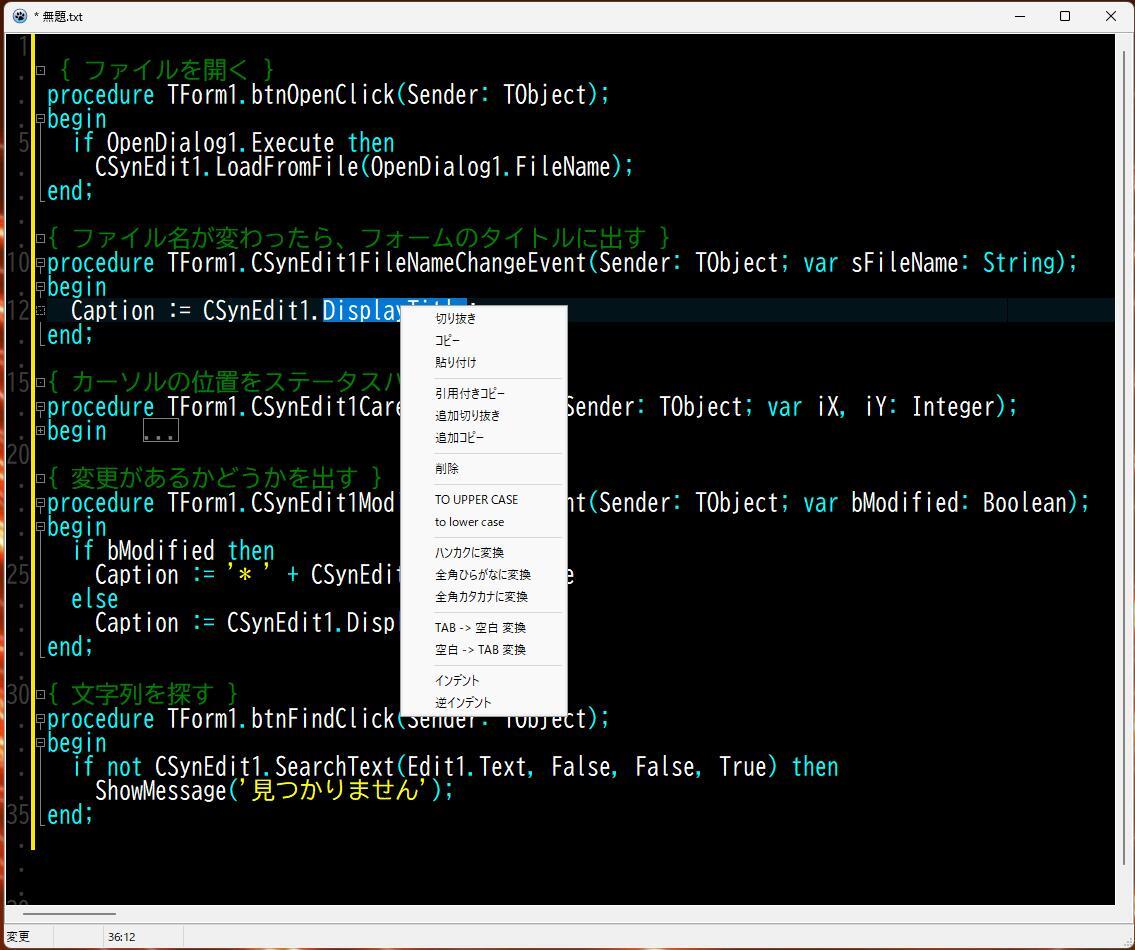
| TCSynEdit | An editor that adds file read/write, color schemes (including VS Code light and dark), syntax coloring by file extension (including Markdown), and a right-click menu to TSynEdit | Usage | Design |
| TCCheckListBox | A TCheckListBox that allows only one check at a time | Usage | Design |
| TCGroupBox / TCCheckGroupBox | A group box whose child controls do not disappear, and a group box with a checkbox in its caption | Usage | Design |
| TCSideBar | An icon column like Edge's and a panel that opens and closes | Usage | Design |
| TCExpandPanel / TCRollout | Expandable panels with title bars, like the VS Code Explorer (top, bottom, left, right; multiple panels can be stacked; animation; buttons and a menu on the right side) | Usage | Design |
| TCPageControl / TCTitleBar | Browser-style tabs, and a title bar where tabs can be arranged | Usage | Design |
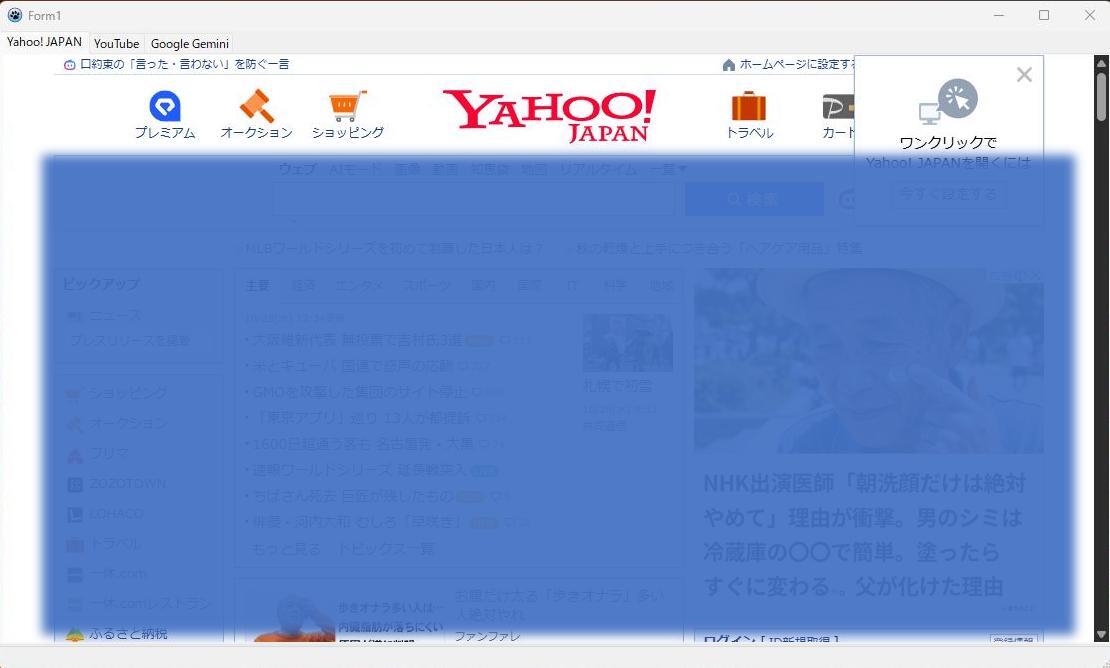
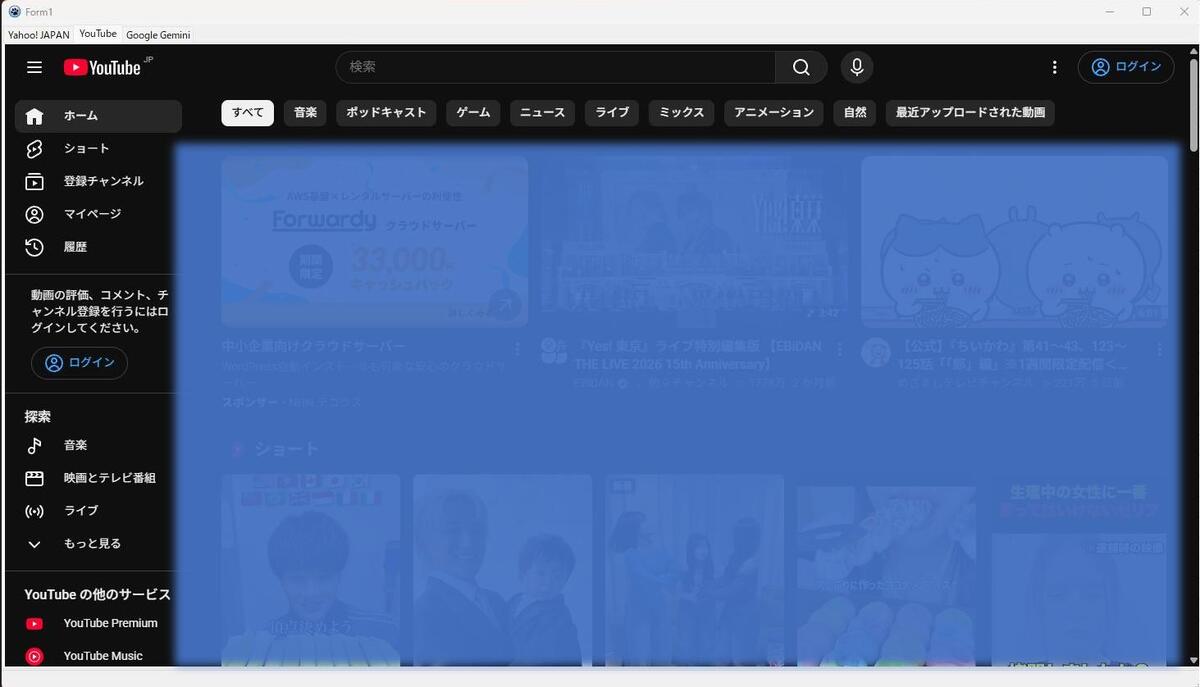
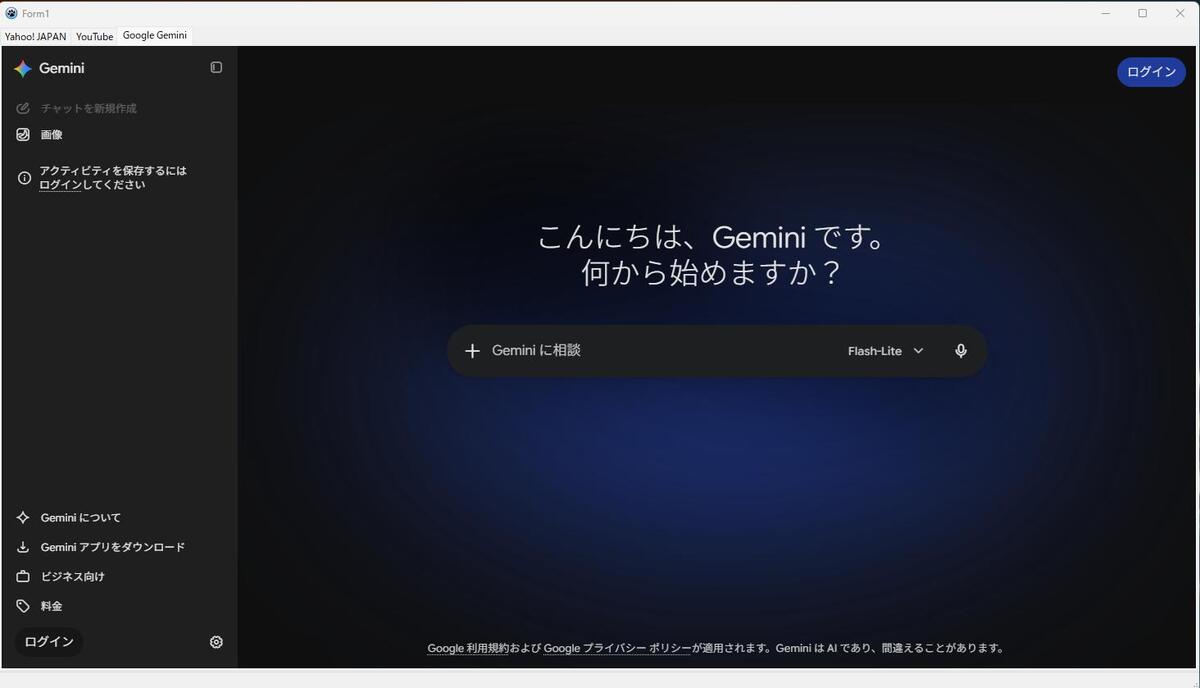
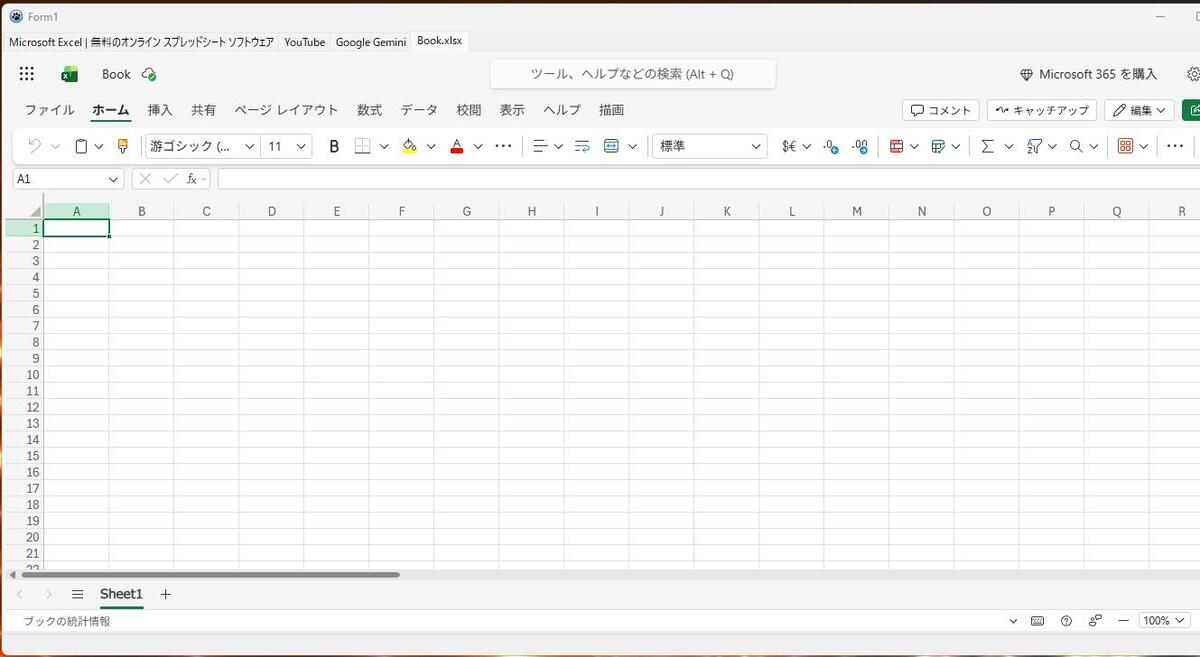
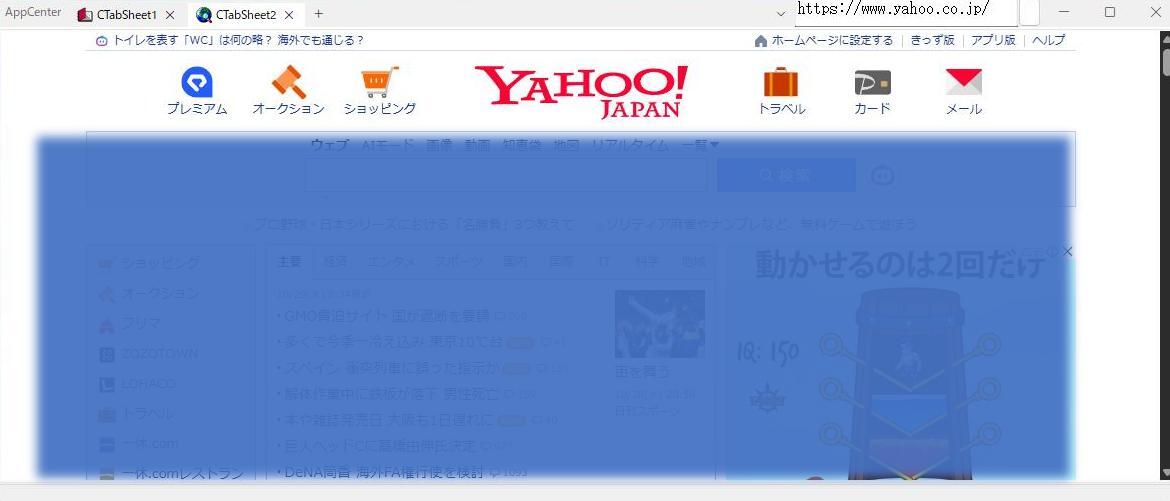
| TCTabBrowser | A tabbed web browser using WebView2 | Usage | Design |
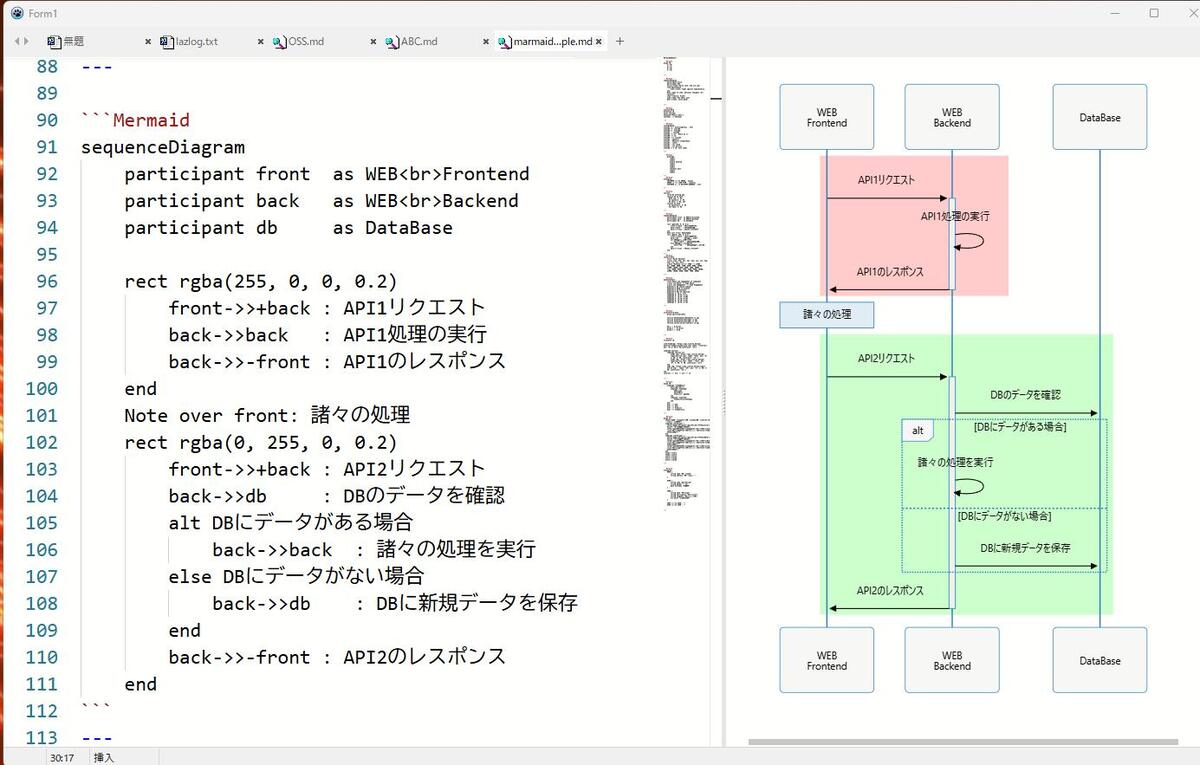
| TCMonacoEditor / TCMFindDialog | An editor based on WebView2 and Monaco Editor (with built-in tabs, preview, search, and printing), and 25 standard actions | Usage | Design |
| TCsEditor / TCsFindDialog | An editor that holds multiple TCSynEdit instances in tabs. Usage is the same as TCMonacoEditor (including search and replace dialogs, minimap, and detachable tabs). 25 standard actions | Usage | Design |
| TCPreview | Preview (Markdown and code) and printing (save as PDF) for TCsEditor. Placed separately from the editor, and can be shared by multiple editors | Usage | Design |
| TCBookmark | Bookmark management like Firefox's (opens links in TCTabBrowser or TCMonacoEditor) | Usage | Design |
| CXLang (Japanese/English switching) | Switches all on-screen text of every component (menus, buttons, messages) between Japanese and English. Specified by Language in [CX] of WebView2.ini (see Chapter 2 of each component's Usage document) |
― | Design |
All components appear in the palette [CX].
Requirements
| Item | Details |
|---|---|
| Lazarus | 5.0 or later (TCSynEdit, TCsEditor, TCPreview). Other components also work with 4.8 |
| FPC | 3.2.2 |
| OS | Windows 11 (64-bit) |
Folders
| Folder | Contents |
|---|---|
packages |
Package cx.lpk (runtime; all component contents) and cxdsgn.lpk (design time; palette registration and icons) |
source |
Component source code (runtime) |
source\design |
Design-time source (palette registration and component editors) |
source\res |
Palette icons (.lrs) |
docs |
Usage (*_Usage.md) and design (*_Design.md) documents for each component, plus the Japanese/English switching design document (CXLang_Design.md). English versions are in docs\en |
runtime |
Files the WebView2 components use at runtime (monaco and preview) |
demo |
Sample apps for each component |
Installation
- First, install the following packages into Lazarus.
- The Lazarus package for WebView4Delphi (https://github.com/salvadordf/WebView4Delphii
- ATFlatControls (
atflatcontrols_package; install from the Online Package Manager) - SynEdit is already included with Lazarus
- Open
packages\cx.lpkand "Compile" it. - Open
packages\cxdsgn.lpkand "Install" it (the IDE will be rebuilt). - After restarting, the components appear in the palette [CX].
Using in an application
- When you place a component on a form,
cxis automatically added to the project's required packages (cxdsgnis not needed in the application). - Nothing needs to be written in the .lpr.
Applications that use TCTabBrowser, TCMonacoEditor, TCBookmark, or TCPreview need the following files in the same folder as the EXE.
| File | Contents |
|---|---|
WebView2.ini |
Always required. The key values may be empty (if empty, the default location in the EXE's folder is used) |
WebView2Loader.dll |
64-bit version. Obtain it from the WebView4Delphi repository |
monaco\ |
The TCMonacoEditor editor (only for TCMonacoEditor; runtime\monaco. vs is min\vs from the npm monaco-editor package) |
preview\ |
The preview for TCMonacoEditor and TCPreview (runtime\preview) |
[WebView2]
LoaderDllPath=
UserDataFolder=
MonacoFolder=
PreviewFolder=

[CX]
Language=| Key | Contents | When empty |
|---|---|---|
LoaderDllPath |
File path of WebView2Loader.dll | WebView2Loader.dll in the EXE's folder |
UserDataFolder |
WebView2 user data folder | EXE's folder\WebView2Data |
MonacoFolder |
Folder containing editor.html and vs |
EXE's folder\monaco |
PreviewFolder |
Folder containing preview.html and lib |
EXE's folder\preview |
Language ([CX]) |
Display language ja or en |
Windows display language (ja if Japanese, otherwise en) |
- Relative paths are counted from the EXE's folder. Multiple applications can share one
monacoandpreviewfolder (see the TCMonacoEditor Usage document). - Running requires the Microsoft Edge WebView2 Runtime (already included in Windows 11).
- If you use only TCsEditor, the runtime files are not needed. Place them only when using TCPreview.
Display language (Japanese / English)
All on-screen text of every component (menus, buttons, messages) is shown in Japanese or English. The language is set by Language in [CX] of WebView2.ini in the same folder as the EXE (ja or en). If not specified, it follows the Windows display language.
[CX]
Language=en- Even for applications that do not use WebView2, place
WebView2.iniwhen specifying the language (only[CX]needs to be written). - It is read only once, when text is first displayed after startup. For details, see Chapter 2 of each component's Usage document and the CXLang Design document.
License
MIT License (LICENSE). The licenses of external libraries are listed in THIRD_PARTY_NOTICES.md.
⚡ Built in 1 minute! Zero lines of code (no-code) gives your app professional-quality modern UI as standard
Just place it on a form and connect the properties. Tear-off tabs, Drag & Drop, full Windows Explorer features, Markdown/Mermaid preview, and more work without writing a single line of Pascal code.
🚀 Why CX Components? (A RAD revolution)
In traditional Lazarus development, to implement Explorer-equivalent file operations, VS Code-style tab tear-off, Markdown preview, and so on, you had to laboriously write thousands of lines of complex code and Shell API calls.
CX Components fully embeds all the core processing, event handlers, and standard actions inside the components. As a result, you can build professional-grade modern applications immediately with fully no-code development: just place them and connect the properties.
📊 Development efficiency comparison (Before / After)
| Feature / Behavior | Traditional Lazarus development | CX Components (no-code) |
|---|---|---|
| Explorer-equivalent file operations | Shell API calls, D&D, and move/copy processing written by hand over thousands of lines | 0 lines of code (just place TCTreeView / TCListView) |
| Tab tear-off / docking (Tear-off / Tear-on) | Form creation, event handlers, and docking logic written by hand | 0 lines of code (standard behavior with TCSEditor / TCMonacoEditor) |
| Editor with syntax highlighting for 26 languages | Individual SynEdit settings and encoding detection code | 0 lines of code (just place TCSynEdit / TCSEditor) |
| Markdown & Mermaid diagram preview | Embedding an external rendering engine and writing scroll-sync code | 0 lines of code (just place TCPreview) |
| WebView2-based tabbed browser | WebView calls, source retrieval, and PDF output processing implemented by hand | 0 lines of code (just place TCTabBrowser) |
| Title-bar-integrated tabs & sidebar | Complex custom drawing of the non-client area of the window | 0 lines of code (just place TCTitleBar + TCSideBar) |
⚡ Features you can add with no code, at a glance
// [Implementation code example: 0 Lines]
// No Pascal code at all!
// Place components on a form and connect them in the Object Inspector, and all features work.
📂 File and folder components
TCTreeView / TCListView
- Looks and behaves exactly like Windows Explorer!
- Fully built-in processing for copy, move, delete, create new, rename, and so on.
- Full support for the Explorer left pane (navigation window) and right-click context menu (such as "New" and "Send to").
- Standard support for Drag & Drop from the desktop or other applications, shortcut creation, and file associations.
- Fully follows the Windows theme (dark mode / light mode).
- ⚡ No-code effect: Just place it on a form, and a full-featured Explorer becomes a standard feature of your app.
📝 Text and code editor components
TCSynEdit
- Just place it on a form, and New / Save As / overwrite-save check / search and replace are immediately available.
- Automatically detects the file extension and supports syntax highlighting for 26 programming languages and file formats.
- Standard Markdown support, with automatic detection of character encoding and BOM.
- Zoom in and out, change-location display, Undo/Redo, code folding, and word wrap.
- Full support for Drag & Drop from Windows Explorer and the Windows theme.
- ⚡ No-code effect: A professional standalone code editor is complete without writing a single line of code.
TCSEditor
- A multi-tab editor with all the features of
TCSynEdit. - Tear-off (detaching tabs) / Tear-on (docking) achieved with 0 lines of code.
- Real-time preview linked with
TCPreview. - Dynamic switching between single-editor and tab-editor modes, tab drag-and-drop reordering, closing, and adding custom popup menu items.
- Full compatibility of events and properties with
TCMonacoEditor(you can switch the editor engine just by swapping the component). - ⚡ No-code effect: Place it and a tab-based multi-window editor becomes a standard feature of your app.
TCMonacoEditor
- Embeds Monaco Editor, the core of VS Code, into Lazarus applications.
- Supports minimap display, Markdown preview, and PDF printing from the preview.
- Single/tab switching, Tear-off / Tear-on, New / Open / Save All files at once, and automatic encoding detection.
- Supports line-based word editing and splitting, search and replace, Undo/Redo, clipboard operations, and launching the command palette with the F1 key.
- Full support for Drag & Drop from Windows Explorer and the Windows theme.
- ⚡ No-code effect: With 0 lines of code, you can reproduce a genuine VS Code development environment inside your app.
🌐 Browser and preview components
TCTabBrowser
- A modern tabbed browser based on WebView2.
- Retrieves the HTML source of the displayed page, and supports saving and loading files.
- Drag-and-drop reordering and closing of tabs, and custom right-click popup menus.
- Built-in screen capture saving and save as PDF features.
- Injects and runs external JavaScript, and supports page switching when a task completes.
- Full support for the Windows theme.
- ⚡ No-code effect: Integrate a full-featured web browser into your app with 0 lines of code.
TCPreview
- A high-performance preview engine with full support for Markdown and Mermaid diagrams.
- Supported Mermaid diagrams (11 types): flowcharts (top-down / left-right), sequence diagrams, use case diagrams, class diagrams, ER diagrams, Git graphs, user journeys, XY charts (bar and line), quadrant charts, and architecture diagrams.
- Zoom in and out, synchronized scrolling and scroll-width adjustment, and ON/OFF control for loading external URL images.
- Supports PDF printing and output. Full support for the Windows theme.
- ⚡ No-code effect: Interactive preview of documents and diagrams with 0 lines of code.
🎨 UI layout and navigation components
TCSideBar
- Instantly builds a navigation sidebar in VS Code style.
- Standard support for everything a sidebar needs, including show/hide toggling and variable width.
- Full support for the Windows theme.
- ⚡ No-code effect: Just place it, and a professional sidebar layout is complete.
TCExpandPanel
- A panel that expands and collapses like an accordion.
- Full support for the Windows theme.
TCTitleBar + TCPageControl
- Places tabs directly on the window's title bar.
- Popup menus, icons, and speed buttons can be placed directly inside the title bar.
- Supports moving and deleting tabs, changing titles, and scrolling display.
- Full support for the Windows theme.
- ⚡ No-code effect: A title-bar-integrated tab UI like Chrome or Edge is achieved with 0 lines of code.
🛠 Extended standard controls
TCCheckListBox
- Supports single-line and multi-line selection. Full support for the Windows theme.
TCGroupBox
- An improved, higher-quality version of the standard
TGroupBoxthat fixes drawing problems. Full support for the Windows theme.
TCCheckGroupBox
- A GroupBox and CheckBox combined. Automatically enables or disables child controls based on the check state with 0 lines of code.
- Full support for the Windows theme.
- Screenshots from the demo app