

Catalog · How the catalog works
LazMD

A small Markdown viewer and editor for Linux, Windows and macOS
- ✦ 1 finds this interesting
Anyone may press Interesting, signed in or not. It helps others find this project.
README
LazMD
A small Markdown editor for Linux, Windows and macOS.
Open a .md file and it shows rendered - headings, lists, tables, images,
code - and you edit it right there, the way you would in a word processor.
One document per window, in three modes from the Mode menu:
- Rendered (Ctrl+1) — type into the page itself. Ctrl+B, Ctrl+I and Ctrl+Shift+X for bold, italic and strikethrough, Ctrl+E for inline code, Ctrl+K for a link; toolbar buttons for those and for headings, lists, quotes, code blocks, tables and images. Task checkboxes toggle with a click. Ctrl+click follows a link: web links open in the browser, links to other Markdown files open in LazMD. Right-click, Go to source, shows the same spot in Raw.
- Raw (Ctrl+2) — the Markdown source, with syntax coloring.
- Side by side (Ctrl+3) — both at once, each following the other's edits.
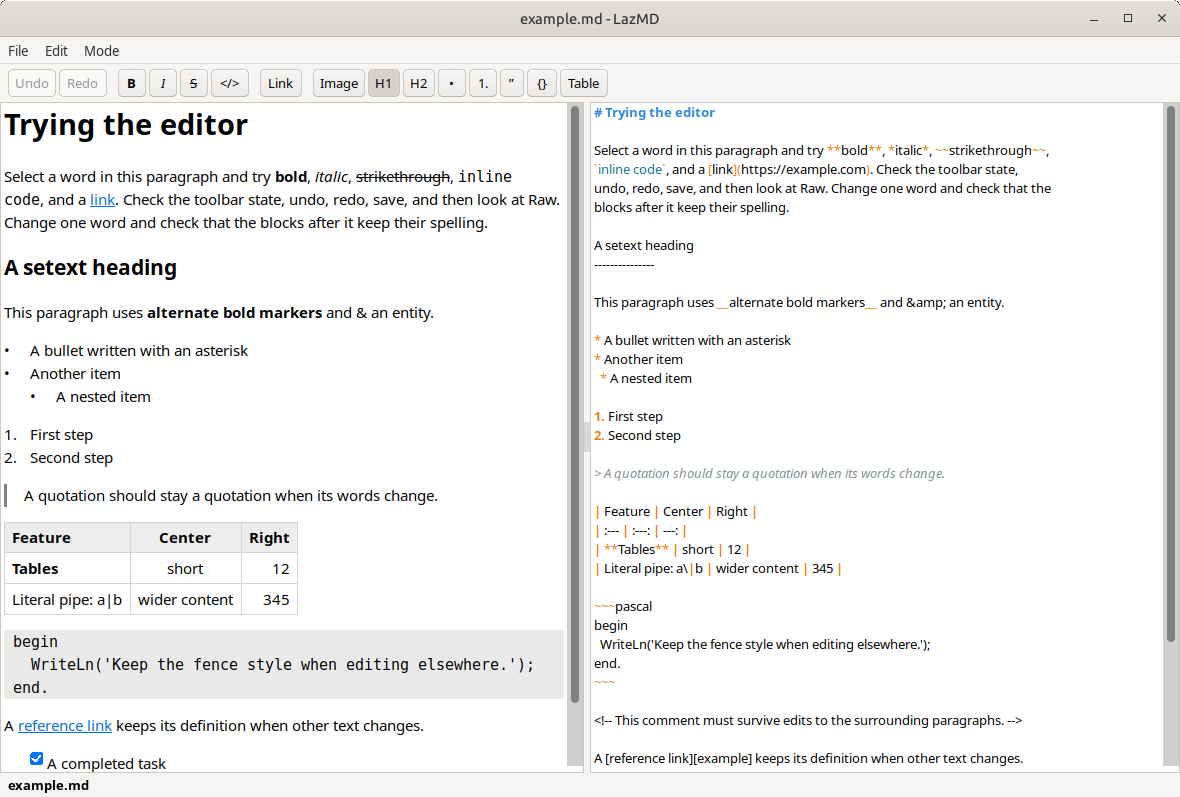
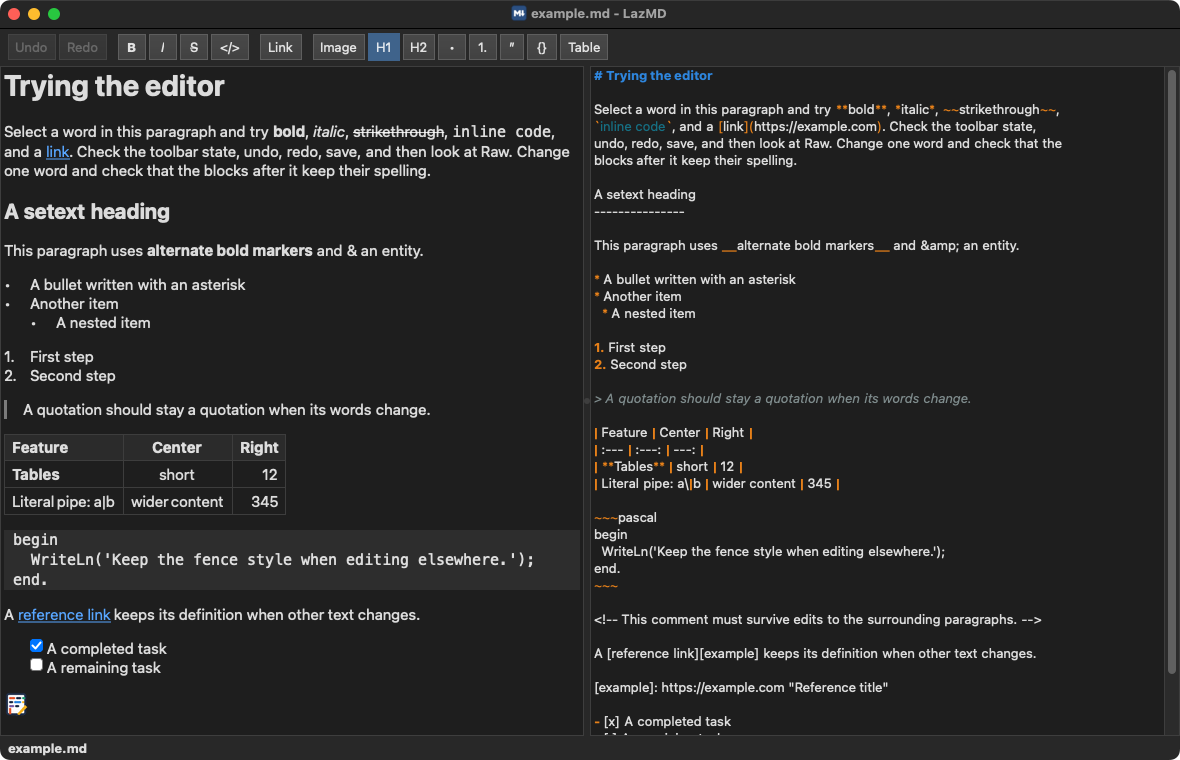
LazMD keeps the file the way you wrote it. Opening, reading and saving
change nothing. An edit in Rendered rewrites only the paragraph, list or
table it touched; the rest of the file keeps its exact bytes - your choice
of * or _, reference links, comments, line endings and all.
Image inserts a picture: pick a file, see a preview, give it a
description, and either keep it where it is or copy it into a folder next
to the document, such as images. Paths are written relative to the
document once it has been saved.
Ctrl+F finds text in either pane: matches as you type, Enter or F3 for the next, Shift for the one before, Esc to close.
Ctrl+wheel, Ctrl+plus and Ctrl+minus zoom both panes together, and Ctrl+0 puts them back to normal; the same is in the Mode menu. The zoom is kept for the next start.
Drop a file on the window to open it. When another program changes the open file, LazMD reloads it and shows a short notice; if there are unsaved edits, a bar above the text asks whether to reload or keep them. Nothing modal opens.
Built with LazInk (rendering and editing), FileAss (file association), FileEye (file change events) and InfoBarToast (the bar and the notices).
Install
Download the file for your system from the latest release. Each download is one or two megabytes: no installer, no dependencies to fetch.
- Linux —
lazmd-linux-x86_64.zip. Unzip and run./lazmd. Built on GTK3, which every current desktop has. - Windows —
lazmd-windows-x86_64.zip. Unzip and runlazmd.exe. - macOS —
lazmd-macos.zip. Unzip, dragLazMD.appto Applications. It is not signed, so the first time, right-click it and choose Open to get past Gatekeeper.
Use it for Markdown files
File → Create System File Association for .md registers LazMD with
the system for .md files and, on Linux, makes it the default program for
text/markdown. On Windows and macOS, pick LazMD once with Open With to
make it the default. Remove System File Association for .md undoes it.
The same from a terminal:
./lazmd --register
./lazmd --unregister
Command line: lazmd FILE opens a file; each launch is its own window.
Build
Free Pascal and Lazarus, with the LazInk, FileAss, FileEye and InfoBarToast repositories checked out beside this one:
./build.sh            # Linux, zipped into dist/
./build.sh windows    # Windows, cross-built from Linux
./build-macos.sh app  # on a Mac: LazMD.app and its zip
or open lazmd.lpi in Lazarus. The scripts build without debug
information and with smart linking, which is what keeps the downloads
small. The release builds were made with Lazarus 4.8 / FPC 3.2.4 on the
Mac and Lazarus trunk on Linux, where Windows is cross-built; the source
builds on either.
Tested on
Linux Mint with GTK3; Windows 10, in a virtual machine; macOS Sequoia 15 on Intel, in a virtual machine, light and dark mode, where a Markdown file handed to the bundle by Finder opens in it. Apple Silicon has not been tried.
License
0BSD.