

castle-quake2

Quake 2 port using Castle Game Engine (Free Pascal / Object Pascal)
- Active · last change 11-3-2026
- ★ 8 on GitHub
README
Castle Quake 2
A port of Quake 2 to the Castle Game Engine (Object Pascal / Free Pascal), the sibling of mariuz/castle-quake1. Bundled with the original Quake 2 shareware demo data (demo1–demo3, the first three Outer Base levels), and able to load a full Quake 2 install (baseq2/pak*.pak).
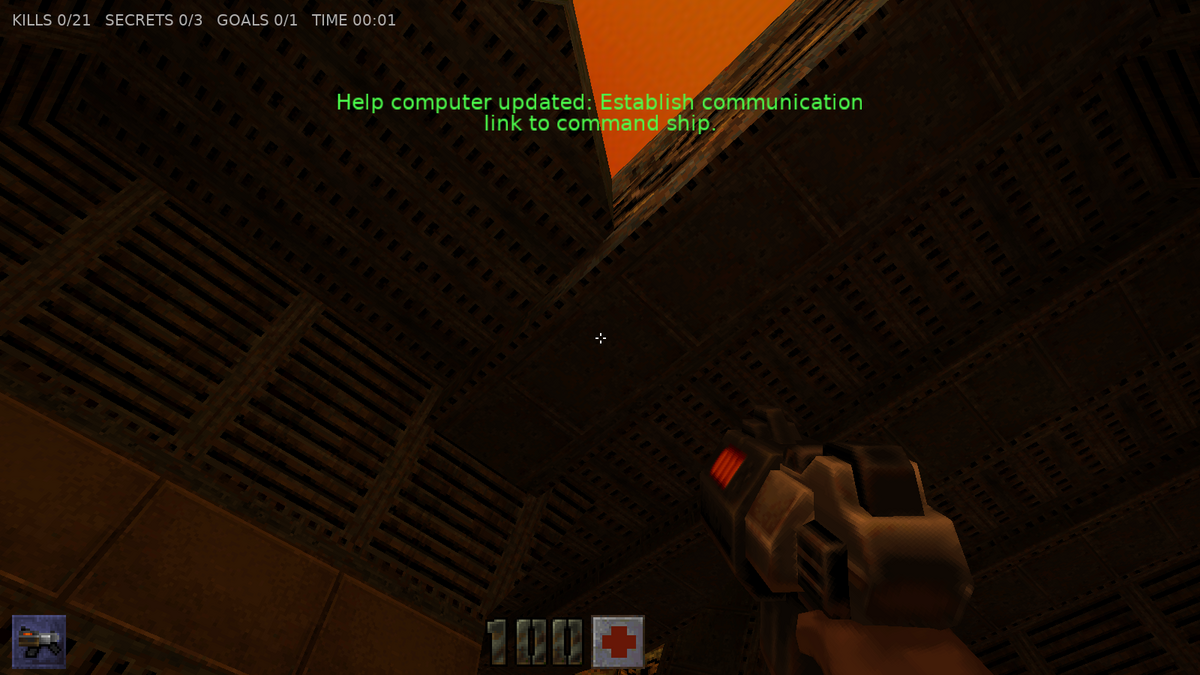
- 🌐 Play in the browser (WebAssembly)
- 📦 Download for Windows, Linux and Android (latest: v0.20.0, see the changelog)
- 📖 Architecture & Engine Mapping
- 🗺️ Quake 2 Comparison & Roadmap
Features (and the Castle Game Engine parts they use)
- Quake 2 BSP (IBSP v38) world geometry
- All 19 lumps parsed; faces batched per texture + surface flags into X3D
TIndexedTriangleSetNodes loaded intoTCastleScenewithPreciseCollisionsfor walking and ray casts. - WAL wall textures decoded with the
pics/colormap.pcxpalette and served through thequaketex:URL protocol. - Baked RGB lightmaps packed into one atlas per model and applied with
TMultiTextureNode(MODULATE× 2, the overbright factor in the unlit material's emissive colour, which also works in WebGL), like Quake 2's GL renderer. - Surface flags:
SURF_SKY(invisible but solid),SURF_NODRAW,SURF_WARP(animated with a GLSLPLUG_texture_coord_shiftshader effect, non-solid),SURF_TRANS33/66(blended),SURF_FLOWING(scrollingTTextureTransformNode). - Animated textures following the WAL
animnamechains at 2 frames/second. - Light styles: flickering, pulsing and switchable lights. Faces lit by animated styles live in a separate lightmap atlas that is recomposed from their up to 4 style layers (10 Hz, only when a style changes) and re-uploaded;
lightentities with atargetnameswitch on/off,target_lightrampfades them.
- All 19 lumps parsed; faces batched per texture + surface flags into X3D
- Skybox from
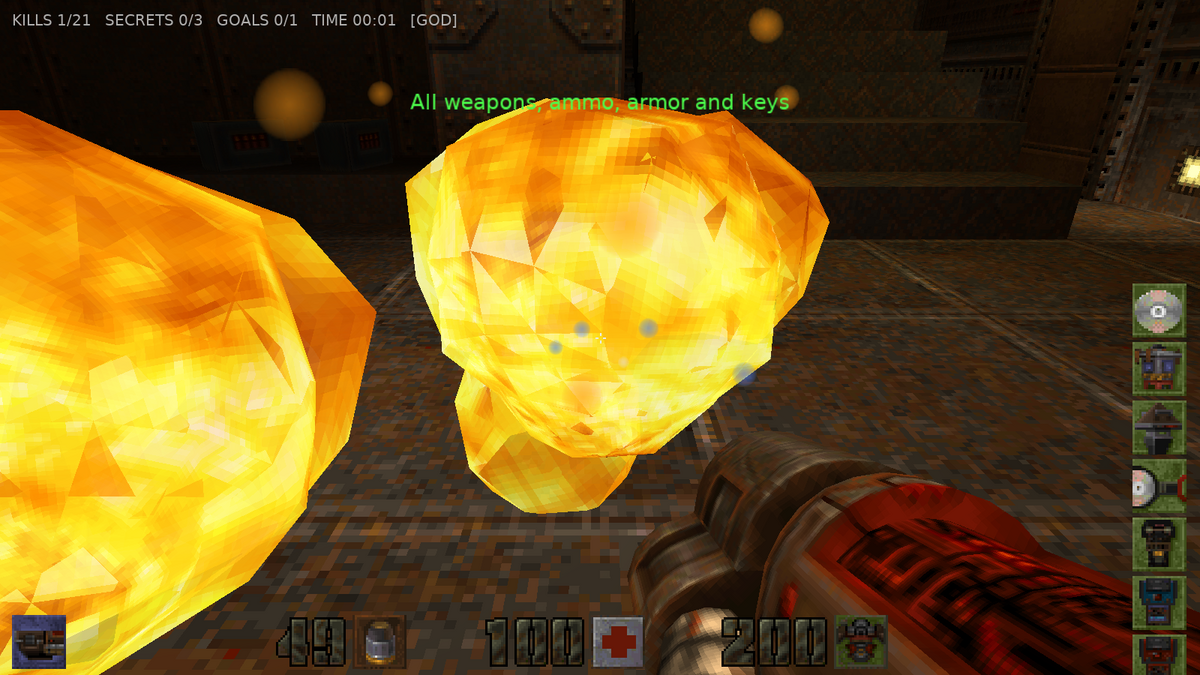
env/<sky>{rt,lf,up,dn,bk,ft}.tga|pcxviaTCastleBackground(TQuakeMap.Background, also shown in the CGE editor). - SP2 sprites (IDS2 v2): the BFG10K ball and its explosion, as animated camera-facing quads.
- MD2 models (IDP2 v8): monsters, items, weapons, projectiles and the first-person view weapon, with interpolated frame animation, PCX skins (index 255 transparent) and per-model tint sampled from the lightmaps below them (Quake 2's
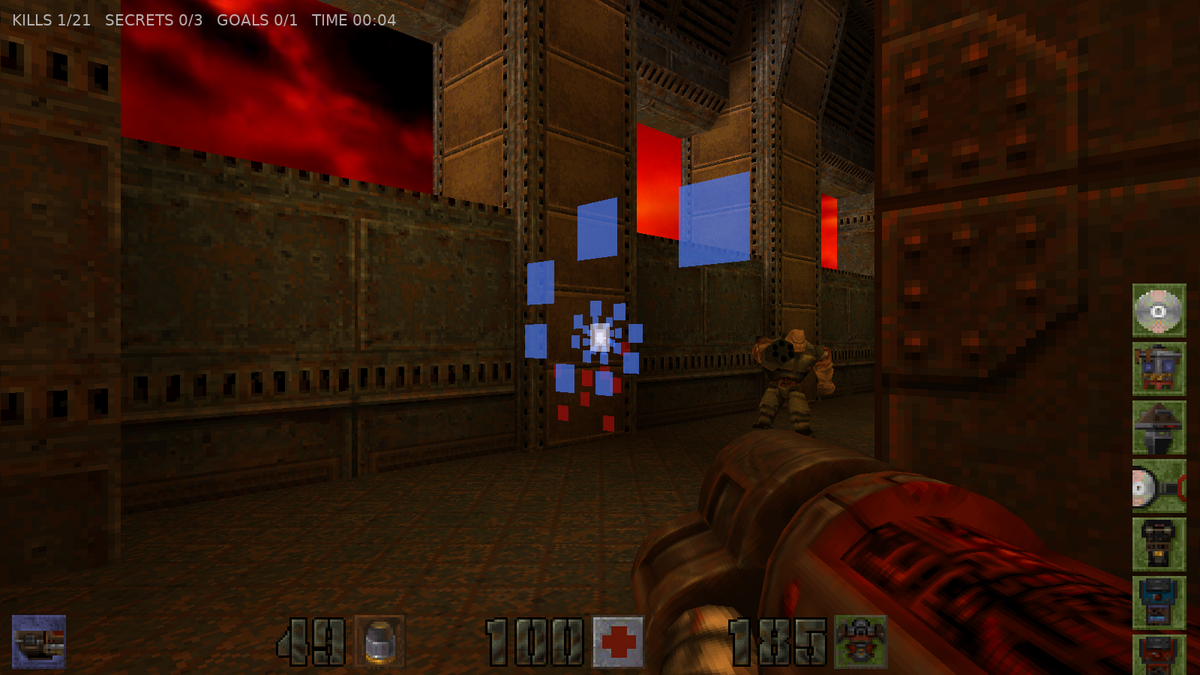
R_LightPoint, done by walking the BSP nodes). Shells likeRF_SHELL_*: a translucent copy pushed 4 units out along the normals, blue on the view weapon with quad damage, red with invulnerability, green on monsters whose power armor absorbs a hit (the brain's power screen). - Brush entities as
TCastleTransforms:func_door,func_door_rotating,func_plat,func_button,func_rotating,func_train(followspath_corners),func_wall,func_explosive(shootable, chain reactions). - Quake 2 entity logic:
target/targetnamechains (G_UseTargets),trigger_multiple/once/relay/counter/key/hurt/always,delay,target_changelevel(withmap$spawnpoint; levels of a unit remember their state when you come back),target_crosslevel_trigger/_target,target_secret/goal/help/speaker/explosion,misc_teleporter, messages and the help-computer objectives. - Dynamic lights: muzzle flashes, explosions, rockets, blaster bolts and BFG balls light the walls and models around them (a shader effect on the lightmaps).
- All 10 weapons plus hand grenades: Blaster, Shotgun, Super Shotgun, Machinegun, Chaingun (spins up from 1 to 3 bullets per frame), Grenade Launcher (bouncing grenades), Rocket Launcher (splash damage), HyperBlaster, Railgun (piercing, spiral trail), BFG10K, hand grenades (hold fire to cook, throw harder the longer you hold, explode in your hand after 3 s). Guns run on Quake 2's weapon frames: shots leave on the frames the original fires them, refire when the animation allows, and switching weapons plays the put-away and raise animations (the BFG fires its ball 0.8 s after the flash, like the original). Shots are Quake 2 traces through the map's brushes, doors and plats, monster boxes (shorter while a monster ducks), corpses and barrels; grenades bounce off the surface they hit.
- Items: health, armor (jacket/combat/body with Quake 2 protection and salvage rules, shards), ammo, quad damage, invulnerability, adrenaline, bandolier, ammo pack, keys (data CD, power cube, pyramid, spinner, pass, blue/red key, commander's head, airstrike marker).
- Monsters (19 types defined; the demo has soldiers, enforcers, gunners, berserkers, flyers, parasites and tanks): sight via line-of-sight checks, chase at their Quake 2 pace (walk / run frames moving the original per-frame distances), floor following, melee / hitscan / blaster / rocket / grenade / railgun attacks, pain and death animations, gibbing into flying gib models; monsters detour around obstacles and won't walk off ledges; idle monsters walk their
path_cornerpatrols (withwaitandpathtarget), alerted ones first run to theirpoint_combat(and hold it when flagged); monster projectiles can hurt other monsters. - View weapon in its own transparent viewport (
WeaponViewport, cleared depth), so it never clips into walls. - Invisible player-clip walls rebuilt from the clip brushes' planes.
- Player physics ported from Quake 2's pmove (
TQuakePlayerMovement, a behavior on the camera): Quake 2's 32 × 32 × 56 player box (32 high when crouched) swept through the map's BSP brushes like Quake 2's collision model (QuakeTrace: exact sliding along walls, slopes and creases, 18-unit step-ups with a smoothed view, platforms and doors carry and push you, monsters block you), friction 6, accelerate 10, air control 1, gravity 800, jump 270, 18-unit steps, crouch (eye 46 → 22, speed 100), ladders (forward + look up / down, jump / crouch), falling damage and jump pads (trigger_push). Tunables are published, so they can be tweaked in the editor;Active = falsefalls back toTCastleWalkNavigationmovement. Swimming (PM_WaterMove: water level from BSP leaf contents, water friction, sinking, swim up / along the view), underwater tints, lava / slime damage, drowning after 12 seconds, splash sounds; warped liquid surfaces don't collide. Plus noclip, damage with armor absorption, death and level restart. - HUD drawn with the original
pics/*.pcxbig numbers, ammo/health/armor/weapon/key icons and crosshair (TDrawableImage), pickup notices and damage / quad / invulnerability screen blends. - Spatial audio from the PAK's WAVs via
TCastleSoundSource(doors and lifts loop their move sound, idle monsters mutter), with Quake 2's distance attenuation mapped to OpenAL's linear model; ambienttarget_speakerloops (80–90 per demo map) and triggered sounds; optional CD-music replacement asdata/music/trackNN.ogg. - Turrets (
turret_breach,turret_base,turret_driver): the gun turns to where its infantry driver aims and fires rockets; kill the driver to stop it. - Props and effects: exploding barrels (
misc_explobox, chain reactions), waving banners, corpses, the satellite dish, flying Strogg ships along theirpath_corners,func_timer,target_splashsparks,target_laserbeams, and Quake 2's animated, skin-fading explosion model. - Help computer (F1) with the original
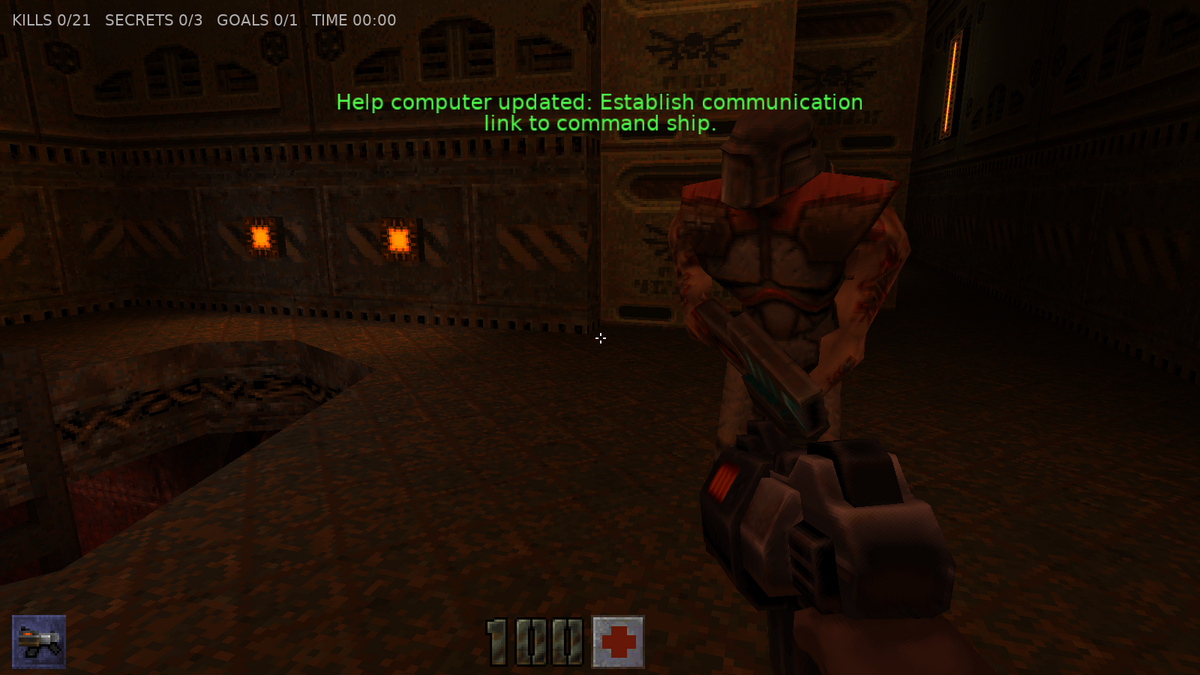
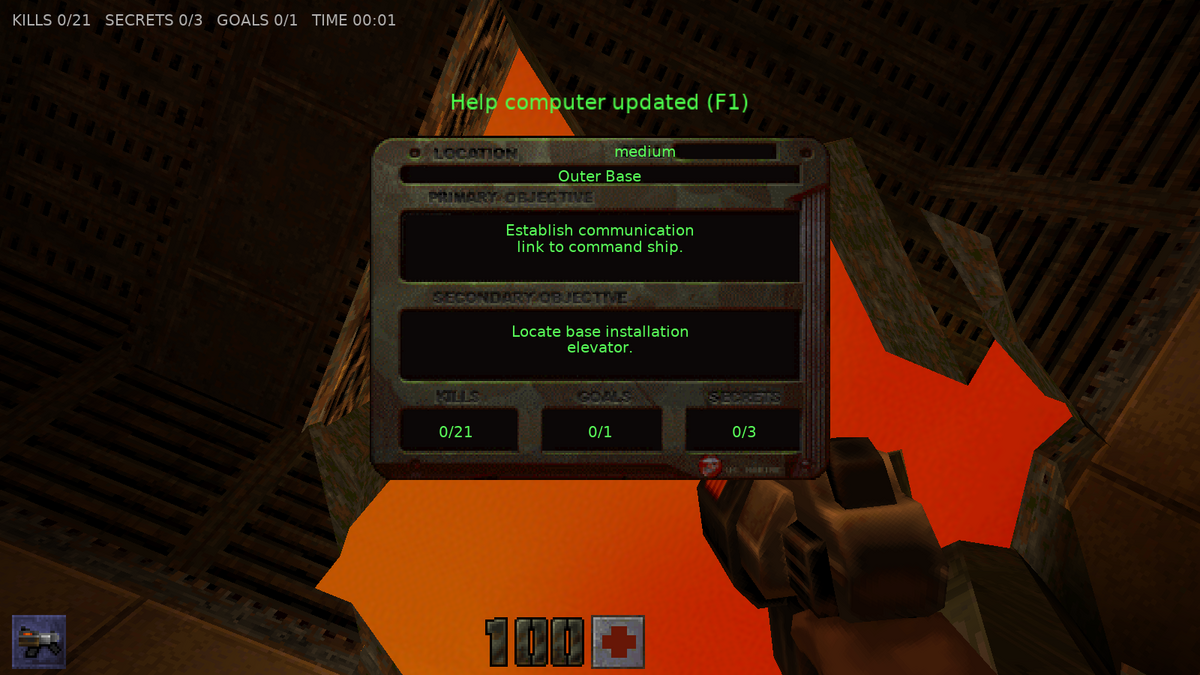
help.pcx, level name, primary / secondary objectives and kills / goals / secrets, and an intermission atinfo_player_intermissionbefore the next unit loads. - Particles batched into one scene (camera-facing quads with per-vertex colour / alpha and a soft round sprite): bullet impacts, blood, blaster sparks, splashes, rail trails, BFG blasts, teleport fountains.
- Savegames (F6 / F9 quick save / load,
save/load <name>in the console): the whole level state as JSON in the user config directory (castle-config:/saves/) — player, inventory, monsters, items, doors / plats / trains, barrels, ships, triggers, counters, timers, lasers, speakers, switchable lights, objectives. - Drop-down console, menu with the map list read from the loaded PAKs, and a headless autotest / demo-script harness.
- Random levels (Random Level in the menu,
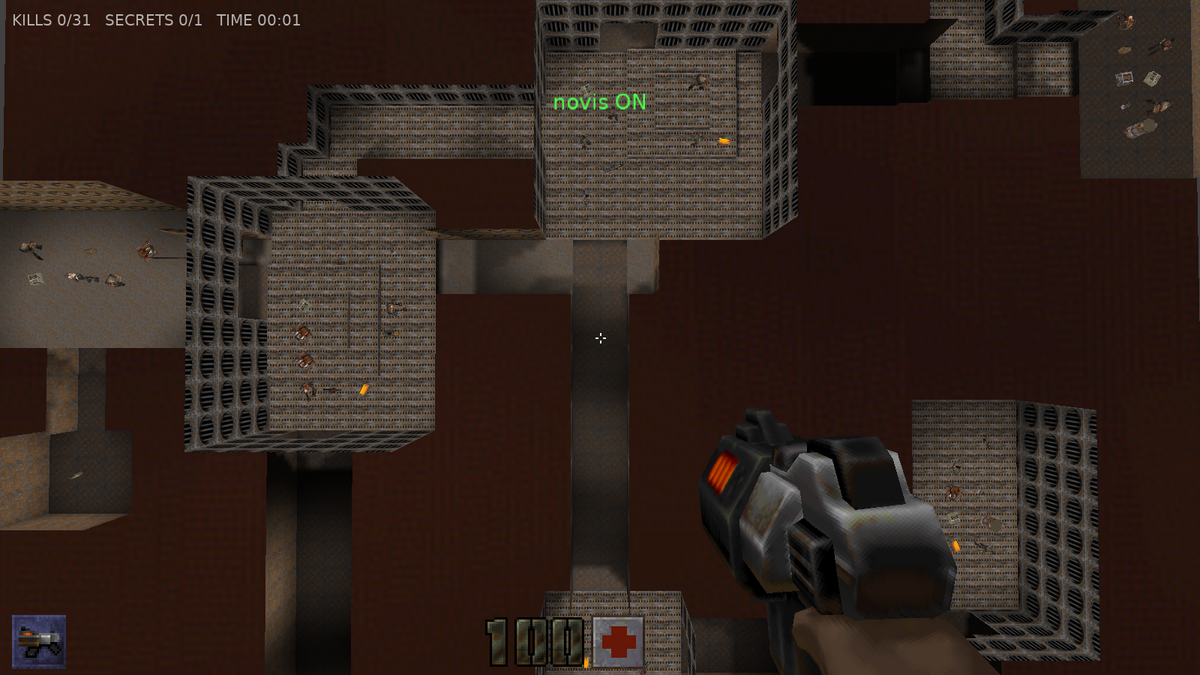
randmap [seed]in the console): every seed makes its own level, built with classic Quake / Doom layout rules. Rooms of varied size are linked into loops, not dead-end trees. Low corridors climb on slopes between high rooms, and windows look from one area into another. Big rooms get pillars for cover, raised platforms, sunken pools or slime and lava pits; some rooms are round, others have their corners cut; some rooms open to the sky (big ones become outdoor areas with grass or rock and rolling ground), some corridors have doors, rooms far higher or lower are reached by lifts or ladders, and the exit is locked behind a switch or a blue key somewhere along the way; often the blue key lies in a vault that only the red key opens. Monsters grow tougher along the way, and some only appear on harder skills or wait in ambush; in some rooms more of them appear as soon as you walk in, and some rooms have flickering or pulsing lights. The secret room hides behind a wall that opens when you shoot it. Weapons come in order of strength, with ammo after them and health after the fights. There is a secret room with a teleporter back to the start, and the exit leads to the next random level. Levels are compiled at runtime into real Quake 2 maps (QuakeBspBuilder: BSP tree, brushes for collision, lightmaps, visibility), so everything in the game works in them. - Level editor (Level Editor in the menu,
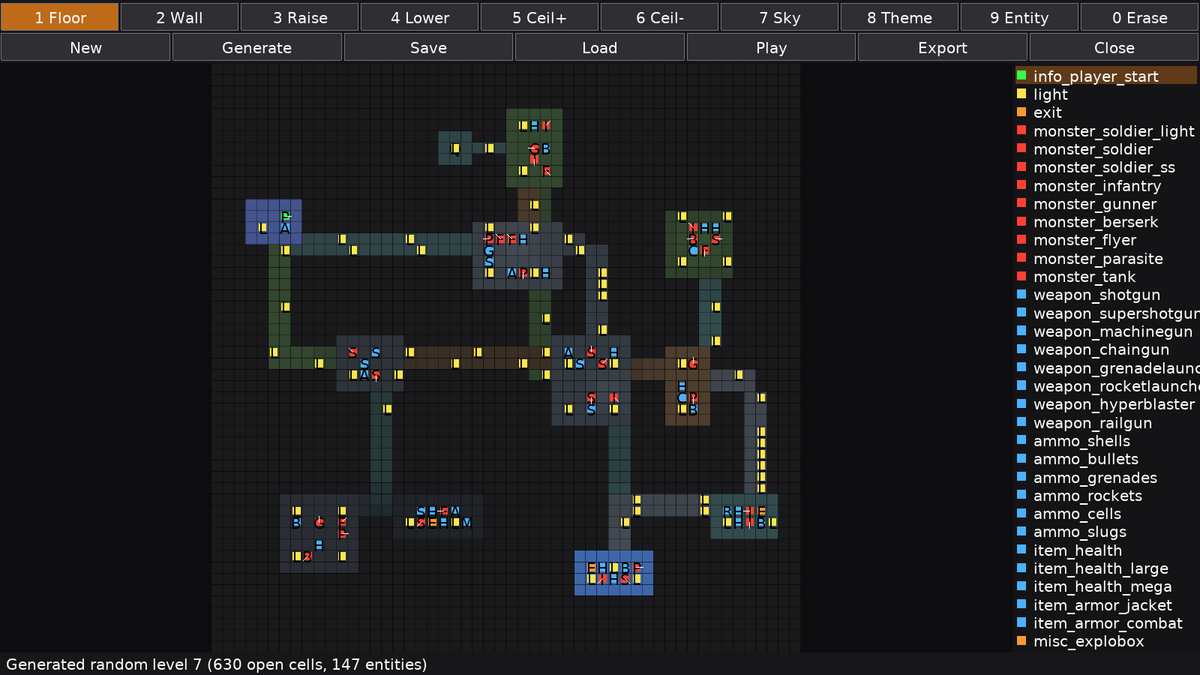
editorin the console): a top-down grid to paint walls and floors and to raise or lower floors and ceilings. You can add doors, lifts, buttons that open doors (switch channels), doors locked with a blue or red key, ladders, ramps (real slopes), diagonal walls, breakable glass windows, water, slime and lava, rolling hills for outdoor areas, open cells to the sky, pick texture themes (with the full game, every texture set of its PAKs becomes a theme too), and place the player start, lights, monsters (and inspect them: Inspect shows a placed entity's keys,editor set <key> <value>changes them), weapons, ammo, health, armor, barrels, keys, teleporters (each goes to the destination of the same number) and the exit. It has undo, can generate a random level to start from, and saves and loads levels (castle-config:/levels/<name>.json). Play compiles the level and drops you into it at once; Export writes the Quake 2.bsp(castle-config:/maps/<name>.bsp).
 |
 |
 |
 |
 |
 |
Working in the Castle Game Engine editor
The project follows the structure of CGE's own templates (3d_fps_game) and the examples/advanced_editor/custom_component sample:
- Views are designed, not hard-coded.
TViewPlayandTViewMenuloaddata/gameviewplay.castle-user-interfaceanddata/gameviewmenu.castle-user-interface(DesignUrl); the viewport, camera (90° horizontal FOV),TCastleWalkNavigation(Quake 2 eye height 46, step 18, speed 300),TCastleBackground, HUD, console, menu and FPS label are published fields you can select and tweak in the editor. - Custom components (
editor_unitsinCastleEngineManifest.xml): Quake 2 Map (TQuakeMap), Quake 2 HUD, Quake 2 Console, Quake 2 Menu, Quake 2 Monster Type, Quake 2 Named Sound. Open the project in the editor and use Project → Restart Editor (With Custom Components).TQuakeMap.MapNamehas a dropdown of the PAK's maps,PakUrl/LevelUrlopen file dialogs, and right-clicking the map in the hierarchy offers Reload Map. With PreviewEntities / PreviewMarkers on, every entity is listed under EntityPreview: select one to see its class, targetname, target, spawnflags and all its keys (Fields). TQuakePlayerMovementis a behavior of the camera in the play design: select Camera → PlayerMovement to tune run speed, jump, gravity, step size or to watchOnGround/Crouchedlive.TQuakeMapis aTCastleTransform: setPakUrl(defaultcastle-data:/paks/quake2_demo.pak) andMapName(demo1,demo2,demo3, orbase1... with a full PAK) and the level is built right in the editor viewport. Turn onPreviewEntitiesto see items and monsters as static models. Read-onlySkyName,EntityCountandFaceCountshow map info in the inspector. The game reuses this component:TQuakeWorldadds live entities on top of it.- Monster balancing in the editor. Open
data/monsters.castle-transform: a row ofTQuakeMonsterTypes, one per monster class, each showing its model. Select one and changeHealth,Speed,Attack,Damage,AttackRange,AttackCooldown,Flying, model, skin or sounds; the game applies the design over its built-in table at startup (a newMonsterClassadds a monster type). - Named sounds.
data/sounds.castle-componentnames every sound the code plays (Items_pkup,Weapons_railgf1a,Doors_dr1_strt...) as aTCastleSoundwith aQuakePath. Change itsVolume/Pitch, or pointUrlat your own file (e.g.castle-data:/sounds/pickup.ogg), and the game plays that instead of the PAK sound. - Levels in the editor. Set
TQuakeMap.MapNametorand42to see random level 42, orLevelUrlto a level saved by the in-game editor (e.g.castle-config:/levels/mylevel.json) to see it compiled in the viewport. The 2D editor itself is a component too (Quake Level Editor,TQuakeLevelEditor, withLevelUrl). - Behaviors with published state. Monsters (
TQuakeMonster), items (TQuakePickup) and brush entities (TQuakeMover) areTCastleBehaviors attached to named transforms such asMonster007_monster_soldier,Item012_weapon_shotgunorMover19_func_door. In a debug build (castle-engine compile --mode=debug) press F8 to open the CGE inspector and watchMonsterState,HitPoints,IsAlerted,MoverState,MoveProgressand more change live.
Controls
| Key | Action |
|---|---|
| W, A, S, D / Arrows | Move / strafe |
| Mouse | Look |
| Left Mouse / Ctrl (hold) | Fire |
| Space / C | Jump / Crouch |
| E | Use (doors, buttons) |
| 1 .. 9, 0 / Mouse wheel | Select weapon (Blaster .. BFG10K) |
| G | Hand grenades |
| F1 | Help computer (objectives, kills / goals / secrets) |
| F6 / F9 | Quick save / quick load |
| F12 | Screenshot |
| ~ | Console (map, maps, save, load, god, give all, give quad, give invulnerability, noclip, notarget, kill, fps, markers, novis, skill, lightstyle, record <name> / stop, spawn <class> [key value]..., sky <name> [rotate [x y z]], randmap [seed], editor [command], quit, help) |
| F8 (debug build) | CGE inspector: hierarchy and live properties |
| Level editor | Left mouse paints with the tool (drag to paint), right erases, middle (or Alt + left) picks a cell's heights and theme; 1–0 tools (Floor, Wall, Raise, Lower, Ceil+, Ceil-, Sky, Theme, Entity, Erase), O door, U water (V / B depth), H lift (, / . height), J button, C switch channel, M slime, I lava, R ladder, K key door (Y blue / red key), Hills, Ramp, Window, Diagonal (toolbar), PageUp / PageDown brush floor, Home / End brush ceiling, T theme, Q / E turn the entity, [ / ] entity type, arrows / WASD pan, wheel / + / - zoom, F fit, Ctrl+Z undo, G generate, P play, Ctrl+S save, L load the next saved level, N new, X export, Escape back to the menu |
| Escape | Menu: Single Player (choose Easy / Medium / Hard / Nightmare), Map Warp, Options (camera, mouse sensitivity, invert mouse, view bob, field of view, sound and music volume, Controls to rebind keys) |
| Touch (phones, tablets; --touch on desktop) | Left thumb anywhere on the left 40 % of the screen: move stick; drag on the right: look; buttons FIRE, JUMP, DUCK, USE, WPN (next weapon), MENU; in menus tap a row to select it, tap it again to activate it (or change its value: left half down, right half up); the Android back button is Escape |
| Gamepad | Left stick move, right stick look, right trigger fire, A jump, B / left trigger crouch, X use, Y hand grenades, bumpers / D-pad up-down weapons, Menu menu, View help computer; in menus D-pad / left stick, A select, B back. The buttons can be rebound in Options → Controls → Gamepad Buttons (or padbind <action> <button> in the console) |
The movement, jump, crouch, use, fire, grenade and help keys above are the defaults; rebind them in Options → Controls. Options are saved with CGE's UserConfig and restored on the next start.
Skill works like Quake 2: it picks which entities spawn (demo1 has 18 / 21 / 33 / 33 monsters on easy / medium / hard / nightmare), halves the damage you take on easy, makes monsters attack more often from hard on, and removes their pain flinches on nightmare. The skill <0-3> console command changes it for the next map; savegames remember it.
Building and Running
Prerequisites: Castle Game Engine 7.0-alpha.3 or later (bundles FPC 3.2.2).
$env:PATH = "C:\castle-engine\bin;C:\castle-engine\tools\contrib\fpc\bin;" + $env:PATH
castle-engine compile --mode=release
.\castle-quake2.exe
Android
castle-engine package --target=android --mode=release builds an APK for arm and aarch64 with the demo PAK inside (CGE reads it from the APK assets). CI builds it in the CGE Docker image (artifact castle-quake2-android, attached to releases); without AndroidSigningProperties.txt it is signed with a debug key, fine for sideloading (adb install castle-quake2-*.apk). Touch controls appear automatically on touch devices. The APK is built by CI but not yet tried on a device.
Game data
PAKs are loaded in this order (later ones override earlier ones):
data/paks/quake2_demo.pak— the bundled shareware demo (pak0.pakfromq2-314-demo-x86.exe).baseq2/pak0.pak,pak1.pak, ... next to the executable — a full Quake 2 install.-basedir <quake2 dir>(loads<dir>/baseq2/pak*.pak) and-pak <file>.
A game folder (baseq2, or a mod's) is loaded whole: pak0.pak..pak9.pak, then its .pkz archives, then its loose files, each over the previous. Quake 2 Remastered's layout (<dir>/rerelease/baseq2) is found too, and its 32-bit textures (textures/<name>.png / .tga) replace the .wal images.
Mods: Call of the Void
-game <folder> (or +set game <folder>, as in Quake 2) loads a mod's folder next to baseq2 over it. Call of the Void, the Quake 1 / 2 crossover for Quake II Remastered, installs as rerelease/q1q2:
castle-quake2 -basedir "C:\Program Files (x86)\Steam\steamapps\common\Quake 2" -game q1q2 +map q2e1start
castle-quake2 -basedir <same> -game q1q2 --map-report cotv-report.md   # what the mod's maps still need
What works: its maps (IBSP or the extended QBSP format), textures (PNG / TGA), models and sounds load; its Quake 1 and hybrid monsters (dogs, ogres, knights, fiends, shamblers, scrags, vores, grunts, the _strogg / _prototype hybrids, the bosses) spawn with their model and health and fight with the generic monster AI (one attack each: melee, grenades, lasers, bolts, homing pods or lightning, by kind). Not yet: their own animations and attack sequences, the mod's new weapons, items, keys and special entities (the map report lists them), and Quake II Remastered's own new features.
Tests
cd tests
castle-engine compile
.\castle-quake2-tests.exe   # parser unit tests (PAK, PCX, WAL, BSP, MD2, SP2) against the demo PAK
castle-quake2 --map-report report.md loads every map in the loaded PAKs and writes a compatibility report (load times, entity counts, unsupported and partially supported entity classes); see docs/map-report-demo.md. With a full Quake 2 install (-basedir) it shows what the game still lacks.
CI also runs the --autotest demo scripts on Linux (xvfb + Mesa), uploads their screenshots, and compares an early screenshot of each demo map with tests/reference/*.png (castle-quake2-tests --compare, 64x36 block averages), so rendering regressions fail the build.
Command line
.\castle-quake2.exe +map demo2                 # start on a map ("base1" with the full game)
.\castle-quake2.exe -basedir "C:\Games\Quake2" # use a full Quake 2 install
.\castle-quake2.exe -gamma 1.0                 # original lightmap brightness (default 1.2)
.\castle-quake2.exe --autotest demo1 shot --demo "W:1,S,K,C:9,N:3,X,W:0.2,S,Q"
Demo script actions (comma separated): W:sec wait, S screenshot, X fire, H toggle hold-fire, U use, C:slot weapon, K give all, Y god, A:deg yaw, T:deg turn, P:deg pitch, M:units move, N:i / I:i / D:i / R:i stand near monster / item / brush entity / prop number i, F toggle the help computer, G:x y z go to Quake coordinates, GO:forward side seconds hold movement keys, J jump, E:targetname fire targets, O:command run a console command (e.g. O:kill), V log mover, prop and laser states, L:map load map, B:key press a key (B:escape, B:down, B:enter... to drive the menu), GP:lx ly rx ry lt rt hold a virtual gamepad's sticks and triggers (GP: releases), GB:button press a gamepad button (south, east, west, north, lb, rb, ls, rs, up, down, left, right, menu, view, share), GH:button hold / release one, MV:i x y z place monster i (Quake coordinates), IN:time yaw pitch forward side buttons [x y z] recorded view and inputs (see below), SY:0 don't correct a replay's drift, TD:x y finger / TM:x y finger / TU:finger touch down / move / up (x, y as fractions of the window from the bottom left; with --touch this drives the touch controls), Q quit. Autotests ignore the saved options and don't save them.
Recording a playthrough as a test. record <name> in the console restarts the map with a new player and records what you do; stop saves it as a demo script in the user config directory (recordings/<name>.txt, e.g. ~/.config/castle-quake2/recordings/ on Linux) and prints the command that replays it:
castle-quake2 --autotest demo1 bug --demo @C:\Users\me\AppData\Local\castle-quake2\recordings\bug.txtThe script holds one IN: line per change of the view or the held keys, timed on the script clock (so a slower machine doesn't fall behind), plus weapon switches, use, the help computer and console commands. Each IN also has the player's position: the replay logs how far it drifted (Replay drift in the V log) and puts the player back when it is more than 2 units off, so frame-rate differences don't add up (SY:0 turns that off, to reproduce a movement bug exactly). Monsters can still act differently, as their random choices depend on the frames. Add S (screenshot) or V (state log) lines anywhere to turn the recording into a regression test.
License
- Code: MIT License (the same as mariuz/castle-quake1). This covers this project's own code only.
- Castle Game Engine, which the game is built with, is not MIT: its units (the ones linked into the game) are under the LGPL with a static linking exception, like the FPC run-time library. That exception means a game made with it can use any license, open source or proprietary, MIT included. See https://castle-engine.io/license.
data/paks/quake2_demo.pakis the unmodified Quake 2 demo data © id Software, redistributed electronically free of charge under the id Software demo license indata/paks/QUAKE2_DEMO_LICENSE.txt, which must accompany it.- Quake is a registered trademark of id Software / ZeniMax Media.