

Catalog · How the catalog works
CCM

Corpsman Cache Manager is a multiplattform geocache managing tool (compareable to GSAK or c:geo) for desktop PC's.
- ★ 8 on GitHub
Anyone may press Interesting, signed in or not. It helps others find this project.
README
CCM
This is the public source mirror of the CCM Project.
!! Attention !!
It is possible to compile the CCM-Project out of the given code, but the lab cache features will be disabled, as i am not allowed to publish the needed keys for the lab-API.
If you find a bug / missing feature, you need to go the "normal" process with a ticket in this repository and i will give my best to fix the code and then publish the binaries on www.Corpsman.de
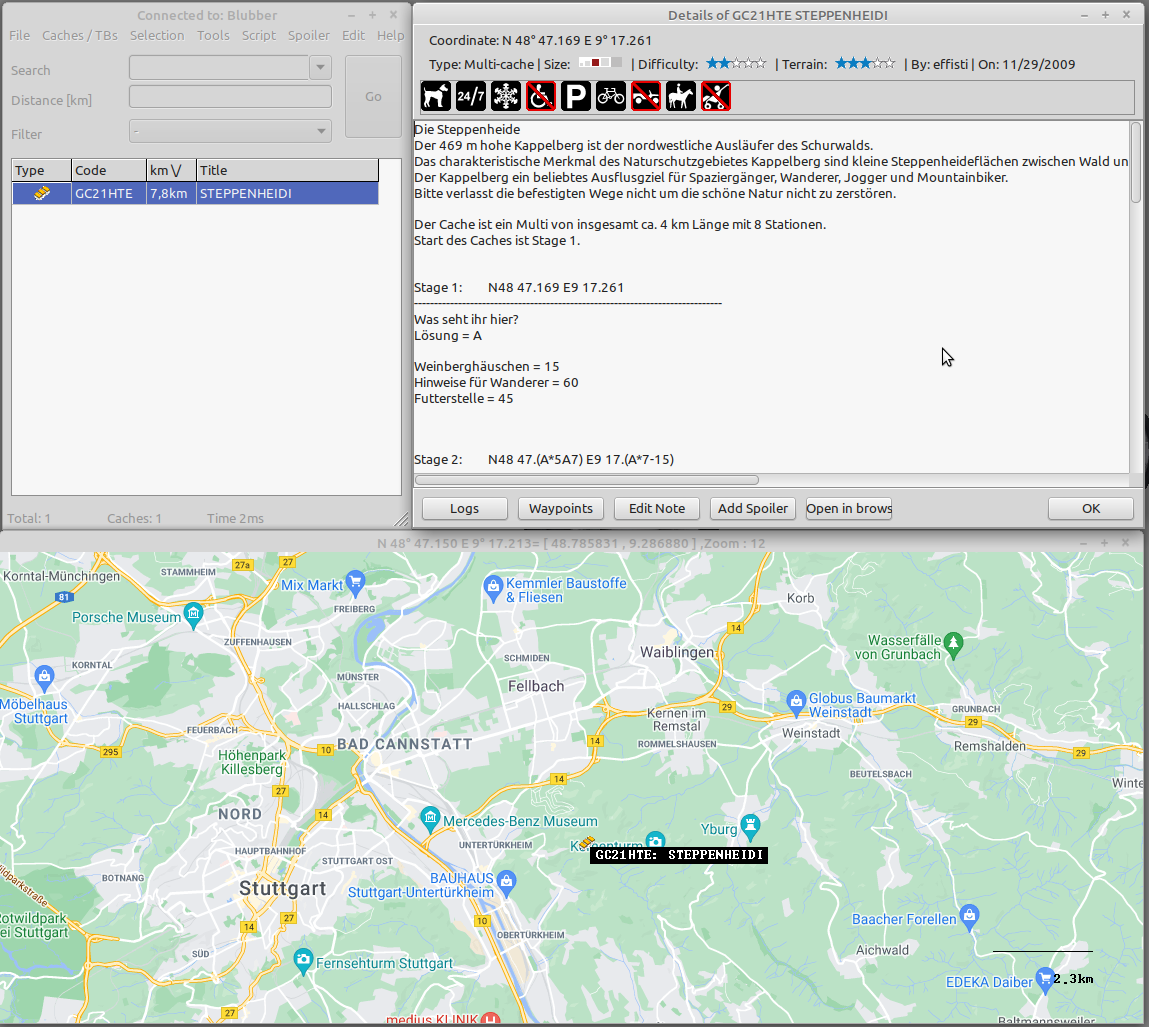
Features
- Windows / Linux 64
- Bilingual (de / en)
- Inbuild google map with cache overlays
- Separate travelbug database
- Fully scriptable
- Custom Filters
- diverse statistic evaluations (Jasmer / 81 / Attributes ..)
- automatic updates
- Export / Import features for GSAK / c:geo
- as many databases as you want
- compare / merge databases
- download pocket queries
- Export caches to garmin GPS
- Import fieldnotes from garmin GPS
- Online logging
- rudimentary support for LAB-Caches (download / convert to caches)
- recordings for light caches (good to download thousands of geocaches arround a route)
Download
If you just want to use CCM, please download it from: [www.Corpsman.de](https://www.Corpsman.de)
Application: ccm.zip
Setup files: ccmsetup.zip
Installation instructions
Youtube Step by step installation guide (Windows and Linux)
0:43: Linux installation
1:05: Windows installation
2:00: setup CCM with the Wizard
More video tutorials:
c:geo extension
There is a c:geo extension available project-gc to c:geo which might also be of interest to you