vboxvdc

VBoxVDC - booting the VirtualBox VM's from a flash drive via creating a virtual hard disk
- Active · last change 5-20-2026
- ★ 8 on GitHub
README
VBoxVDC - booting the VirtualBox VM's from a flash drive via creating a virtual hard disk
Dependencies: gtk2 virtualbox
- Insert a bootable USB flash drive with the OS installed
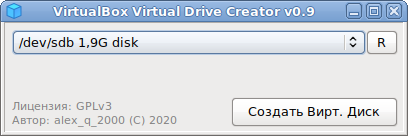
- Launch VBoxVDC and select a USB flash drive from the ComboBox
- Click the
Create a virtual Diskbutton and save the file
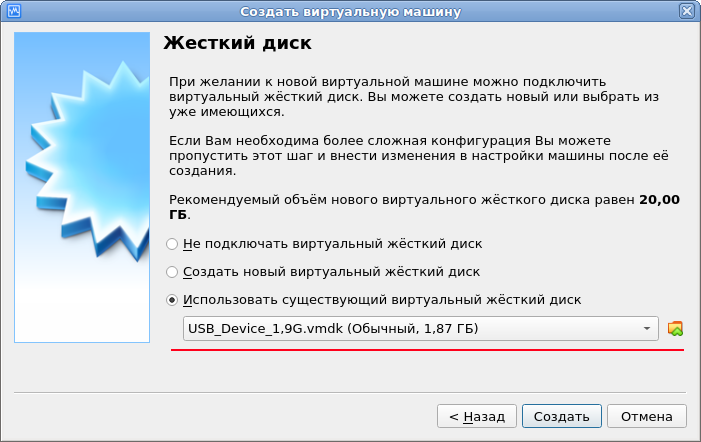
Create a new Virtual Machine in VirtualBox and specify the previously created virtual disk at the step of creating its hard disk (see the screenshot) & run it. The VBoxVDC startup shortcut is located in the Menu-Emulators.