

padxml

A simple tool for creating and editing PAD XML files used for software distribution and listings. Portable Application Description, or PAD for short, is a data set that is used by shareware authors to disseminate information to anyone interested in their software products.
- Active · last change 11-3-2026
- ★ 9 on GitHub
README
PadXml
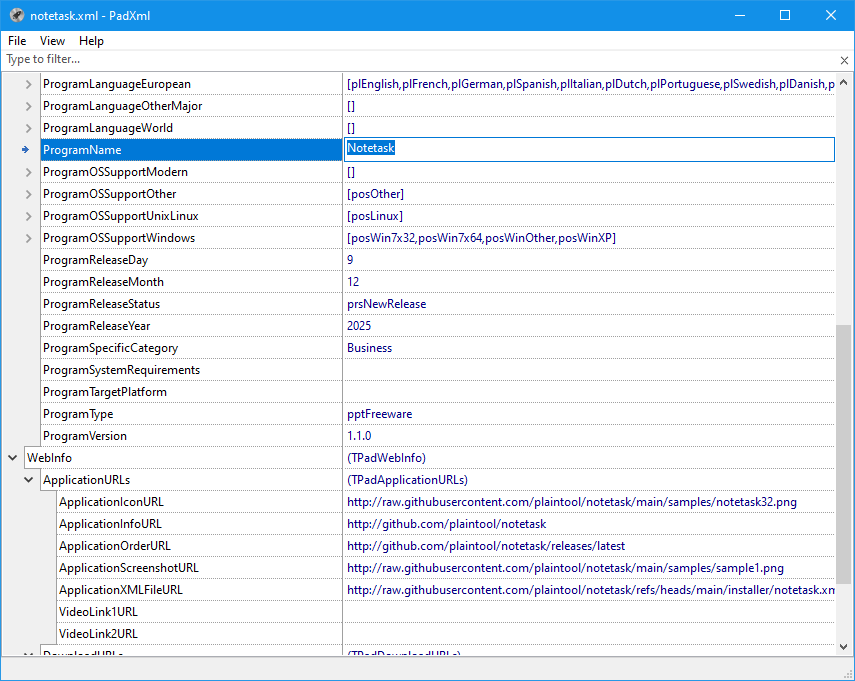
A lightweight application designed to create, edit, and maintain PAD (Portable Application Description) XML files. PAD files are used to describe software products in a standardized format for software directories, download sites, and application catalogs, helping automate software listing and distribution.
Installation
Windows
Several installer options are available on the releases page:
| Description | Files |
|---|---|
| User installer (MSI) — installs the application for the current user | padxml‑x64.msi |
padxml‑x86.msi |
|
| System installer (MSI) — installs the application for all users on the system | padxml‑x64‑allusers.msi |
padxml‑x86‑allusers.msi |
|
Portable version — saves its settings to form_settings.json if it is near the executable; otherwise, in the user directory |
padxml‑x86‑x64‑portable.zip |
Download the installer from the releases page, run it, and follow the on-screen instructions. After installation, you can launch PadXml from the Start menu or from the desktop shortcut.
Linux
Debian-like systems (Debian, Ubuntu, etc.)
Download the appropriate .deb package for your system from the releases page, or use wget directly. An example of using wget is provided on the release page.
If you downloaded the package manually, you can also install it via:
sudo dpkg -i /path/to/padxml.debIf there are missing dependencies, fix them by running:
sudo apt-get install -fRPM-based systems (Fedora, RHEL, CentOS, openSUSE, etc.)
Download the appropriate .rpm package for your system, or use wget directly. An example of using wget is provided on the release page.
If you downloaded the package manually, you can also install it via:
sudo dnf install /path/to/padxml.rpmIf there are missing dependencies, fix them by running:
sudo dnf install -y gtk2Donate 💖
If you like this application, you can read how to support it here.
Licensing
PadXml is licensed under the MIT License. See the LICENSE file for details.