

Altium-PCB-Creator-With-Screws

PCB Creator Script for Altium Designer
- Active · last change 5-3-2025
- ★ 7 on GitHub
README
PCB Creator Script for Altium Designer
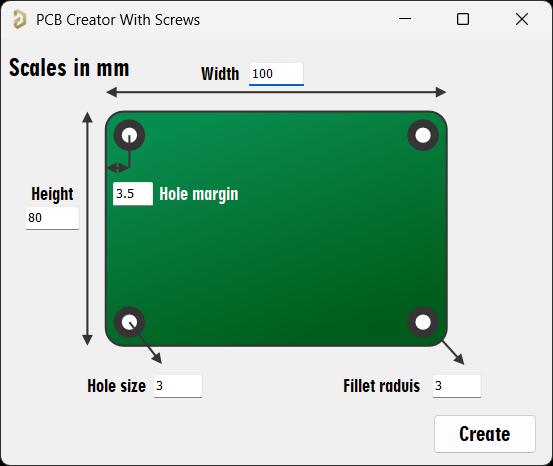
This script provides a GUI interface in Altium Designer to quickly create custom PCB outlines with mounting holes and design rules.
Features
- 🛠️ Custom PCB Outline Creation
- Rectangular boards with configurable dimensions
- Optional rounded corners (fillet radius)
- 🔩 Automatic Mounting Holes
- Four corner holes with decorative elements
- Customizable hole size and margin
- 🎨 Visual Enhancements
- Decorative arcs on multiple layers
- Clear silkscreen markings
Installation
- Running the Script:
- In Altium Designer, go to:
File ??? Run Script... - Select the Downloaded Script
- In Altium Designer, go to:
Toolbar Shortcut (Optional)
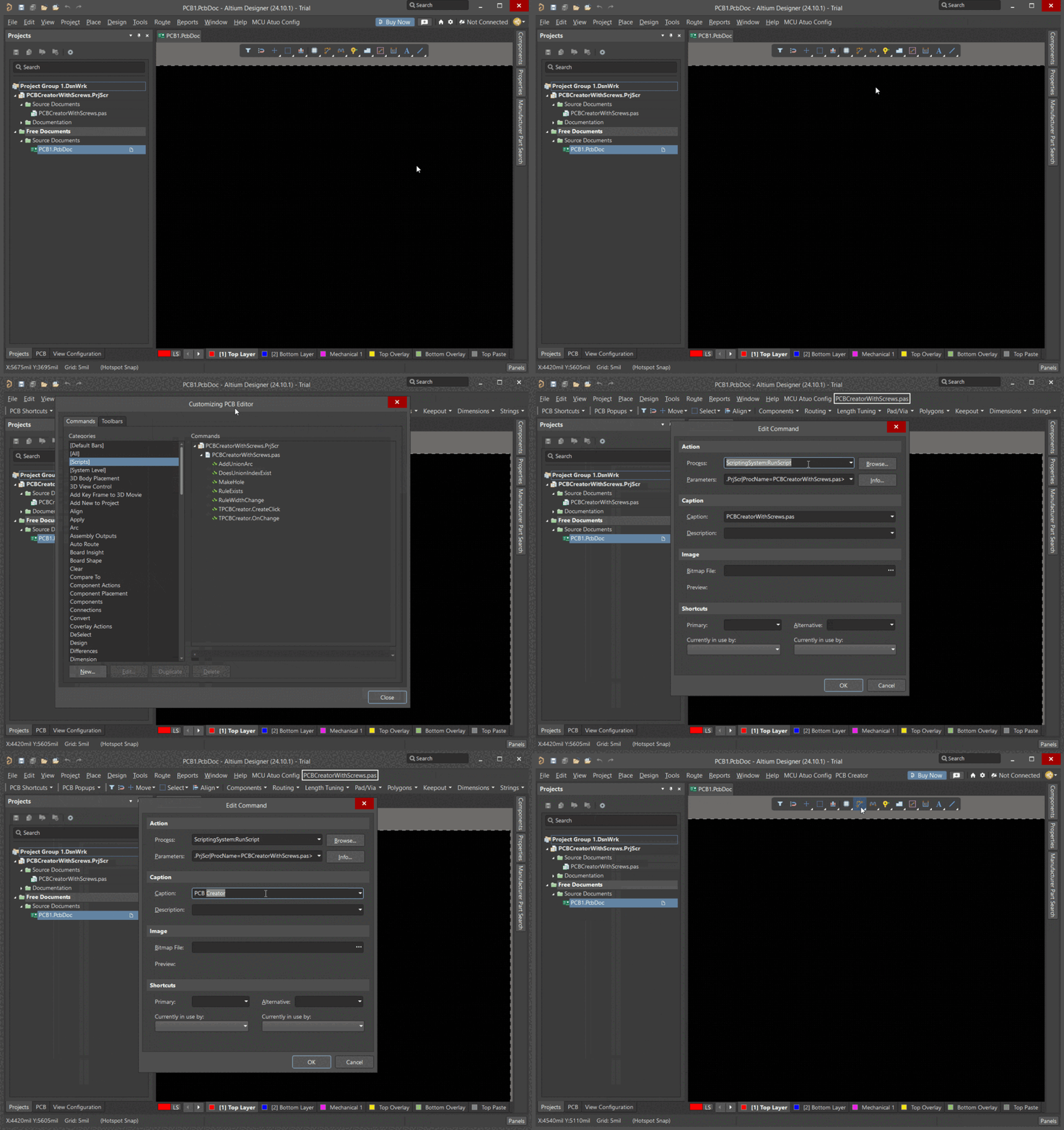
- Keep PCBCreatorWithScrews.PrjScr file & open in Altium Project
- Open a new PcbDoc file right-click on Toolbar and select Customize...
- In [Scripts] drag
PCBCreatorWithScrews.pasinto the toolbar and choose a caption for it.
Usage
-
Input Parameters:
Parameter Description | Width | Total board width in mm | 100.0 | | Height | Total board height in mm | 80.0 | | Fillet Radius | Corner rounding radius (0 for sharp) | 5.0 | | Hole Size | Diameter of mounting holes in mm | 3.2 | | Hole Margin | Distance from board edge to holes | 5.0 |
-
Output:
- Creates board with desired size and corner radius
- Adds 4 decorative mounting holes
Note:
For manufacturing the board you have to define keep-out board of your PCB.
Go to:
Design ??? Baord Shape ??? Create Primitives From Board Shapethen choose Keep-Out Layer
-
Visual Example:
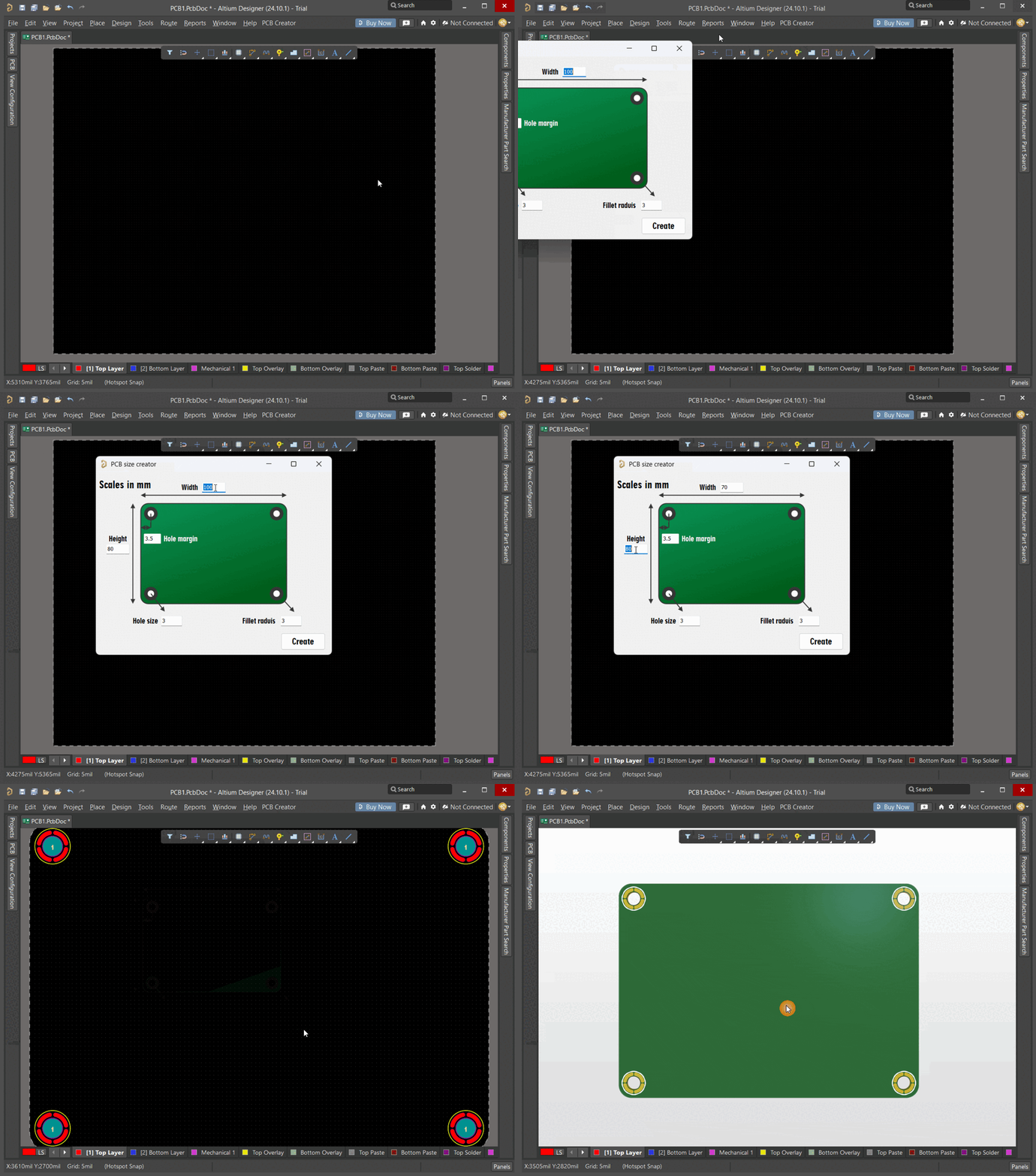
Example Output
Created PCB with:
- Dimensions: 100mm × 80mm
- Fillet radius: 5mm
- 4 mounting holes (3.2mm) with 5mm margin
- Automatic width rules (0.2mm min, 2mm max)