

Catalog · How the catalog works
PinPicture

A Windows desktop utility to pin any picture to the desktop, floating, topmost, clickthrough, animated and transparent pictures supported.
- ★ 6 on GitHub
Anyone may press Interesting, signed in or not. It helps others find this project.
README
PinPicture
A Windows desktop utility to pin any picture to the desktop, floating, topmost, clickthrough, animated and transparent pictures supported.
This simple tool allows you to pin any picture to the desktop (topmost), it might help you to use as a guide for designing and using them as reference, might be to paint, draw over (clickthrough), etc.
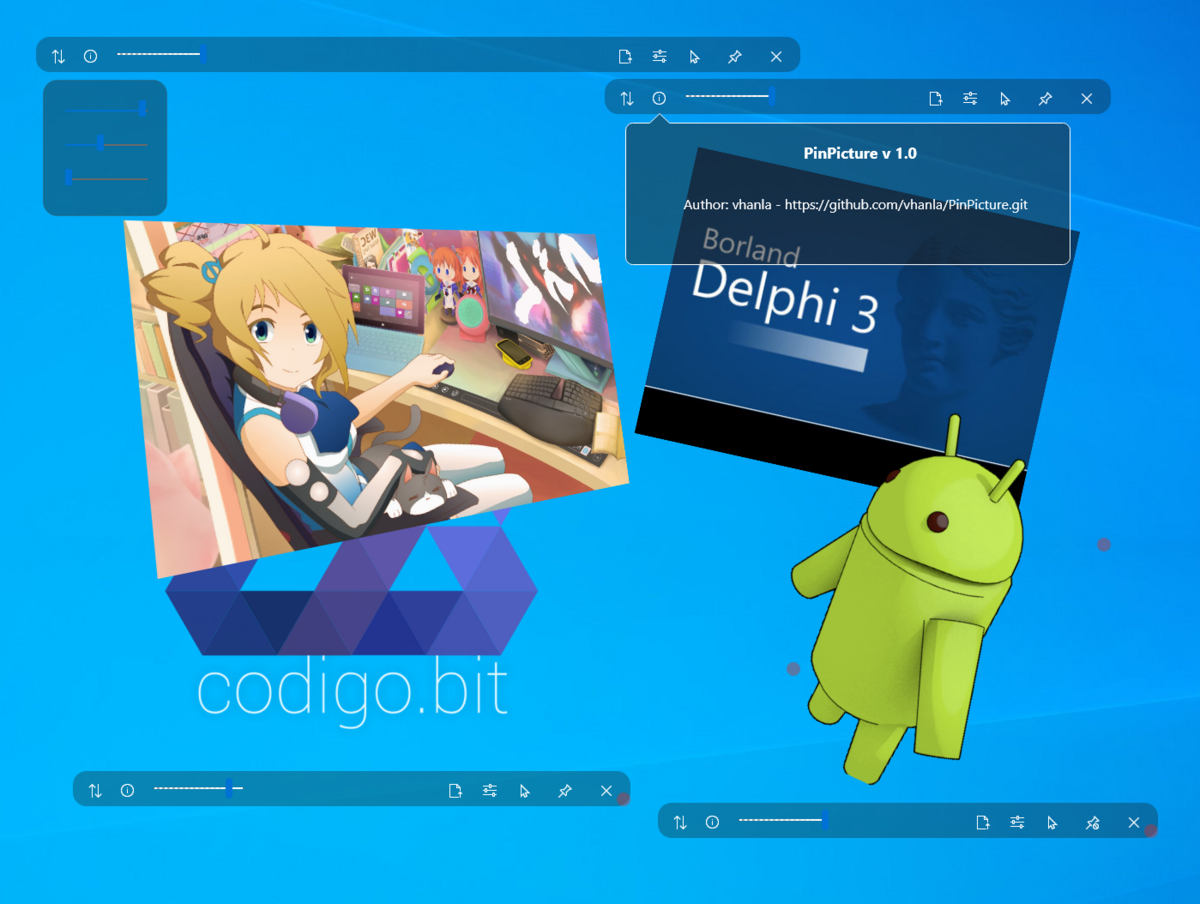
These are the following picture formats currently supported:
- [x] BMP
- [x] JPEG
- [x] TIFF
- [x] GIF
- [x] PNG
- [x] WEBP
- [ ] FLIF
- [ ] SVG
Features:
- [x] Pin (a.k.a. TopMost)
- [x] Clickthrough (restore click response on window activate a.k.a. alt-tab to it)
- [x] Alpha transparency level adjuster
- [x] Resizeable
- [x] Rotatable
- [x] Flip (horizontal/vertical)
- [ ] Color picker (for itself only)
- [x] 3D rotation included
- [ ] Slideshow
- [ ] Tabbed (selectable pictures)
- [ ] Follow mouse
- [ ] Keep picture on all Virtual Desktops
- [ ] Attach to window (visible only when you are working on a specific window)
- [x] Zoom and "crop" content
- [ ] Control panel accessible from the system tray icon
- [ ] Color picker system wide also included
- [ ] Rulers and guides included
USAGE:
To zoom picture, press Ctrl key then the mouse wheel.
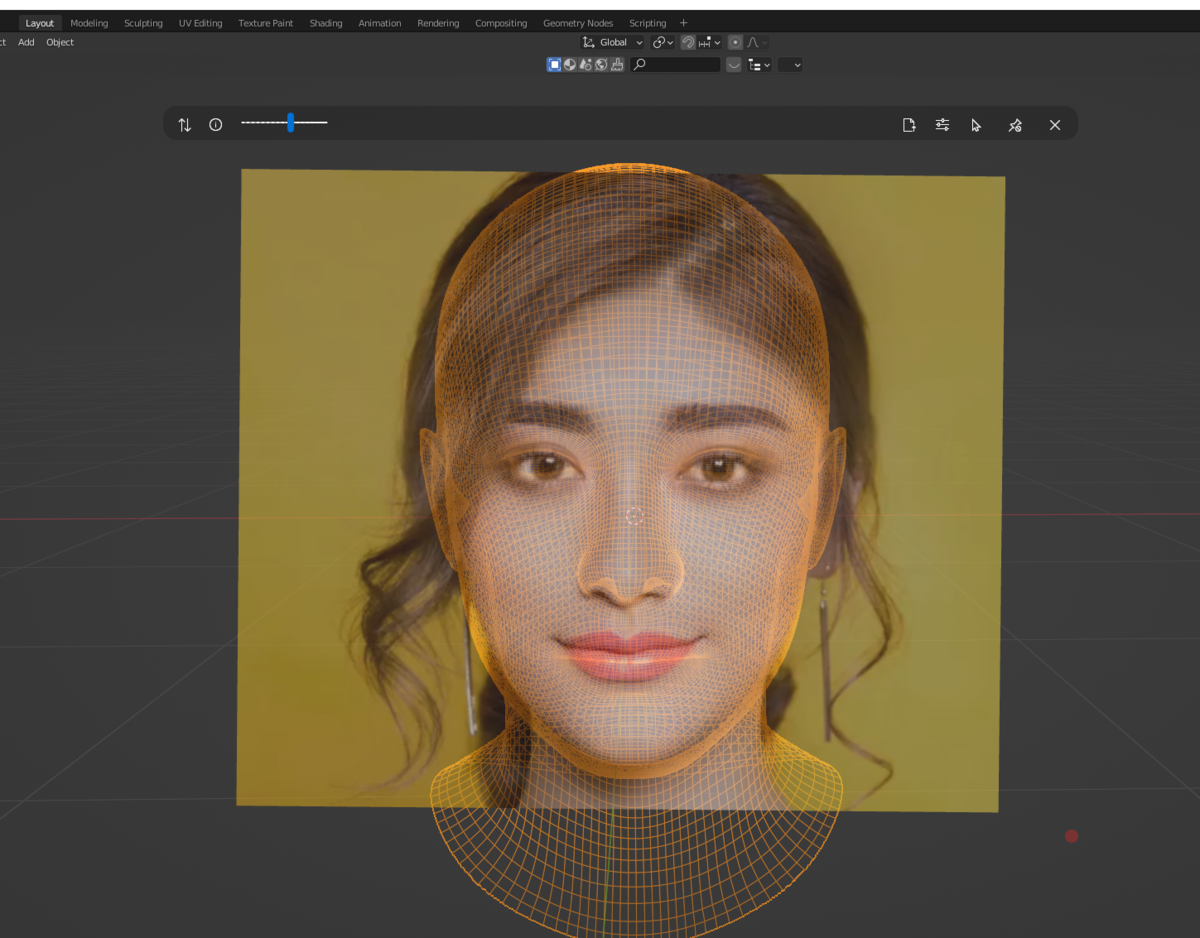
e.g. Using as an overlay clickthrough guide for modeling 3d assets:
KNOWN BUGS:
- It is included effects features, like hue, brightness, blur, and more, but they're disabled since they consume a lot of memory.
- Sometimes, going back to clickable mode after rotating in 3d mode, the trackbars don't use the original coordinates.
SUPPORT:
If you find this tool useful, and want me to continue its support, I'd appreciate your support.