

Catalog · How the catalog works
fibplus

FIBPlus Library for Delphi and C++Builder. Data access components for Firebird & Interbase.
- ★ 186 on GitHub
Anyone may press Interesting, signed in or not. It helps others find this project.
README
FIBPlus is a fast, easy-to-use component library for Delphi and C++Builder that works with Firebird and InterBase directly through the native client API, with no extra data access layers in between.
It is built for database application developers and has grown from their real-world needs: every component, method and property is designed to solve the tasks you face every day.
[
](Docs/README.md)
📚 Documentation
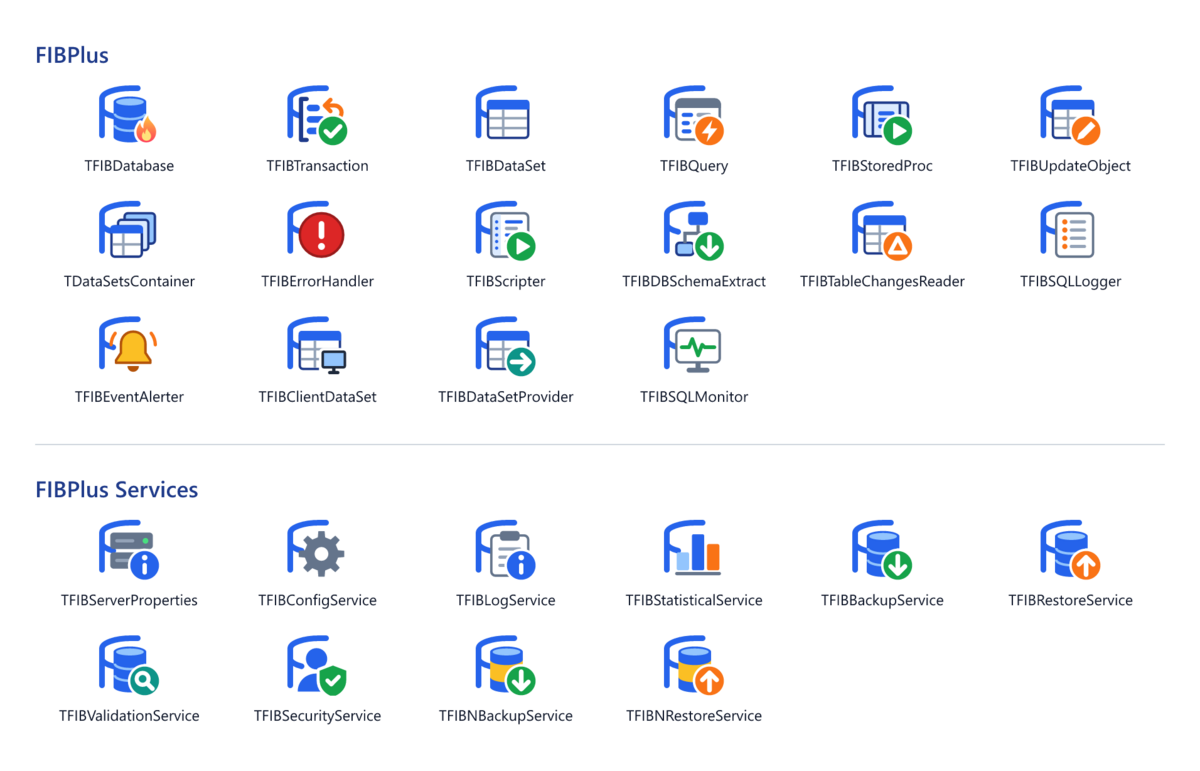
See the documentation: a guide to features such as transactions and timeouts, and a reference of classes, properties, methods and events.
The samples are small applications that show one feature each, with a demo database.
📦 Installation
FIBPlus 8 supports Delphi 2009 and later; use 7.9.x for Delphi 6 to 2007. The project groups are in the Packages folder: FIB.groupproj for Delphi 10.4 and later, and FIB_Dxx.groupproj for older versions, where xx is the package version, from FIB_D12.groupproj (Delphi 2009) to FIB_D26.groupproj (10.3 Rio).
| Package | Type | Purpose |
|---|---|---|
FIBCore (FIBCore_Dxx before 10.4) |
runtime | Components, required by the other packages |
dclFIBCore (dclFIBCore_Dxx before 10.4) |
design time | Tool Palette registration, property and component editors, IDE login dialog |
dclFIBTools |
design time, optional | Tools > FIBPlus menu with the preferences, which apply only while it is installed; optionally closes the design-time connections before the program runs from the IDE |
FIBFMX |
runtime | FireMonkey login dialog (FIBLoginDlgFMX) |
dclFIBTools and FIBFMX exist for Delphi 10.4 and later, where each package is one .dpk for all versions and {$LIBSUFFIX AUTO} adds the version suffix to the BPL, e.g. FIBCore370.bpl for Delphi 13.
🛠️ Steps
- Open the project group and select the Win32 platform for all packages.
- Right-click the project group and choose Build All.
- Right-click
dclFIBCoreand choose Install; optionally installdclFIBToolstoo. - In Tools > Options > Language > Delphi > Library, add the
Sourcefolder to the Library path of every target platform you use.
64-bit IDE (Delphi 12.3 and later): select Windows 64-bit instead of Win32 and install the packages from $(BDSCOMMONDIR)\Bpl\Win64, which must be on the PATH of the 64-bit IDE. Win64x (Modern C++) is not what the 64-bit IDE loads.
📝 Notes
- Build
FIBCoreandFIBFMXfor the other platforms their projects declare (Win64, Win64x) only if your application uses runtime packages. - DCUs go to
$(BDSCOMMONDIR)\Dcu\FIB\$(Platform)\$(Config). Add this folder to the library path beforeSourceto avoid recompiling FIBPlus in each project. - Language: messages and the login dialog are in English by default. To switch, set e.g.
FIBLocale = 'ro';inSource\FIBLocale.incand rebuild. See Localization for the available languages.
❤️ Support FIBPlus
Keeping FIBPlus alive takes real time: fixing bugs, reviewing patches and adapting the code to every new Delphi and Firebird release. If FIBPlus powers your apps, please consider becoming a backer — monthly or one-time, every contribution helps.
⚠️ Disclaimer
This repository is an attempt to keep alive one of the best suite of components that seems to be abandoned by Devrace, without pretending to any copyrights. Initial source code was taken from public forums.
The goal of this project is to collect patches, fix bugs, adjust code to latest versions of Delphi, improve functionality by adding new features.