

RICKLoading

Animation for FMX, using Thread to execute commands and during the process the loading screen is animated.
- Quiet · last change 10-19-2021
- ★ 6 on GitHub
README
[0]: https://github.com/ricksolucoes/boss "Site do BOOS"
RICKLoading
RICKLoading is a Delphi library developed to present a loading screen. Using delphi's Fluent Interface.
Inspired by Master Heber in his class https://www.youtube.com/watch?v=AvNXYopib3Q&t=511ss on channel 99Coders https://www.youtube.com/channel/UCExEoXjNTmKLFLK2qpBSI5g
⚙️ Pre-requisites
- Delphi FMX
- If you choose to use [BOOS][0]
https://github.com/ricksolucoes/boss or https://github.com/HashLoad/bossthe dependency manager, you will have the facility to install all frameworks that are Pre-requisites for the project.
💻 Installation
- By using BOOS
$ boss install https://github.com/ricksolucoes/RICKLoading-
Manual Installation
- Download the RICKLoading;
- Add the following folders to your project, in Project > Options > Resource Compiler > Directories and Conditionals > Include file search path
../RICKLoading/src
⚡️ How to use the project
Example of using the RICKLoading
-
How to use Loading
  uses
    RICK.Loading;
  begin
    TRICKLoading
      .New
        .Form(Self) //Inform the form for Loading
          .Loading
            .Execute("Create Procedure");
end;- Another way to perform Loading
  uses
    RICK.Loading;
  begin
    TRICKLoading.New
      .Form(Self) //Inform the form for Loading
        .Executar(
        procedure
        begin
          //Command
          Sleep(500);

          //Command to refresh the Canvas
          TThread.Synchronize(TThread.Current,
          procedure
          begin
            ShowMessage('Command to refresh the screen here...');
          end);
        end);
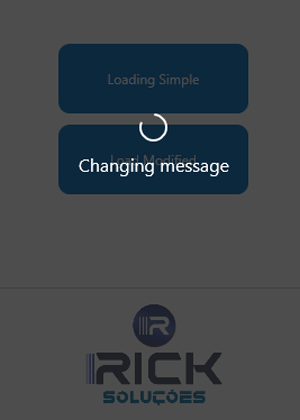
end;- Modify the Loading message
  uses
    RICK.Loading;
  begin
    TRICKLoading.New
      .Form(Self) //Inform the form for Loading
        .Executar(
        procedure
        begin
          //Delayed Command
          Sleep(500);

          TThread.Synchronize(TThread.Current,
          procedure
          begin
            TRICKLoading.New
              .Form(Self) //Inform the form for Loading
                .ChangeMessage('Changing message'); //Change the message to the user
          end);

          //Outro comando
          TThread.Sleep(1500);

          TThread.Synchronize(TThread.Current,
          procedure
          begin
            //Command to refresh the screen
            ShowMessage('Command to refresh the screen here...');
          end);
        end);
end;- Customize the Loading screen using the interface
  uses
    RICK.Loading,
    RICK.Loading.Interfaces;
  var
    LRICKLoading: iRICKLoading;
  begin
    LRICKLoading:= TRICKLoading.New.Form(Self);

    LRICKLoading.DoMessage('Loading Modified'); //Changes the initial loading message
    LRICKLoading.SourceSize(32); //Change the font size
    LRICKLoading.SourceName('Segoe UI'); //Change the font type
    LRICKLoading.SourceColor($FFF52121); //Change the font color
    LRICKLoading.AnimationColor($FFF52121); //Changes the color of the animation
    LRICKLoading.BackgroundColor($FF24CCC6); //Changes the color of the loading background
    LRICKLoading.OpacityBackground(0.9); //Changes the opacity of the background;
    LRICKLoading.OpacityAnimationText(0.6); //Change the opacity of text

    LRICKLoading.Execute(
    procedure
    begin

      TThread.Sleep(500);

      TThread.Synchronize(TThread.Current,
      procedure
      begin
        LRICKLoading.ChangeMessage('Changing message'); //Change the message to the user
      end);

      TThread.Sleep(1500);

      TThread.Synchronize(TThread.Current,
      procedure
      begin
        ShowMessage('Command to refresh the screen here...');
      end);
    end);
  end;