

Catalog · How the catalog works
Casio-VZ-DOS-Programs

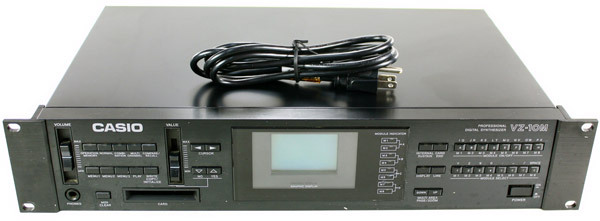
1991: Casio VZ-10M Interactive Phase Distortion Synthesizer, Patch Librarian, Voice Editor, MIDI Analyzer and PC Midi Dump Controller 2015: RAM Card replacement 4Mbit SRAM plus enhanced battery backup.
- ★ 6 on GitHub
Anyone may press Interesting, signed in or not. It helps others find this project.
README
Editor for the Casio VZ-10M synth and RAM Card Replacement
1991: Software for Casio VZ-10M using iPD (Interactive Phase Distortion) Synthesizer, Patch Librarian, Voice Editor, MIDI Analyzer and PC Midi Dump Storage Controller.
2015: Hardware RAM Card 4Mbit SRAM Replacement.
MIDI.PAS: Use the UNITS : MIDI1.PAS and MIDI3.PAS

Midi1 includes the file MIDI2.PAS
Midi3 includes the file MIDI4.PAS
Links:
https://groups.yahoo.com/neo/groups/CZsynth/info
http://www.synthzone.com/casio.htm
Upgrading with an internal 4MB RAM Card:
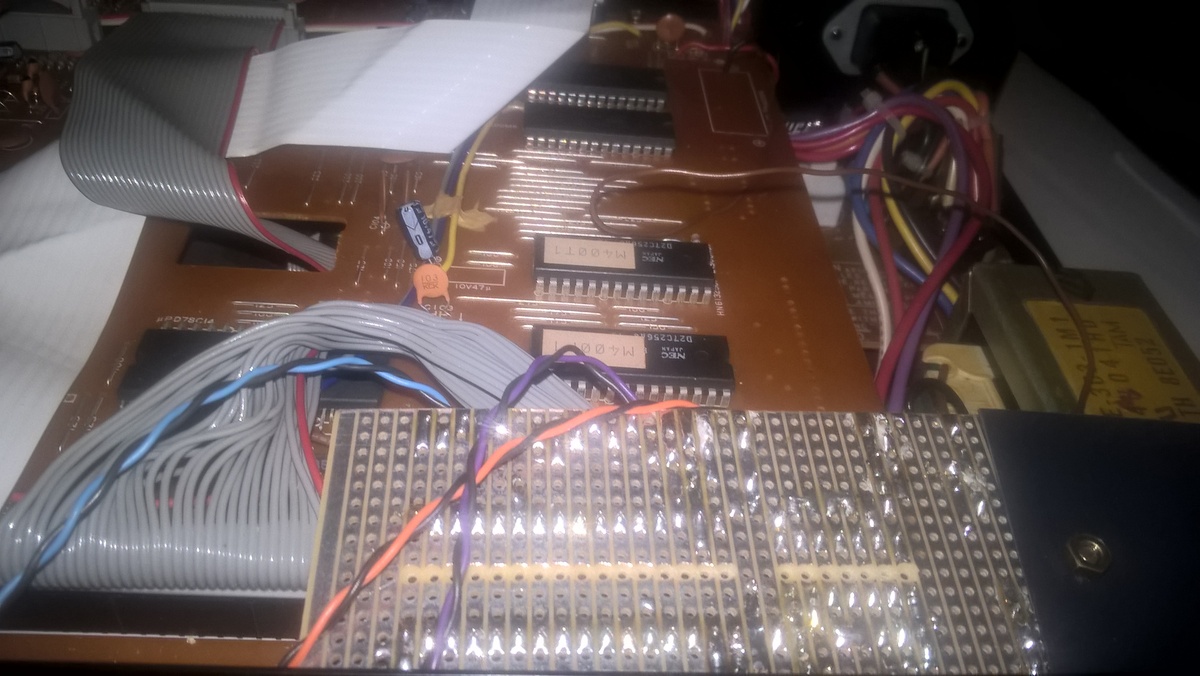
An Alliance Memory AS6C4008 55PCN SRAM Memory 4Mbit Static RAM chip was added to the Casio VZ10m as shown below. The process is also documented in AS6C4008-SRAM-Install.pdf.
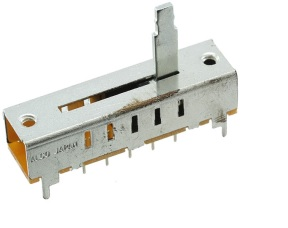
Five banks of the RAM card can be selected via a slide switch that was mounted in the previous RAM slot on the front panel:
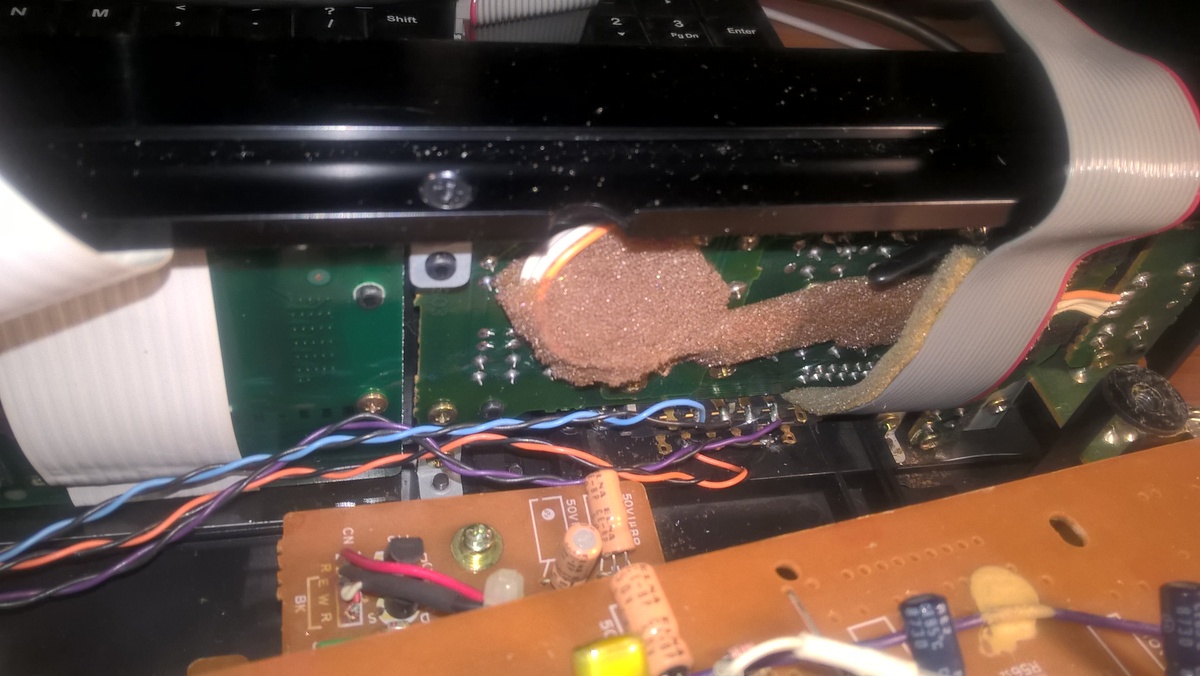
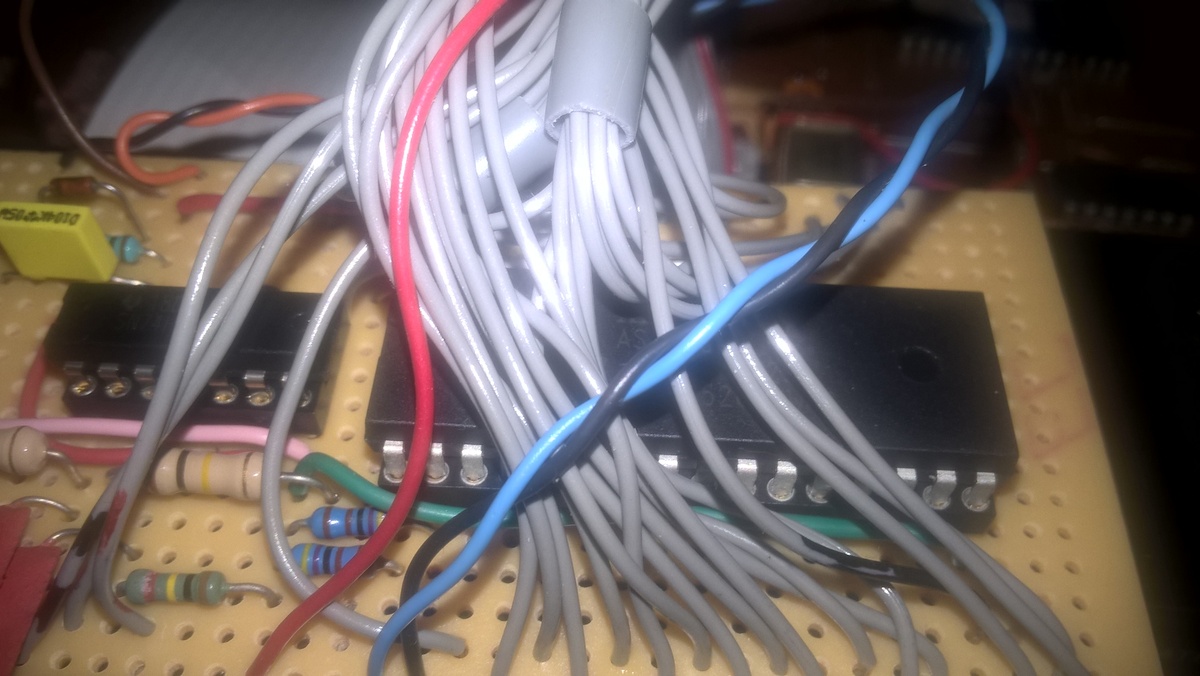
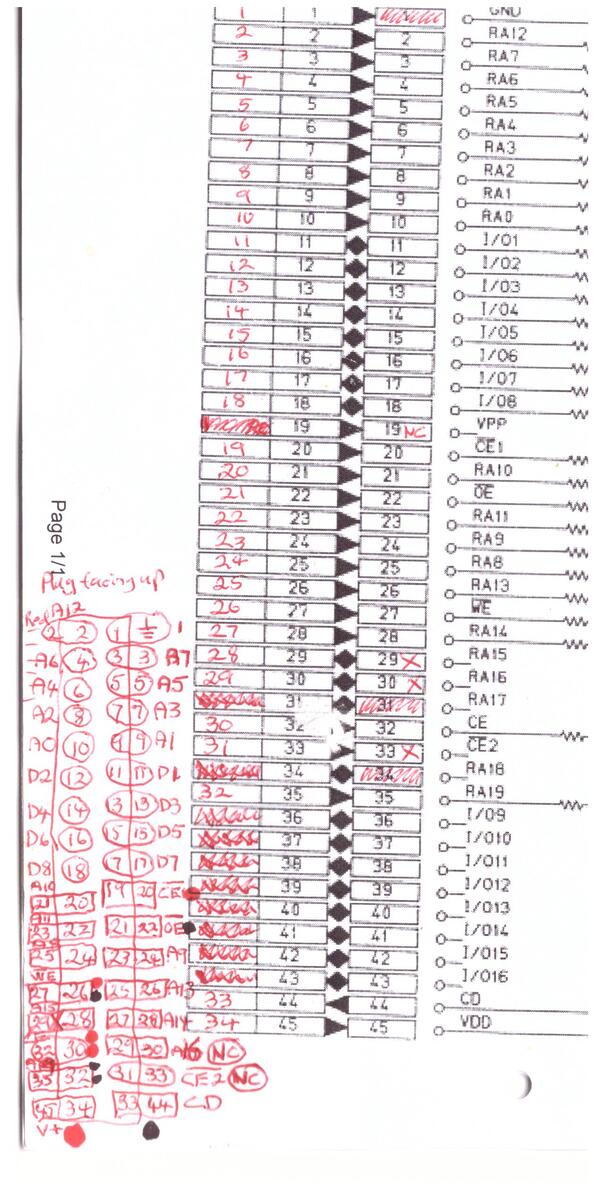
Unfortunately the only contruction notes i made was on the connections of the 40-pin Dtype ribbon cable connector:
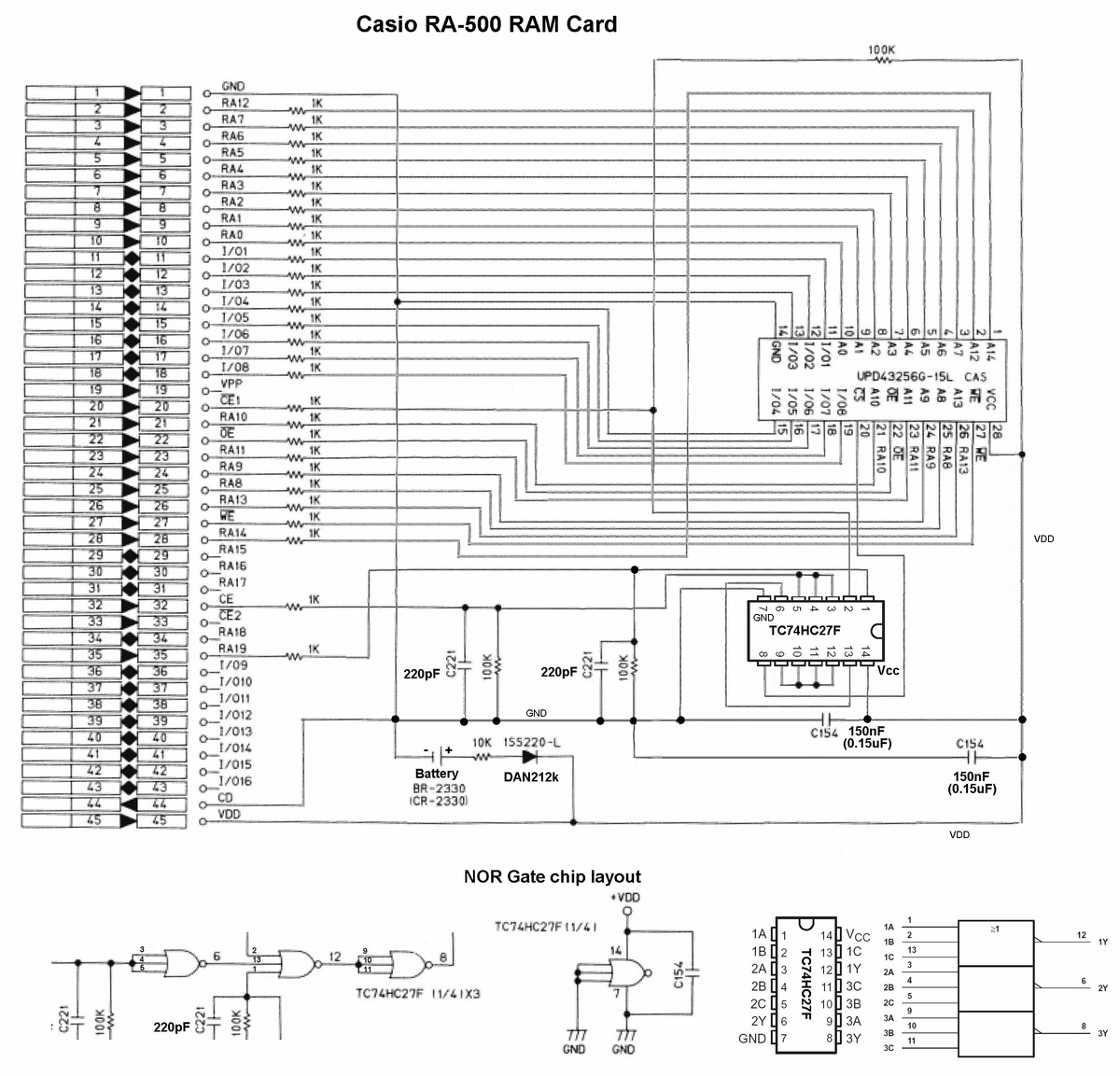
The RAM Card schematic:
Or an alternative RAM Card schematic:
To load each bank with its own set of patches put the slider switch in position 1 and then by using MidiOX:
- Load file for example Vzcard10.syx will have D3=Anna Strings
- Make sure both internal and card memory protect is off. sys exc = ENA
- Then use LOAD, MIDI, Press execute and then in MidiOX pres send/receive sysex
- NB: THE SOUND Vzcard10.syx IS NOW LOADED IN THE INTERNAL MEMORY - MUST NOW COPY IT TO THE CARD!!!!
- DO that by pressing SAVE, CARD, Press execute
- Test by pressing Card button and check if D3 = Ana Strings
Now switch the slide switch to its next position and repeat 4 more times...