ssh-pull-id
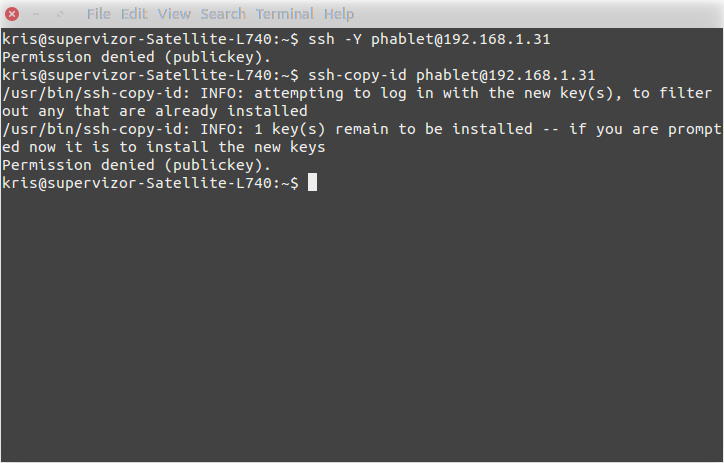
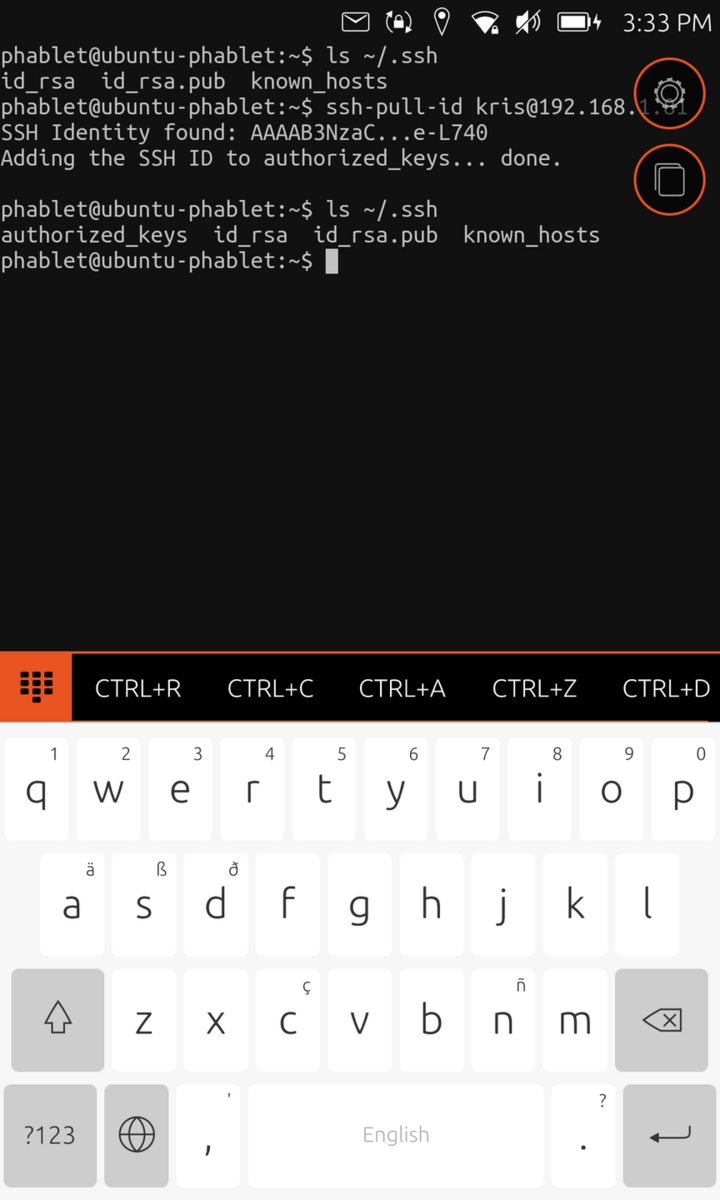
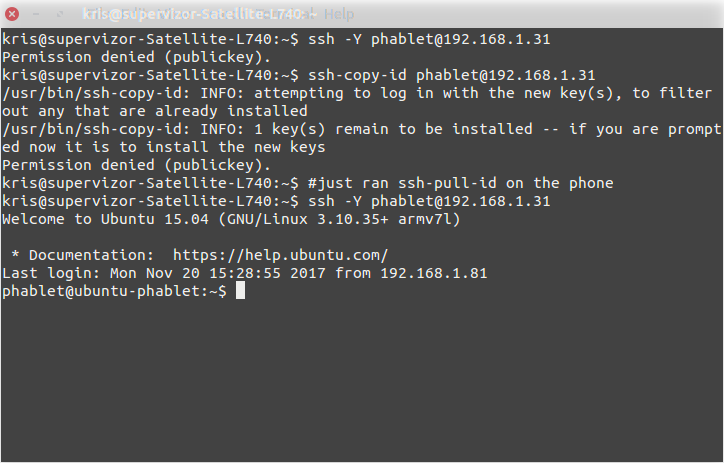
ssh-pull-id is a command line tool that does what ssh-copy-id does but in the opposite direction: instead of pushing your ssh-id to another machine, it pulls another machine's ssh-id into your host. the tool was made with Ubuntu Touch in mind, because its default ssh config is such, that ssh-copy-id won't work. this is because Ubuntu Touch device does not accept ssh client with password authentication, but only with public key based authentication. and copy-ssh-id itself uses password authentication to connect first, then push public key to the remote host, so that later key based authentication can be used instead. ssh-pull-id will reverse the direction, now you use the tool to pull another host's public key. the typical scenario it was created for, is when you use it on Ubuntu Touch device, and pull is made from another host which allows password based authentication.
- Quiet · last change 12-19-2017
About this project, from SourceForge
ssh-pull-id is a command line tool that does what ssh-copy-id does but in the opposite direction: instead of pushing your ssh-id to another machine, it pulls another machine's ssh-id into your host.
the tool was made with Ubuntu Touch in mind, because its default ssh config is such, that ssh-copy-id won't work. this is because Ubuntu Touch device does not accept ssh client with password authentication, but only with public key based authentication. and copy-ssh-id itself uses password authentication to connect first, then push public key to the remote host, so that later key based authentication can be used instead.
ssh-pull-id will reverse the direction, now you use the tool to pull another host's public key. the typical scenario it was created for, is when you use it on Ubuntu Touch device, and pull is made from another host which allows password based authentication.
Screenshots