

Catalog · How the catalog works
SS-Obfuscator

Shadowsocks client (with GUI) and server (for VPS) with obfuscation
- ★ 10 on GitHub
Anyone may press Interesting, signed in or not. It helps others find this project.
README
SS-Obfuscator
Shadowsocks client (with GUI) and server (for VPS) with obfuscation
Dependencies: shadowsocks-libev systemd
SS-Obfuscator-Server
Rent a VPS with a foreign IP address and install a package on it ss-obfuscator-server (rpm/deb)
SS-Obfuscator-Client
Install the ss-obfuscator-client package to your computer, launch the GUI, enter the IP address of your server (VPS) and click the Start button. Set up a connection in your browser via the SOCKS5 proxy 127.0.0.1:1080. Also check the box Send DNS requests via SOCKS5 proxy. You can check your new location here: https://whoer.net
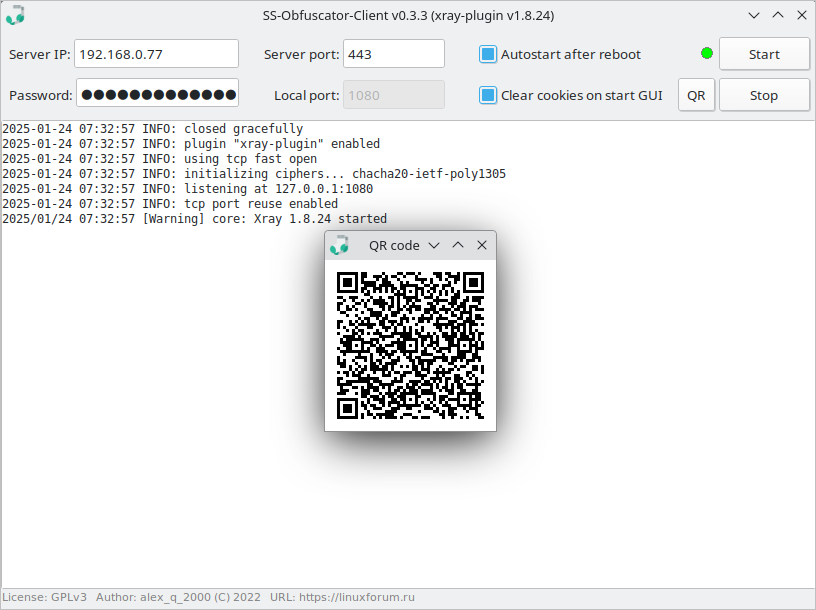
Details:
By default, the password is already set (50 characters). When changing the password to your own, do not forget to change it on the server in the file /etc/ss-obfuscator-server/server.json. If you need a client configuration file, it is here: ~/.config/ss-obfuscator-client/client.json
shadowsocks-libev packages are missing in Fedora and CentOS. If necessary, they can be installed manually from the archives rpmbuild-fedora.tar.gz and rpmbuild-centos.tar.gz accordingly (see the folder ./rpmbuild/RPMS/{noarch,x86_64}). You will probably have to disable selinux (SELINUX=disable in /etc/selinux/config) and open port 443 (tcp/udp) in iptables. You may also need to connect a repository: yum -y install epel-release.
Useful links: xray-plugin. Similar project: SS-Cloak.