

tiny-prolog2

A simple Prolog II interpreter written in Pascal
- Active · last change 8-11-2026
- ★ 10 on GitHub
README
A Simple Prolog II Interpreter
A simple Prolog II interpreter written in Pascal
What?
This is a simple Prolog II interpreter, for Linux, macOS, and Windows. It compiles under Turbo Pascal 4 (yes, no OOP) and Free Pascal.
Its first aim is to be used as a drop-in replacement for the Prolog II interpreter developed in the eighties within the Groupe de recherche en Intelligence Artificielle (G.I.A.) in Marseille.
Regarding syntax, it fully supports the syntax of Prolog II (version 1 and version 2), and almost fully supports the syntax of Prolog II+ (Marseille and Edinburgh).[^1]
Regarding predefined predicates, it covers (almost) all the predicates defined in Prolog II,[^2] plus a subset of the PrologII+ (Marseille and Edinburgh) predicates.
This whole programme started as an academic exercise, without any consideration for efficiency. In particular, memory consumption is high. Nonetheless, the interpreter is able to solve the "send more money" classical exercise in a low-end computer.
[^1]: Currently missing in Prolog II+ syntax: directives (e.g. module("Interface");), qualification of identifiers with module names (e.g. lexicon:name), array elements using brackets instead of parentheses (e.g. table[10]).
[^2]: Missing Prolog II predicates include: to-day, date, pointers, statistics?, unif-nb.
Why?
2022 was the 50th anniversary of Prolog. As a modest tribute for this anniversary, I decided to dig up a Prolog interpreter I wrote almost 35 years ago, clean it a bit, add a few missing features (e.g., cut, freeze, garbage collection), and push it online. As this program remains a toy program, this serves no real purpose other than to celebrate this anniversary.
Nonetheless, if you are old enough to have some old Prolog II programs stored in an old backup unit somewhere, you may want to use the interpreter to run them. To execute a Prolog II program myfile.pro, just clone the repo, cd to it and then type:
$ fpc -Mtp -FE. src/tprolog2.pas
$ ./tprolog2 -f path/to/myfile.pro
If you use the French predefined predicates, add -l fr to the latter command. If you want to compile the interpreter with Turbo Pascal instead of Free Pascal, see the dedicated section.
Please report a bug if something does not work.
I wrote this interpreter as a course assignment, back in 1988, when I was a student at the University of Aix-Marseille II, pursuing a MSc in Computer Science and Mathematics ("Diplôme d'Études Approfondies en Informatique et Mathématique"). The course, entitled "Prolog II", was taught by the late Alain Colmerauer, creator of the Prolog language. The assignment was to create a simple Prolog II interpreter, without any predefined predicates, but capable of running some basic Prolog programs such as repetition, permutation, as well as the traditional "menu" or "send more money" examples.
One of the courses I also took in this MSc was Henri Méloni's course on speech recognition. As my Prolog II interpreter gained additional features, executing the Prolog II programs I wrote for this course is now possible. Ditto for a Prolog program to query a database of Nobel Prize winners.
Status
As of August 2026:
Making good progress. However, at this point I really need to get a legacy Prolog II interpreter (yes, from the eighties) to make sure I implemented the predefined predicates correctly. For now I only used the manual by Van Caneghem (1982) for Prolog II v1, and the book by Giannesini et al (1985) for Prolog II v2. These documentations are somewhat incomplete. If you have a legacy Prolog II interpreter, please let me know.
As of August 2024:
Support for Prolog II (both versions) and Prolog II+ (both Marseille and Edinburgh) syntaxes is (I believe) complete.
The interpreter offers (partial) support for UTF-8 input and output.
Support for Prolog II's predefined predicates is almost complete, and should be completed soon. Prolog II+ has a much larger set of predefined predicates. Only the bare minimum will be implemented, so as to run some examples I found interesting. The module system will not be implemented.
The interpreter is able to solve most of the exercises proposed in Kanoui (1982) and Giannesini et al. (1985). In Edinburgh mode, it successfully (but slowly) runs Orbis, a demo program written by Alain Colmeraurer (see Alain Colmerauer's website).
Overview
Being a simple implementation exercise, the interpreter offers only a few built-in predicates and no advanced features.
Nonetheless, the interpreter is fully garbage collected and has almost no hard-coded limits, thanks to its garbage collector and dynamic string manager.
The source code contains detailed comments about the implementation (parsing and execution). No LLMs have been used to code this interpreter.
Lists
In Marseille syntax, a dot . is used to separate items in a list. For instance, the rules defining the insertion of an element before any item in a list could be written as:
insertion(e,x,e.x) ->;
insertion(e,f.x,f.y) -> insertion(e,x,y);
Note that variable names (e.g., e) start with a single letter, while identifiers (e.g., insertion start with at least two letters. Names and identifiers can have any length.
Inserting an element in a list of four items gives three different solutions:
-> insertion(0,1.2.nil,x);
{ x=0.1.2.nil }
{ x=1.0.2.nil }
{ x=1.2.0.nil }
Edinburgh-style lists are also supported. In PrologII+ mode, both syntaxes can be mixed, and satisfy the five equivalences listed on page 45 of the Prolog II+ documentation, and an additional sixth listed in the French documentation on page 48:
$ ./tprolog2 -PIIp
+> eq([aa|bb],aa.bb);
{  }
+> eq([aa,bb],aa.bb.nil);
{  }
+> eq([aa,bb,cc,dd],aa.bb.cc.dd.nil);
{  }
+> eq([aa,bb,cc|dd],aa.bb.cc.dd);
{  }
+> eq([aa,bb|cc.dd.nil],aa.[bb,cc,dd]);
{  }
+> eq([],nil);
{  }
+>
Constraints
When running in Prolog II mode, the interpreter handles constraints on trees, expressed as equalities (=) or inequalities (#).
For instance, one can write a simple dif rule as:
dif(x,y) ->, { x # y };This comma looks weird when the rule's queue is empty, but this is part of the syntax described in Colmerauer (1982.)
Then, the following query gives no results, as there is no x satisfying the constraint:
-> dif(x,x);while the following query displays the resulting constraints:
-> dif(x,1);
{ x#1 }
Starting from Prolog II version 2, constraints are not part of the syntax anymore. Instead, dif is implemented as a predefined predicate.
Strings
Strings are used as values or, in Prolog II, as comments. They must be double quoted. Inside a string, a double-quote must be doubled as "". Comments can appear anywhere outside of rules. String can have any length. In Prolog II+, backslash \ is a continuation character, allowing to break long lines.
Querying the program
"This is a comment"

"This is \
another one"

string("Hello, world!")->;
string("They say: ""hello, world!""")->;
string("Pro\
log")->;
with the goal string(s) outml(s) fails; gives
Hello, world!
They say: "hello, world!"
Prolog
The primitive outml(s) display the string s without the surrounding quotes.
The "cut"
As in standard Prolog, when a rule containing a cut (/) is used to execute a goal, the execution of this cut prunes the search tree, making the search engine forget the other ways of executing that goal.
To illustrate how the cut works, consider the following example, taken from the Prolog II Reference Manual, Section 2.1, page R2-2:
color(red) ->;
color(blue) ->;

size(big) ->;
size(small) ->;

choice1(x.y) -> color(x) size(y);
choice1("that's all") ->;

choice2(x.y) -> ! color(x) size(y);
choice2("that's all") ->;

choice3(x.y) -> color(x) ! size(y);
choice3("that's all") ->;

choice4(x.y) -> color(x) size(y) !;
choice4("that's all") ->;
The following executions show that what the engine forgets after executing a cut in a certain rule or query is all the rules having the same head, plus all the rules which could have been used to clear the terms between the start of the rule's body (or the start of the query) and the cut.
-> choice1(u);
{ u=red.big }
{ u=red.small }
{ u=blue.big }
{ u=blue.small }
{ u="that's all" }
-> choice2(u);
{ u=red.big }
{ u=red.small }
{ u=blue.big }
{ u=blue.small }
-> choice3(u);
{ u=red.big }
{ u=red.small }
-> choice4(u) ;
{ u=red.big }
-> choice1(u) !;
{ u=red.big }
Freeze
The freeze/2 built-in predicate delays the clearing of goals until some variables are bound:
plus(x,y,z) -> freeze(x,freeze(y,sum(x,y,z)));
sum(x,y,z) -> val(add(x,y),z);

-> plus(x,y,z) eq(x,1) eq(y,2);
{ x=1, y=2, z=3 }
Variables that are both free and frozen are displayed using a special notation showing the associated frozen term:
-> freeze(x,out(1));
{ x?out(1) }
Infinite trees
Infinite trees are displayed using the *n notation:
-> eq(x,ff(x)) outl(x);
ff(*1)
{ x=ff(x) }
-> eq(x,ff(y,x)) eq(y,gg(x,y)) outl(x) outl(y);
ff(gg(*2,*1),*1)
gg(ff(*2,*1),*1)
{ x=ff(y,x), y=gg(x,y) }
Assignments
Identifiers can be assigned using the predicate assign(i,t). The identifier i then becomes a global, "static" (it resists backtracking) variable, whose value is equal to the term t. It can be further reassigned to a different term. Its value can be read using the predicate val(i,v).
-> assign(file_name,"file.txt");
{  }
-> val(file_name,x);
{ x="file.txt" }
-> assign(file_name,"another_file.txt");
{  }
-> val(file_name,x);
{ x="another_file.txt" }
>
The value of a non assigned identifier is the identifier itself:
-> assign(un,1);
{  }
-> val(un,x) val(deux,y);
{ x=1, y=deux }
>
Evaluable functions
Evaluable functions such as add(x,y),sub(x,y),mul(x,y),div(x,y), or inf(x,y) are recusivelly evaluated when they appear in the first argument of val. Arguments x and y must evaluate to integer values.
-> val(add(123456789,1),x);
{ x=123456790 }
-> val(sub(9,10),x);
{ x=-1 }
-> val(div(100,9),x);
{ x=11 }
-> val(inf(10,9),x);
{ x=0 }
-> val(add(mul(2,add(3,4)),1000),x);
{ x=1014 }
>
Operators
Unary operators +,- and binary operators +,-,*,/,^,<,>,>=,=< are supported in PrologII+ and Edinburgh modes. Internal representation can be shown as follows:
-> eq(f(x,y),1'<'2);
{ f=inf, x=1, y=2 }
Additional operators are available in Edinburgh mode: is,=,//, the standard order of terms operators @<,@>,@=<,@>=, and the "Univ" operator =...
The "Univ" operator matches a predicate and a list as follows:
:- foo(X,Y) =.. L.
{ L=[foo,X,Y] }
New operators can be declared using op/3 and op/4 (see PrologII+ documentation page 137).
Compilation
Turbo Pascal
The program was initially developed in Turbo Pascal 3 (TP3). Turbo Pascal 3.02A is provided to the Borland community free of charge, as a zip file.
I initially tried to maintain compatibility with TP3. So, no classes, and a few restrictions on the syntax (e.g., no type cast) or semantic (e.g., no lazy evaluation). Workarounds had to be implemented for the most annoying limitations, namely 16-bit integers and 255-char strings.
However, as the program grew, TP3 started overflowing memory during compilation. Consequently, Turbo Pascal 4.0 compatibility is the current target. A math coprocessor is required, be it real or virtual.
To build the interpreter with TP4, uses:
C:\src> TPC /B /$N+ tprolog2The /$N+ directive specifies that a 8087 maths coprocessor is present and must be used.
When running tprolog2 on DOS, you may have to use the codepage parameter -c, as e.g. -c 850 for latin codepage:
C:\SRC\chcp
The current codepage is 858.
The system codepage (properly) is: 437.
C:\SRC\tprolog2 -c 8S8
>
Supported codepages are:
| Codepage | Character set |
|---|---|
437 |
MS-DOS Latin US |
850 |
DOS Latin 1 |
858 |
IBM 00858 (850 w/ euro sign) |
20127 |
US ASCII |
28591 |
ISO 8859-1 (Latin 1) |
0, 65001 |
UTF-8 |
Free Pascal Compiler
To compile the interpreter with the Free Pascal Compiler (FPC), compile src/tprolog2 in Turbo Pascal mode:
$ fpc -Mtp -FE. src/tprolog2.pasExecution
A Prolog program to execute is a (UTF8 or ISO/IEC 8859-1) text file containing both program rules and queries. When using the default syntax, rules must be written using the Marseille syntax. Each query starts with an arrow ->and ends with a semicolon ;. The end of the text file, or, alternatively, an additional ;, ends the program. Lines in the input file can have any length.
For instance, the file examples/ProII/permu.pro contains four rules and two queries:
permutation(nil,nil) ->;
permutation(e.x,z) -> permutation(x,y)
                      insertion(e,y,z);

insertion(e,x,e.x) ->;
insertion(e,f.x,f.y) -> insertion(e,x,y);

-> permutation(1.2.3.nil,x);
-> permutation(3.a.1.b.nil,2.4.c.d.nil);
(Note the nil has no special meaning in Prolog II. In this example, nil is just an identifier used as an end-of-list mark.)
To execute a program stored in a file $file use the command line tprolog2 -s $syntax -f $file where $syntax is one of the four supported language flavours. When the $syntax parameter is omitted, the syntax is inferred from the file extension.
Value of $syntax |
File extension | Prompt | Prolog flavour (and main changes from earlier versions) |
|---|---|---|---|
PIIv1 |
.p2c |
c> |
Prolog II version 1: old Marseille syntax with dashes in identifiers and / as cut symbol; when using -l fr parameter on the command line, identifiers of built-in predicates are available in French; rules with an optional constraint part |
PII |
.pro |
> |
Prolog II version 2: a few more built-in predicates; no more optional constraint part; this is the default syntax of our interpreter |
PIIp |
.p2 |
+> |
Prolog II+: no more dashes in identifiers; operators; no support for predefined predicates in French |
E |
.p2E, .pl |
?- |
Prolog II+: Edinburgh syntax; Marseille-style lists still supported |
For instance, to run the Prolog programme permu.pro, just do:
$ ./tprolog2 -f examples/ProII/permu.pro
-> permutation(1.2.3.nil,x);
{ x=1.2.3.nil }
{ x=2.1.3.nil }
{ x=2.3.1.nil }
{ x=1.3.2.nil }
{ x=3.1.2.nil }
{ x=3.2.1.nil }
-> permutation(3.a.1.b.nil,2.4.c.d.nil);
{ a=2, b=4, c=3, d=1 }
{ a=2, b=4, c=1, d=3 }
{ a=4, b=2, c=3, d=1 }
{ a=4, b=2, c=1, d=3 }
>
The final >is a prompt, inviting you to type in other queries to execute, e.g.:
> permutation(1.2.3.nil,3.x.y.nil);
{ x=1, y=2 }
{ x=2, y=1 }
>
Predefined commands include list to list the current user rules:
> list fail;
permutation(nil,nil) ->;
permutation(e.x,z) ->
        permutation(x,y)
        insertion(e,y,z);
insertion(e,x,e.x) ->;
insertion(e,f.x,f.y) ->
        insertion(e,x,y);
>
and insert(f) to insert rules and queries from a file with file path f.
You can navigate into the history of previous queries using the up and down arrow keys.
When you are done, use exit, quit (or, equivalently, hit Ctrl+C) to quit the interpreter. exit save the state of the interpreter before quitting. To restore the last saved state, launch the interpreter with a -r parameter.
> quit;
Bye!
$
Predefined predicates
Predefined predicates available in each of the supported syntaxes are listed on that page.
BNF Syntax
We describe the different syntaxes handled by the interpreter using Extended Backus–Naur form notation.
Base elements
Most syntax flavours accepted by the interpreter share the following definitions:
letter = "A"|...|"Z"|"a"|...|"z"|"??" ... "??" - "??" | "??" ... "??" - "??" ;
digit = "0"|...|"9" ;
q = """ ;

digits = digit, {digit} ;
letters = letter, {letter} ;

sign = "+"|"-" ;

integer = [ sign ], digits ;

e = "E"|"e"

real-number = [ sign ], digits, [ ".", digits ], e, [ sign ], digits;

string = q, { (character - q - newline) | (q, q) | ("\", newline) }, q ;

constant = identifier | integer | real-number | string ;
Notes:
- According to these definitions, using an explicit exponent symbol for real numbers is mandatory. This is needed to avoid ambiguities with dotted lists, so
1.2will be treated as a dotted list, not as a real number. For convenience, the exponent part will be considered as optional in Edinburgh syntax. - In Prolog II+,
Danddcan also be used as exponent symbols, in addition toEande. Moreover, digits after the exponent symbol is not mandatory, so1eis a valid real number in Prolog II+.
Marseille syntax
Both Prolog II and Prolog II+ are based on the so-called Marseille syntax, featuring the famous -> symbol for rules, dotted lists, and tuples. Expressions in syntaxes without operators (i.e., Prolog II), as shown below, is just a term.
term = pterm, [".", term] ;

term-list = term, [",", term-list] ;

pterm = constant |
        cut |
        (variable | identifier), ["(", term-list, ")"] |
        "<", [term-list], ">" |
        "(", term, ")" ;

rule = term, "->", { term }, ";" ;

query = "->", { term }, ";" ;

comment = string ;

program = { comment | rule | query }, [";"] ;
A term is a term that can appear at the highest level, that is, as a goal in a rule or query's body. A term can be a dotted list.
Note that "cut" is / in Prolog II, and ! in Prolog II+.
Prolog II
The "old" Prolog II syntax uses Marseille syntax, allowing for dashes in identifiers, and uses / for the cut.
cut = "/" ;Unsurprisingly, this possibility had to be reversed in a later version, called Prolog II+, to allows for arithmetic expressions. For instance, x1-y2 is a valid name for a single variable in Prolog II, which would create ambiguities if arithmetic expressions were to be allowed.
During my graduation year, in 1988, I believe I did all my Prolog programming homework using workstations that were available in a lab at the Groupe de recherche en Intelligence Artificielle, the research group that ran the graduation program. Some SunOS workstations, maybe.
To be able to run the Prolog programs I wrote during the academic year, the Tiny Prolog interpreter must fully support the Prolog II syntax.
As mentioned, the most peculiar part of the Prolog II syntax concerns variable names and identifiers. Variables start with a single letter, while identifiers start with at least two letters.
It also must be noted that even if the two books listed above define letters as 7-bit ASCII lowercase and uppercase letters only, one of the homework exercises I had to do (i.e., Nobel Prizes) happens to use dash-in-identifiers syntax (so, typical Prolog II) while some identifiers do contain accented characters. So I guess I used a version of Prolog II (predating II+) accepting accented letters. I am assuming that the set of letters in this hypothetical Prolog II version is the same as in Prolog II+.
variable = short-word, { "-", word } ;

identifier = long-word, { "-", word } ;

word = short-word | long-word ;

short-word = letter, { digit }, { "'" } ;

long-word = letter, word ;
As shown in Colmerauer (1982), Prolog II (version 1) accepts optional constraints to rules and queries:
constraint = term, ("=" | "#"), term ;

system = "{", constraint, { ",", constraint }, "}" ;

rule = term, "->", { term | cut }, ["," system], ";" ;

query = "->", (term | cut) { term | cut }, [",", system], ";" ;
query = "->", [system], ";" ;
I allow it in Prolog II version 2 mode as well, for convenience.
Prolog II+
Prolog II+ does not allow for dashes in variable names or (unquoted) identifiers. A single-quoted string (in which single quotes must be doubled) is an identifier. This allows for identifiers containing any characters, and is commonly used to define operators, e.g., '>>'. Additionally, identifiers can be made of graphic chars.
Variables start with a _ or with a single letter. A variable whose name is _ is anonymous.
cut = "!" ;

alpha = letter | digit | "_" ;

graphic-char = "#" | "$" | "&" | "*" | "+" | "-" | "/" | ":" | "=" |
    "?" | "\" | "@" | "^" | "~"| NBSP ... "??" | "" | "??" ;

graphic-identifier = graphic-char, { graphic-char }

variable = ("_" , { alpha }) | extended_var ;

extended_var = letter, [ (digit | "_"), { alpha } ] , { "'" } ;

sq = "'" ;

quoted-identifier = sq, { (character - sq - newline) | (sq, sq) | ("\", newline) }, sq ;
where graphic-identifier and quoted-identifier are two additional forms of identifier.
The cut becomes ! instead of /, the former being reserved for calls to external procedures (a.k.a. parasites, e.g. /?20001):
cut = "!" ;Tuples gain an alternative syntax: <>(t1,...tn). Expressions are allowed, but cannot appear at the highest level. Finally, both dot and Edinburgh-style lists are supported in Prolog II+ mode, and can be mixed.
expr = [unary-op], term [binary-op, expr] |
        pterm ;

term = expr, [".", term] ;

pterm = constant |
        cut |
        (identifier | variable), ["(", term-list, ")"] |
        "<", [term-list], ">" |
        "<", ">", "(", term-list, ")" |
        "[", [list-expr], "]" |
        "(", term, ")" ;

list-expr = expr, ["," , list-expr] |
            expr, "|", expr ;

rule = term, "->", { term }, ";" ;

query = "->", { pterm }, ";" ;
Edinburgh
Edinburgh syntax differs from Marseille syntax:
- the arrow sign is
:-(instead of->); - facts do not end with an arrow;
- rules and facts end with a
.(instead of;); - variable names start with a
_or with an uppercase letter; - tuples must be written following the
<>(...)syntax only; :-and,are binary operators, so one can write, e.g.,assert((a:-b,c));- expressions are allowed at the highest level, that is, as rule head or as goal in rule queues or queries.
big-letter = "A"|...|"Z" ;

extended-var = big-letter, [ { alpha } ] ;

additional-graphic-char = ";" |"<" | ">" ;

term = expr ;

rule = term, "." ;

query = ":-", expr, "." ;
where additional-graphic-char is an additional form of graphic-char.
Since infixed list notation (.) is not allowed, the exponent part of real numbers is non mandatory:
real-number = digits, ".", digits, [("E"|"e"|"D"|"d"), [ ["+"|"-"], digits ]];Since dotted lists are not allowed in Edinburgh mode, 1.2 is unambiguously read as a real number.
Screenshots
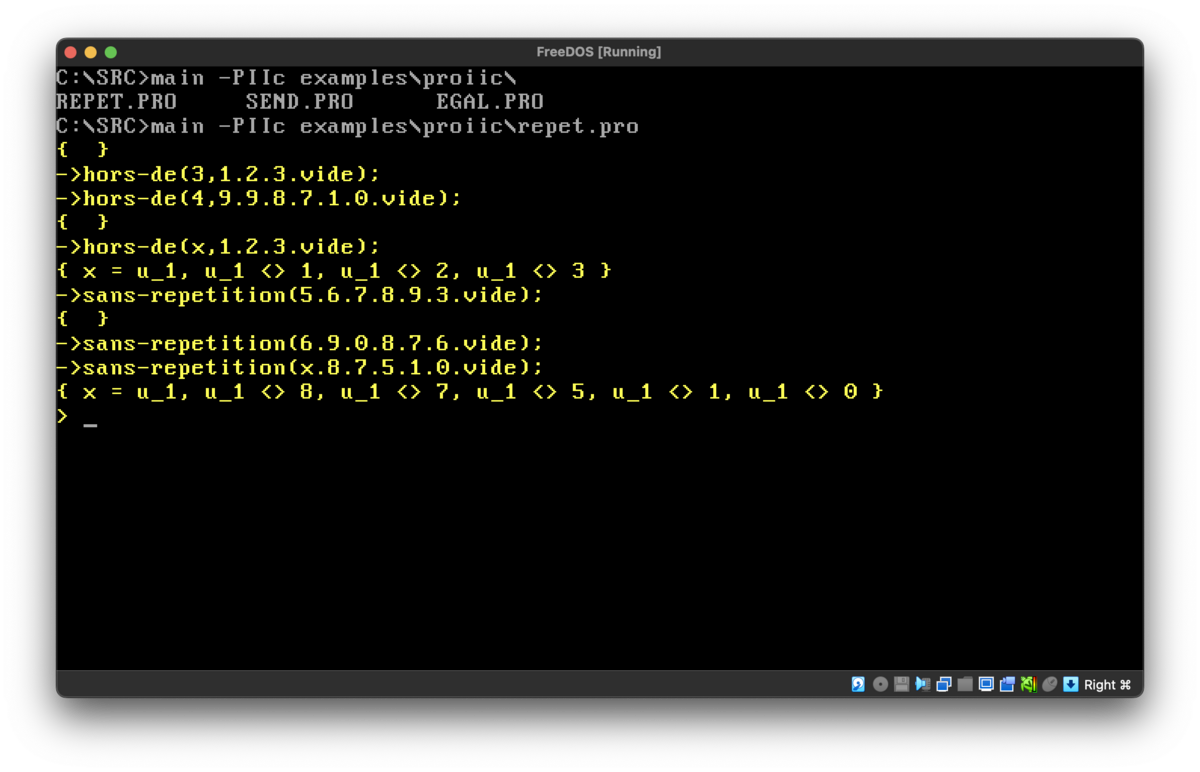
11 June 2023: repet.pro, one of the original demo Prolog programs written for the interpreter back in 1988, running in a FreeDOS box with the new interpreter compiled with Turbo Pascal 4:
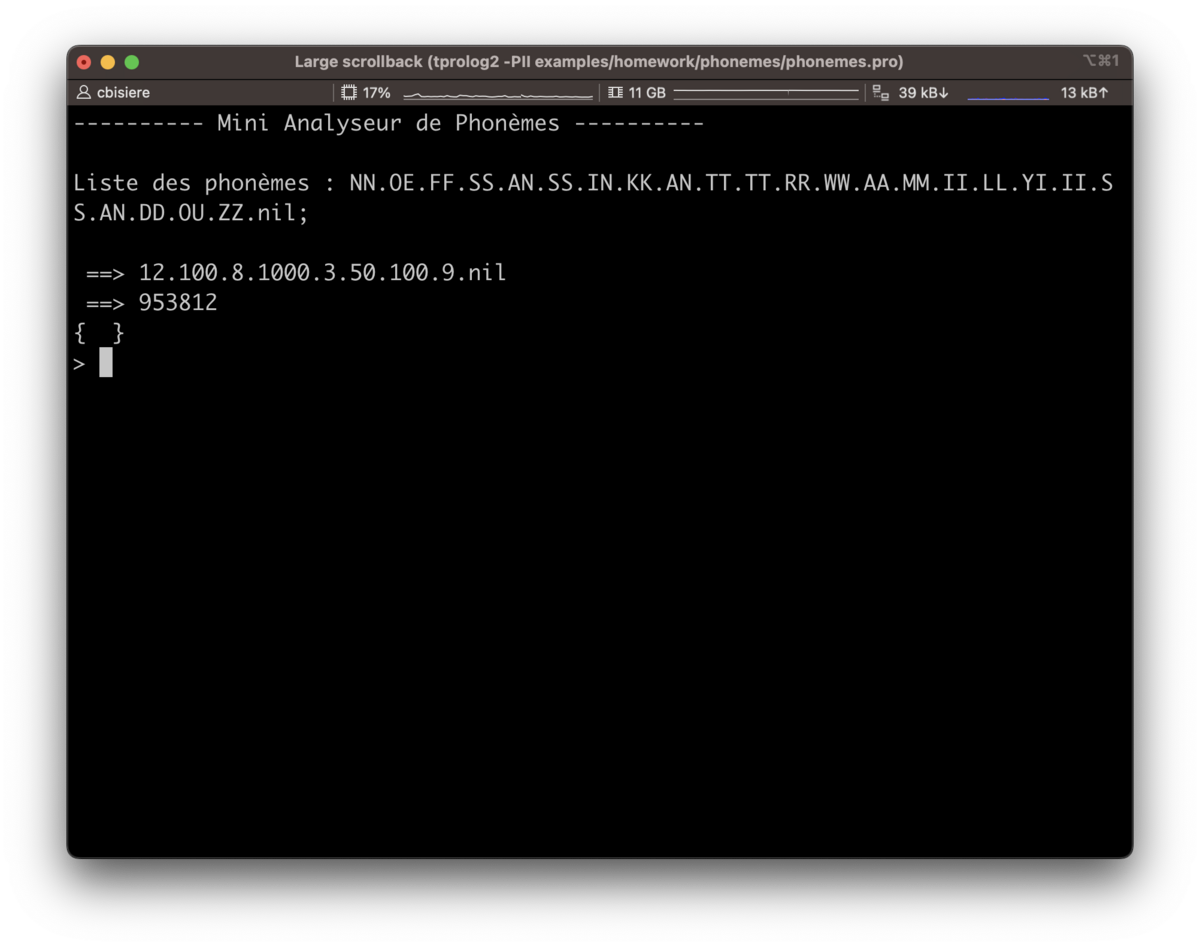
11 June 2023: phonemes.pro, a homework Prolog II program written for Henri Méloni's course on speech recognition:
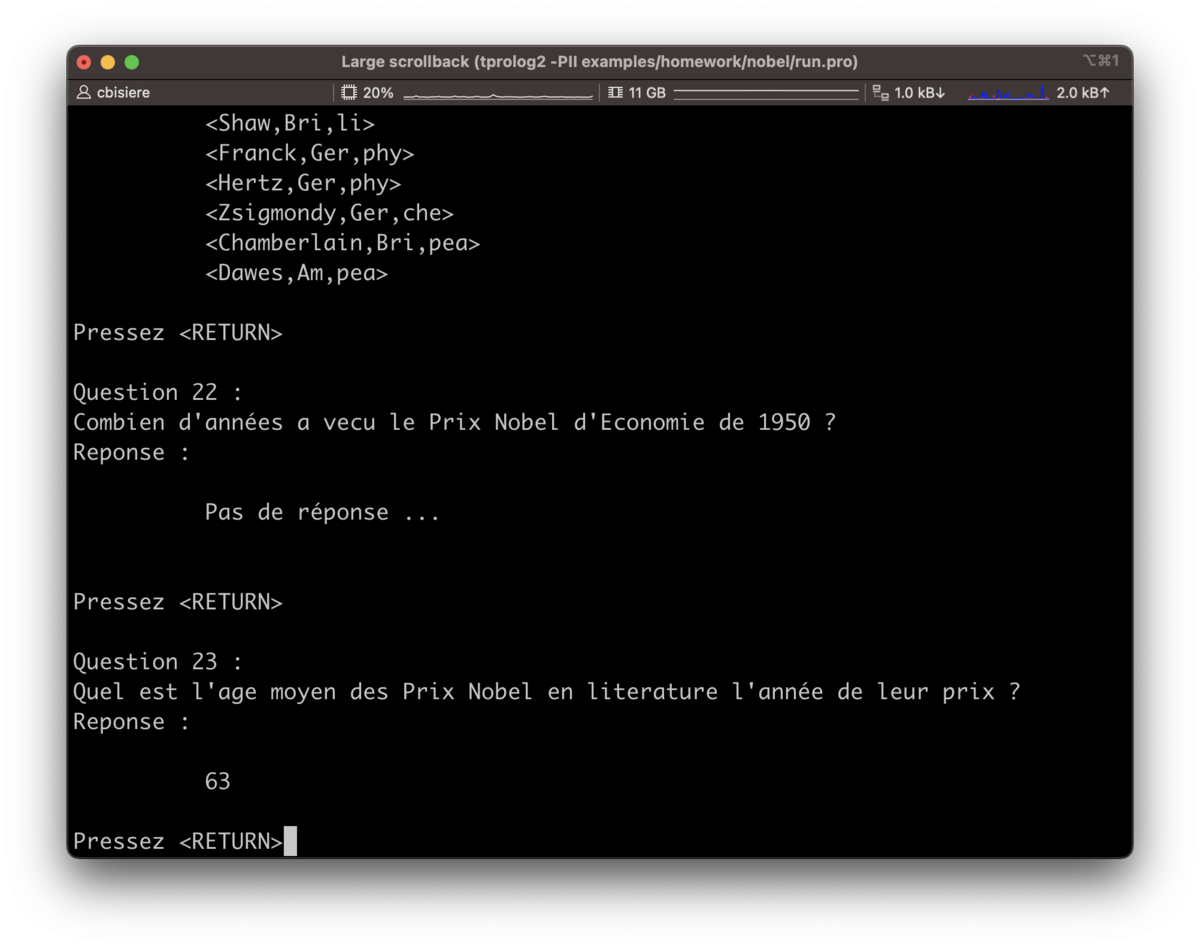
11 June 2023: nobel.pro, a homework Prolog II program. I do not remember the course, though:
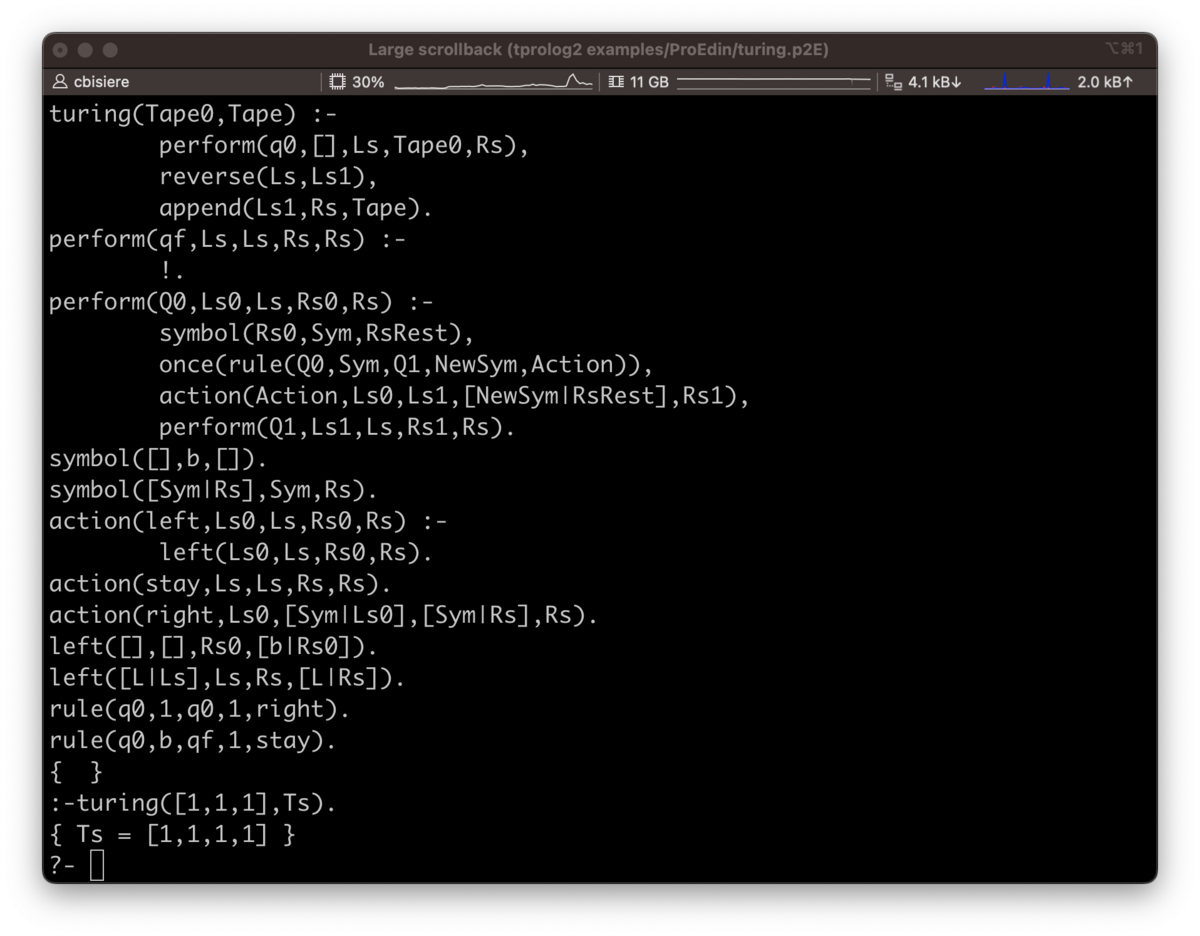
23 February 2024: Tiny Prolog successfully running Turing Completeness, an example Edinburgh program of the Prolog's Wikipedia page:
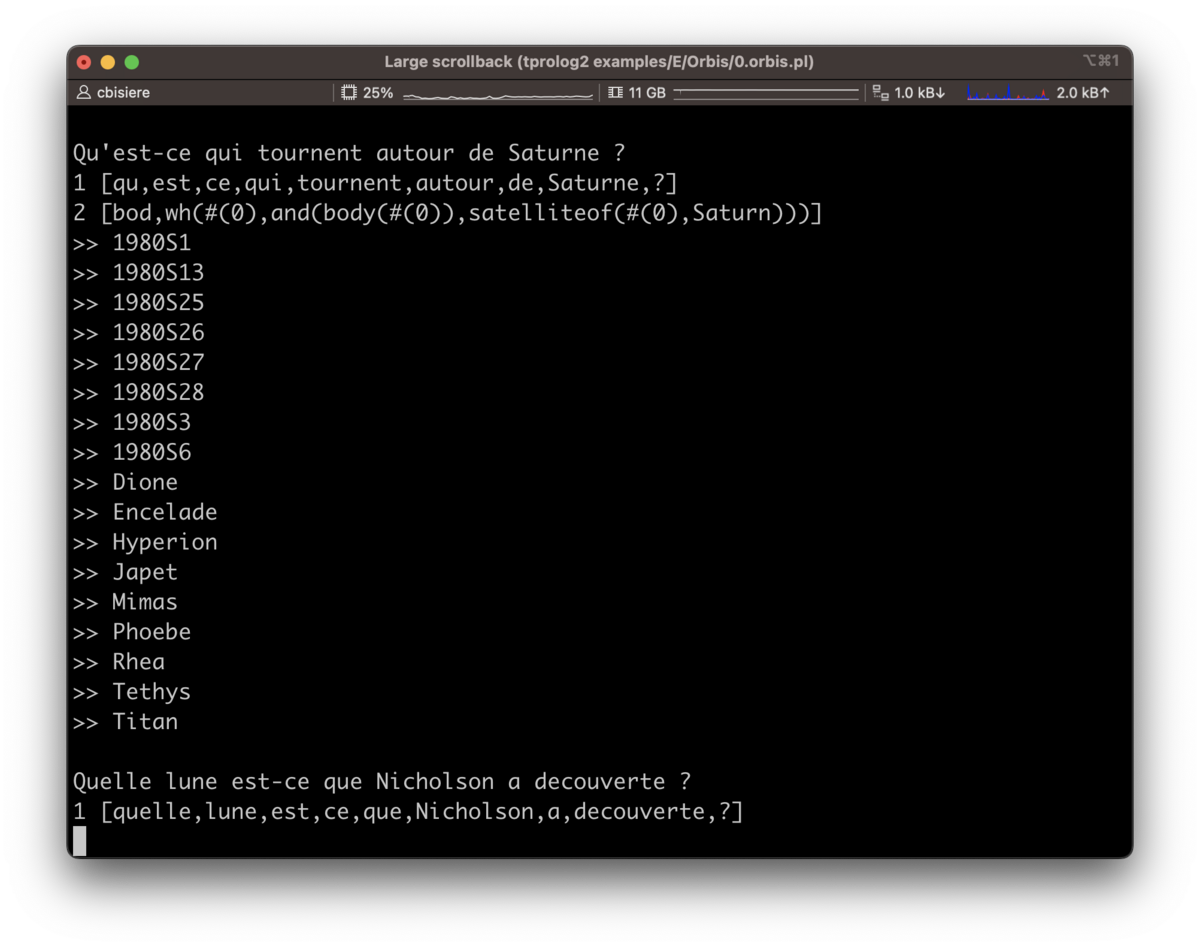
8 August 2024: Tiny Prolog successfully running Orbis:
References
Articles
Basically, our interpreter implements two algorithms described in the following paper:
- Alain Colmerauer (1984). Equations and Inequations on Finite and Infinite Trees. FGCS 1984: 85-99.
Here are two additional interesting papers:
- Alain Colmerauer (1985). Prolog in 10 Figures. Communications of the ACM, vol. 28, num. 12, December.
- Philippe Körner et al. (2022). Fifty Years of Prolog and Beyond. Theory and Practice of Logic Programming, 1-83.
Manuals
Prolog II (version 1)
Prolog II version 1 ran on Apple II. The complete documentation is made of three documents below. Note that while these three documents are supposed to describe the same version of Prolog II, that is, version 1, the syntax described in Colmerauer (1982) allows for explicit constraints at the end of rules. This is not the case in Van Caneghem (1982) and Kanoui (1982). If you know more about this, please let me know.
- Alain Colmerauer (1982). Prolog II: Manuel de référence et modèle théorique. Rapport Interne. Groupe d'Intelligence Artificielle. Université d'Aix-Marseille II. Mars.
- Michel Van Caneghem (1982). Prolog II: Manuel d'utilisation. Rapport Interne. Groupe d'Intelligence Artificielle. Université d'Aix-Marseille II. Mars.
- Henry Kanoui (1982). Prolog II: Manuel d'exemples. Rapport Interne. Groupe d'Intelligence Artificielle. Université d'Aix-Marseille II. Mars.
Prolog II (version 2)
The Prolog II version 2 syntax is described in these two books (still on my bookshelf):
- Francis Giannesini, Henry Kanoui, Robert Pasero, and Michel Van Caneghem (1985). Prolog, InterÉditions.
- Michel Van Caneghem (1986). L'Anatomie de Prolog, InterÉditions.
Prolog II+
Manuals and Windows binary are available on the download page of the Prolog Heritage website
Author
License
This project is licensed under the MIT License - see the LICENSE.md file for details