

Catalog · How the catalog works
DelphiCord

Discord Rich Presence extension for Delphi
- ★ 10 on GitHub
Anyone may press Interesting, signed in or not. It helps others find this project.
README
🎮 Discord Rich Presence Extension for Delphi
📖 Description
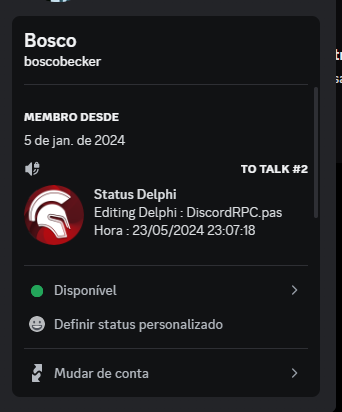
This extension integrates Discord Rich Presence with the Delphi IDE, showing what you're editing in Delphi on your Discord profile.
✨ Features
- 📂 Displays the currently edited file name.
- 🌐 Detects file extension and shows the corresponding language icon (see
extensions.pasfor supported extensions).
The most up-to-date documentation for Rich Presence can always be found on our developer site! If you're interested in implementing Rich Presence via IPC sockets instead of using our SDK, check out the "Hard Mode" documentation.
🛠️ Basic Usage
First, head over to the Discord developers site and create an app. Keep track of your Client ID—you'll need it to pass to the initialization function.
💾 Installation
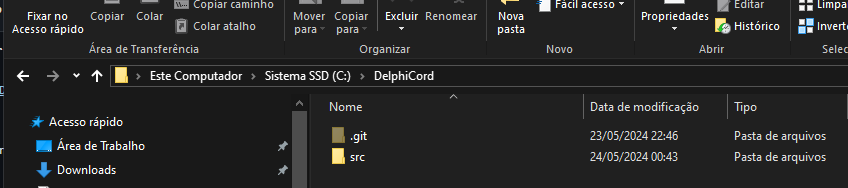
Download and extract to C:\DelphiCord.
✈ Where are?
📂 Folders / 🚨 See the folder permission
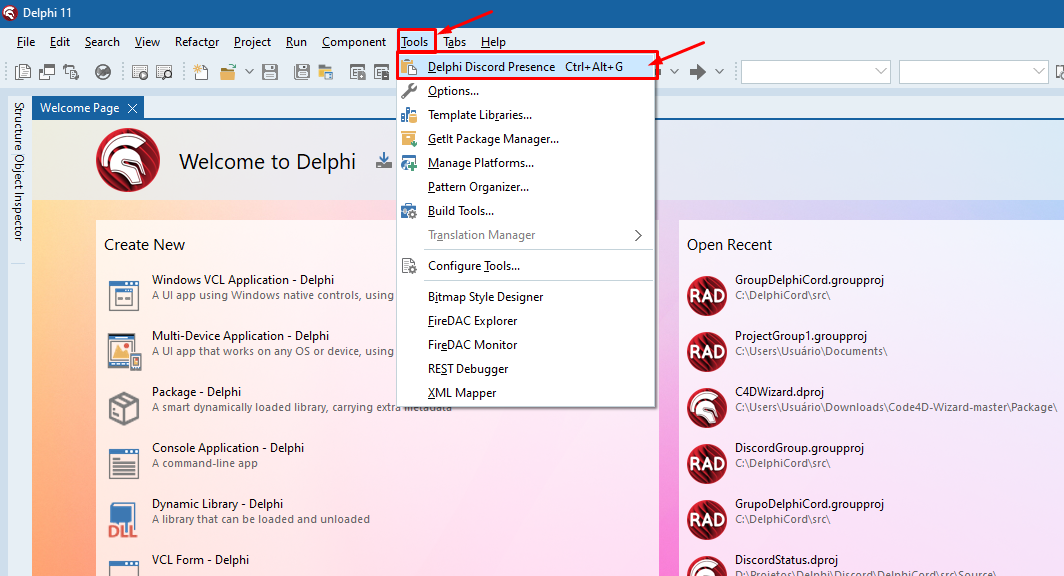
/Discordrpc- Contains Discord RPC DLLs./Package- Plugin for the IDE./Sample- VCL application example./Source- Abstraction to call DLLs inDiscordRPC.pas./Win32/Debug- Output forDelphiCord.exe,discord-rpc.dll,DiscordStatus.bpl,send-presence.exe.
External source for Discord RPC: discord-rpc.
💬 Contributions / Ideas / Bug Fixes
To submit a pull request, follow these steps:
- 🍴 Fork the project.
- 🌿 Create a new branch (
git checkout -b my-new-feature). - 🛠️ Make your changes.
- 💾 Commit your changes (
git commit -am 'Add new feature or fix bug'). - 📤 Push the branch (
git push origin my-new-feature). - 🔄 Open a pull request.
Give me a Star.