

mben-dz.Delphi-WinUI-Framework

mben-dz Delphi WinUI Framework
- Active · last change 10-19-2026
- ★ 13 on GitHub
README
mben-dz Delphi WinUI Framework
⚠️ BETA — USE AT YOUR OWN RISK
This repository contains an experimental Delphi framework under active development. APIs, units, classes, deployment details and project structure may change without notice. It is not currently recommended for production-critical applications.
🧪 Tested Environment
Delphi 13 Florence (first release) · Windows 10 Pro 22H2 · OS Build 19045.6466 · Installed 20 September 2026
🪟 WinUI 2
Windows 10 1903 / Build 18362+ · XAML Islands · DesktopWindowXamlSource · Standalone EXE concept
🧩 WinUI 3
Windows App SDK · Microsoft UI namespaces · Windows App SDK bootstrap/runtime model
📦 WinUI 2 Deployment Test
The current WinUI 2 Login Demo release is configured as a standalone executable with Delphi runtime packages disabled and also configured with compiler optimization disabled while an optimized Release issue is being investigated.
📜 License
MIT — applies to the original project source code in this repository. Third-party components remain subject to their respective licenses.
What is this?
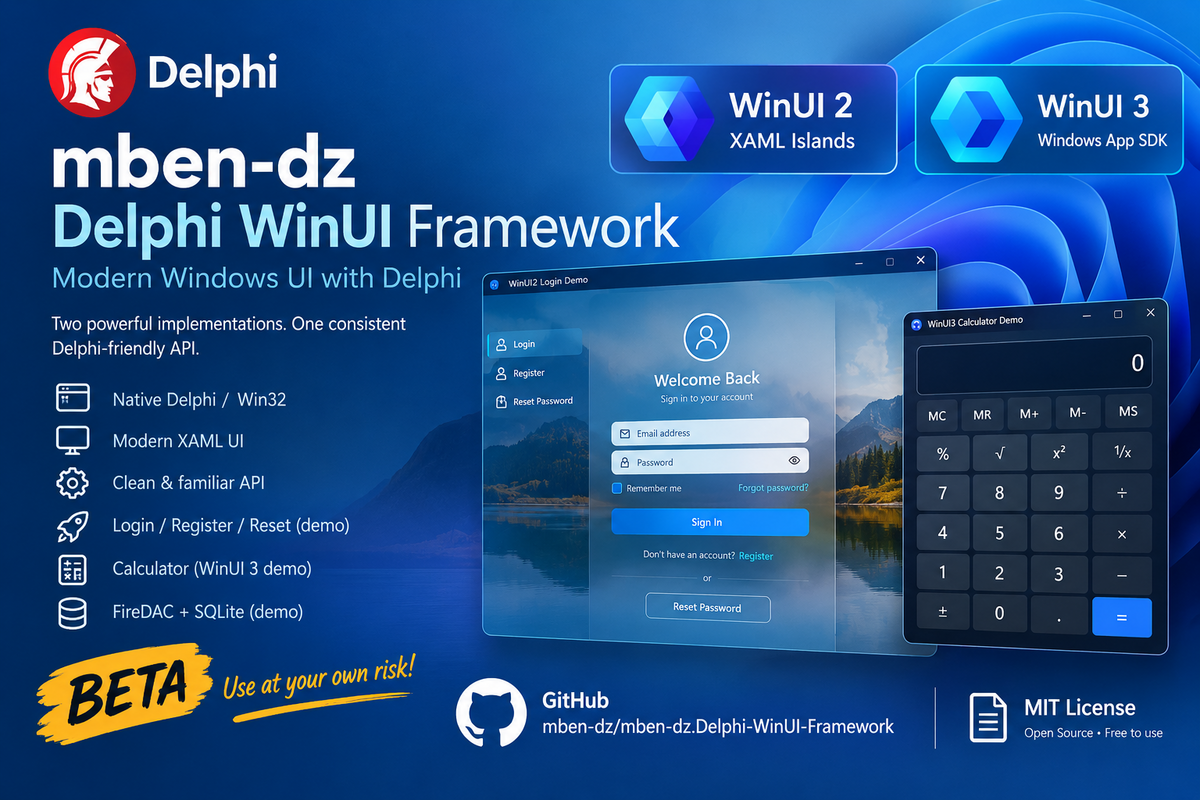
This project explores a Delphi-first way of building modern Windows desktop applications with Microsoft's XAML/WinRT UI technologies.
It currently contains two related implementations:
- WinUI 2 — using
Windows.UI.Xaml.Hosting.DesktopWindowXamlSource/ XAML Islands and the XAML infrastructure supplied by Windows. - WinUI 3 — using WinUI 3 through the Windows App SDK and its bootstrap/runtime model.
The two sides intentionally expose similar Delphi-oriented abstractions where the underlying concepts are similar.
The project is an independent community project. It is not an official Microsoft or Embarcadero framework.
🎥  Watch the Delphi WinUI 3 Framework Calculator demo on YouTube
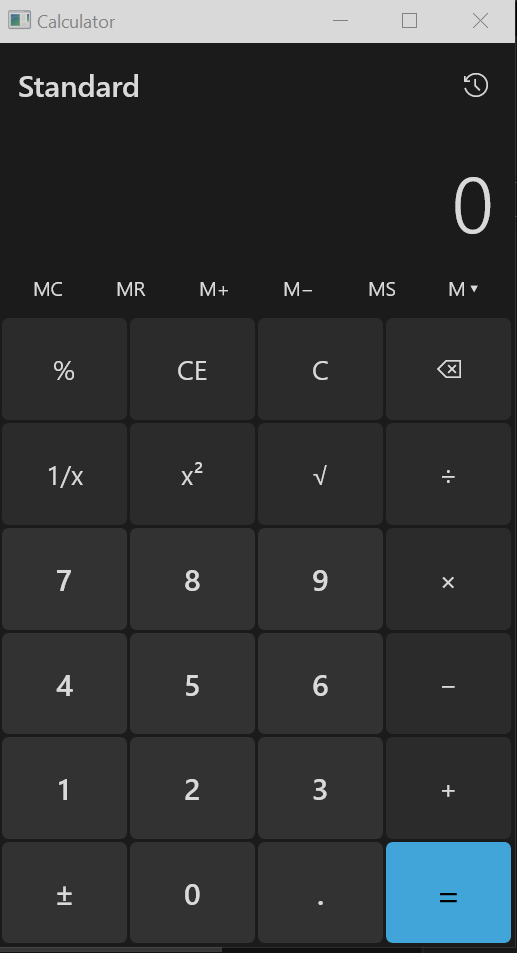
🎥 Watch the Delphi WinUI 3 Framework Login demo on YouTube
🎥 Watch the Delphi WinUI 2 Framework Login demo on YouTube
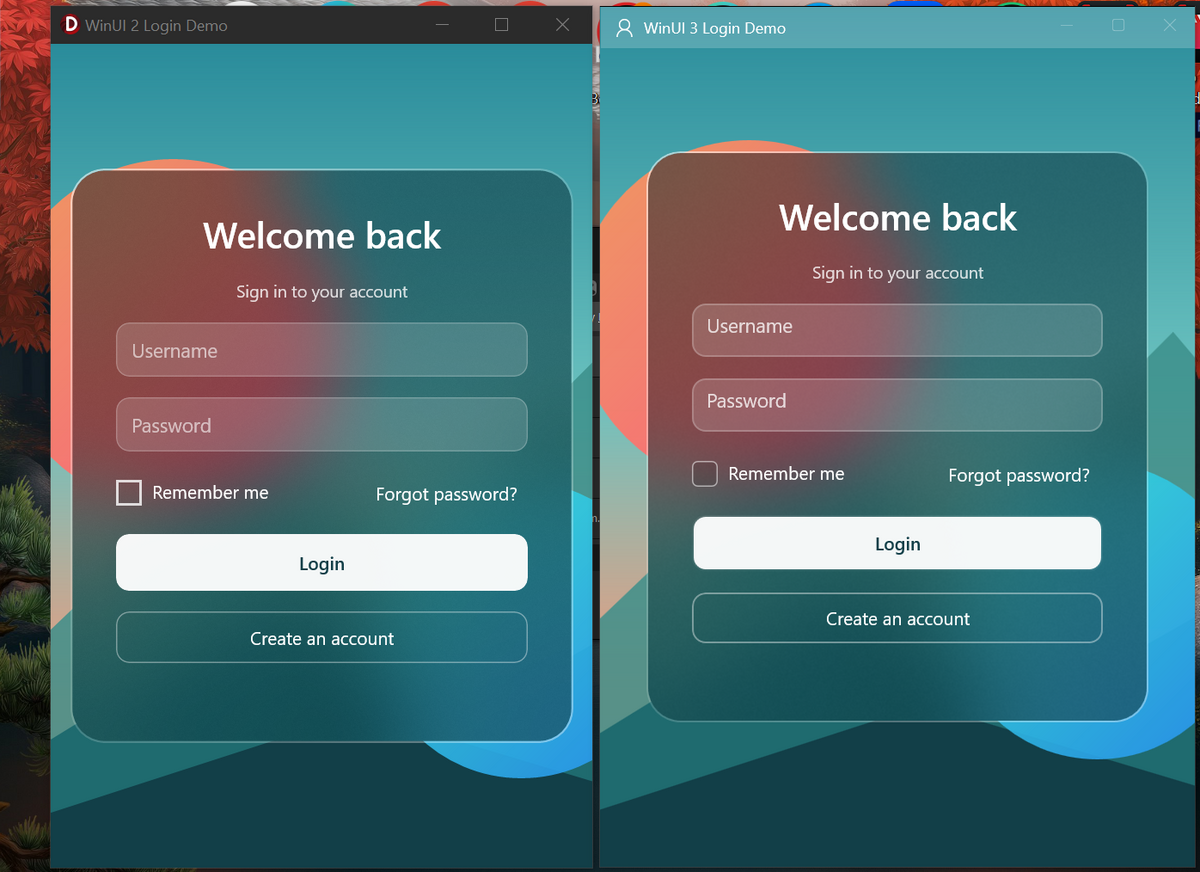
Super Acrylic Rounded corners Login Demo:
https://github.com/user-attachments/assets/19f23106-b678-4461-b3ea-3e2039fc41dd
Direct Link for test: here.
Direct Link for Extended test: here.
Repository layout
mben-dz.Delphi-WinUI-Framework/
├── README.md
├── LICENSE
├── .gitignore
├── SOURCE_LAYOUT.md
├── WinUI2/
│   ├── API/
│   └── Login demo
├── WinUI3/
│   ├── API/
│   └── Login demo
└── Samples/
    └── WinUI 3 Calculator
WinUI 2
The WinUI 2 implementation hosts Windows XAML through:
Windows.UI.Xaml.Hosting.DesktopWindowXamlSourceThe current implementation targets Windows 10 version 1903 / build 18362 or later.
The goal is to use the XAML/WinRT infrastructure already available in the operating system, without requiring the Windows App SDK bootstrap/runtime used by WinUI 3.
The supplied login demo demonstrates native Delphi Win32 hosting, XAML UI, glass/Acrylic-style presentation, Login/Register/Reset Password pages, controls/events, navigation, DPI-aware window handling and SQLite persistence through FireDAC.
WinUI 3
The WinUI 3 implementation targets WinUI 3 / Windows App SDK.
It follows a similar Delphi-oriented API design, but uses the Microsoft UI namespaces and Windows App SDK runtime model.
The supplied WinUI 3 login demo demonstrates the same general application idea on the WinUI 3 side, while the calculator sample demonstrates a separate application architecture.
The WinUI 3 bootstrap layer dynamically loads:
Microsoft.WindowsAppRuntime.Bootstrap.dllTherefore WinUI 3 has additional runtime/deployment requirements compared with the WinUI 2/XAML-Islands implementation.
Why both?
This project is not intended to claim that WinUI 2 replaces WinUI 3.
The two technologies have different runtime and deployment characteristics, and this framework deliberately explores both.
One goal is to keep the Delphi APIs similar enough that developers can learn the framework concepts once while still being able to target either UI stack.
Requirements
WinUI 2
- Windows 10 version 1903 / build 18362 or later for the current implementation
- Delphi Win32 development environment with the required Windows/WinRT bindings
- XAML Islands support provided by the target Windows installation
This minimum is for this implementation, not a claim that every WinUI 2/UWP scenario has the same minimum OS version.
WinUI 3
- Windows version supported by the selected Windows App SDK version
- Delphi with the required WinRT/Microsoft UI bindings
- Windows App SDK runtime/deployment appropriate to the application
The exact supported Windows versions should be checked against the Windows App SDK version being used.
Tested Development Environment
The current Beta release was developed and initially tested with:
Delphi
- Embarcadero Delphi 13 Florence — first release
Windows
- Edition: Windows 10 Pro
- Version: 22H2
- Installed: 20 September 2026
- OS Build: 19045.6466
These versions describe the author's development and initial test environment. They are not intended to define the minimum supported Delphi or Windows version.
Additional testing on other Delphi releases, Windows 10 builds and Windows 11 versions is welcome and will help identify compatibility issues.
Demos
WinUI 2 Login Demo
A glass-style login application demonstrating Login, Register and Reset Password flows.
The demo uses FireDAC/SQLite for a local user store. Passwords are not stored as plaintext; the sample derives password hashes using salted PBKDF2-HMAC-SHA256.
Important: this is demonstration code, not a complete production authentication service. Real applications need additional security controls such as modern password-hashing policy, account recovery design, rate limiting, secure secret handling, authorization, auditing and threat-specific protections.
WinUI 3 Login Demo
A WinUI 3 version of the login demonstration using the Windows App SDK runtime model.
WinUI 3 Calculator Demo
A separate calculator application demonstrating the WinUI 3 framework units, XAML, input handling and application/window integration.
Building
Open the corresponding .dpr file in Delphi and build the required Windows target, and ensure to add the custom manifest file.
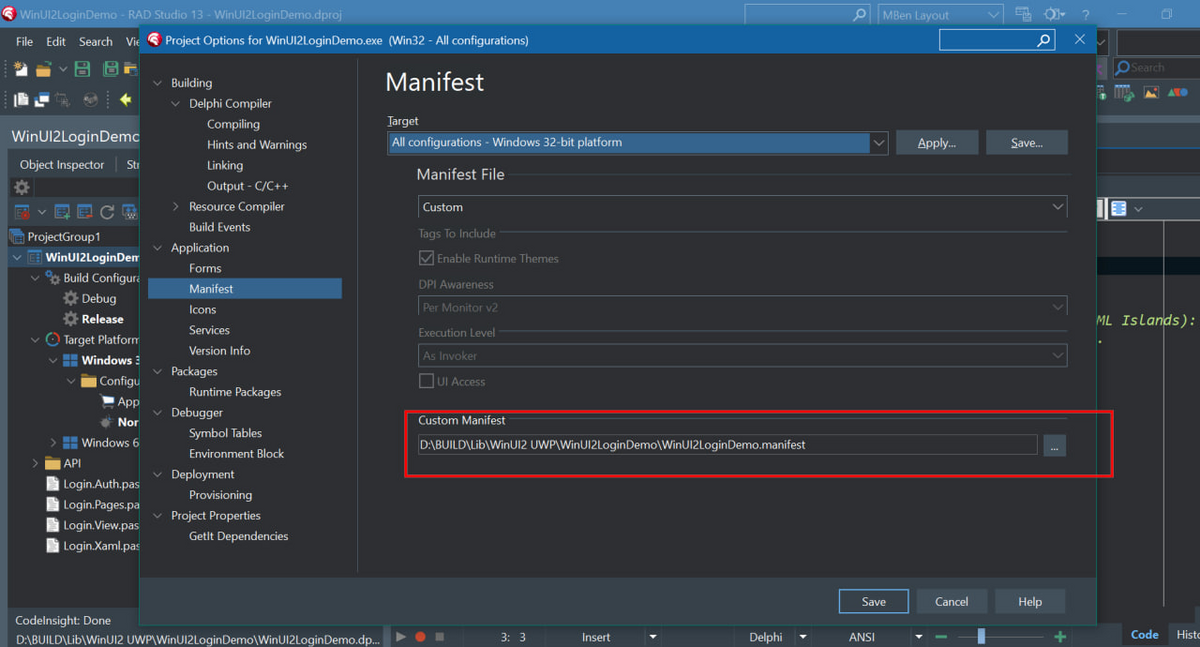
The project files have been cleaned of the*.dproj files to remove author's IDE-captured package inventories so the repository does not assume unrelated third-party Delphi packages from the author's development machine.
You may still need the normal Delphi libraries/components required by the sample. The login samples require FireDAC/SQLite support supplied by the Delphi installation.
For WinUI 3, the appropriate Windows App SDK runtime/deployment environment is required.
WinUI 2 Standalone Beta Build
The WinUI 2 Login Demo included with the current Beta release is configured as a standalone executable with Delphi runtime packages disabled.
For this particular Beta/Proof-of-Concept build, compiler optimization is intentionally disabled while a Release-optimization issue is being investigated.
The purpose of this configuration is to allow testing of the standalone WinUI 2/XAML Islands deployment concept independently of the optimization issue.
Beta status
This project is intentionally published at Beta level.
Expect breaking API changes, renamed units/classes, incomplete wrappers, incomplete control coverage, Windows-version-specific behavior, Delphi-version-specific issues, incomplete documentation, changes to deployment/bootstrap logic and changes to project layout.
Do not assume that a class, method or unit present in one commit will remain compatible with a later commit.
For serious projects, pin a specific commit/tag and test the exact Windows and Delphi versions you intend to support.
Known limitations
This framework is not a complete wrapper around all WinRT, XAML, WinUI 2 or WinUI 3 APIs.
Some scenarios may require working directly with the underlying WinRT interfaces or adding your own wrappers.
The behavior of XAML Islands, WinUI and Windows App SDK can also vary with Windows releases and runtime versions.
The current WinUI 2 implementation is still being tested across different Windows and Delphi configurations.
The current WinUI 3 implementation is also dependent on the Windows App SDK version and its corresponding deployment/runtime requirements.
Deployment philosophy
One motivation for the WinUI 2 implementation is to investigate how much modern Windows XAML UI can be used while keeping the final application close to a conventional native Delphi executable.
WinUI 3 follows a different model because it is based on the Windows App SDK runtime.
The framework therefore does not promise that WinUI 2 and WinUI 3 have identical deployment requirements.
The WinUI 2 standalone demonstration is specifically intended to explore the possibility of deploying a native Delphi executable that uses the XAML/WinRT infrastructure already supplied by Windows, without requiring the Windows App SDK runtime/bootstrap used by WinUI 3.
Third-party and Microsoft components
This repository contains original Delphi source code plus examples that use Microsoft Windows technologies and Delphi-provided libraries.
Microsoft Windows, WinRT, XAML, WinUI, Windows App SDK and related components remain subject to their respective Microsoft licenses and terms.
Delphi, FireDAC and SQLite-related components remain subject to their respective licenses/terms.
The MIT license in this repository applies to the original project source code covered by this repository. It does not relicense third-party software.
License
The original source code in this repository is released under the MIT License.
See LICENSE.
Disclaimer
USE THIS SOFTWARE AT YOUR OWN RISK.
THE SOFTWARE IS PROVIDED "AS IS", WITHOUT WARRANTY OF ANY KIND, EXPRESS OR IMPLIED.
THE AUTHOR(S) DISCLAIM ALL WARRANTIES, INCLUDING BUT NOT LIMITED TO WARRANTIES OF MERCHANTABILITY, FITNESS FOR A PARTICULAR PURPOSE AND NON-INFRINGEMENT, TO THE MAXIMUM EXTENT PERMITTED BY LAW.
The author is not responsible for data loss, application failures, security incidents, incompatibility, system damage, loss of profits, or any other consequences arising from the use of this software.
Because this project is Beta software, it should not be assumed suitable for safety-critical, security-critical or otherwise mission-critical applications.
Contributing
Bug reports, testing feedback and focused improvements are welcome.
For Windows-specific issues, please include:
- Windows version/build
- Delphi version
- WinUI / Windows App SDK version where applicable
- Target architecture
- Exact commit/version tested
- A minimal reproduction where possible
Testing on Windows versions and Delphi releases other than the author's development environment is particularly welcome.
Roadmap
The roadmap is intentionally flexible while the framework is being developed.
Areas being explored include:
- Additional WinUI controls
- Improved event wrappers
- Navigation improvements
- Resource handling
- Window integration
- DPI behavior
- XAML support
- More samples
- Broader Windows-version testing
- Delphi-version compatibility testing
- API stabilization
- Packaging and distribution improvements
Author
mben-dz
Delphi / Windows / WinRT / XAML / WinUI experiments