

Catalog · How the catalog works
Telegram4D

Telegram Bot API library for Delphi and Free Pascal
- ★ 13 on GitHub
Anyone may press Interesting, signed in or not. It helps others find this project.
README
Telegram4D
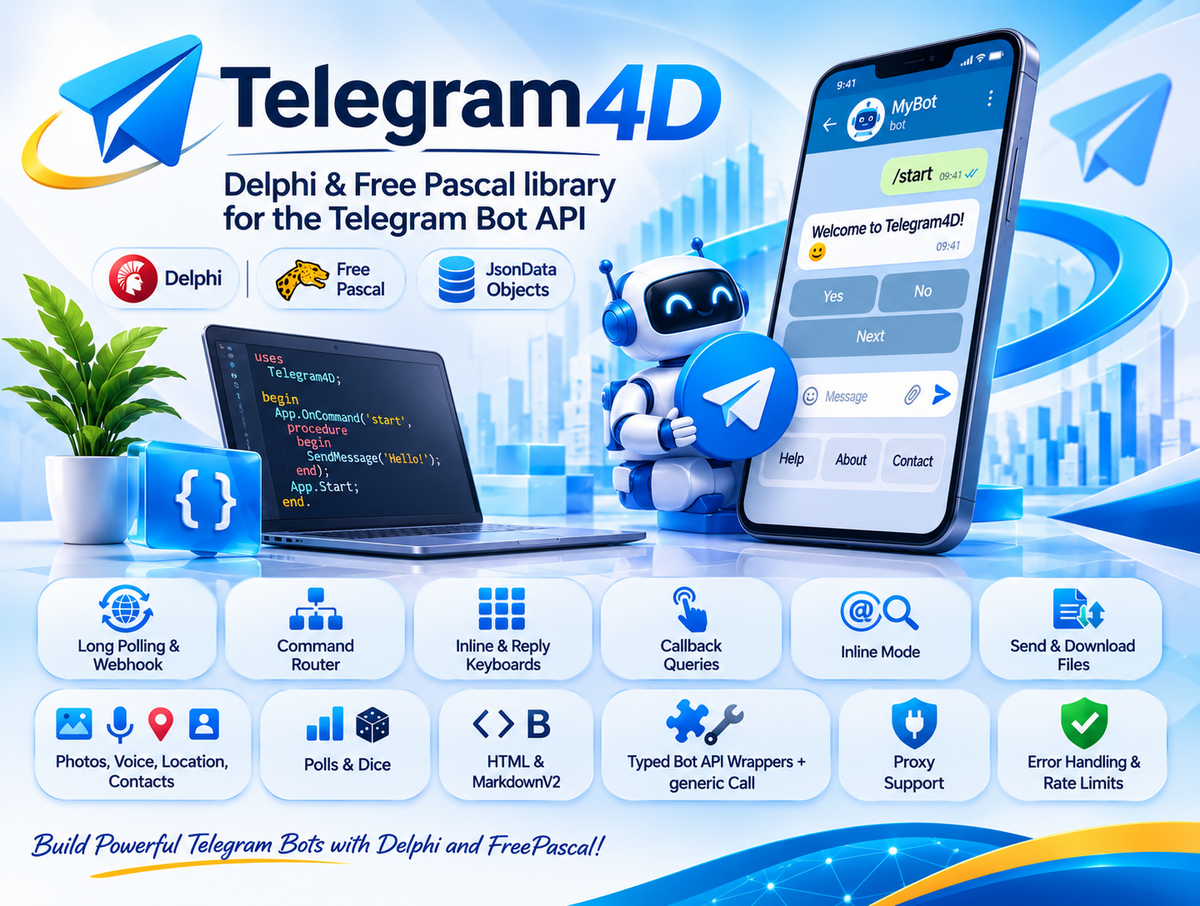
A Delphi and Free Pascal library for the Telegram Bot API, written against Bot API 10.3 (library version 0.1.0).
Telegram4D gives you a small, readable API for the everyday work (commands, inline keyboards, files, polls, inline mode, webhooks) and a generic Call for every other Bot API method, so you are never blocked by a missing wrapper.
App := TTelegramApp.Create(Token);
App.OnCommand('start', procedure(Ctx: TTgContext) begin Ctx.Reply('Hello!'); end);
App.Start;   // long polling in a background thread
License: Apache License 2.0. Free for personal and commercial use; attribution is required (see License).
Required dependency: JsonDataObjects
Telegram4D depends on JsonDataObjects by Andreas Hausladen. It is mandatory: the library does not compile without it, and it is not bundled in this repository.
You must download it yourself and add its folder to your compiler's search path (see Installation). Please check its license before shipping it with your product.
How the dependency is used:
- All JSON parsing and generation goes through JsonDataObjects (
TJsonObject,TJsonArray,TJsonBaseObject). - Only one unit refers to it by name:
Telegram4D.JSON(a thin indirection that re-exports the three types). Every other Telegram4D unit takes its JSON types from there. - The response types in
Telegram4D.Typesare read-only views directly on top ofTJsonObject; the request builder (Telegram4D.Params) and the keyboard builders (Telegram4D.Markup) buildTJsonObject/TJsonArrayvalues as well. - You normally never touch JsonDataObjects yourself, but
Bot.Call(...)returns aTJsonObjectroot andTTgObject.Rawexposes the underlying object when you need a field the library has no accessor for.
Free Pascal note: the original JsonDataObjects targets Delphi. To use Telegram4D with Free Pascal you need a version of JsonDataObjects that compiles with FPC, or a small adapter providing the same API surface. Because the dependency is isolated in Telegram4D.JSON, replacing the JSON backend for FPC means changing that single unit.
Features
- Receiving updates: long polling in a background thread, or webhook mode (you pass the request body to
HandleWebhook; the library has no HTTP server of its own). - Router:
OnCommand,OnText,OnMessage,OnCallback,OnCallbackPrefix,OnInlineQuery,OnUpdateKind,OnAnyUpdate. First match wins. In Delphi every registration also accepts an anonymous method. - Context object (
TTgContext):Reply,ReplyHtml,ReplyTo,Answer,EditText,Typing, plus the current message, chat, user and update. - Fluent keyboards: inline keyboards, reply keyboards (contact and location requests), remove keyboard, force reply. Interface based, nothing to free.
- Sending: text, photo, document, video, audio, voice, animation, video note, sticker, location, contact, poll, dice, chat actions, forward and copy.
- Files: send by
file_idor URL, upload a local file, upload from a stream, download files users send. - Editing and moderation: edit text, caption and markup, delete, pin and unpin, ban, unban, leave, approve or decline join requests, member lists.
- Inline mode, callbacks, payments:
AnswerInlineQuery,AnswerCallbackQuery,AnswerPreCheckoutQuery. - Any Bot API method:
Call,CallBool,CallMessage,CallObject,CallList. - Forward compatible types: response classes are views over the JSON, so fields added by future Bot API versions are reachable immediately through
Raw,HasFieldandFieldAsString. - Transport: built-in HTTP client for Delphi (
System.Net.HttpClient) and Free Pascal (fphttpclient), HTTP proxy support, custom Bot API server URL, and a pluggableITgHttpClient(for example to use RESTRequest4Delphi). - Robustness: typed exceptions, automatic retry on HTTP 429 (rate limit), polling that survives handler exceptions and network errors, webhook secret token check.
- Helpers:
HtmlEscape,MarkdownV2Escape,MentionHtml.
Requirements
| Item | Delphi | Free Pascal |
|---|---|---|
| Compiler | Delphi 10.3 or newer | FPC 3.2 or newer (Delphi mode) |
| JSON | JsonDataObjects (required) | a JsonDataObjects version that compiles with FPC (required) |
| HTTP | System.Net.HttpClient (included in Delphi) |
fphttpclient + opensslsockets (included in FPC); OpenSSL libraries installed for HTTPS |
| Threads | included | on Unix cthreads must be the first unit of your program |
No third-party package other than JsonDataObjects is needed.
Installation
- Get JsonDataObjects: clone or download https://github.com/ahausladen/JsonDataObjects (the unit you need is
JsonDataObjects.pas). - Get Telegram4D: copy this repository, or just its
Sourcefolder. - Add two folders to the search path of your project:
- Delphi: Project > Options > Building > Delphi Compiler > Search path
- Lazarus: Project > Project Options > Compiler Options > Paths > Other unit files
- the Telegram4D
Sourcefolder - the folder that contains
JsonDataObjects.pas
- Add the Telegram4D units you use to your
usesclause. There is no package (.dpk/.lpk) to install. - Create a bot with @BotFather in Telegram (
/newbot) and keep the token. Do not hard-code it; read it from an environment variable or a settings file.
A small example
A complete console bot: a /start command with an inline keyboard, a callback handler that edits the message, and an echo for plain text.
program HelloBot;

{$APPTYPE CONSOLE}

uses
  SysUtils,
  Telegram4D.Types,    // TTgContext, TTgMessage, ...
  Telegram4D.Markup,   // InlineKeyboard
  Telegram4D.App;      // TTelegramApp

var
  App: TTelegramApp;
begin
  App := TTelegramApp.Create(GetEnvironmentVariable('TELEGRAM_BOT_TOKEN'));
  try
    // /start -> greeting with two buttons
    App.OnCommand('start',
      procedure(Ctx: TTgContext)
      begin
        Ctx.Reply('Hello ' + Ctx.User.FirstName + '! Do you like Delphi?',
          InlineKeyboard
            .Button('Yes', 'vote:yes').Button('No', 'vote:no')
            .Row
            .Url('Bot API docs', 'https://core.telegram.org/bots/api'));
      end);

    // button press -> stop the spinner and edit the original message
    App.OnCallbackPrefix('vote:',
      procedure(Ctx: TTgContext)
      begin
        Ctx.Answer('Thanks!');
        Ctx.EditText('You answered: ' + Copy(Ctx.CallbackData, 6, MaxInt));
      end);

    // any other text -> echo as a reply
    App.OnText(
      procedure(Ctx: TTgContext)
      begin
        Ctx.ReplyTo('You said: ' + Ctx.Text);
      end);

    App.Start;                 // long polling in a background thread
    Writeln('Running. Press Enter to stop.');
    Readln;
    App.Stop;
  finally
    App.Free;
  end;
end.
Free Pascal (and Delphi, if you prefer) uses methods as handlers:
type
  THandlers = class
    procedure Start(Sender: TObject; Ctx: TTgContext);
  end;

procedure THandlers.Start(Sender: TObject; Ctx: TTgContext);
begin
  Ctx.Reply('Hello!');
end;

// ...
App.OnCommand('start', H.Start);
More snippets
Send without the router:
Bot := TTelegramBot.New(Token);
try
  Bot.SendText(123456789, 'Hello');                  // numeric chat id
  Bot.SendText('@mychannel', 'New post');            // channel username

  Bot.SendDocument(ChatId, TTgInputFile.FromPath('C:\Reports\a.pdf'), 'Monthly report').Free;
finally
  Bot.Free;
end;
Any Bot API method, even without a wrapper:
Bot.CallBool('setChatTitle',
  NewParams.AddChat('chat_id', ChatId).Add('title', 'New title'));
Reading what the user sent (optional parts are nil when absent):
Msg := Ctx.Message;
if (Msg <> nil) and (Msg.Document <> nil) then
  Bot.DownloadFileTo(Msg.Document.FileId, 'C:\Downloads\' + Msg.Document.FileName);
Behind a proxy (Telegram blocked on your network):
App := TTelegramApp.Create(Token, '127.0.0.1', 10809);Project layout
Telegram4D/
  Source/                 library units
  Demo/
    Delphi/               complete Delphi demo      (Showcase.dpr + Showcase.Handlers.pas)
    FreePascal/           complete Free Pascal demo (Showcase.lpr + Showcase.Handlers.pas)
  Docs/                   documentation
  LICENSE                 Apache License 2.0
  NOTICE                  attribution notice (keep it when you redistribute)
Units
| Unit | Purpose |
|---|---|
Telegram4D.JSON |
the only unit that names JsonDataObjects; re-exports TJsonObject, TJsonArray, TJsonBaseObject |
Telegram4D.Http |
ITgHttpClient and the default implementation; proxy and multipart file upload |
Telegram4D.Params |
NewParams request builder, TTgChatId, TTgInputFile |
Telegram4D.Markup |
fluent inline and reply keyboards |
Telegram4D.Types |
read-only views over JSON: Update, Message, User, Chat, CallbackQuery, ... |
Telegram4D.Bot |
TTelegramBot: typed methods plus the generic Call family |
Telegram4D.App |
TTelegramApp: router, long polling, webhook entry point, TTgContext |
Telegram4D.Utils |
HtmlEscape, MarkdownV2Escape, MentionHtml |
Telegram4D.Consts |
version constants, parse modes, chat actions, chat types, member statuses |
Telegram4D.Errors |
ETelegramApiError, ETelegramNetworkError, ETelegram4D |
Dependency direction: App -> Bot -> (Params, Markup, Types) -> Http / JSON.
Things worth knowing before you start
- Memory ownership. Objects returned by
Send*,Get*andCall*(such asTTgMessage) must be freed by you. Sub-objects (Msg.From,Msg.Chat, ...) belong to their parent. Keyboards andITgParamsare interfaces and free themselves.SendTextand theCtx.*helpers return nothing to free. - Optional fields are
nil. Always checkAssignedbefore usingMsg.From,Msg.ReplyToMessage,CallbackQuery.Message, and similar. - Route order matters. The first matching route wins, so register commands and callbacks first and generic routes (
OnText,OnMessage,OnAnyUpdate) last. - Handlers run sequentially in the polling thread. Keep them short, or set
App.SyncDispatch := Trueto run them in the main thread (needs a message loop). - Never call
App.Stopfrom inside a handler; set a flag and let the main thread stop the app (the demo shows how). - Escape user text with
HtmlEscape/MarkdownV2Escapewhen you useParseMode, otherwise Telegram rejects the message. - Limits of the cloud Bot API: 50 MB per upload, 20 MB per download. Uploads are buffered in memory.
Demo
Demo/Delphi and Demo/FreePascal contain a complete showcase bot (more than 20 commands: pagination, counters, reply keyboards, files, polls, dice, inline mode, chat member updates, error handling, raw JSON, admin-only command). Both folders use the same Showcase.Handlers unit. Set TELEGRAM_BOT_TOKEN (and optionally TELEGRAM_ADMIN_ID), add the search paths, build and run. Details: Docs/05-Showcase-Demo.md.
Documentation
- Getting Started: installation, token, first bot, proxy
- Architecture: layers, memory ownership, threading, router, errors
- Reference: all classes and methods
- Cookbook: webhook, files, methods without a wrapper, custom HTTP client, troubleshooting
- Complete Demo: how to run it and the feature list
License
Telegram4D is released under the Apache License, Version 2.0. The full text is in the LICENSE file and the attribution notice is in NOTICE.
In short, you may use, modify and distribute Telegram4D in personal, open source and commercial projects, including closed-source applications, under these conditions:
- Keep the attribution. When you redistribute the source code or a modified version, keep the copyright notices, include a copy of the license, and keep the contents of the
NOTICEfile with your distribution (in aNOTICEfile, in your documentation, or in an about screen of your product). - Mark your changes. Files you modified must carry a prominent notice that you changed them.
- No warranty. The software is provided "AS IS", and the authors are not liable for damages arising from its use.
- Patent grant. Contributors grant you a license to the patents their contributions necessarily infringe; that grant ends if you start patent litigation over the Work.
- Contributions. Unless you state otherwise, any contribution you submit for inclusion in this project is licensed under the same Apache 2.0 terms.
- Names and trademarks. The license does not grant the right to use the author's name or the project name to endorse derived products.
Third-party software is licensed separately:
- JsonDataObjects (required dependency) is not included in this repository and has its own license; read it at https://github.com/ahausladen/JsonDataObjects before you ship it with your product.
- "Telegram" is a trademark of Telegram Messenger Inc. Telegram4D is an unofficial library and is not affiliated with, endorsed by, or sponsored by Telegram.
Author
Created and maintained by Shaahin Ashayeri (@DelphiMan68). If you use Telegram4D in a project, a mention or a link back to this repository is always appreciated.
Status and limitations
- This is an early version (0.1.0). It has not yet been compiled or tested against a real compiler or the live Telegram API. Expect small compile fixes on first build.
- Typed wrappers cover the common methods only. The Bot API has more than 180 methods; the rest are available through
Bot.Calland friends. - Typed response classes cover the common objects (update, message, user, chat, callback and inline queries, files, chat members, webhook info). Everything else is reachable through
Raw. - Free Pascal support depends on a JsonDataObjects version that compiles with FPC (see Required dependency).
- No HTTP server is included for webhooks; plug in Indy, mORMot, Horse or any other server and call
App.HandleWebhook.