

Catalog · How the catalog works
MyDBFStudio

DBF administration program, originally written by Enzo Antonio Calogiuri (aka Fog76)
- ★ 15 on GitHub
Anyone may press Interesting, signed in or not. It helps others find this project.
README
MyDBFStudio
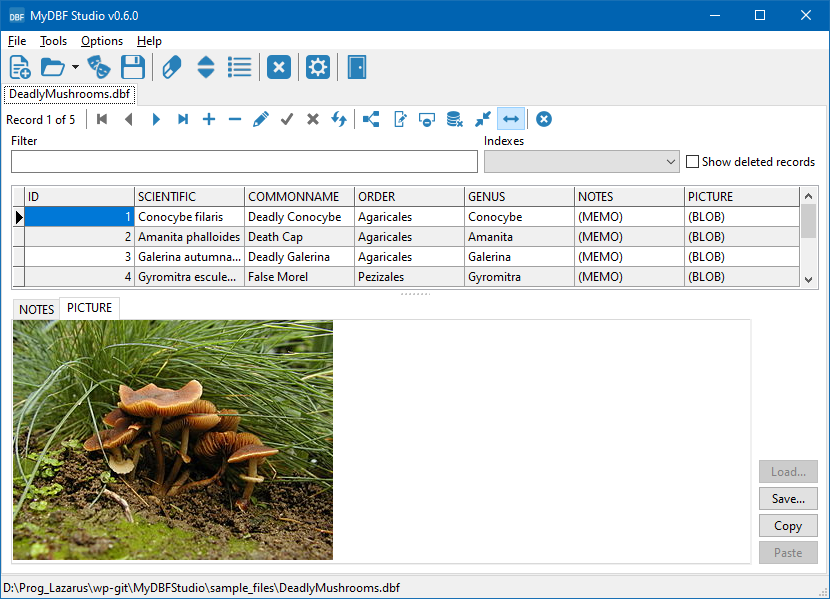
MyDbf Studio is a multi-platform open source program made with Lazarus that will help you to manage your dbf tables. The main features are:
- You can work with multiple tables at once, in a tabbed user interface.
- You can directly add, modify or delete data.
- You can view deleted data.
- You can create, empty, delete, change or restructure a table.
- You can create, delete or modify any index in a table.
- You can add or substract two tables.
- You can directly export data in the following formats: CSV, HTML, XLS, DBF, XML or SQL script.
- It works on Windows, Linux and all platforms supported by Lazarus.
The application is distributed as source code. You must compile it with a recent Lazarus version, v2.0 or later.
The program originally was written by Enzo Antonio Calogiuri (aka Fog76), but since the original sources of v0.4.2 were no longer readily available I decided to put them onto my github and to refactor some places. Later Enzo published a v0.5 (https://forum.lazarus.freepascal.org/index.php/topic,8954.msg406180.html#msg406180)) but since I had some ideas how to improve it I merged the new version and continued with this fork:
- Display memo and picture (.jpg, .png, .bmp, .ico) fields
- Display ansi characters from the table's code page correctly as utf-8.
- Store user settings and the names of recently loaded files in an ini file in the the user's home directory.
- Layout of the controls is determined by anchoring and autosizing and thus should work out in all operating systems supported. Form positions are stored in the ini file.
- Support drag and drop of dbf files from the operating system.
- Optionally, auto-fill the column of the DBGrid displaying the dbf file.
- Import from CSV files
- Sample files for "playing" (DeadlyMushrooms.dbf, country_codes.dbf).