Catalog · How the catalog works
AnotherWorldCE

Another World Interpreter for the TI-84 Plus CE
- ★ 16 on GitHub
Anyone may press Interesting, signed in or not. It helps others find this project.
README
AnotherWorldCE
Note
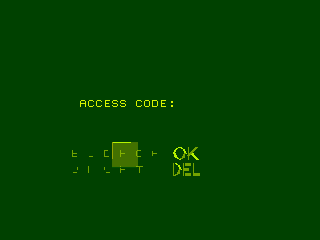
This is almost identical to AnotherWorldCE by Zaalan3, but with pixel rendering improved (some early returns in the pixel plotting function were removed.) This should fix some of the password screen's text not appearing properly and any general effects only rendering with single pixels. If you encounter any bugs as a result of this please let me know (though I haven't encountered any yet.)
Another World/Out of this World Interpreter for the TI-84 Plus CE.
Based upon Fabother World.
Installing and running the game
To convert the appvars needed to run this project, navigate to the tools folder and run either convert.exe(Windows) or convert.py.
Then use TI Connect CE to send ANOTHERW.8xp and AWVARS.b84 to you calc.
If your calculator has OS version 5.5 or higher, follow the instructions here to run assembly programs.
Otherwise, do the following:
- Press [2nd]+[0] to open the Catalog
- Select Asm(
- Press [prgm]
- Select ANOTHERW
- Press [enter]
Controls
Action => [Alpha] Jump => [2nd] or [Up] Crouch => [Down] Move => [Left] and [Right]
Open Password Menu => [F3] Save State => [F5] Load State => [F4]
Exit Game => [Del]
How to Build
This project was compiled with The latest version of the CE Toolchain. Navigate to the topmost folder(where the makefile is) and run make.
The Python script requires Python 3.9+ and that you either have the CE Toolchain installed, or that you copy mateoconlechuga's convbin binary to your tools directory.