

TMGDL

Text Mode Game Development Library
- Active · last change 9-26-2026
- ★ 17 on GitHub
README
TMGDL
Text Mode Game Development Library for MS-DOS, version 1.5 (build 0925).
TMGDL is a Pascal library for 80x25 colour text-mode games and tools: direct screen access with clipping, virtual screens, ANSI art, boxes and dialogs, UI controls (menus, lists, gauges, counters, help viewer...), a millisecond timer, half-block pixel graphics, PC-speaker sound and music, high-score tables, file and configuration helpers, and a simple package (resource archive) format.
Supported compilers:
- TMT Pascal 3.5+ (32-bit, default)
- Turbo/Borland Pascal 7.0 (16-bit)
- Free Pascal 3.2 for go32v2 (32-bit, needs
CWSDPMI.EXEat run time)
Games
| Game | Version | What it is |
|---|---|---|
| 2048 | 1.5 | Slide and merge tiles to reach 2048 |
| Game of Life | 1.2 | Conway's cellular automaton, with an editor |
| Tetris | 1.2 | The falling-blocks classic |
| Tic-Tac-Toe | 1.3 | Noughts and crosses against a friend or the computer |
Every game plays sound effects on the PC speaker; they can be turned off in
its menu (in 2048, with M).
Library
| Unit | Contents |
|---|---|
LIBTEXT |
Screen, clipping, virtual screens, ANSI art, half-block pixels, 160 x 100 mode, boxes, dialogs, keyboard, millisecond timer |
LIBCTLS |
Controls: menus, lists, sliders, gauges, counters, labels, help viewer, life box, colored log view, forms, high-score tables |
LIBUTIL |
Files, folders, drives, configuration and text files, CRC32, message boxes |
LIBPACK |
Package (resource archive) files: create, extract, read into memory, add, delete, verify, self-extractors |
LIBSND |
PC-speaker sound: tones, sound effects and background music |
LIBTMGD |
Uses all of the above, plus version and compiler information |
Forms
LIBCTLS has a form control: a dialog of labelled fields, edited in place.
Each field has a kind that decides what can be typed in it and how it is
checked when the user leaves it:
| Kind | Field |
|---|---|
FK_TEXT |
Any text |
FK_UPPER |
Text in capitals |
FK_NUMBER |
Whole number, within formSetRange |
FK_FILENAME |
DOS file name (8.3) |
FK_PATH |
Drive, folders and file name |
FK_DRIVE |
One drive letter |
FK_CHOICE |
One of a list set with formSetChoices, picked with the arrows, Space or its first letter |
FK_SWITCH |
YES or NO |
FK_PASSWORD |
Text shown as stars |
Fields can be required, and can have their own check: a far function that
may tidy the value up and returns '' when it is right, or the message to
show. Up/Shift-Tab goes back, Down/Tab/Enter goes forward, F10 finishes and
Esc cancels (the values are then left as they were).
function checkEven(var value: string): string;
begin
  checkEven := '';
  if odd(atol(value)) then checkEven := 'THE COUNT MUST BE EVEN';
end;

f := formCreate(-1, -1, 0, SHADE_BLUE, ' SETTINGS ');
formAdd(f, 'Player', FK_TEXT, 20, 'Player 1');
formAdd(f, 'Count', FK_NUMBER, 4, '10');
formAdd(f, 'Level', FK_CHOICE, 0, 'NORMAL');
formAdd(f, 'Sound', FK_SWITCH, 3, 'YES');
formSetRequired(f, 1, TRUE);
formSetRange(f, 2, 0, 100);
formSetCheck(f, 2, checkEven);
formSetChoices(f, 3, 'EASY|NORMAL|HARD');
if formExec(f) then
  writeln(formText(f, 1), formNumber(f, 2), formChoice(f, 3), formSwitch(f, 4));
formDestroy(f);
Half-block pixels
LIBTEXT can draw with the half-block characters (codes 223, 220 and 219):
every text cell holds two pixels, one above the other, which makes an
80 x 50 screen of 16-colour square pixels (PIXEL_W x PIXEL_H). The pixels
are drawn on the active screen, so they are clipped like the rest and can go
to a virtual screen and be flipped at once, without flicker. Text can be
printed over them.
pixel_clear(0);
pixel_line(0, 0, PIXEL_W - 1, PIXEL_H - 1, 14);
pixel_rect(10, 5, 30, 20, 12);          { outline }
pixel_bar(50, 5, 20, 10, 9);            { filled  }
pixel_circle(40, 25, 12, 10);
pixel_disc(40, 25, 5, 15);
pixel_set(1, 1, 4);
if pixel_get(1, 1) = 4 then ...
Low-res 160 x 100 mode
For finer graphics, LIBTEXT can switch an EGA or VGA card to the trick the
CGA games of the 1980s used (Paku Paku among them): the 80 x 25 text mode with
every character row cut down to 4 scan lines, so that 100 rows fit on the
screen, and every cell showing character 222, a right half block. The
background colour of a cell is its left pixel and the foreground its right
one: 160 x 100 pixels in 16 colours (LORES_W x LORES_H). On VGA the cells
are made 8 dots wide, so both halves are the same; an EGA shows rows of 3 scan
lines, a little flatter. Drawing goes to a buffer that lores_flip shows at
once. The text API does not work in this mode: lores_ask asks a question in a box
on the canvas, and for the text dialogs (help, sliders) lores_suspend goes
back to 80 x 25 text for a while, keeping the canvas, and lores_resume brings
it back. lores_done ends the mode. There are lines, rectangles, bars and
discs, and a 3 x 5 font writes letters, digits and signs, also scaled up
(lores_text_big).
if not lores_init then die(-1, 'EGA/VGA adapter is required.');
lores_clear(0);
lores_bar(10, 10, 20, 5, 12);
lores_set(80, 50, 15);
lores_text(2, 2, 'SCORE 1200', 14);     { 4 pixels a character }
lores_text_big(2, 9, '2048', 15, 2, 2); { twice as wide and high }
lores_line(0, 99, 159, 60, 10);
lores_flip;
if lores_ask('QUIT? Y/N', 'YN') = 'Y' then ...
lores_suspend; gameHelp; lores_resume;  { a text dialog in between }
lores_store(saved^);                    { LORES_BYTES: a drawn background }
lores_restore(saved^);                  { ... back at every frame         }
...
lores_done;
PC-speaker sound
LIBSND plays tones and music on the PC speaker. snd_play starts a tune in
the background and returns at once: the notes go on while the game runs, as
LIBTEXT calls the sound unit whenever the program waits (in sleep,
ltx_idle and while waiting for a key). Tunes are written in the music
language of BASIC's PLAY:
| Command | Meaning |
|---|---|
A..G |
A note, #/+ sharp, - flat, then an optional length and dots (C8.) |
Nn |
Note number n (1-84, 0 is a rest) |
On, <, > |
Octave (0-6), one down, one up |
Ln |
Default length: 1 whole, 4 quarter... 64 |
Tn |
Tempo, quarter notes a minute (32-255) |
Pn, Rn |
A rest |
MS, MN, ML |
Staccato, normal, legato |
Ready-made effects: SFX_CLICK, SFX_BLIP, SFX_COIN, SFX_HIT,
SFX_JUMP, SFX_FALL, SFX_BOOM, SFX_DIE, SFX_LEVEL, SFX_WIN and
SFX_ERROR. SND_ENABLED := FALSE turns all sound off (the games keep it as
an option), and the speaker is always silenced when the program ends.
uses libtext, libsnd;

snd_play(SFX_COIN);                     { in the background }
snd_play_wait('T120 L8 O4 CDEF G4 G4'); { waits for the end }
snd_beep(880, 100);                     { a plain tone      }
if snd_playing then snd_stop;
High-score tables
LIBCTLS keeps the best results of a game in a HISCORE_TABLE: up to ten
names with a score (the most points win) or a time in seconds (HS_TIME, the
least wins), each with a line of information such as the level reached. The
games keep them in .HI files. hiscoreEnter adds a result to the table if
it is good enough and asks for the name in its row, offering the name typed
last; hiscoreView shows the table with a row highlighted, and
hiscoreDraw draws it anywhere, such as a side panel.
if not hiscoreLoad('GAME.HI', scores) then
begin
  hiscoreInit(scores, 5, HS_POINTS);
  hiscoreFill(scores, 'ANNA|BOB|CARL', 5000, 1000);  { 5000, 4000, 3000 }
end;
...
rank := hiscoreEnter(scores, points, 'LEVEL 4', 'NEW HIGH SCORE', SHADE_GREEN);
hiscoreView(scores, 'HALL OF FAME', SHADE_BLUE, rank);
hiscoreSave('GAME.HI', scores);
Every game with a leader board uses it: 2048 and Tetris.
Building
Build settings live in SRC/MACROS, shared by every makefile:
LIBROOT/LIBDIR: where the compiled units are installed (default\TMGDL\TEXTMODE\LIB)BINDIR: wheremake installcopies the games (default\TMGDL\TEXTMODE\BIN)TMTROOT,TP7ROOT,FPCROOT: compiler locationsRM,CP,MV,MD: file commands used by the makefiles
Every makefile works with the three compilers: TMT Pascal by default, or
Borland Pascal / Free Pascal with make -DUSE_BPC / make -DUSE_FPC. Each
folder also has a BUILD.BAT that takes the compiler as its argument, cleans
and rebuilds. Build and install the library first, then any game,
with the same compiler:
cd SRC
BUILD            (TMT Pascal)
BUILD BPC        (Borland Pascal)
BUILD FPC        (Free Pascal)

cd ..\GAMES\2048
BUILD FPC        (or: make -DUSE_FPC)
make -DUSE_FPC install
Every game folder under GAMES has a makefile. Programs built with Free
Pascal need CWSDPMI.EXE (in %FPCROOT%\BIN\GO32V2) in the same folder or on
the PATH.
make clean in SRC removes the installed units. After updating TMGDL, run
SRC\BUILD.BAT again and remove any old copies of the units elsewhere in the
compiler's unit path: a mix of old and new units causes "unit version mismatch"
(TPC) or "can't compile unit" (FPC) errors.
The games ship as source only: run BUILD in their folders.
Games in detail
2048
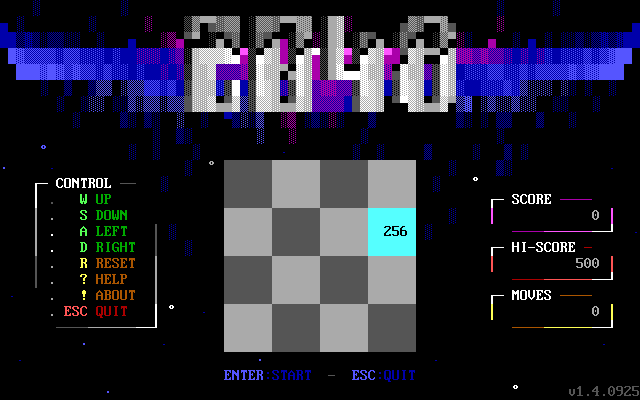
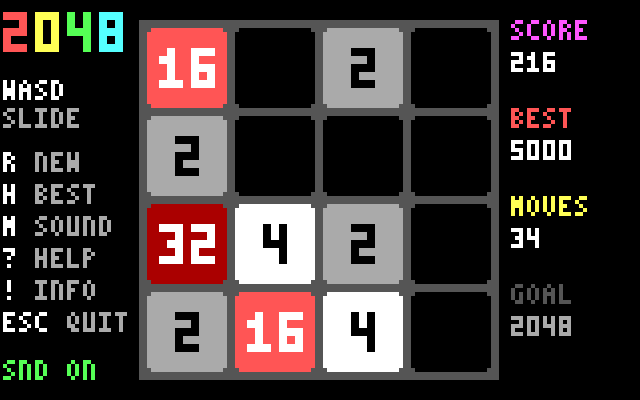
Slide the tiles of a 4 x 4 board; two equal tiles that meet merge into one of double value. Reach the 2048 tile before the board fills up. The board is drawn in the 160 x 100 mode: colored tiles slide a pixel at a time, merged tiles pop and new ones grow; the game is saved on exit and resumed next time, and the eight best scores are kept.
Keys: W A S D or arrows slide, R new game, H high scores, M sound on/off, ? help, ! about, ESC quit.
Folder: GAMES/2048
Game of Life
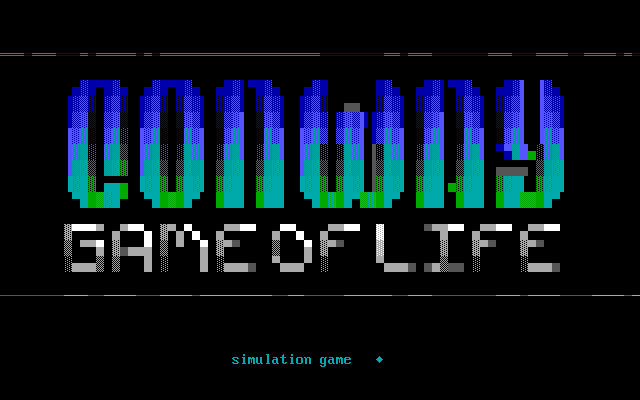
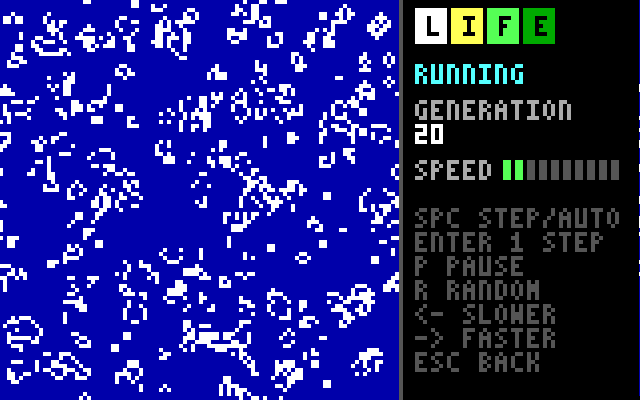
Conway's cellular automaton: cells are born and die by the number of their neighbours. The field has 100 x 100 cells, a pixel each in the 160 x 100 mode while it runs or is edited; the menu shows it at half the size in half-block pixels. Step through the generations or let them run at the speed you choose, and draw your own colony in the editor or start from one of the built-in patterns.
Keys: SPACE step/auto, ENTER next generation, LEFT/RIGHT speed, P pause, R random colony, ESC back. In the editor: arrows or W A S D move, SPACE toggles a cell, P places a pattern (TAB picks it, ENTER drops it), C clears, F fills.
Folder: GAMES/GOL
Tetris
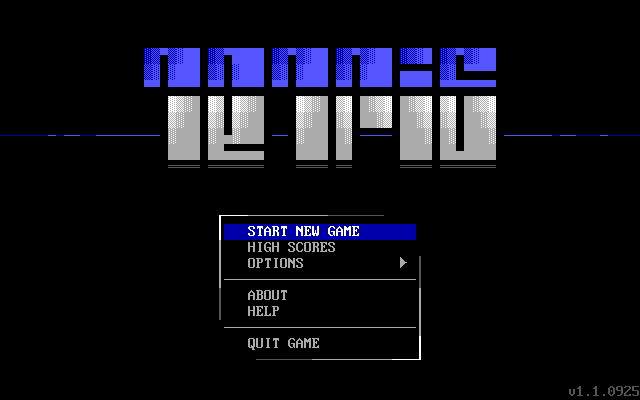
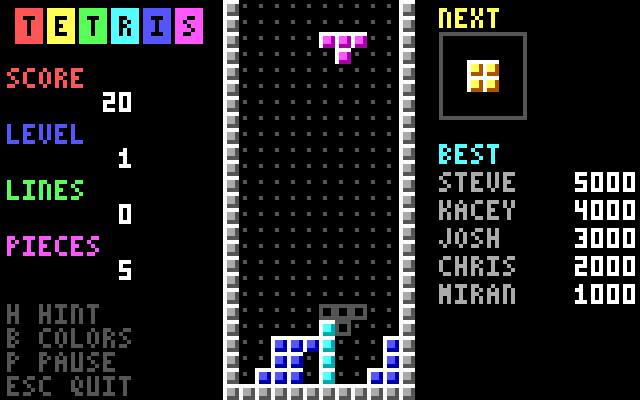
Fit the falling pieces into full lines to clear them. Speed and starting height can be chosen, with a shadow hint, the next piece, a colour-blind mode and a leader board. It plays in the 160 x 100 mode: shaded blocks of 4 x 4 pixels on a board that fills the height of the screen, the scores at the left and the next piece and the best players at the right.
Keys: A S D move, W/Q spin, SPACE drop (or arrows, / and ENTER), H hint, B colour-blind, P pause, ESC quit.
Folder: GAMES/TETRIS
Tic-Tac-Toe
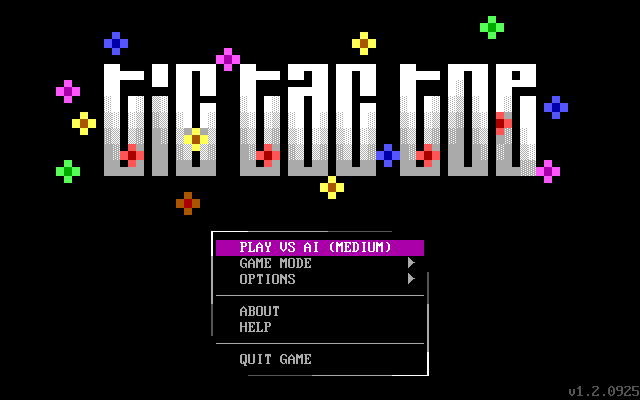
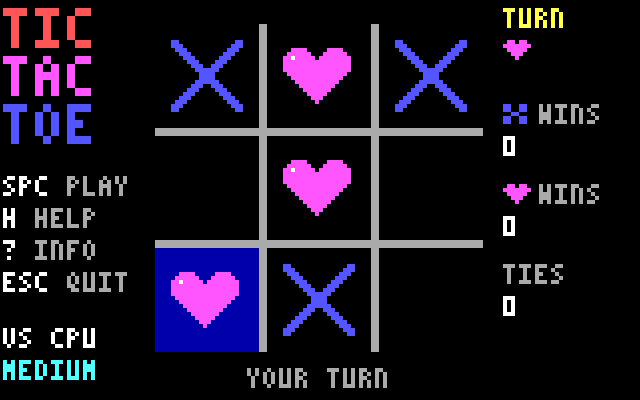
Noughts and crosses on a 3 x 3 board, against a friend or the computer at three levels (the hard one searches every move with minimax). Choose the colours of the players, or hearts instead of noughts. The board is drawn in the 160 x 100 mode: crosses are drawn stroke by stroke, noughts and hearts round the clock, and a line is struck through three in a row.
Keys: arrows or W A S D move, SPACE play, H help, ? about, ESC quit.
Folder: GAMES/T3
What's new in 1.5
- Screen output is clipped to the screen, and dialogs, boxes and menus fit on it, so they no longer hang or corrupt memory.
- One millisecond timer (
ltx_timer,sleep) that no longer reprograms the PIT;LIBTIMERwas merged intoLIBTEXT. - Packages: add, replace and delete files in existing packages, self-extracting executables, safe extraction paths, full I/O error checking.
- Counters hold 32-bit values; many nil-pointer, I/O and off-by-one fixes.
- Free Pascal builds work: register usage in the assembler routines was fixed.
- A form control in
LIBCTLS: dialogs of typed fields (text, numbers, file names, paths, drives, choices, switches, passwords) checked as they are left. package_readreads a file of a package into memory; the log view shows~XYcolor codes.- Half-block pixel graphics in
LIBTEXT: 80 x 50 pixels in 16 colours, with lines, rectangles and circles. LIBSND, a new unit for the PC speaker: tones, sound effects and music in the language of BASIC'sPLAY, played in the background. Every game has sound effects, with an option to turn them off.- High-score tables in
LIBCTLS, shared by all the games instead of each keeping its own; the scores are kept in.HIfiles. The scores of older versions, and the settings of some games, are reset once. - A 160 x 100 mode in
LIBTEXT(the CGA text-mode trick, on EGA/VGA), with a 3 x 5 font, shapes, a question box, and a way back to text for dialogs. Game of Life (100 x 100 cells), Tetris, Tic-Tac-Toe and 2048 play in it. getkey_singlereads a key and drops the auto-repeat copies of it waiting in the BIOS buffer, so a held key no longer keeps acting after it is let go in programs that take a while over each key. The turn-based games use it.
Known issues
- DOSBox 0.74 emulates the x87 FPU with 64-bit doubles. The Free Pascal 3.2 run-time library copies memory with 64-bit FPU loads and stores, so FPC builds show corrupted text there. Use DOSBox-X or real hardware to run FPC builds; TMT and Borland Pascal builds are not affected.
License
MIT, see LICENSE.