

Catalog · How the catalog works
OGLCScene

2D game library written with Lazarus
- ★ 18 on GitHub
Anyone may press Interesting, signed in or not. It helps others find this project.
README
OGLCScene
2D game engine for FreePascal/Lazarus. Tested under Windows, Linux and MacOS compatible with OpenGL 3.3.
Dependencies
In Lazarus IDE, open the package 'oglcscenepackage.lpk' located in source directory then click 'Compile'. You need packages LazOpenGlContext and BGRABitmap installed in the IDE.
Support
- Only 2D !
- Use OpenGL 3.3 core to render graphics.
- Renderers with batch system to improve performance. Use vertex and index buffers.
- A scene is made of one or several layers. A layer contains surfaces (sprites and other).
- 11 built-in post-processing effects can be activated independently on each layer. You can easily integrate your own custom post-processing effects.
- Multi screens architecture to separates the different parts of the game.
- Texture atlas can be built at run time or loaded from a file. Texture can be in any classic formats (png, bmp,...) and also in SVG (scalable vector graphics).
- Sprites and other kind of surfaces have self-managed effects like tint, opacity, moves, angle... Each effect support velocity curve with 15 predefined curves (Linear, Sinusoid, StartFastEndSlow, StartSlowEndFast, Bouncy, SingleRebound,...)
- All kind of surface that can be displayed have scenario (script) support: they can execute scenarios written in a string or contained in external files, in order to perform actions on the surface: 48 commands available for Rotation, Moves, Scale, Blink, Tint, Opacity, Frame Animation, Flip, Loop, Goto, Label declaration, Wait and Send Message.
- Messages system to synchronize surfaces between them: usefull to create multiple animations running in parallel.
- Surfaces can have nested childs organized hierarchically behind or forward their parent.
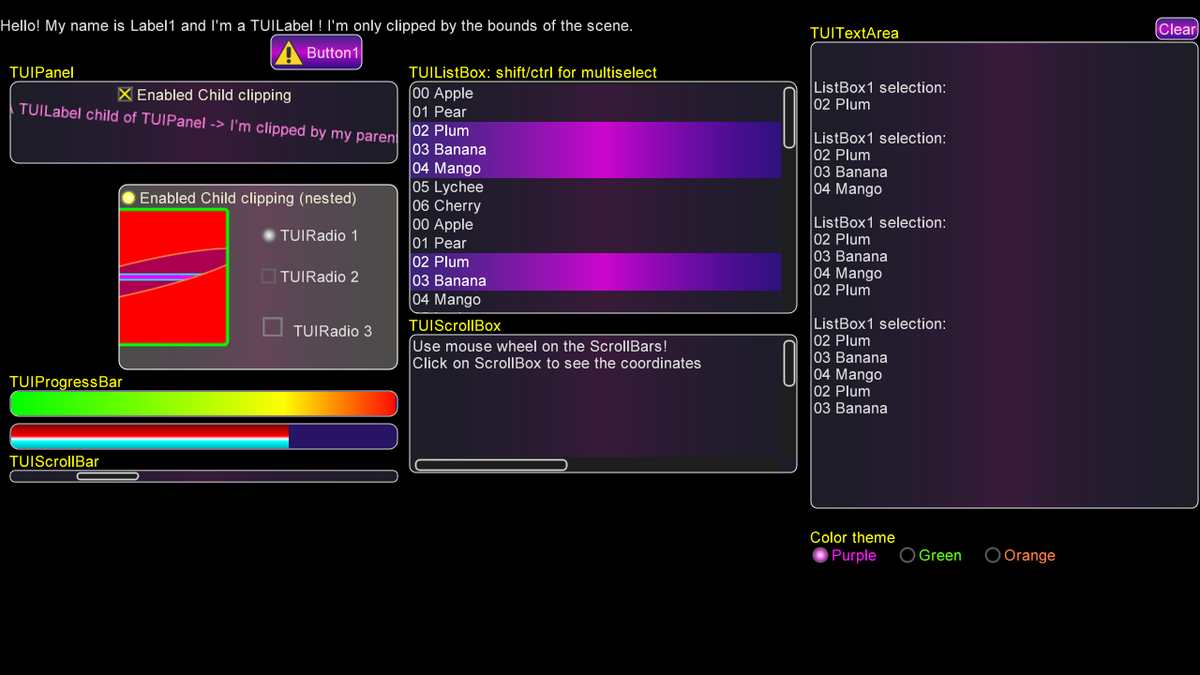
- UI with Button, Label, Image, Panel, CheckBox, RadioButton, ScrollBar, ProgressBar, ListBox, ScrollBox, TextArea.
- UI support nested clipping and customizable border and filling with solid color or gradient color.
- Camera effects with shaker effect to simulate earthquake and Auto Follow feature to smoothly follow a surface.
- Log file.
- Particle engine, tile engine.
Tools
The tools are located in the "tools" folder.
- Particles Editor to create your own particle effects.
- Tile Map Designer to construct your map from tileset.
- Path Editor to easily design path by adding or dragging nodes on the screen with the mouse. The path is saved to file in normalized coordinate (0 to 1) and can be loaded in your game (node coordinates are expanded to the scene resolution). The path can be traced with a series of straight segments or converted into a smooth curve using spline.
- Game Helper is a tool that include:
- SPRITE BUILDER: to construct complex sprites, to design their collision bodies, and to define several postures to animate them. A sprite definition can be exported as a Pascal unit ready to include in your Lazarus project.
- LEVEL EDITOR: to construct your game levels: import the textures, define the world size, put surfaces on screen easily with graphic interface, export the levels in a Pascal unit ready to include in your Lazarus project.
- FONT EDITOR: to define the fonts used by the game.
- UI PANEL EDITOR: to easily design your game panels with image, labels, buttons, check, listbox...
Screenshot
UI elements with customized colors
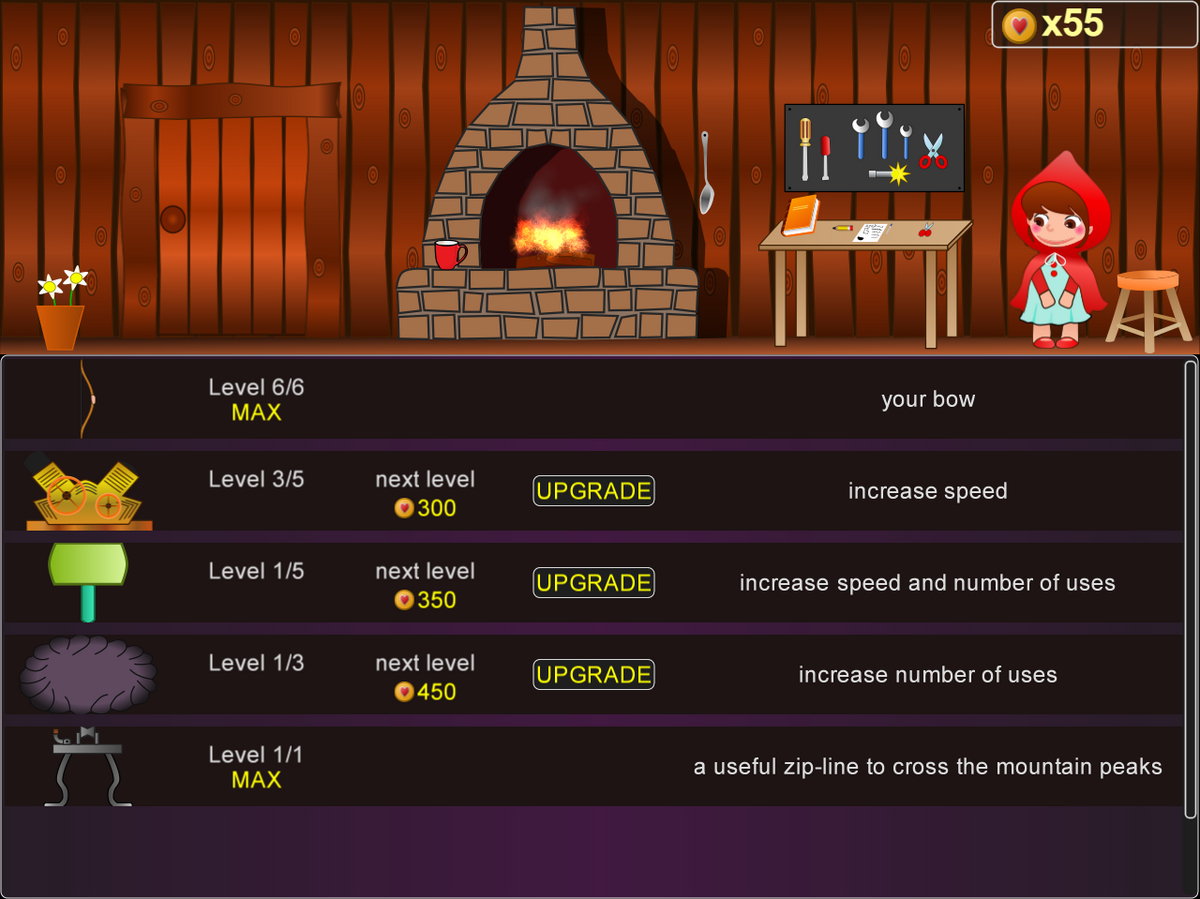
Workshop screen in game Little Red Riding Hood
Credits
A large part of the code in the particle engine comes from ZENGL version 0.3.8 originaly written by Andrey Kemka, and actually maintained by Seenkao https://forum.lazarus.freepascal.org/index.php/topic,49143.0.html
Matrix computation located in file 'gl_core_matrix.inc' was originaly written by Chris Rorden and modified for the use in OGLCScene. The file 'glcorearb.pas' was also written by Chris Rorden. Thanks ! You can find the original at https://github.com/neurolabusc/OpenGLCoreTutorials/gl_core_matrix.pas
The code of TWaterSurface in file 'oglcEnvironment.inc' is written by Circular, the creator and maintainer of BGRABitmap library, widly used in OGLCScene. https://github.com/bgrabitmap/bgrabitmap
Note from the author
I'm an amateur programmer who loves the Pascal language. OGLCScene is an attempt to go as far as possible in my understanding of OpenGL and game engines. The path has been sometimes frustrating, sometimes happy, but very interesting.