

Catalog · How the catalog works
UIClicker

UI automation
- ★ 18 on GitHub
Anyone may press Interesting, signed in or not. It helps others find this project.
README
UIClicker
UI automation
dependencies: https://github.com/VCC02/MiscUtils
Doc: https://github.com/VCC02/UIClickerRel/blob/main/UIClicker.pdf
.
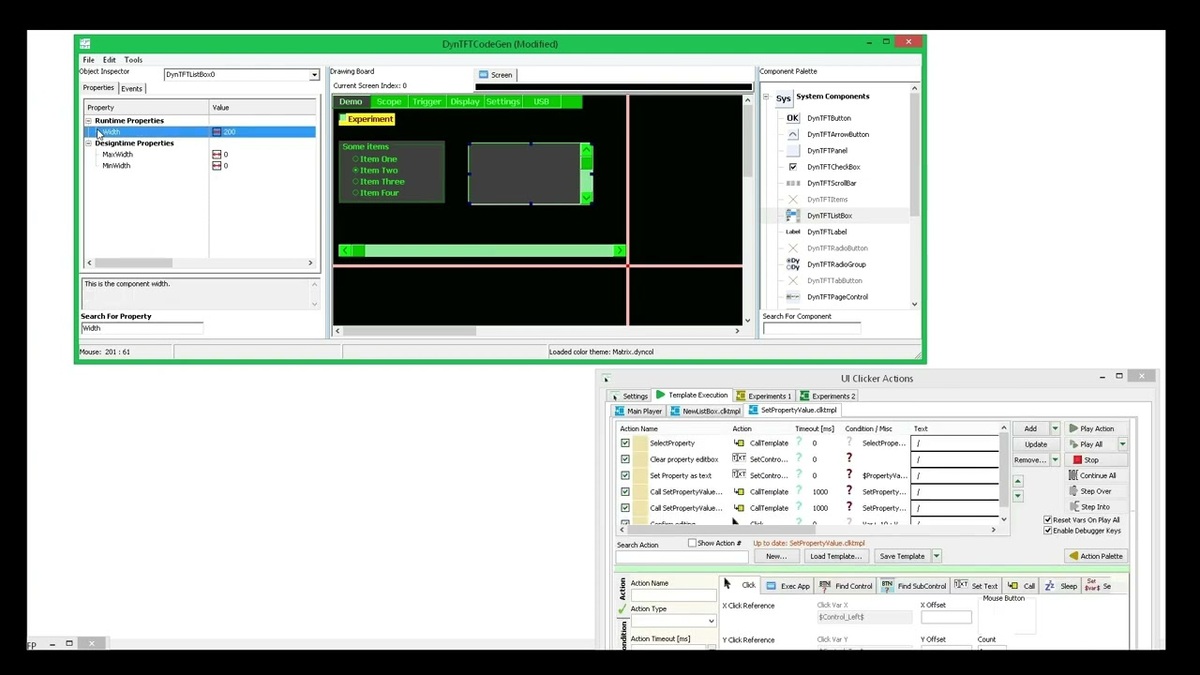
YT video of DynTFTCodeGen being automated: https://www.youtube.com/watch?v=iOkeoE4eYF8
YT video of CircuitMaker being automated, for pdf generation: https://www.youtube.com/watch?v=rxoqM8BEBNE
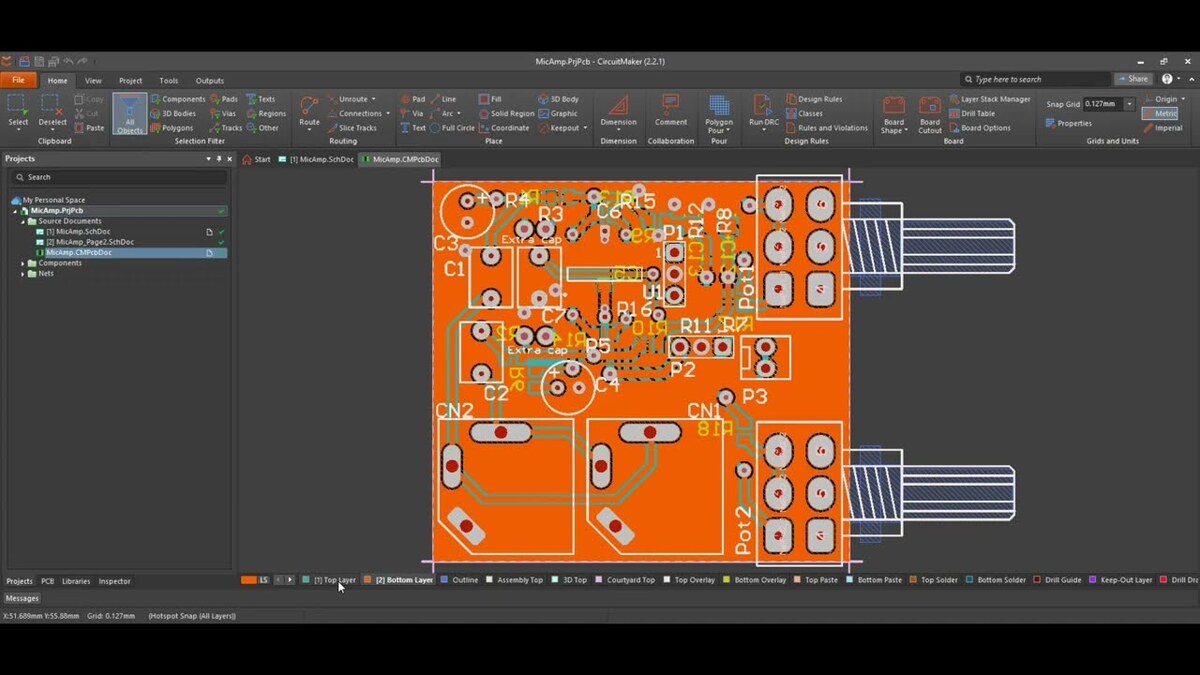
Displaying the action editor was pretty slow, because there was no GPU acceleration.
.
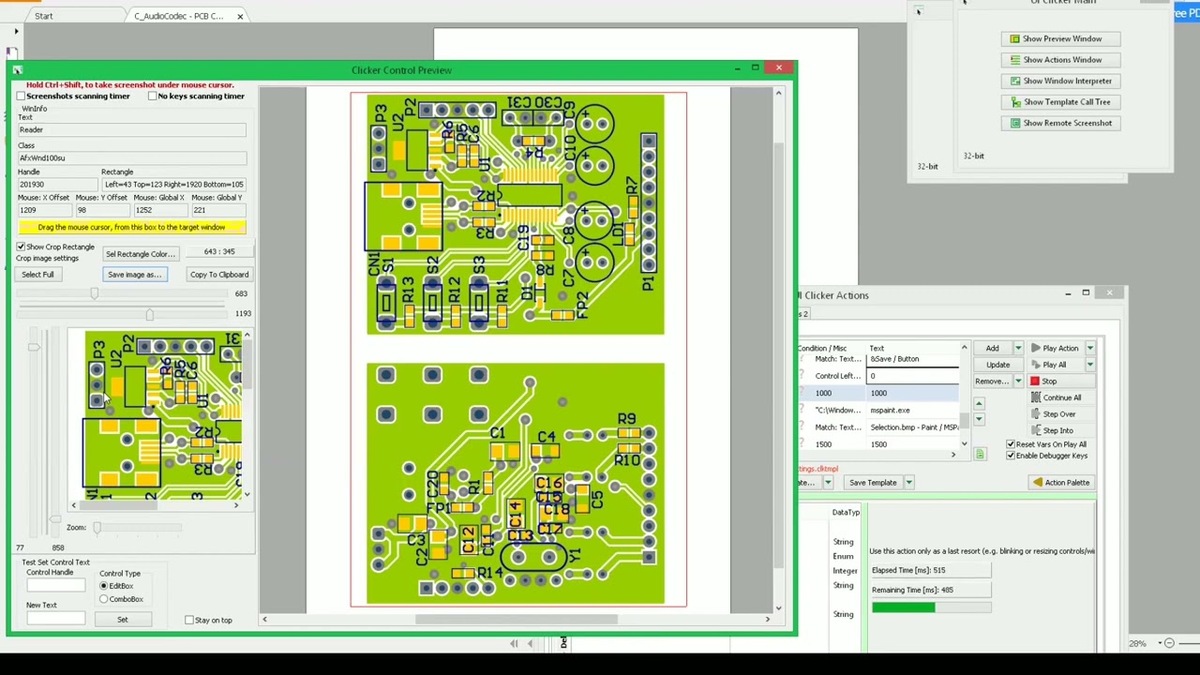
UIClicker controlling another instance of UIClicker: https://www.youtube.com/watch?v=1esk-VP_6ig
.
Compiler: FreePascal (CodeTyphon edition): https://pilotlogic.com/sitejoom/index.php/downloads/category/14-codetyphon.html
How to install and build compiler+IDEs https://pilotlogic.com/sitejoom/index.php/wiki?id=167
Other info about building the Typhon IDEs (32 and 64) from CodeTyphon app:
Observed requirements for building the IDEs: about 6.5GB of RAM is required to build the "Big" IDEs (a 64-bit computer is needed for both). If the "Big" IDEs can't be directly built (may finish with errors), please start with the "Small" ones. Because of this high amount of required RAM, in the latest versions, the 32-bit IDE comes preconfigured not to install various packages. For this project, the following packages have to be manually installed from Typhon32's packages menu: pl_VirtualTrees, pl_DCP, pl_Indy.
Documentation and (released) binaries: https://github.com/VCC02/UIClickerRel
Features:
- The application executes predefined, configurable actions, to read a window's content and interact with it by clicking on it or simulating keystrokes. It implements the following actions: Click, ExecApp, SetText, Call, FindControl, FindSubControl, Sleep, SetVar, WindowOperations.
- The application has support for finding controls and subcontrols on a window. Controls are defined as UI components, which have a handle, (int32) allocated by the OS. These can be found on a window and interacted with, using native Win32 API. As examples, controls can be buttons, listboxes, editboxes, comboboxes, trackbars, progressbars, treeviews or even windows themselves. Subcontrols are defined as interactable areas, belonging to a control or a subcontrol, which have no allocated handle. These are usually fancy colorful components (as opposed to standard controls, provided by Windows). They can provide the same or more advanced functionalities than the standard Windows controls.
- The application is written in and compiled with FreePascal. So it comes as a native Windows executable, without any dependencies (frameworks, runtimes or redistributables). Future versions might be split into multiple tools or have some features moved to dlls.
- The application has an internal action execution engine, so that UI interaction can be organized into a flow with some amount of logic. Controls (and subcontrols) can be interacted with by finding them first, instead of predefined clicking. There is also an integrated debugger, which is mostly required when defining actions for finding subcontrols.
- Finding subcontrols is an advanced feature, which is based on image recognition. It can take as input, either a predefined/expected text (with various font/color profiles), or a list of bitmaps (mini screenshots). Text recognition generates a bitmap from the searched text (from various settings) and then it compares this bitmap to the current window in a predefined search area. There is no OCR.
- Actions can be bundled into action "templates", which are lists of actions. These templates can be called by other templates, as they behave like functions, taking inputs and setting outputs.
- Finding controls/subcontrols, when organized as sequencial actions, rely on getting the x/y coordinates of a parent control, then pass these to the next action for finding one or more of its (sub)controls.
- There is client-server support (http only), which allows automatic sending of whole templates and bitmaps from client to server during action execution. The execution is controlled by client (including debugging).
- The application features a few tools:
- The Preview window can display a control's handle, x/y coordinates, text and class and take a screenshot of it. It is useful when creating FindControl or Click actions in the action editor.
- The Window Interpreter generates a tree of controls from a window and it can generate a small list of actions to find that control. These actions can be added to the action editor (by copying and pasting).
- The Template CallTree can load multiple templates and display them as one or more call trees, based on their contents, by looking for CallTemplate actions.
- Starting from the assumption that the interacted windows do not move across the screen, or are not resized during interaction, a general action flow would be to to call various templates, to get a control's position and state, then interact with it.
- Action execution works with a set of built-in variables, together with user-defined variables. The entire list of variables is passed to a template when calling it and is read back on return.
- For simple operations with the provided variables, there are operators/functions for comparison, random values (with range), http get requests, or wildcards for matching window titles and classes. There are also automatically updated (built-in) variables like the latest matched (sub)control, current mouse position, current screen size, standard system colors, application's directory, action execution info/status etc. There is also a simple console for evaluating variables during debugging. The same console is used for logging action execution or other operations (client-server requests). All variables are displayed in a table, with their current values. These values can be edited before/after action execution or during debugging.
- When calling a template, new variables can be defined as call arguments. However, they are preserved/persisted after the call. Their values can be later updated either on subsequent calls or as part of other actions.
- After executing a FindSubControl action, the found/not found text/bmp is displayed in a debugging image, along with the searched area and a search grid if applicable. They are useful during debugging.
- When searching for a control or a subcontrol, the search area can be the whole screen or can be dynamically defined, using variables.
- Most controls from the action editor, display tooltips, so that users know what features are available and how to use them.
- The command line options are available in the test builds only. See "-dTestBuild" flag in project options.
Known issues in the first version(s):
- For the client-server operation mode (remote execution), the "missing files" mechanism does not ask for files which exist, so updating some of the existing files is not possible. Templates are sent if modified, only in debugging mode, but reloaded on subsequent runs only. Bitmaps are not sent if modified. The "missing files" feature is still in work.
- In client-server mode, there are various waiting and sync loops. Closing either the client or the server while debugging, might leave the other in one of these waiting loops, preventing the app from closing. There is however a 5 min timout. Switching from client to server or viceversa, might trigger this bug.
- There may be other cases, where switching execution between local, client and server, might cause the application to enter a bad state. Sometimes it can be a matter of restarting a template, othertimes, it may require manually terminating the application.
- There is a waiting loop in debugging mode, which prevents the app from closing. The debugging mode has to be manually exited from the stop button, before being able to close.
- Various other UI interaction bugs, like:
- The content generated by the Template CallTree window, in case of recursion, may be wrong.
- After executing a FindSubControl action, the displayed debug grid may not be transparent (it's content dependent).
- [May not happen in the latest compiler versions] What appears to be a VirtualTreeView bug, is that in WinInterp window, scanning complex windows, leads to bad internal tree structure. The last component cannot be selected (the tree does not respond to click events on the last item).
- [May not happen in the latest compiler versions] The tree from "Template Call Tree" window may not always display its scroll bars. The bug appears to comes from VirtualTreeView, when deleting nodes (which is part of generating the template call tree).
Limitations in the first version(s):
- In the first versions, the source code requires heavy cleanup, refactoring, reorganizing etc. The process is slow, because the test coverage is low.
- The component tree, generated by the interpreted window (by the WinInterp tool) appears to be split in mupltiple sub-trees in case of components, which take more space than their parents, e.g. those from scroll boxes.
- No macro recorder/player.
- The HTTP API requires sending one or more actions as in-mem files, then execute them, which is a multi-request operation. There is no other efficient way of sending all action parameters for an action (see "low-level" functions from the HTTP API). Sending at least one request per action is slower than executing all actions in "local" mode, by the internal execution engine.
- The internal action execution engine relies on a list of variables, for flow control and action inputs. The HTTP API has to take this into account.
- For fast image processing, the application works with bitmap files only. Some FindSubControl actions might be configured to search for specific bitmaps, which have to be provided in a client-server scenario. There is no compression implemented when transferring files.
- The application contains multiple tools (bundled for now in a single exe), which are not highly integrated.
- No native support for "understanding" the structure of a complex window control (e.g. getting live the state of a custom track bar cursor, or the text displayed on a scrollable page). Users have to implement some kind of logic to bring such a control into a known state, to properly interact with it. The WinInterp tool provides a static way of getting the structure of a control (or a whole window), but not the current state. Detecting subcontrols (e.g. a clickable text/button without an allocated handle) can be done using WinInterp window, but it is very slow and CPU demanding. Various UI frameworks, like Qt5, prefer implementing UIs with a minimum number of used handles (for low resource usage), which makes most of the generated UI look like a blank window for control finding. All the clickable parts, without handles have to be searched as subcontrols (with image recognition).
- The action editor allows pasting actions, only to the end of the list. The same when dragging a new action from palette.
- No high-level building blocks for finding controls or getting their state.
- Debugger shortcut keys are not configurable.
- Variables can't properly store values, containing CRLF, because of the current internal structure of the list of variables. Currently, it relies on replacing CRLF with other ASCII characters.
General limitations (very low priority and high effort to improve):
- No native Linux support, because of Windows specific API usage. Most application code would compile for Linux, but the image recongition might need a different API or be completly removed. Some application features should still work under Wine (at least in Win 8.1 compatibility mode). WinInterp kind of works, but it is very slow. Overall, the application is difficult to use under Linux+Wine.
- The application supports only a few action types, and the flow control is pretty limited. The exposed HTTP API might allow an external tool/script to call these actions with a more advanced logic.
- No OCR support. When text reading is required (as opposed to pregenerated text recognition), external tools have to be called.
- The high exe size (4MB+) comes from inefficient linking. Not much to do about it. On every new compiler version, bigger libraries will cause the resulted executable to grow.
- Limited support for loops when executing actions. Actions can be called multiple times by using CallTemplate action.
- Subcontrols, which change their displayed contents very quickly, won't be easily detactable with an image recognition algorihm (e.g. a VU-meter (see OBS Studio or Audacity), a marquee text, or a list of files in WinExplorer). Image recognition is also limited by translucent controls or windows, because it works by comparing pixel colors.
- GPU rendered text (like that on webpages) will require a lot more manual tweaking on FindSubControl settings, for error level and color error threshold, because the content is not reproducible/portable. This may also be the case for ordinary windows, when matching anti-aliased fonts on different machines / video cards.
- All variables share the same name space, and they are shared across template calls (and after returning from calls).
- The execution engine can't keep track of modified templates while debugging. It will attempt to execute actions by the old template structure, leading to access violations.
- Limited access to DirectX or OpenGL windows, via full screenshot, because they use a different rendering buffer.
Other:
- Most implemented action types are already covered by 3rd party tools and libraries, which make this application quite redundant. However, these 3rd party tools might be limited to 64-bit or Windows 10/11 etc. UIClicker works on older Windows versions and can interact with older applications. What is hard to compare to other tools/libraries, is the FindSubControl action, which looks for a pregenerated text on a window, where there is no readable text using the Windows API. This implies image recognition with multiple user settings.
- A custom exception handler is installed, to prevent unhandled exceptions to crash the application. The exception messages are saved to a text file, which automatically opens in Notepad.
- Font settings are not fully portable. They depend on Windows current theme. What usually chages is the UI general font (e.g. Segoe UI 9 vs. Tahoma 8), font size and antialiasing. When matching an antialias font, the color error setting (from FindSubControl) has to be adapted.
VBox bugs (not tested on VMware or others):
- Focusing an editbox with the mouse, does not work on the first click, only at the second, after typing.
- The (Mouse) Click action, has an option to leave the mouse cursor at the click point, which is not visible when running on a VM. This is because the VM has permanent control over cursor's position.