

Win32TitleStyler: what changed
Revision 0 to 1. Removed lines have a minus sign; added lines have a plus sign.
Title: Win32TitleStyler
| Old | New | Line | |
|---|---|---|---|
| 1 | + | ## About | |
| 2 | + | ||
| 3 | + | This is unit, it gives the procedure to make the form's title - dark, using Win32 API. It works on Windows 10 and 11+ (it doesn't do anything on older Windows, and it doesn't work on some older builds of Windows 10). | |
| 4 | + | ||
| 5 | + | [Download link on GitHub](https://github.com/Alexey-T/CudaText/blob/master/comp/win32titlestyler.pas) | |
| 6 | + | ||
| 7 | + | Screenshot of CudaText with applied dark color. The TMainMenu color was changed by [[Win32MenuStyler]]. | |
| 8 | + | ||
| 9 | + | 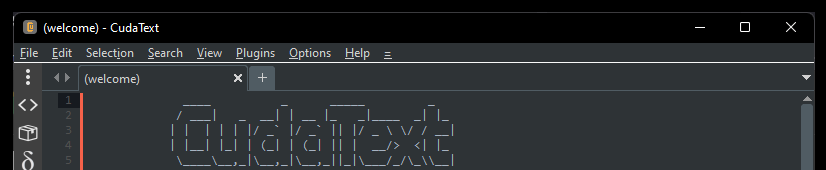 | |
| 10 | + | ||
| 11 | + | ## Usage | |
| 12 | + | ||
| 13 | + | ``` pascal | |
| 14 | + | ApplyFormDarkTitle(AForm: TForm; ADarkMode: bool; AForceApply: bool); | |
| 15 | + | ``` | |
| 16 | + | ||
| 17 | + | - Parameter ADarkMode: set to True for dark title, set to False for default title (white on Windows 10). | |
| 18 | + | - Parameter AForceApply: value True: component will apply the change harder, it will change the form size by 1 pixel up, then by 1 pixel down, to force the applying. With value False, CudaText cannot make the title dark - after restoring from the full-screen mode. | |
| 19 | + | ||
| 20 | + | --- | |
| 21 | + | *From the Free Pascal wiki, page "Win32TitleStyler", as it stood on 2022-06-04 after a change by Alextp, out of the wiki's dump of 2024-05-26. Copyright stays with the author who wrote it, according to the old wiki's [[Licensing]] page. If you have concerns about this material, [message the admin](/wiki-contact).* |