

TSpinEdit: what changed
Revision 0 to 1. Removed lines have a minus sign; added lines have a plus sign.
Title: TSpinEdit
| Old | New | Line | |
|---|---|---|---|
| 1 | + | The **TSpinEdit**  control is found on the the [[Misc tab|miscellaneous tab]] of the [[Component Palette]]. It is useful for setting a numeric setting made on a form. TSpinEdit is in fact a combination of a [[TUpDown]] and an associated [[TEdit]] control specialized for numbers. | |
| 2 | + | ||
| 3 | + | 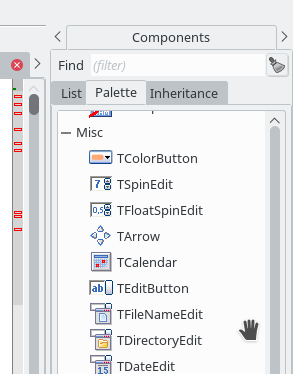 | |
| 4 | + | ||
| 5 | + | ## Visual Properties | |
| 6 | + | ||
| 7 | + | Most relevant properties of a TSpinEdit are: | |
| 8 | + | ||
| 9 | + | ||
| 10 | + | Value: current value | |
| 11 | + | ||
| 12 | + | MinValue: lowest value allowed | |
| 13 | + | ||
| 14 | + | MaxValue: highestest value allowed | |
| 15 | + | ||
| 16 | + | ||
| 17 | + | Notice that, when MinValue = MaxValue, the control does not apply limtis to it's value. | |
| 18 | + | ||
| 19 | + | Increment: the increment/decrement if one of the buttons is clicked | |
| 20 | + | ||
| 21 | + | The background color, font color, type style, and other similar matters are available to the user. To change the background color, go to the Object Inspector, then select the drop down list which shows the available colors. | |
| 22 | + | ||
| 23 | + | 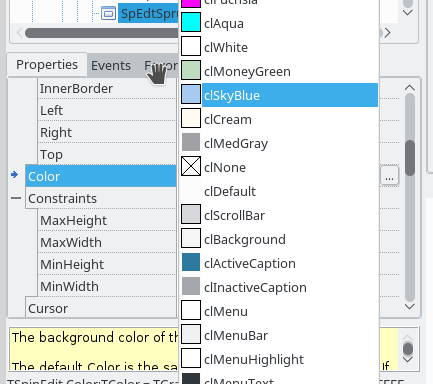 | |
| 24 | + | ||
| 25 | + | The listing provides a comprehensive list of colors, but a user can also choose a color by clicking the button to the right of the property -- Color beyond the drop down list. Upon clicking a dialog box opens which enables to user to create their own color. | |
| 26 | + | ||
| 27 | + | 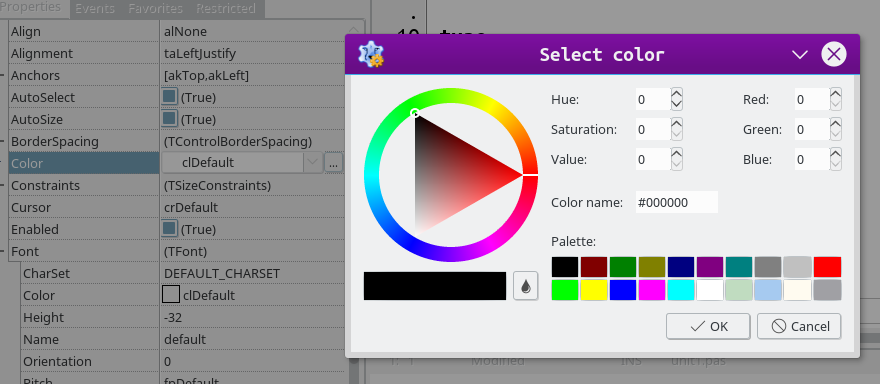 | |
| 28 | + | ||
| 29 | + | In a similar manner the font color, type style and other similar properties can be selected. | |
| 30 | + | ||
| 31 | + | It is also possible to change these properties using pascal code. In this case a form is created and a TSpinEdit control is selected and dropped onto the form. The OnClick event is selected from Events in the Object Inspector with the button on the right side being clicked. This creates the code block to which the background color property is changed: | |
| 32 | + | ||
| 33 | + | ``` pascal | |
| 34 | + | procedure TForm1.SpinEdit1Click(Sender : TObject) ; | |
| 35 | + | begin | |
| 36 | + | SpinEdit1.Color := clLime; | |
| 37 | + | end; | |
| 38 | + | ``` | |
| 39 | + | ||
| 40 | + | After click the Key-`F9` or select Run from the Run Menu. The form after compiling with appear. After clicking inside the TSpinEdit control the color will change: | |
| 41 | + | ||
| 42 | + | 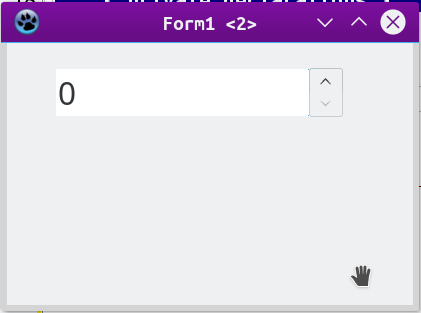 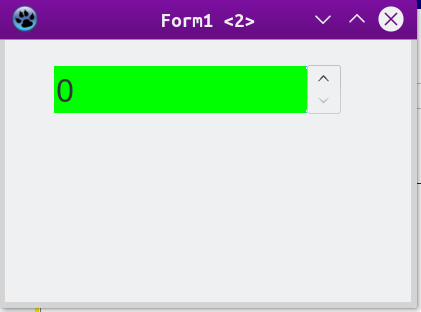 | |
| 43 | + | ||
| 44 | + | Most other properties can be changed in a similar manner. | |
| 45 | + | ||
| 46 | + | ## Other Properties | |
| 47 | + | ||
| 48 | + | By default the numeric range of the TSpinEdit control is MinValue = 0 and MaxValue = 0. A custom range can be established by changing this values. Again, it is also possible to change them in the pascal code blocks. The incremental value by default is 1, but this can be set to another number. The default shown value is 0, but again this may be changed in the Object Inspector to another value or it can be set from the program. | |
| 49 | + | ||
| 50 | + | The alignment can be changed from the default of taLeftJustify, to taCenterJustify or taRightJustify. | |
| 51 | + | ||
| 52 | + | ## See also | |
| 53 | + | ||
| 54 | + | - [[doc:lcl/spin/tspinedit.html|TSpinEdit doc]] | |
| 55 | + | - [[TSpinEditEx]] | |
| 56 | + | - [[TFloatSpinEdit]] | |
| 57 | + | - [[TFloatSpinEditEx]] | |
| 58 | + | ||
| 59 | + | --- | |
| 60 | + | *From the Free Pascal wiki, page "TSpinEdit", as it stood on 2021-10-02 after a change by Bart, out of the wiki's dump of 2024-05-26. Copyright stays with the author who wrote it, according to the old wiki's [[Licensing]] page. If you have concerns about this material, [message the admin](/wiki-contact).* |