

TProgressBar
English · Français · Suomi · Русский
A TProgressBar  is a graphic component on the Common Controls tab of the Component Palette shows a progress bar. A TProgressBar can be used to show the user the time when a long-term operation proceeds. The TProgressBar is a progress indicator. It is intended to inform the user that the operation is running and convincing that the system is in operation and does not wait for the user input. The TProgressBar will often give the user an estimate of how far the system has progressed. It differs from other progression detectors in that it is rectangular.
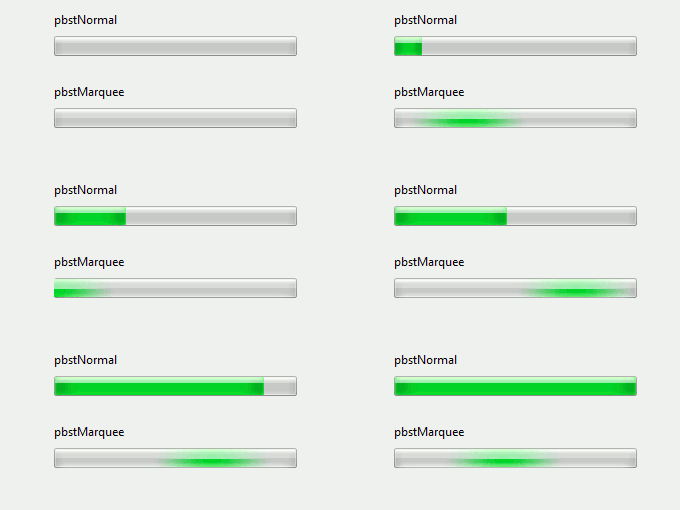
The TProgressBar has two different modes of action (Style property has two different modes pbstNormal or pbstMarquee):
- pbstNormal: A defined progress bar. The progress bar is used when the end value is known. Typical examples are a file download or a movie player. In some window systems, the progress bar may also show a percentage of the degree of progress (If BarShowText property is true).
- pbstMarquee: An undefined progress bar used in situations where the time required for the task is unknown or the progress of the task can not be determined so that it can be expressed as a percentage. This bar uses the motion to indicate that progress is being made.
See also
From the Free Pascal wiki, page "TProgressBar", as it stood on 2017-09-27 after a change by Djzepi, out of the wiki's dump of 2024-05-26. Copyright stays with the author who wrote it, according to the old wiki's Licensing page. If you have concerns about this material, message the admin.
Talk about this page
Nobody has opened a bench for this page yet. Sign in to open one.