

TPageControl: what changed
Revision 1 to 2. Removed lines have a minus sign; added lines have a plus sign.
| Old | New | Line | |
|---|---|---|---|
| 1 | 1 |  **`TPageControl`** is a multi-page component that provides a container to hold a variety of controls per page. Much like a real-world notebook, it displays a "tab" per page so that the user can quickly switch between pages. Each page can contain its own selection of controls. | |
| 2 | 2 | ||
| 3 | 3 | `TPageControl` is a descendant of [[TWinControl]] and can be found on the [[Common Controls tab]] of the [[Component Palette]]. | |
| 4 | 4 | ||
| 5 | 5 | Unlike a [[TTabControl]], each tab is connected to its own page. `TPageControl`'s pages are accessible through its (non published) array-like `Pages` property. | |
| 6 | 6 | ||
| 7 | 7 | The currently active page is accessible through the `ActivePage` or `ActivePageIndex` properties. | |
| 8 | 8 | ||
| 9 | 9 | The event `OnChange` is fired when the user selects another page. The event `OnChanging` occurs before the active page is changed; it has a parameter `AllowChange` which can be set to false to prevent the change to the new page, for example because data input in the old page is incorrect. | |
| 10 | 10 | ||
| 11 | 11 | ## Adding a page | |
| 12 | 12 | ||
| 13 | 13 | In order to add a page to a `TPageControl` right-click on it in design mode to show its context menu, then select *Add Page*. | |
| 14 | 14 | ||
| 15 | 15 | At runtime you first create a `TabSheet` as usual, then assign the `PageControl` to its `Parent`. | |
| 16 | 16 | ||
| 17 | 17 | ``` Pascal | |
| 18 | 18 | procedure TForm1.Button4Click(Sender: TObject); | |
| 19 | 19 | var | |
| 20 | 20 | tab: TTabsheet; | |
| 21 | 21 | begin | |
| 22 | 22 | tab := TTabsheet.Create(Self); | |
| 23 | 23 | tab.Caption := 'New page'; | |
| 24 | 24 | tab.Parent := PageControl1; | |
| 25 | 25 | end; | |
| 26 | 26 | ``` | |
| 27 | 27 | ||
| 28 | - | ||
| 29 | - | ||
| 30 | - | ||
| 31 | - | ||
| 28 | + | 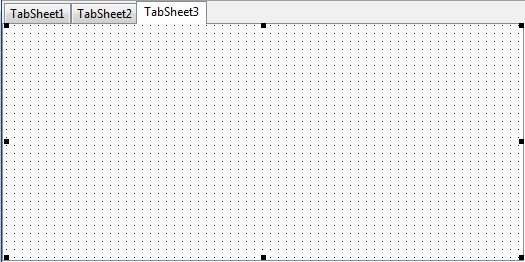 | |
| 32 | 29 | ||
| 33 | 30 | ## Deleting a Page | |
| 34 | 31 | ||
| 35 | 32 | There are different ways of "deleting" a page from a tabsheet. All the approaches listed below would cause the target page tab to disappear from the control. Giving the end-user an effect of *deleting* a page. Though the page might remain available in the code. | |
| 36 | 33 | ||
| 37 | 34 | ### Hide the tab | |
| 38 | 35 | ||
| 39 | 36 | The following code simply hides the tab from the pagecontrol, meaning that the user will not longer be able to select it manually. However, the page will still be accessible by code at runtime. | |
| 40 | 37 | ||
| 41 | 38 | ``` pascal | |
| 42 | 39 | Tabsheet2.TabVisible := false; | |
| 43 | 40 | ``` | |
| 44 | 41 | ||
| 45 | 42 | ### Changing the Parent | |
| 46 | 43 | ||
| 47 | 44 | You can change Tab's parent to a different control or even to **[[Nil|nil]]** The method is useful when you need to move the sheet from one TabControl to another OR you want to show the page again later OR you just need to keep controls intact. | |
| 48 | 45 | ||
| 49 | 46 | ``` pascal | |
| 50 | 47 | Tabsheet2.Parent := nil; | |
| 51 | 48 | ``` | |
| 52 | 49 | ||
| 53 | 50 | ### Freeing the page | |
| 54 | 51 | ||
| 55 | 52 | The method can be used when you don't need the control itself anymore (as well as it's children) | |
| 56 | 53 | ||
| 57 | 54 | ``` pascal | |
| 58 | 55 | TabSheet2.Free; | |
| 59 | 56 | TabSheet2:=nil; // this is optional | |
| 60 | 57 | ``` | |
| 61 | 58 | ||
| 62 | 59 | ## Similar controls | |
| 63 | 60 | ||
| 64 | 61 | - [[TTabControl]]: looks similar to `TPageControl`, however, possesses only a single page. | |
| 65 | 62 | - [[TNotebook]]: contains multiple tabs like the `TPageControl`, but there are no tabs. The user must write code to switch between tabs. | |
| 66 | 63 | ||
| 67 | 64 | ## See also | |
| 68 | 65 | ||
| 69 | 66 | - [[doc:lcl/comctrls/tpagecontrol.html|TPageControl doc]] | |
| 70 | 67 | - [[doc:lcl/extctrls/multi-pagecontrols.html|Multi-page controls doc]] | |
| 71 | 68 | ||
| 72 | 69 | --- | |
| 73 | 70 | *From the Free Pascal wiki, page "TPageControl", as it stood on 2021-09-07 after a change by Skalogryz, out of the wiki's dump of 2024-05-26. Copyright stays with the author who wrote it, according to the old wiki's [[Licensing]] page. If you have concerns about this material, [message the admin](/wiki-contact).* |