

TBitBtn/ja: what changed
Revision 1 to 2. Removed lines have a minus sign; added lines have a plus sign.
| Old | New | Line | |
|---|---|---|---|
| 1 | 1 | **TBitBtn** は、その表面に描画されたビットマップを持つボタンを作成するコンポーネントである。TBitBtnはTWinControlの派生であり、[[Component Palette/ja|Component Palette/jaの]][[Additional tab/ja|Additional tab/jaタブの]]下で利用できる。 | |
| 2 | 2 | ||
| 3 | 3 | 標準のボタンを使用しやすくするために、TBitBtnには*Kind*というプロパティがある。このプロパティを使用すると、*bkOk*のようなボタンの種類を選択できる。これにより、テキストと対応する画像を持つ\[OK\]ボタンを作成できる(*Glyp*、モーダル結果 *mrOk*)。 | |
| 4 | 4 | ||
| 5 | - | ||
| 6 | - | ||
| 7 | - | ||
| 8 | - | ||
| 5 | + | 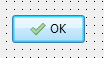 | |
| 9 | 6 | ||
| 10 | 7 | GlyphとCaptionの配置は、これらのプロパティを使用して制御できる: | |
| 11 | 8 | ||
| 12 | 9 | - `Layout`は、`blGlyphLeft`、`blGlyphRight`、`blGlyphTop`、および`blGlyphBottom`の列挙型である。これは、それぞれのキャプションの左側、右側、上側、または下側にグリフが配置されるかどうかを決定する。デフォルトは`blGlyphLeft`である。 | |
| 13 | 10 | - `Margin`は、ボタンの端とグリフの間の距離(ピクセル単位)である。値が-1の場合、グリフとキャプションの組み合わせがボタン内で中央揃えになる。デフォルト値は`-1`である。 | |
| 14 | 11 | - `Spacing`は、グリフとキャプションの間の距離(ピクセル単位)を示す。値が-1の場合、キャプションはグリフとボタンの端との間で中央揃えされる。また、Marginが-1の場合、グリフとキャプションはボタンの領域内で均等に配置される。デフォルト値は`4`である。 | |
| 15 | 12 | ||
| 16 | 13 | フォームに複数の縦に積み重ねられたBitBtnコンポーネント(`Layout=blGlyphLeft`)があり、グリフとキャプションを左揃えにしたい場合は、`Margin`と`Spacing`を4などの正の値に設定する。 | |
| 17 | 14 | ||
| 18 | 15 | ## 以下も参照のこと | |
| 19 | 16 | ||
| 20 | 17 | - [[doc:lcl/buttons/tbitbtn.html|TBitBtn doc]] | |
| 21 | 18 | - [[TButton/ja]] | |
| 22 | 19 | - [[TSpeedButton]] | |
| 23 | 20 | - [[TColorButton]] | |
| 24 | 21 | ||
| 25 | 22 | --- | |
| 26 | 23 | *From the Free Pascal wiki, page "TBitBtn/ja", as it stood on 2024-03-25 after a change by Ariben, out of the wiki's dump of 2024-05-26. Copyright stays with the author who wrote it, according to the old wiki's [[Licensing]] page. If you have concerns about this material, [message the admin](/wiki-contact).* |