

TBitBtn
Deutsch · English · Español · Français · Polski · Suomi · Русский · 日本語
TBitBtn  is a component that creates a button with a bitmap drawn on its surface. A TBitBtn is a descendant of TWinControl and is available under the Additional tab of the Component Palette.
To make usage of standard buttons a bit easier a TBitBtn has a property Kind that let you select a buttonkind like bkOk to create an [Ok] button with text and corresponding picture (accessible as Glyph and a modal-result 'mrOk').
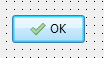
Positioning of glyph and caption can be controlled by means of these properties:
Layoutis an enumeration ofblGlyphLeft,blGlyphRight,blGlyphTopandblGlyphBottomwhich determines whether the glyph will be placed at the left, right, above or below the caption, respectively. Default:blGlyphLeft.Marginis the distance between the edge of the button and glyph, in pixels. The value -1 means that the combination of glyph and caption is centered within the button. Default:-1.Spacingis the distance between the glyph and the caption, in pixels. The value -1 means that the caption is centered between glyph and button edge. IfMarginis -1, too, then glyph and caption will be equally distributed within the button area. Default:4.
If you have several vertically stacked BitBtn components (with Layout=blGlyphLeft) on a form and want to left-align glyphs and captions set Margin and Spacing to some positive value, such as 4.
See also
From the Free Pascal wiki, page "TBitBtn", as it stood on 2024-03-24 after a change by Ariben, out of the wiki's dump of 2024-05-26. Copyright stays with the author who wrote it, according to the old wiki's Licensing page. If you have concerns about this material, message the admin.
Talk about this page
Nobody has opened a bench for this page yet. Sign in to open one.