

RichMemo/Samples
Tabs
Tabs are used to organize the text in table-like layout. This would not be a real layout table, but will make the text (if it's short enough) to look table alike.
Basics
In order for tabs to work the text should be split tab character (#9)
This is how the text would look like if no tab separation is used:
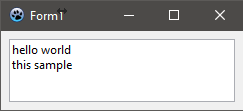
  RichMemo1.Lines.Add('hello world');
  RichMemo1.Lines.Add('this sample');
If the words are split by Tabs, then the control tries to find the next proper tab offset in order:
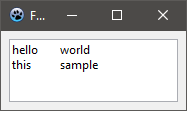
  RichMemo1.Lines.Add('hello'#9'world');
  RichMemo1.Lines.Add('this'+#9+'sample');
Tab Offsets
The length of tab offsets can be controlled using GetParaTabs and SetParaTabs methods.
var
  st : TTabStopList;
  i  : integer;
begin

  RichMemo1.GetParaTabs(0, st); // getting the current tabs
  st.Count:=8;
  SetLength(st.Tabs, st.Count);
  for i:=0 to length(st.Tabs)-1 do
    st.Tabs[i].Offset:=i*72;
  RichMemo1.SetParaTabs(-1,-1,st); // assigning tabs stops

  // assigning text with tabs (#9)
  RichMemo1.Lines.Add('hello'#9'world'#9'to'#9'columns');
  RichMemo1.Lines.Add('does'#9'it'#9'look'#9'good'#9'?');
  RichMemo1.Lines.Add('tab'+#9+'is'+#9+'character'+#9+'9');
end;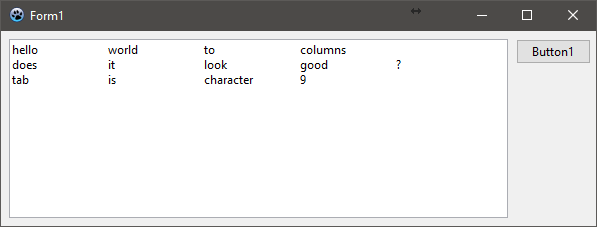
See Also
From the Free Pascal wiki, page "RichMemo/Samples", as it stood on 2021-06-28 after a change by Skalogryz, out of the wiki's dump of 2024-05-26. Copyright stays with the author who wrote it, according to the old wiki's Licensing page. If you have concerns about this material, message the admin.
Talk about this page
Nobody has opened a bench for this page yet. Sign in to open one.