

Raspbian: what changed
Revision 1 to 2. Removed lines have a minus sign; added lines have a plus sign.
| Old | New | Line | |
|---|---|---|---|
| 1 | 1 | *(Raspberry Pi only)* | |
| 2 | 2 | ||
| 3 | 3 | > **Note:** Content here is quite out of date. As the Raspberry Pi OS is just another Debian based distribution, the reader is referred to [[Installing Lazarus on Linux]] and [[Lazarus on Raspberry Pi]], those page are kept up to date and contains everything you need. (Please don't update this page unless you are committed to maintaining it in the future) | |
| 4 | 4 | ||
| 5 | 5 | **Raspbian**, now called [Raspberry Pi OS](https://www.raspberrypi.com/software/), is a free operating system based on the [Debian](https://debian.org) [[Linux]] distribution optimized for the [[Raspberry Pi]] hardware. Most historic and current versions of Raspbian support both [[Free Pascal]] and [[Lazarus]]. | |
| 6 | 6 | ||
| 7 | 7 | ## Installing Lazarus and Free Pascal | |
| 8 | 8 | ||
| 9 | 9 | ### Graphical Installer on modern versions of Raspbian | |
| 10 | 10 | ||
| 11 | 11 | On modern versions of Raspbian installation is very easy. It can be performed with the PiPackage manager. You have to select simply "Add / Remove Software" in the global Preferences menu. | |
| 12 | 12 | ||
| 13 | - | ||
| 13 | + | 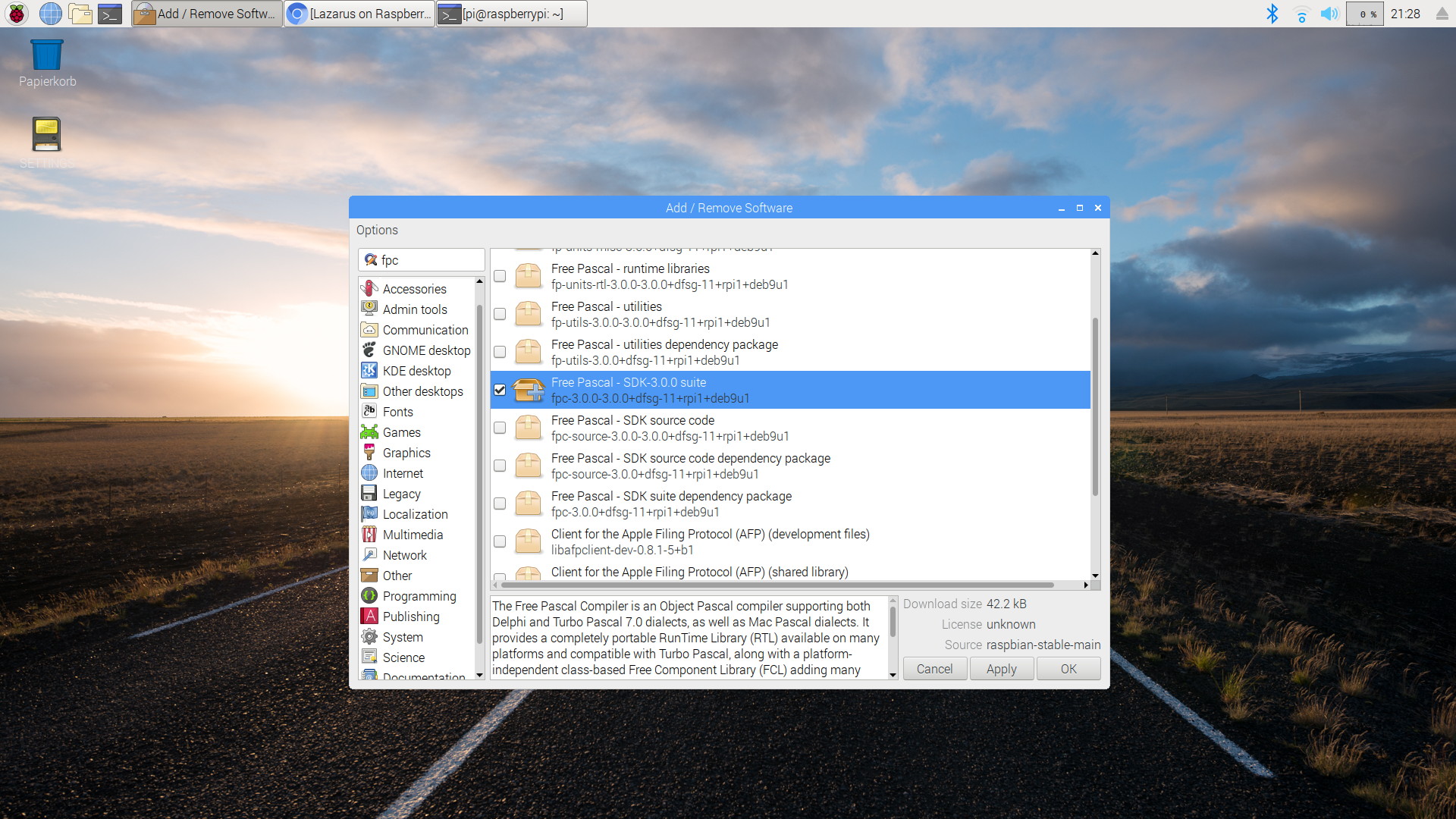 | |
| 14 | 14 | ||
| 15 | + | Step 1: Install Free Pascal with PiPackage. | |
| 16 | + | ||
| 17 | + | 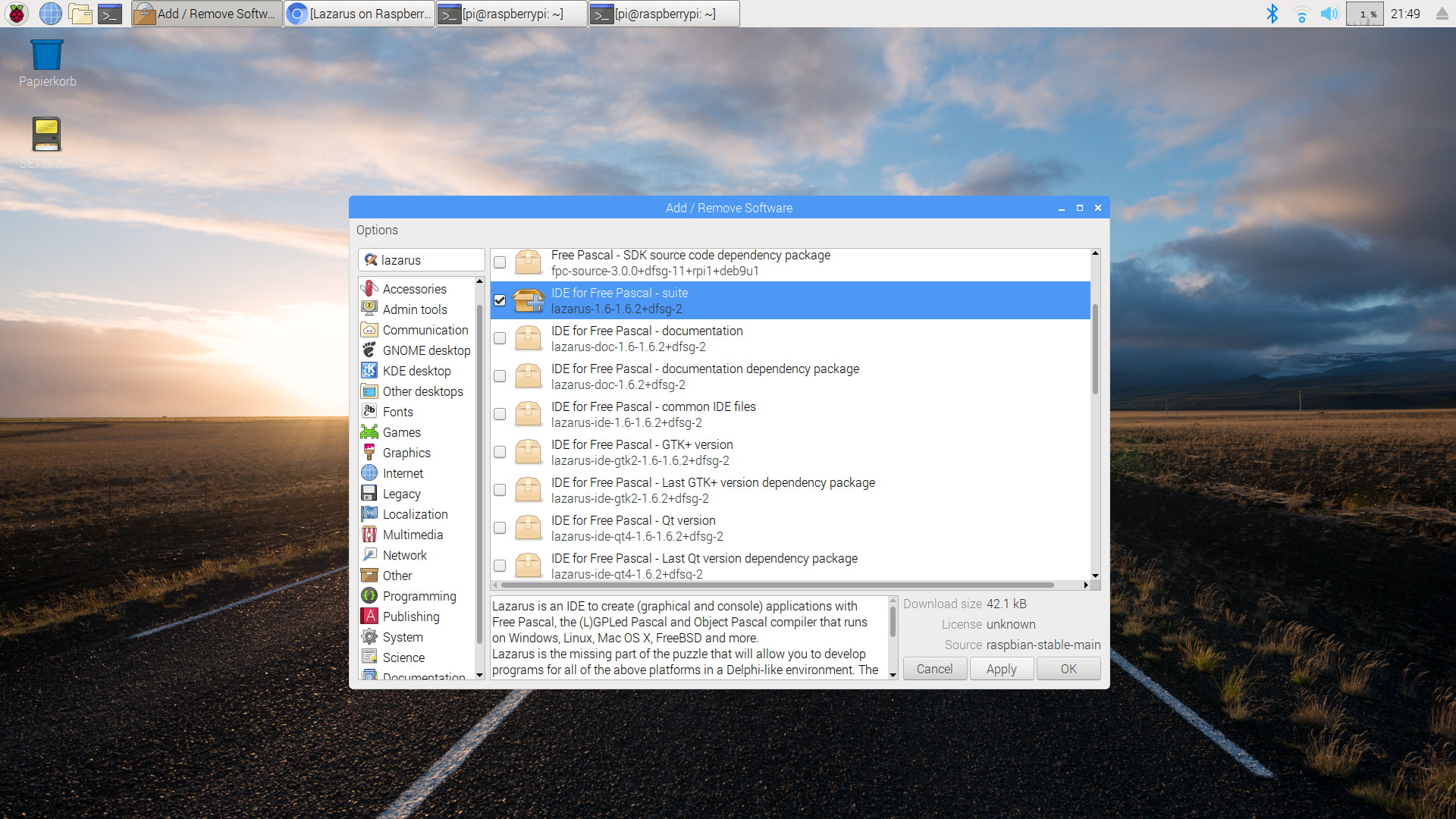 | |
| 18 | + | ||
| 19 | + | Step 2: Install Lazarus | |
| 20 | + | ||
| 21 | + |  | |
| 22 | + | ||
| 23 | + | Lazarus is now available in the global "Programming" menu | |
| 24 | + | ||
| 25 | + | 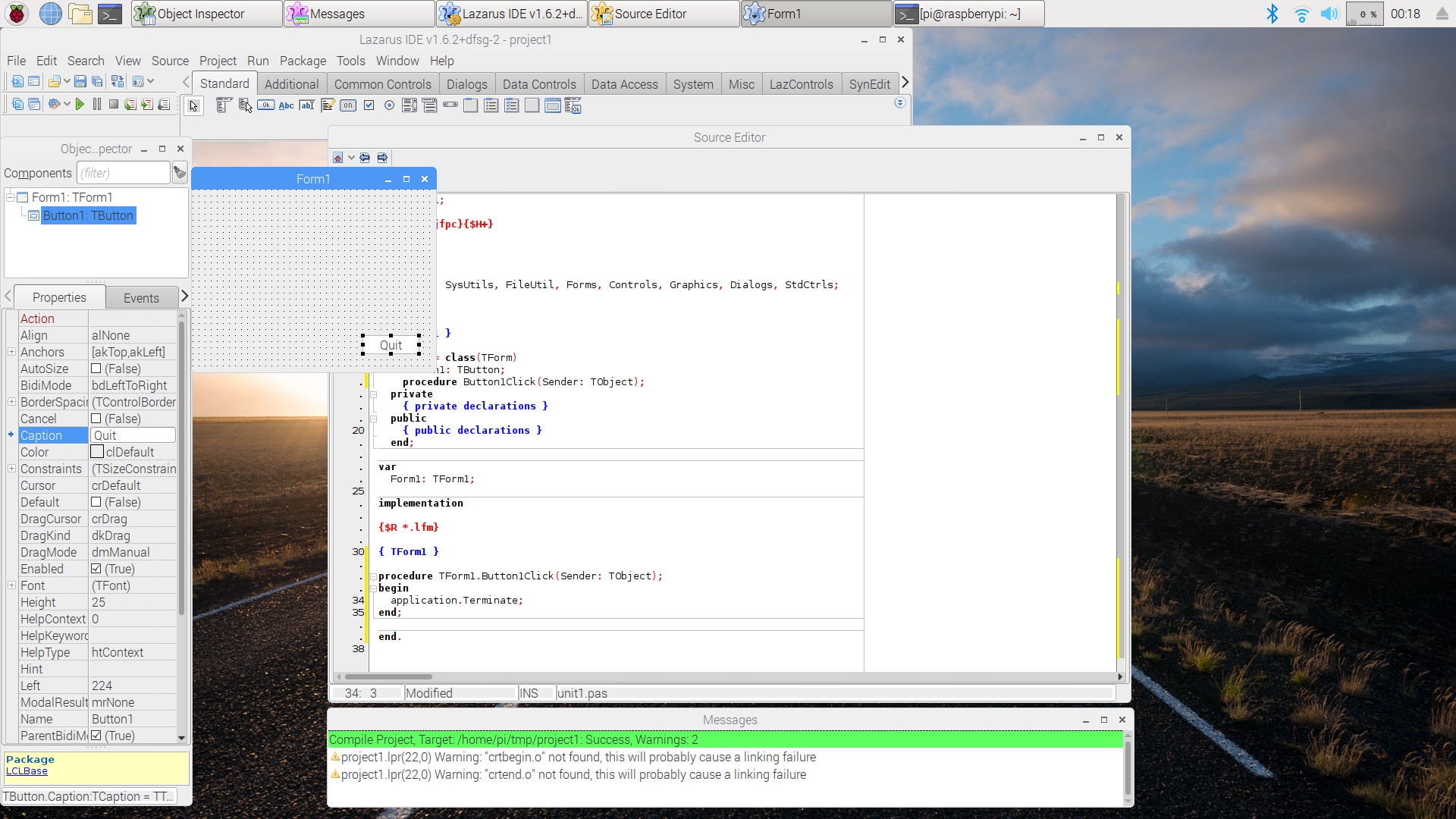 | |
| 26 | + | ||
| 27 | + | A simple session with Lazarus on Raspbian Stretch. | |
| 28 | + | ||
| 15 | 29 | ## Installing via the command shell on older versions of Raspbian | |
| 16 | 30 | ||
| 17 | 31 | ### Installing Free Pascal | |
| 18 | 32 | ||
| 19 | 33 | Free Pascal is easily installed with the following shell commands: | |
| 20 | 34 | ||
| 21 | 35 | ``` bash | |
| 22 | 36 | sudo apt-get update | |
| 23 | 37 | sudo apt-get upgrade | |
| 24 | 38 | sudo apt-get install fpc | |
| 25 | 39 | ``` | |
| 26 | 40 | ||
| 27 | 41 | There are three modes to use Free Pascal on Raspbian: | |
| 28 | 42 | ||
| 29 | 43 | - via the shell command `fpc`. This requires to enter a number of options along with the `fpc` command. | |
| 30 | 44 | - via the shell command `fp`. This command starts a text-based IDE. | |
| 31 | 45 | - via Lazarus, see below | |
| 32 | 46 | ||
| 33 | 47 | ### Installing Lazarus | |
| 34 | 48 | ||
| 35 | 49 | The steps to install Lazarus are very similar to those required for installing Free Pascal: | |
| 36 | 50 | ||
| 37 | 51 | ``` bash | |
| 38 | 52 | sudo apt-get update | |
| 39 | 53 | sudo apt-get upgrade | |
| 40 | 54 | sudo apt-get install fpc | |
| 41 | 55 | sudo apt-get install lazarus | |
| 42 | 56 | ``` | |
| 43 | 57 | ||
| 44 | 58 | This installs a ready-to-use precompiled version of Lazarus, however not necessarily the newest one. | |
| 45 | 59 | ||
| 46 | 60 | ## Compiling from sources | |
| 47 | 61 | ||
| 48 | 62 | The newest versions of Lazarus are distributed as source code. | |
| 49 | 63 | ||
| 50 | 64 | To compile current FPC and Lazarus sources for Raspbian Buster (based on Debian 10 Buster), see [[Build current FPC and Lazarus for Raspbian]]. | |
| 51 | 65 | ||
| 52 | 66 | In order to compile Lazarus from subversion sources see [Michell Computing: Lazarus on the Raspberry Pi](http://www.michellcomputing.co.uk/blog/2012/11/lazarus-on-the-raspberry-pi/) for details. The information there is somewhat outdated but still usable. | |
| 53 | 67 | ||
| 54 | 68 | The easiest way to compile from source is to use [fpcup](https://github.com/LongDirtyAnimAlf/Reiniero-fpcup) . See also [[fpcup]] in this wiki. | |
| 55 | 69 | ||
| 56 | 70 | ## Screenshots | |
| 57 | 71 | ||
| 58 | - | ||
| 72 | + | 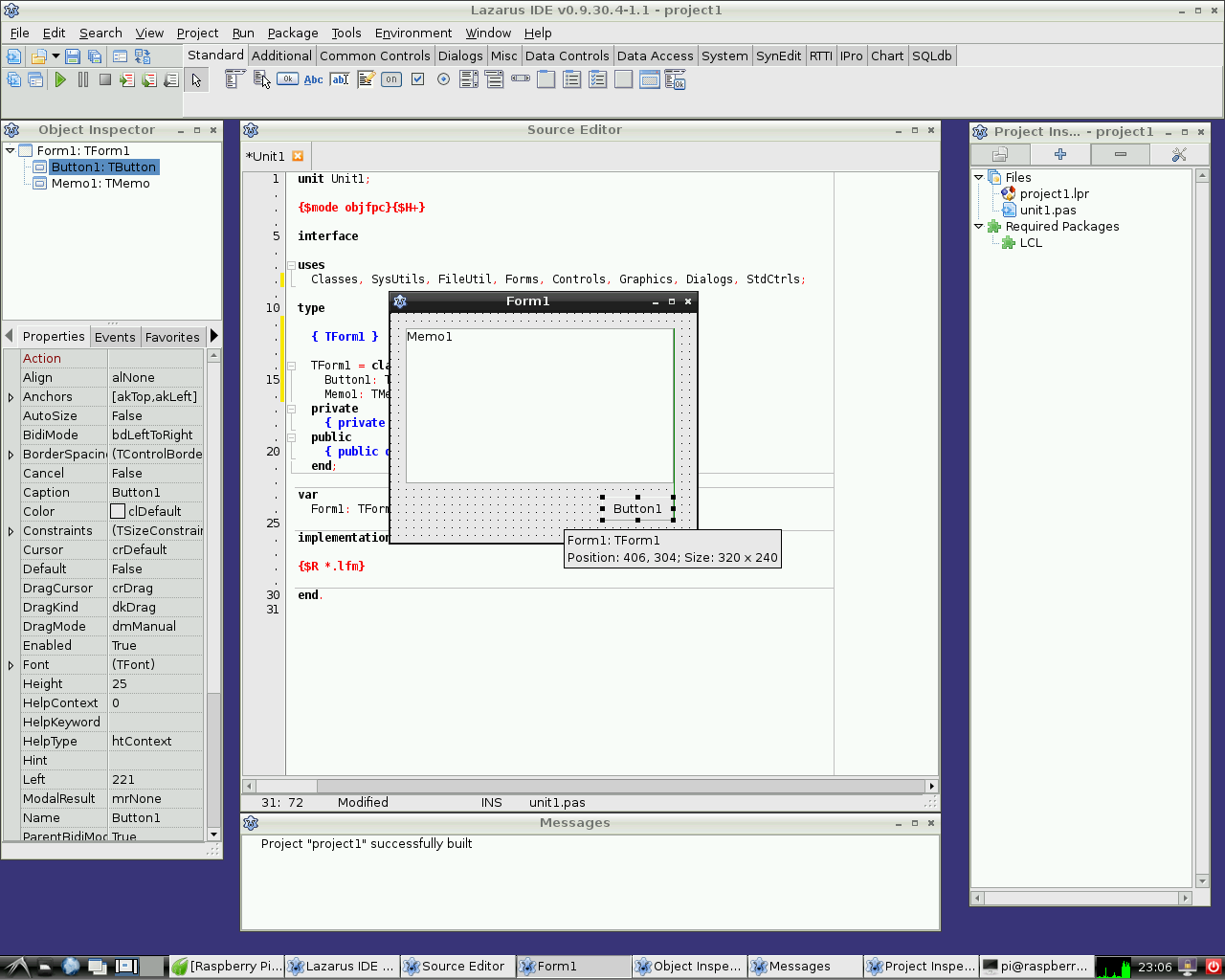 | |
| 73 | + | ||
| 74 | + | Lazarus on Raspbian Wheezy | |
| 75 | + | ||
| 76 | + | 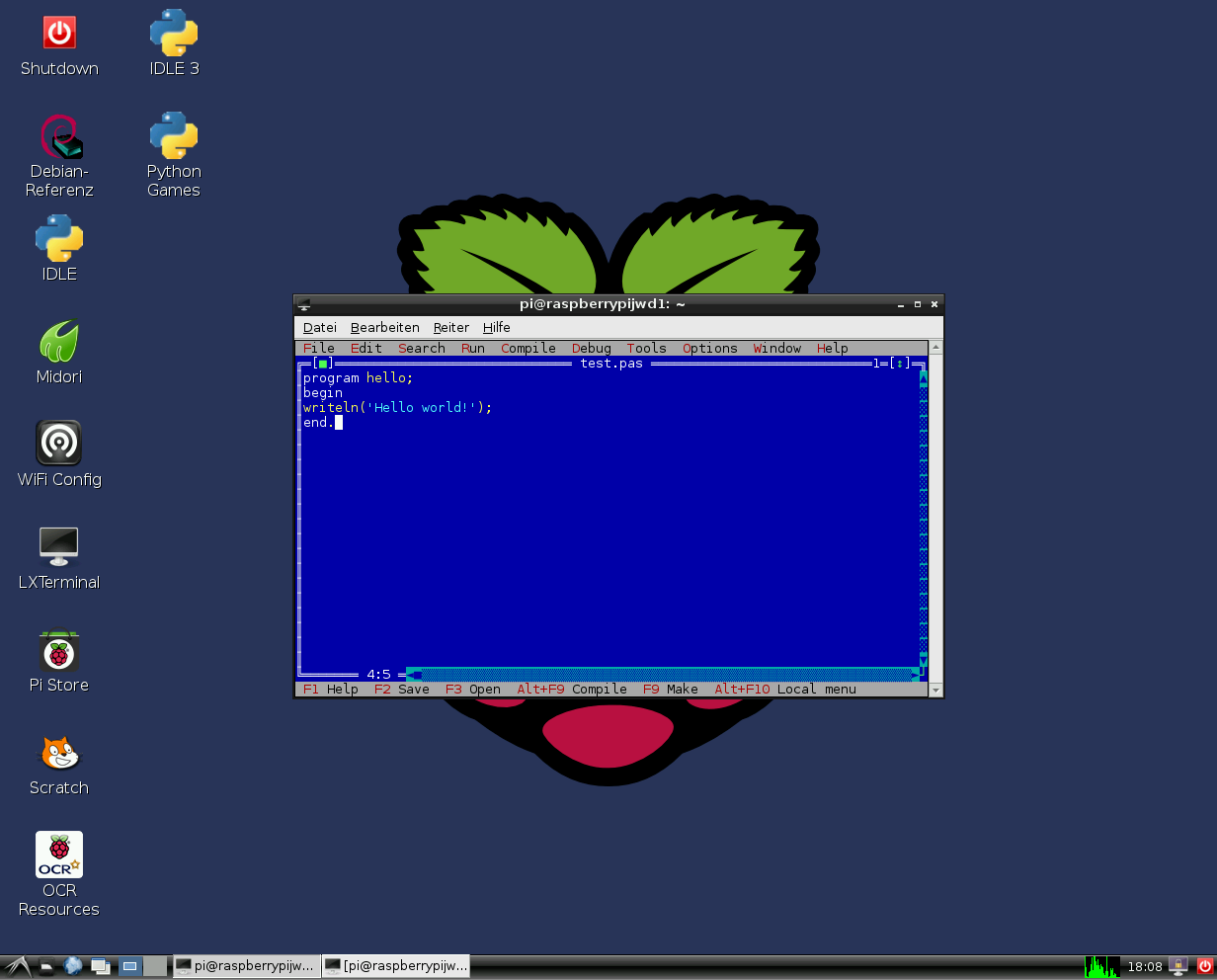 | |
| 77 | + | ||
| 78 | + | Free Pascal text mode IDE on Raspbian Wheezy | |
| 59 | 79 | ||
| 60 | 80 | ## Hardware access | |
| 61 | 81 | ||
| 62 | 82 | See [[Lazarus on Raspberry Pi]] for details. | |
| 63 | 83 | ||
| 64 | 84 | ## External Links | |
| 65 | 85 | ||
| 66 | 86 | - [Raspberry Pi Foundation](http://www.raspberrypi.org) | |
| 67 | 87 | - [Official Raspbian site](http://www.raspbian.org) | |
| 68 | 88 | - [Additional information on Lazarus and Raspberry Pi at eLinux.org](http://www.elinux.org/Lazarus_on_RPi) | |
| 69 | 89 | ||
| 70 | 90 | --- | |
| 71 | 91 | *From the Free Pascal wiki, page "Raspbian", as it stood on 2023-11-12 after a change by Dbannon, out of the wiki's dump of 2024-05-26. Copyright stays with the author who wrote it, according to the old wiki's [[Licensing]] page. If you have concerns about this material, [message the admin](/wiki-contact).* |