

Raspbian/es: what changed
Revision 1 to 2. Removed lines have a minus sign; added lines have a plus sign.
| Old | New | Line | |
|---|---|---|---|
| 1 | 1 | *(Raspberry Pi only)* | |
| 2 | 2 | ||
| 3 | 3 | **Raspbian** (aka Wheezy) es una distribución basada en [[Debian]] [[Linux]] que está optimizada para funcionar con el hardware [[Raspberry Pi]]. Las versiones actuales de Raspbian soportan tanto [[FreePascal]] como [[Lazarus]]. | |
| 4 | 4 | ||
| 5 | 5 | ## Instalando FreePascal | |
| 6 | 6 | ||
| 7 | 7 | FreePascal es facilmente instalable con los siguientes mandatos desde el shell: | |
| 8 | 8 | ||
| 9 | 9 | ``` bash | |
| 10 | 10 | sudo apt-get update | |
| 11 | 11 | sudo apt-get upgrade | |
| 12 | 12 | sudo apt-get install fpc | |
| 13 | 13 | ``` | |
| 14 | 14 | ||
| 15 | 15 | Hay tres modos de utilizar FreePascal en Raspbian: | |
| 16 | 16 | ||
| 17 | 17 | - via the shell command `fpc`. This requires to enter a number of options along with the `fpc` command. | |
| 18 | 18 | - via the shell command `fp`. This command starts a text-based IDE. | |
| 19 | 19 | - via Lazarus, see below | |
| 20 | 20 | ||
| 21 | 21 | ## Instalando Lazarus | |
| 22 | 22 | ||
| 23 | 23 | Los pasos para instalar Lazarus son muy similares a los necesarios para instalar FreePascal: | |
| 24 | 24 | ||
| 25 | 25 | ``` bash | |
| 26 | 26 | sudo apt-get update | |
| 27 | 27 | sudo apt-get upgrade | |
| 28 | 28 | sudo apt-get install fpc | |
| 29 | 29 | sudo apt-get install lazarus | |
| 30 | 30 | ``` | |
| 31 | 31 | ||
| 32 | 32 | Esto instala una versión de Lazarus precompilada y lista para usar, por supuesto no sería necesariamente en su última versión. | |
| 33 | 33 | ||
| 34 | 34 | ## Compilando desde su código fuente | |
| 35 | 35 | ||
| 36 | 36 | Las versiónes más actualizadas de Lazarus se distribuyen en el formato de código fuente. Para compilar Lazarus a partir de sus fuentes subversion ver [Michell Computing: Lazarus bajo Raspberry Pi](http://www.michellcomputing.co.uk/blog/2012/11/lazarus-on-the-raspberry-pi/) para más detalles. La información se encuentra un tanto desactualizada pero todavía es usable. | |
| 37 | 37 | ||
| 38 | 38 | La forma más fácil de compilar desde su código fuente es utilizar [fpcup](https://github.com/LongDirtyAnimAlf/Reiniero-fpcup) . Ver además [[fpcup]] en esta wiki. | |
| 39 | 39 | ||
| 40 | 40 | ## Pantallazos | |
| 41 | 41 | ||
| 42 | - | ||
| 42 | + | 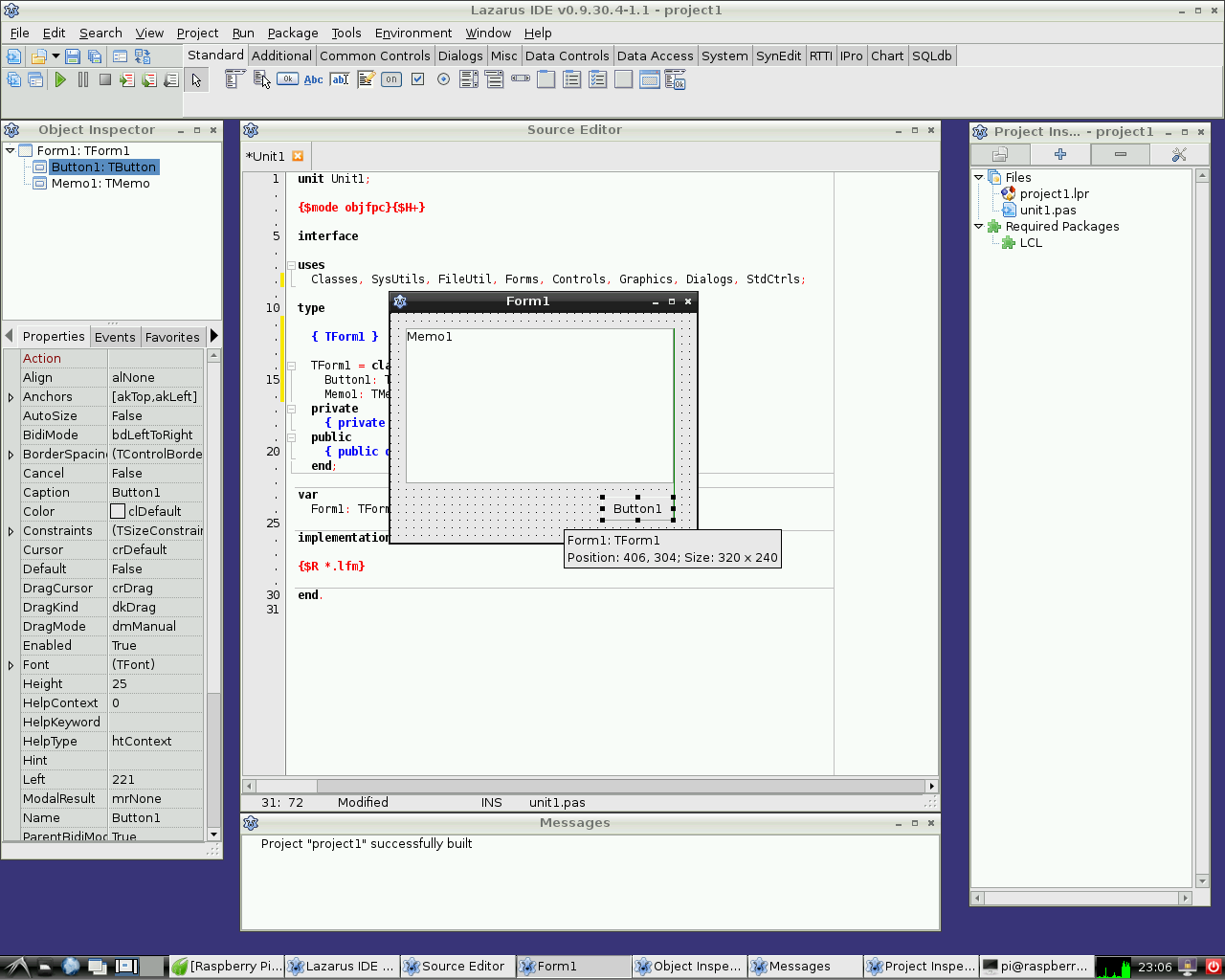 | |
| 43 | + | ||
| 44 | + | Lazarus bajo Raspbian Wheezy | |
| 45 | + | ||
| 46 | + | 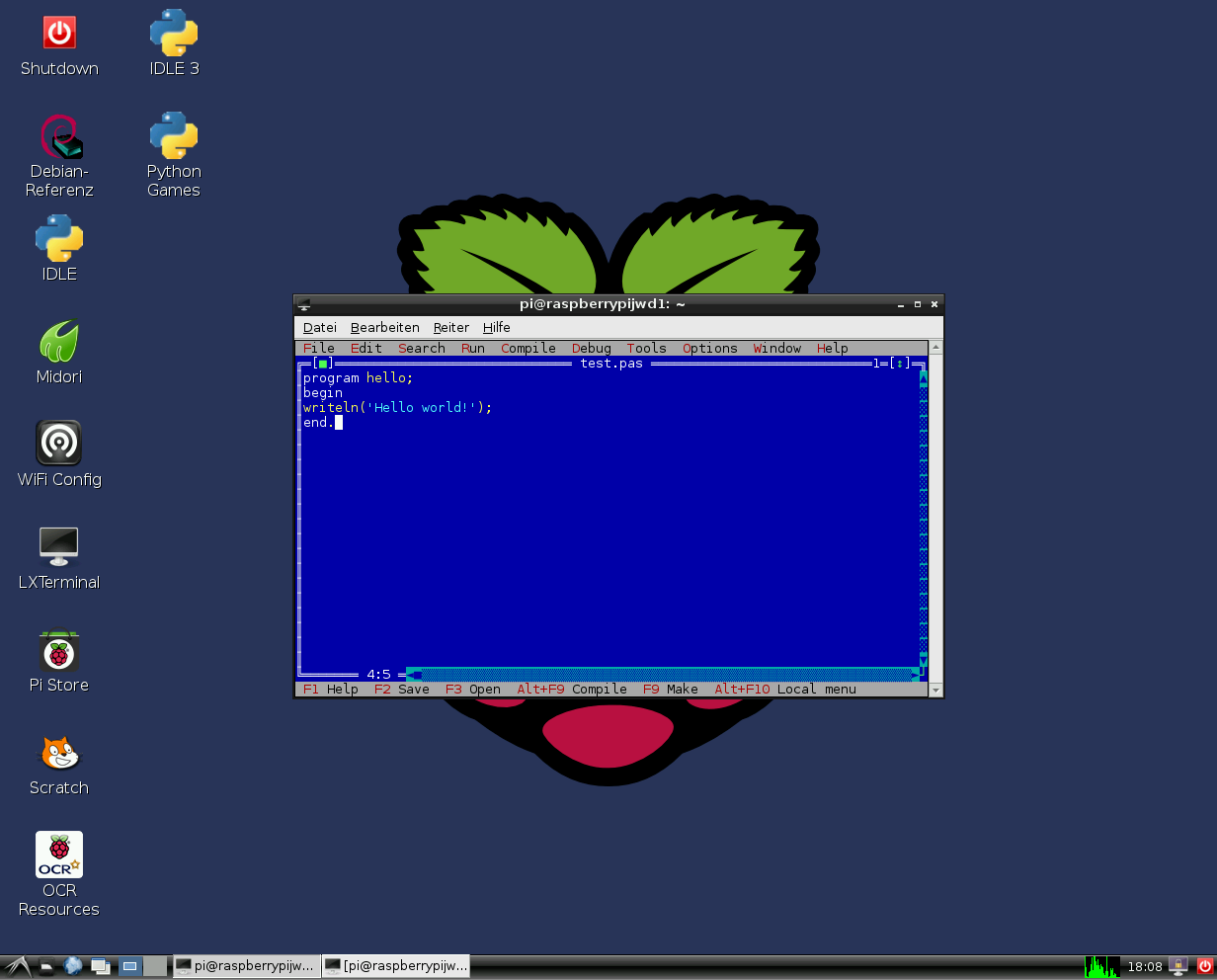 | |
| 47 | + | ||
| 48 | + | FreePascal en el IDE con modo texto bajo Raspbian Wheezy | |
| 43 | 49 | ||
| 44 | 50 | ## Acceso al hardware | |
| 45 | 51 | ||
| 46 | 52 | Ver [[Lazarus on Raspberry Pi]] para más detalles. | |
| 47 | 53 | ||
| 48 | 54 | ## External Links | |
| 49 | 55 | ||
| 50 | 56 | - [Raspberry Pi Foundation](http://www.raspberrypi.org) | |
| 51 | 57 | - [Official Raspbian site](http://www.raspbian.org) | |
| 52 | 58 | - [Additional information on Lazarus and Raspberry Pi at eLinux.org](http://www.elinux.org/Lazarus_on_RPi) | |
| 53 | 59 | ||
| 54 | 60 | --- | |
| 55 | 61 | *From the Free Pascal wiki, page "Raspbian/es", as it stood on 2020-02-23 after a change by Trev, out of the wiki's dump of 2024-05-26. Copyright stays with the author who wrote it, according to the old wiki's [[Licensing]] page. If you have concerns about this material, [message the admin](/wiki-contact).* |