

Raspbian
English · Español
(Raspberry Pi only)
Note: Content here is quite out of date. As the Raspberry Pi OS is just another Debian based distribution, the reader is referred to Installing Lazarus on Linux and Lazarus on Raspberry Pi, those page are kept up to date and contains everything you need. (Please don't update this page unless you are committed to maintaining it in the future)
Raspbian, now called Raspberry Pi OS, is a free operating system based on the Debian Linux distribution optimized for the Raspberry Pi hardware. Most historic and current versions of Raspbian support both Free Pascal and Lazarus.
Installing Lazarus and Free Pascal
Graphical Installer on modern versions of Raspbian
On modern versions of Raspbian installation is very easy. It can be performed with the PiPackage manager. You have to select simply "Add / Remove Software" in the global Preferences menu.
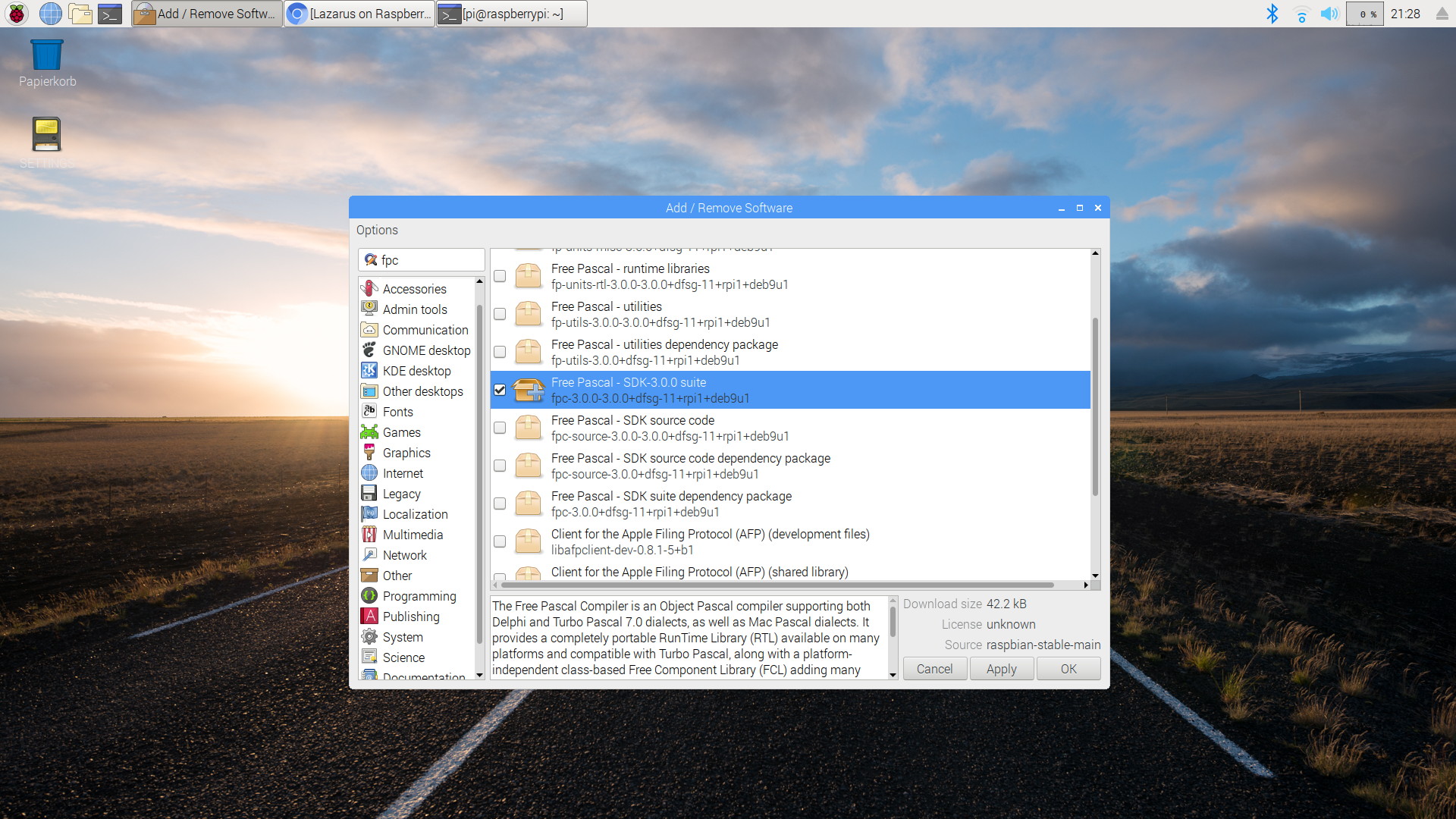
Step 1: Install Free Pascal with PiPackage.
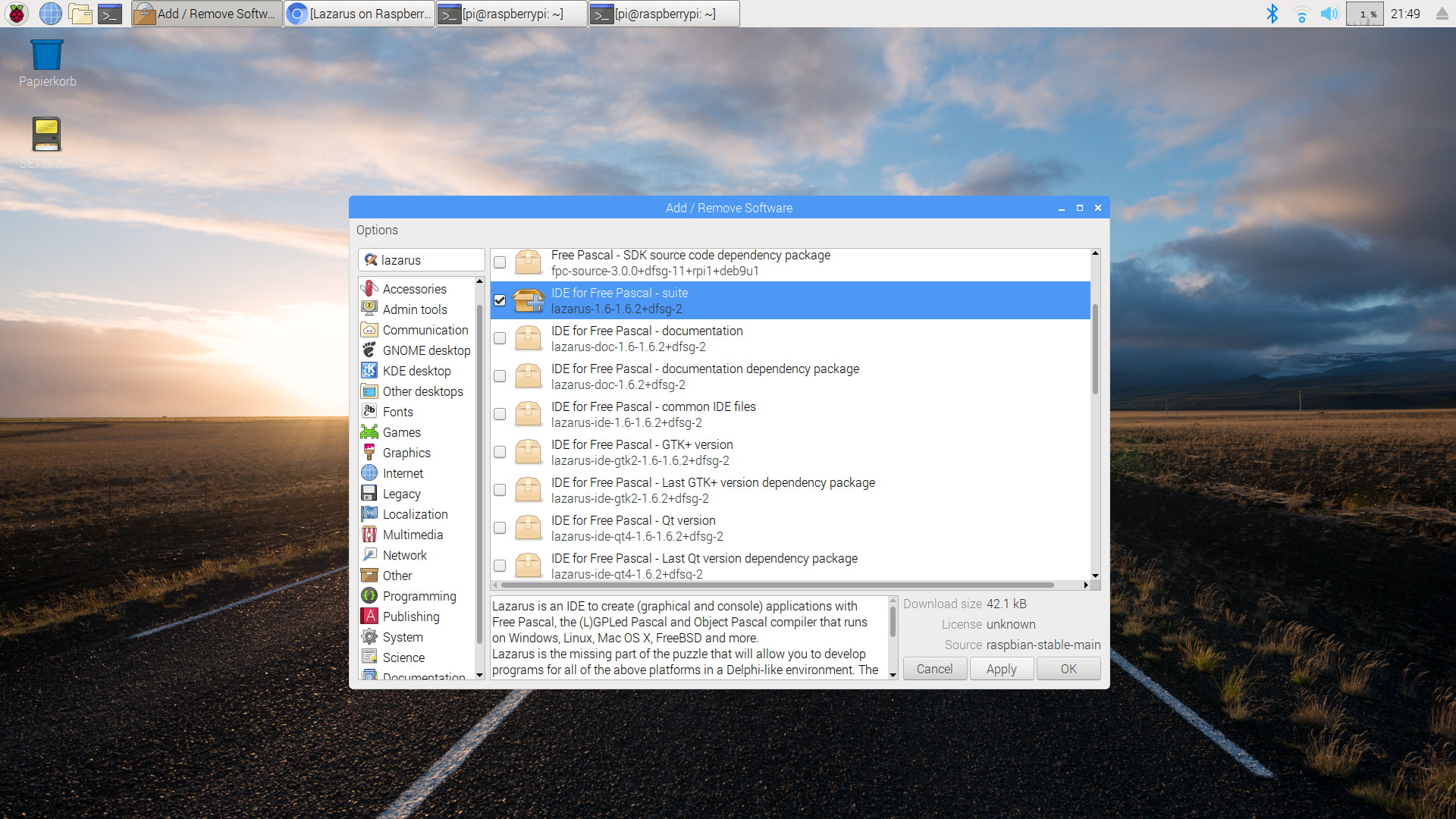
Step 2: Install Lazarus

Lazarus is now available in the global "Programming" menu
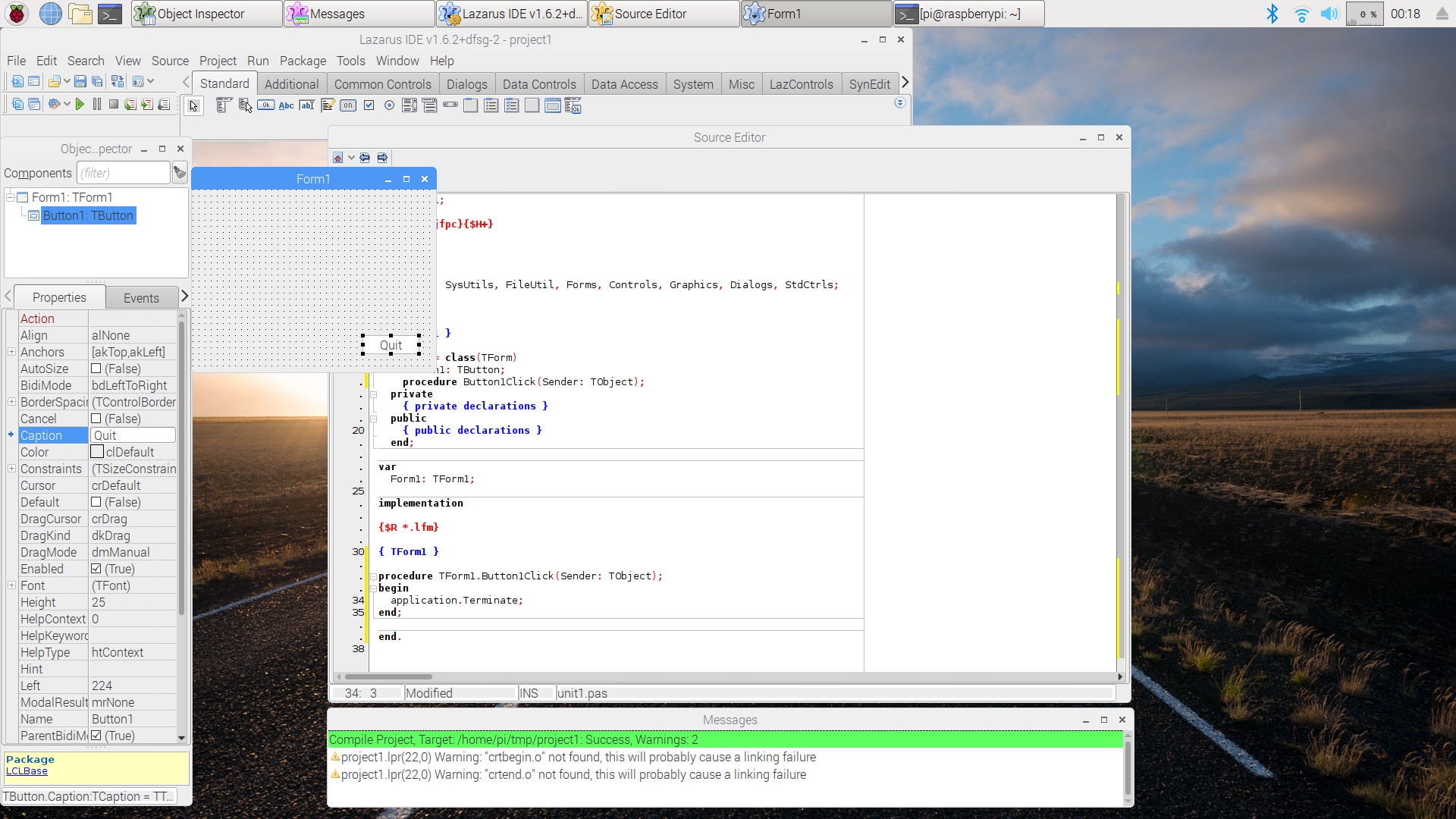
A simple session with Lazarus on Raspbian Stretch.
Installing via the command shell on older versions of Raspbian
Installing Free Pascal
Free Pascal is easily installed with the following shell commands:
  sudo apt-get update
  sudo apt-get upgrade
  sudo apt-get install fpc
There are three modes to use Free Pascal on Raspbian:
- via the shell command
fpc. This requires to enter a number of options along with thefpccommand. - via the shell command
fp. This command starts a text-based IDE. - via Lazarus, see below
Installing Lazarus
The steps to install Lazarus are very similar to those required for installing Free Pascal:
  sudo apt-get update
  sudo apt-get upgrade
  sudo apt-get install fpc
  sudo apt-get install lazarus
This installs a ready-to-use precompiled version of Lazarus, however not necessarily the newest one.
Compiling from sources
The newest versions of Lazarus are distributed as source code.
To compile current FPC and Lazarus sources for Raspbian Buster (based on Debian 10 Buster), see Build current FPC and Lazarus for Raspbian.
In order to compile Lazarus from subversion sources see Michell Computing: Lazarus on the Raspberry Pi for details. The information there is somewhat outdated but still usable.
The easiest way to compile from source is to use fpcup . See also fpcup in this wiki.
Screenshots
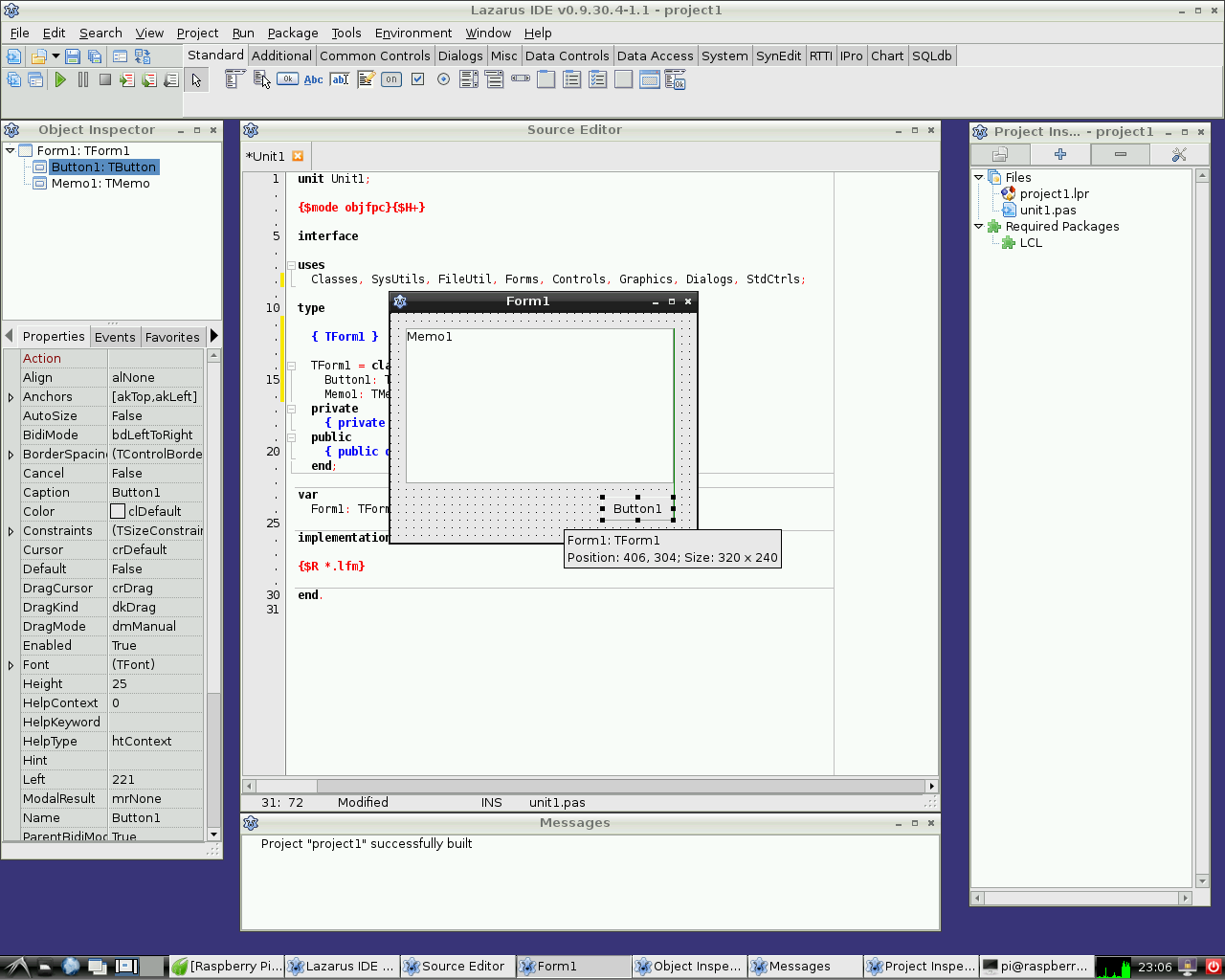
Lazarus on Raspbian Wheezy
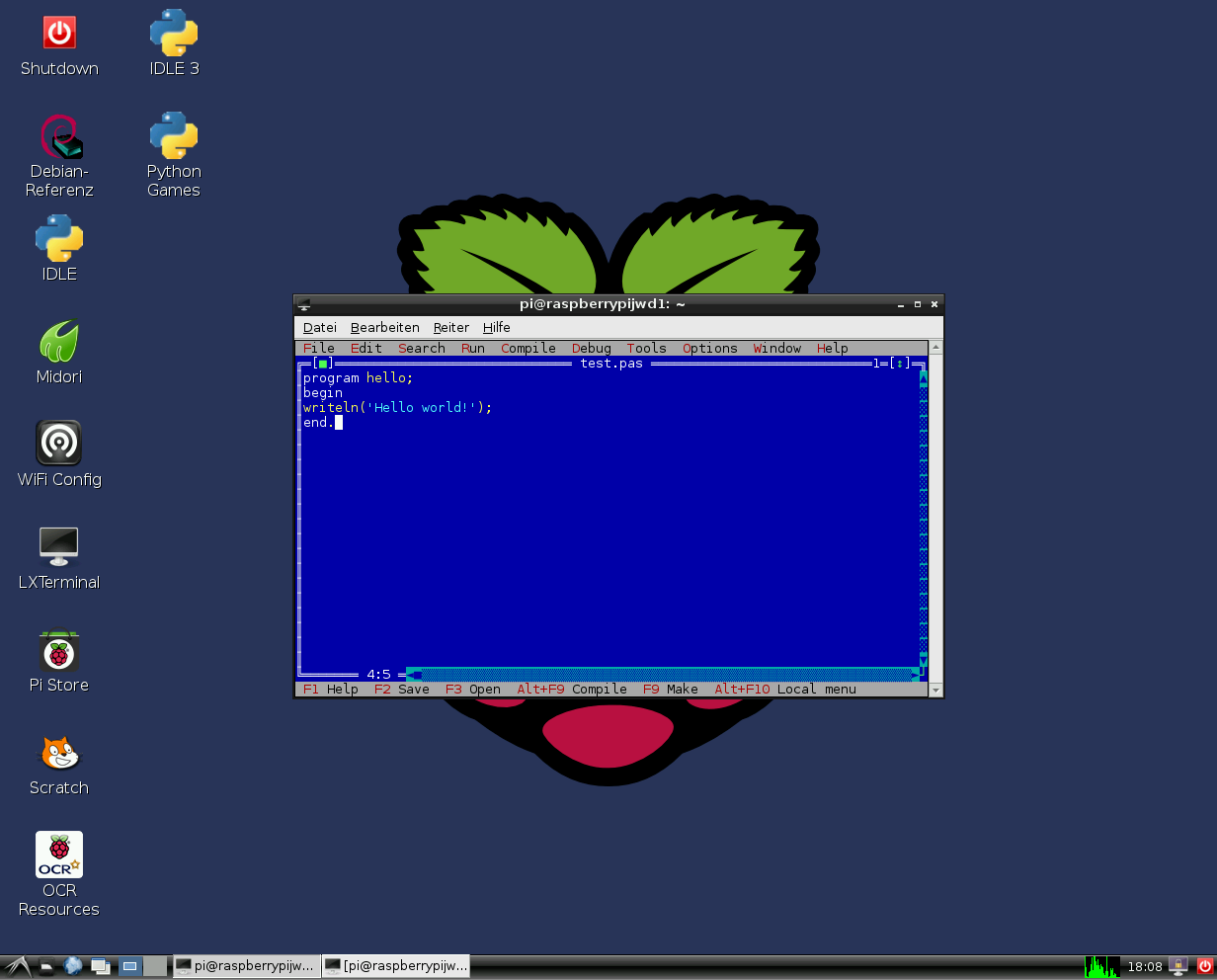
Free Pascal text mode IDE on Raspbian Wheezy
Hardware access
See Lazarus on Raspberry Pi for details.
External Links
- Raspberry Pi Foundation
- Official Raspbian site
- Additional information on Lazarus and Raspberry Pi at eLinux.org
From the Free Pascal wiki, page "Raspbian", as it stood on 2023-11-12 after a change by Dbannon, out of the wiki's dump of 2024-05-26. Copyright stays with the author who wrote it, according to the old wiki's Licensing page. If you have concerns about this material, message the admin.
Talk about this page
Nobody has opened a bench for this page yet. Sign in to open one.