

Projects using Lazarus - User utilities: what changed
Revision 2 to 3. Removed lines have a minus sign; added lines have a plus sign.
| Old | New | Line | |
|---|---|---|---|
| 1 | 1 | ## Advanced Password Generator | |
| 2 | 2 | ||
| 3 | 3 | [Advanced Password Generator](https://sourceforge.net/projects/apwg/) is a lightweight password generator tool to protect your security with randomly generated password. It runs on Windows and Linux. No installation required. This tool has GUI and command line version. Command line version is ideal for scripting. | |
| 4 | 4 | ||
| 5 | - | ||
| 5 | + | 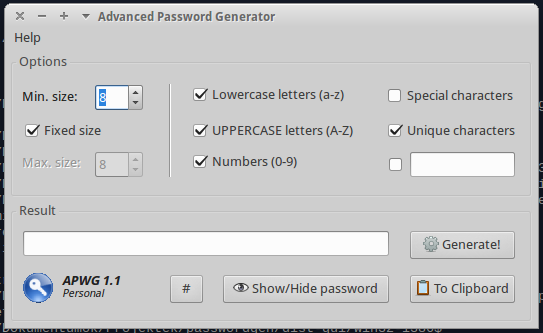 | |
| 6 | 6 | ||
| 7 | 7 | ## ApplePi-Baker 2 | |
| 8 | 8 | ||
| 9 | 9 | [ApplePi-Baker](https://www.tweaking4all.com/software/macosx-software/applepi-baker-v2/) is a free macOS application (64-bit and signed) to create backups and do restores of disk drives. Restore can even be done to multiple disks at once. The application utilizes [libarchive](https://www.libarchive.org/) to support a wide range of archive and compression formats (7Zip, BZip, dd, GZip, IMG, ISO, Jar, LZip, Rar, Tar, Tar BZip2, Tar GZip, Tar LZip, Tar XZ, XZ and Zip). | |
| 10 | 10 | ||
| 11 | 11 | Further more, ApplePi-Baker fully relies on Apple DiskArbitration API calls and callbacks, is build comfort Apple’s [Elevating Privileges Safely](https://developer.apple.com/library/archive/documentation/Security/Conceptual/SecureCodingGuide/Articles/AccessControl.html) and utilizes the so called [SMJobBless - Privileged Helper Tool](https://www.tweaking4all.com/software-development/lazarus-development/macos-smjobbless-elevated-privileges-lazarus-pascal/). | |
| 12 | 12 | ||
| 13 | 13 | Additional extensive disk information can be viewed, and extra disk functions is included. For Raspberry Pi users, the option to enable SSH and create NOOBS disk are included as well. Dark Theme, Bouncing Dock icon, notifications and progress indication in the dock are supported as well. | |
| 14 | 14 | ||
| 15 | - | ||
| 15 | + | 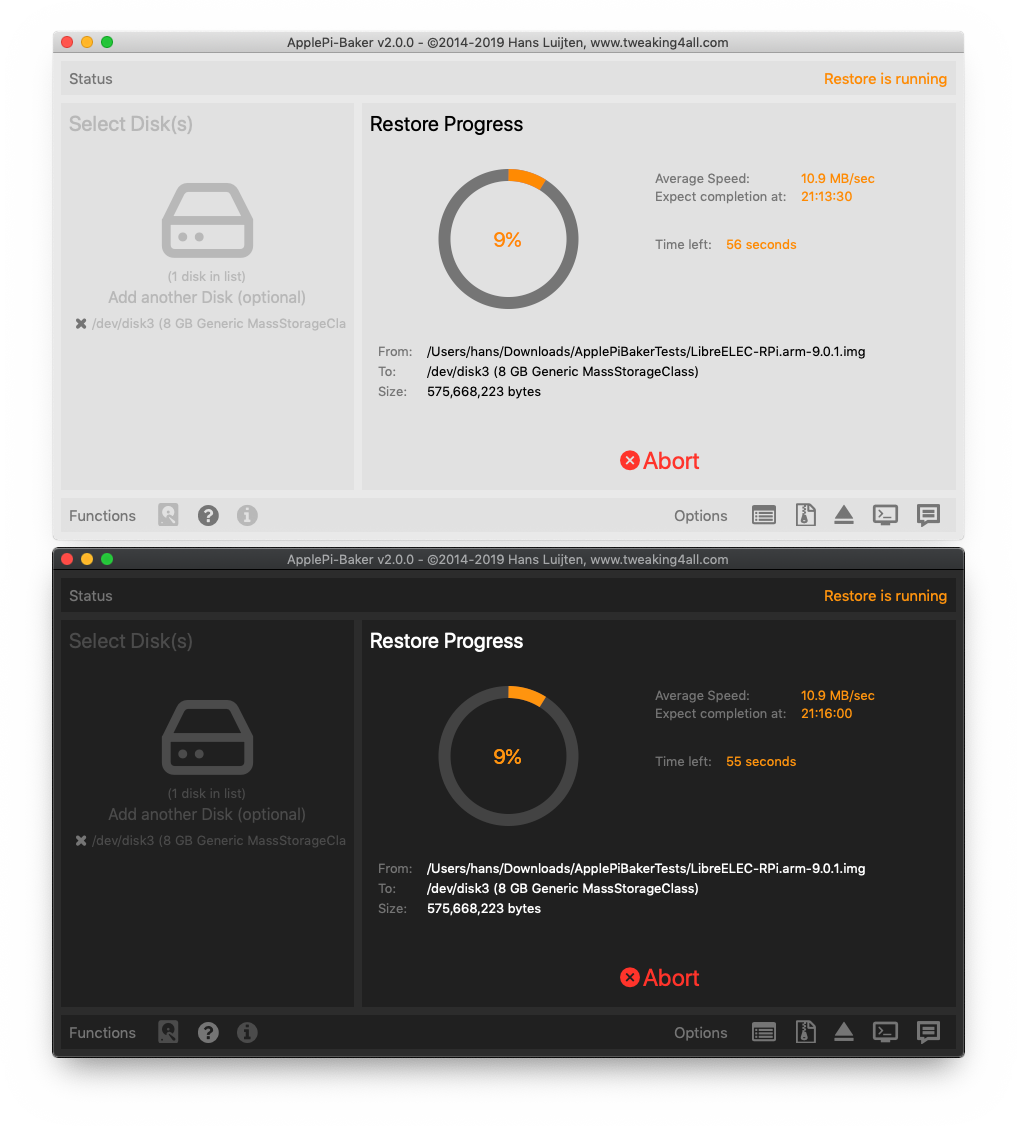 | |
| 16 | 16 | ||
| 17 | 17 | ## AlFileSearch | |
| 18 | 18 | ||
| 19 | 19 | [AlFileSearch](http://www.aldimsoft.ru/alfilesearch) Simple file search utility which is able to quickly find files and folders on your PC running under Windows 10, 8, 7... It is able to sort out files and folders according to their properties (e.g. Modified Date). The results window supports Windows Explorer functionality: icons, context menus. | |
| 20 | 20 | ||
| 21 | 21 | ## AWGG | |
| 22 | 22 | ||
| 23 | 23 | [AWGG](https://sites.google.com/site/awggproject) is a cross platform and multilanguage download manager that uses the most popular downloads engines (text based) like wget, aria2, cURL and axel, AWGG is most that an frontend, is multiprocess, portable and simple, includes a programer, multiple queues, clipboard monitor, site grabber and can be integrated to Firefox with FlashGot plugin and Chrome with Simple Get plugin. | |
| 24 | 24 | ||
| 25 | - | ||
| 25 | + | 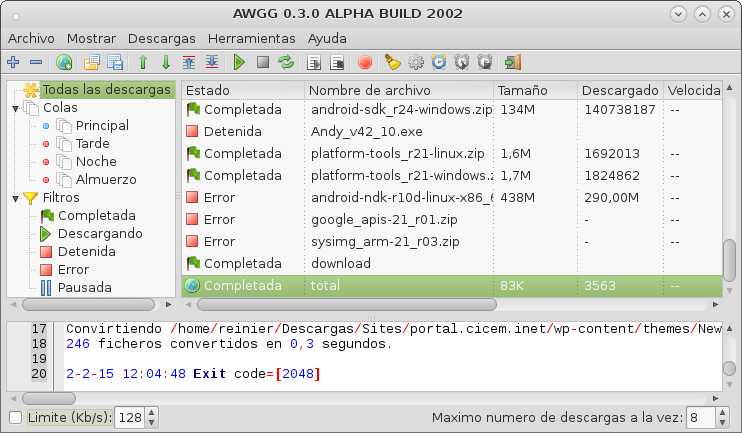 | |
| 26 | 26 | ||
| 27 | 27 | ## ASuite | |
| 28 | 28 | ||
| 29 | 29 | [ASuite](https://github.com/salvadorbs/Asuite) is a simple open source portable launcher for Microsoft Windows. | |
| 30 | 30 | ||
| 31 | - | ||
| 31 | + | 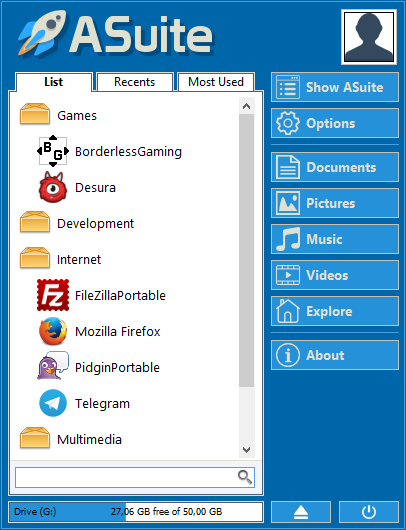 | |
| 32 | 32 | ||
| 33 | 33 | ## Bar Generator | |
| 34 | 34 | ||
| 35 | 35 | [Bar Generator](https://sourceforge.net/projects/bargenerator/) is a simple QR, AZTEC and Data Matrix code generator. | |
| 36 | 36 | ||
| 37 | 37 | ## Becape | |
| 38 | 38 | ||
| 39 | 39 | [Becape](https://sourceforge.net/projects/becape/) is an open source backup tool aimed to personal/desktop usage. It does incremental backups and stores the backup info in a sqlite database allowing to restore the exact state of the backed files at a chosen date. It's fully written in Lazarus/Free Pascal. | |
| 40 | 40 | ||
| 41 | 41 | ## BIFFExplorer | |
| 42 | 42 | ||
| 43 | 43 | BIFFExplorer shows the internal structure of Excel .xls (BIFF) files. It analyses field values and provides explanation, can show data in hex and decimal etc. See folder "applications/biffexplorer" in ccr (https://sourceforge.net/p/lazarus-ccr/svn/HEAD/tree/applications/biffexplorer/). | |
| 44 | 44 | ||
| 45 | - | ||
| 45 | + | 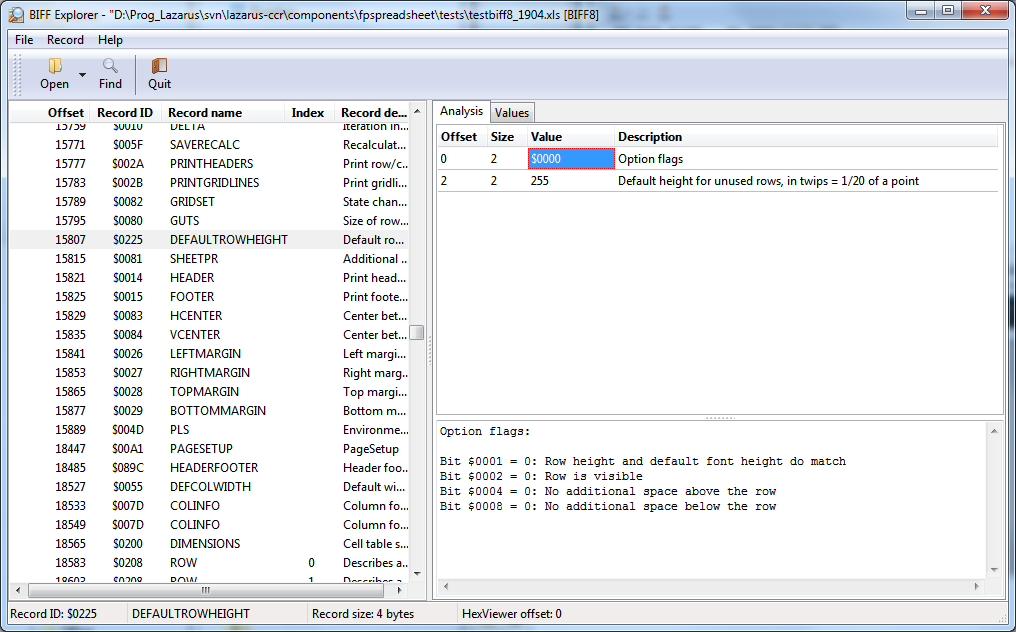 | |
| 46 | 46 | ||
| 47 | 47 | ## BioTray | |
| 48 | 48 | ||
| 49 | 49 | [BioTray](https://sites.google.com/site/biotray/), your Biorhythm in the traybar. Biorhythm means rhythm of life. Our life is directed by emotional, intellectual and physical rhythms which begin at our birth. You will see on your traybar 4 new icons. They are : the emotional, the intellectual, the physical and the intuitive icon. How more the icon is filled, how big is your power. On Windows, Linux and macOS. | |
| 50 | 50 | ||
| 51 | - | ||
| 51 | + |  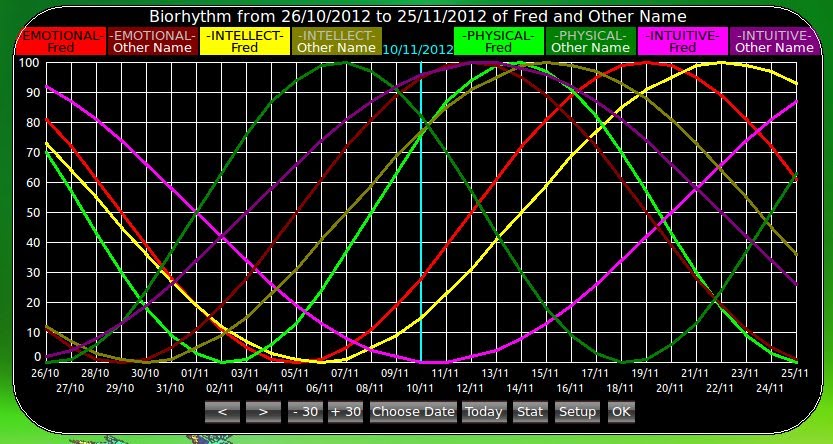 | |
| 52 | 52 | ||
| 53 | 53 | ## CamMirror | |
| 54 | 54 | ||
| 55 | 55 | [CamMirror](http://www.cnblogs.com/lazarus/articles/2053748.html) Using the camera as a mirror, it can be switched to several resolutions such as 320*240,640*480,800*600,1024*768 and full screen by clicking the tray icon menus. Windows only. See <https://github.com/best-apps/lazarus_CamMirror> | |
| 56 | 56 | ||
| 57 | 57 | ## CheckBook Tracker | |
| 58 | 58 | ||
| 59 | 59 | CheckBook Tracker [Home Page](http://www.ossramblings.com/cbtracker) is a financial managemant package. It can do scheduled payments and do balanced forecasts and many other features. It supports QIF and OBB data and can import from CBB for the X-window system. Note: it hasn't been updated for a long time and will need changes to be compilable with newer Lazarus releases (October 2014). | |
| 60 | 60 | ||
| 61 | 61 | CheckBook Tracker ForeCast Page: | |
| 62 | 62 | ||
| 63 | - | ||
| 63 | + | 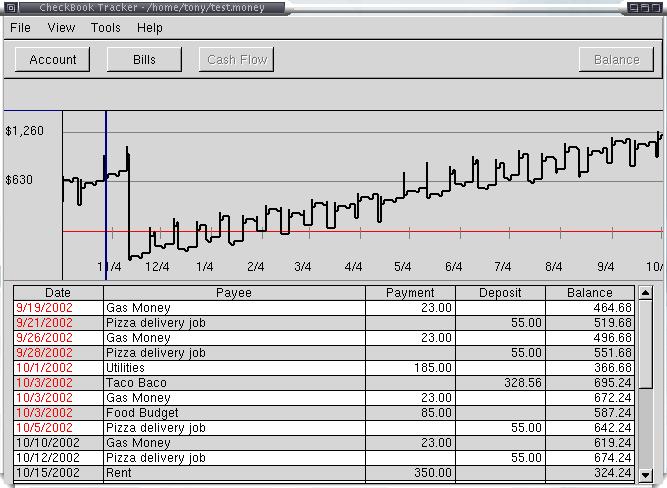 | |
| 64 | 64 | ||
| 65 | 65 | ## CheckRide | |
| 66 | 66 | ||
| 67 | 67 | [CheckRide](https://github.com/serbod/reiniero/checkride) is an open source remote control tool. It lets you take over the screen and keyboard of a remote computer. The helped person only needs to run the program, no firewall/router changes necessary. The helper does need to forward a port in her router. Features: | |
| 68 | 68 | ||
| 69 | 69 | - No configuration required for client, just click and be helped | |
| 70 | 70 | - Helper can use the tool to create a custom version of CheckRide that connects to her server. This way, the helped party only needs to download and run one program. Alternatively, the helper can distribute a configuration file for the same purpose. | |
| 71 | 71 | - Supports Windows UAC | |
| 72 | 72 | - Encrypted connection | |
| 73 | 73 | - Uses UltraVNC and stunnel programs to provide remote control and encryption | |
| 74 | 74 | - Supports Windows helped persons and helpers on Windows (CheckRideHelper.exe) and Linux (stunnel/vncviewer), probably macOS, too. | |
| 75 | 75 | - Can be used for free, both commercially and non-commercially. CheckRide wrapper is MIT licensed freeware: it can also be incorporated in commercial programs. | |
| 76 | 76 | ||
| 77 | 77 | Technical details: it uses an UltraVNC winvnc reverse connection and stunnel to create an encrypted connection. You can realize this by just using stunnel and vncviewer, so the helper side should be usable on Linux and macOS, too. For now, CheckRide itself has only been compiled on Windows; it will need some changes for other operating systems. | |
| 78 | 78 | ||
| 79 | 79 | Free Pascal techniques that are used: * Controlling external programs * Installing/deinstalling Windows services * "Poor man's resource": adding [[paszlib|zip]] files after exe with configuration data, UltraVNC, stunnel details * [[paszlib|Zipping/unzipping]] files * Using a manifest to request Administrator privileges/elevation * Handling command line options; multiple configuration mechanisms (embedded config file, config file in application directory, command line options). | |
| 80 | 80 | ||
| 81 | 81 | 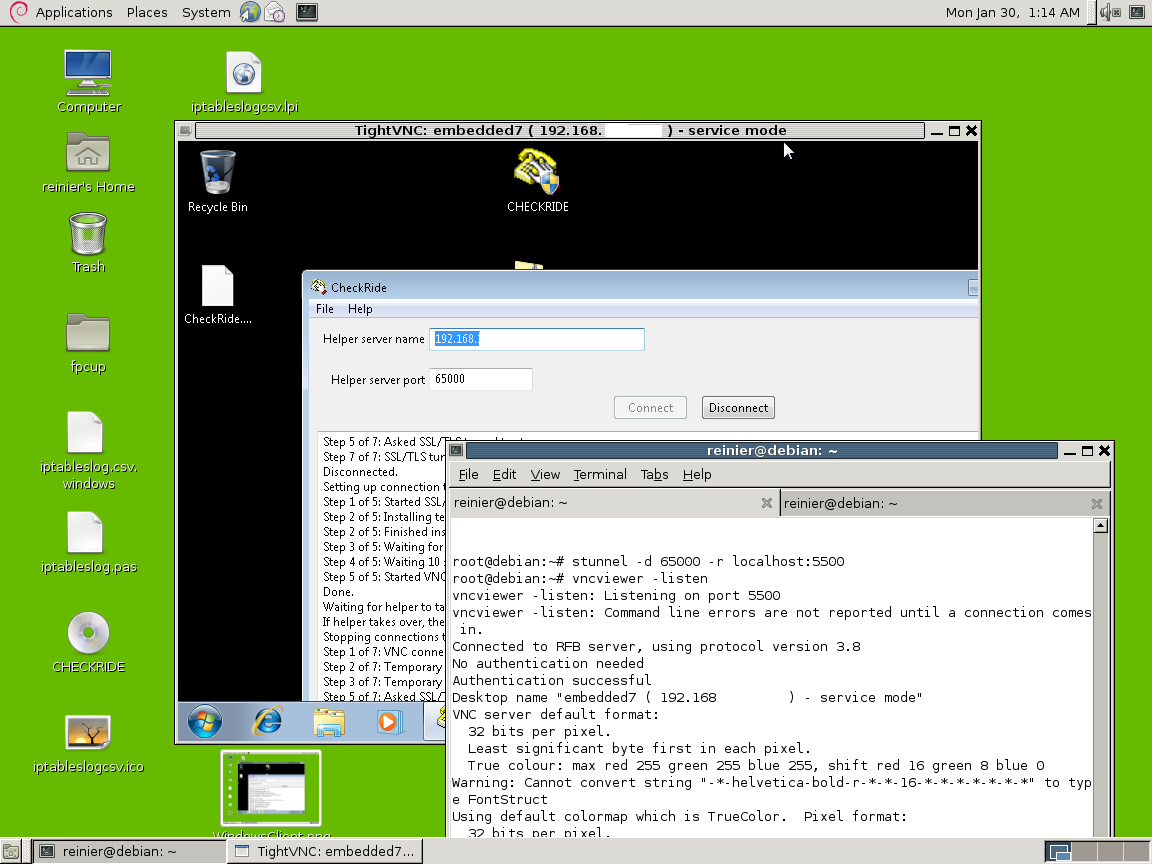 | |
| 82 | 82 | ||
| 83 | 83 | See <https://github.com/nummer8/CheckRide> | |
| 84 | 84 | ||
| 85 | 85 | And <http://web.archive.org/web/20170919175233/https://bitbucket.org/reiniero/checkride> | |
| 86 | 86 | ||
| 87 | 87 | ## Convertor | |
| 88 | 88 | ||
| 89 | 89 | [Convertor](https://hdrz.github.io/convertor/) is a unit converter with a slightly different GUI. It aims to be as minimal and unobtrusive as possible, yet easy to use. It has many unit categories and units, and the units are defined in XML file which can be upgraded with no recompilation of the program. | |
| 90 | 90 | ||
| 91 | - | ||
| 91 | + | 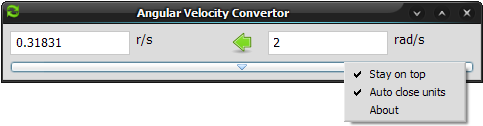 | |
| 92 | 92 | ||
| 93 | 93 | ## ConnectMeNow (macOS) | |
| 94 | 94 | ||
| 95 | 95 | [ConnectMeNow](https://www.tweaking4all.com/software/macosx-software/connectmenow-v3/) (version 3) is a free, small menu bar application for macOS which allows you to define server shares and quickly connect (mount) to them from a drop down menu. It support SMB, AFP, NFS, SSHFS, FTP and SSH connections (incl. a tool to generate and install keys). ConnectMeNow has been updated to support the latest macOS versions (64 bit, signed, notarized, etc). ConnectMeNow resides in the menu bar and supports the regular theme and the so called "Dark" theme of macOS. | |
| 96 | 96 | ||
| 97 | - | ||
| 97 | + |  | |
| 98 | 98 | ||
| 99 | 99 | Example menu of ConnectMeNow with some defined shares ... | |
| 100 | 100 | ||
| 101 | - | ||
| 101 | + | 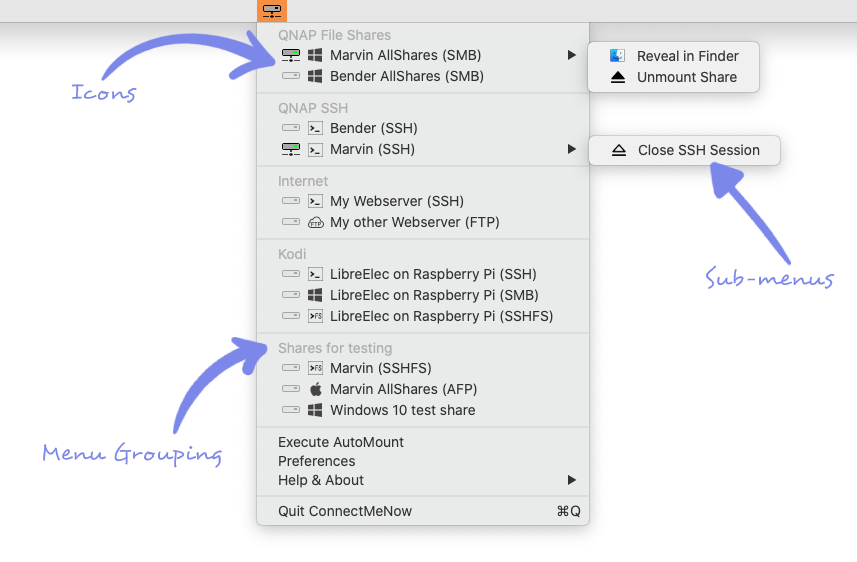 | |
| 102 | 102 | ||
| 103 | 103 | ## Cut Your Time (CYT) | |
| 104 | 104 | ||
| 105 | 105 | [Cut your time](http://www.trustfm.net/GeneralTools/SoftwareCutYourTime.php) is **portable** cross platform application for **Windows** and **Linux** that allows you to create reminders (alarms). The documentation for this application can be found [here](http://www.trustfm.net/GeneralTools/SoftwareCutYourTime.php?page=CutYourTimeTutorial). | |
| 106 | 106 | ||
| 107 | - | ||
| 107 | + | 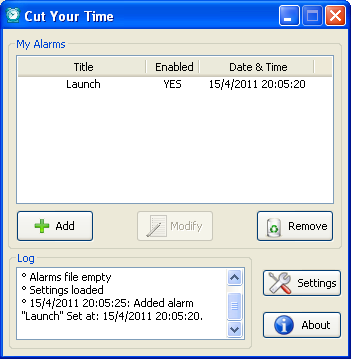 | |
| 108 | 108 | ||
| 109 | 109 | ## Diet Planner for macOS | |
| 110 | 110 | ||
| 111 | 111 | [Diet Planner](https://itunes.apple.com/it/app/diet-planner/id989570733) is an application made to help the dietologist to write, store and retrieve the diet plans for her patients. The Applications allow the user to consult, manage and modify a complete database of foods, each one characterized by its macronutrients (proteins, carbohidrates, fat, fibres), micronutrients (minerals and vitamins) and glycemic index. The user may create, change, load and print diet plans, obtaining reports enriched with diagrams and charts that depict the macro nutrients of the diet. | |
| 112 | 112 | ||
| 113 | - | ||
| 113 | + | 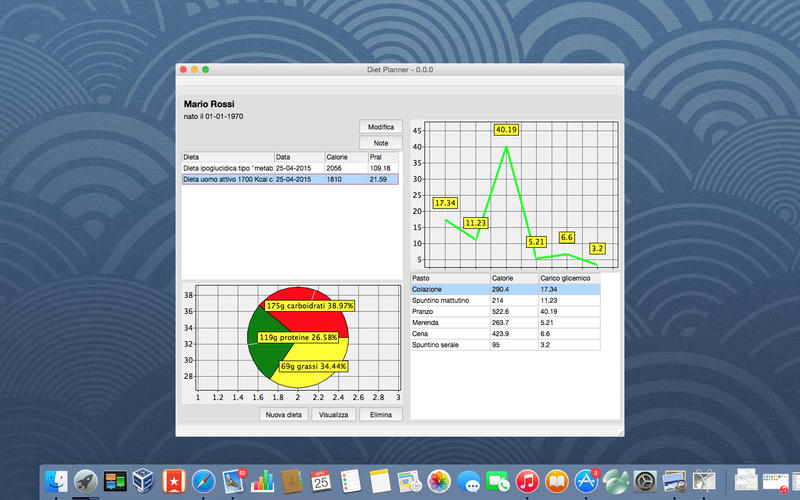 | |
| 114 | 114 | ||
| 115 | 115 | ## fpcup | |
| 116 | 116 | ||
| 117 | 117 | [[fpcup]] is a tool that gets the current version of Free Pascal Compiler (FPC) and Lazarus IDE from their subversion repositories and compiles/installs them. It also compiles and installs whatever packages you want to install. It also creates a shortcut on your desktop that points to the new Lazarus installation. Meant to be used side by side with other FPC/Lazarus installations (it creates a separate primary config path directory for the new Lazarus installation, so it doesn't interfere with existing Lazarus installs) | |
| 118 | 118 | ||
| 119 | 119 | It's open source software, please see the code for the license. Runs on Windows and Linux; experimental support for macOS, FreeBSD. Run fpcup --help for command line options. See: [fpcup repository and executables site](https://github.com/LongDirtyAnimAlf/Reiniero-fpcup). | |
| 120 | 120 | ||
| 121 | - | ||
| 121 | + | 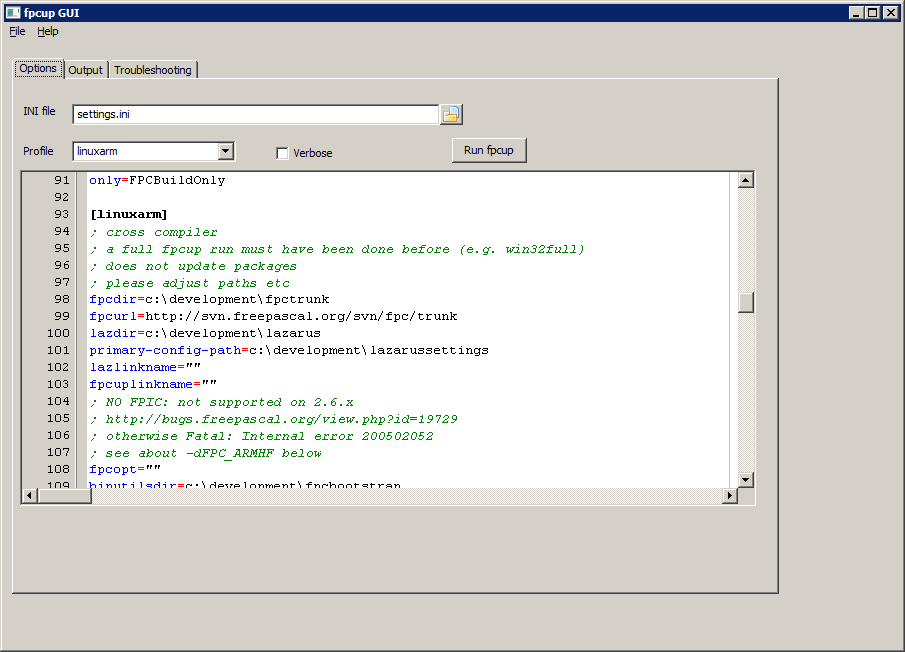 | |
| 122 | 122 | ||
| 123 | 123 | ## HJSplit for Linux | |
| 124 | 124 | ||
| 125 | 125 | [HJSplit](http://www.hjsplit.org) for Linux is a freeware file splitter. HJSplit supports file sizes of over 100 Gigabytes, Split, Join/Recombine, MD5 checksums, file-compare and "run without install". Suitable for Windows and Linux. Created using Lazarus and Free Pascal on Ubuntu 10.x. | |
| 126 | 126 | ||
| 127 | - | ||
| 127 | + | 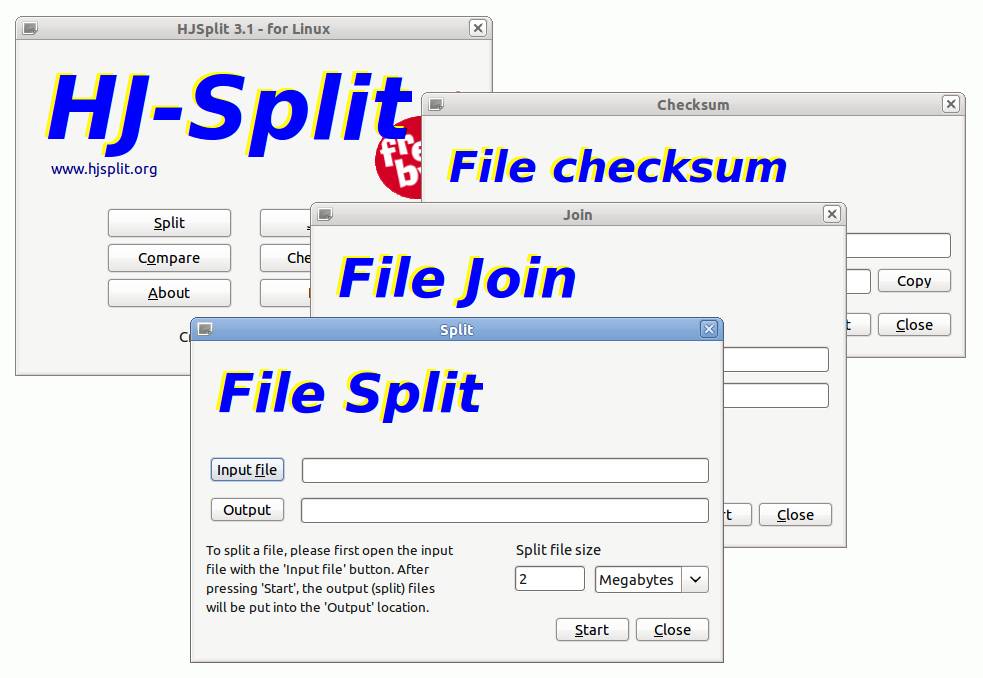 | |
| 128 | 128 | ||
| 129 | 129 | ## ibus-table Layout Editor | |
| 130 | 130 | ||
| 131 | 131 | **[ibustablelayouteditor](https://github.com/panglossa/ibustablelayouteditor)** is a rather simple editor for [ibus-table](https://en.wikipedia.org/wiki/Intelligent_Input_Bus#ibus-table) keyboard layouts. | |
| 132 | 132 | ||
| 133 | 133 | It helps you write a plain text description file that can be used by ibus to install a new keyboard layout. | |
| 134 | 134 | ||
| 135 | - | ||
| 135 | + | 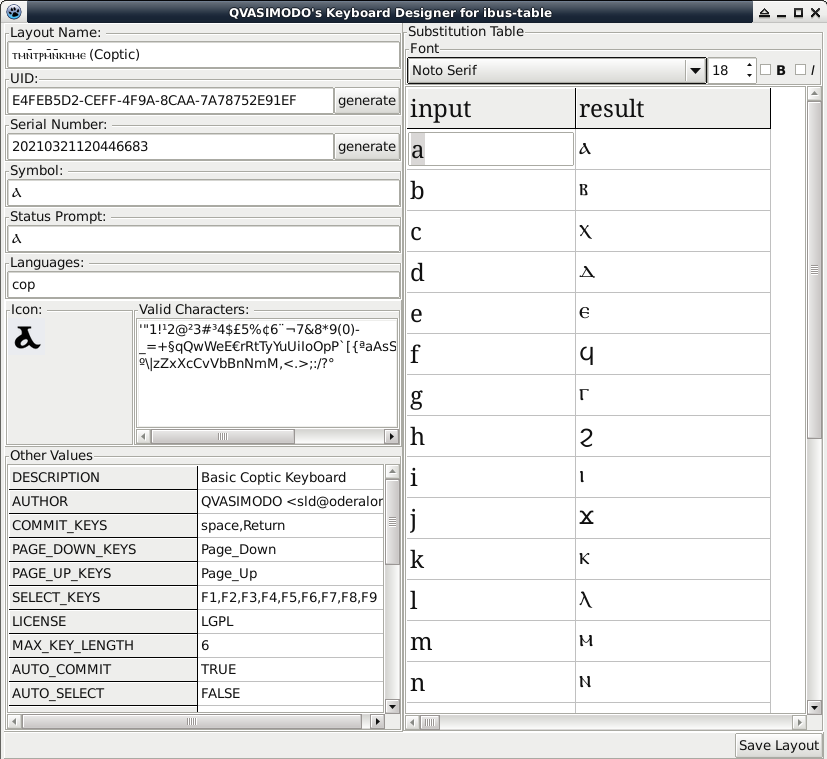 | |
| 136 | 136 | ||
| 137 | 137 | ## Incredimail to EML | |
| 138 | 138 | ||
| 139 | 139 | [Incredimail2EML](http://www.dominion-it.co.za/development/incredimal_to_eml) is a utility to convert Incredimail to EML format with attachments. The program will also try and continue converting even if it runs into a corrupt mailbox or messages. All messages are created in sub folders that represent the mailbox in Incredimail. | |
| 140 | 140 | ||
| 141 | - | ||
| 141 | + | 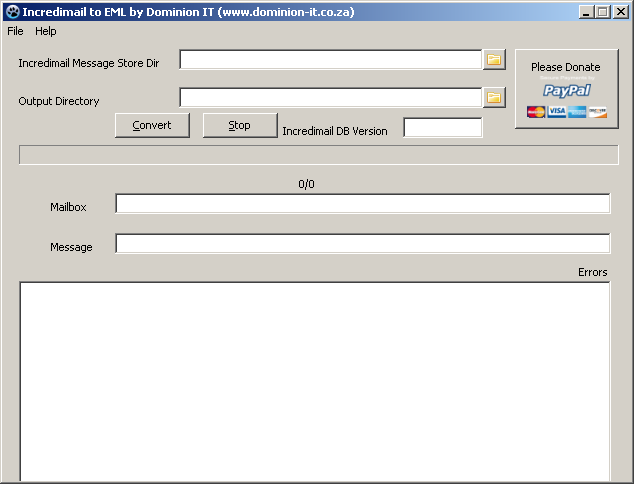 | |
| 142 | 142 | ||
| 143 | 143 | ## LazLock | |
| 144 | 144 | ||
| 145 | 145 | [LazLock](https://sourceforge.net/projects/lazlock/) Password manager is a lightweight, portable password manager for Windows & GNU/Linux that encrypts your data with 128 bit AES encryption. The Linux version is available in either GTK and Qt. LazLock also includes a password generator, which allows you to create more secure passwords, and a search function to easily navigate longer lists of entries. | |
| 146 | 146 | ||
| 147 | 147 | Online help and a tutorial [can be found here.](https://www.cpunk-security.com/lazlock2.html) | |
| 148 | 148 | ||
| 149 | - | ||
| 149 | + | 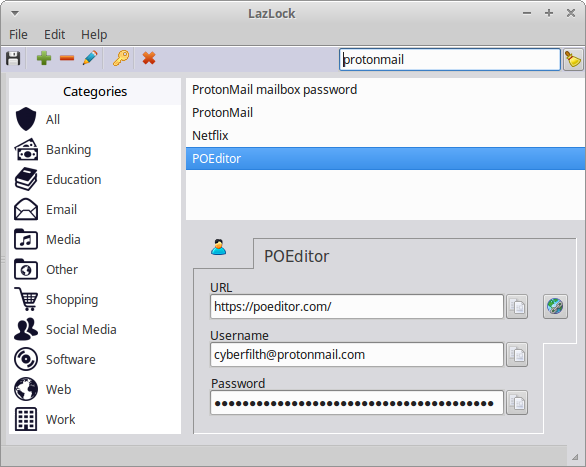 | |
| 150 | 150 | ||
| 151 | 151 | ## Linproman | |
| 152 | 152 | ||
| 153 | 153 | [Linproman](http://lafin.de/software_en.html#linproman) is a Linux process manager for desktop environments (GTK2, QT5); kind of a clone of "Process Explorer". It shows all running processes and systeminfos like cpu/gpu-utilization, memory, I/O and batteries – also as tray-icon-statistics. It also has an event-system to run scripts on certain process- or system-events. | |
| 154 | 154 | ||
| 155 | - | ||
| 155 | + | 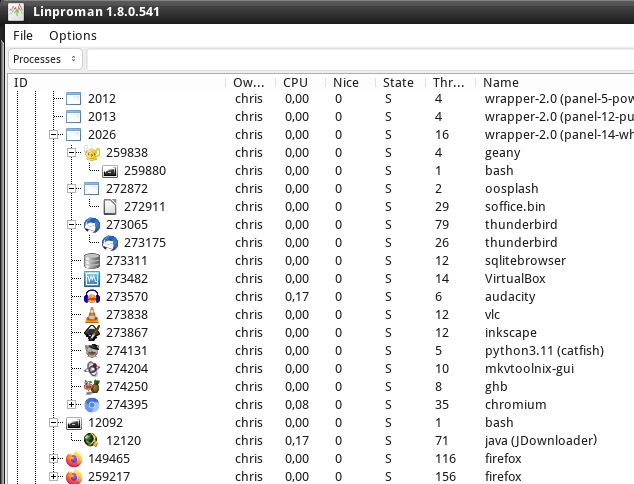 | |
| 156 | 156 | ||
| 157 | 157 | ## Lysee | |
| 158 | 158 | ||
| 159 | 159 | [Lysee](https://github.com/lysee/lysee) is a cross platform scripting language. | |
| 160 | 160 | ||
| 161 | 161 | ## MouseWiggler | |
| 162 | 162 | ||
| 163 | 163 | [MouseWiggler](https://github.com/leledumbo/mousewiggler) is a simple application to periodically send message to make mouse move to prevent screen saver from executing (could be useful in a limited environment like a computer lab with auto logoff :p). The wiggle might not be visible because I give no delay between two messages to move the mouse from its current position to somewhere else and back. | |
| 164 | 164 | ||
| 165 | 165 | ## Multi PDF Smaller | |
| 166 | 166 | ||
| 167 | 167 | [MultiPdfSmaller](https://mozturkgss.github.io/multipdfsmaller/) is a open source software for Linux and Windows. Compresses PDF files to make them smaller. Ghostscript is used in the background. | |
| 168 | 168 | ||
| 169 | - | ||
| 169 | + | 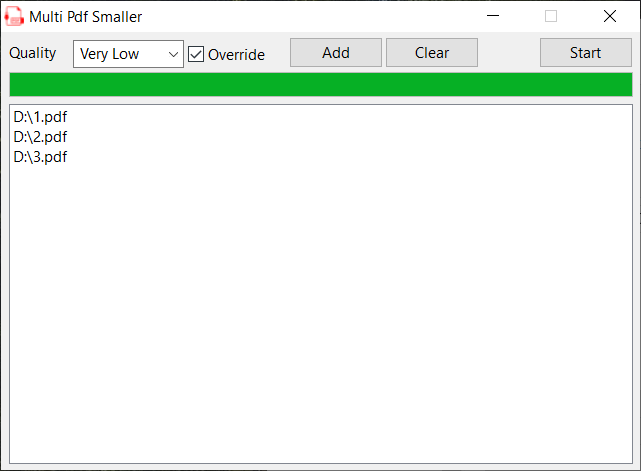 | |
| 170 | 170 | ||
| 171 | 171 | ## MyNotex | |
| 172 | 172 | ||
| 173 | 173 | [MyNotex](http://sites.google.com/site/mynotex/) is a free software for Gnu/Linux useful to take and to manage textual notes. | |
| 174 | 174 | ||
| 175 | - | ||
| 175 | + | 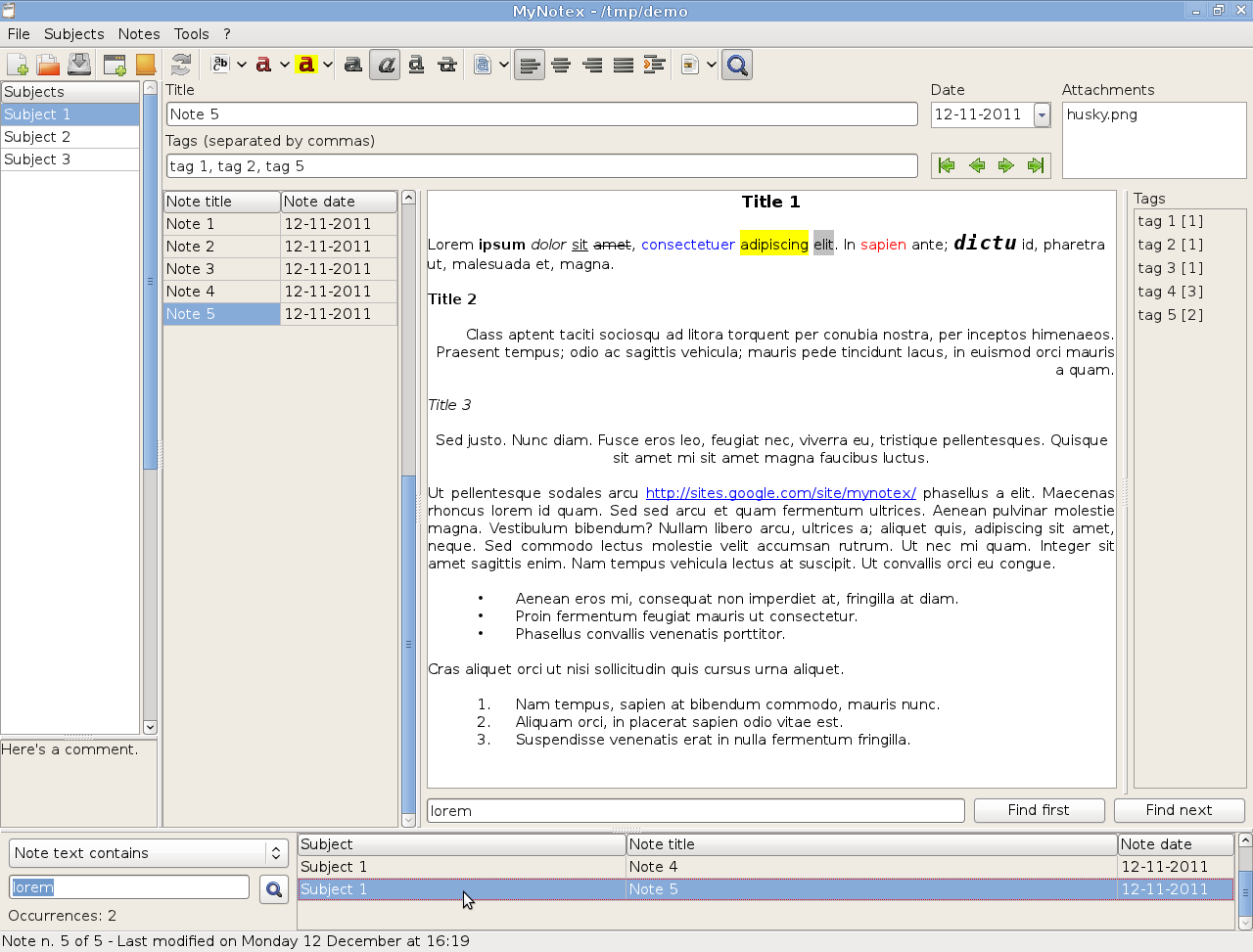 | |
| 176 | 176 | ||
| 177 | 177 | ## MZTG | |
| 178 | 178 | ||
| 179 | 179 | [MZTG](http://www.mztg.org) mztg is a wordlist generator hybrid, flexible and smart. In recent years, hearing leakage of multiple passwords. I decided to study the most common formats and develop a program that was more intelligent than a simple wordlist, faster than a brute force and more flexible than the current hybrid tools. | |
| 180 | 180 | ||
| 181 | 181 | 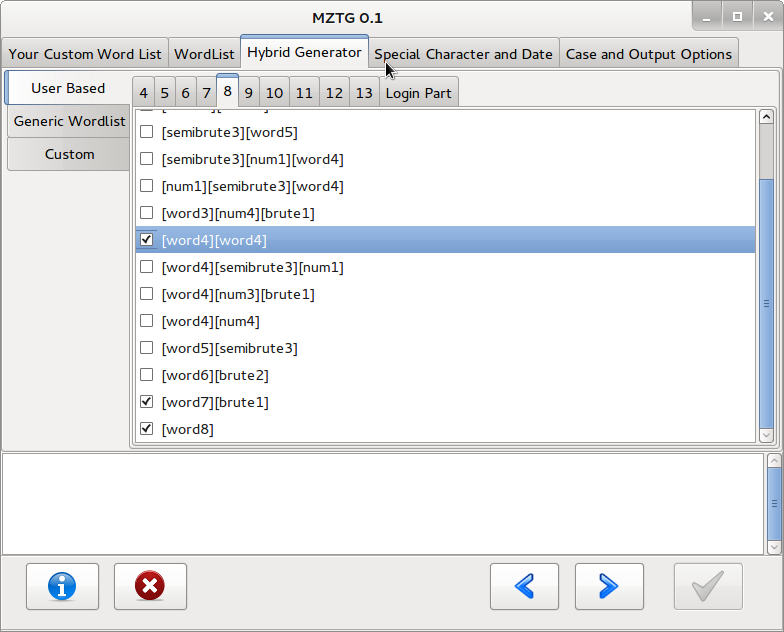 | |
| 182 | 182 | ||
| 183 | 183 | ## NetworkMAP | |
| 184 | 184 | ||
| 185 | 185 | [NetworkMAP](https://www.networkmap.cz/) is a simple tool for drawing and monitoring computer networks. It runs on Windows. Also available as a portable version. | |
| 186 | 186 | ||
| 187 | - | ||
| 187 | + | 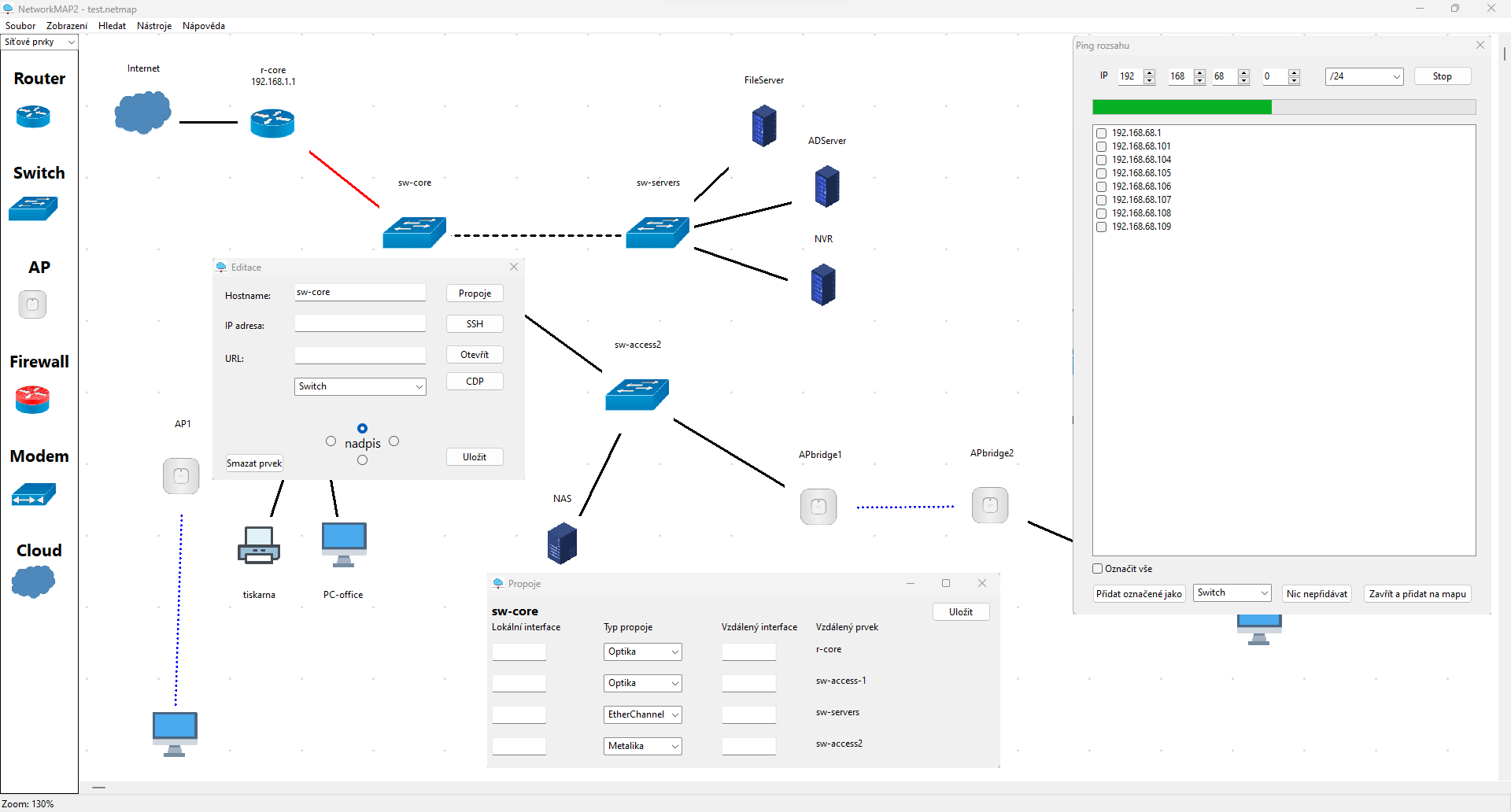 | |
| 188 | 188 | ||
| 189 | 189 | ## Nom | |
| 190 | 190 | ||
| 191 | 191 | [Nom](https://github.com/MFernstrom/nom) is an open source command tool by Marcus Fernström for [OpenBD](http://openbd.org/) CFML projects. Features: | |
| 192 | 192 | ||
| 193 | 193 | - Install CFLib UDFs | |
| 194 | 194 | - Run up the server | |
| 195 | 195 | - Create project | |
| 196 | 196 | - Show info about the current project (Only Nom info at the moment) | |
| 197 | 197 | - Download and install MXUnit | |
| 198 | 198 | - Deploy to Heroku | |
| 199 | 199 | ||
| 200 | 200 | ## PasMonTray | |
| 201 | 201 | ||
| 202 | 202 | [PasMonTray](http://pasmontray.sourceforge.net/) is an open-source CPU and memory usage monitor that sits in the system tray. Uses [[TrayIcon]] and various Win32 API calls. | |
| 203 | 203 | ||
| 204 | 204 | ## PasteQuick | |
| 205 | 205 | ||
| 206 | 206 | [PasteQuick](http://pastequick.sourceforge.net) is an open source minimal pastebin app. Use it to paste bits of text or snippets of code to Pastebin.com without having to log in to the website. Features: | |
| 207 | 207 | ||
| 208 | 208 | - Simple one-window pasting and sending | |
| 209 | 209 | - Set options like Title, Syntax, Expiration time, and Exposure | |
| 210 | 210 | - Login and paste under your Pastebin.com username, or paste as Guest | |
| 211 | 211 | ||
| 212 | - | ||
| 212 | + | 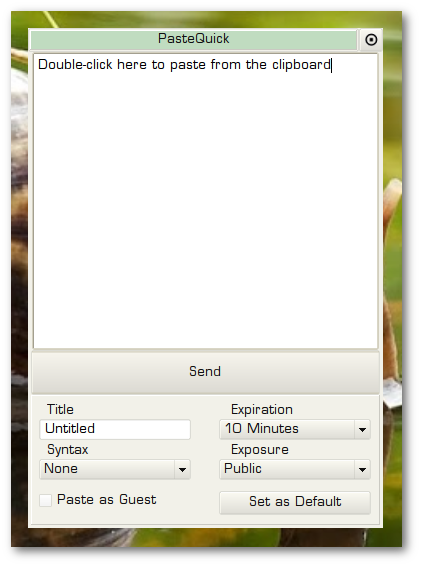 | |
| 213 | 213 | ||
| 214 | 214 | ## Path-Manager | |
| 215 | 215 | ||
| 216 | 216 | [Path-Manager](http://sourceforge.net/projects/pathtool) is a small utility application to provide users a clean interface for environment variables management. | |
| 217 | 217 | ||
| 218 | - | ||
| 218 | + | 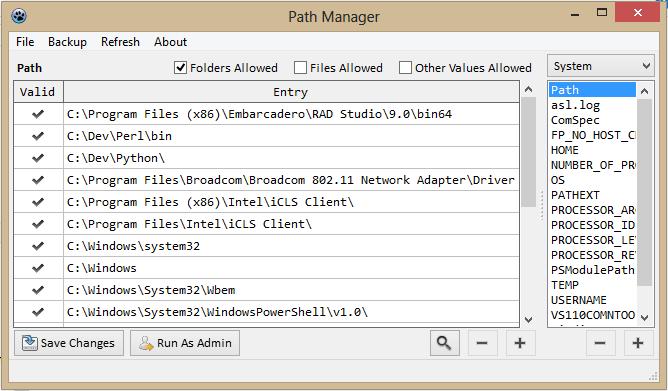 | |
| 219 | 219 | ||
| 220 | 220 | ## PeaZip | |
| 221 | 221 | ||
| 222 | 222 | [PeaZip](https://peazip.github.io/) LGPL file archiver supporting over 200 archive types including 7z, arc, brotli, bz2, gz, pea, tar, rar, zip, zipx, zpaq, and zstandard. GUI frontent and pea format backend entirely written in Lazarus / Free Pascal, available for Windows and Linux x86 and x86_64, experimental builds for BSD and Linux ARM are available. | |
| 223 | 223 | ||
| 224 | - | ||
| 224 | + | 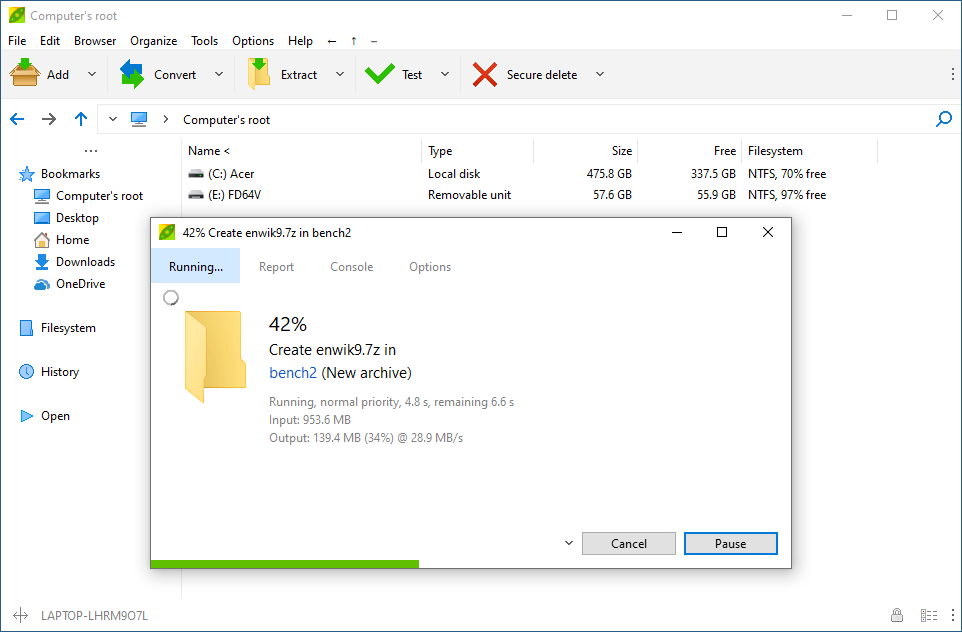 | |
| 225 | 225 | ||
| 226 | 226 | ## pyramidtiff | |
| 227 | 227 | ||
| 228 | 228 | [[pyramidtiff]] is a command line tool which takes an image file (jpg, tif, png or bmp) and creates a multi resolution tif file with tiles. Such tif files can be used by high resolution image viewers like iipimage to quickly zoom into huge images. The new tif contains the original image, the image scaled to half the width and height, the image scaled to quarter width and height and so forth. Each image is saved in tiles and compressed with the Deflate (zlib) algorithm. These are basic TIFF features, so any tiff viewer can show the image. | |
| 229 | 229 | ||
| 230 | 230 | ## recALL | |
| 231 | 231 | ||
| 232 | 232 | [recALL](http://keit.co/p/recall) is free and portable multifunctional password recovery and auditing solution for Windows - instantly finds and recovers passwords from more than 200 popular applications (FTP, E-mail clients, Instant Messengers, Browsers, etc) and recovering licenses from over 2800 programs. Entirely written in Free Pascal and Lazarus. | |
| 233 | 233 | ||
| 234 | 234 | ## Spacegetti | |
| 235 | 235 | ||
| 236 | 236 | [Spacegetti (download)](https://sourceforge.net/projects/spacegetti/files/Spacegetti_Setup126.exe/download) Grabs Web images at set intervals and changes the Windows wallpaper to Geos 16 (Earth color) and SDO (Sun) images every 10 minutes depending on what you select. Also has a built-in telescope calculator. More info at [Astronomy Forum Thread](https://www.cloudynights.com/topic/589056-i-wrote-a-free-program-that-changes-the-windows-wallpaper-to-geos-16-earth-color-and-sdo-sun-images-every-10-minutes-depending-on-what-you-select/). | |
| 237 | 237 | ||
| 238 | - | ||
| 238 | + | 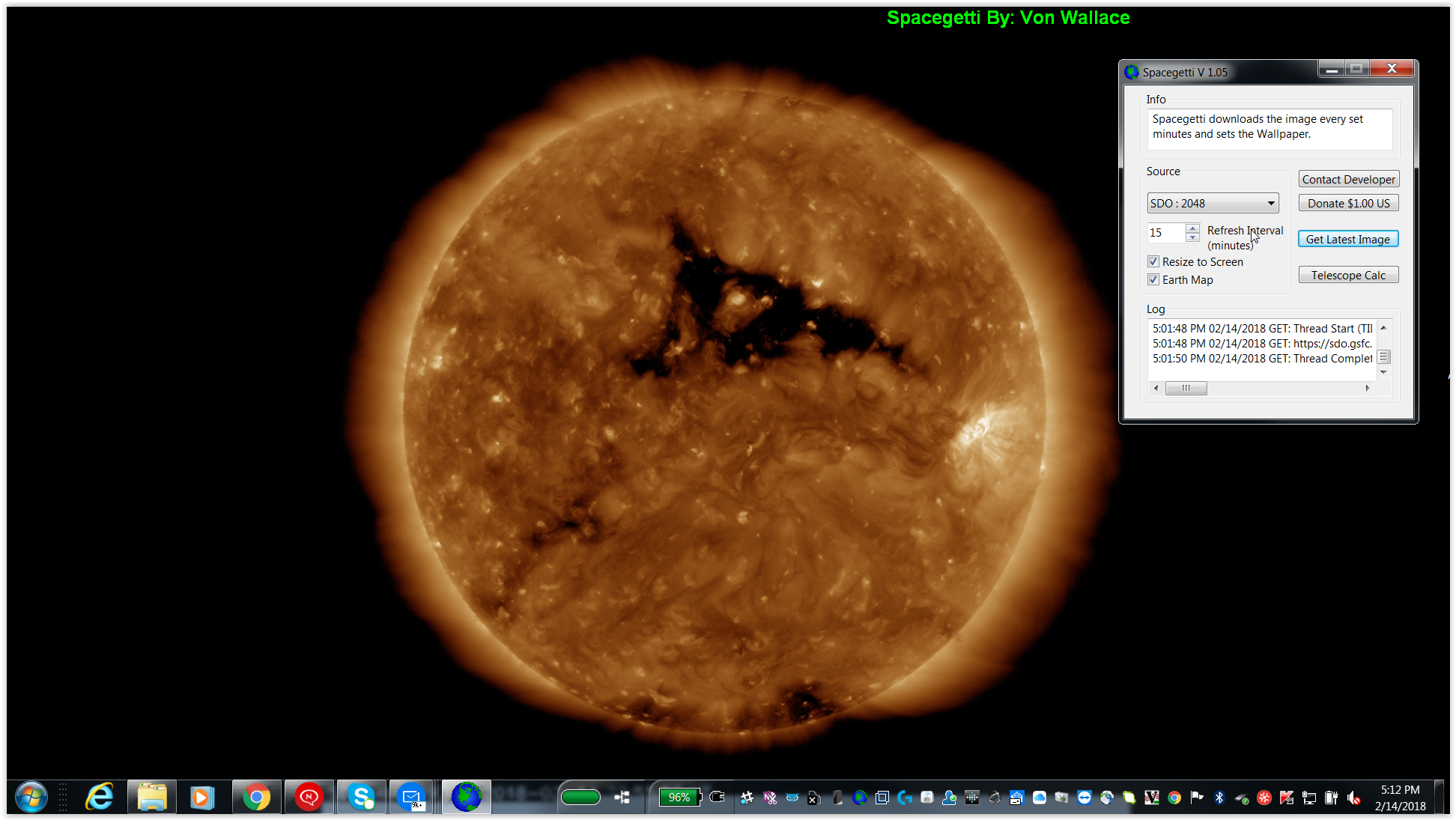 | |
| 239 | 239 | ||
| 240 | 240 | ## Tux Commander | |
| 241 | 241 | ||
| 242 | 242 | [Tux Commander](http://tuxcmd.sourceforge.net/) is a windowed file manager with 2 panels side by side similar to the popular Total Commander or Midnight Commander file managers. The main goal to create a powerful and user friendly file manager for Unix operating systems. | |
| 243 | 243 | ||
| 244 | - | ||
| 244 | + | 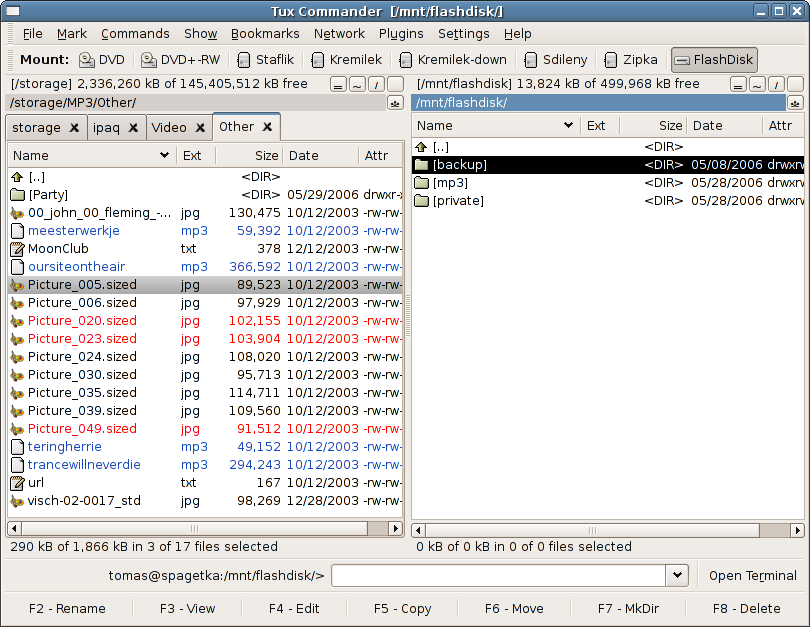 | |
| 245 | 245 | ||
| 246 | 246 | ## QueryIt | |
| 247 | 247 | ||
| 248 | 248 | [QueryIt](http://www.cnblogs.com/lazarus/articles/2072143.html) includes two functions; one is an AddressBook, another is an URL Collector. [Screen Shot-01](http://images.cnblogs.com/cnblogs_com/lazarus/303383/r_screen_01.png) [Screen Shot-02](http://images.cnblogs.com/cnblogs_com/lazarus/303383/r_screen_02.png) [Screen Shot-03](http://images.cnblogs.com/cnblogs_com/lazarus/303383/r_screen_03.png) [Screen Shot-04](http://images.cnblogs.com/cnblogs_com/lazarus/303383/r_screen_04.png) [Screen Shot-05](http://images.cnblogs.com/cnblogs_com/lazarus/303383/r_screen_05.png) [Screen Shot-06](http://images.cnblogs.com/cnblogs_com/lazarus/303383/r_screen_06.png) | |
| 249 | 249 | ||
| 250 | 250 | ## ScanTo | |
| 251 | 251 | ||
| 252 | 252 | [ScanTo](https://sourceforge.net/projects/scanto/) scans from a TWAIN device to a file (jpeg, png, bmp and other). Adds the command "Scan to ..." in the context menu Windows directory. | |
| 253 | 253 | ||
| 254 | 254 | Добавляет команду "Сканировать в ..." в контекстное меню директорий Windows. | |
| 255 | 255 | ||
| 256 | 256 | 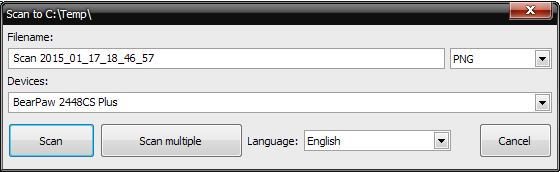 | |
| 257 | 257 | ||
| 258 | 258 | ## ScanToPrinter | |
| 259 | 259 | ||
| 260 | 260 | [ScanToPrinter](https://sourceforge.net/projects/scantoprinter/) Scan from a TWAIN device and print. Combines a scanner and printer into a photocopier. | |
| 261 | 261 | ||
| 262 | 262 | Сканировариние TWAIN-устройством и распечатка. Объединяет сканер и принтер в копировальный аппарат. | |
| 263 | 263 | ||
| 264 | 264 | 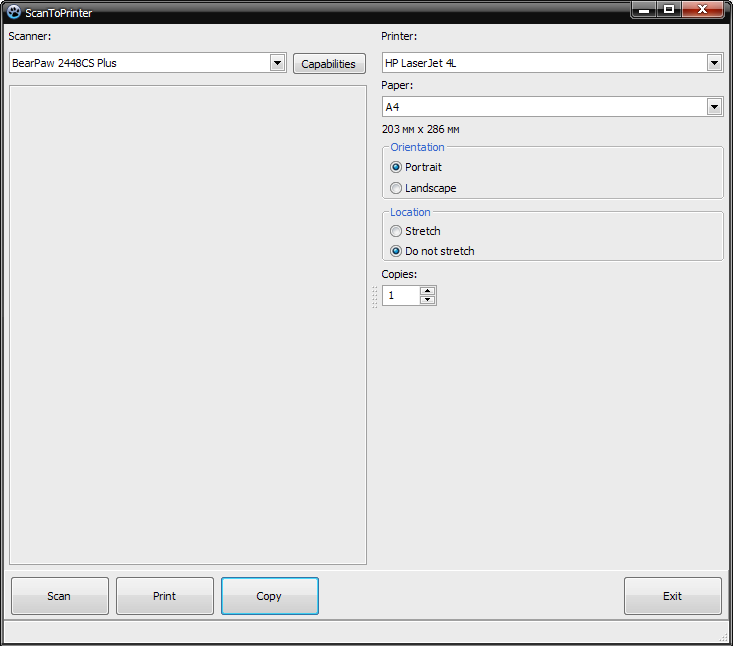 | |
| 265 | 265 | ||
| 266 | 266 | ## SFS Technology | |
| 267 | 267 | ||
| 268 | 268 | [SFS-Technology](http://code.google.com/p/sfs-technology/) solves dependency problems on a Debian/Ubuntu/Linux Tiger operating system. | |
| 269 | 269 | ||
| 270 | 270 | ## Sun Simulator | |
| 271 | 271 | ||
| 272 | 272 | The [sun simulator](http://www.benibela.de/tools_en.html#sunsimulator) changes the gamma/brightness/color setting depending on the time and date. It is supposed to synchronize the color of the display to the color of the sun light outside, but before it can do that, you have to manually set your preferred color for some fixed times (e.g. noon, dawn, night). Windows only. | |
| 273 | 273 | ||
| 274 | 274 | ## tomboy-ng notes | |
| 275 | 275 | ||
| 276 | 276 | [tonboy-ng](https://github.com/tomboy-notes/tomboy-ng) is a note taking app that works and syncronises between Linux, Windows and macOS. It will also Sync to Tomdroid on Android. It features a rich text markup, printing, spell check, backup and snapshot capability. Import and export (plain text, RFT, MarkDown). It has Tomboy's automatic linking between notes, searching abilities, NoteBooks and a similar interface. Inspired by the original Tomboy Notes but without its hard (to impossible) dependencies on GTK and Mono is a great example of just how good FPC/Lazarus really is. | |
| 277 | 277 | ||
| 278 | 278 | 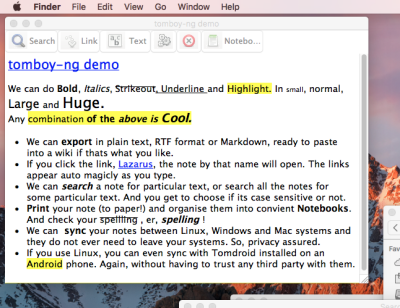 | |
| 279 | 279 | ||
| 280 | 280 | ## TRURL | |
| 281 | 281 | ||
| 282 | 282 | [[TRURL]] is a suite of desktop calculators with Reverse Polish Notation (RPN) that are based on the [[Projects using Lazarus|TRURL RPN Engine]] for Object Pascal. Calculators range from TRURL A, a very simple implementation demonstrating, how easy a calculator can be constructed with the RPN Engine, to TRURL G, a design calculator inspired by the Apollo Guidance Computer (AGC). Pre-compiled apps are available for macOS and Windows. Additionally, source code is provided for Lazarus and Free Pascal (compatible e.g. to several desktop Linux distributions). | |
| 283 | 283 | ||
| 284 | - | ||
| 284 | + | 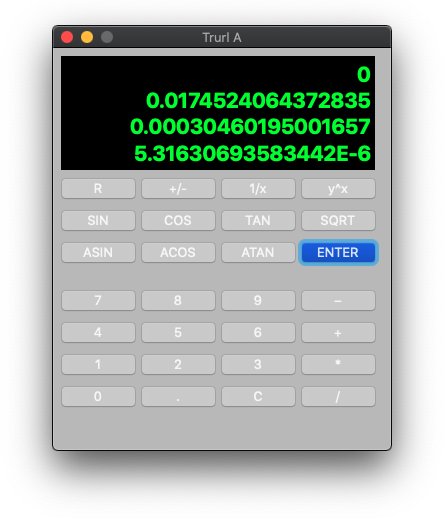 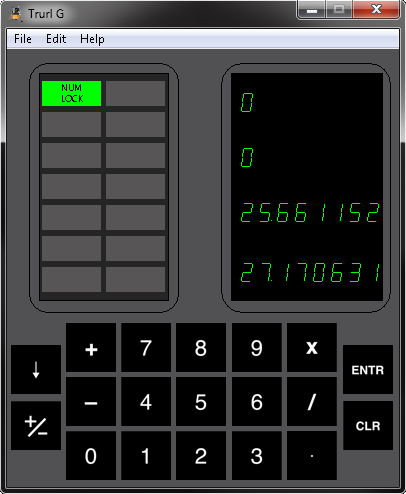 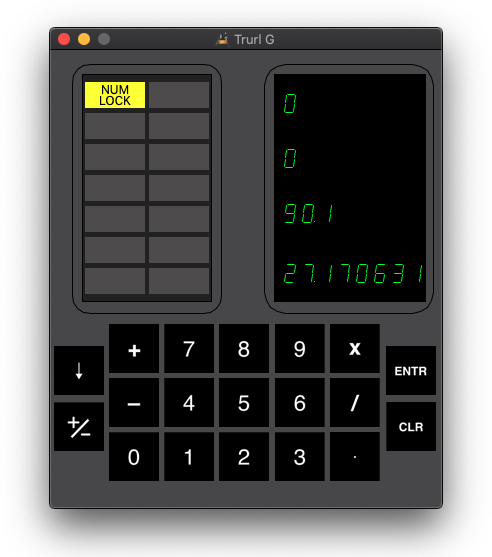 | |
| 285 | 285 | ||
| 286 | 286 | ## Virtual Magnifying Glass | |
| 287 | 287 | ||
| 288 | 288 | [Virtual Magnifying Glass](http://magnifier.sourceforge.net/) is designed for visually-impaired and others who need to magnify a part of the screen. Unlike most similar programs it does not open a separate window for the magnification but instead puts a movable magnifying glass on screen. The project was converted from Visual Studio .NET to Lazarus and now offers a Linux, macOS and Windows versions. | |
| 289 | 289 | ||
| 290 | - | ||
| 290 | + | 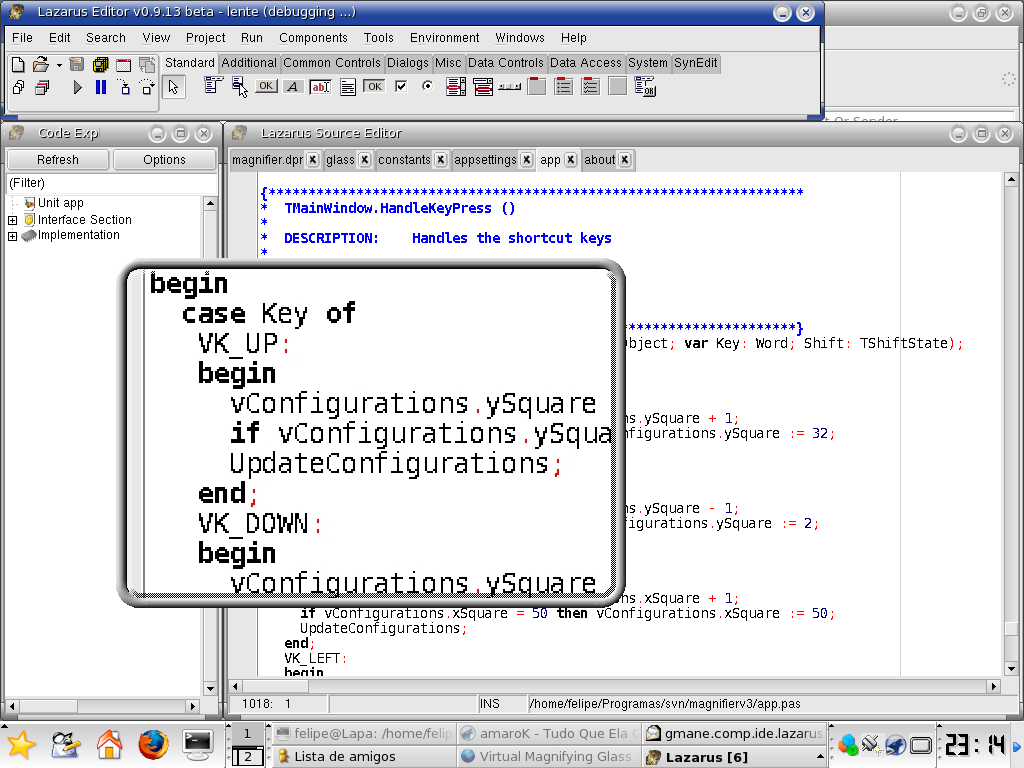 | |
| 291 | 291 | ||
| 292 | 292 | --- | |
| 293 | 293 | *From the Free Pascal wiki, page "Projects using Lazarus - User utilities", as it stood on 2024-05-15 after a change by Vonskie, out of the wiki's dump of 2024-05-26. Copyright stays with the author who wrote it, according to the old wiki's [[Licensing]] page. If you have concerns about this material, [message the admin](/wiki-contact).* | |
| 294 | 294 | Category: Lazarus | |
| 295 | 295 | Category: Promotion | |
| 296 | 296 | Category: Software created with Lazarus | |
| 297 | 297 | Category: Software written in Free Pascal |