

Mac Preferences Read and Write
(macOS only)
macOS File Storage Overview
CFPreferences
For those who want to read and write preferences for a macOS application, this can be done using the following methods:
| CODE FOR READING PREFERENCES |
|---|
  uses MacOSAll, CFPreferences;

  var
    IsValid: Boolean;  // On return indicates if key exists and has valid data
    Pref: Integer;

  procedure TForm1.FormCreate(Sender: TObject);
  begin
    try
       Pref := CFPreferencesGetAppIntegerValue(CFStr('Check1'),kCFPreferencesCurrentApplication,IsValid);
       if (Pref = 1) then
          CheckBox1.Checked := true
       else
          CheckBox1.Checked := false;

       Pref := CFPreferencesGetAppIntegerValue(CFStr('Check2'),kCFPreferencesCurrentApplication,IsValid);
       if (Pref = 1) then
          CheckBox2.Checked := true
       else
          CheckBox2.Checked := false;

       Pref := CFPreferencesGetAppIntegerValue(CFStr('Check3'),kCFPreferencesCurrentApplication,IsValid);
       if (Pref = 1) then
          CheckBox3.Checked := true
       else
          CheckBox3.Checked := false;

       Pref := CFPreferencesGetAppIntegerValue(CFStr('Check4'),kCFPreferencesCurrentApplication,IsValid);
       if (Pref = 1) then
          CheckBox4.Checked := true
       else
          CheckBox4.Checked := false;

    except
      on E : Exception do
        ShowMessage(E.ClassName+' error raised, with message : '+E.Message);
    end;
end;| CODE FOR WRITING PREFERENCES |
|---|
  uses MacOSAll, CFPreferences;

  var
    ItemName: CFStringRef;
    ItemVal: CFPropertyListRef;

  procedure TForm1.FormClose(Sender: TObject);
  begin
    try
       if (CheckBox1.Checked) then
         begin
           ItemName := CFStr('Check1');
           ItemVal := CFStringCreateWithPascalString(kCFAllocatorDefault,'1',kCFStringEncodingUTF8);
           CFPreferencesSetAppValue(ItemName,ItemVal,kCFPreferencesCurrentApplication);
         end
       else
         begin
           ItemName := CFStr('Check1');
           ItemVal := CFStringCreateWithPascalString(kCFAllocatorDefault,'0',kCFStringEncodingUTF8);
           CFPreferencesSetAppValue(ItemName,ItemVal,kCFPreferencesCurrentApplication);
         end;

       if (CheckBox2.Checked) then
         begin
           ItemName := CFStr('Check2');
           ItemVal := CFStringCreateWithPascalString(kCFAllocatorDefault,'1',kCFStringEncodingUTF8);
           CFPreferencesSetAppValue(ItemName,ItemVal,kCFPreferencesCurrentApplication);
         end
       else
         begin
           ItemName := CFStr('Check2');
           ItemVal := CFStringCreateWithPascalString(kCFAllocatorDefault,'0',kCFStringEncodingUTF8);
           CFPreferencesSetAppValue(ItemName,ItemVal,kCFPreferencesCurrentApplication);
         end;

       if (CheckBox3.Checked) then
         begin
           ItemName := CFStr('Check3');
           ItemVal := CFStringCreateWithPascalString(kCFAllocatorDefault,'1',kCFStringEncodingUTF8);
           CFPreferencesSetAppValue(ItemName,ItemVal,kCFPreferencesCurrentApplication);
         end
       else
         begin
           ItemName := CFStr('Check3');
           ItemVal := CFStringCreateWithPascalString(kCFAllocatorDefault,'0',kCFStringEncodingUTF8);
           CFPreferencesSetAppValue(ItemName,ItemVal,kCFPreferencesCurrentApplication);
         end;

       if (CheckBox4.Checked) then
         begin
           ItemName := CFStr('Check4');
           ItemVal := CFStringCreateWithPascalString(kCFAllocatorDefault,'1',kCFStringEncodingUTF8);
           CFPreferencesSetAppValue(ItemName,ItemVal,kCFPreferencesCurrentApplication);
         end
       else
         begin
           ItemName := CFStr('Check4');
           ItemVal := CFStringCreateWithPascalString(kCFAllocatorDefault,'0',kCFStringEncodingUTF8);
           CFPreferencesSetAppValue(ItemName,ItemVal,kCFPreferencesCurrentApplication);
         end;

       // write out the preference data
       CFPreferencesAppSynchronize(kCFPreferencesCurrentApplication);

     except
       on E : Exception do
         ShowMessage(E.ClassName+' error raised, with message : '+E.Message);
     end;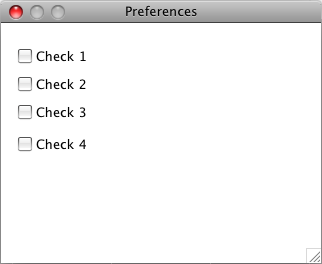
NSUserDefaults
The NSUserDefaults class, available since Mac OS X 10.0 (Cheetah), provides a programmatic interface for interacting with the defaults system which allows an application to customise its behaviour to match a user’s preferences.
Unfortunately there were serious problems with NSUserdefaults in iOS 9 and macOS 10.12 (Sierra) and 10.13 (High Sierra) which mitigate against its use. Some of the issues are mentioned in this Apple Developer Forum thread.
See also
- macOS Form Position Save and Restore - Automatic save and restore using just one line of code!
- Introduction to platform-sensitive development
- Proper macOS file locations
- macOS Programming Tips
External links
- Apple: Managing Preferences Using Core Foundation
- Apple: NSUserDefaults
- Apple: Preferences
- Apple: Preference Utilities
- Apple: Preferences and Settings Programming Guide
- Apple: Human Interface Guidelines - Preferences
From the Free Pascal wiki, page "Mac Preferences Read and Write", as it stood on 2021-12-28 after a change by Trev, out of the wiki's dump of 2024-05-26. Copyright stays with the author who wrote it, according to the old wiki's Licensing page. If you have concerns about this material, message the admin.
Edited on wiki.freepascal.org by 4 people, 2012–2021
From the official wiki's backup of 26 May 2024: who edited this page there, and when. Edits made there after that date were not recorded, and the earlier versions are not shown here; the main page says why.
| When | Who | What changed |
|---|---|---|
| Cringer000 | New Page about "Mac Preferences Read and Write". | |
| Cringer000 | Changed intro sentence wording from "this can be done by the following methods:" to "this can be done using the following methods:" | |
| Cringer000 | Moving example photo to the bottom part which is where it belonged the start with. (minor) | |
| Jwdietrich | ||
| Jwdietrich | ||
| Jwdietrich | ||
| Trev | macOS only classification; added syntax highlighting wiki markup (minor) | |
| Trev | See also: added alsos (minor) | |
| Trev | IValid -> IsValid and explained significance; reformatted code (minor) | |
| Trev | Rationalised macOS categories (minor) | |
| FTurtle | Added template, categories moved to template | |
| Trev | Fixed page link (minor) | |
| Trev | Added content from template | |
| Trev | Added External links section for Apple docs | |
| Trev | Preferences: Add code comment (minor) | |
| Trev | External links: Updated link description; fix typo (minor) | |
| Trev | CFPreferences: re-titile to add NSUserDefaults | |
| Trev | NSUserDefaults: New section | |
| Trev | External links: Add NSUserDefaults link | |
| Trev | External links: Fix typos (minor) | |
| Trev | See also: Fix broken page link (minor) | |
| Trev | See also: Add link |
Talk about this page
Nobody has opened a bench for this page yet. Sign in to open one.