

LazProfiler: what changed
Revision 0 to 1. Removed lines have a minus sign; added lines have a plus sign.
Title: LazProfiler
| Old | New | Line | |
|---|---|---|---|
| 1 | + | ## About | |
| 2 | + | ||
| 3 | + | LazProfiler is an IDE addon which adds a One-Click-Profiler to Lazarus. | |
| 4 | + | ||
| 5 | + | ### Screenshot | |
| 6 | + | ||
| 7 | + | 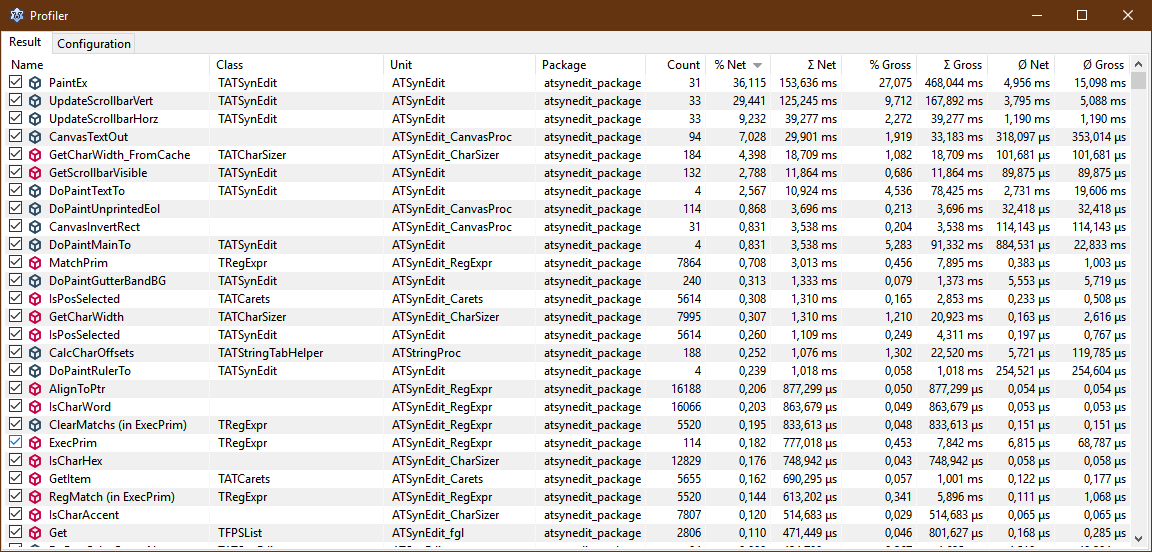\ | |
| 8 | + | \ | |
| 9 | + | 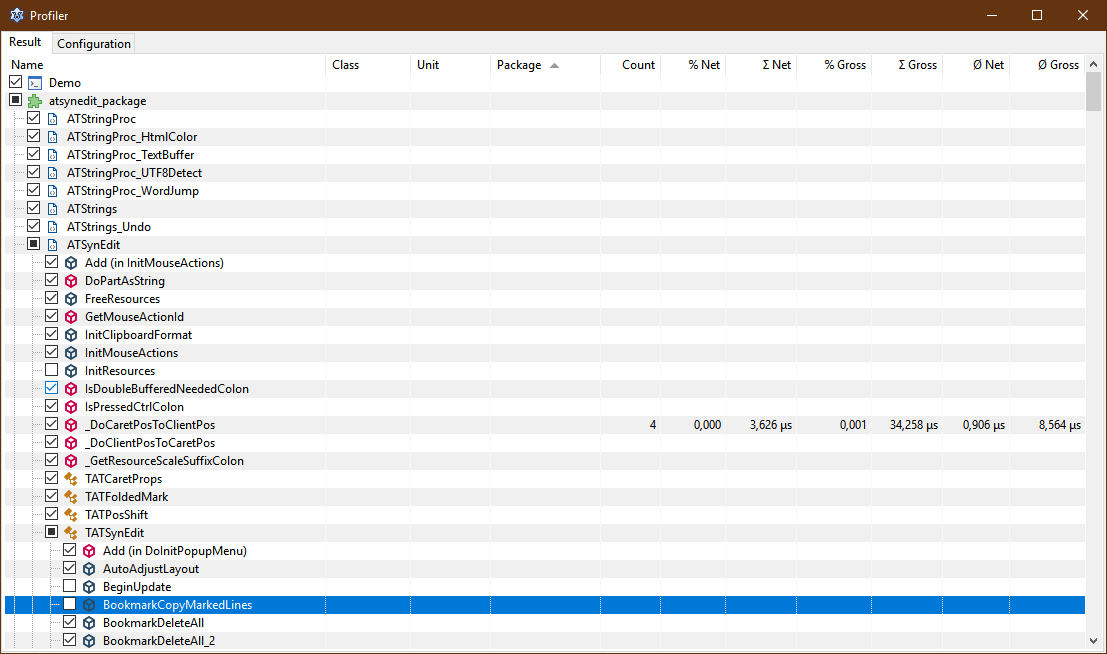 | |
| 10 | + | ||
| 11 | + | ### Download | |
| 12 | + | ||
| 13 | + | - It's available on [GitHub](https://github.com/PascalRiekenberg/LazProfiler). | |
| 14 | + | ||
| 15 | + | ### System Requirements / Dependencies | |
| 16 | + | ||
| 17 | + | - FPC trunk (needs generics and additional PascalParser funktionality) or fixes_3_2 | |
| 18 | + | - Lazarus trunk (revision 60719 and above) or fixes_2_0 | |
| 19 | + | ||
| 20 | + | ### Installation | |
| 21 | + | ||
| 22 | + | Download from [here](https://github.com/PascalRiekenberg/LazProfiler/releases) and install manually.\ | |
| 23 | + | It depends on LCLExtension and EpikTimer. | |
| 24 | + | ||
| 25 | + | ### Support page | |
| 26 | + | ||
| 27 | + | <http://forum.lazarus.freepascal.org/index.php/topic,38983.0.html> | |
| 28 | + | ||
| 29 | + | ## Using LazProfiler | |
| 30 | + | ||
| 31 | + | ### Start profiling | |
| 32 | + | ||
| 33 | + | - Open your project (if not done already) | |
| 34 | + | - Activate Profiler: | |
| 35 | + | - Open Configuration:\ | |
| 36 | + | 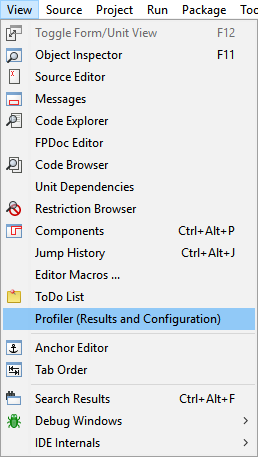 | |
| 37 | + | - Check "Activate LazProfiler":\ | |
| 38 | + | 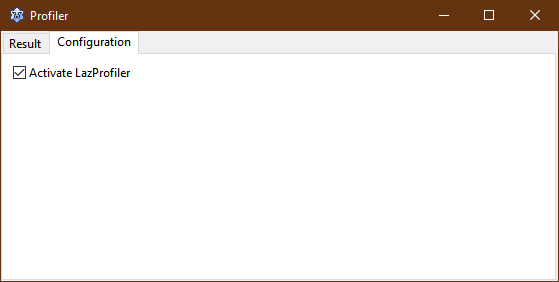 | |
| 39 | + | - Choose "Profile" from Run menu:\ | |
| 40 | + | 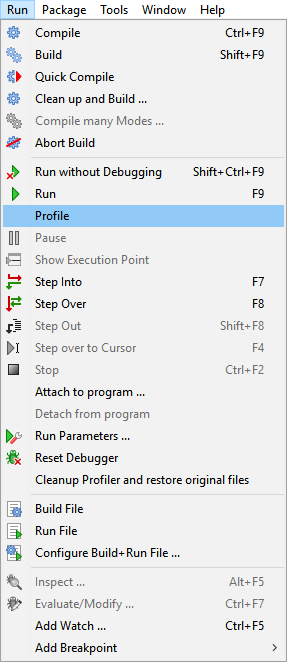 | |
| 41 | + | - Use your program | |
| 42 | + | - Close your program | |
| 43 | + | - study LazProfiler output:\ | |
| 44 | + |  | |
| 45 | + | ||
| 46 | + | ### Show output | |
| 47 | + | ||
| 48 | + | - Choose "Profiler (Results and Configuration)" from View menu:\ | |
| 49 | + |  | |
| 50 | + | ||
| 51 | + | ### Cleanup profiler | |
| 52 | + | ||
| 53 | + | In case the instrumenting of the sources produce not compileable code you can reset the profiler and tidy things up by choosing\ | |
| 54 | + | "Cleanup Profiler and restore original files" from Run menu:\ | |
| 55 | + | 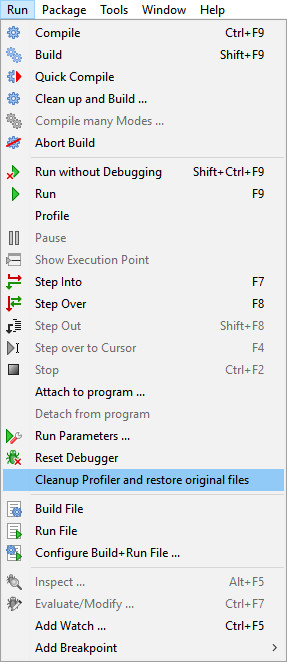 | |
| 56 | + | ||
| 57 | + | ### Influencing profiling | |
| 58 | + | ||
| 59 | + | #### Hints in source code | |
| 60 | + | ||
| 61 | + | By default the profiling automatically starts. If you just want to profile some parts of your code you can surround it by two comments:\ | |
| 62 | + | ||
| 63 | + | ``` pascal | |
| 64 | + | // start-profiler | |
| 65 | + | code_to_profile; | |
| 66 | + | // stop-profiler | |
| 67 | + | ``` | |
| 68 | + | ||
| 69 | + | #### Disable instrumenting | |
| 70 | + | ||
| 71 | + | If you want to exclude procedures/functions/classes/units/packages from beeing instrumented,\ | |
| 72 | + | just uncheck the checkbox in front of the procedure/function/class/unit/package name\ | |
| 73 | + | in the profiler output window.\ | |
| 74 | + | \ | |
| 75 | + | ||
| 76 | + | > **Note:** Packages are only visible if tree is sorted by package\ | |
| 77 | + | > Units are onyl visible if tree is sorted by package or unit.\ | |
| 78 | + | > Classes are only visible if tree is sorted by package, unit or class. | |
| 79 | + | ||
| 80 | + | ## How does it work? | |
| 81 | + | ||
| 82 | + | When profiling is started the following steps are done: | |
| 83 | + | ||
| 84 | + | - project is build to test if project is okay | |
| 85 | + | - all sources in the projects unit and include directories are backuped (except units below fpc and lazarus source directories) | |
| 86 | + | - procedures and funtions in units are instrumented with special profiling code | |
| 87 | + | - project is build with instrumented code | |
| 88 | + | - instumented sources are deleted and backups are restored | |
| 89 | + | - program is run with no debugger | |
| 90 | + | - profiling result is shown when program ends | |
| 91 | + | ||
| 92 | + | ## Known issues | |
| 93 | + | ||
| 94 | + | - Profiling does not pause counting at ShowModal, ShowMessage, ... | |
| 95 | + | ||
| 96 | + | ## Version History | |
| 97 | + | ||
| 98 | + | - 0.1.0.0 | |
| 99 | + | - Initial release | |
| 100 | + | - 0.1.1.0 | |
| 101 | + | - leaving sources instrumented if compile after instrumenting fails | |
| 102 | + | - 0.1.2.0 | |
| 103 | + | - checking if backup was successfully created before writing instrumented code to original file | |
| 104 | + | - 0.1.3.0 | |
| 105 | + | - renamed menu entries | |
| 106 | + | - include IncludePath. Patch by zamtmn. | |
| 107 | + | - minor refactoring | |
| 108 | + | - fixed recognition of declared record in procedure var section | |
| 109 | + | - fixed memory leaks | |
| 110 | + | - 0.2.0.0 | |
| 111 | + | - new Result-TreeView\ | |
| 112 | + | \- group by Unit\ | |
| 113 | + | \- group by Object | |
| 114 | + | - fixed include handling | |
| 115 | + | - last group and sort column and order is saved to settings file now | |
| 116 | + | - refactoring | |
| 117 | + | - 0.2.1.0 | |
| 118 | + | - fixed recursive directory scan | |
| 119 | + | - do not scan include path | |
| 120 | + | - ignore units belonging to packages | |
| 121 | + | - fixed memory leak | |
| 122 | + | - 0.2.2.0 | |
| 123 | + | - Update for Lazarus 2.0 | |
| 124 | + | - 0.3.0.0 | |
| 125 | + | - profiling of packages (only if outside of Lazarus source directory) | |
| 126 | + | - renamed columns "Net" -\> "Σ Net", "Gross" -\> "Σ Gross" | |
| 127 | + | - new columns: "% Net", "% Gross", "Ø Net", "Ø Gross" | |
| 128 | + | - fixed parsing of operator functions | |
| 129 | + | - fixed parsing of "START-PROFILER" and "STOP-PROFILER" if inside un-instrumented procedure/function | |
| 130 | + | - Activation of LazProfiler (default is inactive) | |
| 131 | + | ||
| 132 | + | --- | |
| 133 | + | *From the Free Pascal wiki, page "LazProfiler", as it stood on 2019-10-10 after a change by PascalR, out of the wiki's dump of 2024-05-26. Copyright stays with the author who wrote it, according to the old wiki's [[Licensing]] page. If you have concerns about this material, [message the admin](/wiki-contact).* | |
| 134 | + | Category: Debugging | |
| 135 | + | Category: Profiling |