

GLScene/ko: what changed
Revision 0 to 1. Removed lines have a minus sign; added lines have a plus sign.
Title: GLScene/ko
| Old | New | Line | |
|---|---|---|---|
| 1 | + | ### GLScene에 대하여 | |
| 2 | + | ||
| 3 | + | GLScene는에 기반한 3D 라이브러리이다. 초기에는 델파이용으로 작성 되었으나 이제 C++ Builder, Kylix, Delphi 밍 Lazarus에서 돌아간다. | |
| 4 | + | ||
| 5 | + | 주요한 특징들은 : | |
| 6 | + | ||
| 7 | + | 장면(scene) 설명 | |
| 8 | + | ||
| 9 | + | - 메모리가 허용하는 한 많은 객체를 가지고 쉽게 확장할 수 있는 계층적인 객체구조 | |
| 10 | + | - 대화형 장면 관리(많은 델파이 전문가) | |
| 11 | + | - 각 객체에 대해 회전과 이동 함수를 쉽게 사용가능 | |
| 12 | + | - 사전 정의된 객체(큐브에서 주전자, 스프라이트 까지 모두 표준), 쉽게 확장할 수 있는 | |
| 13 | + | - 복잡한 객체를 관리하기 위한 구조적인 객체(더비 큐브, 프록시 객체) | |
| 14 | + | - 절차적인 객체(어떤 곳에서도 사용가능한 카메라와 라이트 객체 | |
| 15 | + | - 행동(behavoior) 객체는 애니메이션을위한 객체에 부착할 수 있으면 쉽게 확장가능하다. | |
| 16 | + | - 객체 각각에 특수 효과(객체 렌저링 전/후와 장면 후 효과) 부여가능하고 *확장가능 | |
| 17 | + | - 파티클(particle) 시스템heightfield, 회전 솔리드, 파이프, tesselators...) | |
| 18 | + | - 완전히 통합된 2D와 1D 객체 지원(스프라이트, 스플라인을 지원하는 선) | |
| 19 | + | - HUD 객체(2D 좌표계에서 렌더링 된 스프라이트) | |
| 20 | + | - 유틸리티 객체(그리드, 스카이돔, 화살표...) | |
| 21 | + | - 직접 OpenGL에 접근 가능한 클래스 지원 | |
| 22 | + | - 장면객체 계층이 있는 지원, 어떤 객체들이나 객체 구조라도 입자화 될 수 있다. | |
| 23 | + | - 3D Studio 파일 포맷을 자동으로 정밀한 노멀 벡터 계산으로 임포트 할 수 있고(*파일의 smoothing 그룹을 이용하여) 택스쳐 좌표를 임포트할 수 있다 | |
| 24 | + | - 다른 포맷도 임포트 : OBJ/OBJF, SMD, MD2, STL, TIN, PLY | |
| 25 | + | ||
| 26 | + | 재질(Material) | |
| 27 | + | ||
| 28 | + | - 재질 객체를 사용하고 최적화하기 쉽다. | |
| 29 | + | - 공유하고 재질을 재 사용할 수 있는 material 라이브러리 | |
| 30 | + | - ambient, diffuse, emission, specular 및 shininess 지원 | |
| 31 | + | - 블렌딩 모드 지원 (transparency, additive...) | |
| 32 | + | - 알파채널 자동 생성 | |
| 33 | + | - OpenGL 텍스쳐 포맷 지원, 압축된 것도 (DXT, S3TC 등등.) | |
| 34 | + | - generic plug-in shaders 지원 | |
| 35 | + | - 고수준의 Cg 세이더 지원 클래스 | |
| 36 | + | - 텍스쳐를 위한 다형 이미지 지원 (절차적인 텍스쳐 뿐만 아니라 많은 포맷 지원), 쉽게 확장 가능 | |
| 37 | + | - clrCornflowerBlue 또는 clrCoolCopper 같은 150개 이상의 사전 정의된 색상 *표준 색상과 직접적인 RGBA 멩세 뿐아니라 | |
| 38 | + | - 텍스쳐 좌표에 독립적으로 텍스쳐 이동과 스케일링 성질을 사용하기 쉽다. | |
| 39 | + | - 32 비트 Bitmap 지원 클래스 | |
| 40 | + | ||
| 41 | + | 렌더링 | |
| 42 | + | ||
| 43 | + | - 가능하다면 하드웨어 OpenGL 드라이버를 자동적으로 사용 | |
| 44 | + | - 촛점거리와 타게팅을 사용한 잘 동작하는 카메라 모델 | |
| 45 | + | - 한개 이상의 장면을 위한 다중 뷰어, 카메라 선택을 통해 쉽개 뷰를 바꿀 수 있다. | |
| 46 | + | - fog와 depth-of-view 지원 | |
| 47 | + | - 파일, 비트맵에 렌더링 하거나 어떤 색상과 픽셀 해상도로 프린터에 렌더링 가능 | |
| 48 | + | - 동적인 해상도 변화화 함께 풀 스크린 지원 | |
| 49 | + | - 반사와 미러 효과 | |
| 50 | + | - 동적 새도우 캐스팅 | |
| 51 | + | - 고성능의 장면 전체에 걸친 투명 입자 시스템 지원 | |
| 52 | + | - 자동 frustrum culling (계층적으로 또는 객체 마다) | |
| 53 | + | ||
| 54 | + | 애니메이션 | |
| 55 | + | ||
| 56 | + | - 시간 진행 사건에 따른 증식(propagation) | |
| 57 | + | - 골격 애니메이션 (버텍스당 다중 골격) | |
| 58 | + | - 프레임 내삽(interpolation) 과 모프 타겟 | |
| 59 | + | - 쉽게 확장가능한 Behaviours | |
| 60 | + | - 동적 물리학 : inertia, acceleration, damping 및 force application | |
| 61 | + | - 자동 실시간 장면 cadenceing | |
| 62 | + | ||
| 63 | + | 인터페이스 | |
| 64 | + | ||
| 65 | + | - 선택된 객체를 결정하는 사용하기 쉬운 함수 | |
| 66 | + | - 카메라 이동을 도와주는 도움 함수 | |
| 67 | + | - 지정한 객체의 이동을 위한 도움 함수 | |
| 68 | + | - 장면과 월드 좌표게, raycasting 간 전환을 위한 도움 함수 | |
| 69 | + | ||
| 70 | + | 유티리티 | |
| 71 | + | ||
| 72 | + | - 최적화 된 geometry 함수와 유틸리티 (vector, quaternion 및 matrix...) | |
| 73 | + | - 큐빅 스플라인 지원함수와 클래스 | |
| 74 | + | - 메쉬 조작 및 최적화 (stripification, vertex-cache awareness, 등등.) | |
| 75 | + | - 몇번의 클릭으로 환전히 동작하는 스크린 세이버를 만들수 있는 컴포넌트 | |
| 76 | + | - 정확한 프레임 스피트 지정 | |
| 77 | + | - 비동기 타이머(멀티-쓰레드) | |
| 78 | + | - 조이스틱 지원 | |
| 79 | + | - 비동기 키보드 접근, 키맵 지원 | |
| 80 | + | ||
| 81 | + | ### 스크린 샷 | |
| 82 | + | ||
| 83 | + | 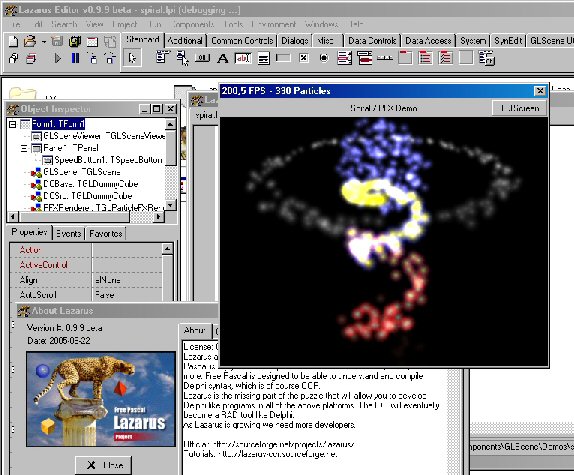 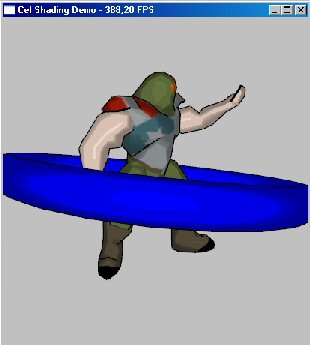 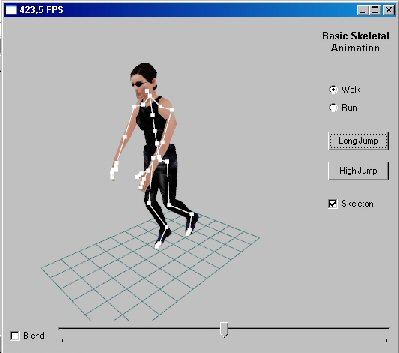\ | |
| 84 | + | 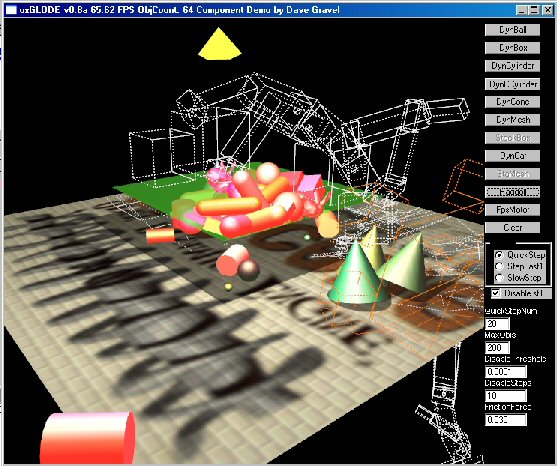 | |
| 85 | + | ||
| 86 | + | ### 저자 | |
| 87 | + | ||
| 88 | + | 저자: Mike Lischke가 처음 시작했고\ | |
| 89 | + | 지금은 Eric Grange가 유지하는 중\ | |
| 90 | + | LCL Port: Christian Ulrich | |
| 91 | + | ||
| 92 | + | ### 다운로드 | |
| 93 | + | ||
| 94 | + | #### 최신(v1.0.0.2) | |
| 95 | + | ||
| 96 | + | - 새로운 스냅샷이 배포된 것은 [라자루스 CCR Files 페이지](http://sourceforge.net/project/showfiles.php?group_id=92177&package_id=185641)에서 찾을 수 있다. | |
| 97 | + | ||
| 98 | + | 이것은 기능과 버그픽스의 측면에서 오늘날의 오리지널 cvs 저장소와 동일하다, 그러지만 몇몇 부분은 누락이 되어있다. 누군가 새로이 만들지 않는다면, 이 새로로운 배포판에는 "Lazarus-with-GLScene-Installer"는 없다. --Crossbuilder 20:16, 18 July 2007 (CEST) | |
| 99 | + | ||
| 100 | + | #### 지난 것 | |
| 101 | + | ||
| 102 | + | 지난 배포판은 (버전 0.9.1.6)은 [라자루스 CCR Files 페이지](http://sourceforge.net/project/showfiles.php?group_id=92177&package_id=98986&release_id=364007)에서 이미 라자루스 IDE 와 GLScene 데모가 GLScene과 함께 라자루스 인스톨러가 함께 포함된 것을 찾을 수 있을 것이다. UPDATE: 이것은 이미 꽤 오래 된 것이다. 가능하다면 svn 체크아웃을 사용하라(아래를 보세요) | |
| 103 | + | ||
| 104 | + | ### SVN | |
| 105 | + | ||
| 106 | + | 실제 소스를\ | |
| 107 | + | <http://svn.freepascal.org/svn/fpcprojects/glscene/trunk/>\ | |
| 108 | + | 에서 체크할 수 있다. | |
| 109 | + | ||
| 110 | + | 명령어는:\ | |
| 111 | + | ||
| 112 | + | svn co http://svn.freepascal.org/svn/fpcprojects/glscene/trunk glscene | |
| 113 | + | ||
| 114 | + | 이다. | |
| 115 | + | ||
| 116 | + | 이것은 주 저장된 것을 명령에서 지시하는 "glscene" 디렉토리에 저장할 것이다. 윈도우에서 tortoise SVN이나 다른 것과 같이 클라이언트를 사용할 수 있다. | |
| 117 | + | ||
| 118 | + | ### 버그 리포팅 | |
| 119 | + | ||
| 120 | + | [Bug Reporting/Featurerequest](http://www.freepascal.org/mantis/) "Packages" 프로젝트를 선택하고 리포트를 위해 "glscene"을 구분하세요. 감사합니다. | |
| 121 | + | ||
| 122 | + | ### Change Log | |
| 123 | + | ||
| 124 | + | - 18.07.2007 Snapshot release version 1.0.0.2 | |
| 125 | + | - adjusted some things, so it works with latest lazarus svn version | |
| 126 | + | - added object bitmaps for the SceneEditor | |
| 127 | + | - fixed another AV in SceneEditor | |
| 128 | + | - incorporated all patches and bugfixes from original glscene cvs repo like dynamic textures .. | |
| 129 | + | - 13.06.2007 Snapshot release version 1.0.0.1 | |
| 130 | + | - incorporated all patches and bugfixes from original glscene cvs repo | |
| 131 | + | - improved scene editor (crashes less, but still needs some love)\ | |
| 132 | + | **Tip:** Save your project frequently ;-) | |
| 133 | + | - seperated mmsystem dependent stuff from generic sound support so e.g. FMOD is available in linux, too | |
| 134 | + | - many more .. | |
| 135 | + | - 01.12.06 Added support for ODE, gtk2 and Cg shaders in Linux (ODE is limited to normal release, unsupported are cone, ccylinder and terrains) | |
| 136 | + | - 10.08.05 Too many changes to post here see cvs history | |
| 137 | + | - 16.07.05 GLScene 0.9.X Port | |
| 138 | + | - look at GLScene Sourceforge Account for complete Changelog | |
| 139 | + | ||
| 140 | + | Status: Beta | |
| 141 | + | ||
| 142 | + | ### 설치 버전 1.0.0.2 | |
| 143 | + | ||
| 144 | + | **fpc 2.1.4 또는 그 이상 버전과, 라자루스 0.9.23 rev. 11384 이상의 버전이 필요하다!!**' | |
| 145 | + | ||
| 146 | + | - **소스 풀기** | |
| 147 | + | - ZIP: | |
| 148 | + | - "lazarus/components/" 폴더에서 "unzip glscene-1.0.0.2.zip"을 실행한다\ | |
| 149 | + | 이렇게 하면 lazarus/components/glscene/ 폴더를 만들 것이다. | |
| 150 | + | - SVN: | |
| 151 | + | - "lazarus/components/" 폴더에서 | |
| 152 | + | svn co http://svn.freepascal.org/svn/fpcprojects/glscene/trunk glscene | |
| 153 | + | ||
| 154 | + | 를 실행한다. 이것은 lazarus/componets/glscene/ 폴더를 만들 것이다. | |
| 155 | + | - Tortoise SVN: "glscene" 폴더를 직접 추가하면 lazarus/components/glscene이 생긴다. 새로운 폴더위에서 오른쪽 마우스를 클릭해서 "SVN Checkout..."을 선택한다. "URL of repository" 필드에서 | |
| 156 | + | http://svn.freepascal.org/svn/fpcprojects/glscene/trunk | |
| 157 | + | ||
| 158 | + | 를 추가하고 "OK"를 선택하라. | |
| 159 | + | ||
| 160 | + | - **설치 종료하기:** | |
| 161 | + | - "lazarus/components/glscene/globallinks/*.lpl"을 "lazarus/packager/globallinks/"을 복사하라. | |
| 162 | + | - 라자루스 시작 | |
| 163 | + | - "Components" 메뉴에서 "Configure installed packages ..." 선택하라 | |
| 164 | + | - "Available packages" 리스트에서 "glscenelazarus" 선택 | |
| 165 | + | - "Install selection" 버튼 클릭 | |
| 166 | + | - "Save and rebuild IDE" 버튼 클릭 | |
| 167 | + | - 주의: "jpegforlazarus" 패키지가 없다는 에러가 있을 수 있다. 그때는 다음과 같이 : | |
| 168 | + | - Components --\> Open loaded package... | |
| 169 | + | - "glscenelazarus" (Version 1.0.0.3) 선택하고 "Open..." 클릭 | |
| 170 | + | - 다음 리스트에서 "Required Packages"로 내려가서 "jpegfromlazarus"의 종속성을 제거 | |
| 171 | + | - /lazarus/components/glscene/Source/base 폴더에서 "jpeg" 유닛을 찾아 (사용중인 문장에서)"LazJPEG"를 찾아 "LazJPG"(ImagesForLazarus 패키지에 있는)로 교체한다. | |
| 172 | + | - 저장하고 마지막 네단계를 다시 반복한다. | |
| 173 | + | - 힌트: "ImagesForLazarus" 패키지를 설치했어야 한다("glscenelazarus" 패키지에서 설명한 것과 같은 방법). | |
| 174 | + | - 사용하려는 다른 패키지에 대해서도 마지막 4 스텝을 반복하라. | |
| 175 | + | - Note: glsceneode 과 glscenecgshade는 설치 도중 시스템에 각각의 해당하는 libs가 필요하다! | |
| 176 | + | - **Note:** 모든 패키지를 한번에 선택하고 설치할 수 있다. 그러나 단계적으로 하는 것을 좋아한다 하지만 실패한다면 어디에서 실피한지 알 수 있게 된다;) | |
| 177 | + | - **"glscenelazarus" 설치 - 실수:**(glscene-1.0.0.2.zip을 사용할 때만 필요하다, svn에서는 이미 픽스되어 있다) | |
| 178 | + | - GLLCLViewer 유닛을 수정하기 위해서는: procedure TGLSceneViewer.CreateParams(var Params: TCreateParams); - procedure TGLSceneViewerLCL.CreateParams(var Params: TCreateParams); 에서 | |
| 179 | + | - GLLCLViewer 유닛을 수정하기 위해서는: procedure TGLSceneViewer.EraseBackground(DC: HDC); - procedure TGLSceneViewerLCL.EraseBackground(DC: HDC); 에서 | |
| 180 | + | - GLLCLFullscreenViewer 유닛을 수정하기 위해서는: "RegisterClasses(\[TGLSceneViewer, TGLFullScreenViewer\]);"을 "RegisterClasses(\[TGLFullScreenViewer\]);"로 수정한다. | |
| 181 | + | ||
| 182 | + | - **패키지 리스트:** | |
| 183 | + | - **glscenelazarus** 메인 패키지. | |
| 184 | + | - **glscenecgshader** Cg 셰이더 컴포넌트 | |
| 185 | + | - **glsceneode** ODE 컴포넌트 | |
| 186 | + | - **glss_fmodlaz** FMOD 컴포넌트 | |
| 187 | + | - **gls_winonly** 윈도우즈만 해당, mmsystem을 넘어서는 사운드지원, BASS 지원 및 GLScreenSaver 컴포넌트를 포함한다. | |
| 188 | + | ||
| 189 | + | - **컴파일 "데모" - 실수:** | |
| 190 | + | - TGLSceneViewer 클래스가 없다면: uses (데모)를 수정하려면: GLLCLViewer - GLViewer에 있는 | |
| 191 | + | ||
| 192 | + | ### Installation version 0.9.6.1 | |
| 193 | + | ||
| 194 | + | - Create the directory lazarus\components\GLScene | |
| 195 | + | - On this directory, unzip the files from the zip file | |
| 196 | + | - Open lazarus | |
| 197 | + | - Open the package glscenelazarus.lpk with Component/Open package file (.lpk) from lazarus\components\glscene\Lazarus | |
| 198 | + | - (Click on Compile is only necessary, if you don't want to install the component into the IDE) | |
| 199 | + | - Click on Install | |
| 200 | + | - Repeat these steps (open .lpk, click install) for the other packages you want to use. Note: these additional packages need additional libs (fmod, ode, Cg). | |
| 201 | + | - glscenecgshader.lpk : Cg shaders (only with NVidia cards?) | |
| 202 | + | - glsceneode.lpk : support for ode lib | |
| 203 | + | - glsss_fmodlaz.lpk : support for fmod lib | |
| 204 | + | - gls_winonly.lpk : this can be installed on windows only. Contains screensaver stuff as well as support for BASS lib. | |
| 205 | + | ||
| 206 | + | Hint: sometimes an Error "GLGraphics not found" occurs. Don't worry, just do Tools-\>Build Lazarus again and it should be ok. | |
| 207 | + | ||
| 208 | + | A full install of Lazarus with GLScene already in the IDE is available as [binary win32 release](http://sourceforge.net/project/showfiles.php?group_id=92177&package_id=185641&release_id=405739) or [<http://www.skinhat.com/lazarus>](http://www.skinhat.com/lazarus) | |
| 209 | + | ||
| 210 | + | Just a warning for (new) Linux users: GLScene in its current state is not working "out of the box" (lots of modifications/additions needed). UPDATE: this is not true anymore. glscene for lazarus is pretty up-to-date and most things work good right out of the box for windows as well as for linux. | |
| 211 | + | ||
| 212 | + | As of latest trunk version (see svn above) the linux version is working well. Some demos (about 20%) are still broken but the majority of glscene is now working. We're also moving towards making it work in other Unix platforms like FreeBSD. | |
| 213 | + | ||
| 214 | + | The missing/nonworking parts on non-windows are: glKeyboard (uses winapi, but is not required mostly), glSound(which uses mm, we need to use openal or somesuch) | |
| 215 | + | ||
| 216 | + | A [[Lazarus- Game Developers Edition|fully featured windows installer]] is planned. | |
| 217 | + | ||
| 218 | + | ### 도움 | |
| 219 | + | ||
| 220 | + | - [메인 GLScene 페이지](http://www.glscene.org)에서 찾을 수 있다. | |
| 221 | + | - freenode.net에 있는 \#glscene channel과 조인해라 | |
| 222 | + | ||
| 223 | + | --- | |
| 224 | + | *From the Free Pascal wiki, page "GLScene/ko", as it stood on 2009-06-30 after a change by Heennavi, out of the wiki's dump of 2024-05-26. Copyright stays with the author who wrote it, according to the old wiki's [[Licensing]] page. If you have concerns about this material, [message the admin](/wiki-contact).* |