

GLScene/ja: what changed
Revision 2 to 3. Removed lines have a minus sign; added lines have a plus sign.
| Old | New | Line | |
|---|---|---|---|
| 1 | - | ||
| 2 | - | ||
| 3 | - | ||
| 4 | - | ||
| 5 | - | ||
| 6 | - | ||
| 7 | - | ||
| 8 | - | ||
| 9 | - | ||
| 10 | - | ||
| 11 | - | ||
| 12 | - | ||
| 13 | - | ||
| 14 | - | ||
| 15 | - | ||
| 16 | - | ||
| 17 | - | ||
| 18 | 1 | ### About | |
| 19 | 2 | ||
| 20 | - | ||
| 21 | - | ||
| 22 | - | ||
| 3 | + | GLSceneはOpenGLベースの3Dライブラリです。最初はDelphi向けに書かれましたが、現在はC++Builder,Kylix,Delphi,そしてLazarusで動作します。 | |
| 23 | 4 | ||
| 24 | - | ||
| 5 | + | 主な特徴 : | |
| 25 | 6 | ||
| 26 | - | ||
| 27 | - | ||
| 28 | - | ||
| 29 | - | ||
| 30 | - | ||
| 31 | - | ||
| 32 | - | ||
| 33 | - | ||
| 34 | - | ||
| 35 | - | ||
| 36 | - | ||
| 37 | - | ||
| 38 | - | ||
| 39 | - | ||
| 40 | - | ||
| 41 | - | ||
| 7 | + | シーンの記述 | |
| 42 | 8 | ||
| 43 | - | ||
| 9 | + | - 階層的なオブジェクト構造。メモリが許す限り拡張が可能です。 | |
| 10 | + | - インタラクティブなシーン管理。(numerous Delphi experts) | |
| 11 | + | - それぞれのオブジェクトごとに回転や移動が簡単な関数 | |
| 12 | + | - 簡単に拡張可能な定義済みオブジェクト(all standards from cube to teapot to sprite) | |
| 13 | + | - コンポジットオブジェクトを管理するための構造化オブジェクト(dummy cube, proxy object) | |
| 14 | + | - プロシージャなオブジェクト(heightfield, revolution solids, pipes, tesselators...) | |
| 15 | + | - 2次元、1次元オブジェクトの統合化されたサポート(sprites, lines with spline support) fully integrated | |
| 16 | + | - HUD オブジェクト (sprites rendered in 2D coordinates) | |
| 17 | + | - Utility オブジェクト (grids, skydome, arrows...) | |
| 18 | + | - OpenGLにダイレクトアクセス可能なサポートクラス | |
| 19 | + | - シーンオブジェクト階層のどこでも利用できる視点と光源オブジェクト | |
| 20 | + | - アニメーション用途に簡単に拡張可能なふるまいオブジェクト | |
| 21 | + | - オブジェクトのレンダリングの前後やシーン効果に利用できる、拡張可能な特殊効果per-オブジェクト | |
| 22 | + | - 部分座標系のサポート どのようなオブジェクトやオブジェクト構造でも部分化できます。 | |
| 23 | + | - 自動的で正確な正規化ベクトル計算(与えられたスムージング用のファイルをつかって)での、3D Studioファイルのインポートと、テクスチャのインポート | |
| 24 | + | - そのほかのインポートされたフォーマット : OBJ/OBJF, SMD, MD2, STL, TIN, PLY | |
| 44 | 25 | ||
| 45 | - | ||
| 46 | - | ||
| 26 | + | (訳注:オブジェクトとは、特にGLScene内のグラフィカルな立体オブジェクトを指す) | |
| 47 | 27 | ||
| 48 | - | ||
| 49 | - | ||
| 50 | - | ||
| 51 | - | ||
| 52 | - | ||
| 53 | - | ||
| 54 | - | ||
| 55 | - | ||
| 56 | - | ||
| 57 | - | ||
| 58 | - | ||
| 59 | - | ||
| 28 | + | マテリアル(表面質感) | |
| 60 | 29 | ||
| 61 | - | ||
| 62 | - | ||
| 30 | + | - 使いやすく最適化されているマテリアルオブジェクト | |
| 31 | + | - 共有し、再利用可能するマテリアルのためのマテリアルライブラリ | |
| 32 | + | - 環境光,拡散光,放射光,透過光,と輝度をサポート | |
| 33 | + | - ブレンディングモードのサポート(透過性、加算性...) | |
| 34 | + | - アルファチャンネル自動生成 | |
| 35 | + | - 圧縮形式(DXT,S3TC他)を含むOpenGLテクスチャフォーマットのサポート | |
| 36 | + | - 汎用のプラグインシェーダーをサポート | |
| 37 | + | - 高度なCGのシェーダーをサポートするクラス | |
| 38 | + | - テクスチャ用にポリモーフィック(段階的に変化)なイメージをサポートし、かつ簡単に拡張が可能。 | |
| 39 | + | - 標準的な色の定義に加え、clrCornflowerBlue や clrCoolCopperといった、150以上の(簡単に拡張可能な)定義済みカラーと、RGBAを直接指定が可能。 | |
| 40 | + | - テクスチャの座標系に依存せず、テクスチャの移動とスケーリングが簡単に行えるプロパティ | |
| 41 | + | - 32bitビットマップをサポートするクラス | |
| 63 | 42 | ||
| 64 | - | ||
| 65 | - | ||
| 66 | - | ||
| 67 | - | ||
| 68 | - | ||
| 69 | - | ||
| 70 | - | ||
| 71 | - | ||
| 72 | - | ||
| 43 | + | レンダリング | |
| 73 | 44 | ||
| 74 | - | ||
| 75 | - | ||
| 45 | + | - ハードウエアOpenGLドライバ(訳注=ハードウエアアクセラレーション)が利用可能な場合は自動的に利用します。 | |
| 46 | + | - 焦点をあわせたり、視点を向けるのに、良く出来たカメラモデル | |
| 47 | + | - 簡単にカメラを切り替えて、シーンの複数のビューが可能 | |
| 48 | + | - 霧やビュー深度のサポート | |
| 49 | + | - 動的な解像度の変化に対応したフルスクリーンをサポート | |
| 50 | + | - 反射や鏡面効果 | |
| 51 | + | - ダイナミックな影の映りこみ | |
| 52 | + | - ハイパフォーマンスなシーン全体の透過ピクセルのシステムサポート | |
| 53 | + | - 自動的な視体積クリッピング | |
| 76 | 54 | ||
| 77 | - | ||
| 78 | - | ||
| 79 | - | ||
| 80 | - | ||
| 81 | - | ||
| 82 | - | ||
| 55 | + | アニメーション | |
| 83 | 56 | ||
| 84 | - | ||
| 85 | - | ||
| 57 | + | - 時間の進行イベントの伝達 | |
| 58 | + | - 骨格アニメーション(1頂点あたり複数の骨格) | |
| 59 | + | - フレーム挿入とモーフターゲット | |
| 60 | + | - 拡張可能なビヘイビア | |
| 61 | + | - 動的な物理シミュレーション: 慣性、加速、湿気、および力のアプリケーション | |
| 62 | + | - 自動的でリアルタイムなシーンタイミング生成 | |
| 86 | 63 | ||
| 87 | - | ||
| 88 | - | ||
| 89 | - | ||
| 90 | - | ||
| 64 | + | インターフェース | |
| 91 | 65 | ||
| 92 | - | ||
| 93 | - | ||
| 66 | + | - ピックするオブジェクトを決定するために、使いやすい関数類 | |
| 67 | + | - カメラ動作の補助関数 | |
| 68 | + | - ピックされたオブジェクトの変換用の補助関数 | |
| 69 | + | - スクリーンとワールド座標系、レイキャスティング間の変換用の補助関数 | |
| 94 | 70 | ||
| 95 | - | ||
| 96 | - | ||
| 97 | - | ||
| 98 | - | ||
| 99 | - | ||
| 100 | - | ||
| 101 | - | ||
| 102 | - | ||
| 71 | + | ユーティリティ | |
| 103 | 72 | ||
| 104 | - | ||
| 73 | + | - 最適化されたジオメトリ関数とユーティリティ(ベクター、4元数、行列) | |
| 74 | + | - キュービックスプラインをサポートする関数とクラス | |
| 75 | + | - メッシュ操作と最適化(縞線化、頂点キャッシュ認識、その他) | |
| 76 | + | - 全機能のスクリーンセーバーを、数クリックで生成するコンポーネント | |
| 77 | + | - 正確なフレームレートの決定 | |
| 78 | + | - 非同期タイマ(マルチスレッド化されている) | |
| 79 | + | - ジョイスティックのサポート | |
| 80 | + | - 非同期のキーボードアクセス、キーマップのサポート | |
| 105 | 81 | ||
| 106 | 82 | ### スクリーンショット | |
| 107 | 83 | ||
| 108 | - | ||
| 109 | - | ||
| 84 | + | 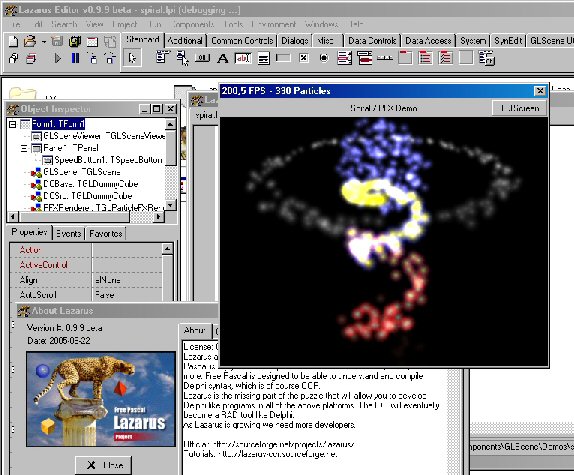 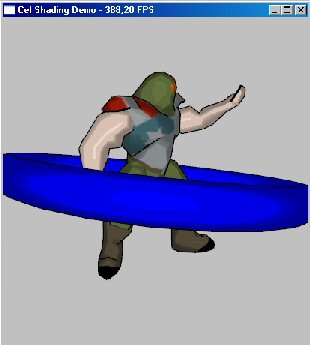 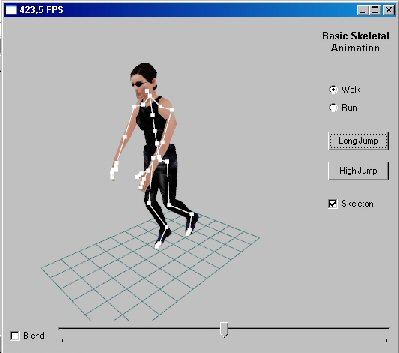\ | |
| 85 | + | 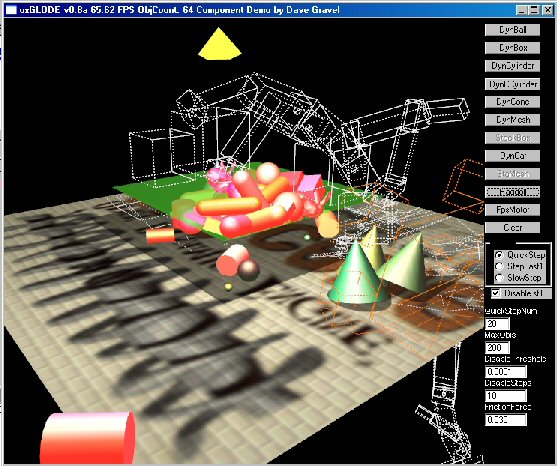 | |
| 110 | 86 | ||
| 111 | 87 | ### 著者 | |
| 112 | 88 | ||
| 113 | - | ||
| 114 | - | ||
| 115 | - | ||
| 89 | + | Author: initially Mike Lischke\ | |
| 90 | + | at time maintained by Eric Grange\ | |
| 91 | + | LCL Port: Christian Ulrich | |
| 116 | 92 | ||
| 117 | 93 | ### Download | |
| 118 | 94 | ||
| 119 | - | ||
| 95 | + | 最新の安定リリース版はこちら。 [Lazarus CCR Files page](http://sourceforge.net/project/showfiles.php?group_id=92177&package_id=98986&release_id=364007) Lazarusのインストーラで、LazarusのIDE上にGLSceneがGLSceneのデモと一緒にはいっています。 | |
| 120 | 96 | ||
| 121 | - | ||
| 97 | + | The latest stable release can be found on the [Lazarus CCR Files page](http://sourceforge.net/project/showfiles.php?group_id=92177&package_id=98986&release_id=364007) together with a lazarus installer with GLScene already in the Lazarus IDE and GLScene demoes. | |
| 122 | 98 | ||
| 123 | 99 | ### SVN | |
| 124 | 100 | ||
| 125 | - | ||
| 126 | - | ||
| 127 | - | ||
| 128 | - | ||
| 101 | + | you can checkout the actual source from\ | |
| 102 | + | <http://svn.freepascal.org/svn/fpcprojects/glscene/trunk/>\ | |
| 103 | + | The command would be:\ | |
| 129 | 104 | ||
| 130 | - | ||
| 131 | - | ||
| 132 | - | ||
| 105 | + | svn co http://svn.freepascal.org/svn/fpcprojects/glscene/trunk glscene | |
| 133 | 106 | ||
| 134 | - | ||
| 107 | + | This will download the trunk (main) repository to "glscene" dir to whereever you invoked the command from. | |
| 135 | 108 | ||
| 136 | - | ||
| 109 | + | In windows you can use clients like tortoise SVN and others. | |
| 137 | 110 | ||
| 138 | 111 | ### バグレポート/機能の要望 | |
| 139 | 112 | ||
| 140 | - | ||
| 113 | + | [Bug Reporting/Featurerequest](http://avl.ath.cx/mantis/) | |
| 141 | 114 | ||
| 142 | 115 | ### Change Log | |
| 143 | 116 | ||
| 144 | - | ||
| 145 | - | ||
| 146 | - | ||
| 117 | + | - 10.08.05 Too many changes to post here see cvs history | |
| 118 | + | - 16.07.05 GLScene 0.9.X Port | |
| 119 | + | - look at GLScene Sourceforge Account for complete Changelog | |
| 147 | 120 | ||
| 148 | - | ||
| 121 | + | Status: Beta | |
| 149 | 122 | ||
| 150 | 123 | ### インストール | |
| 151 | 124 | ||
| 152 | - | ||
| 153 | - | ||
| 154 | - | ||
| 155 | - | ||
| 156 | - | ||
| 157 | - | ||
| 125 | + | - lazarus\components\GLSceneにディレクトリを作成してください。 | |
| 126 | + | - そのディレクトリに入り、Zipファイルからファイルを解凍します。 | |
| 127 | + | - Lazarusを起動します。 | |
| 128 | + | - 「コンポーネント/パッケージファイルを開く」で.lpkパッケージを開きます。WindowsならLazarusWin、LinuxならLazarusLinを開いてください。 | |
| 129 | + | - コンパイルをクリックしてください。 | |
| 130 | + | - インストールをクリックしてください。 | |
| 158 | 131 | ||
| 159 | - | ||
| 132 | + | ヒント:"GLGraphicsが見つかりません"というエラーが表示されるかもしれません。ご心配なく。「ツール-\>Lazarusの再構築」を行い同じことをすれば大丈夫です。 | |
| 160 | 133 | ||
| 161 | - | ||
| 162 | - | ||
| 134 | + | Lazarusの完全インストールをすれば、GLSceneはIDEで利用可能になっています。 [binary win32 release](http://sourceforge.net/project/showfiles.php?group_id=92177&package_id=98986&release_id=364007) or [<http://www.skinhat.com/lazarus>](http://www.skinhat.com/lazarus) | |
| 163 | 135 | ||
| 164 | 136 | ### インストール方法 version 1.0.0.2 | |
| 165 | 137 | ||
| 166 | 138 | **fpc 2.1.4以上 lazarus 0.9.23 rev. 11348以上が必要です** | |
| 167 | 139 | ||
| 168 | - | ||
| 169 | - | ||
| 170 | - | ||
| 171 | - | ||
| 172 | - | ||
| 173 | - | ||
| 174 | - | ||
| 175 | - | ||
| 176 | - | ||
| 177 | - | ||
| 178 | - | ||
| 179 | - | ||
| 180 | - | ||
| 181 | - | ||
| 182 | - | ||
| 140 | + | - **ソースコードの展開** | |
| 141 | + | - ZIP: | |
| 142 | + | - in "lazarus/components/" folder execute "unzip glscene-1.0.0.2.zip"\ | |
| 143 | + | This will create the lazarus/components/glscene/ folder | |
| 144 | + | - SVN: | |
| 145 | + | - in "lazarus/components/" folder execute | |
| 146 | + | svn co http://svn.freepascal.org/svn/fpcprojects/glscene/trunk glscene | |
| 183 | 147 | ||
| 184 | - | ||
| 148 | + | This will create the lazarus/componets/glscene/ folder | |
| 149 | + | - Tortoise SVN: add the folder "glscene" manually so you have lazarus/components/glscene. Then right-click onto new folder and choose "SVN Checkout...". At field "URL of repository" add | |
| 150 | + | http://svn.freepascal.org/svn/fpcprojects/glscene/trunk | |
| 185 | 151 | ||
| 186 | - | ||
| 152 | + | Confirm by "OK". | |
| 187 | 153 | ||
| 188 | - | ||
| 189 | - | ||
| 190 | - | ||
| 191 | - | ||
| 192 | - | ||
| 193 | - | ||
| 194 | - | ||
| 195 | - | ||
| 196 | - | ||
| 197 | - | ||
| 198 | - | ||
| 199 | - | ||
| 200 | - | ||
| 201 | - | ||
| 202 | - | ||
| 203 | - | ||
| 204 | - | ||
| 205 | - | ||
| 206 | - | ||
| 207 | - | ||
| 208 | - | ||
| 154 | + | - **インストール方法** | |
| 155 | + | - copy "lazarus/components/glscene/globallinks/*.lpl" to "lazarus/packager/globallinks/" | |
| 156 | + | - start lazarus | |
| 157 | + | - select "Configure installed packages ..." from the "Components" menu | |
| 158 | + | - select "glscenelazarus" from the "Available packages" list | |
| 159 | + | - click "Install selection" button | |
| 160 | + | - click "Save and rebuild IDE" button | |
| 161 | + | - 注意: 「package "jpegforlazarus" is not found」というエラーがでるかもしれません。このときは下記のようにしてください: | |
| 162 | + | - Components --\> Open loaded package... | |
| 163 | + | - Choose "glscenelazarus" (Version 1.0.0.3) and click "Open..." | |
| 164 | + | - In the following list go down to "Required Packages" and remove dependency from "jpegfromlazarus". | |
| 165 | + | - Look for unit "jpeg" in folder /lazarus/components/glscene/Source/base and replace "LazJPEG" (in uses clause) by "LazJPG" (from package ImagesForLazarus). | |
| 166 | + | - Save and repeat last 4 steps again. | |
| 167 | + | - HINT: You should have installed package "ImagesForLazarus" (the same way as described for "glscenelazarus" package). | |
| 168 | + | - repeat the last 4 steps for the other packages you want to use. | |
| 169 | + | - Note: glsceneode and glscenecgshader need their respective libs on the system during installation! | |
| 170 | + | - **Note:** you can also try to select and install all packages in one go. However, I prefer to do things step by step, so I see where it fails, if it fails ;) | |
| 171 | + | - **Install "glscenelazarus" - mistakes:** (only needed when using glscene-1.0.0.2.zip, in svn these are already fixed) | |
| 172 | + | - To correct the unit GLLCLViewer: procedure TGLSceneViewer.CreateParams(var Params: TCreateParams); - at procedure TGLSceneViewerLCL.CreateParams(var Params: TCreateParams); | |
| 173 | + | - To correct the unit GLLCLViewer: procedure TGLSceneViewer.EraseBackground(DC: HDC); - at procedure TGLSceneViewerLCL.EraseBackground(DC: HDC); | |
| 174 | + | - To correct the unit GLLCLFullscreenViewer: Change "RegisterClasses(\[TGLSceneViewer, TGLFullScreenViewer\]);" to "RegisterClasses(\[TGLFullScreenViewer\]);" | |
| 209 | 175 | ||
| 210 | - | ||
| 211 | - | ||
| 212 | - | ||
| 213 | - | ||
| 214 | - | ||
| 215 | - | ||
| 176 | + | - **パッケージのリスト:** | |
| 177 | + | - **glscenelazarus** The main package. | |
| 178 | + | - **glscenecgshader** Cg Shader components | |
| 179 | + | - **glsceneode** ODE components | |
| 180 | + | - **glss_fmodlaz** FMOD component | |
| 181 | + | - **gls_winonly** Windows only, contains sound support over mmsystem, BASS support and GLScreenSaver component | |
| 216 | 182 | ||
| 217 | - | ||
| 218 | - | ||
| 183 | + | - **"demo"をコンパイルするときに:** | |
| 184 | + | - 「not found class - TGLSceneViewer」というエラーが出たら: (demo)のUsesをGLViewerからGLLCLViewerに変更してください | |
| 219 | 185 | ||
| 220 | 186 | ### ヘルプ | |
| 221 | 187 | ||
| 222 | - | ||
| 188 | + | ヘルプは、[Main GLScene Page](http://www.glscene.org)にあります。 | |
| 223 | 189 | ||
| 224 | 190 | --- | |
| 225 | - | ||
| 191 | + | *From the Free Pascal wiki, page "GLScene/ja", as it stood on 2011-09-04 after a change by Saeka-jp, out of the wiki's dump of 2024-05-26. Copyright stays with the author who wrote it, according to the old wiki's [[Licensing]] page. If you have concerns about this material, [message the admin](/wiki-contact).* |