

GLScene/id: what changed
Revision 0 to 1. Removed lines have a minus sign; added lines have a plus sign.
Title: GLScene/id
| Old | New | Line | |
|---|---|---|---|
| 1 | + | ### Tentang | |
| 2 | + | ||
| 3 | + | GLScene adalah librari 3D berbasiskan OpenGL. Awalnya ditulis untuk Delphi, sekarang berjalan dalam C++ Builder, Kylix, Delphi dan Lazarus. | |
| 4 | + | ||
| 5 | + | Karakteristik utamanya adalah : | |
| 6 | + | ||
| 7 | + | Deskripsi Scene | |
| 8 | + | ||
| 9 | + | - struktur obyek hirarkis, dengan banyak obyek sebanyak yang dibolehkan oleh memori, sangat mudah diperluas | |
| 10 | + | - manajemen scene interaktif (banyak para ahli Delphi) | |
| 11 | + | - mudah untuk menggunakan fungsi rotasi dan perpindahan untuk setiap obyek | |
| 12 | + | - obyek pradefinisi (semua standar dari kubus sampai teapot ke sprite), mudah diperluas | |
| 13 | + | - obyek struktural (kubus dummy, obyek proxy) untuk mengatur obyek gabungan | |
| 14 | + | - obyek prosedural (heightfield, revolusi tebal, pipa, tesselators...) | |
| 15 | + | - mendukung obyek 2D dan 1D (sprites, garis dengan dukungan spline) teritegrasi penuh | |
| 16 | + | - obyek HUD (sprites dirender dalam koordinat 2D) | |
| 17 | + | - obyek utilitas (jaring, skydome, panah...) | |
| 18 | + | - mendukung kelas untuk mengakses OpenGL secara langsung | |
| 19 | + | - kamera dan obyek cahaya yang dapat dipakai di mana saja dalam hirarki obyek scene | |
| 20 | + | - perilaku obyek dapat disertakan ke obyek untuk keperluan animasi, mudah diperluas | |
| 21 | + | - efek spesial per-obyek (sebelum/setelah merender obyek dan efek setelah scene), mudah diperluas | |
| 22 | + | - mendukung sistem partikel, setiap obyek atau struktur obyek dapat berupa partikel | |
| 23 | + | - mengimpor file 3D Studio dengan perhitungan vektor normal otomatis dan tepat (menggunakan *pelembutan grup file) dan mengimpor koodinat tekstur | |
| 24 | + | - Mengimpor format lain : OBJ/OBJF, SMD, MD2, STL, TIN, PLY | |
| 25 | + | ||
| 26 | + | Material | |
| 27 | + | ||
| 28 | + | - mudah digunakan, dioptimasi, obyek material | |
| 29 | + | - librari material untuk berbagi dan pemakaian ulang material | |
| 30 | + | - dukungan ambient, diffuse, emission, specular dan shininess | |
| 31 | + | - dukungan mode blending (transparansi, aditif...) | |
| 32 | + | - pembuatan otomatis alpha-channel | |
| 33 | + | - dukungan untuk format tekstur OpenGL, termasuk yang dikompresi (DXT, S3TC dll.) | |
| 34 | + | - dukungan plug-in shaders generik | |
| 35 | + | - dukungan kelas Cg shaders tingkat tinggi | |
| 36 | + | - dukungan gambar polymorphic untuk tekstur (membolehkan format dan juga sebagai tekstur prosedural), dapat diperluas dengan mudah | |
| 37 | + | - lebih dari 150 warna pra-definisi seperti clrCornflowerBlue atau clrCoolCopper (dapat diperluas dengan mudah) | |
| 38 | + | - sebagai tambahan ke warna standar dan spesifikasi langsung RGBA | |
| 39 | + | - mudah menggunakan perpindahan tekstur dan properti skala, secara independen dari koordinat tekstur | |
| 40 | + | - dukungan kelas Bitmap 32 bit | |
| 41 | + | ||
| 42 | + | Rendering | |
| 43 | + | ||
| 44 | + | - automatically uses the hardware OpenGL driver if available | |
| 45 | + | - a well working camera model using focal length and targeting | |
| 46 | + | - multiple viewers for one or more scenes, easy change of view through camera selection | |
| 47 | + | - fog and depth-of-view support | |
| 48 | + | - render to a file, a bitmap or to the printer in any color and pixel resolution | |
| 49 | + | - full screen support with dynamic resolution changes | |
| 50 | + | - reflections and mirror effects | |
| 51 | + | - dynamic shadow casting | |
| 52 | + | - high-performance scene-wide transparent particles system support | |
| 53 | + | - automatic frustrum culling (hierarchical or per-object) | |
| 54 | + | ||
| 55 | + | Animasi | |
| 56 | + | ||
| 57 | + | - propagation of time progression events | |
| 58 | + | - skeletal animation (multiple bones per vertex) | |
| 59 | + | - frame interpolation and morph targets | |
| 60 | + | - easily extendable Behaviours | |
| 61 | + | - dynamic physics : inertia, acceleration, damping and force application | |
| 62 | + | - automatic, realtime scene cadenceing | |
| 63 | + | ||
| 64 | + | Antar muka | |
| 65 | + | ||
| 66 | + | - easy-to-use functions to determine picked objects | |
| 67 | + | - helper functions for camera movements | |
| 68 | + | - helper functions for picked object's translation | |
| 69 | + | - helper functions for converting between screen and world coordinates, raycasting | |
| 70 | + | ||
| 71 | + | Utilitas | |
| 72 | + | ||
| 73 | + | - optimized geometry functions and utilities (vector, quaternion and matrix...) | |
| 74 | + | - cubic spline support functions and class | |
| 75 | + | - mesh manipulation and optimization (stripification, vertex-cache awareness, etc.) | |
| 76 | + | - component to make full-featured screen-saver in a few clicks | |
| 77 | + | - precise frame speed determination | |
| 78 | + | - asynchronous timer (multi-threaded) | |
| 79 | + | - joystick support | |
| 80 | + | - asynchronous keyboard access, keymap support | |
| 81 | + | ||
| 82 | + | ### Foto layar | |
| 83 | + | ||
| 84 | + | 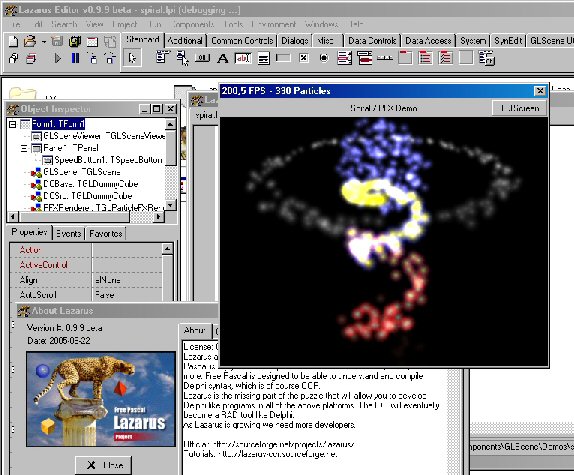 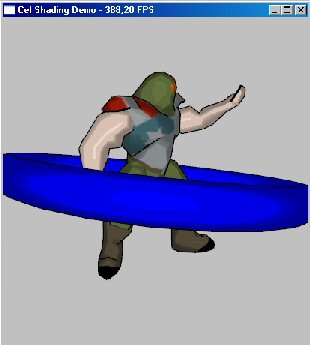 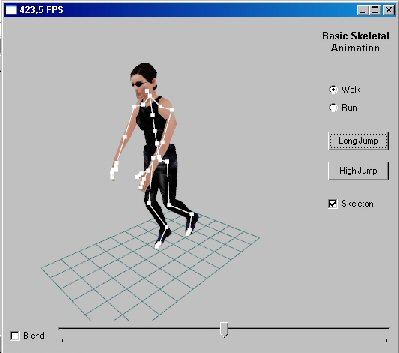\ | |
| 85 | + | 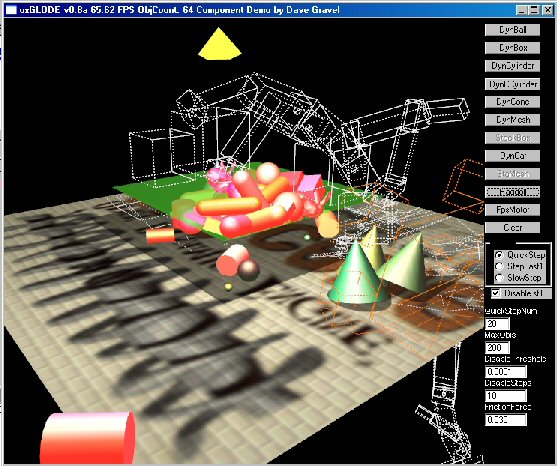 | |
| 86 | + | ||
| 87 | + | ### Pembuat | |
| 88 | + | ||
| 89 | + | Pembuat: awalnya oleh Mike Lischke\ | |
| 90 | + | saat ini dipelihara oleh Eric Grange\ | |
| 91 | + | Peralihan LCL: Christian Ulrich | |
| 92 | + | ||
| 93 | + | ### Download | |
| 94 | + | ||
| 95 | + | #### Terbaru (v1.0.0.2) | |
| 96 | + | ||
| 97 | + | - Rilis snapshot baru dapat ditemukan di [halaman File Lazarus CCR](http://sourceforge.net/project/showfiles.php?group_id=92177&package_id=185641). | |
| 98 | + | ||
| 99 | + | This should be almost identical to the original cvs repository of today in terms of functionality and bugfixes, however, there are still some parts missing. There wont be a "Lazarus-with-GLScene-Installer" with this new release, unless someone else creates it. --Crossbuilder 20:16, 18 July 2007 (CEST) | |
| 100 | + | ||
| 101 | + | #### Kuno | |
| 102 | + | ||
| 103 | + | Rilis lebih lama (version 0.9.1.6) dapat ditemukan di [halaman File Lazarus CCR](http://sourceforge.net/project/showfiles.php?group_id=92177&package_id=98986&release_id=364007) bersama dengan instalator lazarus dengan GLScene already dalam Lazarus IDE dan GLScene demo. PEMUTAKHIRAN: Ini sangat lama sekarang. Jika memungkinkan, gunakan svn checkout (lihat di bawah). | |
| 104 | + | ||
| 105 | + | ### SVN | |
| 106 | + | ||
| 107 | + | anda dapat melakukan checkout ke sumber terbaru dari\ | |
| 108 | + | <http://svn.freepascal.org/svn/fpcprojects/glscene/trunk/>\ | |
| 109 | + | Perintahnya adalah:\ | |
| 110 | + | ||
| 111 | + | svn co http://svn.freepascal.org/svn/fpcprojects/glscene/trunk glscene | |
| 112 | + | ||
| 113 | + | Ini akan men-download repositori trunk (utama) ke direktori "glscene" kapan saja anda memanggil perintah itu. | |
| 114 | + | ||
| 115 | + | Dalam windows anda dapat menggunakan klien seperti Tortoise SVN dan yang lainnya. | |
| 116 | + | ||
| 117 | + | ### Pelaporan Bug | |
| 118 | + | ||
| 119 | + | [Bug Reporting/Featurerequest](http://www.freepascal.org/mantis/) Please select Project "Packages" and Category "glscene" for your reports. Thanks. | |
| 120 | + | ||
| 121 | + | ### Catatan Perubahan | |
| 122 | + | ||
| 123 | + | - 18.07.2007 rilis snapshot versi 1.0.0.2 | |
| 124 | + | - penyesuaian beberapa hal, agar ia bekerja dengan versi lazarus svn terbaru | |
| 125 | + | - ditambahkan obyek bitmap untuk SceneEditor | |
| 126 | + | - fixed another AV in SceneEditor | |
| 127 | + | - disertakan semua patch dan pembetulan bug dari glscene cvs repo aslinya seperti tekstur dinamis .. | |
| 128 | + | - 13.06.2007 rilis Snapshot versi 1.0.0.1 | |
| 129 | + | - disertakan semua patch dan pembetulan bug dari glscene cvs repo | |
| 130 | + | - ditingkatkan editor scene (tidak rusak, tapi masih memerlukan beberapa sentuhan)\ | |
| 131 | + | **Tip:** Simpan proyek anda lebih sering ;-) | |
| 132 | + | - ketergantungan mmsystem dipisahkan dari dukungan suara umum agar misalnya FMOD tersedia dalam linux, juga | |
| 133 | + | - banyak lagi .. | |
| 134 | + | - 01.12.06 Ditambahkan dukungan untuk ODE, gtk2 dan Cg shaders dalam Linux (ODE dibatasi ke rilis normal, cone tidak didukung, ccylinder dan terrains) | |
| 135 | + | - 10.08.05 Terlalu banyak perubahan untuk ditulis di sini lihat histori cvs | |
| 136 | + | - 16.07.05 Pengalihan GLScene 0.9.X | |
| 137 | + | - lihat di Akun GLScene Sourceforge untuk Catatan Perubahan lengkap | |
| 138 | + | ||
| 139 | + | Status: Beta | |
| 140 | + | ||
| 141 | + | ### Instalasi versi 1.0.0.2 | |
| 142 | + | ||
| 143 | + | **Memerlukan fpc 2.1.4 atau lebih tinggi dan lazarus 0.9.23 rev. 11348 atau lebih tinggi !!** | |
| 144 | + | ||
| 145 | + | - **menguraikan sumber** | |
| 146 | + | - ZIP: | |
| 147 | + | - in "lazarus/components/" folder execute "unzip glscene-1.0.0.2.zip"\ | |
| 148 | + | This will create the lazarus/componets/glscene/ folder | |
| 149 | + | - SVN: | |
| 150 | + | - in "lazarus/components/" folder execute | |
| 151 | + | svn co http://svn.freepascal.org/svn/fpcprojects/glscene/trunk glscene | |
| 152 | + | ||
| 153 | + | This will create the lazarus/componets/glscene/ folder | |
| 154 | + | ||
| 155 | + | - **Finish the installation:** | |
| 156 | + | - copy "lazarus/components/glscene/globallinks/*.lpl" to "lazarus/packager/globallinks/" | |
| 157 | + | - start lazarus | |
| 158 | + | - select "Configure installed packages ..." from the "Components" menu | |
| 159 | + | - select "glscenelazarus" from the "Available packages" list | |
| 160 | + | - click "Install selection" button | |
| 161 | + | - click "Save and rebuild IDE" button | |
| 162 | + | - repeat the last 4 steps for the other packages you want to use. | |
| 163 | + | - Note: glsceneode and glscenecgshader need their respective libs on the system during installation! | |
| 164 | + | - **Note:** you can also try to select and install all packages in one go. However, I prefer to do things step by step, so I see where it fails, if it fails ;) | |
| 165 | + | - **Install "glscenelazarus" - mistakes:** | |
| 166 | + | - To correct the unit GLLCLViewer: procedure TGLSceneViewer.CreateParams(var Params: TCreateParams); - at procedure TGLSceneViewerLCL.CreateParams(var Params: TCreateParams); | |
| 167 | + | - To correct the unit GLLCLViewer: procedure TGLSceneViewer.EraseBackground(DC: HDC); - at procedure TGLSceneViewerLCL.EraseBackground(DC: HDC); | |
| 168 | + | - To correct the unit GLLCLFullscreenViewer: Change "RegisterClasses(\[TGLSceneViewer, TGLFullScreenViewer\]);" to "RegisterClasses(\[TGLFullScreenViewer\]);" | |
| 169 | + | ||
| 170 | + | - **List of packages:** | |
| 171 | + | - **glscenelazarus** The main package. | |
| 172 | + | - **glscenecgshader** Cg Shader components | |
| 173 | + | - **glsceneode** ODE components | |
| 174 | + | - **glss_fmodlaz** FMOD component | |
| 175 | + | - **gls_winonly** Windows only, contains sound support over mmsystem, BASS support and GLScreenSaver component | |
| 176 | + | ||
| 177 | + | - **Сompilation "demo" - mistakes:** | |
| 178 | + | - If not found class - TGLSceneViewer: To correct the uses (demo): GLLCLViewer - at GLViewer | |
| 179 | + | ||
| 180 | + | ### Installation version 0.9.6.1 | |
| 181 | + | ||
| 182 | + | - Create the directory lazarus\components\GLScene | |
| 183 | + | - On this directory, unzip the files from the zip file | |
| 184 | + | - Open lazarus | |
| 185 | + | - Open the package glscenelazarus.lpk with Component/Open package file (.lpk) from lazarus\components\glscene\Lazarus | |
| 186 | + | - (Click on Compile is only necessary, if you don't want to install the component into the IDE) | |
| 187 | + | - Click on Install | |
| 188 | + | - Repeat these steps (open .lpk, click install) for the other packages you want to use. Note: these additional packages need additional libs (fmod, ode, Cg). | |
| 189 | + | - glscenecgshader.lpk : Cg shaders (only with NVidia cards?) | |
| 190 | + | - glsceneode.lpk : support for ode lib | |
| 191 | + | - glsss_fmodlaz.lpk : support for fmod lib | |
| 192 | + | - gls_winonly.lpk : this can be installed on windows only. Contains screensaver stuff as well as support for BASS lib. | |
| 193 | + | ||
| 194 | + | Hint: sometimes an Error "GLGraphics not found" occurs. Don't worry, just do Tools-\>Build Lazarus again and it should be ok. | |
| 195 | + | ||
| 196 | + | A full install of Lazarus with GLScene already in the IDE is available as [binary win32 release](http://sourceforge.net/project/showfiles.php?group_id=92177&package_id=185641&release_id=405739) or [<http://www.skinhat.com/lazarus>](http://www.skinhat.com/lazarus) | |
| 197 | + | ||
| 198 | + | Just a warning for (new) Linux users: GLScene in its current state is not working "out of the box" (lots of modifications/additions needed). UPDATE: this is not true anymore. glscene for lazarus is pretty up-to-date and most things work good right out of the box for windows as well as for linux. | |
| 199 | + | ||
| 200 | + | As of latest trunk version (see svn above) the linux version is working well. Some demos (about 20%) are still broken but the majority of glscene is now working. We're also moving towards making it work in other Unix platforms like FreeBSD. | |
| 201 | + | ||
| 202 | + | The missing/nonworking parts on non-windows are: glKeyboard (uses winapi, but is not required mostly), glSound(which uses mm, we need to use openal or somesuch) | |
| 203 | + | ||
| 204 | + | A [[Lazarus- Game Developers Edition|fully featured windows installer]] is planned. | |
| 205 | + | ||
| 206 | + | ### Bantuan | |
| 207 | + | ||
| 208 | + | - Dapat ditemukan di [Halaman Utama GLScene](http://www.glscene.org) | |
| 209 | + | - bergabung di kanal \#glscene di freenode.net | |
| 210 | + | ||
| 211 | + | --- | |
| 212 | + | *From the Free Pascal wiki, page "GLScene/id", as it stood on 2008-01-13 after a change by Adezm, out of the wiki's dump of 2024-05-26. Copyright stays with the author who wrote it, according to the old wiki's [[Licensing]] page. If you have concerns about this material, [message the admin](/wiki-contact).* |