

CudaText API: what changed
Revision 0 to 1. Removed lines have a minus sign; added lines have a plus sign.
Title: CudaText API
| Old | New | Line | |
|---|---|---|---|
| 1 | + | # Intro | |
| 2 | + | ||
| 3 | + | This is API for [[CudaText]] in Python. | |
| 4 | + | ||
| 5 | + | * Module: cudatext. Constants, functions, class Editor, objects of class Editor. | |
| 6 | + | * Module: cudatext_cmd. Constants for Editor.cmd(). | |
| 7 | + | * Module: cudatext_keys. Constants for on_key. | |
| 8 | + | * Module: cudax_lib. High-level functions for plugins, e.g. read/write configs. | |
| 9 | + | * Module: cudax_nodejs. Helper functions for plugins which use Node.js. | |
| 10 | + | ||
| 11 | + | # Event plugins | |
| 12 | + | ||
| 13 | + | To make plugin react to some program event, add method to class Command. For example, method "Command.on_save" will be called by program event "on_save" - if plugin is subscribed to that event. Event methods have param "ed_self": this is Editor object in which event occurred. This object is the same as object "ed" in most cases ("ed" always refers to focused editor), but in some cases event occurs in inactive editor, e.g. command "Save all tabs" calls event "on_save" for passive tabs. | |
| 14 | + | ||
| 15 | + | Plugin can subscribe to events in several ways: | |
| 16 | + | ||
| 17 | + | * Static subscribing in "install.inf". This is used, when plugin needs to always react to some events, with any combination of its options. | |
| 18 | + | ||
| 19 | + | * Static subscribing via config file "settings/plugins.ini". This is used when plugin doesn't need some events initially, but after changing some options, it needs more events. File "plugins.ini" section [events] can contain lines like "cuda_modulename=event1,event2,...". File "plugins.ini" is read on plugins initialization, so after writing there, CudaText should be restarted. | |
| 20 | + | ||
| 21 | + | * Run-time subscribing/unsubscribing via API. See description of action PROC_SET_EVENTS in app_proc(). | |
| 22 | + | ||
| 23 | + | Event handlers (Command.on_nnnnn methods) return-value is ignored is many cases, but sometimes return value True or False has special meaning. Usually the False return value blocks propagation of event to other plugins, so don't return False if not necessary. | |
| 24 | + | ||
| 25 | + | ## Events - General | |
| 26 | + | ||
| 27 | + | * on_open(self, ed_self): Called after file is opened from disk. | |
| 28 | + | * on_open_pre(self, ed_self, filename): Called before file opening. Method can return False to disable opening, other value is ignored. | |
| 29 | + | * on_open_none(self, ed_self): Called after file is opened, and none lexer was detected/set for it. | |
| 30 | + | * on_close_pre(self, ed_self): Called before closing tab, before checking if tab modified or not. Method can return False to disable closing. | |
| 31 | + | * on_close(self, ed_self): Called before closing tab, after modified file was saved, and editor is still active. | |
| 32 | + | * on_save(self, ed_self): Called after saving file. | |
| 33 | + | * on_save_pre(self, ed_self): Called before saving file. Method can return False to disable saving, other value is ignored. | |
| 34 | + | * on_save_naming(self, ed_self): Called before saving untitled tab, to get suggested filename without path and extension. Method must return valid filename string or None. | |
| 35 | + | * on_delete_file(self, ed_self, filename): Called on running command "File / Close and delete file". ed_self is None. | |
| 36 | + | * on_start(self, ed_self): Called once on program start. Called early, before applying config files. ed_self is None. | |
| 37 | + | * on_start2(self, ed_self): Called once on program start. Called later than on_start, after configs are applied, just before the main form shows. ed_self is None. | |
| 38 | + | * on_init_plugins_menu(self, ed_self): Called after filling the "Plugins" menu. On startup, it is called after on_start/on_start2, and after app goes into 'idle' state for the first time. App inits the "Plugins" menu in the 'idle' state. Event is also called when app has to update the "Plugins" menu again, e.g. after installing plugin from zip-file. ed_self is None. | |
| 39 | + | * on_exit(self, ed_self): Called on exiting application. This event is lazy, ie it's called only for already loaded plugins. ed_self is None. | |
| 40 | + | * on_app_activate(self, ed_self): Called when application window gets focus. ed_self is None. | |
| 41 | + | * on_app_deactivate(self, ed_self): Called when application window looses focus. ed_self is None. | |
| 42 | + | * on_cli(self, param1, param2...): Called when application gets command-line parameter "-p=cuda_pluginname#param1#param2...". Count of params is plugin-defined, e.g. Differ plugin needs 2 params. This event is not sent to all plugins, but only to the single specified plugin. | |
| 43 | + | ||
| 44 | + | ## Events - Tabs | |
| 45 | + | ||
| 46 | + | * on_tab_change(self, ed_self): Called after active UI-tab is changed. | |
| 47 | + | * on_tab_menu(self, ed_self): Called just before showing popup menu for UI-tab title. Method can return False to disable the standard popup menu, other return value is ignored. | |
| 48 | + | * on_tab_move(self, ed_self): Called after closing a UI-tab (another UI-tab is already activated), or moving a UI-tab (by drag-n-drop, or UI command). | |
| 49 | + | ||
| 50 | + | ## Events - Editor | |
| 51 | + | ||
| 52 | + | * on_change(self, ed_self): Called after editor text is changed. | |
| 53 | + | * on_change_slow(self, ed_self): Called after editor text is changed, and small pause is passed (CudaText option "py_change_slow"), and application "idle" event happens (no keyboard/mouse input for 1-2sec). | |
| 54 | + | * on_caret(self, ed_self): Called after caret position/selection is changed. | |
| 55 | + | * on_caret_slow(self, ed_self): Called after caret position/selection is changed, and small pause is passed. Pause is CudaText option "py_caret_slow". | |
| 56 | + | * on_insert(self, ed_self, text): Called before inserting a text. Method can return False to disable insertion, other return value is ignored. | |
| 57 | + | * on_key(self, ed_self, key, state): Called when user presses a key in editor. Param "key" is int key code; values are listed in the module cudatext_keys. Param "state" is string of chars: "a" if Alt pressed, "c" if Ctrl pressed, "s" if Shift pressed, "m" if Meta (Windows-key) pressed. Method can return False to disable key processing, other return value is ignored. | |
| 58 | + | * on_key_up(self, ed_self, key, state): Called when user depresses a key in editor. Params meaning is the same as in "on_key". Currently called only for Ctrl/Shift/Alt keys (to not slow down). | |
| 59 | + | * on_focus(self, ed_self): Called after any editor gets focus. | |
| 60 | + | * on_lexer(self, ed_self): Called after editor's lexer is changed. | |
| 61 | + | * on_lexer_parsed(self, ed_self): Called after lexer has finished its parsing. To not slow down usual work, event is called only if parsing time was >=600 msec. | |
| 62 | + | * on_paste(self, ed_self, keep_caret, select_then): Called before some Clipboard Paste command runs. Parameters are options of various paste commands. Method can return False to disable default operation. | |
| 63 | + | * on_scroll(self, ed_self): Called on scrolling in editor. | |
| 64 | + | * on_mouse_stop(self, ed_self, x, y): Called when mouse cursor stops (for a short delay) over editor. Params "x", "y" are mouse editor-related coords. | |
| 65 | + | * on_hotspot(self, ed_self, entered, hotspot_index): Called when mouse cursor moves in/out of hotspot. See ed.hotspots() API. | |
| 66 | + | * on_snippet(self, ed_self, snippet_id, snippet_text): Called when user chooses snippet to insert, in ed.complete_alt() call. | |
| 67 | + | ||
| 68 | + | ## Events - Editor clicks | |
| 69 | + | ||
| 70 | + | * on_click(self, ed_self, state): Called after mouse click on text area. Param "state": same meaning as in on_key. | |
| 71 | + | * on_click_dbl(self, ed_self, state): Called after mouse double-click on text area. Param "state": same meaning as in on_key. Method can return False to disable default processing. | |
| 72 | + | * on_click_right(self, ed_self, state): Called after mouse right-click. Param "state": same meaning as in on_key. Method can return False to disable default processing. | |
| 73 | + | * on_click_gutter(self, ed_self, state, nline, nband): Called on mouse click on gutter area. Param "state": same as in on_key. Param "nline": index of editor line. Param "nband": index of gutter band. Method can return False to disable default processing. | |
| 74 | + | * on_click_gap(self, ed_self, state, nline, ntag, size_x, size_y, pos_x, pos_y): Called after mouse click on inter-line gap: see Editor.gap(). Param "state": same meaning as in on_key. Other params: properties of clicked gap. | |
| 75 | + | * on_click_link(self, ed_self, state, link): Called after link/URL in the editor is activated by click or double-click (event is not called on URL opening from Command Palette or from editor context menu). Param "state": same meaning as in on_key. Param "link": link string. Method can return False to disable default program action. | |
| 76 | + | ||
| 77 | + | ## Events - State changes | |
| 78 | + | ||
| 79 | + | * on_state(self, ed_self, state): Called after some app state is changed. Param "state" is one of APPSTATE_nnnn constants. ed_self is None. | |
| 80 | + | * on_state_ed(self, ed_self, state): Called after some editor state is changed. Param "state" is one of EDSTATE_nnnn constants. | |
| 81 | + | ||
| 82 | + | Constants in "on_state": | |
| 83 | + | ||
| 84 | + | * APPSTATE_LANG: Changed UI translation. | |
| 85 | + | * APPSTATE_THEME_UI: Changed UI-theme. | |
| 86 | + | * APPSTATE_THEME_SYNTAX: Changed syntax-theme. | |
| 87 | + | * APPSTATE_GROUPS: Changed UI-tab grouping mode (see top menu item "="). | |
| 88 | + | * APPSTATE_CONFIG_REREAD: App config file is re-read and applied. | |
| 89 | + | * APPSTATE_SESSION_LOAD_BEGIN: Session loading begins. | |
| 90 | + | * APPSTATE_SESSION_LOAD: Session loading completes (after APPSTATE_SESSION_LOAD_BEGIN). | |
| 91 | + | * APPSTATE_SESSION_LOAD_FAIL: Session loading fails (after APPSTATE_SESSION_LOAD_BEGIN). | |
| 92 | + | * APPSTATE_PROJECT: Current project in the Project Manager is changed. | |
| 93 | + | ||
| 94 | + | * APPSTATE_API_SUBCOMMANDS: API call app_proc(PROC_SET_SUBCOMMANDS, ...). | |
| 95 | + | * APPSTATE_API_MENU_ADD: API menu_proc() added some menu item. | |
| 96 | + | * APPSTATE_API_MENU_REMOVE: API menu_proc() removed some menu item. | |
| 97 | + | * APPSTATE_API_MENU_CHANGE: API menu_proc() changed some menu item. | |
| 98 | + | ||
| 99 | + | * APPSTATE_CODETREE_BEFORE_CLEAR: Code-Tree: content is about to be cleared. | |
| 100 | + | * APPSTATE_CODETREE_CLEAR: Code-Tree: content was just cleared. | |
| 101 | + | * APPSTATE_CODETREE_BEFORE_FILL: Code-Tree: before filling the content. | |
| 102 | + | * APPSTATE_CODETREE_AFTER_FILL: Code-Tree: after filling the content. | |
| 103 | + | * APPSTATE_CODETREE_SET_SELECTION: Code-Tree: caret position changed, then app sync'ed tree selection. | |
| 104 | + | * APPSTATE_CODETREE_DBL_CLICK: Code-Tree: user made double-click in tree, then app sync'ed caret position with tree selection. | |
| 105 | + | * APPSTATE_CODETREE_FOLDED_UNFOLDED: Code-Tree: some tree node was just folded or unfolded. You can get this node's handle via app_proc(PROC_GET_CODETREE_CURRENT_NODE, ""). | |
| 106 | + | ||
| 107 | + | * APPSTATE_WINDOW: Changed state of the main window: minimized/normal/maximized/fullscreen. Read current state via app_proc(PROC_GET_WINDOW_STATE, ""). | |
| 108 | + | ||
| 109 | + | Constants in "on_state_ed": | |
| 110 | + | ||
| 111 | + | * EDSTATE_WRAP: Word-wrap state is changed. | |
| 112 | + | * EDSTATE_TAB_TITLE: UI-tab title is changed. | |
| 113 | + | * EDSTATE_MODIFIED: Document modified state is changed. | |
| 114 | + | * EDSTATE_PINNED: UI-tab 'pinned' state is changed. | |
| 115 | + | * EDSTATE_READONLY: Read-only state is changed. | |
| 116 | + | * EDSTATE_ZOOM: Scale of document is changed, using Ctrl+MouseWheel or by a command. | |
| 117 | + | * EDSTATE_BOOKMARK: Bookmark is added or removed. | |
| 118 | + | ||
| 119 | + | ## Events - Smart commands | |
| 120 | + | ||
| 121 | + | * on_complete(self, ed_self): Called by "auto-completion menu" command (default hotkey: Ctrl+Space). Method should read editor text, find all needed data, and call Editor.complete() API to show the actual auto-completion listbox to user. True return value means that plugin handled the event, don't call other plugins. | |
| 122 | + | * on_func_hint(self, ed_self): Called by "show function-hint" command (default hotkey: Ctrl+Shift+Space). Method should return function-hint string (comma-separated parameters, brackets are optional). Non-empty string result means that plugin handled the event, don't call other plugins. Empty string or None mean that no hint was found. | |
| 123 | + | * on_goto_def(self, ed_self): Called by "go to definition" command (e.g. by mouse shortcut or by menu item in the editor context menu). Method must return True if it handled the command, otherwise None. | |
| 124 | + | * on_goto_enter(self, ed_self, text): Called after user entered text in the Go To dialog. Method can return False to disable default processing. | |
| 125 | + | ||
| 126 | + | ## Events - Panels | |
| 127 | + | ||
| 128 | + | * on_message(self, ed_self, id, text): Called on showing a text in the statusbar. Param "id" means statusbar column index, currently only value 0 is used ("text message" statusbar cell). Method can return False to disable usual showing of message. Param "ed_self" is None here. | |
| 129 | + | * on_console_nav(self, ed_self, text): Called on double-clicking a line, or calling context menu item "Navigate", in the Console's multi-line memo field. Param "text" is Console memo line with caret. Param "ed_self" is None here. | |
| 130 | + | * on_console_complete(self, ed_self): Called when user presses hotkey of "auto-complete" in the Console input. Param "ed_self" is None here. True return value means that plugin handled the event, don't call other plugins. | |
| 131 | + | * on_output_nav(self, ed_self, text, tag): Called on double-clicking a line, or pressing Enter, in the Output/Validate panels. Param "text" is clicked line, param "tag" is int value associated with the line. Event is called only if app cannot parse output line by itself using given RegEx, or if RegEx is not set. Param "ed_self" is None here. | |
| 132 | + | * on_sidebar_popup(self, ed_self, caption): Called on right-click on sidebar (with bottom-bar) buttons. Param "caption" is caption of clicked button (this is non-translatable string, always in English). Param "ed_self" is None here. | |
| 133 | + | ||
| 134 | + | ## Events - Macros | |
| 135 | + | ||
| 136 | + | * on_macro(self, ed_self, text): Called when command "start/stop macro recording" stops the recording. Param "text" is string: "\n"-separated text of macro items, which were run during the macro recording. | |
| 137 | + | * if item is str(number) then it's simple command. | |
| 138 | + | * if item is "number,string" then it's command with string parameter (usually it's command cCommand_TextInsert). | |
| 139 | + | * if item is "py:string_module,string_method,string_param" then it's call of Python plugin (usually string_param is empty). | |
| 140 | + | ||
| 141 | + | Note: To run each on_macro item (with number) later, call ed.cmd(): number is command code, string after comma is command text. | |
| 142 | + | ||
| 143 | + | ## Events priority | |
| 144 | + | ||
| 145 | + | By default all events in all plugins have priority=0. So for any event, if 2+ plugins handle this event, they're called in the order on module names (e.g. cuda_aa, then cuda_dd, then cuda_mmm). | |
| 146 | + | ||
| 147 | + | You may want to handle some event first. To change priority for your plugin event, write in install.inf event like this: "on_key+", "on_key++"... with any number of "+" up to 4. Each "+" makes higher priority. So first called "on_key" with maximal number of "+", last called "on_key" without "+". | |
| 148 | + | ||
| 149 | + | ## Lazy events | |
| 150 | + | ||
| 151 | + | By default all event handlers, except on_exit, are not "lazy". On_exit is always "lazy" - it means that it's called only for already loaded plugins. To make other event handlers lazy, write in install.inf event name with "~": | |
| 152 | + | ``` | |
| 153 | + | events=on_focus~,on_open~,on_state~ | |
| 154 | + | ``` | |
| 155 | + | ||
| 156 | + | It's allowed to combine "+" and "~" suffixes, like on_focus~++ | |
| 157 | + | ||
| 158 | + | # Callback parameter | |
| 159 | + | ||
| 160 | + | Callback parameter is supported in several API functions: dlg_proc, timer_proc, menu_proc, button_proc etc. For all functions, "string form" of callback is supported. For most but not all functions, "callable form" is supported too. | |
| 161 | + | ||
| 162 | + | Parameter can be in these forms: | |
| 163 | + | ||
| 164 | + | * callable, ie name of a Python function, or just "lambda". Internally, callable will be converted to a weird string. Note that some functions do not support "callable form". You can detect this support by reading the code of "py/cudatext.py" module, which performs the conversions from callable to string. | |
| 165 | + | * string "module=mmm;cmd=nnn;" - to call method nnn (in class Command) in plugin mmm, where mmm is usually sub-dir in the "cudatext/py", but can be any module name. | |
| 166 | + | * string "module=mmm;cmd=nnn;info=iii;" - the same, and callback will get param "info" with your value. | |
| 167 | + | * string "mmm.nnn" - the same, to call method, short form. | |
| 168 | + | * string "module=mmm;func=nnn;" - to call function nnn in root of module mmm. | |
| 169 | + | * string "module=mmm;func=nnn;info=iii;" - the same, and callback will get param "info" with your value. | |
| 170 | + | * string "exec=command_line_params_here" - to handle the contents of callback (after prefix "exec=") as a command line passed to CudaText process. For example, here you can pass filenames of text/picture files, of .cuda-proj project files, of .cuda-session session files. | |
| 171 | + | ||
| 172 | + | For example: | |
| 173 | + | ||
| 174 | + | * If you need to call function "f" from plugin cuda_my, from file "py/cuda_my/__init__.py", callback must be "module=cuda_my;func=f;" | |
| 175 | + | * If you need to call it from file "py/cuda_my/lib/mod.py", callback must be "module=cuda_my.lib.mod;func=f;". | |
| 176 | + | ||
| 177 | + | Value after "info=" can be of any type, e.g. "info=20;" will pass int 20 to callback, "info='my';" will pass string 'my'. | |
| 178 | + | ||
| 179 | + | # Global functions | |
| 180 | + | ||
| 181 | + | ### version | |
| 182 | + | ``` | |
| 183 | + | app_exe_version() | |
| 184 | + | ``` | |
| 185 | + | ||
| 186 | + | Returns version of program. String, 4 dot-separated numbers. | |
| 187 | + | ``` | |
| 188 | + | app_api_version() | |
| 189 | + | ``` | |
| 190 | + | ||
| 191 | + | Returns version of API. String, 3 dot-separated numbers. | |
| 192 | + | ||
| 193 | + | Example of version check: | |
| 194 | + | ``` | |
| 195 | + | from cudatext import * | |
| 196 | + | if app_api_version() < '1.0.350': | |
| 197 | + | msg_box('Plugin needs newer program version', MB_OK+MB_ICONWARNING) | |
| 198 | + | ``` | |
| 199 | + | ||
| 200 | + | ### app_path | |
| 201 | + | ``` | |
| 202 | + | app_path(id) | |
| 203 | + | ``` | |
| 204 | + | ||
| 205 | + | Returns some file-system path. Possible values of "id": | |
| 206 | + | ||
| 207 | + | * APP_DIR_EXE: Folder of program executable. | |
| 208 | + | * APP_DIR_SETTINGS: Folder "settings" (which usually contains user.json file). | |
| 209 | + | * APP_DIR_SETTINGS_DEF: Folder "settings_default" (which usually contains default.json file). | |
| 210 | + | * APP_DIR_DATA: Folder "data". | |
| 211 | + | * APP_DIR_PY: Folder "py" (with Python codes). | |
| 212 | + | * APP_DIR_INSTALLED_ADDON: Folder of last installed add-on. For plugins it is subfolder in "py", for data-files it is subfolder in "data", for lexers it is folder "data/lexlib". This path is internally updated when add-on was installed: via file_open() API; via "Open file" dialog when you open .zip file; via command-line with .zip file. | |
| 213 | + | * APP_FILE_SESSION: Filename of current session. Default filename is "default.cuda-session" without path. Missing path means that session file is in the folder "settings". | |
| 214 | + | * APP_FILE_RECENT_LIST: List of recently used filenames. Each list item is string, and it may contain "~" for home folder. | |
| 215 | + | ||
| 216 | + | ### app_proc | |
| 217 | + | ``` | |
| 218 | + | app_proc(id, text) | |
| 219 | + | ``` | |
| 220 | + | ||
| 221 | + | Performs application-wide action. | |
| 222 | + | ||
| 223 | + | Parameter "text" is usually string, but can be of other types (bool, int, float, tuple/list of simple types). | |
| 224 | + | ||
| 225 | + | #### app_proc - Getting handles | |
| 226 | + | ||
| 227 | + | * PROC_GET_TAB_IMAGELIST: Returns int handle of imagelist, containing icons of all UI-tabs. Use imagelist_proc() to work with it. Use PROP_TAB_ICON property to get/set file-tab icon index (index in this imagelist). | |
| 228 | + | * PROC_GET_CODETREE: Returns int handle of built-in code-tree UI control. Use tree_proc() to work with it. | |
| 229 | + | * PROC_GET_CODETREE_CURRENT_NODE: Returns int handle of code-tree's node, for on_state event "node was just folded/unfolded". | |
| 230 | + | * PROC_GET_CONSOLE_FORM: Returns int handle of built-in Console form. Use dlg_proc() to work with it. | |
| 231 | + | * PROC_GET_OUTPUT_FORM: Returns int handle of built-in Output form (contains the Output read-only editor). Use dlg_proc() to work with it. | |
| 232 | + | * PROC_GET_VALIDATE_FORM: Returns int handle of built-in Validate form (contains the Validate read-only editor). Use dlg_proc() to work with it. | |
| 233 | + | * PROC_GET_MAIN_TOOLBAR: Returns int handle of main app toolbar. Use toolbar_proc() to work with it. | |
| 234 | + | * PROC_GET_MAIN_STATUSBAR: Returns int handle of main app statusbar. Use statusbar_proc() to work with it. | |
| 235 | + | ||
| 236 | + | #### app_proc - Misc properties | |
| 237 | + | ||
| 238 | + | * PROC_GET_LANG: Returns string id of active app translation. E.g. "ru_RU" if translation file is "ru_RU.ini", or "translation template" if such file is used. Returns empty string if built-in English translation is used. | |
| 239 | + | * PROC_GET_GROUPING: Returns grouping mode in program, one of GROUPS_nnnn int constants. | |
| 240 | + | * PROC_SET_GROUPING: Sets grouping mode in program, one of GROUPS_nnnn int constants. | |
| 241 | + | * PROC_PROGRESSBAR: Changes state of the progress-bar (hidden by default), which is located on the status-bar right corner. Int value<0: progressbar hides, value in 0..100: progressbar shows with the given value. | |
| 242 | + | ||
| 243 | + | * PROC_SET_FOLDER: Sets path of folder which will be used as initial folder in program's Open/Save-as dialogs. | |
| 244 | + | * PROC_SET_PROJECT: Informs the program that some "project" (in the Project Manager) has been opened or closed. Program will fire "on_state" event with APPSTATE_PROJECT. | |
| 245 | + | * PROC_SET_FILE_RECENTS: Fills "recent filenames" list. Param "text" must be string, "\n"-separated filenames. First filename will be in the bottom of recents, last one will be in the top. CudaText option "ui_max_history_menu" limits the actual number of recents. | |
| 246 | + | ||
| 247 | + | * PROC_WINDOW_TOPMOST_GET: Returns bool flag: main window has "always on top" style. | |
| 248 | + | * PROC_WINDOW_TOPMOST_SET: Sets bool flag: main window has "always on top" style. | |
| 249 | + | ||
| 250 | + | * PROC_CONFIG_READ: Reads param "text" as contents of CudaText JSON config file. | |
| 251 | + | * PROC_CONFIG_NEWDOC_EOL_GET: Returns str: line endings of newly created documents (app option "newdoc_ends"). | |
| 252 | + | * PROC_CONFIG_NEWDOC_EOL_SET: Sets str: line endings of newly created documents. | |
| 253 | + | * PROC_CONFIG_NEWDOC_ENC_GET: Returns str: encoding of newly created documents (app option "newdoc_encoding"). | |
| 254 | + | * PROC_CONFIG_NEWDOC_ENC_SET: Sets str: encoding of newly created documents. | |
| 255 | + | * PROC_CONFIG_SCALE_GET: Returns UI scales, as 2-tuple (int_scale_UI, int_scale_font). Both values are in percents, defaults are 100. | |
| 256 | + | * PROC_CONFIG_SCALE_SET: Sets UI scales, value must be 2-tuple (int_scale_UI, int_scale_font). | |
| 257 | + | * PROC_CONFIG_HISTORY_SAVE: Saves app's history file ("history.json"). | |
| 258 | + | ||
| 259 | + | * PROC_PARSE_COMMAND_LINE: Parses/handles the text as the program command line. Separator of params is space, double-quoted params are supported. Here you may pass, for example, several filenames, including project and session filenames (.cuda-proj and .cuda-session extensions). | |
| 260 | + | ||
| 261 | + | * PROC_GET_WINDOW_STATE: Gets state of application window, one of int constants: | |
| 262 | + | * WND_NORMAL: Window is normal | |
| 263 | + | * WND_MAXIMIZED: Window is maximized | |
| 264 | + | * WND_MINIMIZED: Window is minimized | |
| 265 | + | * WND_FULLSCREEN: Full-screen mode | |
| 266 | + | * WND_FULLSCREEN2: Full-screen + Distraction-free mode | |
| 267 | + | ||
| 268 | + | #### app_proc - Search properties | |
| 269 | + | ||
| 270 | + | Actions work with props of Find/Replace dialog, and props of low-level search engine. When user runs some search command in the dialog, dialog applies its props to the search engine. So most of the time, props of dialog and search engine are sync'ed. But they aren't sync'ed if user just typed new text in the dialog. They also aren't sync'ed if user runs some search command via Command Palette or hotkey (e.g. "find current word, previous"). | |
| 271 | + | ||
| 272 | + | * PROC_GET_FINDER_PROP: Returns properties of Find/Replace dialog and search engine. Returns dict with keys: | |
| 273 | + | * "find": string "what to find" of search engine | |
| 274 | + | * "rep": string "replace with" of search engine | |
| 275 | + | * "find_d": string "what to find" of dialog field, None if dialog not inited | |
| 276 | + | * "rep_d": string "replace with" of dialog field, None if dialog not inited | |
| 277 | + | * "find_h": drop-down history list of "what to find" dialog field, None if dialog not inited | |
| 278 | + | * "rep_h": drop-down history list of "replace with" dialog field, None if dialog not inited | |
| 279 | + | * "op_case": option "case sensitive" of search engine | |
| 280 | + | * "op_word": option "whole words" of search engine | |
| 281 | + | * "op_regex": option "reg.ex." of search engine | |
| 282 | + | * "op_regex_subst": option "reg.ex. substitute in 'Replace with' field" of search engine | |
| 283 | + | * "op_cfm": option "confirm on replace" of search engine | |
| 284 | + | * "op_insel": option "in selection" of search engine | |
| 285 | + | * "op_wrap": option "wrapped search" of search engine | |
| 286 | + | * "op_wrap_c": option "show wrapped-search confirmation when search reaches the document edge" of search engine | |
| 287 | + | * "op_back": option "backward search" (low level) of search engine | |
| 288 | + | * "op_fromcaret": option "search from caret" (low level) of search engine | |
| 289 | + | * "op_tokens": option "allowed syntax elements" of search engine (int) | |
| 290 | + | * "op_prescase": option "preserve case on replacement" of search engine | |
| 291 | + | * "op_case_d": option "case sensitive" of dialog, None if dialog not inited | |
| 292 | + | * "op_word_d": option "whole words" of dialog, None if dialog not inited | |
| 293 | + | * "op_regex_d": option "reg.ex." of dialog, None if dialog not inited | |
| 294 | + | * "op_regex_subst_d": option "reg.ex. substitute in 'Replace with' field" of dialog, None if dialog not inited | |
| 295 | + | * "op_cfm_d": option "confirm on replace" of dialog, None if dialog not inited | |
| 296 | + | * "op_insel_d": option "in selection" of dialog, None if dialog not inited | |
| 297 | + | * "op_wrap_d": option "wrapped search" of dialog, None if dialog not inited | |
| 298 | + | * "op_mulline_d": option "multi-line input fields" of dialog, None if dialog not inited | |
| 299 | + | * "op_tokens_d": option "allowed syntax elements" of dialog (int), None if dialog not inited | |
| 300 | + | * "op_prescase_d": option "preserve case on replacement" of dialog, None if dialog not inited | |
| 301 | + | * "op_hi_d": option "highlight all matches" of dialog, None if dialog not inited | |
| 302 | + | * "op_im_d": option "immediate search" of dialog, None if dialog not inited | |
| 303 | + | ||
| 304 | + | * PROC_SET_FINDER_PROP: Sets properties of Find/Replace dialog and search engine. Param "text" must be dict, with all or some keys listed in PROC_GET_FINDER_PROP. Values types: str (for text fields), bool (for flags), int (for choices). | |
| 305 | + | ||
| 306 | + | #### app_proc - System | |
| 307 | + | ||
| 308 | + | * PROC_ENUM_FONTS: Returns list of font names, currently installed in OS. There are no font names common in all OS'es. | |
| 309 | + | * PROC_ENUM_ENCODINGS: Returns list of supported encoding names. | |
| 310 | + | * PROC_GET_SYSTEM_PPI: Returns int value of screen pixels-per-inch. Usual value is 96. When OS UI is scaled, it's bigger, e.g. for scale 150% it is round(96*1.5). | |
| 311 | + | * PROC_GET_GUI_HEIGHT: Returns height (pixels) of GUI element for dlg_custom(). Possible values of 'text': 'button', 'label', 'linklabel', 'combo', 'combo_ro', 'edit', 'spinedit', 'check', 'radio', 'checkbutton', 'filter_listbox', 'filter_listview'. Special value 'scrollbar' gets size of OS scrollbar. Returns None for other values. | |
| 312 | + | * PROC_GET_MOUSE_POS: Returns mouse cursor position in screen-related coordinates, as (x, y) tuple. | |
| 313 | + | * PROC_SEND_MESSAGE: For Windows. Sends message to a window by its handle. Param "text" must be 4-tuple of int (window_handle, msg_code, param1, param2). | |
| 314 | + | * PROC_GET_UNIQUE_TAG: Gets integer value, which is unique for the current CudaText process (it starts with 100, increasing with each call). Use this value for Editor.markers() and Editor.attr() tag values. | |
| 315 | + | ||
| 316 | + | * PROC_GET_OS_SUFFIX: Returns string of OS suffix, which is used in some CudaText option names. Possible values are listed in the default.json file. | |
| 317 | + | * PROC_GET_COMPILER_INFO: Returns information about OS/CPU/WidgetSet CudaText was compiled for, as dict. Dict keys are: "os", "cpu", "widgetset", "fpc". | |
| 318 | + | ||
| 319 | + | #### app_proc - Clipboard | |
| 320 | + | ||
| 321 | + | * PROC_GET_CLIP: Returns clipboard text. | |
| 322 | + | ||
| 323 | + | * PROC_GET_CLIP_EX: Returns additional info, stored to clipboard by CudaText, as dict. Dict keys are: | |
| 324 | + | * "is_column": bool: True if clipboard contains the column (vertical) block. | |
| 325 | + | * "caret_pos": 4-tuple of int: Position (x, y, x_end, y_end) of the first caret, at the moment of copying. | |
| 326 | + | * "caret_count": int: Number of caret(s), at the moment of copying. | |
| 327 | + | * "indent_chars": int: Number of indentation chars (spaces/tabs), of the block's first line, in the original document. Tab-chars are not expanded (counted as 1). | |
| 328 | + | * "indent_columns": int: Number of indentation columns, of the block's first line, in the original document. Tab-chars are expanded. | |
| 329 | + | * "file_name": str: Full path of the file from which text was copyied. Limited by 255 chars. | |
| 330 | + | * "version": int: Modification version of the document, at the moment of copying. | |
| 331 | + | * "tick_on_copy": int: OS tick-count in milliseconds, at the moment of copying. | |
| 332 | + | * "tick_current": int: OS tick-count in milliseconds, at the moment of this API call. | |
| 333 | + | ||
| 334 | + | * PROC_SET_CLIP: Copies text to clipboard (usual clipboard). Note: this clears the clipboard first. | |
| 335 | + | * PROC_SET_CLIP_HTML: Copies text to clipboard (usual clipboard) in HTML format, additionally to clipboard contents in plain-text format. Param "text" must be HTML-formatted fragment. Note: this does not clear the clipboard first. | |
| 336 | + | * PROC_SET_CLIP_ALT: Copies text to alternate clipboard on Linux, called "primary selection". | |
| 337 | + | * CudaText "Copy" commands put text to usual clipboard + primary selection. | |
| 338 | + | * CudaText "Paste" commands get text from usual clipboard. | |
| 339 | + | * CudaText middle-click with option "mouse_mid_click_paste":true gets text from primary selection. | |
| 340 | + | ||
| 341 | + | * PROC_CLIP_ENUM: Returns string, where each char represents a format stored in Clipboard. | |
| 342 | + | * "t": Text format. | |
| 343 | + | * "h": HTML format. | |
| 344 | + | * "p": Picture format. | |
| 345 | + | * "c": CudaText format telling about "is it column (vertical) block". | |
| 346 | + | * "x": CudaText format telling about last copying to Clipboard (PROC_GET_CLIP_EX will show these details). | |
| 347 | + | ||
| 348 | + | * PROC_CLIP_SAVE_PIC: If Clipboard has a picture format, saves it to given filename (recommended the .png extension). Returns bool: clipboard has a picture, file is saved. | |
| 349 | + | ||
| 350 | + | #### app_proc - Plugin calls | |
| 351 | + | ||
| 352 | + | * PROC_SET_EVENTS: Subscribes plugin to events. First it removes all subscribed events for specified module name (even those from install.inf file) and then adds specified events (if event list is not empty). Param "text" must be 4 values ";"-separated: "module_name;event_list;lexer_list;filter". | |
| 353 | + | * module_name is plugin's main module name, usually starting with "cuda_". | |
| 354 | + | * event_list is comma-separated event names, e.g. "on_open,on_save", or empty string. | |
| 355 | + | * lexer_list is comma-separated lexer names, e.g. "C,C++", or empty string. | |
| 356 | + | * filter is additional parameter, used by some events, if that filter is not empty: | |
| 357 | + | * filter for "on_key": comma-separated list of int key codes to handle in event, e.g. "9,32" means that event is only called for pressed Tab and Space. | |
| 358 | + | * filter for "on_open", "on_open_pre": comma-separated list of lower-case file extensions, without leading dot, to handle in event. | |
| 359 | + | ||
| 360 | + | * PROC_GET_LAST_PLUGIN: Returns info about last plugin which run from program. It is str "module_name,method_name", values are empty if no plugins run yet. | |
| 361 | + | ||
| 362 | + | * PROC_SET_SUBCOMMANDS: Adds command items (items which can be called from Command Palette). These items will run specified module name and method name, but with different parameters to that method. For example, plugin External Tools uses this API to add command items for configured tools. Param "text" must be ";"-separated: "module_name;method_name;param_list". | |
| 363 | + | * "param_list" is "\n"-separated items, each item is param_caption+"\t"+param_value. | |
| 364 | + | * "param_caption" is caption for Command Palette. | |
| 365 | + | * "param_value" is parameter for Python method. It can be any primitive type: int, string, bool, None, or even some expression. | |
| 366 | + | ||
| 367 | + | * PROC_GET_COMMANDS: Returns list of all commands, as list of dict. Dict keys are: | |
| 368 | + | * "type": str: Possible values: | |
| 369 | + | * "cmd": usual built-in command | |
| 370 | + | * "lexer": command to activate lexer | |
| 371 | + | * "plugin": plugin command | |
| 372 | + | * "openedfile": command to switch active tab | |
| 373 | + | * "recentfile": command to reopen recent file | |
| 374 | + | * "cmd": int: Command code, to use in ed.cmd() call. | |
| 375 | + | * "name": str: Pretty name, which is visible in the Commands dialog. | |
| 376 | + | * "key1": str: Hotkey-1. | |
| 377 | + | * "key2": str: Hotkey-2. | |
| 378 | + | * "key1_init": str: Hotkey-1 from built-in config. | |
| 379 | + | * "key2_init": str: Hotkey-2 from built-in config. | |
| 380 | + | * (for plugins) "p_caption": str: Menu-item caption from install.inf. | |
| 381 | + | * (for plugins) "p_module": str: Python module. | |
| 382 | + | * (for plugins) "p_method": str: Python method in Command class. | |
| 383 | + | * (for plugins) "p_method_params": str: Optional params for Python method. | |
| 384 | + | * (for plugins) "p_lexers": str: Comma-separated lexers list. | |
| 385 | + | * (for plugins) "p_from_api": bool: Shows that command was generated from API by some plugin. | |
| 386 | + | * (for plugins) "p_in_menu": str: Value of parameter "menu" from install.inf. | |
| 387 | + | ||
| 388 | + | * PROC_GET_AUTOCOMPLETION_INVOKE: Returns the invokation kind of "on_complete" event call. Possible string values: | |
| 389 | + | * "c": Command or hotkey. | |
| 390 | + | * "a": Work of option "autocomplete_autoshow_chars". | |
| 391 | + | * "r": Re-showing of listbox, caused by typing, deleting, arrows left/right. | |
| 392 | + | ||
| 393 | + | #### app_proc - Hotkeys | |
| 394 | + | ||
| 395 | + | * PROC_GET_ESCAPE: Returns Esc-key flag (bool). This flag is set when user presses Esc key, each Esc press is counted since app start. | |
| 396 | + | * Note: if you run long loop, to allow app to react to keyboard/mouse in the loop, call msg_status(text, True). | |
| 397 | + | * PROC_SET_ESCAPE: Sets Esc-key flag. Param "text" must be bool. | |
| 398 | + | ||
| 399 | + | * PROC_GET_HOTKEY: Returns hotkey(s) string for given command_id. Returns empty string for unknown command_id. | |
| 400 | + | * Command_id can be: str(int_command_code) or "module,method" or "module,method,param". | |
| 401 | + | * Examples of result: "F1", "Ctrl+B * B", "Ctrl+B * B * C|Ctrl+B * D" (two hotkeys for one command). | |
| 402 | + | * PROC_SET_HOTKEY: Sets hotkeys for given command_id from strings. Param "text" must be "command_id|hotkey1|hotkey2", where hotkey1/hotkey2 examples are: "F1", "Ctrl+B * B", "Ctrl+B * B * C". Symbol "*" can be without near spaces. Returns bool: command_id exists, hotkey(s) was set. | |
| 403 | + | ||
| 404 | + | * PROC_GET_KEYSTATE: Returns state of pressed keyboard keys and mouse buttons. String result has chars: | |
| 405 | + | * "c" for Ctrl | |
| 406 | + | * "a" for Alt | |
| 407 | + | * "s" for Shift | |
| 408 | + | * "m" for Meta (Windows key) | |
| 409 | + | * "L" for left mouse button | |
| 410 | + | * "R" for right mouse button | |
| 411 | + | * "M" for middle mouse button | |
| 412 | + | * "4" for the 4th mouse button | |
| 413 | + | * "5" for the 5th mouse button | |
| 414 | + | ||
| 415 | + | * PROC_HOTKEY_STR_TO_INT: Converts given string hotkey to int. Returns 0 for incorrect hotkey string. | |
| 416 | + | * Example: converts "alt+shift+z" to 41050. | |
| 417 | + | * PROC_HOTKEY_INT_TO_STR: Converts given int hotkey to string. Returns empty string for incorrect hotkey code. | |
| 418 | + | * Example: converts 41050 to "Shift+Alt+Z". | |
| 419 | + | ||
| 420 | + | #### app_proc - Python | |
| 421 | + | ||
| 422 | + | * PROC_EXEC_PYTHON: Runs Python string in the context of Console. It is not the same as standard exec() call, it uses the same globals/locals as CudaText Console. | |
| 423 | + | * PROC_EXEC_PLUGIN: Runs Python plugin's method. Param "text" must be comma-separated: "module_name,method_name" or "module_name,method_name,params", where "params" is optional part, it is parameter(s) for the method. The "module_name" is folder name inside "py" CudaText folder. The "method_name" is Python function name inside "Command" class in given module. | |
| 424 | + | ||
| 425 | + | #### app_proc - Themes | |
| 426 | + | ||
| 427 | + | Notes: | |
| 428 | + | ||
| 429 | + | * Theme names are short strings, lowercase, e.g. "cobalt", "sub". Empty string means built-in theme. | |
| 430 | + | * Setting default theme (empty str) resets both UI + syntax themes. | |
| 431 | + | * To enumerate themes, you need to list themes folder. | |
| 432 | + | ||
| 433 | + | Actions: | |
| 434 | + | ||
| 435 | + | * PROC_THEME_UI_GET: Returns name of UI-theme. | |
| 436 | + | * PROC_THEME_UI_SET: Sets name of UI-theme. | |
| 437 | + | * PROC_THEME_SYNTAX_GET: Returns name of syntax-theme. | |
| 438 | + | * PROC_THEME_SYNTAX_SET: Sets name of syntax-theme. | |
| 439 | + | ||
| 440 | + | * PROC_THEME_UI_DICT_GET: Returns contents of current UI-theme, as dict. | |
| 441 | + | * PROC_THEME_SYNTAX_DICT_GET: Returns contents of current syntax-theme, as dict. For description of keys of result, see LEXER_GET_STYLES. | |
| 442 | + | ||
| 443 | + | #### app_proc - Sessions | |
| 444 | + | ||
| 445 | + | Session is a set of opened files + untitled tabs, with some properties of editors in these tabs, with group-indexes of tabs, with layout of groups. Session format is JSON. | |
| 446 | + | ||
| 447 | + | * PROC_SAVE_SESSION: Saves session to file with given name. Returns bool: session was saved. Param "text" must be file name, and optional addition: ";" with several option-chars after ";": | |
| 448 | + | * char 'n': Don't save text of modified named files. | |
| 449 | + | * char 'u': Don't save text of untitled documents (which are always modified). | |
| 450 | + | * char 't': Show additional text in the Console message: "; by timer at ...". | |
| 451 | + | ||
| 452 | + | * PROC_LOAD_SESSION: Loads session from file with given name (closes all tabs first). Returns bool: tabs were closed without pressing Cancel, session was loaded. | |
| 453 | + | ||
| 454 | + | * PROC_SET_SESSION: Tells to app filename of session. Session with this filename will be saved on exit, loaded on start, shown in app title in {} brackets. Don't set here empty string. Default filename is "default.cuda-session" without path. Missing path means that folder "settings" will be used. | |
| 455 | + | ||
| 456 | + | (Feature of API version 1.0.418.) Session-related actions support specifying the JSON path, into which session will be saved/loaded. If you want to use this feature, add the JSON path to the session filename, after pipe-char "|", e.g. "/some/path/sessionname.cuda-session|/my/key". Here "/my/key" specifies the JSON path of 2 levels ("key" inside "my"). | |
| 457 | + | ||
| 458 | + | #### app_proc - Sidebar panels | |
| 459 | + | ||
| 460 | + | General notes: | |
| 461 | + | ||
| 462 | + | * Word "tab" here means: sidebar button with attached embedded dialog, which looks like a tab. | |
| 463 | + | * Caption of "tab" must not contain ",". Name of icon file - too. Tooltip string - too. | |
| 464 | + | * Actions find "tabs" by caption, caption is some latin text, which is not affected by CudaText translation. E.g. caption "Code tree" always refers to Code-Tree tab, with any active translation. | |
| 465 | + | * Name of icon file: path of PNG/BMP file. Icon size/dimensions should be equal to the size of current sidebar imagelist. Default is 20x20. You can detect size of this imagelist, by using PROC_SIDEBAR_GET_IMAGELIST and passing returned handle to imagelist_proc(). If filename is without path, CudaText subfolder "data/sideicons" is used. | |
| 466 | + | ||
| 467 | + | Actions: | |
| 468 | + | ||
| 469 | + | * PROC_SIDEPANEL_ADD_DIALOG: Adds tab, with embedded dialog. Returns bool: all parameters are correct, tab was added. Param "text" must be 3-tuple: | |
| 470 | + | * Item 0: Caption of tab. | |
| 471 | + | * Item 1: Int handle of dialog, from dlg_proc(). | |
| 472 | + | * Item 2: Name of icon file. | |
| 473 | + | ||
| 474 | + | * PROC_SIDEPANEL_REMOVE: Removes tab. Param "text" is caption of tab. (Note: actually it hides tab, dialog for this tab is still in memory). Returns bool: tab was found/removed. | |
| 475 | + | * PROC_SIDEPANEL_ACTIVATE: Activates tab. Returns bool: tab was found/activated. Param "text" can be string or tuple: | |
| 476 | + | * str: caption. | |
| 477 | + | * 2-tuple (caption, bool_set_focus). Default for bool_set_focus is False. | |
| 478 | + | ||
| 479 | + | * PROC_SIDEPANEL_ENUM_ALL: Enumerates tabs. Returns list of dict, each dict item has keys: | |
| 480 | + | * "cap": str: Panel caption (not affected by translation) | |
| 481 | + | * "hint": str: Button's floating tooltip (affected by translation). | |
| 482 | + | * "dlg": int: Handle of panel's dialog. Can be 0, if dialog is not yet created. For example, plugins "Tabs List" and "Snippet Panel" do not create the dialog until plugin is called. | |
| 483 | + | * "img": int: Button's image-index in the imagelist. | |
| 484 | + | * "btn_h": int: Button's handle. Use this handle with button_proc(). | |
| 485 | + | * "module": str: Python module name, or empty str. | |
| 486 | + | * "method": str: Python method name, or empty str. | |
| 487 | + | ||
| 488 | + | * PROC_SIDEPANEL_GET_CONTROL: Returns int handle of dialog, inserted into tab. Param "text" is caption of tab. Returns None if cannot find tab. | |
| 489 | + | * PROC_SIDEPANEL_GET: Returns caption of last activated tab. | |
| 490 | + | ||
| 491 | + | * PROC_SIDEPANEL_SET_PROP: Changes properties of sidebar button. Returns bool: button was found/changed. Param "text" must be 3-tuple: | |
| 492 | + | * Item 0: Caption of tab. | |
| 493 | + | * Item 1: Int index of button's icon in sidebar's imagelist, or -1 to keep old value. | |
| 494 | + | * Item 2: Floating tooltip string (it's independent from caption), or empty str to keep old value. | |
| 495 | + | ||
| 496 | + | * PROC_SIDEPANEL_GET_IMAGELIST: Returns int handle of sidebar's imagelist. Use this handle with imagelist_proc(). | |
| 497 | + | ||
| 498 | + | #### app_proc - Bottom-bar panels | |
| 499 | + | ||
| 500 | + | * PROC_BOTTOMPANEL_ADD_DIALOG: Adds tab. Same as for PROC_SIDEPANEL_ADD_DIALOG. | |
| 501 | + | * PROC_BOTTOMPANEL_REMOVE: Removes tab. Same as for PROC_SIDEPANEL_REMOVE. | |
| 502 | + | * PROC_BOTTOMPANEL_ACTIVATE: Activates tab. Same as for PROC_SIDEPANEL_ACTIVATE. | |
| 503 | + | * PROC_BOTTOMPANEL_ENUM_ELL: Enumerates tabs. Same as for PROC_SIDEPANEL_ENUM_ALL. | |
| 504 | + | * PROC_BOTTOMPANEL_GET_CONTROL: Returns int handle of control. Same as for PROC_SIDEPANEL_GET_CONTROL. | |
| 505 | + | * PROC_BOTTOMPANEL_GET: Returns caption of last activated tab. Same as for PROC_SIDEPANEL_GET. | |
| 506 | + | * PROC_BOTTOMPANEL_SET_PROP: Sets sidebar's button properties. Same as for PROC_SIDEPANEL_SET_PROP. | |
| 507 | + | ||
| 508 | + | #### app_proc - Splitters | |
| 509 | + | ||
| 510 | + | Splitter id: | |
| 511 | + | ||
| 512 | + | * SPLITTER_SIDE: splitter near side panel. | |
| 513 | + | * SPLITTER_BOTTOM: splitter above bottom panel. | |
| 514 | + | * SPLITTER_G1 .. SPLITTER_G5: splitters between groups. | |
| 515 | + | ||
| 516 | + | Actions: | |
| 517 | + | ||
| 518 | + | * PROC_SPLITTER_GET: Returns info about splitter, as 4-tuple: (bool_vertical, bool_visible, int_pos, int_parent_panel_size). Param "text" is int splitter id. | |
| 519 | + | * PROC_SPLITTER_SET: Sets splitter pos. Param "text" is 2-tuple (int_splitter_id, int_splitter_pos). | |
| 520 | + | ||
| 521 | + | Positions of group splitters (G1, G2, G3, G4, G5) are determined by grouping view, in one view splitter may be horizontal with one parent panel, in other view - vertical with another parent panel. Detailed: | |
| 522 | + | ``` | |
| 523 | + | 2VERT t G1 t | |
| 524 | + | ||
| 525 | + | 2HORZ t | |
| 526 | + | G1 | |
| 527 | + | t | |
| 528 | + | ||
| 529 | + | 3VERT t G1 t G2 t | |
| 530 | + | ||
| 531 | + | 3HORZ t | |
| 532 | + | G1 | |
| 533 | + | t | |
| 534 | + | G2 | |
| 535 | + | t | |
| 536 | + | ||
| 537 | + | 1P2VERT t G3 t | |
| 538 | + | G2 | |
| 539 | + | t | |
| 540 | + | ||
| 541 | + | 1P2HORZ t | |
| 542 | + | G3 | |
| 543 | + | t G2 t | |
| 544 | + | ||
| 545 | + | 4VERT t G1 t G2 t G3 t | |
| 546 | + | ||
| 547 | + | 4HORZ t | |
| 548 | + | G1 | |
| 549 | + | t | |
| 550 | + | G2 | |
| 551 | + | t | |
| 552 | + | G3 | |
| 553 | + | t | |
| 554 | + | ||
| 555 | + | 4GRID t G1 t | |
| 556 | + | G3 | |
| 557 | + | t G2 t | |
| 558 | + | ||
| 559 | + | 6VERT t G1 t G2 t G3 t G4 t G5 t | |
| 560 | + | ||
| 561 | + | 6HORZ t | |
| 562 | + | G1 | |
| 563 | + | t | |
| 564 | + | G2 | |
| 565 | + | t | |
| 566 | + | G3 | |
| 567 | + | t | |
| 568 | + | G4 | |
| 569 | + | t | |
| 570 | + | G5 | |
| 571 | + | t | |
| 572 | + | ||
| 573 | + | 6GRID t G1 t G2 t | |
| 574 | + | G3 | |
| 575 | + | t G1 t G2 t | |
| 576 | + | ``` | |
| 577 | + | ||
| 578 | + | #### app_proc - Show/Hide/Undock UI elements | |
| 579 | + | ||
| 580 | + | Actions get/set state of UI elements, "value" must be False/True: | |
| 581 | + | ||
| 582 | + | * PROC_SHOW_STATUSBAR_GET: for main statusbar (on the bottom). | |
| 583 | + | * PROC_SHOW_STATUSBAR_SET | |
| 584 | + | * PROC_SHOW_TOOLBAR_GET: for horizontal toolbar (on the top). | |
| 585 | + | * PROC_SHOW_TOOLBAR_SET | |
| 586 | + | * PROC_SHOW_SIDEBAR_GET: for vertical sidebar. | |
| 587 | + | * PROC_SHOW_SIDEBAR_SET | |
| 588 | + | * PROC_SHOW_SIDEPANEL_GET: for panels near the sidebar (Code-Tree, Project Manager etc). | |
| 589 | + | * PROC_SHOW_SIDEPANEL_SET | |
| 590 | + | * PROC_SHOW_BOTTOMPANEL_GET: for panels near the statusbar (Console, Output etc.) | |
| 591 | + | * PROC_SHOW_BOTTOMPANEL_SET | |
| 592 | + | * PROC_SHOW_TABS_GET: for UI-tabs bar (can be placed at all 4 sides). | |
| 593 | + | * PROC_SHOW_TABS_SET | |
| 594 | + | * PROC_SHOW_TREEFILTER_GET: for Code-Tree "filter" input field. | |
| 595 | + | * PROC_SHOW_TREEFILTER_SET | |
| 596 | + | * PROC_SHOW_FLOATGROUP1_GET: for "floating group 1", which is activated by moving some UI-tabs there, from UI-tab context menu. | |
| 597 | + | * PROC_SHOW_FLOATGROUP1_SET | |
| 598 | + | * PROC_SHOW_FLOATGROUP2_GET: for "floating group 2". | |
| 599 | + | * PROC_SHOW_FLOATGROUP2_SET | |
| 600 | + | * PROC_SHOW_FLOATGROUP3_GET: for "floating group 3". | |
| 601 | + | * PROC_SHOW_FLOATGROUP3_SET | |
| 602 | + | ||
| 603 | + | * PROC_FLOAT_SIDE_GET: "floating" property of side panels. | |
| 604 | + | * PROC_FLOAT_SIDE_SET | |
| 605 | + | * PROC_FLOAT_BOTTOM_GET: "floating" property of bottom panels. | |
| 606 | + | * PROC_FLOAT_BOTTOM_SET | |
| 607 | + | ||
| 608 | + | #### app_proc - Screen coordinates | |
| 609 | + | ||
| 610 | + | Notes: | |
| 611 | + | ||
| 612 | + | * When getting or setting coords, you get/set 4-tuple of int: (left, top, right, bottom). | |
| 613 | + | * Any coord of any monitor (and 'desktop') can be negative. For example, tuple (-1920, 0, 0, 1080) - this means that OS configuration has placed that monitor lefter than x=0. | |
| 614 | + | ||
| 615 | + | Actions: | |
| 616 | + | ||
| 617 | + | * PROC_COORD_WINDOW_GET: Returns coords of app window. | |
| 618 | + | * PROC_COORD_WINDOW_SET: Sets coords of app window. | |
| 619 | + | ||
| 620 | + | * PROC_COORD_MONITOR: Returns coords of monitor with app window. | |
| 621 | + | * PROC_COORD_MONITOR0: Returns coords of 1st monitor. | |
| 622 | + | * PROC_COORD_MONITOR1: Returns coords of 2nd monitor, or None if no such monitor. | |
| 623 | + | * PROC_COORD_MONITOR2: Returns coords of 3rd monitor, or None if no such monitor. | |
| 624 | + | * PROC_COORD_MONITOR3: Returns coords of 4th monitor, or None if no such monitor. | |
| 625 | + | ||
| 626 | + | * PROC_COORD_DESKTOP: Returns coords of 'desktop', which is the combined areas of all existing monitors. For example, with 2 monitors, 'desktop' is about 2x wider or about 2x taller than one average monitor. With 3-4 monitors, you cannot assume that all monitors are placed in horizontal row, or in vertical row, or in another shape. But you can detect that from coords of all monitors. | |
| 627 | + | ||
| 628 | + | ### app_log | |
| 629 | + | ``` | |
| 630 | + | app_log(id, text, panel="") | |
| 631 | + | ``` | |
| 632 | + | ||
| 633 | + | Performs action with standard panels in the bottom panel: Output, Validate, Console. | |
| 634 | + | ||
| 635 | + | Possible values of "panel": | |
| 636 | + | ||
| 637 | + | * value LOG_PANEL_OUTPUT: Output panel | |
| 638 | + | * value LOG_PANEL_VALIDATE: Validate panel | |
| 639 | + | ||
| 640 | + | Possible values of "id" for Output/Validate panels: | |
| 641 | + | ||
| 642 | + | * LOG_CLEAR: Clears log panel. Param "text" is ignored. | |
| 643 | + | * LOG_ADD: Adds line to log panel. | |
| 644 | + | * LOG_SET_REGEX: Sets parsing RegEx for log panel. Param "text" is RegEx string. RegEx must have some groups in round brackets, indexes of these groups must be passed in separate API calls. All lines in log panel, which can be parsed by this regex, will allow navigation to source code by click or double-click. | |
| 645 | + | * LOG_SET_LINE_ID: Sets index of regex group for line-number. Param "text" is one-char string from "1" to "8", and "0" means "not used". | |
| 646 | + | * LOG_SET_COL_ID: Sets index of regex group for column-number. Param "text" must be str(number). | |
| 647 | + | * LOG_SET_NAME_ID: Sets index of regex group for file-name. Param "text" must be str(number). | |
| 648 | + | * LOG_SET_FILENAME: Sets default file name, which will be used when regex cannot find file name in a string. Param "text" is value. | |
| 649 | + | * LOG_SET_ZEROBASE: Sets flag: line and column numbers are 0-based, not 1-based. Param "text" must be one-char string "0" or "1". | |
| 650 | + | * LOG_GET_LINES_LIST: Returns items in panel's listbox, as list of 2-tuples (line, 0). | |
| 651 | + | * LOG_GET_LINEINDEX: Returns index of selected line in panel's listbox. | |
| 652 | + | * LOG_SET_LINEINDEX: Sets index of selected line in panel's listbox. Param "text" must be str(number). | |
| 653 | + | ||
| 654 | + | Possible values of "id" for Console panel: | |
| 655 | + | ||
| 656 | + | * LOG_CONSOLE_CLEAR: Clears UI controls in console. | |
| 657 | + | * If text empty or has "m" then memo-control (above) is cleared. | |
| 658 | + | * If text empty or has "e" then edit-control (below) is cleared. | |
| 659 | + | * If text empty or has "h" then combobox history list is cleared. | |
| 660 | + | * LOG_CONSOLE_ADD: Adds line to console (its combobox and memo). | |
| 661 | + | * LOG_CONSOLE_GET_COMBO_LINES: Returns list of lines in combobox-control. | |
| 662 | + | * LOG_CONSOLE_GET_MEMO_LINES: Returns list of lines in memo-control. | |
| 663 | + | ||
| 664 | + | #### Example | |
| 665 | + | ||
| 666 | + | For line "line 10 column 20: text message here" the following regex and indexes can be used: | |
| 667 | + | ||
| 668 | + | * regex "\w+ (\d+) \w+ (\d+): .+" | |
| 669 | + | * line-number index "1" | |
| 670 | + | * column-number index "2" | |
| 671 | + | * file-name index "0" (not used) | |
| 672 | + | * zero-base flag "0" (off) | |
| 673 | + | ||
| 674 | + | ### app_idle | |
| 675 | + | ``` | |
| 676 | + | app_idle(wait=False) | |
| 677 | + | ``` | |
| 678 | + | ||
| 679 | + | Performs application's message-processing. If wait=True, also waits for new UI event. | |
| 680 | + | ||
| 681 | + | ### emmet | |
| 682 | + | ``` | |
| 683 | + | emmet(id, text, p1="", p2="") | |
| 684 | + | ``` | |
| 685 | + | ||
| 686 | + | Performs action with embedded Emmet engine. Possible values of "id": | |
| 687 | + | ||
| 688 | + | * EMMET_EXPAND: Expand abbreviation. Returns 2-tuple (str_result, bool_multi_caret) or None. | |
| 689 | + | * Param "text": Emmet abbreviation. | |
| 690 | + | * Param "p1": Emmet syntax. Possible values: "html", "xml", "xsl", "css", "svg", "sass", "less". | |
| 691 | + | ||
| 692 | + | * EMMET_WRAP: Wrap text with abbreviation. Returns str result or None. | |
| 693 | + | * Param "text": Emmet abbreviation. | |
| 694 | + | * Param "p1": Emmet syntax. | |
| 695 | + | * Param "p2": Text to wrap. Can be multi-line with LF line breaks. | |
| 696 | + | ||
| 697 | + | * EMMET_GET_POS: Find beginning of abbreviation in given string. Returns offset in string (0-based), or None. | |
| 698 | + | * Param "text": Text string (can include unneeded text after caret position, can include HTML tags before abbreviation). | |
| 699 | + | * Param "p1": Caret offset (0-based) to search abbreviation to the left of it. | |
| 700 | + | ||
| 701 | + | ### msg_box | |
| 702 | + | ``` | |
| 703 | + | msg_box(text, flags) | |
| 704 | + | ``` | |
| 705 | + | ||
| 706 | + | Shows modal message-box. | |
| 707 | + | ||
| 708 | + | Param "text" is message text. Multi-line text with "\n" is supported. | |
| 709 | + | ||
| 710 | + | Param "flags" is sum of button-value (OK, OK/Cancel, Yes/No etc): | |
| 711 | + | ||
| 712 | + | * MB_OK | |
| 713 | + | * MB_OKCANCEL | |
| 714 | + | * MB_ABORTRETRYIGNORE | |
| 715 | + | * MB_YESNOCANCEL | |
| 716 | + | * MB_YESNO | |
| 717 | + | * MB_RETRYCANCEL | |
| 718 | + | ||
| 719 | + | and icon-value: | |
| 720 | + | ||
| 721 | + | * MB_ICONERROR | |
| 722 | + | * MB_ICONQUESTION | |
| 723 | + | * MB_ICONWARNING | |
| 724 | + | * MB_ICONINFO | |
| 725 | + | ||
| 726 | + | Returns int code of pressed button (returns ID_CANCEL if dialog cancelled): | |
| 727 | + | ||
| 728 | + | * ID_OK | |
| 729 | + | * ID_CANCEL | |
| 730 | + | * ID_ABORT | |
| 731 | + | * ID_RETRY | |
| 732 | + | * ID_IGNORE | |
| 733 | + | * ID_YES | |
| 734 | + | * ID_NO | |
| 735 | + | ||
| 736 | + | ### msg_box_ex | |
| 737 | + | ``` | |
| 738 | + | msg_box_ex(caption, text, buttons, icon, focused=0) | |
| 739 | + | ``` | |
| 740 | + | ||
| 741 | + | Shows modal message-box with any number of buttons with any captions. | |
| 742 | + | ||
| 743 | + | * Param "caption": str: Caption of dialog. | |
| 744 | + | * Param "text": str: Message text. Multi-line text with "\n" is supported. | |
| 745 | + | * Param "buttons": list of str: Non-empty list of button captions. Multi-line captions are not supported on Windows. | |
| 746 | + | * Param "icon": int: Icon in dialog, one of constants: | |
| 747 | + | * MB_ICONERROR | |
| 748 | + | * MB_ICONQUESTION | |
| 749 | + | * MB_ICONWARNING | |
| 750 | + | * MB_ICONINFO | |
| 751 | + | * Param "focused": int: Index of focused button. | |
| 752 | + | ||
| 753 | + | Returns int index of pressed button (0-based), or None of cancelled. | |
| 754 | + | ||
| 755 | + | ### msg_status | |
| 756 | + | ``` | |
| 757 | + | msg_status(text, process_messages=False) | |
| 758 | + | ``` | |
| 759 | + | ||
| 760 | + | Shows given text in statusbar. | |
| 761 | + | ||
| 762 | + | Param "process_messages": if True, function also does UI messages processing. It takes some time, it is needed to refresh status of Esc-key pressed. After call msg_status(..., True) you can get state of Esc-key pressed via PROC_GET_ESCAPE, otherwise plugin gets an old state, until UI messages are processed. | |
| 763 | + | ||
| 764 | + | ### msg_status_alt | |
| 765 | + | ``` | |
| 766 | + | msg_status_alt(text, pause, pos=HINTPOS_CARET, x=0, y=0) | |
| 767 | + | ``` | |
| 768 | + | ||
| 769 | + | Shows given text in the floating tooptip. | |
| 770 | + | ||
| 771 | + | * Param "text": Text of tooltip. Multi-line text, with "\n", is supported. | |
| 772 | + | * Param "pause": Show duration in seconds, 1..30. Value<=0 hides the tooltip, if it's already shown. | |
| 773 | + | * Param "pos": Possible values are: | |
| 774 | + | * HINTPOS_CARET: Show near the first caret. | |
| 775 | + | * HINTPOS_CARET_BRACKET: Like HINTPOS_CARET, but moves to the nearest opening bracket. | |
| 776 | + | * HINTPOS_TEXT: Show near custom text position specified by params "x" and "y" (0-based). | |
| 777 | + | * HINTPOS_TEXT_BRACKET: Like HINTPOS_TEXT, but moves to the nearest opening bracket. | |
| 778 | + | * HINTPOS_WINDOW_TOP: Show near the window top. | |
| 779 | + | * HINTPOS_WINDOW_BOTTOM: Show near the window bottom. | |
| 780 | + | ||
| 781 | + | ### dlg_input | |
| 782 | + | ``` | |
| 783 | + | dlg_input(prompt, text) | |
| 784 | + | ``` | |
| 785 | + | ||
| 786 | + | Shows modal dialog to input one string. Returns entered string or None if cancelled. | |
| 787 | + | ||
| 788 | + | * Param "prompt": Description text above the input field. It can be multi-line ("\n"-separated) and can have long line(s). | |
| 789 | + | * Param "text": Initial value of the input field. | |
| 790 | + | ||
| 791 | + | ### dlg_input_ex | |
| 792 | + | ``` | |
| 793 | + | dlg_input_ex(number, caption, | |
| 794 | + | prompt1 , text1="", prompt2="", text2="", prompt3="", text3="", | |
| 795 | + | prompt4="", text4="", prompt5="", text5="", prompt6="", text6="", | |
| 796 | + | prompt7="", text7="", prompt8="", text8="", prompt9="", text9="", | |
| 797 | + | prompt10="", text10="") | |
| 798 | + | ``` | |
| 799 | + | ||
| 800 | + | Shows modal dialog to enter 1 to 10 string fields at once. Returns list of strings or None if cancelled. | |
| 801 | + | ||
| 802 | + | * Param "number": Count of input fields. | |
| 803 | + | * Params "prompt*": Descriptions near input fields. They cannot be multi-line. | |
| 804 | + | * Params "text*": Initial values of input fields. | |
| 805 | + | ||
| 806 | + | ### dlg_file | |
| 807 | + | ``` | |
| 808 | + | dlg_file(is_open, init_filename, init_dir, filters, caption="") | |
| 809 | + | ``` | |
| 810 | + | ||
| 811 | + | Shows "Open file" or "Save file as" modal dialog. Returns filename (or list of filenames) or None if cancelled. | |
| 812 | + | ||
| 813 | + | * Param "is_open": True for "Open" dialog, False for "Save as" dialog. | |
| 814 | + | * Param "init_filename": Initial filename for "Save as" dialog. Can be empty. | |
| 815 | + | * Param "init_dir": Initial folder. Can be empty. | |
| 816 | + | * Param "filters": How to filter filenames from file system. Can be empty. Must be in format used by Lazarus IDE, example for 2 filters: "Source codes|*.pas;*.inc|Text files|*.txt" | |
| 817 | + | * Param "caption": If not empty, dialog caption. If empty, default dialog caption is used: "Open file", "Save file". | |
| 818 | + | ||
| 819 | + | Additional options: | |
| 820 | + | ||
| 821 | + | * To allow multi-selection in the "Open" dialog, pass init_filename="*". If single filename was selected, result is str. If several filenames were selected, result is list of str. | |
| 822 | + | * To disable checking "entered filename exists" in the "Open" dialog, start init_filename with "!". | |
| 823 | + | ||
| 824 | + | ### dlg_dir | |
| 825 | + | ``` | |
| 826 | + | dlg_dir(init_dir, caption="Select folder") | |
| 827 | + | ``` | |
| 828 | + | ||
| 829 | + | Shows dialog to select folder path. Returns path (str), or None if cancelled. | |
| 830 | + | ||
| 831 | + | * Param "init_dir": Initial folder. | |
| 832 | + | * Param "caption": Dialog caption. | |
| 833 | + | ||
| 834 | + | ### dlg_menu | |
| 835 | + | ``` | |
| 836 | + | dlg_menu(id, items, focused=0, caption="", clip=0, w=0, h=0) | |
| 837 | + | ``` | |
| 838 | + | ||
| 839 | + | Shows menu-like dialog. Returns index of selected item (0-based), or None if cancelled. | |
| 840 | + | ||
| 841 | + | Possible values of "id": | |
| 842 | + | ||
| 843 | + | * DMENU_LIST: Dialog with listbox and filter. | |
| 844 | + | * DMENU_LIST_ALT: Dialog with listbox and filter, but each item has double height, and instead of right-aligning, 2nd part of an item shows below. | |
| 845 | + | ||
| 846 | + | Additional flags to **add** to above "id" values: | |
| 847 | + | ||
| 848 | + | * DMENU_NO_FUZZY: Disable fuzzy search in the items list. | |
| 849 | + | * DMENU_NO_FULLFILTER: Disable filtering by second part of items (after "\t"), filter only by first part. | |
| 850 | + | * DMENU_CENTERED: Show menu centered on screen (otherwise it's aligned to current editor). | |
| 851 | + | * DMENU_EDITORFONT: Use editor's font (monospaced) for list items, instead of variable-width UI font. | |
| 852 | + | ||
| 853 | + | Parameters: | |
| 854 | + | ||
| 855 | + | * Param "items": Menu items, can be list of str, tuple of str, or string with "\n"-separated parts. Each item can be simple string or part1+"\t"+part2, where part2 shows right-aligned or below. | |
| 856 | + | * Param "focused": Index of initially selected item. | |
| 857 | + | * Param "caption": If not empty string, it is dialog caption. | |
| 858 | + | * Param "clip": How to shorten too long lines, one of values: CLIP_NONE (default), CLIP_LEFT, CLIP_MIDDLE, CLIP_RIGHT. | |
| 859 | + | * Param "w": If value>0, width of dialog. | |
| 860 | + | * Param "h": If value>0, height of dialog. | |
| 861 | + | ||
| 862 | + | ### dlg_color | |
| 863 | + | ``` | |
| 864 | + | dlg_color(value) | |
| 865 | + | ``` | |
| 866 | + | ||
| 867 | + | Shows select-color dialog with given initial color (int). | |
| 868 | + | ||
| 869 | + | Returns int color, or None if cancelled. | |
| 870 | + | ||
| 871 | + | ### dlg_hotkey | |
| 872 | + | ``` | |
| 873 | + | dlg_hotkey(title="") | |
| 874 | + | ``` | |
| 875 | + | ||
| 876 | + | Shows dialog to press single hotkey. | |
| 877 | + | ||
| 878 | + | Returns str of hotkey (e.g. "F1", "Ctrl+Alt+B") or None if cancelled. | |
| 879 | + | ||
| 880 | + | ### dlg_hotkeys | |
| 881 | + | ``` | |
| 882 | + | dlg_hotkeys(command, lexer="") | |
| 883 | + | ``` | |
| 884 | + | ||
| 885 | + | Shows dialog to configure hotkeys of internal command or plugin. Returns bool: OK pressed and hotkeys saved (to keys.json). | |
| 886 | + | ||
| 887 | + | Param "command" can be: | |
| 888 | + | ||
| 889 | + | * str(int_command): for internal command codes (module cudatext_cmd). | |
| 890 | + | * "module_name,method_name" or "module_name,method_name,method_param": for command plugin. | |
| 891 | + | ||
| 892 | + | Param "lexer" is optional lexer name. If not empty, dialog enables checkbox "For current lexer" and, if checkbox checked, saves hotkey to lexer-specific config "keys lexer NNNN.json". | |
| 893 | + | ||
| 894 | + | ### dlg_custom | |
| 895 | + | ``` | |
| 896 | + | dlg_custom(title, size_x, size_y, text, focused=-1, get_dict=False) | |
| 897 | + | ``` | |
| 898 | + | ||
| 899 | + | Shows dialog with controls of many types. This is legacy API, it is recommended to use "dlg_proc" instead. | |
| 900 | + | ||
| 901 | + | #### dlg_custom - Types of controls | |
| 902 | + | ||
| 903 | + | * "button": simple button | |
| 904 | + | * "label": simple read-only text | |
| 905 | + | * "check": checkbox, checked/unchecked/grayed | |
| 906 | + | * "radio": radio-button, only one of radio-buttons can be checked | |
| 907 | + | * "edit": single-line input | |
| 908 | + | * "edit_pwd": single-line input for password, text is masked | |
| 909 | + | * "combo": combobox, editable + drop-down, value is text | |
| 910 | + | * "combo_ro": combobox, drop-down only, value is index of drop-down | |
| 911 | + | * "listbox": list of items with one item selected | |
| 912 | + | * "checkbutton": looks like button, but don't close dialog, checked/unchecked | |
| 913 | + | * "memo": multi-line input | |
| 914 | + | * "checkgroup": group of check-boxes | |
| 915 | + | * "radiogroup": group of radio-buttons | |
| 916 | + | * "checklistbox": listbox with checkboxes | |
| 917 | + | * "spinedit": input for numbers, has min-value, max-value, increment | |
| 918 | + | * "listview": list with columns, with column headers, value is index | |
| 919 | + | * "checklistview": listview with checkboxes, value is check-flags | |
| 920 | + | * "linklabel": label which activates URL on click | |
| 921 | + | * "panel": rectangle with centered caption only (client area is entire rect) | |
| 922 | + | * "group": rectangle with OS-themed border and caption on border (client area is decreased by this border) | |
| 923 | + | * "colorpanel": panel, with N-pixels colored border, with colored background | |
| 924 | + | * "image": picture, which shows picture-file | |
| 925 | + | * "trackbar": horiz/vert bar with handler, has position | |
| 926 | + | * "progressbar": horiz/vert bar, only shows position | |
| 927 | + | * "progressbar_ex": like progressbar, with new styles | |
| 928 | + | * "filter_listbox": input, which filters content of another "listbox" control | |
| 929 | + | * "filter_listview": input, which filter content of another "listview" control | |
| 930 | + | * "bevel": control which shows only border (at one side, or all 4 sides), w/o value/caption | |
| 931 | + | * "tabs": TabControl: set of tabs, w/o pages attached to them | |
| 932 | + | * "pages": PageControl: set of tabs, with pages attached to them (only one of pages is visible) | |
| 933 | + | * "splitter": divider bar (vertical or horizontal), which can be dragged by mouse, to change width/height of nearest control. It finds linked control, ie control with the same "parent" and "align", which position (coordinates) are nearest to the splitter. On mouse drag, splitter resizes this linked control. It's recommended to place another control with "align": ALIGN_CLIENT, so splitter will resize two controls at once. A panel may contain several splitters (mixed with other controls between them). | |
| 934 | + | * "scrollbox": like panel, but has two auto-shown scrollbars to scroll the area containing children controls (ie controls which parent is this scrollbox) | |
| 935 | + | ||
| 936 | + | Details: | |
| 937 | + | ||
| 938 | + | * Control "button_ex": to change advanced props, you must get handle via DLG_CTL_HANDLE, and pass it to button_proc(). | |
| 939 | + | * Control "treeview" don't have "items"/"value": to work with it, you must get handle of control via DLG_CTL_HANDLE, and pass it to tree_proc(). | |
| 940 | + | * Control "listbox_ex" don't have "items"/"value": to work with it, you must get handle of control via DLG_CTL_HANDLE, and pass it to listbox_proc(). | |
| 941 | + | * Control "toolbar" don't have "items"/"value": to work with it, you must get handle via DLG_CTL_HANDLE, and pass it to toolbar_proc(). | |
| 942 | + | * Control "statusbar" don't have "items"/"value": to work with it, you must get handle via DLG_CTL_HANDLE, and pass it to statusbar_proc(). | |
| 943 | + | * Controls "editor"/"editor_edit"/"editor_combo" don't have "items"/"value": to work with it, you must get handle via DLG_CTL_HANDLE, and pass it to Editor() to make editor object. | |
| 944 | + | * Control "paintbox" is empty area, plugin can paint on it. Get canvas_id via DLG_CTL_HANDLE, and use it in canvas_proc(). | |
| 945 | + | * Control property "name" is required for "filter_nnnnn" controls: must set name of listbox/listview, and name of its filter - to the same name with prefix "f_" (e.g. listbox name "mylist" with filter name "f_mylist"). | |
| 946 | + | ||
| 947 | + | #### dlg_custom - Properties of controls | |
| 948 | + | ||
| 949 | + | Parameter "text" in "dlg_custom" is "\n"-separated items, one item per control. Each item is chr(1)-separated properties in the form "name=value". Possible properties: | |
| 950 | + | ||
| 951 | + | * "type": type of control; must be specified first | |
| 952 | + | * "cap": caption | |
| 953 | + | * "act": active state, bool. For many controls (edit, check, radio, combo_ro, checkbutton, listbox'es, listview's, tabs), it means that control's value change fires events (for dlg_proc) or closes form (for dlg_custom). | |
| 954 | + | * "x", "y": position, left/top | |
| 955 | + | * "w", "h": size, width/height | |
| 956 | + | * "w_min", "w_max": Constraints for width, min/max value. | |
| 957 | + | * "h_min", "h_max": Constraints for height, min/max value. | |
| 958 | + | * "pos": position, str in the form "left,top,right,bottom". Some one-line controls ignore bottom and do auto size. If specified "x/y/w/h" together with "pos", then last mentioned prop has effect. | |
| 959 | + | * "en": enabled state, bool | |
| 960 | + | * "vis": visible state, bool | |
| 961 | + | * "hint": hint string for mouse-over. Can be multiline, "\r"-separated. | |
| 962 | + | * "texthint": text, shown with italic+pale font when value of control is empty. For "edit", "memo", "editor", "editor_edit", "editor_combo". Cannot be multi-line. | |
| 963 | + | * "color": background color | |
| 964 | + | * "autosize": control is auto-sized (by width and/or height, it's control-specific) | |
| 965 | + | * "font_name": font name | |
| 966 | + | * "font_size": font size | |
| 967 | + | * "font_color": font color | |
| 968 | + | * "font_style": font styles. String, each char can be: "b": bold, "i": italic, "u": underline, "s": strikeout. | |
| 969 | + | * "name": optional name of control. It may be not unique for all controls. | |
| 970 | + | * "ex0"..."ex9": advanced control-specific props. Described below. | |
| 971 | + | * "val": value of control. Described below. | |
| 972 | + | * "items": list of items. Described below. | |
| 973 | + | ||
| 974 | + | #### dlg_custom - Property "items" | |
| 975 | + | ||
| 976 | + | Possible values of "items" in "dlg_custom": | |
| 977 | + | ||
| 978 | + | * For "combo", "combo_ro", "listbox", "checkgroup", "radiogroup", "checklistbox", "tabs": "\t"-separated lines | |
| 979 | + | * For "listview", "checklistview": "\t"-separated items. | |
| 980 | + | * first item is column headers: title1+"="+size1 + "\r" + title2+"="+size2 + "\r" +... | |
| 981 | + | * size1...sizeN can be with lead char to specify alignment of column: L (default), R, C | |
| 982 | + | * other items are data: cell1+"\r"+cell2+"\r"+... (count of cells may be less than count of columns) | |
| 983 | + | * For "image": full path of picture file (png/gif/jpg/bmp) | |
| 984 | + | ||
| 985 | + | Action DLG_CTL_PROP_GET also returns key "items" (in the same format) for these controls: "listbox", "checklistbox", "listview", "checklistview". | |
| 986 | + | ||
| 987 | + | #### dlg_custom - Property "columns" | |
| 988 | + | ||
| 989 | + | * For "listview", "checklistview": "\t"-separated items, each item is "\r"-separated props of a column: | |
| 990 | + | * caption (must be without "\t", "\r", "\n") | |
| 991 | + | * width, as str | |
| 992 | + | * (optional) minimal width, as str. 0 means "not used". Not supported on Windows. | |
| 993 | + | * (optional) maximal width, as str. 0 means "not used". Not supported on Windows. | |
| 994 | + | * (optional) alignment - one of "L", "R", "C" | |
| 995 | + | * (optional) autosize - "0", "1" | |
| 996 | + | * (optional) visible - "0", "1" | |
| 997 | + | ||
| 998 | + | * For "radiogroup", it is number of vertical columns of radiobuttons. | |
| 999 | + | ||
| 1000 | + | Action DLG_CTL_PROP_GET also returns key "columns" in the same format. | |
| 1001 | + | ||
| 1002 | + | Action DLG_CTL_PROP_SET, for "listview", allows both "items" (it sets columns) and "columns", and "columns" is applied last. | |
| 1003 | + | ||
| 1004 | + | #### dlg_custom - Property "val" | |
| 1005 | + | ||
| 1006 | + | * For "combo", "combo_ro", "listbox": value is 0-based index of selected item, or -1 if none is selected. | |
| 1007 | + | * For "check": value is checked state "0"/"1" or "?" for "grayed" state. | |
| 1008 | + | * For "radio", "checkbutton": value is checked state "0"/"1". | |
| 1009 | + | * For "edit", "edit_pwd", "spinedit", "combo", "filter_*": value is text in control. | |
| 1010 | + | * For "memo": value is "\t"-separated lines, in lines "\t" chars must be replaced with chr(3). | |
| 1011 | + | * For "combo_ro", "listbox", "radiogroup", "listview": value is index (0-based) of selected item. | |
| 1012 | + | * For "checkgroup": value is ","-separated checked states "0"/"1". | |
| 1013 | + | * For "checklistbox", "checklistview": value is str(index) + ";" + checked_states. | |
| 1014 | + | * For "tabs", "pages": value is index of active tab. | |
| 1015 | + | * For "trackbar", "progressbar": value is position, int value. | |
| 1016 | + | * For "scrollbox": | |
| 1017 | + | * on reading: value is 6 numbers ","-separated: vert_position, horz_position, vert_range, horz_range, vert_pagesize, horz_pagesize | |
| 1018 | + | * on writing: value is only 2 numbers ","-separated: vert_position, horz_position. | |
| 1019 | + | ||
| 1020 | + | #### dlg_custom - Properties "ex" | |
| 1021 | + | ||
| 1022 | + | Properties "ex0"..."ex9" are specific to each control kind. They have different simple types (str, bool, int...). Note: for dlg_custom, bool values must be specified as "0"/"1", not as strings "True"/"False". | |
| 1023 | + | ||
| 1024 | + | * "button": | |
| 1025 | + | * "ex0": bool: default for Enter key | |
| 1026 | + | * "edit": | |
| 1027 | + | * "ex0": bool: read-only | |
| 1028 | + | * "ex1": bool: font is monospaced | |
| 1029 | + | * "ex2": bool: show border | |
| 1030 | + | * "memo": | |
| 1031 | + | * "ex0": bool: read-only | |
| 1032 | + | * "ex1": bool: font is monospaced | |
| 1033 | + | * "ex2": bool: show border | |
| 1034 | + | * "ex3": bool: word wrap | |
| 1035 | + | * "spinedit": | |
| 1036 | + | * "ex0": int: min value | |
| 1037 | + | * "ex1": int: max value | |
| 1038 | + | * "ex2": int: increment | |
| 1039 | + | * "label": | |
| 1040 | + | * "ex0": bool: right aligned | |
| 1041 | + | * "linklabel": | |
| 1042 | + | * "ex0": str: URL. Should not have ",". Clicking on http:/mailto: URLs should work, result of clicking on other kinds depends on OS. | |
| 1043 | + | * "listview": | |
| 1044 | + | * "ex0": bool: show grid lines | |
| 1045 | + | * "radiogroup": | |
| 1046 | + | * "ex0": int: 0: arrange items horizontally then vertically (default); 1: opposite | |
| 1047 | + | * "tabs", "pages": | |
| 1048 | + | * "ex0": int: 0: tab position on top, 1: on bottom, 2: on left, 3: on right | |
| 1049 | + | * "colorpanel": | |
| 1050 | + | * "ex0": int: border width (from 0) | |
| 1051 | + | * "ex1": int: color of fill | |
| 1052 | + | * "ex2": int: color of font | |
| 1053 | + | * "ex3": int: color of border | |
| 1054 | + | * "filter_listview": | |
| 1055 | + | * "ex0": bool: filter works for all columns | |
| 1056 | + | * "image": | |
| 1057 | + | * "ex0": bool: center picture | |
| 1058 | + | * "ex1": bool: stretch picture | |
| 1059 | + | * "ex2": bool: allow stretch in | |
| 1060 | + | * "ex3": bool: allow stretch out | |
| 1061 | + | * "ex4": bool: keep origin x, when big picture clipped | |
| 1062 | + | * "ex5": bool: keep origin y, when big picture clipped | |
| 1063 | + | * "trackbar": | |
| 1064 | + | * "ex0": int: orientation (0: horz, 1: vert) | |
| 1065 | + | * "ex1": int: min value | |
| 1066 | + | * "ex2": int: max value | |
| 1067 | + | * "ex3": int: line size | |
| 1068 | + | * "ex4": int: page size | |
| 1069 | + | * "ex5": bool: reversed | |
| 1070 | + | * "ex6": int: tick marks position (0: bottom-right, 1: top-left, 2: both) | |
| 1071 | + | * "ex7": int: tick style (0: none, 1: auto, 2: manual) | |
| 1072 | + | * "progressbar": | |
| 1073 | + | * "ex0": int: orientation (0: horz, 1: vert, 2: right-to-left, 3: top-down) | |
| 1074 | + | * "ex1": int: min value | |
| 1075 | + | * "ex2": int: max value | |
| 1076 | + | * "ex3": bool: smooth bar | |
| 1077 | + | * "ex4": int: step | |
| 1078 | + | * "ex5": int: style (0: normal, 1: marquee) | |
| 1079 | + | * "ex6": bool: show text (only for some OSes) | |
| 1080 | + | * "progressbar_ex": | |
| 1081 | + | * "ex0": int: style (0: text only, 1: horz bar, 2: vert bar, 3: pie, 4: needle, 5: half-pie) | |
| 1082 | + | * "ex1": int: min value | |
| 1083 | + | * "ex2": int: max value | |
| 1084 | + | * "ex3": bool: show text | |
| 1085 | + | * "ex4": int: color of background | |
| 1086 | + | * "ex5": int: color of foreground | |
| 1087 | + | * "ex6": int: color of border | |
| 1088 | + | * "bevel": | |
| 1089 | + | * "ex0": int: shape (0: sunken panel, 1: 4 separate lines - use it as border for group of controls, 2: top line, 3: bottom line, 4: left line, 5: right line, 6: no lines, empty space) | |
| 1090 | + | * "splitter": | |
| 1091 | + | * "ex0": bool: paint border | |
| 1092 | + | * "ex1": bool: on mouse drag, use instant repainting (else splitter paints after mouse released) | |
| 1093 | + | * "ex2": bool: auto jump to edge, when size of linked control becomes < min size | |
| 1094 | + | * "ex3": int: minimal size of linked control (controlled by splitter) | |
| 1095 | + | ||
| 1096 | + | #### dlg_custom - Return value | |
| 1097 | + | ||
| 1098 | + | Dialog is closed by clicking any button or by changing of any control which has "act=1". | |
| 1099 | + | ||
| 1100 | + | * If cancelled, returns None | |
| 1101 | + | * If get_dict=True, returns dict: {0: str_value_0, 1: str_value_1, ..., 'clicked': N, 'focused': N} | |
| 1102 | + | * If get_dict=False, returns 2-tuple: (clicked_index, state_text) | |
| 1103 | + | * "clicked_index": index of control which closed dialog (0-based). | |
| 1104 | + | * "state_text": "\n"-separated values of controls. Same count of items as in text, plus optional additional lines in the form "key=value". Line "focused=N" with index of last focused control (0-based) or -1. | |
| 1105 | + | ||
| 1106 | + | #### dlg_custom - Notes | |
| 1107 | + | ||
| 1108 | + | * Property "type" must be first. | |
| 1109 | + | * Property "act" must be set after "val". | |
| 1110 | + | ||
| 1111 | + | * Controls sizes differ on Win/Linux/OSX, picture shows controls (Linux/Win) auto-aligned, not in CudaText, only example app: | |
| 1112 | + | ||
| 1113 | + | [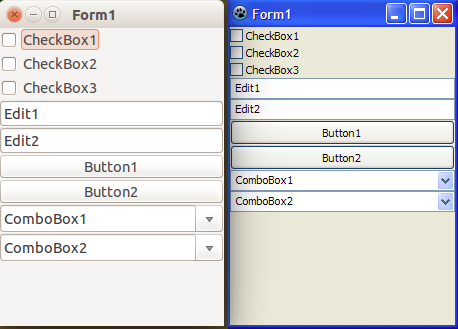](</File:controls_autosizes.png>) | |
| 1114 | + | ||
| 1115 | + | * So it's good to use common height for single-line controls, 30 pixels is ok for edit/button/check/radio, 36 for combobox. | |
| 1116 | + | * Control "tabs" height cannot auto-size, please make correct height for control (it is usually like big buttons). | |
| 1117 | + | ||
| 1118 | + | ### dlg_proc | |
| 1119 | + | ``` | |
| 1120 | + | dlg_proc(id_dialog, id_action, prop="", index=-1, index2=-1, name="") | |
| 1121 | + | ``` | |
| 1122 | + | ||
| 1123 | + | Advanced work with dialogs (forms). More advanced than "dlg_custom", forms can show in modal/nonmodal way, controls can change their value during form showing. | |
| 1124 | + | ||
| 1125 | + | Often the function works with some control. To pass some control here, use one of 2 methods: | |
| 1126 | + | ||
| 1127 | + | * Set param "name" to control's name. You give name to a control when you create this control. Param "name" is used if it's not empty. | |
| 1128 | + | * Set param "index" to control's index. You get index of newly created control from dlg_proc call. You can find the index from name, using DLG_CTL_FIND action. Param "index" is used if it's >=0 and param "name" is empty. | |
| 1129 | + | ||
| 1130 | + | #### dlg_proc - Types of controls | |
| 1131 | + | ||
| 1132 | + | Possible types of UI controls are described in "dlg_custom" topic. Additional types, supported only by "dlg_proc": | |
| 1133 | + | ||
| 1134 | + | * "button_ex": button, application-themed, works via button_proc() | |
| 1135 | + | * "editor": full-featured multi-line editor, accessible via Editor API | |
| 1136 | + | * "editor_edit": one-line variant of "editor" | |
| 1137 | + | * "editor_combo": one-line variant of "editor", with drop-down arrow | |
| 1138 | + | * "listbox_ex": listbox, application-themed, works via listbox_proc() | |
| 1139 | + | * "paintbox": control which must be painted by plugin via canvas_proc() | |
| 1140 | + | * "statusbar": statusbar: panel with one horizontal row of cells, works via statusbar_proc() | |
| 1141 | + | * "toolbar": toolbar: panel which holds buttons with icons, works via toolbar_proc() | |
| 1142 | + | * "treeview": tree structure with nodes and nested nodes, works via tree_proc() | |
| 1143 | + | ||
| 1144 | + | #### dlg_proc - Forms properties | |
| 1145 | + | ||
| 1146 | + | * "cap": str: Caption of form. | |
| 1147 | + | * "x", "y": int: Position (screen coordinates), left/top. | |
| 1148 | + | * "w", "h": int: Size, width/height. | |
| 1149 | + | * "w_min", "w_max": int: Constraints for width, min/max value. | |
| 1150 | + | * "h_min", "h_max": int: Constraints for height, min/max value. | |
| 1151 | + | * "p": int: Handle of parent form, or 0 if no parent. | |
| 1152 | + | * "tag": str: Any string, set by plugin. | |
| 1153 | + | ||
| 1154 | + | * "border": int: Border-style of form, one of DBORDER_nnn constants. | |
| 1155 | + | * DBORDER_NONE: No visible border, not resizable | |
| 1156 | + | * DBORDER_SIZE: Standard resizable border (on Windows: with Minimize/Maximize buttons) | |
| 1157 | + | * DBORDER_SINGLE: Single-line border, not resizable (on Windows: form has icon and Minimize button) | |
| 1158 | + | * DBORDER_DIALOG: Standard dialog box border, not resizable (on Windows: form has no icon nor Minimize button) | |
| 1159 | + | * DBORDER_TOOL: Like DBORDER_SINGLE but with a smaller caption | |
| 1160 | + | * DBORDER_TOOLSIZE: Like DBORDER_SIZE but with a smaller caption | |
| 1161 | + | ||
| 1162 | + | * "vis": bool: Visible state. | |
| 1163 | + | * "color": int: Background color. | |
| 1164 | + | * "autosize": bool: Form automatically resizes to the minimal size, which shows all visible controls. | |
| 1165 | + | * "keypreview": bool: If on, then key press calls on_key_down before passing key to focused control. Should be True if form needs to handle on_key_down. | |
| 1166 | + | * "p": int: Parent handle. Set this property to int handle of any windowed UI control or form, this control/form will be parent of form. | |
| 1167 | + | * "focused" (only for reading): index of currently focused control. | |
| 1168 | + | * "form_state" (only for reading): current form state, string: "norm" for normal, "min" for minimized, "max" for maximized, "fullscr" for full-screen. | |
| 1169 | + | * "topmost": bool: Makes form stay on top of other forms in CudaText. | |
| 1170 | + | * "taskbar": int enum: When form appears on OS taskbar. | |
| 1171 | + | * 0: Application default behaviour | |
| 1172 | + | * 1: Always | |
| 1173 | + | * 2: Never | |
| 1174 | + | ||
| 1175 | + | #### dlg_proc - Forms events | |
| 1176 | + | ||
| 1177 | + | These are also properties of forms. | |
| 1178 | + | ||
| 1179 | + | * "on_resize": Called after form is resized. | |
| 1180 | + | * "on_close": Called after form is closed. | |
| 1181 | + | * "on_close_query": Called to ask plugin, is it allowed to close form (in any way: pressing Esc key, clicking X icon, pressing Alt+F4 or similar hotkey). Plugin must return bool, if True then form will be closed. | |
| 1182 | + | ||
| 1183 | + | * "on_show": Called after form shows. | |
| 1184 | + | * "on_hide": Called after form hides. | |
| 1185 | + | * "on_act": Called after form is activated (gets focus). | |
| 1186 | + | * "on_deact": Called after form is deactivated (lost focus). | |
| 1187 | + | * "on_mouse_enter": Called when mouse cursor enters form area. | |
| 1188 | + | * "on_mouse_exit": Called when mouse cursor leaves form area. | |
| 1189 | + | ||
| 1190 | + | * "on_form_state": Called after form is minimized/maximized/restored. | |
| 1191 | + | * param "data": Current form state, string value like in the property "form_state". | |
| 1192 | + | ||
| 1193 | + | * "on_key_down": Called when key is pressed in form (form should have "keypreview":True). If plugin returns False, key is blocked. | |
| 1194 | + | * param "id_ctl": int key code. | |
| 1195 | + | * param "data": key-state string: few chars, "c" for Ctrl, "a" for Alt, "s" for Shift, "m" for Meta. | |
| 1196 | + | ||
| 1197 | + | * "on_key_up": Called when key is depressed (after "on_key_down"). If plugin returns False, depressing of key is blocked. | |
| 1198 | + | ||
| 1199 | + | * "on_key_press": Called when character-key is pressed (additional to "on_key_down"). If plugin returns False, pressing of key is blocked. | |
| 1200 | + | * param "id_ctl": int character code. | |
| 1201 | + | * param "data": key-state string, like in "on_key_down". | |
| 1202 | + | ||
| 1203 | + | How to get nice key description in "on_key_down", e.g. "Ctrl+Alt+Esc" from id_ctl=27 and data="ca": | |
| 1204 | + | ``` | |
| 1205 | + | str_key =\ | |
| 1206 | + | ('Meta+' if 'm' in data else '')+\ | |
| 1207 | + | ('Ctrl+' if 'c' in data else '')+\ | |
| 1208 | + | ('Alt+' if 'a' in data else '')+\ | |
| 1209 | + | ('Shift+' if 's' in data else '')+\ | |
| 1210 | + | app_proc(PROC_HOTKEY_INT_TO_STR, id_ctl) | |
| 1211 | + | ``` | |
| 1212 | + | ||
| 1213 | + | #### dlg_proc - Control properties | |
| 1214 | + | ||
| 1215 | + | * "name": str: Optional name of control, to find control later by name. May be not unique for controls. | |
| 1216 | + | * "cap": str: Caption. | |
| 1217 | + | * "act": bool: Active state. For many controls (edit, check, radio, combo_ro, checkbutton, listbox'es, listview's, tabs), it means that control's value change fires events (for dlg_proc) or closes form (for dlg_custom). | |
| 1218 | + | * "x", "y": int: Position (coordinates relative to dialog), left/top. | |
| 1219 | + | * "w", "h": int: Size, width/height. | |
| 1220 | + | * "en": bool: Enabled state. | |
| 1221 | + | * "vis": bool: Visible state. | |
| 1222 | + | * "color": int: Color. | |
| 1223 | + | * "border": bool: Control has border. | |
| 1224 | + | * "font_name": str: Font name. | |
| 1225 | + | * "font_size": int: Font size. | |
| 1226 | + | * "font_color": int: Font color. | |
| 1227 | + | * "hint": str: Hint (tooltip) for mouse-over. Newlines must be "\r". | |
| 1228 | + | * "ex0"..."ex9": Advanced control-specific props. Described in dlg_custom. | |
| 1229 | + | * "items": str: Usually tab-separated items. Described in dlg_custom. | |
| 1230 | + | * "val": str: Value of control. Described in dlg_custom. | |
| 1231 | + | * "tag": str: Any string, set by plugin. | |
| 1232 | + | ||
| 1233 | + | * "focused": bool: Shows if control has focus. | |
| 1234 | + | * "tab_stop": bool: Allows tab-key to jump to this control. | |
| 1235 | + | * "tab_order": int: Tab-key jumps to controls using tab_orders. First activated is control with tab_order=0, next with =1, etc. If tab_orders not set, controls activated by creation order. | |
| 1236 | + | ||
| 1237 | + | * "sp_l", "sp_r", "sp_t", "sp_b", "sp_a": int: Border spacing, ie padding of control's edge from anchored controls (or parent form). 5 props here: left, right, top, bottom, around. "Around" padding is added to padding of all 4 sides. | |
| 1238 | + | ||
| 1239 | + | * "a_l", "a_r", "a_t", "a_b": 2-tuple (str_control_name, str_side): Anchors of control. See #dlg_proc_-_Anchors. Value is 2-tuple, or None to disable anchor. | |
| 1240 | + | * Item-0: name of target control, or empty str to use control's parent (it is form by default). | |
| 1241 | + | * Item-1: side of target control, one of 3 values: "[" (left/top), "-" (center), "]" (right/bottom). | |
| 1242 | + | ||
| 1243 | + | * "align": alignment of control: | |
| 1244 | + | * ALIGN_NONE: no alignment (props "x", "y", "w", "h" have meaning) | |
| 1245 | + | * ALIGN_CLIENT: stretched to entire parent area (props "x", "y", "w", "h" are ignored) | |
| 1246 | + | * ALIGN_LEFT: glued to the left side of parent (only prop "w" has meaning) | |
| 1247 | + | * ALIGN_RIGHT: glued to the right side of parent (only prop "w" has meaning) | |
| 1248 | + | * ALIGN_TOP: glued to the top of parent (only prop "h" has meaning) | |
| 1249 | + | * ALIGN_BOTTOM: glued to the bottom of parent (only prop "h" has meaning) | |
| 1250 | + | ||
| 1251 | + | * "p": str: Name of control's parent control, or empty if the form is used as a parent. Coordinates x/y of a control are relative to the current parent, so control is attached to its parent. For example, you can place several controls on a "panel" control (panel can have hidden border), then change this panel's coordinates to visually move all child controls. Special case: to place control on PageControl's page with index N, specify such parent: pages_name+"."+str(N). | |
| 1252 | + | ||
| 1253 | + | Special properties for control "listview": | |
| 1254 | + | ||
| 1255 | + | * "imagelist_small": int: handle of ImageList with small icons. This ImageList is used in usual "report" mode of listview. | |
| 1256 | + | * "imagelist_large": int: handle of ImageList with large icons. This ImageList is used in "big icons" mode of listview. | |
| 1257 | + | * "imageindexes": str: string with '\t'-separated numbers. Each number is icon index, or -1 if icon is not used. | |
| 1258 | + | ||
| 1259 | + | Special properties for controls "tabs", "pages", "toolbar", "statusbar": | |
| 1260 | + | ||
| 1261 | + | * "tab_hovered": int: index of tab/cell under mouse cursor. Property is missed if no such tab/cell. | |
| 1262 | + | ||
| 1263 | + | #### dlg_proc - Control events - general | |
| 1264 | + | ||
| 1265 | + | General events for all controls: | |
| 1266 | + | ||
| 1267 | + | * "on_change": Called after "value" of control is changed. For buttons, "on_change" is called on button click, instead of "on_click". | |
| 1268 | + | * "on_click": Called after mouse click on control, for non-active controls, which don't change "value" by click. Param "data" is tuple (x, y) with control-related coordinates of click. | |
| 1269 | + | * "on_click_dbl": Called after mouse double-click on control. Param "data" is tuple (x, y) with control-related coordinates. | |
| 1270 | + | * "on_mouse_down": Called when mouse button pressed. Param "data" is dict: { "btn": int_button_code, "state": str_keyboard_state, "x": int, "y": int }. Button code: 0: left; 1: right; 2: middle. Keyboard state: value like in global event "on_key". | |
| 1271 | + | * "on_mouse_up": Called when mouse button depressed (released). Param "data": like in "on_mouse_down". | |
| 1272 | + | * "on_mouse_enter": Called when mouse cursor enters control area. | |
| 1273 | + | * "on_mouse_exit": Called when mouse cursor leaves control area. | |
| 1274 | + | * "on_focus_enter": Called when control gets focus. Not supported for controls (they don't have OS window handle): label, button, button_ex, panel, linklabel, colorpanel, bevel, image, progressbar_ex, paintbox, statusbar. | |
| 1275 | + | * "on_focus_exit": Called when control looses focus. Supported for the same controls as "on_focus_enter". | |
| 1276 | + | * "on_menu": Called before showing context menu, after right click or ContextMenu hotkey. Param "data": like in "on_mouse_down". Method can return False to disable default menu (if any). | |
| 1277 | + | ||
| 1278 | + | #### dlg_proc - Control events - for specific controls | |
| 1279 | + | ||
| 1280 | + | Special events for controls "listview", "checklistview": | |
| 1281 | + | ||
| 1282 | + | * "on_click_header": Called when user clicks on column header. Param "data": int column index. | |
| 1283 | + | * "on_select": Called after selection is changed. Param "data" is tuple: (int_item_index, bool_item_selected). | |
| 1284 | + | ||
| 1285 | + | Special events for control "listbox_ex": | |
| 1286 | + | ||
| 1287 | + | * "on_click_x": Called when listbox has X marks shown and X mark is clicked. | |
| 1288 | + | * "on_click_header": Called when listbox shows a header, and header is clicked. Param "data": int column index. | |
| 1289 | + | * "on_draw_item": Called if listbox is owner-drawn. Param "data" is dict: { "canvas": canvas_id, "index": int_item_index, "rect": item_rectangle_4_tuple }. | |
| 1290 | + | ||
| 1291 | + | Special events for control "treeview": | |
| 1292 | + | ||
| 1293 | + | * "on_fold", "on_unfold": Called before treeview node is folded/unfolded. Param "data" is int handle of treeview node. Handler can return False to disable the folding/unfolding. | |
| 1294 | + | * "on_select": Called after selection is changed. | |
| 1295 | + | ||
| 1296 | + | #### dlg_proc - Control events - for editor control | |
| 1297 | + | ||
| 1298 | + | Special events for control "editor"/"editor_edit"/"editor_combo": | |
| 1299 | + | ||
| 1300 | + | * "on_change": Called after text is changed. | |
| 1301 | + | * "on_caret": Called after caret position and/or selection is changed. | |
| 1302 | + | * "on_scroll": Called after editor is scrolled. | |
| 1303 | + | * "on_key_down": Called when user presses a key. Param "data" is tuple (int_key_code, str_key_state). Method can return False to disable default processing. | |
| 1304 | + | * "on_key_up": Called when user depresses a key. Param "data" is tuple (int_key_code, str_key_state). Method can return False to disable default processing. | |
| 1305 | + | * "on_click_gutter": Called on mouse click on gutter area. Param "data" is dict: {"state": str_key_state, "line": int_line_index, "band": int_gutterband_index}. | |
| 1306 | + | * "on_click_gap": Called on mouse click on inter-line gap. Param "data" is dict: {"state": str_key_state, "line": int, "tag": int, "gap_w": int, "gap_h": int, "x": int, "y": int}. | |
| 1307 | + | * "on_click_link": Called on mouse click (single or double, depends on settings) over hyperlink (hyperlinks are defined via PROP_LINKS_SHOW, PROP_LINKS_REGEX). Param "data" is str. | |
| 1308 | + | * "on_paste": Called before doing one of Paste commands. Param "data" is dict: {"keep_caret": bool, "sel_then": bool}. Method can return False to disable default operation. | |
| 1309 | + | ||
| 1310 | + | #### dlg_proc - Signatures of event callbacks | |
| 1311 | + | ||
| 1312 | + | Callbacks must be in forms shown in the topic #Callback_parameter. Callbacks can be functions (out of class) or class methods, it depends on the look of the callback (again see "Callback parameter" topic). | |
| 1313 | + | ``` | |
| 1314 | + | # for functions | |
| 1315 | + | def my_callback(id_dlg, id_ctl, data='', info=''): | |
| 1316 | + | pass | |
| 1317 | + | ||
| 1318 | + | # for class methods | |
| 1319 | + | class Command: | |
| 1320 | + | def my_callback(self, id_dlg, id_ctl, data='', info=''): | |
| 1321 | + | pass | |
| 1322 | + | ``` | |
| 1323 | + | ||
| 1324 | + | Parameters: | |
| 1325 | + | ||
| 1326 | + | * "id_dlg": Int, handle of the form. | |
| 1327 | + | * "id_ctl": Int, index of the control which fired the event. Note: for event "on_key_down" it has different meaning. | |
| 1328 | + | * "data" and "info": Values specific to event. If these parameters are used, they are described in the event descriptioon. | |
| 1329 | + | ||
| 1330 | + | #### dlg_proc - Actions | |
| 1331 | + | ||
| 1332 | + | Param "prop": it can be of any simple type (str, int, bool), also tuple/list (of any simple type), also dict (keys: str, values: simple type or tuple/list). Most used is dict. Example: prop={"cap": "...", "x": 10, "y": 10, "w": 600, "en": False}. | |
| 1333 | + | ||
| 1334 | + | Param "id_dialog": int, form handle. Ignored only for DLG_CREATE action (pass 0 with it). | |
| 1335 | + | ||
| 1336 | + | Possible values of "id_action": | |
| 1337 | + | ||
| 1338 | + | * DLG_CREATE: Creates new empty form, returns form "handle". You must pass this handle (int) to next calls of dlg_proc(). | |
| 1339 | + | * DLG_HIDE: Hides form. | |
| 1340 | + | * DLG_FREE: Hides and deletes form. | |
| 1341 | + | * DLG_SHOW_MODAL: Shows form in modal mode. Waits for form to hide, then returns. | |
| 1342 | + | * DLG_SHOW_NONMODAL: Shows form in non-modal mode. Returns immediately. | |
| 1343 | + | * DLG_FOCUS: Focuses form (in non-modal mode). | |
| 1344 | + | * DLG_SCALE: Scales form, with all controls, for the current OS high-DPI value. E.g. of OS scale is 150%, all will be scaled by 1.5. | |
| 1345 | + | * DLG_TO_FRONT: Puts form to the foreground (in Z-order of forms). | |
| 1346 | + | ||
| 1347 | + | * DLG_PROP_GET: Returns form props, as dict. See example plugin, which props are returned. | |
| 1348 | + | * DLG_PROP_SET: Sets form props, from dict. Param "prop" is dict. Only props mentioned in "prop" are applied, other props don't change. | |
| 1349 | + | ||
| 1350 | + | * DLG_DOCK: Docks (inserts) form into another form. Param "index" is handle of another form, and 0 means main CudaText form. Param "prop" can be: "L", "R", "T", "B" for sides left/right/top/bottom (default is bottom). | |
| 1351 | + | * DLG_UNDOCK: Undocks form from it's current parent form. | |
| 1352 | + | ||
| 1353 | + | * DLG_LOCK: Disables updating of the form. This can be used before adding many controls at once, to remove flickering of these controls. | |
| 1354 | + | * DLG_UNLOCK: Enables updating of the form. This must be used in pair with DLG_LOCK. | |
| 1355 | + | ||
| 1356 | + | * DLG_CTL_COUNT: Returns count of controls on form. | |
| 1357 | + | * DLG_CTL_ADD: Adds new control to form, returns its index, or None if cannot add. Param "prop" is type of control. See description in dlg_custom. | |
| 1358 | + | * DLG_CTL_PROP_GET: Returns control props, as dict. Control must be specified by name or index. | |
| 1359 | + | * DLG_CTL_PROP_SET: Sets control props. Control must be specified by name or index. Param "prop" is dict with props. Only props mentioned in "prop" are applied, other props don't change. To "reset" some props, you must mention them with some value. | |
| 1360 | + | * DLG_CTL_FOCUS: Focuses control. Control must be specified by name or index. | |
| 1361 | + | * DLG_CTL_DELETE: Deletes control. Control must be specified by name or index. Controls are stored in list, so after a control deleted, indexes of next controls shift by -1. So don't use fixed indexes if you delete some, use DLG_CTL_FIND. | |
| 1362 | + | * DLG_CTL_DELETE_ALL: Deletes all controls. | |
| 1363 | + | * DLG_CTL_FIND: Returns index of control by name, or -1 if cannot find. Param "prop" is name. | |
| 1364 | + | * DLG_CTL_HANDLE: Returns int "handle" of control on a form. Control must be specified by name or index. This handle is currently useful for types: | |
| 1365 | + | * type "button_ex": pass handle to button_proc() | |
| 1366 | + | * types "editor"/"editor_edit"/"editor_combo": pass handle to Editor() constructor | |
| 1367 | + | * type "listbox_ex": pass handle to listbox_proc() | |
| 1368 | + | * type "paintbox": pass handle to canvas_proc() | |
| 1369 | + | * type "statusbar": pass handle to statusbar_proc() | |
| 1370 | + | * type "treeview": pass handle to tree_proc() | |
| 1371 | + | * type "toolbar": pass handle to toolbar_proc() | |
| 1372 | + | ||
| 1373 | + | * DLG_CTL_TO_FRONT: Puts control to the foreground (in Z-order of controls). | |
| 1374 | + | * DLG_CTL_TO_BACK: Puts control to the background (in Z-order of controls). | |
| 1375 | + | ||
| 1376 | + | * DLG_COORD_LOCAL_TO_SCREEN: Converts x/y coordinates from form-related, to screen-related. Param "index" is x, "index2" is y. Returns tuple (x,y). | |
| 1377 | + | * DLG_COORD_SCREEN_TO_LOCAL: Converts x/y coordinates from screen-related, to form-related. Param "index" is x, "index2" is y. Returns tuple (x,y). | |
| 1378 | + | ||
| 1379 | + | #### dlg_proc - Anchors | |
| 1380 | + | ||
| 1381 | + | Anchor is attaching of control's side to another control, or to the parent form, so control is auto positioned, initially and on form resize. Lazarus IDE has such Anchor Editor dialog: | |
| 1382 | + | ||
| 1383 | + | [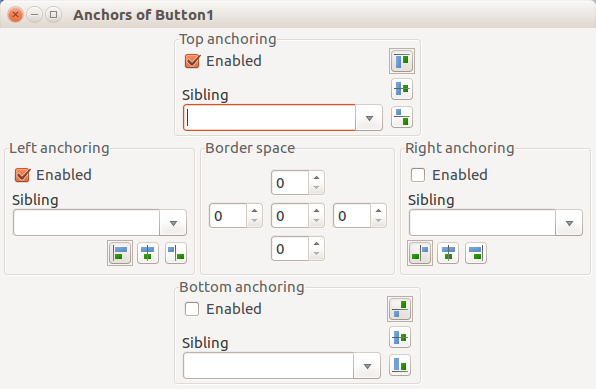](</File:Anchor_Editor_en.png>) | |
| 1384 | + | ||
| 1385 | + | In this dialog you see, that all 4 sides of control attach to one of 3 sides of another control (or parent form). | |
| 1386 | + | ||
| 1387 | + | * Anchors override absolute positions, e.g. anchor of left side overrides prop "x". | |
| 1388 | + | * Anchoring to invisible control is allowed. | |
| 1389 | + | * Anchoring circles (A to B to C to A) is not allowed, but should not give errors. | |
| 1390 | + | ||
| 1391 | + | To change anchors of control, set its properties: a_l, a_r, a_t, a_b. Initially left/top anchors are set (to the parent form). | |
| 1392 | + | ||
| 1393 | + | Side value "[" aligns control to left/top side of target: | |
| 1394 | + | ``` | |
| 1395 | + | +--------+ | |
| 1396 | + | | target | | |
| 1397 | + | +--------+ | |
| 1398 | + | ||
| 1399 | + | +--------------+ | |
| 1400 | + | | control | | |
| 1401 | + | +--------------+ | |
| 1402 | + | ``` | |
| 1403 | + | ||
| 1404 | + | Side value "]" aligns control to right/bottom side of target: | |
| 1405 | + | ``` | |
| 1406 | + | +--------+ | |
| 1407 | + | | target | | |
| 1408 | + | +--------+ | |
| 1409 | + | ||
| 1410 | + | +--------------+ | |
| 1411 | + | | control | | |
| 1412 | + | +--------------+ | |
| 1413 | + | ``` | |
| 1414 | + | ||
| 1415 | + | Side value "-" centers control relative to target: | |
| 1416 | + | ``` | |
| 1417 | + | +--------+ | |
| 1418 | + | | target | | |
| 1419 | + | +--------+ | |
| 1420 | + | ||
| 1421 | + | +--------------+ | |
| 1422 | + | | control | | |
| 1423 | + | +--------------+ | |
| 1424 | + | ``` | |
| 1425 | + | ||
| 1426 | + | Useful information in the Lazarus wiki: [[Anchor Docking|Anchor_Docking#Why_use_Anchors_instead_of_Align.3F]]. | |
| 1427 | + | ||
| 1428 | + | Example: to attach "colorpanel" to the right side of form, clear left anchor (set to None), and add right/bottom anchors. This also sets spacing-aroung (padding) to 6 pixels. | |
| 1429 | + | ``` | |
| 1430 | + | #attach colorpanel to the right | |
| 1431 | + | dlg_proc(id_form, DLG_CTL_PROP_SET, index=n, prop= | |
| 1432 | + | { 'a_l': None, 'a_r': ('', ']'), 'a_b': ('', ']'), 'sp_a': 6 } ) | |
| 1433 | + | ``` | |
| 1434 | + | ||
| 1435 | + | #### dlg_proc - Example | |
| 1436 | + | ||
| 1437 | + | Detailed demo plugin exists, it shows many dlg_proc actions, shows modal/nonmodal forms, uses callbacks, moves control by button click, moves control on form resize. It is in the CudaText repo with name "cuda_testing_dlg_proc". | |
| 1438 | + | ||
| 1439 | + | ### dlg_commands | |
| 1440 | + | ``` | |
| 1441 | + | dlg_commands(options, title="", w=0, h=0) | |
| 1442 | + | ``` | |
| 1443 | + | ||
| 1444 | + | Show commands dialog, which is customizable version of Commands (F1) dialog in CudaText. | |
| 1445 | + | ||
| 1446 | + | Param "options" should be 0 or sum of int flags: | |
| 1447 | + | ||
| 1448 | + | * COMMANDS_USUAL: Show usual commands, which have int codes. Function returns "c:"+str(int_command) for them. | |
| 1449 | + | * COMMANDS_PLUGINS: Show plugins commands. Function returns "p:"+callback_string for them. | |
| 1450 | + | * COMMANDS_LEXERS: Show lexers pseudo-commands. Function returns "l:"+lexer_name for them. | |
| 1451 | + | * COMMANDS_FILES: Show opened files pseudo-commands. Function returns "f:"+file_name for them. | |
| 1452 | + | * COMMANDS_RECENTS: Show recent files pseudo-commands. Function returns "r:"+file_name for them. | |
| 1453 | + | * COMMANDS_CONFIG: Allow to call Configure Hotkeys dialog by F9 key. | |
| 1454 | + | * COMMANDS_CONFIG_LEXER: Enable checkbox "For current lexer" when dialog to configure hotkey is called. | |
| 1455 | + | * COMMANDS_CENTERED: Set dialog position to the center of desktop. Otherwise, position depends on CudaText option. | |
| 1456 | + | ||
| 1457 | + | Params "w" and "h": if values>0, they are width and height of dialog. | |
| 1458 | + | ||
| 1459 | + | Returns string if command selected, or None if cancelled. | |
| 1460 | + | ||
| 1461 | + | ### file_open | |
| 1462 | + | ``` | |
| 1463 | + | file_open(filename, group=-1, options="") | |
| 1464 | + | file_open((filename1, filename2), group=-1, options="") | |
| 1465 | + | ``` | |
| 1466 | + | ||
| 1467 | + | Opens editor tab with given filename. If filename already opened, activates its tab. | |
| 1468 | + | ||
| 1469 | + | First parameter can be 2-tuple / 2-list of string, to open 2 files in a single tab, in a splitted view. In this case, second filename won't be handled specially for zip file, picture file, binary file etc. | |
| 1470 | + | ||
| 1471 | + | The case of empty filename: opens empty untitled tab. The case of empty filename1 and non-empty filename2 is not supported: it also opens empty untitled tab, not splitted. | |
| 1472 | + | ||
| 1473 | + | Returns bool. True, if first filename is empty. Otherwise, returns True if first filename exists, and second filename is empty or exists. For zip file (only first filename is checked for it), returns True only if zip file contains valid CudaText add-on, and it was installed. | |
| 1474 | + | ||
| 1475 | + | * Param "group": index of tab-group, currently 0...8 (6 normal groups + 3 floating groups). Default means "current group". If you pass index of currently hidden group, group won't show, you need to call editor command to show it, see #cmd. | |
| 1476 | + | * Param "options": string: | |
| 1477 | + | * If it has "/preview", then file opens in a "temporary preview" tab, with italic caption. Param "group" is ignored then, used 1st group. | |
| 1478 | + | * If it has "/nohistory", file's saved history (caret, scroll pos, etc) won't be used. | |
| 1479 | + | * If it has "/noloadundo", file's persistent-undo (additional file created by using option "undo_persistent") won't be loaded. | |
| 1480 | + | * If it has "/nolexerdetect", lexer won't be auto-detected. | |
| 1481 | + | * If it has "/noevent", then "on_open_pre" event won't fire. | |
| 1482 | + | * If it has "/noopenedevent", then "on_open" event won't fire. | |
| 1483 | + | * If it has "/nononeevent", then "on_open_none" event won't fire. | |
| 1484 | + | * If it has "/silent", then zipped add-on will install w/o prompt and report. | |
| 1485 | + | * If it has "/passive", then tab will not activate, it will be passive tab. | |
| 1486 | + | * If it has "/nonear", then app option "ui_tab_new_near_current" will be ignored, tab will be appended to the end. | |
| 1487 | + | * If it has "/donear", then app option "ui_tab_new_near_current" will be ignored, tab will be opened near the active one. | |
| 1488 | + | * If it has "/nozip", then .zip files will not be handled specially. | |
| 1489 | + | * If it has "/nopictures", then picture files will not be handled specially. | |
| 1490 | + | * If it has "/noupdateaddons", then after installing add-ons from .zip file(s), Plugins menu will not be reloaded / lexer library will not be reloaded. | |
| 1491 | + | * If it has "/view-text', then file will open in internal viewer, text (variable width) mode. | |
| 1492 | + | * If it has "/view-binary', then file will open in internal viewer, binary (fixed width) mode. | |
| 1493 | + | * If it has "/view-hex', then file will open in internal viewer, hex mode. | |
| 1494 | + | * If it has "/view-unicode', then file will open in internal viewer, unicode (variable width) mode. | |
| 1495 | + | * If it has "/nontext-view-text", then in the case of non-text file, file will open in internal viewer, text (variable width) mode. | |
| 1496 | + | * If it has "/nontext-view-binary", then in the case of non-text file, file will open in internal viewer, binary (fixed width) mode. | |
| 1497 | + | * If it has "/nontext-view-hex", then in the case of non-text file, file will open in internal viewer, hex mode. | |
| 1498 | + | * If it has "/nontext-view-unicode", then in the case of non-text file, file will open in internal viewer, unicode mode. | |
| 1499 | + | * If it has "/nontext-view-uhex", then in the case of non-text file, file will open in internal viewer, unicode+hex mode. | |
| 1500 | + | * If it has "/nontext-cancel", then in the case of non-text file, function will fail and return False. | |
| 1501 | + | ||
| 1502 | + | Note: "ed" is always the current editor, after file_open() current editor changes, and "ed" is the new cur editor. | |
| 1503 | + | ||
| 1504 | + | Example opens untitled tab, and writes multi-line text to it: | |
| 1505 | + | ``` | |
| 1506 | + | file_open('') | |
| 1507 | + | ed.set_text_all(text) | |
| 1508 | + | ``` | |
| 1509 | + | ||
| 1510 | + | ### ed_handles | |
| 1511 | + | ``` | |
| 1512 | + | ed_handles() | |
| 1513 | + | ``` | |
| 1514 | + | ||
| 1515 | + | Returns range object, which contains int handles of all editor UI-tabs. Pass each handle to Editor() to make editor object from handle. | |
| 1516 | + | ||
| 1517 | + | Example which shows filenames of all tabs: | |
| 1518 | + | ``` | |
| 1519 | + | for h in ed_handles(): | |
| 1520 | + | e = Editor(h) | |
| 1521 | + | print(e.get_filename()) | |
| 1522 | + | ``` | |
| 1523 | + | ||
| 1524 | + | Note: resulting int handles are virtual (small int numbers, not memory addresses). To get unique handle which is memory address of an editor, use PROP_HANDLE_SELF: | |
| 1525 | + | ``` | |
| 1526 | + | for h in ed_handles(): | |
| 1527 | + | e = Editor(h) | |
| 1528 | + | print('Unique handle:', e.get_prop(PROP_HANDLE_SELF, '')) | |
| 1529 | + | ``` | |
| 1530 | + | ||
| 1531 | + | ### ed_group | |
| 1532 | + | ``` | |
| 1533 | + | ed_group(index) | |
| 1534 | + | ``` | |
| 1535 | + | ||
| 1536 | + | Returns Editor object for active editor in tab-group with given group-index. Returns None for incorrect index, or if no tabs in this group. | |
| 1537 | + | ||
| 1538 | + | Index possible values: 0..5 (first 6 groups) and 6..8 (3 floating groups). | |
| 1539 | + | ||
| 1540 | + | ### ini_read/ini_write | |
| 1541 | + | ``` | |
| 1542 | + | ini_read(filename, section, key, value) | |
| 1543 | + | ini_write(filename, section, key, value) | |
| 1544 | + | ``` | |
| 1545 | + | ||
| 1546 | + | Reads/writes single string from/to .ini file. Params: | |
| 1547 | + | ||
| 1548 | + | * "filename": str: Path of file. Can be without path, this means that path of "settings" dir is used. | |
| 1549 | + | * "section": str: Section of ini file. | |
| 1550 | + | * "key": str: Key in section. | |
| 1551 | + | * "value": str: | |
| 1552 | + | * on read: default value which is returned if no such filename/section/key was found. | |
| 1553 | + | * on write: value to write. | |
| 1554 | + | ||
| 1555 | + | On read: returns string value. On write: returns None. | |
| 1556 | + | ||
| 1557 | + | ### ini_proc | |
| 1558 | + | ``` | |
| 1559 | + | ini_proc(id, filename, section="", key="") | |
| 1560 | + | ``` | |
| 1561 | + | ||
| 1562 | + | Performs action on .ini file. Filename can be without path, this means that path of "settings" dir is used. | |
| 1563 | + | ||
| 1564 | + | Possible values of "id": | |
| 1565 | + | ||
| 1566 | + | * INI_GET_SECTIONS: Returns list of sections. Params "section", "key" ignored. | |
| 1567 | + | * INI_GET_KEYS: Returns list of keys in given section. Param "key" ignored. | |
| 1568 | + | * INI_DELETE_KEY: Deletes given key in given section. | |
| 1569 | + | * INI_DELETE_SECTION: Deletes given section with all its keys. Param "key" ignored. | |
| 1570 | + | ||
| 1571 | + | ### lexer_proc | |
| 1572 | + | ``` | |
| 1573 | + | lexer_proc(id, value) | |
| 1574 | + | ``` | |
| 1575 | + | ||
| 1576 | + | Perform some lexer-related action. | |
| 1577 | + | ||
| 1578 | + | Possible values of "id": | |
| 1579 | + | ||
| 1580 | + | * LEXER_GET_LEXERS: Returns list of lexers. Param "value" must be bool: allow to include also hidden lexers (not visible in the lexers menu). | |
| 1581 | + | * LEXER_GET_PROP: For lexer name (param "value"), returns lexer general properties, as dict. Supported for "lite" lexers too (lexer name must end with ^ suffix). For incorrect lexer name, returns None. Keys of dict: | |
| 1582 | + | * "en": bool: lexer is visible in the lexers menu. | |
| 1583 | + | * "typ": list of str: list of file-types (they detect lexer when file loads; "ext" is simple extension, "ext1.ext2" is double extension, "/fullname" is name w/o path). | |
| 1584 | + | * "st": list of str: list of all styles. | |
| 1585 | + | * "st_c": list of str: list of styles of syntax comments (e.g. used by Spell Checker). | |
| 1586 | + | * "st_s": list of str: list of styles of syntax strings (e.g. used by Spell Checker). | |
| 1587 | + | * "sub": list of str: list of sub-lexers (some items can be empty if lexer setup broken). | |
| 1588 | + | * "kinds": list of str: list of token kind names. (This list has strings which lexer author had assigned in lexer properties, it has nothing common with "syntax elements" search.) | |
| 1589 | + | * "c_line": str: line comment (until end-of-line). | |
| 1590 | + | * "c_str": 2-tuple or None: stream comment (for any range). | |
| 1591 | + | * "c_lined": 2-tuple or None: comment for full lines. | |
| 1592 | + | ||
| 1593 | + | * LEXER_GET_STYLES: For lexer name (param "value"), returns lexer styles properties, as dict. This works even if CudaText lexer themes are disabled (option "ui_lexer_themes": false). Not supported for "lite" lexers. Dict keys: | |
| 1594 | + | * "type": Kind of style. Enum. 0: reserved value, 1: colors and font styles, 2: colors only, 3: background color only. | |
| 1595 | + | * "color_font": RGB color of font. | |
| 1596 | + | * "color_back": RGB color of background. Can be COLOR_NONE if not used. | |
| 1597 | + | * "color_border": RGB color of border. | |
| 1598 | + | * "border_left", "border_right", "border_top", "border_bottom": Kind of border at one side. Enum. Values from 0: none, solid, dash, dot, dash dot, dash dot dot, solid2, solid3, wave, double. | |
| 1599 | + | * "styles": Font styles, as string. If empty, no styles. If "b" in value, bold. If "i" in value, italic. If "u" in value, underline. If "s" in value, strikeout. | |
| 1600 | + | * "tkind": Kind of syntax element. "c" - comment, "s" - string, "a" - any other. | |
| 1601 | + | ||
| 1602 | + | * LEXER_DETECT: Detects lexer name by file name (param "value" is file name). Returns None if cannot detect. Returns string or tuple of string (for example, "C" and "C++" for "test.h"). Function tests file extension, or even filename before extension (e.g. "/path/makefile.gcc" gives "Makefile"). | |
| 1603 | + | * LEXER_REREAD_LIB: Re-reads lexer library from disk, updates lexer menu. Make sure that plugins' dialogs don't use editor with lexer, which may crash. | |
| 1604 | + | ||
| 1605 | + | * LEXER_ADD_VIRTUAL: Adds virtual lexer, which doesn't have a file and doesn't highlight text, it's only an item in lexers list. The purpose of virtual lexers is to avoid creating lexer files, but allow plugins to be activated by some lexer name / some file types. Param "value" must be tuple of string: (lexer_name, file_types, line_comment, range_comment_begin, range_comment_end). Item file_types here must have the same notation as for "lite" lexers, e.g. "*.pas;*.pp;*.lpr". Virtual lexers are added to the "lite" lexers list, and show the same suffix in lexer menu. To activate such a lexer, call Editor.set_prop(PROP_LEXER_FILE, lexer_name+suffix). Action returns bool: lexer_name didn't exist, lexer was added. | |
| 1606 | + | ||
| 1607 | + | ### tree_proc | |
| 1608 | + | ``` | |
| 1609 | + | tree_proc(id_tree, id_action, id_item=0, index=0, text="", image_index=-1, data="") | |
| 1610 | + | ``` | |
| 1611 | + | ||
| 1612 | + | Perform action on treeview UI-control. | |
| 1613 | + | ||
| 1614 | + | * Param "id_tree": int handle of treeview. | |
| 1615 | + | * Param "id_item": int handle of tree-item. Can be 0 for invisible root-item: | |
| 1616 | + | * can clear entire tree using root-item | |
| 1617 | + | * can enumerate root level using root-item. | |
| 1618 | + | ||
| 1619 | + | Possible values of "id_action": | |
| 1620 | + | ||
| 1621 | + | * TREE_ITEM_ENUM: Enumerates subitems of given item. Params: "id_item". Returns list of 2-tuples. | |
| 1622 | + | * tuple item 0: int: handle of item. | |
| 1623 | + | * tuple item 1: string: caption of item. | |
| 1624 | + | ||
| 1625 | + | * TREE_ITEM_ENUM_EX: Enumerates subitems of given item. Params: "id_item". Returns list of dict. Dict keys are: | |
| 1626 | + | * "id": int: handle of item. | |
| 1627 | + | * "text": str: caption of item | |
| 1628 | + | * "data": str: data string of item. | |
| 1629 | + | * "img": int: icon index of item, or -1 if icon not used. | |
| 1630 | + | * "sub_items": bool: item has the sub-items. | |
| 1631 | + | ||
| 1632 | + | * TREE_ITEM_ADD: Adds subitem as item's child. Returns int handle of subitem. | |
| 1633 | + | * Param "id_item": handle of item. | |
| 1634 | + | * Param "index": at which subitem index to insert (0-based), or -1 to append. | |
| 1635 | + | * Param "text": caption of item. | |
| 1636 | + | * Param "image_index": index in tree's icon list or -1 to not show icon. | |
| 1637 | + | * Param "data": optional data string attached to item. | |
| 1638 | + | * TREE_ITEM_DELETE: Deletes item (with all subitems). Params: "id_item". | |
| 1639 | + | * TREE_ITEM_SET_TEXT: Sets item's text. Params: "id_item", "text". | |
| 1640 | + | * TREE_ITEM_SET_ICON: Sets item's main icon. Params: "id_item", "image_index". | |
| 1641 | + | * TREE_ITEM_SET_ICON_2: Sets item's secondary icon. Params: "id_item", "image_index". | |
| 1642 | + | ||
| 1643 | + | * TREE_ITEM_SELECT: Selects the item specified by "id_item". If "id_item" is 0, it removes the selection. | |
| 1644 | + | * TREE_ITEM_SHOW: Makes item visible, ie scrolls control to this item. | |
| 1645 | + | * TREE_ITEM_GET_SELECTED: Returns int handle of selected item (param "id_item" is ignored). Returns None if nothing is selected. | |
| 1646 | + | ||
| 1647 | + | * TREE_ITEM_GET_PROPS: Returns properties of item, as dict. Dict keys are: | |
| 1648 | + | * "text": str: caption of item | |
| 1649 | + | * "data": str: data string of item | |
| 1650 | + | * "icon": int: index of icon in tree's imagelist object, or -1 for none | |
| 1651 | + | * "level": int: how deep this item is nested (how many parents this item has) | |
| 1652 | + | * "parent": int: id of parent item, or 0 if no parent | |
| 1653 | + | * "folded": bool: is this item folded (item itself, not parents) | |
| 1654 | + | * "selected": bool: is this item selected | |
| 1655 | + | * "sub_items": bool: item has sub-items | |
| 1656 | + | * "index": int: index of item, relative to its branch | |
| 1657 | + | * "index_abs": int: absolute index of item, relative to root | |
| 1658 | + | ||
| 1659 | + | * TREE_ITEM_FOLD: Folds item w/o subitems. | |
| 1660 | + | * TREE_ITEM_FOLD_DEEP: Folds item with subitems. Root-item allowed too. | |
| 1661 | + | * TREE_ITEM_FOLD_LEVEL: Folds all items (id_item ignored) from level with specified index, 1 or bigger. (This is what CudaText commands "fold level N" do for code-tree). | |
| 1662 | + | * TREE_ITEM_UNFOLD: Unfolds item w/o subitems. | |
| 1663 | + | * TREE_ITEM_UNFOLD_DEEP: Unfolds item with subitems. Root-item allowed too. | |
| 1664 | + | ||
| 1665 | + | * TREE_GET_MULSELECT: Returns string, which shows multi-selection options. | |
| 1666 | + | * String "-": Multi-selection is disabled | |
| 1667 | + | * Empty string or several "option chars": multi-selection is enabled. "Option chars" are: | |
| 1668 | + | * "c": Enable Ctrl+click to select/deselect single node | |
| 1669 | + | * "s": Enable Shift+click to select range of nodes | |
| 1670 | + | * "v": Multi-selection has only visible nodes | |
| 1671 | + | * "i": Multi-selection has only sibling nodes | |
| 1672 | + | * TREE_SET_MULSELECT: Sets multi-selection options. Param "text" must be one of possible values described in TREE_GET_MULSELECT. | |
| 1673 | + | * TREE_GET_SELECTIONS: Returns list of selected tree nodes, one handle per each selected node. When multi-selection is disabled, result is empty list or list with single item. | |
| 1674 | + | ||
| 1675 | + | * TREE_FIND_FOR_TEXT_POS: For the treeview, filled with code-tree information (it can be plugin-created treeview), finds the tree-item corresponding to given text position. Param "id_item" is ignored, param "text" must be 2-tuple of int (column, line). Returns handle of tree-item. Returns None if "text" doesn't contain valid text position. Returns 0 if tree-item is not found. | |
| 1676 | + | ||
| 1677 | + | * TREE_GET_IMAGELIST: Returns handle of imagelist object, int value. | |
| 1678 | + | * TREE_SET_IMAGELIST: Sets handle of imagelist object. Param "text" must be int handle, it can be 0 to remove current imagelist. | |
| 1679 | + | ||
| 1680 | + | * TREE_PROP_SHOW_ROOT: Allows to change "show root-item" property. When root-item is hidden, treeview (folded) looks like a listbox. Param "text" must be bool value. | |
| 1681 | + | * TREE_LOCK: Disables repainting of control. | |
| 1682 | + | * TREE_UNLOCK: Enables repainting of control. | |
| 1683 | + | * TREE_THEME: Applies current color theme to control. | |
| 1684 | + | ||
| 1685 | + | * TREE_ITEM_GET_RANGE: Should be used only for code-tree. Returns range, stored in tree-item, as 4-tuple (start_x, start_y, end_x, end_y). If range is not set, returns (-1,-1,-1,-1). | |
| 1686 | + | * TREE_ITEM_SET_RANGE: Should be used only for code-tree. Sets range for tree-item. Param "text" must be 4-tuple of int (start_x, start_y, end_x, end_y). | |
| 1687 | + | ||
| 1688 | + | **Example of fast treeview filling** , with locking to prevert treeview repaints: | |
| 1689 | + | ``` | |
| 1690 | + | tree_proc(h_tree, TREE_LOCK) | |
| 1691 | + | ||
| 1692 | + | for i in range(5000): | |
| 1693 | + | tree_proc(h_tree, TREE_ITEM_ADD, index=-1, text='text') | |
| 1694 | + | ||
| 1695 | + | tree_proc(h_tree, TREE_UNLOCK) | |
| 1696 | + | ``` | |
| 1697 | + | ||
| 1698 | + | **Example of getting code-tree text range** for some code-tree node. The following is the Console input commands and their outputs. Comments "### ..." are inserted by hands later. | |
| 1699 | + | ``` | |
| 1700 | + | ### Step 1 - get handle of code-tree. | |
| 1701 | + | ||
| 1702 | + | >>> ct=app_proc(PROC_GET_CODETREE,'') | |
| 1703 | + | >>> ct | |
| 1704 | + | 140556715678064 | |
| 1705 | + | ||
| 1706 | + | ### Step 2 - enumerate code-tree root level. | |
| 1707 | + | ||
| 1708 | + | >>> =tree_proc(ct, TREE_ITEM_ENUM_EX, id_item=0) | |
| 1709 | + | [{'id': 140556582911424, 'text': 'log', 'data': '', 'img': 5, 'sub_items': False}, | |
| 1710 | + | {'id': 140556582911904, 'text': 'Command', 'data': '', 'img': 1, 'sub_items': True}] | |
| 1711 | + | ||
| 1712 | + | ### Step 3 - enumerate sub-items of 'Command' node. | |
| 1713 | + | ### We got last node with 'text'=='Command' and 'sub_items':True. | |
| 1714 | + | ### Copy its id and pass it to param "id_item". | |
| 1715 | + | ||
| 1716 | + | >>> =tree_proc(ct, TREE_ITEM_ENUM_EX, id_item=140556582911904) | |
| 1717 | + | [{'id': 140556582912064, 'text': '__init__', 'data': '', 'img': 5, 'sub_items': False}, | |
| 1718 | + | {'id': 140556582913344, 'text': 'on_focus', 'data': '', 'img': 5, 'sub_items': False}, | |
| 1719 | + | {'id': 140556582913504, 'text': 'work', 'data': '', 'img': 5, 'sub_items': False}] | |
| 1720 | + | ||
| 1721 | + | ### Step 4 - get text range of node. | |
| 1722 | + | ### Copy id of some item and get its text range (x1, y1, x2, y2). | |
| 1723 | + | ||
| 1724 | + | >>> =tree_proc(ct, TREE_ITEM_GET_RANGE, id_item=140556582913504) | |
| 1725 | + | (4, 102, 21, 180) | |
| 1726 | + | ``` | |
| 1727 | + | ||
| 1728 | + | ### listbox_proc | |
| 1729 | + | ``` | |
| 1730 | + | listbox_proc(id_listbox, id_action, index=0, text="", tag=0) | |
| 1731 | + | ``` | |
| 1732 | + | ||
| 1733 | + | Perform action on listbox UI-control. | |
| 1734 | + | ||
| 1735 | + | * Param id_listbox: int handle of listbox. | |
| 1736 | + | * Param index: index of item (0-base). | |
| 1737 | + | ||
| 1738 | + | Possible values of "id_action": | |
| 1739 | + | ||
| 1740 | + | * LISTBOX_GET_COUNT: Returns number if items. | |
| 1741 | + | * LISTBOX_ADD: Adds item with given text and tag. Returns new count of items. Param "index": index of new item, or -1 to append. Param "text": text of item. Param "tag": int tag. | |
| 1742 | + | * LISTBOX_ADD_PROP: Adds item with given text and other properties. Returns new count of items. Param "index": index of new item, or -1 to append. Param "text": text of item. Param "tag": dict with keys "tag", "modified", "datatext". | |
| 1743 | + | * LISTBOX_DELETE: Deletes item with given index. | |
| 1744 | + | * LISTBOX_DELETE_ALL: Deletes all items. | |
| 1745 | + | * LISTBOX_GET_ITEM: Returns text/tag of item with given index. Returns 2-tuple (text, tag) or None if index incorrect. | |
| 1746 | + | * LISTBOX_SET_ITEM: Sets text/tag of item with given index. Params used: "index", "text", "tag". | |
| 1747 | + | * LISTBOX_GET_ITEM_PROP: Returns properties of item with given index, as dict or None. Dict keys are: "text", "tag", "modified", "datatext". | |
| 1748 | + | * LISTBOX_SET_ITEM_PROP: Sets properties of item with given index. Param "index": int value. Param "text": new text of item. Param "tag": dict with keys "tag", "modified", "datatext". | |
| 1749 | + | * LISTBOX_GET_ITEM_H: Returns height of items in pixels. | |
| 1750 | + | * LISTBOX_SET_ITEM_H: Sets height of items in pixels. Param "index": int value | |
| 1751 | + | * LISTBOX_GET_SEL: Returns selected index. -1 for none. | |
| 1752 | + | * LISTBOX_SET_SEL: Sets selected index. Param "index": int value | |
| 1753 | + | * LISTBOX_GET_TOP: Returns index of top visible item. | |
| 1754 | + | * LISTBOX_SET_TOP: Sets index of top visible item. Param "index": int value | |
| 1755 | + | * LISTBOX_GET_DRAWN: Returns owner-drawn state (bool). Owner-drawn state means that listbox doesn't paint itself, but plugin must paint it via event "on_draw_item". | |
| 1756 | + | * LISTBOX_SET_DRAWN: Sets owner-drawn state. Param "index": 0 or 1 (off/on). | |
| 1757 | + | * LISTBOX_GET_SHOW_X: Returns state of X marks. Int value: 0: don't show, 1: show for all items, 2: show for mouse-over item. | |
| 1758 | + | * LISTBOX_SET_SHOW_X: Sets state of X marks. Param "index": int value. | |
| 1759 | + | * LISTBOX_GET_HOTTRACK: Returns HotTrack state (bool). HotTrack means that listbox highlights item under mouse cursor. | |
| 1760 | + | * LISTBOX_SET_HOTTRACK: Sets HotTrack state. Param "index": 0 or 1 (off/on). | |
| 1761 | + | * LISTBOX_GET_SCROLLSTYLE_HORZ: Returns style of horizontal scrollbar. One of SCROLLSTYLE_ constants. | |
| 1762 | + | * LISTBOX_SET_SCROLLSTYLE_HORZ: Sets style of horizontal scrollbar. Param "index": int value, one of SCROLLSTYLE_ constants. | |
| 1763 | + | * LISTBOX_GET_SCROLLSTYLE_VERT: Returns style of vertical scrollbar. One of SCROLLSTYLE_ constants. | |
| 1764 | + | * LISTBOX_SET_SCROLLSTYLE_VERT: Sets style of vertical scrollbar. Param "index": int value, one of SCROLLSTYLE_ constants. | |
| 1765 | + | * LISTBOX_GET_SCROLLPOS_HORZ: Returns horizontal scroll position. | |
| 1766 | + | * LISTBOX_SET_SCROLLPOS_HORZ: Sets horizontal scroll position. Param "index": int value. | |
| 1767 | + | * LISTBOX_GET_HEADER: Returns header string. | |
| 1768 | + | * LISTBOX_SET_HEADER: Sets header string. It may contain "column separator char", see LISTBOX_SET_COLUMN_SEP. | |
| 1769 | + | * LISTBOX_GET_HEADER_IMAGELIST: Returns int handle of header's image-list. | |
| 1770 | + | * LISTBOX_SET_HEADER_IMAGELIST: Sets int handle of header's image-list. | |
| 1771 | + | * LISTBOX_GET_HEADER_IMAGEINDEXES: Returns header's image-list indexes, as list of int. | |
| 1772 | + | * LISTBOX_SET_HEADER_IMAGEINDEXES: Sets header's image-list indexes. Param "text": list of int. For example, [-1, 4, 6] means "show image=4 for column 1, and image=6 for column 2". | |
| 1773 | + | ||
| 1774 | + | Listbox can have columns. It works only if listbox is not owner-drawn, and column sizes were set via LISTBOX_SET_COLUMNS. You must add separator-chars inside items to split items into columns. Column sizes are passed as list of int. Each list item can be: | |
| 1775 | + | ||
| 1776 | + | * value>0: Column width in pixels. | |
| 1777 | + | * value<0: Column width in percents (percents of the entire listbox width, minus all fixed sizes). | |
| 1778 | + | * value=0: Column is auto-stretched to fill the rest of the width. Several auto-stretched columns are allowed. | |
| 1779 | + | ||
| 1780 | + | Actions for columns: | |
| 1781 | + | ||
| 1782 | + | * LISTBOX_GET_COLUMN_SEP: Returns column separator char. | |
| 1783 | + | * LISTBOX_SET_COLUMN_SEP: Sets column separator char. Param "text" must be single-char string. | |
| 1784 | + | * LISTBOX_GET_COLUMNS: Returns list of column sizes. | |
| 1785 | + | * LISTBOX_SET_COLUMNS: Sets list of column sizes. Param "text" must be list of int. List items can be >0, <0, =0, see above. | |
| 1786 | + | ||
| 1787 | + | Example adds 3 columns: | |
| 1788 | + | ``` | |
| 1789 | + | listbox_proc(h_list, LISTBOX_SET_COLUMN_SEP, text='|') | |
| 1790 | + | listbox_proc(h_list, LISTBOX_SET_COLUMNS, text=[-50,0,-20]) # width<0 means value in % | |
| 1791 | + | listbox_proc(h_list, LISTBOX_ADD, index=-1, text='first|second|third') | |
| 1792 | + | ``` | |
| 1793 | + | ||
| 1794 | + | ### canvas_proc | |
| 1795 | + | ``` | |
| 1796 | + | canvas_proc(id_canvas, id_action, | |
| 1797 | + | text="", color=-1, size=-1, | |
| 1798 | + | x=-1, y=-1, x2=-1, y2=-1, | |
| 1799 | + | style=-1, p1=-1, p2=-1) | |
| 1800 | + | ``` | |
| 1801 | + | ||
| 1802 | + | Performs action on canvas, ie drawing surface of some GUI control. Param "id_canvas" is handle of canvas of some GUI control. Special value 0 means testing empty panel, it appears at the top of app, when used. | |
| 1803 | + | ||
| 1804 | + | Possible values of "id_action": | |
| 1805 | + | ||
| 1806 | + | * CANVAS_SET_FONT: Sets props of font. Params used: | |
| 1807 | + | * "text": font name | |
| 1808 | + | * "color" | |
| 1809 | + | * "size" | |
| 1810 | + | * "style": 0 for normal, or sum of values FONT_B (bold), FONT_I (italic), FONT_U (underline), FONT_S (strikeout) | |
| 1811 | + | ||
| 1812 | + | * CANVAS_SET_PEN: Sets props of pen. Params used: | |
| 1813 | + | * "color" | |
| 1814 | + | * "size" | |
| 1815 | + | * "style": one of PEN_STYLE_nnnn | |
| 1816 | + | * "p1": end caps style - one of PEN_CAPS_nnnn | |
| 1817 | + | * "p2": line joining style - one of PEN_JOIN_nnnn | |
| 1818 | + | ||
| 1819 | + | * CANVAS_SET_BRUSH: Sets props of brush. Params used: | |
| 1820 | + | * "color" | |
| 1821 | + | * "style": one of BRUSH_nnnn. Usually used: BRUSH_SOLID (filled background), BRUSH_CLEAR (transparent background). | |
| 1822 | + | ||
| 1823 | + | * CANVAS_SET_ANTIALIAS: Sets anti-aliasing mode of canvas. Params used: "style" - ANTIALIAS_NONE, ANTIALIAS_ON, ANTIALIAS_OFF. | |
| 1824 | + | * CANVAS_GET_TEXT_SIZE: Returns size of text on canvas, as 2-tuple (size_x, size_y). Uses font. Params used: "text". | |
| 1825 | + | * CANVAS_TEXT: Paints text at given coords. Uses font and brush. Params used: "text", "x", "y". | |
| 1826 | + | * CANVAS_LINE: Paints line at given coords. Uses pen. Params used: "x", "y", "x2", "y2". | |
| 1827 | + | * CANVAS_PIXEL: Paints one pixel at given coords. Params used: "x", "y", "color". | |
| 1828 | + | * CANVAS_RECT: Paints rectangle. Uses pen and brush. Params used: "x", "y", "x2", "y2". | |
| 1829 | + | * CANVAS_RECT_FRAME: Paints rectangle. Uses only pen. Params used: "x", "y", "x2", "y2". | |
| 1830 | + | * CANVAS_RECT_FILL: Paints rectangle. Uses only brush. Params used: "x", "y", "x2", "y2". | |
| 1831 | + | * CANVAS_RECT_ROUND: Paints rounded rectangle. Uses pen and brush. Params used: "x", "y", "x2", "y2", "style" - radius of corners. | |
| 1832 | + | * CANVAS_ELLIPSE: Paints ellipse or circle. Uses pen and brush. Params used: "x", "y", "x2", "y2". | |
| 1833 | + | * CANVAS_POLYGON: Paints polygon from any number of points (>2). Uses pen and brush. Params used: "text" - comma separated list of (x,y) coords. Example: "10,10,200,50,10,100" - 3 points. | |
| 1834 | + | * CANVAS_SET_TESTPANEL: Sets height of testing panel at the top. Params used: "size". If it's "too small" then panel hides; for big value, panel height is limited. | |
| 1835 | + | ||
| 1836 | + | ### timer_proc | |
| 1837 | + | ``` | |
| 1838 | + | timer_proc(id, callback, interval, tag="") | |
| 1839 | + | ``` | |
| 1840 | + | ||
| 1841 | + | Perform action on timers. Many different timers are allowed, they work at the same time, each unique callback makes new timer with its own interval. To stop some timer, you must specify the same callback as you did on starting that timer. | |
| 1842 | + | ||
| 1843 | + | * "callback": Callback which is called on timer tick, see below. | |
| 1844 | + | * "interval": Timer delay in msec. For value<10, app will use 10. Specify it only on starting (ignored on stopping). | |
| 1845 | + | * "tag": Some string, if not empty, it will be parameter to callback. If empty, callback is called without additional params. | |
| 1846 | + | ||
| 1847 | + | Possible values of "id": | |
| 1848 | + | ||
| 1849 | + | * TIMER_START - Create and start timer, for infinite ticks. If timer for such callback is already created, then it's restated. | |
| 1850 | + | * TIMER_START_ONE - Create and start timer, for single tick. If timer for such callback is already created, then it's restated. | |
| 1851 | + | * TIMER_STOP - Stop timer (timer must be created before). | |
| 1852 | + | * TIMER_DELETE - Stop timer, and delete it from list of timers. Usually don't use it, use only to save memory if created lot of timers. | |
| 1853 | + | ||
| 1854 | + | Result is True if params are OK, False if params not OK (callback string incorrect, not created callback specified on stopping); or None (for unknown "id"). | |
| 1855 | + | ||
| 1856 | + | #### timer_proc - Callbacks | |
| 1857 | + | ||
| 1858 | + | Callback param must be in one of these forms: #Callback_parameter. | |
| 1859 | + | ||
| 1860 | + | Callbacks in timer_proc must be declared as: | |
| 1861 | + | ``` | |
| 1862 | + | #function | |
| 1863 | + | def my(tag='', info=''): | |
| 1864 | + | pass | |
| 1865 | + | #method | |
| 1866 | + | class Command: | |
| 1867 | + | def my(self, tag='', info=''): | |
| 1868 | + | pass | |
| 1869 | + | ``` | |
| 1870 | + | ||
| 1871 | + | ### menu_proc | |
| 1872 | + | ``` | |
| 1873 | + | menu_proc(id_menu, id_action, command="", caption="", index=-1, hotkey="", tag="") | |
| 1874 | + | ``` | |
| 1875 | + | ||
| 1876 | + | Perform action on menu items. | |
| 1877 | + | ||
| 1878 | + | #### menu_proc - Menu id | |
| 1879 | + | ||
| 1880 | + | Value of "id_menu" can be: | |
| 1881 | + | ||
| 1882 | + | * number, str(number): all menu items can be specified by unique int value | |
| 1883 | + | * "top": top menu | |
| 1884 | + | * "top-file": top menu "File" submenu | |
| 1885 | + | * "top-edit": top menu "Edit" submenu | |
| 1886 | + | * "top-sel": top menu "Selection" submenu | |
| 1887 | + | * "top-sr": top menu "Search" submenu | |
| 1888 | + | * "top-view": top menu "View" submenu | |
| 1889 | + | * "top-op": top menu "Options" submenu | |
| 1890 | + | * "top-help": top menu "Help" submenu | |
| 1891 | + | * "text": editor context menu | |
| 1892 | + | * "tab": tab header context menu | |
| 1893 | + | * "toolmenu:"+name: dropdown submenu of toolbar button | |
| 1894 | + | ||
| 1895 | + | #### menu_proc - Command for new items | |
| 1896 | + | ||
| 1897 | + | Value of "command" parameter for MENU_ADD can be: | |
| 1898 | + | ||
| 1899 | + | * int_command or str(int_command) - int command code, from module cudatext_cmd (pass 0 if item does nothing) | |
| 1900 | + | * callback in one of these forms: #Callback_parameter. | |
| 1901 | + | ||
| 1902 | + | * to create standard special sub-menus, special values: | |
| 1903 | + | * "_recents": Recent-files submenu | |
| 1904 | + | * "_plugins": Plugins submenu | |
| 1905 | + | * "_oplugins": Settings-plugins submenu | |
| 1906 | + | ||
| 1907 | + | * empty string, if item will be used as submenu (item is a submenu, if any subitems are added to it) | |
| 1908 | + | ||
| 1909 | + | #### menu_proc - Properties as dict | |
| 1910 | + | ||
| 1911 | + | Some actions get dict for menu items. Note that some keys are optional, they are returned only when value is not the default (e.g. "vis" is returned only when visibility is off). Dict keys: | |
| 1912 | + | ||
| 1913 | + | * "id", int: menu id | |
| 1914 | + | * "cap", str: caption; for separator items it is "-" | |
| 1915 | + | * "cmd", int: command code (e.g. from module cudatext_cmd); for plugin menu items it can be 0 or -1 | |
| 1916 | + | * (optional) "hint", str: callback, used if "cmd" value <=0 | |
| 1917 | + | * (optional) "hotkey", str: keyboard hotkey | |
| 1918 | + | * (optional) "tag", str: some plugin-defined data, if plugin set it | |
| 1919 | + | * (optional) "en", bool: menu item is enabled | |
| 1920 | + | * (optional) "vis", bool: menu item is visible | |
| 1921 | + | * (optional) "checked", bool: menu item is checked | |
| 1922 | + | * (optional) "radio", bool: menu item has 'radio' kind, ie it has circle checkmark | |
| 1923 | + | * (optional) "group", int: menu item has non-zero 'group index' | |
| 1924 | + | ||
| 1925 | + | #### menu_proc - Actions | |
| 1926 | + | ||
| 1927 | + | Possible values of "id_action": | |
| 1928 | + | ||
| 1929 | + | * MENU_CLEAR: Removes all sub-items from menu item. | |
| 1930 | + | * MENU_ENUM: Enumerates sub-items of the menu item. Returns list of dict, or None (for incorrect menu_id). | |
| 1931 | + | * MENU_GET_PROP: Returns props of menu item, as dict. | |
| 1932 | + | ||
| 1933 | + | * MENU_ADD: Adds sub-item to menu item. Returns string, menu_id for newly added sub-item. Params: | |
| 1934 | + | * "id_menu": Item in which you add sub-item. | |
| 1935 | + | * "caption": Caption of item, or "-" for menu separator. | |
| 1936 | + | * "index": Index (0-based) at which to insert sub-item. Default: append item to end. | |
| 1937 | + | * "command": Values are described above. | |
| 1938 | + | * "hotkey": String of hotkey (e.g. "Ctrl+Shift+A"). Hotkey combos are not allowed. It overrides hotkey, which is auto assigned from command code. | |
| 1939 | + | * "tag": Any string stored in menu item. | |
| 1940 | + | ||
| 1941 | + | * MENU_REMOVE: Deletes menu item. Note: don't remove items, which are auto-updated by CudaText, because you'll get Access Violation on showing menu containing these items. E.g. some items in the tab context menu are auto-updated. | |
| 1942 | + | * MENU_CREATE: Creates new popup-menu, independent from CudaText menus. It can be filled like other menus, then shown via MENU_SHOW. | |
| 1943 | + | * MENU_SHOW: Shows given popup-menu. Only menu created with MENU_CREATE should be specified here. Param "command" must be tuple (x,y) or string "x,y" with screen-related coordinates, if empty - menu shows at mouse cursor. | |
| 1944 | + | ||
| 1945 | + | * MENU_SET_CAPTION: Changes caption of menu item. Param "command" must be str value. | |
| 1946 | + | * MENU_SET_VISIBLE: Changes visible state of menu item. Param "command" must be bool value. | |
| 1947 | + | * MENU_SET_ENABLED: Changes enabled state of menu item. Param "command" must be bool value. | |
| 1948 | + | * MENU_SET_HOTKEY: Changes hotkey of menu item. Param "command" must be str value, e.g. "Ctrl+Alt+F1". | |
| 1949 | + | * MENU_SET_CHECKED: Changes checked state of menu item. When item is checked, it shows a checkmark. Param "command" must be bool value. | |
| 1950 | + | * MENU_SET_RADIOITEM: Changes radio kind of menu item. When item has radio kind, its checkmark is round (in checked state). Param "command" must be bool value. | |
| 1951 | + | * MENU_SET_IMAGELIST: Changes imagelist object of menu, which contains menu item. Param "command" must be imagelist handle. | |
| 1952 | + | * MENU_SET_IMAGEINDEX: Changes icon index of menu item (index in imagelist). Param "index" must be icon index. | |
| 1953 | + | * MENU_SET_GROUPINDEX: Changes group index of menu item. Has meaning only for "radio kind" menu items. Checkmarks will be independent for menu items with different group indexes. Param "index" must be group index, default is 0. | |
| 1954 | + | ||
| 1955 | + | * MENU_SET_AUTO_HOTKEY: Sets the hotkey of menu item according to this item's command code (which must be already set). It skips some special commands: "Clipboard copy", "Clipboard paste", "Clipboard cut", "Select all", "Undo", "Redo" (because for example Ctrl+C hotkey in the top menu overrides the Ctrl+C pressing in the Console / Code-Tree filter / docked plugin dialogs). And it skips some special hotkeys: Esc, Shift+Tab. | |
| 1956 | + | * MENU_SET_AUTO_HOTKEY_DEEP: Performs the action MENU_SET_AUTO_HOTKEY for all menu items nested in the given submenu. The deepness of the recusion (0-based) must be given in the param "command" as str(int_value). | |
| 1957 | + | ||
| 1958 | + | #### menu_proc - Example | |
| 1959 | + | ||
| 1960 | + | Example adds item "Misc" to the main menu, and sub-items: "About", separator, "Rename file" (from CudaExt plugin): | |
| 1961 | + | ``` | |
| 1962 | + | menuid = menu_proc('top', MENU_ADD, caption='Misc') | |
| 1963 | + | n = menu_proc(menuid, MENU_ADD, command=2700, caption='About') | |
| 1964 | + | n = menu_proc(menuid, MENU_ADD, caption='-') | |
| 1965 | + | n = menu_proc(menuid, MENU_ADD, command='cuda_ext.rename_file', caption='Rename file') | |
| 1966 | + | ``` | |
| 1967 | + | ||
| 1968 | + | Example creates popup-menu with one item and shows it at (x=100, y=100): | |
| 1969 | + | ``` | |
| 1970 | + | h = menu_proc(0, MENU_CREATE) | |
| 1971 | + | menu_proc(h, MENU_ADD, command=2700, caption='About...') | |
| 1972 | + | menu_proc(h, MENU_SHOW, command=(100,100) ) | |
| 1973 | + | ``` | |
| 1974 | + | ||
| 1975 | + | ### toolbar_proc | |
| 1976 | + | ``` | |
| 1977 | + | toolbar_proc(id_bar, id_action, text="", text2="", command=0, index=-1, index2=-1) | |
| 1978 | + | ``` | |
| 1979 | + | ||
| 1980 | + | Perform action on toolbar UI control. | |
| 1981 | + | ||
| 1982 | + | Param "id_bar": int handle of toolbar. | |
| 1983 | + | ||
| 1984 | + | Param "id_action" possible values: | |
| 1985 | + | ||
| 1986 | + | * TOOLBAR_GET_COUNT: Returns number of buttons in toolbar. | |
| 1987 | + | * TOOLBAR_GET_IMAGELIST: Returns int handle of imagelist object. | |
| 1988 | + | * TOOLBAR_GET_BUTTON_HANDLE: Returns int handle of button to use in button_proc(), or None if index not correct. Param "index": button index. | |
| 1989 | + | * TOOLBAR_GET_BUTTON_HANDLES: Returns list of handles of all buttons. | |
| 1990 | + | * TOOLBAR_GET_INDEX_HOVERED: Returns index of button under mouse cursor, or -1 if none. | |
| 1991 | + | * TOOLBAR_DELETE_ALL: Deletes all buttons. | |
| 1992 | + | * TOOLBAR_DELETE_BUTTON: Deletes one button. Param "index": button index. | |
| 1993 | + | * TOOLBAR_ADD_ITEM: Adds one button, of usual kind. Returns its handle. Param "index": button index at which to insert, -1 to append. | |
| 1994 | + | * TOOLBAR_ADD_MENU: Adds one button, with submenu appearing by left click (not context menu). Returns its handle. Param "index": button index at which to insert, -1 to append. | |
| 1995 | + | * TOOLBAR_UPDATE: Updates buttons positions and sizes (for current size of imagelist, current captions etc). | |
| 1996 | + | * TOOLBAR_GET_VERTICAL: Returns vertical state of toolbar. | |
| 1997 | + | * TOOLBAR_SET_VERTICAL: Sets vertical state of toolbar. Param "index": bool value. | |
| 1998 | + | * TOOLBAR_GET_WRAP: Returns wrappable state of toolbar. | |
| 1999 | + | * TOOLBAR_SET_WRAP: Sets wrappable state of toolbar (implemented for horizontal toolbar only). Param "index": bool value. | |
| 2000 | + | * TOOLBAR_THEME: Applies current UI theme to toolbar. | |
| 2001 | + | ||
| 2002 | + | ### statusbar_proc | |
| 2003 | + | ``` | |
| 2004 | + | statusbar_proc(id_bar, id_action, index=-1, tag=0, value="") | |
| 2005 | + | ``` | |
| 2006 | + | ||
| 2007 | + | Perform action on statusbar UI control. | |
| 2008 | + | ||
| 2009 | + | * Param "id_bar": int handle of statusbar. | |
| 2010 | + | * Param "index": int index of cell (0-based), if action needs it. | |
| 2011 | + | * Param "tag": int tag of cell. Tag value, if not 0, overrides "index" param. It's needed to address a cell without knowing its index, only by tag. CudaText addresses standard cells by tags in the range 1..20. | |
| 2012 | + | ||
| 2013 | + | Param "id_action" can be: | |
| 2014 | + | ||
| 2015 | + | * STATUSBAR_GET_COUNT: Returns int number of cells. | |
| 2016 | + | * STATUSBAR_DELETE_ALL: Deletes all cells. | |
| 2017 | + | * STATUSBAR_DELETE_CELL: Deletes one cell (by "index" or "tag"). | |
| 2018 | + | ||
| 2019 | + | * STATUSBAR_ADD_CELL: Adds one cell. Param "index": -1: cell will be appended; >=0: cell will be inserted at given index. Param "tag" has special meaning: it is tag value of a new cell. Returns index of new cell, or None if cannot add (e.g. "tag" is busy). | |
| 2020 | + | * STATUSBAR_FIND_CELL: Returns index if cell from tag, or None. Param "value": int tag. Params "index", "tag" ignored. | |
| 2021 | + | * STATUSBAR_MOVE_CELL: Moves cell with specified index or tag, to another index specified in the int param "value". Returns bool: source/target indexes are OK, cell was moved. | |
| 2022 | + | ||
| 2023 | + | * STATUSBAR_GET_IMAGELIST: Returns handle of imagelist object, attached to statusbar, or 0 for none. | |
| 2024 | + | * STATUSBAR_SET_IMAGELIST: Sets handle if imagelist object. Param "value": handle. | |
| 2025 | + | * STATUSBAR_GET_PADDING: Returns cells padding (left and right, in pixels). | |
| 2026 | + | * STATUSBAR_SET_PADDING: Sets cells padding. Param "value": int value. | |
| 2027 | + | * STATUSBAR_GET_SEPARATOR: Returns inter-cell separator string. | |
| 2028 | + | * STATUSBAR_SET_SEPARATOR: Sets inter-cell separator string. Param "value": string value. | |
| 2029 | + | ||
| 2030 | + | * STATUSBAR_GET_OVERFLOW_LEFT: Returns bool flag "overflow to left". This flag takes action when sum of cells widths overflows the entire statusbar width - flag pushes "redundant first cells" to the left side. | |
| 2031 | + | * STATUSBAR_SET_OVERFLOW_LEFT: Sets bool flag "overflow to left". Param "value": bool value. | |
| 2032 | + | ||
| 2033 | + | * STATUSBAR_GET_COLOR_BACK: Returns color of background. | |
| 2034 | + | * STATUSBAR_GET_COLOR_FONT: Returns color of font. | |
| 2035 | + | * STATUSBAR_GET_COLOR_BORDER_TOP: Returns color of entire-border-top. | |
| 2036 | + | * STATUSBAR_GET_COLOR_BORDER_BOTTOM: Returns color of entire-border-bottom. | |
| 2037 | + | * STATUSBAR_GET_COLOR_BORDER_L: Returns color of cells-border-left. | |
| 2038 | + | * STATUSBAR_GET_COLOR_BORDER_R: Returns color of cells-border-right. | |
| 2039 | + | * STATUSBAR_GET_COLOR_BORDER_U: Returns color of cells-border-up. | |
| 2040 | + | * STATUSBAR_GET_COLOR_BORDER_D: Returns color of cells-border-down. | |
| 2041 | + | ||
| 2042 | + | * STATUSBAR_SET_COLOR_BACK: Sets color of background. Param "value": int color. | |
| 2043 | + | * STATUSBAR_SET_COLOR_FONT: Sets color of font. | |
| 2044 | + | * STATUSBAR_SET_COLOR_BORDER_TOP: Sets color of entire-border-top. | |
| 2045 | + | * STATUSBAR_SET_COLOR_BORDER_BOTTOM: Sets color of entire-border-bottom, which is painted if value not equals to COLOR_NONE. | |
| 2046 | + | * STATUSBAR_SET_COLOR_BORDER_L: Sets color of cells-border-left. | |
| 2047 | + | * STATUSBAR_SET_COLOR_BORDER_R: Sets color of cells-border-right. | |
| 2048 | + | * STATUSBAR_SET_COLOR_BORDER_U: Sets color of cells-border-up. | |
| 2049 | + | * STATUSBAR_SET_COLOR_BORDER_D: Sets color of cells-border-down. | |
| 2050 | + | ||
| 2051 | + | * STATUSBAR_GET_CELL_RECT: Returns rectangle of cell coordinates (related to control) as 4-tuple of int, or None. | |
| 2052 | + | * STATUSBAR_GET_CELL_SIZE: Returns width of cell, or None. | |
| 2053 | + | * STATUSBAR_GET_CELL_AUTOSIZE: Returns auto-size property of cell, bool. Auto-size: adjust width of cell to its icon+text. | |
| 2054 | + | * STATUSBAR_GET_CELL_AUTOSTRETCH: Returns auto-stretch property of cell, bool. Auto-stretch: stretch cell to fill the entire statusbar width. | |
| 2055 | + | * STATUSBAR_GET_CELL_ALIGN: Returns alignment of cell's content. One of str values: "L" (left), "C" (center), "R" (right). | |
| 2056 | + | * STATUSBAR_GET_CELL_TEXT: Returns text of cell. | |
| 2057 | + | * STATUSBAR_GET_CELL_HINT: Returns hint of cell. | |
| 2058 | + | * STATUSBAR_GET_CELL_IMAGEINDEX: Returns icon index (inside imagelist) of cell, -1 for none. | |
| 2059 | + | * STATUSBAR_GET_CELL_COLOR_FONT: Returns font color of cell, COLOR_NONE if not set. | |
| 2060 | + | * STATUSBAR_GET_CELL_COLOR_BACK: Returns background color of cell, COLOR_NONE if not set. | |
| 2061 | + | * STATUSBAR_GET_CELL_COLOR_LINE: Returns line-top color of cell, COLOR_NONE if not set. | |
| 2062 | + | * STATUSBAR_GET_CELL_COLOR_LINE2: Returns line-bottom color of cell, COLOR_NONE if not set. | |
| 2063 | + | * STATUSBAR_GET_CELL_FONT_NAME: Returns special font name of cell (if empty str, not used). | |
| 2064 | + | * STATUSBAR_GET_CELL_FONT_SIZE: Returns special font size of cell (if <=0, not used). | |
| 2065 | + | * STATUSBAR_GET_CELL_TAG: Returns int tag of cell. Tag is some plugin-defined int value. | |
| 2066 | + | * STATUSBAR_GET_CELL_CALLBACK: Returns callback string of cell. | |
| 2067 | + | * STATUSBAR_GET_CELL_OVERLAY: Returns overlay string of cell. | |
| 2068 | + | ||
| 2069 | + | * STATUSBAR_SET_CELL_SIZE: Sets width of cell. Param "value": int. | |
| 2070 | + | * STATUSBAR_SET_CELL_AUTOSIZE: Sets auto-size of cell. Param "value": bool. | |
| 2071 | + | * STATUSBAR_SET_CELL_AUTOSTRETCH: Sets auto-stretch of cell. Param "value": bool. | |
| 2072 | + | * STATUSBAR_SET_CELL_ALIGN: Sets alignment of cell. Param "value": str constant: "L", "C", "R". | |
| 2073 | + | * STATUSBAR_SET_CELL_TEXT: Sets text of cell. Param "value": str. | |
| 2074 | + | * STATUSBAR_SET_CELL_HINT: Sets hint of cell. Param "value": str. | |
| 2075 | + | * STATUSBAR_SET_CELL_IMAGEINDEX: Sets icon index (inside imagelist) of cell, -1 for none. Param "value": int. | |
| 2076 | + | * STATUSBAR_SET_CELL_COLOR_FONT: Sets font color of cell. Param "value": int color or COLOR_NONE. | |
| 2077 | + | * STATUSBAR_SET_CELL_COLOR_BACK: Sets background color of cell. Param "value": int color or COLOR_NONE. | |
| 2078 | + | * STATUSBAR_SET_CELL_COLOR_LINE: Sets line-top color of cell. Param "value": int color or COLOR_NONE. | |
| 2079 | + | * STATUSBAR_SET_CELL_COLOR_LINE2: Sets line-bottom color of cell. Param "value": int color or COLOR_NONE. | |
| 2080 | + | * STATUSBAR_SET_CELL_FONT_NAME: Sets special font name of cell (if empty str, not used). Param "value": str. | |
| 2081 | + | * STATUSBAR_SET_CELL_FONT_SIZE: Sets special font size of cell (if <=0, not used). Param "value": int. | |
| 2082 | + | * STATUSBAR_SET_CELL_TAG: Sets tag of cell. Param "value": int. | |
| 2083 | + | * STATUSBAR_SET_CELL_CALLBACK: Sets callback string of cell. | |
| 2084 | + | * STATUSBAR_SET_CELL_OVERLAY: Sets overlay string of cell. | |
| 2085 | + | ||
| 2086 | + | Notes: | |
| 2087 | + | ||
| 2088 | + | * If cell text not empty, alignment applies only for text, icon is on the left. If text empty, alignment applies for icon. | |
| 2089 | + | ||
| 2090 | + | ### imagelist_proc | |
| 2091 | + | ``` | |
| 2092 | + | imagelist_proc(id_list, id_action, value="") | |
| 2093 | + | ``` | |
| 2094 | + | ||
| 2095 | + | Perform action on imagelist object. | |
| 2096 | + | ||
| 2097 | + | Param "id_list" is int handle of imagelist. It is required for all actions, except IMAGELIST_CREATE, where it should be 0. | |
| 2098 | + | ||
| 2099 | + | Possible values of "id_action": | |
| 2100 | + | ||
| 2101 | + | * IMAGELIST_CREATE: Creates new imagelist object with default icon size 16x16. Returns int handle of this imagelist. Param "value" must be int handle of owner form of object. | |
| 2102 | + | * If it is form handle from dlg_proc, object will be deleted after deletion of this form. | |
| 2103 | + | * If it is 0, main application form is used as owner, and object will be persistent. | |
| 2104 | + | ||
| 2105 | + | * IMAGELIST_COUNT: Returns int number of icons in imagelist. | |
| 2106 | + | * IMAGELIST_GET_SIZE: Returns current icon size as 2-tuple (width, height). | |
| 2107 | + | * IMAGELIST_SET_SIZE: Sets new icon size, and clears imagelist. Param "value" must be 2-tuple of int (width, height). Returns new icon size (corrected by minimal value) as 2-tuple. | |
| 2108 | + | * IMAGELIST_ADD: Loads image into imagelist. Param "value" must be full path to PNG/BMP image file. Size of image should be the same as size of imagelist (otherwise image will be loaded cropped or maybe stretched, it depends on IDE). Returns int icon index, or None if cannot load. | |
| 2109 | + | * IMAGELIST_DELETE: Deletes one icon. Param "value" is int icon index (0-based). | |
| 2110 | + | * IMAGELIST_DELETE_ALL: Deletes all icons. | |
| 2111 | + | * IMAGELIST_PAINT: Paints single icon on given canvas, at given coords. Param "value" must be tuple (canvas_id, x, y, icon_index). Value canvas_id can be 0 for testing paintbox in CudaText. | |
| 2112 | + | ||
| 2113 | + | ### image_proc | |
| 2114 | + | ``` | |
| 2115 | + | image_proc(id_image, id_action, value="") | |
| 2116 | + | ``` | |
| 2117 | + | ||
| 2118 | + | Perform action on image object. | |
| 2119 | + | ||
| 2120 | + | Param "id_image" is int handle of image. It is required for all actions, except IMAGE_CREATE, where it should be 0. | |
| 2121 | + | ||
| 2122 | + | Possible values of "id_action": | |
| 2123 | + | ||
| 2124 | + | * IMAGE_CREATE: Creates new image object. Returns int handle of this image. Param "value" must be int handle of owner form of object. | |
| 2125 | + | * If it is form handle from dlg_proc, object will be deleted after deletion of this form. | |
| 2126 | + | * If it is 0, main application form is used as owner, and object will be persistent. | |
| 2127 | + | ||
| 2128 | + | * IMAGE_GET_SIZE: Returns current image size as 2-tuple (width, height). | |
| 2129 | + | * IMAGE_LOAD: Reads picture file into image object. Param "value" must be full file path. Supported formats: PNG, JPEG (extensions: jpg/jpeg/jfif), BMP, GIF, ICO, WEBP. | |
| 2130 | + | * IMAGE_PAINT: Paints image object on given canvas, at given coords. Param "value" must be tuple (canvas_id, x, y). Value canvas_id can be 0, for testing paintbox in CudaText. | |
| 2131 | + | * IMAGE_PAINT_SIZED: Paints image object on given canvas, resized to given rectangle. Param "value" must be tuple (canvas_id, x1, y1, x2, y2). | |
| 2132 | + | ||
| 2133 | + | ### button_proc | |
| 2134 | + | ``` | |
| 2135 | + | button_proc(id_button, id_action, value="") | |
| 2136 | + | ``` | |
| 2137 | + | ||
| 2138 | + | Perform action on extended button (control type "button_ex"). | |
| 2139 | + | ||
| 2140 | + | Param "id_button" is int handle of button. | |
| 2141 | + | ||
| 2142 | + | Possible values of "id_action": | |
| 2143 | + | ||
| 2144 | + | * BTN_UPDATE: Repaints button. | |
| 2145 | + | * BTN_GET_TEXT: Returns caption string. | |
| 2146 | + | * BTN_SET_TEXT: Sets caption string. | |
| 2147 | + | * BTN_GET_HINT: Returns hint (tooltip) string. | |
| 2148 | + | * BTN_SET_HINT: Sets hint string. | |
| 2149 | + | * BTN_GET_ENABLED: Returns enabled state, bool. | |
| 2150 | + | * BTN_SET_ENABLED: Sets enabled state. Param "value" must be bool. | |
| 2151 | + | * BTN_GET_VISIBLE: Returns visible state, bool. | |
| 2152 | + | * BTN_SET_VISIBLE: Sets visible state. Param "value" must be bool. | |
| 2153 | + | * BTN_GET_CHECKED: Returns checked state, bool. | |
| 2154 | + | * BTN_SET_CHECKED: Sets checked state. Param "value" must be bool. | |
| 2155 | + | * BTN_GET_IMAGELIST: Returns handle of imagelist for button. | |
| 2156 | + | * BTN_SET_IMAGELIST: Sets handle of imagelist. Param "value" must be int handle. | |
| 2157 | + | * BTN_GET_IMAGEINDEX: Returns icon index (in attached imagelist). | |
| 2158 | + | * BTN_SET_IMAGEINDEX: Sets icon index. Param "value" must be int index (0-based), or -1 for none. To show icon, you must also set appropriate kind of button. | |
| 2159 | + | * BTN_GET_MENU: Returns int handle of submenu. It can be passed to menu_proc(h, MENU_SHOW). | |
| 2160 | + | * BTN_SET_MENU: Sets int handle of submenu. It can be handle created by menu_proc(0, MENU_CREATE). | |
| 2161 | + | * BTN_GET_KIND: Returns kind of button. Int value, one of BTNKIND_nnn constants. | |
| 2162 | + | * BTN_SET_KIND: Sets kind of button. | |
| 2163 | + | * BTN_GET_BOLD: Returns bold-style of button, bool. | |
| 2164 | + | * BTN_SET_BOLD: Sets bold-style. Param "value" must be bool. | |
| 2165 | + | * BTN_GET_ARROW: Returns dropdown arrow visible flag, bool. | |
| 2166 | + | * BTN_SET_ARROW: Sets dropdown arrow visible flag. Param "value" must be bool. | |
| 2167 | + | * BTN_GET_ARROW_ALIGN: Returns alignment of dropdown arrow, as str: "L", "R", "C". | |
| 2168 | + | * BTN_SET_ARROW_ALIGN: Sets alignment of dropdown arrow. Param "value" must be str: "L", "R", "C". | |
| 2169 | + | * BTN_GET_FOCUSABLE: Returns focusable state, bool. | |
| 2170 | + | * BTN_SET_FOCUSABLE: Sets focusable state. Param "value" must be bool. | |
| 2171 | + | * BTN_GET_FLAT: Returns flat state, bool. | |
| 2172 | + | * BTN_SET_FLAT: Sets flat state. Param "value" must be bool. | |
| 2173 | + | * BTN_GET_DATA1: Returns data1 string. | |
| 2174 | + | * BTN_SET_DATA1: Sets data1 string. It must contain one of the following: | |
| 2175 | + | * str(command_code) to run command by its integer code, like Editor.cmd() API does. | |
| 2176 | + | * string with #Callback_parameter. Note: only string callback forms are allowed here, ie callable form is not allowed. | |
| 2177 | + | * BTN_GET_DATA2: Returns data2 string. This string is not used by CudaText, but is used by plugins. | |
| 2178 | + | * BTN_SET_DATA2: Sets data2 string. | |
| 2179 | + | * BTN_GET_WIDTH: Returns width (in pixels). | |
| 2180 | + | * BTN_SET_WIDTH: Sets width. | |
| 2181 | + | * BTN_GET_ITEMS: Returns choice items, used for kind=BTNKIND_TEXT_CHOICE, as "\n"-separated strings. | |
| 2182 | + | * BTN_SET_ITEMS: Sets choice items. Param "value" must be str, "\n"-separated strings. | |
| 2183 | + | * BTN_GET_ITEMINDEX: Returns choice index, used for kind=BTNKIND_TEXT_CHOICE. | |
| 2184 | + | * BTN_SET_ITEMINDEX: Sets choice index. Param "value" must be int >=0, or -1 for none. | |
| 2185 | + | * BTN_GET_OVERLAY: Returns overlay text. | |
| 2186 | + | * BTN_SET_OVERLAY: Sets overlay text. | |
| 2187 | + | * BTN_GET_COLOR_LINE: Returns color of line-top. | |
| 2188 | + | * BTN_SET_COLOR_LINE: Sets color of line-top. | |
| 2189 | + | * BTN_GET_COLOR_LINE2: Returns color of line-bottom. | |
| 2190 | + | * BTN_SET_COLOR_LINE2: Sets color of line-bottom. | |
| 2191 | + | ||
| 2192 | + | Note: Toolbars contain several "button_ex" objects, which are anchored one to another (horizontally or vertically). You can also construct such toolbar by hands. API toolbar_proc() don't allow to specify kind of buttons, it sets kind from button properties. | |
| 2193 | + | ||
| 2194 | + | ### finder_proc | |
| 2195 | + | ``` | |
| 2196 | + | finder_proc(id_finder, id_action, value="", setcaret=True) | |
| 2197 | + | ``` | |
| 2198 | + | ||
| 2199 | + | Perform action on text search engine. | |
| 2200 | + | ||
| 2201 | + | Param "id_finder" is int handle of search engine. | |
| 2202 | + | ||
| 2203 | + | Possible values of "id_action": | |
| 2204 | + | ||
| 2205 | + | * FINDER_CREATE: Creates new engine, returns its int handle. This is the only action, for which param "id_finder" is ignored, it should be 0. | |
| 2206 | + | * FINDER_FREE: Destroys engine, by its handle. | |
| 2207 | + | * FINDER_CLEAR: Clears all properties of engine. | |
| 2208 | + | * FINDER_SET_FINDTEXT: Sets engine's "text to search for" property, it must be in "value" param. | |
| 2209 | + | * FINDER_GET_FINDTEXT: Returns engine's "text to search for" property. | |
| 2210 | + | * FINDER_SET_REPTEXT: Sets engine's "text to replace with" property, it must be in "value" param. | |
| 2211 | + | * FINDER_GET_REPTEXT: Returns engine's "text to replace with" property. | |
| 2212 | + | * FINDER_SET_ED: Attaches engine to an Editor object. Param "value" must be int handle of Editor object. Virtual handle like 0 (referring to currently focused editor) is allowed, it will be resolved to actual editor handle here. | |
| 2213 | + | * FINDER_GET_ED: Returns int handle of Editor object, attached to engine. | |
| 2214 | + | * FINDER_SET_OPT: Sets search options for engine. Param "value" must be string, described here: #Finder_options_as_string. | |
| 2215 | + | * FINDER_GET_OPT: Returns search options for engine, as string. | |
| 2216 | + | * FINDER_SET_MAXLEN: Sets "maximal line length" for engine. Lines of longer lenght will be skipped by engine. Param "value" must be int length. | |
| 2217 | + | * FINDER_GET_MAXLEN: Returns "maximal line length" for engine, as int. | |
| 2218 | + | * FINDER_SET_CARETS: Sets "virtual carets as string" for engine. If it is not empty, it overrides editor's caret(s)/selection(s). Param "value" must be string-encoded caret(s) position(s). Carets are separated by ";" char. Each caret must be 2 or 4 numbers ","-separated: "x,y" or, if caret has the selection: "x,y,x_end,y_end". | |
| 2219 | + | * FINDER_GET_CARETS: Returns "virtual carets as string" for engine. | |
| 2220 | + | * FINDER_SET_INDENTS: Sets indents of caret to editor edge, which is considered when placing caret to found fragment and scrolling the editor there. It's like options "find_indent_horz" and "find_indent_vert". Param "value" must be 2-tuple of int: (horizontal_indent, vertical_indent). | |
| 2221 | + | * FINDER_GET_INDENTS: Returns indents of caret to editor edge, as 2-tuple of int. | |
| 2222 | + | * FINDER_SET_TAG: Attaches "tag" value to engine, which is ignored by CudaText, it's only for user code. Param "value" must be string value. | |
| 2223 | + | * FINDER_GET_TAG: Returns "tag" value for engine. | |
| 2224 | + | ||
| 2225 | + | * FINDER_SET_ON_REPLACE: Sets on_replace callback. Callback will be used only if search options has the "Confirm on replace" flag. Param "value" must be string-encoded callback in format: "cuda_module_name.func_name". | |
| 2226 | + | * Function must be defined in the module "cuda_module_name", in class "Command", and have such signature: func_name(self, ed_self, x, y, x_end, y_end, repl_text). | |
| 2227 | + | * Function must return one of the following: | |
| 2228 | + | * integer HOWREP_CANCEL: Don't replace, cancel the operation. | |
| 2229 | + | * integer HOWREP_SKIP: Don't replace, continue to next occurrences. | |
| 2230 | + | * integer HOWREP_REPLACE: Replace to default value (param "repl_text"), continue to next occurrences. | |
| 2231 | + | * string: Replace to returned string, continue to next occurrences. | |
| 2232 | + | * FINDER_GET_ON_REPLACE: Returns on_replace callback, as string. | |
| 2233 | + | ||
| 2234 | + | * FINDER_FIND: Performs "find one fragment" action. If found, param "setcaret" allows to place caret to found fragment. If found, returns 4-tuple of int: (x_begin, y_begin, x_end, y_end). If not found because of incorrect RegEx, returns False. If not found and all Ok, returns None. | |
| 2235 | + | * FINDER_FIND_REP: Performs "find and replace one fragment" action. If found, param "setcaret" allows to place caret to found fragment. If found, returns 6-tuple of int: (x_begin, y_begin, x_end, y_end, x_after, y_after), where (x_after, y_after) is text position after the occurrence, both -1 if occurrence was not replaced. If not found because of incorrect RegEx, returns False. If not found and all Ok, returns None. | |
| 2236 | + | * FINDER_FIND_ALL: Performs "find all fragments" action. If found, returns list of 4-tuples of int (x_begin, y_begin, x_end, y_end). If not found because of incorrect RegEx, returns False. If not found and all Ok, returns None. | |
| 2237 | + | * FINDER_COUNT: Performs "count all fragments" action. If found, returns int count of found fragments. If not found because of incorrect RegEx, returns False. If not found and all Ok, returns None. | |
| 2238 | + | * FINDER_REP_ALL: Performs "replace all" action. Return value: like for FINDER_COUNT. | |
| 2239 | + | * FINDER_REP_ALL_EX: Performs "replace all, extended results" action. It finds always from caret, and always forward. If found, returns list of 6-tuples of int: (x_begin, y_begin, x_end, y_end, x_after, y_after), where (x_after, y_after) is text position after the occurrence, both -1 if occurrence was not replaced. If not found because of incorrect RegEx, returns False. If not found and all Ok, returns empty list. | |
| 2240 | + | ||
| 2241 | + | ### more | |
| 2242 | + | ||
| 2243 | + | # Editor class | |
| 2244 | + | ||
| 2245 | + | Editor class has methods to work with editor-controls. | |
| 2246 | + | ||
| 2247 | + | * Editor(0), the same as global object "ed", refers to the currently focused editor in UI-tabs. | |
| 2248 | + | * Editor(1) refers the editor of right-clicked UI-tab. | |
| 2249 | + | ||
| 2250 | + | Notes: | |
| 2251 | + | ||
| 2252 | + | * Most of Editor APIs work for editor-controls in the UI-tabs and for editor-controls created by dlg_proc(). But not all the APIs, some of them require the editor-control in the UI-tab. For example, some get_prop()/set_prop() properties need the editor in UI-tab. | |
| 2253 | + | * While CudaText has the file viewer active (not the editor, only binary/hex viewer), the editor is hidden and empty, so Editor APIs don't work. | |
| 2254 | + | ||
| 2255 | + | ## Carets | |
| 2256 | + | ||
| 2257 | + | ### Editor.get_carets | |
| 2258 | + | ``` | |
| 2259 | + | get_carets() | |
| 2260 | + | ``` | |
| 2261 | + | ||
| 2262 | + | Returns list of 4-tuples, each item is info about one caret: (PosX, PosY, EndX, EndY). | |
| 2263 | + | ||
| 2264 | + | * PosX is caret's column (0-base). Tab-chars give x increment 1, like others. | |
| 2265 | + | * PosY is caret's line (0-base). | |
| 2266 | + | * EndX/EndY is position of selection edge for this caret. Both -1 if no selection for caret. | |
| 2267 | + | ||
| 2268 | + | Example shows text of first caret's selection: | |
| 2269 | + | ``` | |
| 2270 | + | carets = ed.get_carets() | |
| 2271 | + | x1, y1, x2, y2 = carets[0] | |
| 2272 | + | if y2>=0: | |
| 2273 | + | # sort (y,x) pairs | |
| 2274 | + | if (y1, x1)>(y2, x2): | |
| 2275 | + | x1, y1, x2, y2 = x2, y2, x1, y1 | |
| 2276 | + | s = ed.get_text_substr(x1, y1, x2, y2) | |
| 2277 | + | msg_status('Selection: '+s) | |
| 2278 | + | ``` | |
| 2279 | + | ||
| 2280 | + | ### Editor.set_caret | |
| 2281 | + | ``` | |
| 2282 | + | set_caret(posx, posy, endx=-1, endy=-1, id=CARET_SET_ONE, options=0) | |
| 2283 | + | ``` | |
| 2284 | + | ||
| 2285 | + | Controls carets. Possible values of "id": | |
| 2286 | + | ||
| 2287 | + | * CARET_SET_ONE: Removes multi-carets and sets single caret to the given position (posx, posy, endx, endy). To place caret without selection, set both "endx", "endy" to -1. | |
| 2288 | + | * CARET_ADD: Adds caret (multi-carets feature) with given position (posx, posy, endx, endy). Returns number of carets after that. | |
| 2289 | + | * CARET_DELETE_ALL: Deletes all carets. Parameters "posx", "posy", "endx", "endy" are ignored here. Note: you must add caret(s) later, to enable text editing to user. | |
| 2290 | + | * CARET_SET_INDEX + N, where N is 0...1e6: Places single caret, with index N, to the given position (posx, posy, endx, endy). | |
| 2291 | + | * CARET_DELETE_INDEX + N, where N is 0...1e6: Deletes single caret, with index N. Parameters "posx", "posy", "endx", "endy" are ignored here. | |
| 2292 | + | ||
| 2293 | + | Param "options" must be 0 or sum of the following flags: | |
| 2294 | + | ||
| 2295 | + | * CARET_OPTION_NO_SCROLL: Don't scroll to new caret position. For id=CARET_SET_ONE. | |
| 2296 | + | * CARET_OPTION_NO_EVENT: Don't fire event "caret position changed" (on_caret and internally in app code). | |
| 2297 | + | ||
| 2298 | + | ## Text read/write | |
| 2299 | + | ||
| 2300 | + | ### Editor.get_text_all | |
| 2301 | + | ``` | |
| 2302 | + | get_text_all() | |
| 2303 | + | ``` | |
| 2304 | + | ||
| 2305 | + | Returns the entire editor text as string. | |
| 2306 | + | ||
| 2307 | + | Notes: | |
| 2308 | + | ||
| 2309 | + | * All line breaks are returned as LF, ie "\n". | |
| 2310 | + | ||
| 2311 | + | ### Editor.set_text_all | |
| 2312 | + | ``` | |
| 2313 | + | set_text_all(text) | |
| 2314 | + | ``` | |
| 2315 | + | ||
| 2316 | + | Sets the entire editor text, from given string. Text can have any line-breaks (LF, CRLF, CR, mixed). | |
| 2317 | + | ||
| 2318 | + | Notes: | |
| 2319 | + | ||
| 2320 | + | * Function cannot work with read-only editor (see Editor.get_prop, Editor.set_prop and PROP_RO). | |
| 2321 | + | * Function looses Undo information. To support Undo, use another API, replace() or replace_lines(). Example: | |
| 2322 | + | ||
| 2323 | + | ``` | |
| 2324 | + | lines = text.splitlines() | |
| 2325 | + | ed.replace_lines(0, ed.get_line_count()-1, lines) | |
| 2326 | + | ``` | |
| 2327 | + | ||
| 2328 | + | ### Editor.get_line_len | |
| 2329 | + | ``` | |
| 2330 | + | get_line_len(index) | |
| 2331 | + | ``` | |
| 2332 | + | ||
| 2333 | + | Returns length of internal line UTF-16 (without BOM) representation. It is not the same as len(ed.get_text_line(index)), if internal UTF-16 representation has surrogate-pairs. Returns None if index is incorrect. | |
| 2334 | + | ||
| 2335 | + | ### Editor.get_text_line | |
| 2336 | + | ``` | |
| 2337 | + | get_text_line(index, max_len=0) | |
| 2338 | + | ``` | |
| 2339 | + | ||
| 2340 | + | Returns single line (str) with given index (0-based). Without ending line-break char(s). Returns None if index is incorrect. | |
| 2341 | + | ||
| 2342 | + | If param "max_len" is non-zero, and UTF-8 length of given line is greater than "max_len", function returns empty str. This allows to skip huge lines. | |
| 2343 | + | ||
| 2344 | + | ### Editor.set_text_line | |
| 2345 | + | ``` | |
| 2346 | + | set_text_line(index, text) | |
| 2347 | + | ``` | |
| 2348 | + | ||
| 2349 | + | Changes single line with given index (0-based) to given text. Text should be without line-breaks, because "\n" and "\r" chars will be replaced with "_". | |
| 2350 | + | ||
| 2351 | + | Special "index" values: | |
| 2352 | + | ||
| 2353 | + | * -1: Append new line, with final end-of-line. | |
| 2354 | + | * -2: Append new line, but without final end-of-line. | |
| 2355 | + | ||
| 2356 | + | ### Editor.get_text_substr | |
| 2357 | + | ``` | |
| 2358 | + | get_text_substr(x1, y1, x2, y2) | |
| 2359 | + | ``` | |
| 2360 | + | ||
| 2361 | + | Returns substring from position (x1, y1) to bigger position (x2, y2). Coordinates x1 / x2 are in the UTF-16 internal representation of line. | |
| 2362 | + | ||
| 2363 | + | ### Editor.delete | |
| 2364 | + | ``` | |
| 2365 | + | delete(x1, y1, x2, y2) | |
| 2366 | + | ``` | |
| 2367 | + | ||
| 2368 | + | Deletes range from position (x1, y1) to bigger position (x2, y2). Coordinates x1 / x2 are in the UTF-16 internal representation of line. | |
| 2369 | + | ||
| 2370 | + | * Too big x1/x2 are allowed (after line-end) | |
| 2371 | + | * Too big y2 means delete to end of file | |
| 2372 | + | ||
| 2373 | + | Note: don't pass tuple from get_carets()[0], this tuple has not sorted positions (x1, y1) and (x2, y2), you need to sort them (first sort by y, then by x). | |
| 2374 | + | ||
| 2375 | + | Example replaces selection of 1st caret with text: | |
| 2376 | + | ``` | |
| 2377 | + | x0, y0, x1, y1 = ed.get_carets()[0] | |
| 2378 | + | if (y0, x0) >= (y1, x1): #note that y first | |
| 2379 | + | x0, y0, x1, y1 = x1, y1, x0, y0 | |
| 2380 | + | ||
| 2381 | + | ed.set_caret(x0, y0) | |
| 2382 | + | ed.delete(x0, y0, x1, y1) | |
| 2383 | + | ed.insert(x0, y0, text) | |
| 2384 | + | ``` | |
| 2385 | + | ||
| 2386 | + | ### Editor.insert | |
| 2387 | + | ``` | |
| 2388 | + | insert(x, y, text) | |
| 2389 | + | ``` | |
| 2390 | + | ||
| 2391 | + | Inserts given text at position (x, y). If param "y" is after the actual line-count, appends block to the end (even to final line without line-ending). Coordinate "x" is in the UTF-16 internal representation of line. Text can be multi-line, all CR LF will be converted to currently used line-breaks. | |
| 2392 | + | ||
| 2393 | + | Returns 2-tuple (x, y) of position after inserted text. It is on the same line, if text is single line. Returns None if cannot insert. | |
| 2394 | + | ||
| 2395 | + | ### Editor.replace | |
| 2396 | + | ``` | |
| 2397 | + | replace(x1, y1, x2, y2, text) | |
| 2398 | + | ``` | |
| 2399 | + | ||
| 2400 | + | Replaces range from position (x1, y1) to bigger position (x2, y2), with new text. Coordinates x1 / x2 are in the UTF-16 internal representation of line. | |
| 2401 | + | ||
| 2402 | + | * Too big x1/x2 are allowed (after line-end) | |
| 2403 | + | * Too big y2 means delete to end of file | |
| 2404 | + | ||
| 2405 | + | Function does the same as delete+insert, but | |
| 2406 | + | ||
| 2407 | + | * optimized for replace inside one line (when y1==y2 and no line-breaks in text) | |
| 2408 | + | * for multi-line it also makes grouped-undo for delete+insert | |
| 2409 | + | ||
| 2410 | + | Returns 2-tuple (x, y) of position after inserted text. | |
| 2411 | + | ||
| 2412 | + | ### Editor.replace_lines | |
| 2413 | + | ``` | |
| 2414 | + | replace_lines(y1, y2, lines) | |
| 2415 | + | ``` | |
| 2416 | + | ||
| 2417 | + | Deletes whole lines from index y1 to y2, then inserts new lines from specified list. | |
| 2418 | + | ||
| 2419 | + | * Index y1 must be valid index (0 to count-1) | |
| 2420 | + | * Index y2 can be less than y1 (to not delete), and can be too big (to delete lines to end) | |
| 2421 | + | * Param lines is list/tuple of str. Can be empty list to just delete lines. Inside items should not be "\n" and "\r": "\n" will generate additional lines, "\r" not handled. | |
| 2422 | + | ||
| 2423 | + | Returns bool: index y1 correct, replace done. | |
| 2424 | + | ||
| 2425 | + | ## Selection | |
| 2426 | + | ||
| 2427 | + | ### Editor.get_text_sel | |
| 2428 | + | ``` | |
| 2429 | + | get_text_sel() | |
| 2430 | + | ``` | |
| 2431 | + | ||
| 2432 | + | Returns selected text for 1st caret (empty, if no selection). | |
| 2433 | + | ||
| 2434 | + | ### Editor.get_sel_mode | |
| 2435 | + | ``` | |
| 2436 | + | get_sel_mode() | |
| 2437 | + | ``` | |
| 2438 | + | ||
| 2439 | + | Returns current selection mode: | |
| 2440 | + | ||
| 2441 | + | * SEL_NORMAL: normal (stream) selection; it doesn't mean that selection exists. | |
| 2442 | + | * SEL_COLUMN: column (vertical) selection. | |
| 2443 | + | ||
| 2444 | + | ### Editor.get_sel_lines | |
| 2445 | + | ``` | |
| 2446 | + | get_sel_lines() | |
| 2447 | + | ``` | |
| 2448 | + | ||
| 2449 | + | Returns 2-tuple, indexes of first and last lines affected by first caret selection. Returns (-1,-1) if no selection. | |
| 2450 | + | ||
| 2451 | + | ### Editor.get_sel_rect, Editor.set_sel_rect | |
| 2452 | + | ``` | |
| 2453 | + | get_sel_rect() | |
| 2454 | + | set_sel_rect(x1, y1, x2, y2) | |
| 2455 | + | ``` | |
| 2456 | + | ||
| 2457 | + | Returns/sets coords of column selection. | |
| 2458 | + | ||
| 2459 | + | Returns 4-tuple (x1, y1, x2, y2). All 0 if no column selection. | |
| 2460 | + | ||
| 2461 | + | ## Properties | |
| 2462 | + | ||
| 2463 | + | ### Editor.get_line_count | |
| 2464 | + | ``` | |
| 2465 | + | get_line_count() | |
| 2466 | + | ``` | |
| 2467 | + | ||
| 2468 | + | Returns number of lines. | |
| 2469 | + | ||
| 2470 | + | ### Editor.get_char_count | |
| 2471 | + | ``` | |
| 2472 | + | get_char_count(max_chars, max_time) | |
| 2473 | + | ``` | |
| 2474 | + | ||
| 2475 | + | Returns number of UTF-16 characters. | |
| 2476 | + | ||
| 2477 | + | Each UTF-16 character in internal storage is counted as 1. Line-break is counted as 1, even for CR LF endings. | |
| 2478 | + | ||
| 2479 | + | * Param "max_chars": If result becomes (in internal loop) bigger than param value, stop counting and return -1. Pass very big value, for example 0x7fffFFFF, to avoid the limit. | |
| 2480 | + | * Param "max_time": If method working time becomes bigger than param value (in milliseconds), stop counting and return -2. Pass 0x7fffFFFF to avoid time checking. | |
| 2481 | + | * Example: on CPU Intel Core i3 3GHz, with file "torrent.cpp" with 5K lines with 414K chars, "max_time" must be >=10 to count all content. | |
| 2482 | + | ||
| 2483 | + | ### Editor.get_filename | |
| 2484 | + | ``` | |
| 2485 | + | get_filename(options="") | |
| 2486 | + | ``` | |
| 2487 | + | ||
| 2488 | + | Returns filename (string) of the editor. | |
| 2489 | + | ||
| 2490 | + | * Returns empty string for untitled tab. | |
| 2491 | + | * Returns string "?" if ui-tab contains not normal text editor, but picture viewer or binary viewer. You can detect the kind of ui-tab: Editor.get_prop(PROP_KIND). | |
| 2492 | + | ||
| 2493 | + | If param "options" contains char "*", the real file name is always returned, even in picture/binary viewer mode. | |
| 2494 | + | ||
| 2495 | + | ### Editor.get_prop | |
| 2496 | + | ``` | |
| 2497 | + | get_prop(id, value="") | |
| 2498 | + | ``` | |
| 2499 | + | ||
| 2500 | + | Returns editor's property. | |
| 2501 | + | ||
| 2502 | + | Param "value" can be: str, number, bool (for bool it can be also "0"/"1"). Possible values of "id": | |
| 2503 | + | ||
| 2504 | + | * PROP_GUTTER_ALL: bool: gutter (container for all gutter columns) is visible. | |
| 2505 | + | * PROP_GUTTER_STATES: bool: show gutter column "line states". | |
| 2506 | + | * PROP_GUTTER_STATES_WIDTH: int: width of gutter column "line states". | |
| 2507 | + | * PROP_GUTTER_NUM: bool: show gutter column "line numbers". | |
| 2508 | + | * PROP_GUTTER_FOLD: bool: show gutter column "folding". | |
| 2509 | + | * PROP_GUTTER_FOLD_WIDTH: int: width of gutter column "folding". | |
| 2510 | + | * PROP_GUTTER_BM: bool: show gutter column "bookmarks". | |
| 2511 | + | * PROP_GUTTER_BM_WIDTH: int: width of gutter column "bookmarks". | |
| 2512 | + | * PROP_GUTTER_EMPTY: bool: show gutter column "empty padding". | |
| 2513 | + | * PROP_GUTTER_EMPTY_WIDTH: int: width of gutter column "empty padding". | |
| 2514 | + | ||
| 2515 | + | * PROP_NEWLINE: str: kind of line endings. One of values "lf", "crlf", "cr". | |
| 2516 | + | * PROP_WRAP: int: word-wrap mode. One of WRAP_nnn values. | |
| 2517 | + | * PROP_RO: bool: read-only mode. | |
| 2518 | + | * PROP_MARGIN: int: position of fixed margin. | |
| 2519 | + | * PROP_MARGIN_STRING: str: user-defined margins positions, e.g. "20 25". | |
| 2520 | + | * PROP_INSERT: bool: insert/overwrite mode. | |
| 2521 | + | * PROP_MODIFIED: bool: editor is modified. | |
| 2522 | + | * PROP_MODIFIED_VERSION: int: counter which is incremented on each text change. | |
| 2523 | + | * PROP_RULER: bool: show 'ruler' horizontal band. | |
| 2524 | + | * PROP_RULER_TEXT: str: text of one line or several "\n"-separated lines, which is rendered on 'ruler' band. #HTML formatting is allowed if "<html>" prefix is used. | |
| 2525 | + | ||
| 2526 | + | * PROP_LINE_STATE: int: state of the line with given index. One of LINESTATE_nnn values. | |
| 2527 | + | * PROP_LINE_STATES: list of int: list of line states (LINESTATE_nnn values) for all lines. | |
| 2528 | + | * PROP_LINE_STATES_UPDATED: list of bool: list of "updated" flags for all lines, each flag shows that its line was added/changed since the last clearing of this "updated" flag. | |
| 2529 | + | ||
| 2530 | + | * PROP_LINE_NUMBERS: int: style of line numbers. One of LINENUM_nnn values. | |
| 2531 | + | * PROP_LINE_TOP: int: index of line visible at the top of editor. | |
| 2532 | + | * Note: If you set PROP_LINE_TOP immediately after file_open(), it may not work, you need to call app_idle(True) first. | |
| 2533 | + | * PROP_LINE_BOTTOM: int: index of line visible at the bottom of editor (considers word wrap). | |
| 2534 | + | ||
| 2535 | + | * (deprecated) PROP_SCROLL_VERT: int: approximate vertical scroll position. Index in WrapInfo list, you can read this list via get_wrapinfo(). | |
| 2536 | + | * (deprecated) PROP_SCROLL_HORZ: int: approximate horizontal scroll position. | |
| 2537 | + | * (deprecated) PROP_SCROLL_VERT_SMOOTH: int: smooth vertical scroll position. In pixels. | |
| 2538 | + | * (deprecated) PROP_SCROLL_HORZ_SMOOTH: int: smooth horizontal scroll position. In pixels. | |
| 2539 | + | * PROP_SCROLL_VERT_INFO: int: dict with all available info about vertical scroll. | |
| 2540 | + | * PROP_SCROLL_HORZ_INFO: int: dict with all available info about horizontal scroll. | |
| 2541 | + | * PROP_SCROLLSTYLE_HORZ: int: style of horizontal scrollbar, one of SCROLLSTYLE_ constants. | |
| 2542 | + | * PROP_SCROLLSTYLE_VERT: int: style of vertical scrollbar, one of SCROLLSTYLE_ constants. | |
| 2543 | + | ||
| 2544 | + | * PROP_CORNER_TEXT: str: short text (multi-line is allowed, separator chr(10)) in the right-bottom corner (rendered above editor text). | |
| 2545 | + | * PROP_CORNER_COLOR_FONT: int: font-color for PROP_CORNER_TEXT; can be COLOR_NONE. | |
| 2546 | + | * PROP_CORNER_COLOR_BACK: int: background-color for PROP_CORNER_TEXT; can be COLOR_NONE. | |
| 2547 | + | * PROP_CORNER_COLOR_BORDER: int: border-color for PROP_CORNER_TEXT; can be COLOR_NONE. | |
| 2548 | + | * PROP_CORNER_FONT_NAME: str: if not empty, specifies font name for PROP_CORNER_TEXT. If empty, editor font name is used. | |
| 2549 | + | * PROP_CORNER_FONT_SIZE: int: if >0, specifies font size for PROP_CORNER_TEXT. If 0, editor font size is used. | |
| 2550 | + | * PROP_CORNER2_TEXT: like PROP_CORNER_TEXT but for the right-top corner. | |
| 2551 | + | * PROP_CORNER2_COLOR_FONT: like PROP_CORNER_COLOR_FONT but for the right-top corner. | |
| 2552 | + | * PROP_CORNER2_COLOR_BACK: like PROP_CORNER_COLOR_BACK but for the right-top corner. | |
| 2553 | + | * PROP_CORNER2_COLOR_BORDER: like PROP_CORNER_COLOR_BORDER but for the right-top corner. | |
| 2554 | + | * PROP_CORNER2_FONT_NAME: like PROP_CORNER_FONT_NAME but for the right-top corner. | |
| 2555 | + | * PROP_CORNER2_FONT_SIZE: like PROP_CORNER_FONT_SIZE but for the right-top corner. | |
| 2556 | + | ||
| 2557 | + | * PROP_BORDER_COLOR: int: if active, ie value not equals to COLOR_NONE, specifies color of border around the editor (like with macro-recording active). | |
| 2558 | + | * PROP_BORDER_COLOR_WIDTH: int: border width for PROP_BORDER_COLOR. | |
| 2559 | + | ||
| 2560 | + | * PROP_WHEEL_ZOOMS: bool: enable zooming by Ctrl+[mouse wheel up/down]. | |
| 2561 | + | * PROP_SCALE_FONT: int: scale of editor's font in percents, or 0 to use global app font scale. | |
| 2562 | + | * PROP_COLOR: int: color property. Value must be one of COLOR_ID_nnn values. Returns None for incorrect id. | |
| 2563 | + | * PROP_ENC: str: encoding name. Names are listed at [[CudaText|CudaText#Encodings]]. | |
| 2564 | + | * PROP_LEXER_FILE: str: name of lexer for entire document (empty str if none is active). | |
| 2565 | + | * PROP_LEXER_POS: str: name of lexer at specified position. Param "value" must be 2-tuple (column, line) with 0-based indexes. | |
| 2566 | + | * PROP_LEXER_CARET: str: name of lexer at the position of 1st caret. | |
| 2567 | + | * PROP_INDEX_GROUP: int: index of group with editor's tab, 0-based. Value 0..5: 6 fixed groups, value 6..8: 3 floating groups. | |
| 2568 | + | * PROP_INDEX_TAB: int: index of editor's tab in group, 0-based. | |
| 2569 | + | * PROP_UNPRINTED_SHOW: bool: unprinted chars: global enable-flag. | |
| 2570 | + | * PROP_UNPRINTED_SPACES: bool: unprinted chars: show spaces/tabs. | |
| 2571 | + | * PROP_UNPRINTED_SPACES_TRAILING: bool: unprinted chars: show spaces/tabs only at end of lines. | |
| 2572 | + | * PROP_UNPRINTED_ENDS: bool: unprinted chars: show line ends. | |
| 2573 | + | * PROP_UNPRINTED_END_DETAILS: bool: unprinted chars: show line end details. | |
| 2574 | + | * PROP_UNPRINTED_WRAPS: bool: unprinted chars: show wrapped-lines marks. | |
| 2575 | + | * PROP_TAG: str: some string attached to editor. Value must be "key:defvalue" or simply "defvalue". Saved value for "key" is returned, or "defvalue" returned if value for key was not set. Empty key means key "_". | |
| 2576 | + | * PROP_CARET_VIEW: 3-tuple: shape of caret, normal mode. Tuple contents is (int_width, int_height, bool_empty_inside). Width/height<0 means value in percents. | |
| 2577 | + | * PROP_CARET_VIEW_OVR: 3-tuple: shape of caret, overwrite mode. | |
| 2578 | + | * PROP_CARET_VIEW_RO: 3-tuple: shape of caret, read-only mode. | |
| 2579 | + | * PROP_CARET_VIRTUAL: bool: caret position is allowed after line-ends. | |
| 2580 | + | * PROP_CARET_STOP_UNFOCUSED: bool: caret blinks only when editor is focused. | |
| 2581 | + | * PROP_CARET_MULTI: bool: allow multi-carets. | |
| 2582 | + | * PROP_MACRO_REC: bool: currently macro is recording. | |
| 2583 | + | * PROP_MARKED_RANGE: 2-tuple with line indexes of "marked range"; (-1, -1) if range not set. | |
| 2584 | + | * PROP_VISIBLE_LINES: int: max count of lines that fit to window (doesn't consider word wrap). | |
| 2585 | + | * PROP_VISIBLE_COLUMNS: int: max count of columns that fit to window. | |
| 2586 | + | * PROP_PICTURE: properties of picture file as 3-tuple: (picture_filename, size_x, size_y), or None if not picture loaded in tab. For picture ed.get_filename() returns "?". | |
| 2587 | + | * PROP_MINIMAP: bool: minimap is visible. | |
| 2588 | + | * PROP_MINIMAP_CHAR_WIDTH: int: minimap width, in average chars. | |
| 2589 | + | * PROP_MINIMAP_SCALE: int: minimap custom scale, in percents; if value<=100: auto-detect. | |
| 2590 | + | * PROP_MINIMAP_AT_LEFT: bool: minimap is shown on the left side. | |
| 2591 | + | * PROP_MICROMAP: bool: micromap is visible. | |
| 2592 | + | * PROP_LINK_AT_POS: str: hyperlink string in the document, at given position. Value must be 2-tuple: (pos_x, pos_y). | |
| 2593 | + | * PROP_LINKS_SHOW: bool: enable hyperlinks underlining. | |
| 2594 | + | * PROP_LINKS_REGEX: str: regular expression for hyperlinks. | |
| 2595 | + | * PROP_LINKS_CLICKS: int: how mouse clicks activate hyperlinks. 0: disabled, 1: single click, 2: double click. | |
| 2596 | + | * PROP_IN_SESSION: bool: document was loaded from "session". | |
| 2597 | + | * PROP_IN_HISTORY: bool: document history was loaded from history file (history embedded to "session" or main history file). | |
| 2598 | + | * PROP_TAB_SPACES: bool: tab-key inserts spaces, not tab-char. | |
| 2599 | + | * PROP_TAB_SIZE: int: size of tab-char. | |
| 2600 | + | * PROP_TAB_SMART: bool: smart-tabs option, known from many text editors. | |
| 2601 | + | * PROP_TAB_COLLECT_MARKERS: bool: tab-key collects (jumps to and deletes) markers (if markers placed). | |
| 2602 | + | * PROP_TAB_TITLE: str: custom title of ui-tab; setting to empty string removes the custom title. | |
| 2603 | + | * PROP_TAB_TITLE_REASON: str (1 char): reason of current ui-tab title. | |
| 2604 | + | * "u": Usual untitled tab | |
| 2605 | + | * "s": App-special untitled tab, e.g. "RegEx search", "Welcome" | |
| 2606 | + | * "f": Title was calculated from filename | |
| 2607 | + | * "p": Title was set by plugin API | |
| 2608 | + | * PROP_TAB_COLOR: int: color of ui-tab title background, integer RGB value (e.g. 0x00FF00 is green); COLOR_NONE if not set. | |
| 2609 | + | * PROP_TAB_COLOR_FONT: int: color of ui-tab title font, integer RGB value (e.g. 0x00FF00 is green); COLOR_NONE if not set. | |
| 2610 | + | * PROP_TAB_ICON: int: index of ui-tab icon, ie index in imagelist, which handle you can get via app_proc(PROC_GET_TAB_IMAGELIST). | |
| 2611 | + | * PROP_TAB_PINNED: bool: ui-tab is "pinned" (shows additional confirmation on closing). | |
| 2612 | + | * PROP_TAB_UI_SHOW: bool: ui-tab header is visible on the tabs-bar. | |
| 2613 | + | * PROP_TAB_ID: int: ui-tab's unique identifier (single value for primary/secondary editors in tab); it is not changed when tab is moved to another position/group. | |
| 2614 | + | * PROP_INDENT_SIZE: int: size of indent for Indent/Unindent commands. N>0: indent in spaces, N<0: indent in tabs, N=0: indent from PROP_TAB_SIZE/PROP_TAB_SPACES. | |
| 2615 | + | * PROP_INDENT_KEEP_ALIGN: bool: command Unindent keeps alignment of block edge, ie don't unindent if any line reached column 0. | |
| 2616 | + | * PROP_INDENT_AUTO: bool: makes next line also indented on Enter command. | |
| 2617 | + | * PROP_INDENT_KIND: int: kind of auto-indented line, see description of app option "indent_kind". | |
| 2618 | + | * PROP_FOLD_ALWAYS: bool: always show icons on "folding" gutter bar, otherwise show them only on mouse over. | |
| 2619 | + | * PROP_FOLD_ICONS: int: icon set for "folding" gutter bar. Possible values: 0, 1. | |
| 2620 | + | * PROP_FOLD_TOOLTIP_SHOW: bool: show floating tooltip when mouse hovers [...] mark for folded block. | |
| 2621 | + | * PROP_LAST_LINE_ON_TOP: bool: allow to scroll control, so last line shows on top. | |
| 2622 | + | * PROP_FOCUSED: bool: editor is focused. When changing: for editor in UI-tab it focuses also editor's tab. Cannot change True to False. | |
| 2623 | + | * PROP_HILITE_CUR_COL: bool: highlight current column. | |
| 2624 | + | * PROP_HILITE_CUR_LINE: bool: highlight current line. | |
| 2625 | + | * PROP_HILITE_CUR_LINE_MINIMAL: bool: highlight current line, only minimal part of line. | |
| 2626 | + | * PROP_HILITE_CUR_LINE_IF_FOCUS: bool: highlight current line, only when editor focused. | |
| 2627 | + | * PROP_CODETREE: bool: enable standard code-tree filling. | |
| 2628 | + | * PROP_CODETREE_MODIFIED_VERSION: modification version of the editor for the moment of code-tree filling. See PROP_MODIFIED_VERSION. | |
| 2629 | + | * PROP_CODETREE_SUBLEXER: bool: enable code-tree to show nodes from sublexer(s) of current lexer. | |
| 2630 | + | * PROP_EDITORS_LINKED: bool: enable sharing of the same text by primary/secondary editors in file tab. | |
| 2631 | + | * PROP_CELL_SIZE: 2-tuple of int: size in pixels of average char cell. | |
| 2632 | + | * PROP_ONE_LINE: bool: editor has single-line mode. (Usual editors are multi-line.) | |
| 2633 | + | * PROP_MODERN_SCROLLBAR: bool: use custom-drawn themed scrollbars. | |
| 2634 | + | * PROP_SAVE_HISTORY: bool: allows to save history (caret, scroll pos, folding etc) on file closing. | |
| 2635 | + | * PROP_PREVIEW: bool: editor is inside "Preview tab" (it has italic caption). | |
| 2636 | + | * PROP_UNDO_GROUPED: bool: editor undo/redo is grouped. | |
| 2637 | + | * PROP_UNDO_LIMIT: int: max count of simple actions, which can be undone. | |
| 2638 | + | * PROP_UNDO_DATA: str: string representation of Undo data. See #Format_of_serialized_Undo. | |
| 2639 | + | * PROP_REDO_DATA: str: string representation of Redo data. | |
| 2640 | + | * PROP_ZEBRA: int: if 0, "zebra" mode is not active; if >0, it is alpha-blend value (1..255) of active zebra mode. | |
| 2641 | + | * PROP_ZEBRA_STEP: int: step (in lines) of "zebra" mode. | |
| 2642 | + | * PROP_FONT: 2-tuple (str, int): normal font: name, size. | |
| 2643 | + | * PROP_FONT_B: 2-tuple (str, int): bold font: name, size. Empty name: not used. | |
| 2644 | + | * PROP_FONT_I: 2-tuple (str, int): italic font: name, size. Empty name: not used. | |
| 2645 | + | * PROP_FONT_BI: 2-tuple (str, int): bold+italic font: name, size. Empty name: not used. | |
| 2646 | + | * PROP_ACTIVATION_TIME: int: time (in milliseconds since OS start) when editor was last focused. It's 0 for not yet focused editors. | |
| 2647 | + | * PROP_KIND: str: kind of UI control in the tab. | |
| 2648 | + | * "text": normal editor. | |
| 2649 | + | * "bin": text/binary/hex viewer. | |
| 2650 | + | * "pic": picture viewer. | |
| 2651 | + | ||
| 2652 | + | * PROP_SPLIT: 2-tuple: information about primary/secondary editors splitting as tuple (split_kind, split_pos). | |
| 2653 | + | * "split_kind": str: "-" (not splitted), "v" (splitted vertically), "h" (splitted horizontally). | |
| 2654 | + | * "split_pos": int: part of entire size for secondary editor, multiplied by 1000 (e.g. 500 is half of size). | |
| 2655 | + | ||
| 2656 | + | * PROP_SAVING_FORCE_FINAL_EOL: bool: on saving file, ensure the newline at end of document. | |
| 2657 | + | * PROP_SAVING_TRIM_SPACES: bool: on saving file, trim trailing whitespaces. | |
| 2658 | + | * PROP_SAVING_TRIM_FINAL_EMPTY_LINES: bool: on saving file, trim redundant empty lines at end of document. | |
| 2659 | + | ||
| 2660 | + | * PROP_HANDLE_SELF: int: handle of editor object, for which get_prop() is called. This handle is unique among all objects in program (it is memory address). Why not just use "ed.h"? Because: 1) For "ed" object its handle "ed.h" is zero - zero handle is virtual handle pointing to the focused editor. 2) For "ed_handles()" result, handles are also virtual, they are some small integer numbers, not memory addresses. Note: to get editor object from handle, use "Editor(handle_value)". | |
| 2661 | + | * PROP_HANDLE_PRIMARY: int: handle of editor object, which is primary editor in ui-tab (primary editor is always visible). It's None for editor objects created from dlg_proc(). | |
| 2662 | + | * PROP_HANDLE_SECONDARY: int: handle of editor object, which is secondary editor in ui-tab (secondary editor is visible only when ui-tab is splitted). It's None for editor objects created from dlg_proc(). | |
| 2663 | + | * PROP_HANDLE_PARENT: int: handle of parent of editor object, or 0 if no such parent. This is handle of dialog containing the editor, it can be passed to dlg_proc(). This handle is needed to dock custom dialogs into the editor, again via dlg_proc(). | |
| 2664 | + | * PROP_COORDS: 4-tuple of int: rectangle of entire editor area, relative to screen. | |
| 2665 | + | * PROP_RECT_CLIENT: 4-tuple of int: rectangle of entire editor area, relative to editor. | |
| 2666 | + | * PROP_RECT_TEXT: 4-tuple of int: rectangle of "main text" editor area (excluding gutter/minimap/micromap/ruler), relative to editor. | |
| 2667 | + | * PROP_RECT_GUTTER: 4-tuple of int: rectangle of "gutter" editor area (all gutter columns at once), relative to editor. It is (0,0,0,0) if area is hidden. | |
| 2668 | + | * PROP_RECT_MINIMAP: 4-tuple of int: rectangle of "minimap" editor area, relative to editor. It is (0,0,0,0) if area is hidden. | |
| 2669 | + | * PROP_RECT_MICROMAP: 4-tuple of int: rectangle of "micromap" editor area, relative to editor. It is (0,0,0,0) if area is hidden. | |
| 2670 | + | * PROP_RECT_RULER: 4-tuple of int: rectangle of "horizontal ruler" editor area, relative to editor. It is (0,0,0,0) if area is hidden. | |
| 2671 | + | ||
| 2672 | + | * PROP_THEMED: bool: for editors out of UI-tabs, allows to automatically apply current theme on app theme changing. | |
| 2673 | + | * PROP_COMBO_ITEMS: only for "editor_combo" control, contents of drop-down list. On getting: list of str. On setting: value must be str with '\n'-separated items. | |
| 2674 | + | ||
| 2675 | + | * PROP_MASKCHAR: str: character to show in masked-mode. | |
| 2676 | + | * PROP_MASKCHAR_USED: bool: masked-mode is activated. | |
| 2677 | + | ||
| 2678 | + | * PROP_NUMBERS_ONLY: bool: allow to input only numbers. | |
| 2679 | + | * PROP_NUMBERS_NEGATIVE: bool: additional to PROP_NUMBERS_ONLY, allow negative numbers<0. | |
| 2680 | + | ||
| 2681 | + | * PROP_COMMAND_LOG: list of last executed commands, as list of dict. Dict keys are: | |
| 2682 | + | * "code": Integer command code. | |
| 2683 | + | * Special codes: value cmd_PluginRun means 'plugin started', value cmd_PluginEnd means 'plugin returned'. For these codes, "text" key has the value "py:module,method," or "py:module,method,param". | |
| 2684 | + | * "invoke": String, how the command was invoked. One of values: | |
| 2685 | + | * "int": Internal calling from core components. | |
| 2686 | + | * "int_ime": Internal calling via OS IME dialog. | |
| 2687 | + | * "key": Calling via some hotkey. | |
| 2688 | + | * "menu_ctx": Calling from some context menu. | |
| 2689 | + | * "menu_main": Calling from the main menu. | |
| 2690 | + | * "app_int": Internal calling from high-level CudaText code. | |
| 2691 | + | * "app_pal": Calling from the Command Palette. | |
| 2692 | + | * "app_toolbar": Calling via toolbar buttons. | |
| 2693 | + | * "app_sidebar": Calling via sidebar buttons. | |
| 2694 | + | * "app_charmap": Calling via Char Map dialog. | |
| 2695 | + | * "app_dragdrop": Calling via drag-and-drop. | |
| 2696 | + | * "app_api": Calling from some Python API handler. | |
| 2697 | + | * "text": Text of command. It's not empty only in few cases, e.g. for command codes cCommand_TextInsert / cmd_PluginRun / cmd_PluginEnd. | |
| 2698 | + | ||
| 2699 | + | * PROP_COMMAND_LOG_LIMIT: int: maximal count of items in the list returned by PROP_COMMAND_LOG. | |
| 2700 | + | ||
| 2701 | + | * PROP_DIM_UNFOCUSED: int: for unfocused editor, dim the background color by specified percents (ranges is -250...250, 0: disabled). | |
| 2702 | + | ||
| 2703 | + | * PROP_V_MODE: int: mode of binary viewer. Reading it for editor, returns VMODE_NONE. Reading it for viewer, returns one of: VMODE_TEXT, VMODE_BINARY, VMODE_HEX, VMODE_UNICODE, VMODE_UNICODE_HEX. | |
| 2704 | + | * PROP_V_POS: int: for binary viewer, scroll position. | |
| 2705 | + | * PROP_V_SEL_START: int: for binary viewer, selection start offset. | |
| 2706 | + | * PROP_V_SEL_LEN: int: for binary viewer, selection length. | |
| 2707 | + | * PROP_V_WIDTH: int: for binary viewer, width of text in mode VMODE_BINARY. | |
| 2708 | + | * PROP_V_WIDTH_HEX: int: for binary viewer, width of text in mode VMODE_HEX. | |
| 2709 | + | * PROP_V_WIDTH_UHEX: int: for binary viewer, width of text in mode VMODE_UNICODE_HEX. | |
| 2710 | + | * PROP_V_ENC: str: for binary viewer, its encoding. | |
| 2711 | + | ||
| 2712 | + | ### Editor.set_prop | |
| 2713 | + | ``` | |
| 2714 | + | set_prop(id, value) | |
| 2715 | + | ``` | |
| 2716 | + | ||
| 2717 | + | Sets editor's property. | |
| 2718 | + | ||
| 2719 | + | Param "value" can be: str, number, bool (for bool it can be also "0"/"1"), tuple of simple type. Possible values of "id": | |
| 2720 | + | ||
| 2721 | + | * PROP_GUTTER_ALL: bool: gutter (container for all gutter columns) is visible. | |
| 2722 | + | * PROP_GUTTER_STATES: bool: show gutter column "line states". | |
| 2723 | + | * PROP_GUTTER_STATES_WIDTH: int: width of gutter column "line states". | |
| 2724 | + | * PROP_GUTTER_NUM: bool: show gutter column "line numbers". | |
| 2725 | + | * PROP_GUTTER_FOLD: bool: show gutter column "folding". | |
| 2726 | + | * PROP_GUTTER_FOLD_WIDTH: int: width of gutter column "folding". | |
| 2727 | + | * PROP_GUTTER_BM: bool: show gutter column "bookmarks". | |
| 2728 | + | * PROP_GUTTER_BM_WIDTH: int: width of gutter column "bookmarks". | |
| 2729 | + | * PROP_GUTTER_EMPTY: bool: show gutter column "empty padding". | |
| 2730 | + | * PROP_GUTTER_EMPTY_WIDTH: int: width of gutter column "empty padding". | |
| 2731 | + | ||
| 2732 | + | * PROP_WRAP: int: word-wrap mode. One of WRAP_nnn values. | |
| 2733 | + | * PROP_RO: bool: read-only mode. | |
| 2734 | + | * PROP_NEWLINE: str: kind of line endings. One of values "lf", "crlf", "cr". | |
| 2735 | + | * PROP_MARGIN: int: position of fixed margin. | |
| 2736 | + | * PROP_MARGIN_STRING: str: space-separated user-margins columns. | |
| 2737 | + | * PROP_INSERT: bool: insert/overwrite mode. | |
| 2738 | + | * PROP_MODIFIED: bool: editor is modified. | |
| 2739 | + | * PROP_RULER: bool: show 'ruler' horizontal band. | |
| 2740 | + | * PROP_RULER_TEXT: str: text of one line or several "\n"-separated lines, which is rendered on 'ruler' band. #HTML formatting is allowed if "<html>" prefix is used. | |
| 2741 | + | ||
| 2742 | + | * PROP_COLOR: color property, value must be 2-tuple (COLOR_ID_nnnn, int_color_value). | |
| 2743 | + | * PROP_LINE_TOP: int: index of line visible at the editor top. | |
| 2744 | + | * Note: If you set PROP_LINE_TOP immediately after file_open(), it may not work, you need to call app_idle(True) first. | |
| 2745 | + | * PROP_LINE_NUMBERS: int: style of line numbers. One of LINENUM_nnn values. | |
| 2746 | + | * PROP_LINE_STATE: 2-tuple: state of the line with given index. 2-tuple (line_index, LINESTATE_nnn). | |
| 2747 | + | * PROP_LINE_STATES_UPDATED: currently supports writing only empty string value, writing it means clearing of "updated" flags for all lines. | |
| 2748 | + | ||
| 2749 | + | * (deprecated) PROP_SCROLL_VERT: int: approximate vertical scroll position. Index in WrapInfo list, you can read this list via get_wrapinfo(). | |
| 2750 | + | * (deprecated) PROP_SCROLL_HORZ: int: approximate horizontal scroll position. | |
| 2751 | + | * (deprecated) PROP_SCROLL_VERT_SMOOTH: int: smooth vertical scroll position. In pixels. | |
| 2752 | + | * (deprecated) PROP_SCROLL_HORZ_SMOOTH: int: smooth horizontal scroll position. In pixels. | |
| 2753 | + | * PROP_SCROLL_VERT_INFO: int: dict with info about vertical scroll. Comparing to Editor.get_prop (getter) supported dict keys, only these dict keys are supported here: a) "pos", b) "pixels", c) "pos" and "pixels", d) "smooth_pos". | |
| 2754 | + | * PROP_SCROLL_HORZ_INFO: int: dict with info about horizontal scroll. | |
| 2755 | + | * PROP_SCROLLSTYLE_HORZ: int: style of horizontal scrollbar, one of SCROLLSTYLE_ constants. | |
| 2756 | + | * PROP_SCROLLSTYLE_VERT: int: style of vertical scrollbar, one of SCROLLSTYLE_ constants. | |
| 2757 | + | ||
| 2758 | + | * PROP_CORNER_TEXT: str: short text (multi-line is allowed, separator chr(10)) in the right-bottom corner (rendered above editor text). | |
| 2759 | + | * PROP_CORNER_COLOR_FONT: int: font-color for PROP_CORNER_TEXT; can be COLOR_NONE. | |
| 2760 | + | * PROP_CORNER_COLOR_BACK: int: background-color for PROP_CORNER_TEXT; can be COLOR_NONE. | |
| 2761 | + | * PROP_CORNER_COLOR_BORDER: int: border-color for PROP_CORNER_TEXT; can be COLOR_NONE. | |
| 2762 | + | * PROP_CORNER_FONT_NAME: str: if not empty, specifies font name for PROP_CORNER_TEXT. If empty, editor font name is used. | |
| 2763 | + | * PROP_CORNER_FONT_SIZE: int: if >0, specifies font size for PROP_CORNER_TEXT. If 0, editor font size is used. | |
| 2764 | + | * PROP_CORNER2_TEXT: like PROP_CORNER_TEXT but for the right-top corner. | |
| 2765 | + | * PROP_CORNER2_COLOR_FONT: like PROP_CORNER_COLOR_FONT but for the right-top corner. | |
| 2766 | + | * PROP_CORNER2_COLOR_BACK: like PROP_CORNER_COLOR_BACK but for the right-top corner. | |
| 2767 | + | * PROP_CORNER2_COLOR_BORDER: like PROP_CORNER_COLOR_BORDER but for the right-top corner. | |
| 2768 | + | * PROP_CORNER2_FONT_NAME: like PROP_CORNER_FONT_NAME but for the right-top corner. | |
| 2769 | + | * PROP_CORNER2_FONT_SIZE: like PROP_CORNER_FONT_SIZE but for the right-top corner. | |
| 2770 | + | ||
| 2771 | + | * PROP_BORDER_COLOR: int: if active, ie value not equals to COLOR_NONE, specifies color of border around the editor (like with macro-recording active). | |
| 2772 | + | * PROP_BORDER_COLOR_WIDTH: int: border width for PROP_BORDER_COLOR. | |
| 2773 | + | ||
| 2774 | + | * PROP_WHEEL_ZOOMS: bool: enable zooming by Ctrl+[mouse wheel up/down]. | |
| 2775 | + | * PROP_SCALE_FONT: int: scale of editor's font in percents, or 0 to use global app font scale. | |
| 2776 | + | * PROP_ENC: str: encoding name. Names listed at [[CudaText|CudaText#Encodings]]. | |
| 2777 | + | * PROP_ENC_RELOAD: str: like PROP_ENC, but setting this property also reloads file in new encoding (if it's not modified). Supported only for editors embedded in ui-tabs. | |
| 2778 | + | * PROP_LEXER_FILE: str: name of lexer for entire document. | |
| 2779 | + | * PROP_INDEX_GROUP: int: index of group with editor's tab, 0-based. Value 0..5: 6 fixed groups, value 6..8: 3 floating groups. | |
| 2780 | + | * PROP_INDEX_TAB: int: index of editor's tab in group, 0-based. | |
| 2781 | + | * PROP_UNPRINTED_SHOW: bool: unprinted chars: global enable-flag. | |
| 2782 | + | * PROP_UNPRINTED_SPACES: bool: unprinted chars: show spaces/tabs. | |
| 2783 | + | * PROP_UNPRINTED_SPACES_TRAILING: bool: unprinted chars: show spaces/tabs only at end of lines. | |
| 2784 | + | * PROP_UNPRINTED_ENDS: bool: unprinted chars: show line ends. | |
| 2785 | + | * PROP_UNPRINTED_END_DETAILS: bool: unprinted chars: show line end details. | |
| 2786 | + | * PROP_UNPRINTED_WRAPS: bool: unprinted chars: show wrapped-lines marks. | |
| 2787 | + | * PROP_TAG: str: some string attached to editor. Param text must be pair "key:value" or simply "value", this sets value for specified key (internally it is dictionary). Empty key means key "_". | |
| 2788 | + | * PROP_CARET_VIEW: 3-tuple: shape of caret, normal mode. Tuple contents is (int_width, int_height, bool_empty_inside). Width/height<0 means value in percents. | |
| 2789 | + | * PROP_CARET_VIEW_OVR: 3-tuple: shape of caret, overwrite mode. | |
| 2790 | + | * PROP_CARET_VIEW_RO: 3-tuple: shape of caret, read-only mode. | |
| 2791 | + | * PROP_CARET_VIRTUAL: bool: caret position is allowed after line-ends. | |
| 2792 | + | * PROP_CARET_STOP_UNFOCUSED: bool: caret blinks only when editor is focused. | |
| 2793 | + | * PROP_CARET_MULTI: bool: allow multi-carets. | |
| 2794 | + | * PROP_MARKED_RANGE: line indexes of "marked range", value is 2-tuple (index1, index2) or (-1, -1) to remove this range. | |
| 2795 | + | * PROP_MINIMAP: bool: minimap is visible. | |
| 2796 | + | * PROP_MINIMAP_CHAR_WIDTH: int: minimap width, in average chars. | |
| 2797 | + | * PROP_MINIMAP_SCALE: int: minimap custom scale, in percents; if value<=100: auto-detect. | |
| 2798 | + | * PROP_MINIMAP_AT_LEFT: bool: minimap is shown on the left side. | |
| 2799 | + | * PROP_MICROMAP: bool: micromap is visible. | |
| 2800 | + | * PROP_LINKS_SHOW: bool: enable hyperlinks underlining. | |
| 2801 | + | * PROP_LINKS_REGEX: str: regular expression for hyperlinks. | |
| 2802 | + | * PROP_LINKS_CLICKS: int: how mouse clicks activate hyperlinks. 0: disabled, 1: single click, 2: double click. | |
| 2803 | + | * PROP_TAB_SPACES: bool: tab-key inserts spaces, not tab-char. | |
| 2804 | + | * PROP_TAB_SIZE: int: size of tab-char. | |
| 2805 | + | * PROP_TAB_SMART: bool: smart-tabs option, known from many text editors. | |
| 2806 | + | * PROP_TAB_COLLECT_MARKERS: bool: tab-key collects (jumps to and deletes) markers. | |
| 2807 | + | * PROP_TAB_COLOR: int: color of ui-tab title background, integer RGB value (e.g. 0x00FF00 is green); COLOR_NONE if not set. | |
| 2808 | + | * PROP_TAB_COLOR_FONT: int: color of ui-tab title font, integer RGB value (e.g. 0x00FF00 is green); COLOR_NONE if not set. | |
| 2809 | + | * PROP_TAB_TITLE: str: custom title of ui-tab; setting to empty string removes the custom title. | |
| 2810 | + | * PROP_TAB_TITLE_REASON: str (1 char): reason of current ui-tab title. | |
| 2811 | + | * "u": Usual untitled tab | |
| 2812 | + | * "s": App-special untitled tab, e.g. "RegEx search", "Welcome" | |
| 2813 | + | * "f": Title was calculated from filename | |
| 2814 | + | * "p": Title was set by plugin API | |
| 2815 | + | * PROP_TAB_ICON: int: index of ui-tab icon, ie index in imagelist, which handle you can get via app_proc(PROC_GET_TAB_IMAGELIST). | |
| 2816 | + | * PROP_TAB_PINNED: bool: ui-tab is "pinned" (shows additional confirmation on closing). | |
| 2817 | + | * PROP_TAB_UI_SHOW: bool: ui-tab header is visible on the tabs-bar. | |
| 2818 | + | * PROP_INDENT_SIZE: int: size of indent for Indent/Unindent commands. N>0: indent in spaces, N<0: indent in tabs, N=0: indent from PROP_TAB_SIZE/PROP_TAB_SPACES. | |
| 2819 | + | * PROP_INDENT_KEEP_ALIGN: bool: command Unindent keeps alignment of block edge, ie don't unindent if any line reached column 0. | |
| 2820 | + | * PROP_INDENT_AUTO: bool: makes next line also indented on Enter command. | |
| 2821 | + | * PROP_INDENT_KIND: int: kind of auto-indented line, see description of app option "indent_kind". | |
| 2822 | + | * PROP_FOLD_ALWAYS: bool: always show icons on "folding" gutter bar, otherwise show them only on mouse over. | |
| 2823 | + | * PROP_FOLD_ICONS: int: icon set for "folding" gutter bar. Possible values: 0, 1. | |
| 2824 | + | * PROP_FOLD_TOOLTIP_SHOW: bool: show floating tooltip when mouse hovers [...] mark for folded block. | |
| 2825 | + | * PROP_LAST_LINE_ON_TOP: bool: allow to scroll control, so last line shows on top. | |
| 2826 | + | * PROP_FOCUSED: bool: editor is focused. When changing: for editor in UI-tab it focuses also editor's tab. Cannot change True to False. | |
| 2827 | + | * PROP_HILITE_CUR_COL: bool: highlight current column. | |
| 2828 | + | * PROP_HILITE_CUR_LINE: bool: highlight current line. | |
| 2829 | + | * PROP_HILITE_CUR_LINE_MINIMAL: bool: highlight current line, only minimal part of line. | |
| 2830 | + | * PROP_HILITE_CUR_LINE_IF_FOCUS: bool: highlight current line, only when editor focused. | |
| 2831 | + | * PROP_CODETREE: bool: enable standard code-tree filling. | |
| 2832 | + | * PROP_CODETREE_SUBLEXER: bool: enable code-tree to show nodes from sublexer(s) of current lexer. | |
| 2833 | + | * PROP_EDITORS_LINKED: bool: enable sharing of the same text by primary/secondary editors in file tab. | |
| 2834 | + | * PROP_ONE_LINE: bool: editor has single-line mode. | |
| 2835 | + | * PROP_MODERN_SCROLLBAR: bool: use custom-drawn themed scrollbars. | |
| 2836 | + | * PROP_SAVE_HISTORY: bool: allows to save history (caret, scroll pos, folding etc) on file closing. | |
| 2837 | + | * PROP_PREVIEW: bool: editor is inside "Preview tab" (it has italic caption). Currently only False value can be written. | |
| 2838 | + | * PROP_UNDO_GROUPED: bool: editor undo/redo is grouped. | |
| 2839 | + | * PROP_UNDO_LIMIT: int: max count of simple actions, which can be undone. | |
| 2840 | + | * PROP_UNDO_DATA: str: string representation of Undo data. See #Format_of_serialized_Undo. | |
| 2841 | + | * PROP_REDO_DATA: str: string representation of Redo data. | |
| 2842 | + | * PROP_ZEBRA: int: if 0, "zebra" mode is not active; if >0, it is alpha-blend value (1..255) of active zebra mode. | |
| 2843 | + | * PROP_ZEBRA_STEP: int: step (in lines) of "zebra" mode. | |
| 2844 | + | * PROP_FONT: 2-tuple (str, int): normal font: name, size. | |
| 2845 | + | * PROP_FONT_B: 2-tuple (str, int): bold font: name, size. Empty name: not used. | |
| 2846 | + | * PROP_FONT_I: 2-tuple (str, int): italic font: name, size. Empty name: not used. | |
| 2847 | + | * PROP_FONT_BI: 2-tuple (str, int): bold+italic font: name, size. Empty name: not used. | |
| 2848 | + | ||
| 2849 | + | * PROP_SPLIT: 2-tuple: information about primary/secondary editors splitting as tuple (split_kind, split_pos). | |
| 2850 | + | * "split_kind": str: "-" (not splitted), "v" (splitted vertically), "h" (splitted horizontally). | |
| 2851 | + | * "split_pos": int: part of entire size for secondary editor, multiplied by 1000 (e.g. 500 is half of size). | |
| 2852 | + | ||
| 2853 | + | * PROP_SAVING_FORCE_FINAL_EOL: bool: on saving file, ensure the newline at end of document. | |
| 2854 | + | * PROP_SAVING_TRIM_SPACES: bool: on saving file, trim trailing whitespaces. | |
| 2855 | + | * PROP_SAVING_TRIM_FINAL_EMPTY_LINES: bool: on saving file, trim redundant empty lines at end of document. | |
| 2856 | + | ||
| 2857 | + | * PROP_THEMED: bool: for editors out of UI-tabs, allows to automatically apply current theme on app theme changing. | |
| 2858 | + | * PROP_COMBO_ITEMS: only for "editor_combo" control, contents of drop-down list. On getting: list of str. On setting: value must be str with '\n'-separated items. | |
| 2859 | + | ||
| 2860 | + | * PROP_MASKCHAR: str: character to show in masked-mode. | |
| 2861 | + | * PROP_MASKCHAR_USED: bool: masked-mode is activated. | |
| 2862 | + | ||
| 2863 | + | * PROP_NUMBERS_ONLY: bool: allow to input only numbers. | |
| 2864 | + | * PROP_NUMBERS_NEGATIVE: bool: additional to PROP_NUMBERS_ONLY, allow negative numbers<0. | |
| 2865 | + | ||
| 2866 | + | * PROP_COMMAND_LOG_LIMIT: int: maximal count of items in the list returned by PROP_COMMAND_LOG. | |
| 2867 | + | ||
| 2868 | + | * PROP_DIM_UNFOCUSED: int: for unfocused editor, dim the background color by specified percents (ranges is -250...250, 0: disabled). | |
| 2869 | + | ||
| 2870 | + | * PROP_V_MODE: int: mode of binary viewer. Setting it for viewer to one of VMODE_ values, changes viewer mode. Setting it for editor to one of VMODE_ values, switches editor to viewer in the given mode. Setting it for viewer to VMODE_NONE, switches viewer to editor. | |
| 2871 | + | * PROP_V_POS: int: for binary viewer, scroll position. | |
| 2872 | + | * PROP_V_SEL_START: int: for binary viewer, selection start offset. | |
| 2873 | + | * PROP_V_SEL_LEN: int: for binary viewer, selection length. | |
| 2874 | + | * PROP_V_WIDTH: int: for binary viewer, width of text in mode VMODE_BINARY. | |
| 2875 | + | * PROP_V_WIDTH_HEX: int: for binary viewer, width of text in mode VMODE_HEX. | |
| 2876 | + | * PROP_V_WIDTH_UHEX: int: for binary viewer, width of text in mode VMODE_UNICODE_HEX. | |
| 2877 | + | * PROP_V_ENC: str: for binary viewer, its encoding. | |
| 2878 | + | ||
| 2879 | + | ### props vs options | |
| 2880 | + | ||
| 2881 | + | Many get_prop/set_prop ids correspond to CudaText options. List of corresponding pairs: | |
| 2882 | + | ||
| 2883 | + | * PROP_CARET_VIRTUAL - "caret_after_end" | |
| 2884 | + | * PROP_GUTTER_ALL - "gutter_show" | |
| 2885 | + | * PROP_GUTTER_BM - "gutter_bookmarks" | |
| 2886 | + | * PROP_GUTTER_FOLD - "gutter_fold" | |
| 2887 | + | * PROP_HILITE_CUR_COL - "show_cur_column" | |
| 2888 | + | * PROP_HILITE_CUR_LINE - "show_cur_line" | |
| 2889 | + | * PROP_HILITE_CUR_LINE_MINIMAL - "show_cur_line_minimal" | |
| 2890 | + | * PROP_HILITE_CUR_LINE_IF_FOCUS - "show_cur_line_only_focused" | |
| 2891 | + | * PROP_INDENT_AUTO - "indent_auto" | |
| 2892 | + | * PROP_INDENT_KEEP_ALIGN - "unindent_keeps_align" | |
| 2893 | + | * PROP_INDENT_KIND - "indent_kind" | |
| 2894 | + | * PROP_INDENT_SIZE - "indent_size" | |
| 2895 | + | * PROP_LAST_LINE_ON_TOP - "show_last_line_on_top" | |
| 2896 | + | * PROP_MARGIN - "margin" | |
| 2897 | + | * PROP_MARGIN_STRING - "margin_string" | |
| 2898 | + | * PROP_MICROMAP - "micromap_show" | |
| 2899 | + | * PROP_MINIMAP - "minimap_show" | |
| 2900 | + | * PROP_RULER - "ruler_show" | |
| 2901 | + | * PROP_TAB_SIZE - "tab_size" | |
| 2902 | + | * PROP_TAB_SPACES - "tab_spaces" | |
| 2903 | + | * PROP_WRAP - "wrap_mode" | |
| 2904 | + | * PROP_UNPRINTED_SHOW - "unprinted_show" | |
| 2905 | + | ||
| 2906 | + | ### Editor.bookmark | |
| 2907 | + | ``` | |
| 2908 | + | bookmark(id, nline, nkind=1, ncolor=-1, text="", auto_del=True, show=True, tag=0) | |
| 2909 | + | ``` | |
| 2910 | + | ||
| 2911 | + | Controls bookmarks. Possible values of "id": | |
| 2912 | + | ||
| 2913 | + | * BOOKMARK_GET_ALL: Returns list of bookmarks, as list of dict. Param "nline" ignored. Dict keys are: | |
| 2914 | + | * "line": int | |
| 2915 | + | * "kind": int | |
| 2916 | + | * "tag": int | |
| 2917 | + | * "hint": str | |
| 2918 | + | * "auto_delx": enum, 0: don't auto-delete; 1: auto-delete; 2: auto-delete if global option is set | |
| 2919 | + | * "show_in_list": bool | |
| 2920 | + | * BOOKMARK_GET_LIST: Returns list of line indexes, which have bookmarks. Param "nline" ignored. | |
| 2921 | + | * BOOKMARK_GET_PROP: Returns properties of bookmark at line index, given by param "nline". Returns dict, like for BOOKMARK_GET_ALL, or None. | |
| 2922 | + | ||
| 2923 | + | * BOOKMARK_SET: Sets bookmark. | |
| 2924 | + | * Param "nline": int: line index of bookmark. | |
| 2925 | + | * Param "nkind": int: kind of bookmark: 1 means usual bookmark with usual color and icon. Other kind values mean custom bookmark, which must be setup via BOOKMARK_SETUP. | |
| 2926 | + | * Param "text": str: tooltip, shown when mouse moves over bookmark gutter icon. | |
| 2927 | + | * Param "auto_del": bool: auto delete bookmark on deleting its text line. | |
| 2928 | + | * Param "show": bool: show bookmark in "Go to bookmark" dialog. | |
| 2929 | + | * Param "tag": int: some value attached to bookmark. | |
| 2930 | + | ||
| 2931 | + | * BOOKMARK_CLEAR: Removes bookmark from line, specified by "nline" param. | |
| 2932 | + | * BOOKMARK_CLEAR_ALL: Removes all bookmarks ("nline" ignored). | |
| 2933 | + | * BOOKMARK_DELETE_BY_TAG: Removes all bookmarks, which have the tag, given by "tag" param. | |
| 2934 | + | ||
| 2935 | + | * BOOKMARK_SETUP: Configures bookmarks background color and icon for the given "kind". This setup is global, ie it is shared by all editors in UI-tabs. Once you applied some color and/or icon here, it will be shared by bookmarks in all editors in UI-tabs. | |
| 2936 | + | * Param "nkind": Integer kind of bookmarks which will be configured. | |
| 2937 | + | * Param "ncolor": Color of bookmarked line. | |
| 2938 | + | * Can be COLOR_NONE to not use background color. | |
| 2939 | + | * Can be COLOR_DEFAULT to use current themed color. | |
| 2940 | + | * Param "text": Path to icon file for gutter, 16x16 .bmp or .png file. Empty str: don't show icon. | |
| 2941 | + | ||
| 2942 | + | Additional internal list Bookmarks2 exists, which holds list of background bookmarks. They have lower paint priority than usual bookmarks, so background bookmark is painted only if usual bookmark not exists. Actions BOOKMARK2_* are used for Bookmarks2 list, actions have the same meaning. Background bookmarks don't have gutter icon and mouse-over tooltip. They share the single setup with usual bookmarks. | |
| 2943 | + | ||
| 2944 | + | * BOOKMARK2_GET_ALL | |
| 2945 | + | * BOOKMARK2_GET_PROP | |
| 2946 | + | * BOOKMARK2_SET | |
| 2947 | + | * BOOKMARK2_CLEAR | |
| 2948 | + | * BOOKMARK2_CLEAR_ALL | |
| 2949 | + | * BOOKMARK2_DELETE_BY_TAG | |
| 2950 | + | ||
| 2951 | + | Notes: | |
| 2952 | + | ||
| 2953 | + | * Param "nkind" must be in the range 1..63. | |
| 2954 | + | * Param "nkind" values 2..9 have setup by default: they have blue icons "1" to "8". | |
| 2955 | + | ||
| 2956 | + | ### Editor.decor | |
| 2957 | + | ``` | |
| 2958 | + | decor(id, line=-1, tag=0, text="", color=0, bold=False, italic=False, image=-1, auto_del=True) | |
| 2959 | + | ``` | |
| 2960 | + | ||
| 2961 | + | Controls decorations on gutter. It is used to show some visual marks, which look like bookmark icons, but independent of bookmarks. Possible values of "id": | |
| 2962 | + | ||
| 2963 | + | * DECOR_GET_ALL: | |
| 2964 | + | * If param "line" <0: returns list of all decorations, as list of dict. | |
| 2965 | + | * If param "line" >=0: return list of decorations for the given line index, as list of dict. | |
| 2966 | + | ||
| 2967 | + | * DECOR_GET: Returns decoration for given line, as dict. Params used: "line". | |
| 2968 | + | ||
| 2969 | + | * DECOR_SET: Sets decoration for given line. Returns bool: line index correct, item added. Params used: | |
| 2970 | + | * "line": int, line index. | |
| 2971 | + | * "tag": int, some value attached to item. | |
| 2972 | + | * "text": str, text to show. | |
| 2973 | + | * If "text" is not empty, decoration will be text. | |
| 2974 | + | * If "text" is empty, decoration depends on "image" value, see below. | |
| 2975 | + | * "color": int, color of text decoration. | |
| 2976 | + | * "bold": bool, use bold font for text decoration. | |
| 2977 | + | * "italic": bool, use italic font for text decoration. | |
| 2978 | + | * "image": int, icon index from decoration imagelist. | |
| 2979 | + | * If "text" is empty and "image" is >=0, decoration will be icon. | |
| 2980 | + | * If "text" is empty and "image" is -1, decoratiton will be cell background filled with "color". | |
| 2981 | + | * "auto_del": bool, auto-delete decoration, when its line is deleted. | |
| 2982 | + | ||
| 2983 | + | * DECOR_DELETE_BY_LINE: Deletes single decoration for given line. Params used: "line". | |
| 2984 | + | * DECOR_DELETE_BY_TAG: Deletes all decorations with the given tag. Param used: "tag". | |
| 2985 | + | * DECOR_DELETE_ALL: Deletes all decorations. | |
| 2986 | + | * DECOR_GET_IMAGELIST: Returns int handle of decoration imagelist (default size is 16x16). | |
| 2987 | + | ||
| 2988 | + | Notes: | |
| 2989 | + | ||
| 2990 | + | * Decor item's "text" can contain 2 items if you use chr(1): caption + chr(1) + tooltip. | |
| 2991 | + | * Decoration list allows 2 items for the same line number. One of items (it can be added first or last) must be "background filler" (ie empty "text" and "image" is -1), and another one must be "not background filler". | |
| 2992 | + | ||
| 2993 | + | ### Editor.folding | |
| 2994 | + | ``` | |
| 2995 | + | folding(id, index=-1, item_x=-1, item_y=-1, item_y2=-1, item_staple=False, item_hint="", item_x2=0, item_tag=0) | |
| 2996 | + | ``` | |
| 2997 | + | ||
| 2998 | + | Performs action on folding ranges. Possible values of "id": | |
| 2999 | + | ||
| 3000 | + | * FOLDING_ENUM: Returns list of folding ranges. If param "item_y"<0, returns list of all ranges; otherwise makes filtering of ranges by params "item_y" and "item_y2" - ie, gets only ranges which contain line indexes from "item_y" to "item_y2" inclusive. Each list item is dict with fields: | |
| 3001 | + | * "x": int, column index of range beginning. | |
| 3002 | + | * "y": int, line index of range beginning. | |
| 3003 | + | * "x2": int, column index of range ending. | |
| 3004 | + | * "y2": int, line index of range ending. | |
| 3005 | + | * "staple": bool, indicates that range has 'block staple'. | |
| 3006 | + | * "folded": bool, indicates that range is folded. | |
| 3007 | + | * "hint": string, hint of range (it is rendered when range is folded). | |
| 3008 | + | * "tag": int 64-bit, tag value. For example, it is -1 for ranges created by CudaText command "fold selected lines". | |
| 3009 | + | ||
| 3010 | + | * FOLDING_FOLD: Folds range with given index (index in unfiltered list returned by FOLDING_ENUM). Params used: "index". | |
| 3011 | + | * FOLDING_FOLD_ALL: Folds all ranges. | |
| 3012 | + | * FOLDING_FOLD_LEVEL: Unfolds all ranges, then folds ranges starting with given nesting level. Params used: "index": nesting level, 0..9. | |
| 3013 | + | ||
| 3014 | + | * FOLDING_UNFOLD: Unfolds range with given index (index in unfiltered list returned by FOLDING_ENUM). Params used: "index". | |
| 3015 | + | * FOLDING_UNFOLD_ALL: Unfolds all ranges. | |
| 3016 | + | * FOLDING_UNFOLD_LINE: Unfolds all ranges containing editor line with given index. Params used: "index". | |
| 3017 | + | ||
| 3018 | + | * FOLDING_ADD: Adds folding range. Life time of this range is until lexer analisys runs (it clears ranges and adds ranges from lexer), which runs after any text change. Params used: | |
| 3019 | + | * "item_x": column index (offset in line) of range start. | |
| 3020 | + | * "item_y": line index of range start. | |
| 3021 | + | * "item_x2" (optional): column index (offset in line) of range ending. | |
| 3022 | + | * "item_y2": line index of range ending. | |
| 3023 | + | * "item_staple" (optional): bool, indicates that range has 'block staple'. | |
| 3024 | + | * "item_hint" (optional): str, hint which is shown when range is folded. | |
| 3025 | + | * "item_tag" (optional): int 64-bit, tag value. For example, it is -1 for ranges created by CudaText command "fold selected lines". | |
| 3026 | + | * "index": if it's valid range index (0-based), range inserts at this index, otherwise range appends. | |
| 3027 | + | ||
| 3028 | + | * FOLDING_DELETE: Deletes folding range with given index (index in unfiltered list returned by FOLDING_ENUM). Params used: "index". | |
| 3029 | + | * FOLDING_DELETE_ALL: Deletes all folding ranges. Params used: none except "id". | |
| 3030 | + | * FOLDING_FIND: Finds index of range (index in unfiltered list returned by FOLDING_ENUM). Returns None if not found. Params used: "item_y" is line index at which range begins. | |
| 3031 | + | * FOLDING_CHECK_RANGE_INSIDE: For 2 ranges, which indexes given by "index" and "item_x", detects: 1st range is inside 2nd range. Returns bool. Returns False if indexes incorrect. | |
| 3032 | + | * FOLDING_CHECK_RANGES_SAME: For 2 ranges, which indexes given by "index" and "item_x", detects: ranges are "equal" (x, y, y2 in ranges may differ). Returns bool. Returns False if indexes incorrect. | |
| 3033 | + | ||
| 3034 | + | ### Editor.get_sublexer_ranges | |
| 3035 | + | ``` | |
| 3036 | + | get_sublexer_ranges() | |
| 3037 | + | ``` | |
| 3038 | + | ||
| 3039 | + | Returns list of ranges which belong to nested lexers (sublexers of current lexer for entire file, e.g. "JavaScript" inside "PHP", "CSS" inside "HTML"). Returns list of 5-tuples, or None if no ranges. Each tuple is: | |
| 3040 | + | ||
| 3041 | + | * str: sublexer name | |
| 3042 | + | * int: start column (0-based) | |
| 3043 | + | * int: start line (0-based) | |
| 3044 | + | * int: end column | |
| 3045 | + | * int: end line | |
| 3046 | + | ||
| 3047 | + | ### Editor.get_token | |
| 3048 | + | ``` | |
| 3049 | + | get_token(id, index1=0, index2=0) | |
| 3050 | + | ``` | |
| 3051 | + | ||
| 3052 | + | Returns info about lexer "tokens". "Token" is minimal text fragment for lexer, e.g. one identifier, one operator, one whole comment, one whole string. Each token has its color from lexer properties or color theme. Function returns None if no lexer is active in editor. | |
| 3053 | + | ||
| 3054 | + | Possible values of "id": | |
| 3055 | + | ||
| 3056 | + | * TOKEN_GET_KIND: For text position given by "index1" (column) and "index2" (line), returns kind of lexer token: | |
| 3057 | + | * "c": syntax comment | |
| 3058 | + | * "s": syntax string | |
| 3059 | + | * "a": any other kind | |
| 3060 | + | ||
| 3061 | + | * TOKEN_LIST: Returns all tokens, as list of dict. Params "index1", "index2" are ignored. Returns None if no lexer active. Dict keys are: | |
| 3062 | + | * "x1": start column (0-based) | |
| 3063 | + | * "y1": start line (0-based) | |
| 3064 | + | * "x2": end column | |
| 3065 | + | * "y2": end line | |
| 3066 | + | * "str": text of token (can be multi-line with "\n") | |
| 3067 | + | * "style": lexer style of token (lexer dependent) | |
| 3068 | + | * "ki": index of token kind (0-based), in the list returned by lexer_proc() | |
| 3069 | + | * "ks": kind of syntax element: "c" - comment, "s" - string, "a" - any other | |
| 3070 | + | ||
| 3071 | + | * TOKEN_LIST_SUB: Like TOKEN_LIST, but returns tokens only for given lines range, from "index1" to "index2" inclusive. Index in "index2" can be too big, this makes list until end of file. | |
| 3072 | + | ||
| 3073 | + | ### Editor.get_wrapinfo | |
| 3074 | + | ``` | |
| 3075 | + | get_wrapinfo(param1=-1, param2=-1) | |
| 3076 | + | ``` | |
| 3077 | + | ||
| 3078 | + | Gets info about wrapping of lines on screen. It allows to calculate, at which positions long lines are wrapped (when "word wrap mode" is on). It allows to see, which text parts are folded. | |
| 3079 | + | ||
| 3080 | + | Returns list of dict, for specified lines range. Dict items has keys: | |
| 3081 | + | ||
| 3082 | + | * "line": int: Original line index, for this part. | |
| 3083 | + | * "char": int: Char index (1-based, for UTF-16 stream of chars), at which this part starts. It is >1, for next parts of long wrapped line. | |
| 3084 | + | * "len": int: Length of this part. It equals to entire line length, if line is not wrapped. | |
| 3085 | + | * "indent": int: Screen indent in spaces, for this part, it's used in rendering when option "Show wrapped parts indented" is on. | |
| 3086 | + | * "final": int: State of this part. 0: final part of the entire line; 1: partially folded part; 2: first or middle part of the entire line. | |
| 3087 | + | * "initial": bool: True if part is initial for the entire (wrapped) line, False if it is continuation (ie, wrapped) part. | |
| 3088 | + | ||
| 3089 | + | Parameter "param1" is the minimal line index (0-based) for which to return the information. Parameter "param2" is the maximal line index. Notes: | |
| 3090 | + | ||
| 3091 | + | * If both "param1" and "param2" are default, returns entire document information. | |
| 3092 | + | * If "param2" < "param1", returns empty list. | |
| 3093 | + | * If "param1" < 0, its value is replaced to the minimal possible index. | |
| 3094 | + | * If "param1" specifies incorrect line index, returns empty list. | |
| 3095 | + | * If "param2" is < 0 or specifies incorrect line index, its value is replaced to the maximal possible index. | |
| 3096 | + | * Length of resulting list equals the lines count for non-wrapped document. For wrapped document, you get 1 or more list items per each document line. | |
| 3097 | + | ||
| 3098 | + | ### Editor.markers | |
| 3099 | + | ``` | |
| 3100 | + | markers(id, x=0, y=0, tag=0, len_x=0, len_y=0, line_len=0) | |
| 3101 | + | ``` | |
| 3102 | + | ||
| 3103 | + | Controls markers (used e.g. in Snippets plugin). Possible values of "id": | |
| 3104 | + | ||
| 3105 | + | * MARKERS_GET: Returns list of markers. Each list item is [x, y, len_x, len_y, tag]. Returns None if no markers. | |
| 3106 | + | ||
| 3107 | + | * MARKERS_GET_DICT: Returns list of markers. Each list item is dict with the following keys: | |
| 3108 | + | * "x", "y": Position of markers. | |
| 3109 | + | * "len_x", "len_y": Length of selection, which is applied when this marker is "collected". See description of MARKERS_ADD. | |
| 3110 | + | * "tag": Tag of marker. | |
| 3111 | + | * "line_len": Line-length of marker. If <0, line is painted to the left. If >0, line is painted to the right. | |
| 3112 | + | * "micromap": Marker is shown only on micromap. | |
| 3113 | + | ||
| 3114 | + | * MARKERS_ADD: Adds marker. Also returns number of markers. Params: | |
| 3115 | + | * "x", "y": Position of marker (like caret position). | |
| 3116 | + | * "tag": Some int value attached to marker. Value>0 is needed if you want to place multi-carets when command "goto last marker (and delete)" runs. All markers with the same tag>0 will get multi-carets (after markers will be deleted). | |
| 3117 | + | * "len_x", "len_y": Selection length. It's applied when marker is "collected" by command "goto last marker". | |
| 3118 | + | * if len_y==0: len_x is length of selection (single line), | |
| 3119 | + | * if len_y>0: len_y is y-delta of selection-end, and len_x is absolute x-pos of selection-end. | |
| 3120 | + | * "line_len": Line length, in chars. If 0, not used. If <0, line is painted to the left. If >0, line is painted to the right. | |
| 3121 | + | ||
| 3122 | + | * MARKERS_DELETE_ALL: Deletes all markers. | |
| 3123 | + | * MARKERS_DELETE_LAST: Deletes last added marker. | |
| 3124 | + | * MARKERS_DELETE_BY_TAG: Deletes all markers with the given tag. Param "tag": tag value. | |
| 3125 | + | * MARKERS_DELETE_BY_INDEX: Deletes marker by its index in the markers list. Param "tag": index (0-based). | |
| 3126 | + | * MARKERS_DELETE_BY_POS: Deletes markers for specified text position. | |
| 3127 | + | * If param "x">=0, deletes markers for position given by "x" and "y" | |
| 3128 | + | * If param "x"<0, deletes all markers for line given by param "y" | |
| 3129 | + | ||
| 3130 | + | * MARKERS_GET_DUPS: Gets "duplicates for the same x/y are allowed" flag, bool value. | |
| 3131 | + | * MARKERS_SET_DUPS: Sets "duplicates for the same x/y are allowed" flag (it will be used on next item adding). Param "tag": 0 or 1. | |
| 3132 | + | ||
| 3133 | + | ### Editor.attr | |
| 3134 | + | ``` | |
| 3135 | + | attr(id, tag=0, x=0, y=0, len=1, | |
| 3136 | + | color_font=COLOR_NONE, color_bg=COLOR_NONE, color_border=COLOR_NONE, | |
| 3137 | + | font_bold=0, font_italic=0, font_strikeout=0, | |
| 3138 | + | border_left=0, border_right=0, border_down=0, border_up=0, | |
| 3139 | + | show_on_map=False, map_only=0 ) | |
| 3140 | + | ``` | |
| 3141 | + | ||
| 3142 | + | Controls additional color attributes. Possible values of "id": | |
| 3143 | + | ||
| 3144 | + | * MARKERS_ADD: Adds fragment with specified properties. Also returns number of fragments. Parameters: | |
| 3145 | + | * "tag": Some int value attached to fragment (different plugins should add fragments with different tags). | |
| 3146 | + | * "x", "y": Position of fragment start (text position like caret). | |
| 3147 | + | * "len": Length of fragment in chars. | |
| 3148 | + | * If len<0, and "show_on_map" is set, it will be multi-line micromap fragment with specified height=-len. | |
| 3149 | + | * "color_*": Color values (RGB) for font, background, borders. | |
| 3150 | + | * "font_*": Font attributes: 0 - off, 1 - on. | |
| 3151 | + | * "border_*": Border types for edges, int value 0..6: none, solid, dash, solid 2pixel, dotted, rounded, wave. | |
| 3152 | + | * "show_on_map": How to show this fragment on micromap: | |
| 3153 | + | * int value>=0: Show on micromap column with given tag. Don't pass value=0, because micromap column with tag=0 is reserved. | |
| 3154 | + | * int value=-1: Don't show on micromap. | |
| 3155 | + | * int value=-2: Show on micromap as full-width fragment (over full micromap width). Fragment color will be XOR'ed with colors of all micromap columns. | |
| 3156 | + | * True: Show on micromap column 1. | |
| 3157 | + | * False: Don't show on micromap. | |
| 3158 | + | * "map_only": int: 0: Show on text area only; 1: Show on micromap only; 2: Show both on text area and micromap. | |
| 3159 | + | ||
| 3160 | + | * MARKERS_ADD_MANY: Adds one or multiple fragments at once. Also returns number of fragments. Parameters: | |
| 3161 | + | * "x", "y", "len": The same as for MARKERS_ADD, but can be also list/tuple of int. Lists/tuples must contain the equal number of elements (otherwise the minimal number of elements will be used). | |
| 3162 | + | * "color_*": Can be one value or list/tuple of values. Length of list/tuple is not limited. | |
| 3163 | + | * "font_*": Can be one value or list/tuple of values. Length of list/tuple is not limited. | |
| 3164 | + | * other parameters: The same as for MARKERS_ADD. | |
| 3165 | + | ||
| 3166 | + | * MARKERS_GET: Returns list of fragments, or None. Each item is list of int, corresponding to Editor.attr() params (bool values will be 0 or 1). | |
| 3167 | + | * MARKERS_GET_DICT: Returns list of fragments. Each item is dict, with keys named like parameters of Editor.attr. | |
| 3168 | + | ||
| 3169 | + | * MARKERS_DELETE_ALL: Deletes all fragments. | |
| 3170 | + | * MARKERS_DELETE_LAST: Deletes last added fragment. | |
| 3171 | + | * MARKERS_DELETE_BY_TAG: Deletes all fragments with the given tag. Param "tag": tag value. | |
| 3172 | + | * MARKERS_DELETE_BY_INDEX: Deletes fragment by its index in the list. Param "tag": index (0-based). | |
| 3173 | + | * MARKERS_DELETE_BY_POS: Deletes fragments for specified text position. | |
| 3174 | + | * If param "x">=0, deletes fragments for position given by "x" and "y" | |
| 3175 | + | * If param "x"<0, deletes all fragments for line given by param "y" | |
| 3176 | + | ||
| 3177 | + | * MARKERS_GET_DUPS: Gets "duplicates for the same x/y are allowed" flag, bool value. | |
| 3178 | + | * MARKERS_SET_DUPS: Sets "duplicates for the same x/y are allowed" flag (it will be used on next item adding). Param "tag": 0 or 1. | |
| 3179 | + | ||
| 3180 | + | Notes: | |
| 3181 | + | ||
| 3182 | + | * Fragment list is sorted by (x, y) pair. | |
| 3183 | + | * Duplicate fragments, ie with the same (x, y) pair, are allowed. Last added fragments go to the later indexes, and all fragments are painted in their order in the fragment list, so last added fragments are painted over previous ones. | |
| 3184 | + | * Param "color_bg" can be COLOR_NONE: it uses usual back-color. | |
| 3185 | + | * Params "color_font", "color_border" can be COLOR_NONE: it uses usual text-color. | |
| 3186 | + | ||
| 3187 | + | ### Editor.hotspots | |
| 3188 | + | ``` | |
| 3189 | + | hotspots(id, tag=0, tag_str="", pos="") | |
| 3190 | + | ``` | |
| 3191 | + | ||
| 3192 | + | Controls hotspot ranges. When mouse cursor moves in/out of hotspot, event on_hotspot is called. | |
| 3193 | + | ||
| 3194 | + | Possible values of "id": | |
| 3195 | + | ||
| 3196 | + | * HOTSPOT_ADD: Adds hotspot. Returns bool: params correct, hotspot added. Params: | |
| 3197 | + | * "pos": 4-tuple of int, text coords: (x_start, y_start, x_end, y_end) | |
| 3198 | + | * "tag": optional int value | |
| 3199 | + | * "tag_str": optional str value | |
| 3200 | + | ||
| 3201 | + | * HOTSPOT_GET_LIST: Returns list of hotspots. Each item is dict with keys: | |
| 3202 | + | * "pos": 4-tuple of int | |
| 3203 | + | * "tag": int | |
| 3204 | + | * "tag_str": str | |
| 3205 | + | ||
| 3206 | + | * HOTSPOT_DELETE_ALL: Deletes all hotspots. | |
| 3207 | + | * HOTSPOT_DELETE_LAST: Deletes last hotspot. | |
| 3208 | + | * HOTSPOT_DELETE_BY_TAG: Deletes all hotspots with the given tag, "tag" param. | |
| 3209 | + | ||
| 3210 | + | ## Misc | |
| 3211 | + | ||
| 3212 | + | ### Editor.save | |
| 3213 | + | ``` | |
| 3214 | + | save(filename="", as_copy=False) | |
| 3215 | + | ``` | |
| 3216 | + | ||
| 3217 | + | Saves editor's text to file. Returns bool: file was saved without errors. | |
| 3218 | + | ||
| 3219 | + | Param "filename" (str): suggested filename to save to. | |
| 3220 | + | ||
| 3221 | + | Param "as_copy" (bool): | |
| 3222 | + | ||
| 3223 | + | * False: | |
| 3224 | + | * If filename is not empty: editor uses new filename (so untitled document becomes titled). | |
| 3225 | + | * If filename is empty: if editor was untitled, function shows "Save as" dialog first, and if filename was chosen, editor will use it. | |
| 3226 | + | * True: Saves the file but editor doesn't use new filename. Filename must be not empty, otherwise function will return False. | |
| 3227 | + | ||
| 3228 | + | Notes: | |
| 3229 | + | ||
| 3230 | + | * Function can be used for editor created in dlg_proc() only if param "as_copy" is True, otherwise it will return None. | |
| 3231 | + | * For "as_copy" = False, code performs more detailed write-error checks. | |
| 3232 | + | ||
| 3233 | + | ### Editor.cmd | |
| 3234 | + | ``` | |
| 3235 | + | cmd(code, text="") | |
| 3236 | + | ``` | |
| 3237 | + | ||
| 3238 | + | Runs any command in editor by its integer code. See possible codes in module "cudatext_cmd". | |
| 3239 | + | ||
| 3240 | + | Param "text" is needed only for rare commands, mainly for "cCommand_TextInsert". | |
| 3241 | + | ||
| 3242 | + | Notes: | |
| 3243 | + | ||
| 3244 | + | * When you perform some caret-positioning command (e.g. "cCommand_GotoTextEnd") in not yet painted editor-control, it doesn't run OK. Reason: editor must be properly inited which happens on first painting. If you need to place the caret on form showing ("dlg_proc" API), do it in form's "on_show" event. Maybe you need also to start a timer ("timer_proc" API) which will run the caret command. | |
| 3245 | + | ||
| 3246 | + | ### Editor.focus | |
| 3247 | + | ``` | |
| 3248 | + | focus() | |
| 3249 | + | ``` | |
| 3250 | + | ||
| 3251 | + | Focuses editor-control (and activates editor's ui-tab if editor is contained in ui-tab). | |
| 3252 | + | ||
| 3253 | + | Notes: | |
| 3254 | + | ||
| 3255 | + | * You can get Editor objects of inactive ui-tabs using ed_handles(). | |
| 3256 | + | * It also focuses the dialog on which the editor is placed, so it can bring CudaText to front. | |
| 3257 | + | ||
| 3258 | + | ### Editor.lock, Editor.unlock | |
| 3259 | + | ``` | |
| 3260 | + | lock() | |
| 3261 | + | unlock() | |
| 3262 | + | ``` | |
| 3263 | + | ||
| 3264 | + | Functions lock, then unlock editor. "Locked" editor is not painted and shows only hourglass (or another) icon. | |
| 3265 | + | ||
| 3266 | + | Call "lock" increases counter, "unlock" decreases this counter (it's safe to call "unlock" more times, counter will be 0). When counter is >0, editor is locked. | |
| 3267 | + | ||
| 3268 | + | ### Editor.convert | |
| 3269 | + | ``` | |
| 3270 | + | convert(id, x, y, text="") | |
| 3271 | + | ``` | |
| 3272 | + | ||
| 3273 | + | Converts something in editor. Possible values of "id": | |
| 3274 | + | ||
| 3275 | + | * CONVERT_CHAR_TO_COL: Convert char coordinates (x,y) to column coordinates (column,y), using current tabulation size. Param "text" is ignored. Returns 2-tuple of int. | |
| 3276 | + | * CONVERT_COL_TO_CHAR: Convert column coordinates (x,y) to char coordinates (chars,y). Param "text" is ignored. Returns 2-tuple of int. | |
| 3277 | + | * CONVERT_LINE_TABS_TO_SPACES: Convert line, given in param "text", from tabulation-chars to spaces, using current tabulation size. Returns string. Returns original line, if it does not contain tabulation-chars. | |
| 3278 | + | * CONVERT_SCREEN_TO_LOCAL: Convert pixel coordinates (x,y), from screen-related to control-related. Param "text" is ignored. Returns 2-tuple of int. | |
| 3279 | + | * CONVERT_LOCAL_TO_SCREEN: Convert pixel coordinates (x,y), from control-related to screen-related. Param "text" is ignored. Returns 2-tuple of int. | |
| 3280 | + | * CONVERT_PIXELS_TO_CARET: Convert pixel control-related coords (x,y) to text position (column,line). Param "text" is ignored. Returns 2-tuple of int. | |
| 3281 | + | * CONVERT_CARET_TO_PIXELS: Convert text position (x,y) to pixel control-related coords (x,y). Param "text" is ignored. Returns 2-tuple of int. | |
| 3282 | + | * CONVERT_OFFSET_TO_CARET: Convert absolute offset (0-based) given by param "x", to text position (column,line). Params "y", "text" are ignored. Returns 2-tuple of int. | |
| 3283 | + | * CONVERT_CARET_TO_OFFSET: Convert text position (x,y) to absolute text offset (0-based). Param "text" is ignored. Returns int. | |
| 3284 | + | ||
| 3285 | + | Returns None if params are incorrect, or cannot calculate the result. | |
| 3286 | + | ||
| 3287 | + | ### Editor.complete | |
| 3288 | + | ``` | |
| 3289 | + | complete(text, len1, len2, selected=0, alt_order=False) | |
| 3290 | + | ``` | |
| 3291 | + | ||
| 3292 | + | Shows auto-completion listbox with given items. | |
| 3293 | + | ||
| 3294 | + | Function returns None and listbox stays open. When user chooses listbox item, its data is inserted. | |
| 3295 | + | ||
| 3296 | + | * Param "text": string with items, must be formatted as shown in the [[ATSynEdit|ATSynEdit#Auto-completion_lists]]. | |
| 3297 | + | * Param "len1": count of chars to the left of the caret, to be replaced. | |
| 3298 | + | * Param "len2": count of chars to the right of the caret, to be replaced. | |
| 3299 | + | * Param "selected": index of initially selected listbox item (0-based). | |
| 3300 | + | * Param "alt_order": | |
| 3301 | + | * alt_order=False: pass items in each line: prefix, id, desc. Listbox shows prefix at the left edge. | |
| 3302 | + | * alt_order=True: pass items in each line in such order: id, prefix, desc. Listbox shows id at the left edge. Use it if plugin needs to show long "prefixes". | |
| 3303 | + | ||
| 3304 | + | Note: | |
| 3305 | + | ||
| 3306 | + | * Listbox disappears if you move caret or type text, unlike usual auto-completion listboxes (they can recalculate items for new caret pos). | |
| 3307 | + | ||
| 3308 | + | If an item begins with "<html>", #HTML formatting is allowed in this item. | |
| 3309 | + | ||
| 3310 | + | ### Editor.complete_alt | |
| 3311 | + | ``` | |
| 3312 | + | complete_alt(text, snippet_id, len_chars, selected=0) | |
| 3313 | + | ``` | |
| 3314 | + | ||
| 3315 | + | Shows alternative completion listbox. This allows to insert complex snippets, not only simple words. | |
| 3316 | + | ||
| 3317 | + | Function returns None and listbox stays open. When user chooses listbox item, event "on_snippet" is called in plugin. | |
| 3318 | + | ||
| 3319 | + | Function params: | |
| 3320 | + | ||
| 3321 | + | * Param "text": "\n"-separated lines, one line per snippet. Each line has 3 columns "\t"-separated. | |
| 3322 | + | * Column 1 is shown on left side of listbox (good to show here name of function) | |
| 3323 | + | * Column 2 is shown on right side of listbox (good to show here type of function) | |
| 3324 | + | * Column 3 is snippet text in any format. Can contain "\t" but not "\n". Can have any chars escaped in any form. | |
| 3325 | + | * Param "snippet_id": Some short string just to identify snippet between different plugins. Different plugins provide snippets in different formats, they must insert only their own snippets, so each plugin must check kind of the snippet, passed to "on_snippet" event. | |
| 3326 | + | * Param "len_chars": Listbox is shown lefter than the caret, by specified count of chars. | |
| 3327 | + | * Param "selected": Index of initially selected listbox item (0-based). | |
| 3328 | + | ||
| 3329 | + | After user has chosen some item in the completion listbox, event "on_snippet" will be called with parameters: | |
| 3330 | + | ||
| 3331 | + | * Param "snippet_id": Value from complete_alt() call. | |
| 3332 | + | * Param "snippet_text": Text of chosen snippet. | |
| 3333 | + | ||
| 3334 | + | If an item begins with "<html>", #HTML formatting is allowed in this item. | |
| 3335 | + | ||
| 3336 | + | ### Editor.gap | |
| 3337 | + | ``` | |
| 3338 | + | gap(id, num1, num2, tag=-1, size=0, color=COLOR_NONE) | |
| 3339 | + | ``` | |
| 3340 | + | ||
| 3341 | + | Performs action on inter-line gaps (they don't overlap text above/below). Possible values of "id": | |
| 3342 | + | ||
| 3343 | + | * GAP_GET_ALL: Returns list of gaps, as list of dict. Dict keys are: | |
| 3344 | + | * "line": int: Line index; or -1 for gap before the first line. | |
| 3345 | + | * "tag": int: Tag. | |
| 3346 | + | * "size": int: Height in pixels. | |
| 3347 | + | * "color": int: Color. | |
| 3348 | + | * "bitmap": 2-tuple of int: Size of bitmap, or (0, 0) if no bitmap. | |
| 3349 | + | ||
| 3350 | + | * GAP_MAKE_BITMAP: Action is needed only if you want to paint bitmap in gap, it's not needed for empty gaps. Makes new bitmap for future gap. Size of bitmap is (num1, num2). Returns 2-tuple (id_bitmap, id_canvas). | |
| 3351 | + | * "id_bitmap": bitmap handle, needed to later call GAP_ADD. | |
| 3352 | + | * "id_canvas": canvas handle, needed to paint on bitmap, by canvas_proc(). | |
| 3353 | + | ||
| 3354 | + | * GAP_ADD: Adds gap to editor. Returns bool: params correct, gap added. Params: | |
| 3355 | + | * "num1": int: Line index; can be -1 for gap before the first line. | |
| 3356 | + | * "num2": int: Can be: | |
| 3357 | + | * 0: gap is empty, filled with specified color; | |
| 3358 | + | * handle of bitmap (created via GAP_MAKE_BITMAP): place bitmap in the gap; | |
| 3359 | + | * handle of dialog (created via dlg_proc()): place dialog in the gap. | |
| 3360 | + | * "tag": int: Some value, to separate gaps from several plugins. | |
| 3361 | + | * "size": int: If >0, it is gap height in pixels. If 0, gap height is calculated from bitmap handle. | |
| 3362 | + | * "color": int: If not COLOR_NONE, then it's gap background color. | |
| 3363 | + | ||
| 3364 | + | * GAP_DELETE_ALL: Deletes all gaps. | |
| 3365 | + | * GAP_DELETE: Deletes gaps for the given line indexes range, from value of "num1" to value of "num2" (inclusive). | |
| 3366 | + | * GAP_DELETE_BY_TAG: Deletes gaps which have the tag, given by param "tag". | |
| 3367 | + | ||
| 3368 | + | Example plugin: | |
| 3369 | + | ``` | |
| 3370 | + | from cudatext import * | |
| 3371 | + | class Command: | |
| 3372 | + | def run(self): | |
| 3373 | + | for i in range(ed.get_line_count()//2): | |
| 3374 | + | self.do_gap(i*2) | |
| 3375 | + | ||
| 3376 | + | def do_gap(self, num): | |
| 3377 | + | id_bitmap, id_canvas = ed.gap(GAP_MAKE_BITMAP, 600, 50) | |
| 3378 | + | canvas_proc(id_canvas, CANVAS_SET_BRUSH, color=0xa0ffa0) | |
| 3379 | + | canvas_proc(id_canvas, CANVAS_POLYGON, '200,0,300,30,200,50') | |
| 3380 | + | canvas_proc(id_canvas, CANVAS_SET_BRUSH, color=0xffffff, style=BRUSH_CLEAR) | |
| 3381 | + | canvas_proc(id_canvas, CANVAS_TEXT, x=230, y=10, text='gap %d'%(num+1)) | |
| 3382 | + | canvas_proc(id_canvas, CANVAS_SET_BRUSH, color=0xffffff, style=BRUSH_SOLID) | |
| 3383 | + | ed.gap(GAP_ADD, num, id_bitmap) | |
| 3384 | + | ``` | |
| 3385 | + | ||
| 3386 | + | ### Editor.dim | |
| 3387 | + | ``` | |
| 3388 | + | dim(id, index=0, index2=0, value=100) | |
| 3389 | + | ``` | |
| 3390 | + | ||
| 3391 | + | Controls dim (shade, fade) ranges, which blend text font color with background color. Dim value is 0..255, 0 means "no effect", 255 means "text is transparent". | |
| 3392 | + | ||
| 3393 | + | Possible values of "id": | |
| 3394 | + | ||
| 3395 | + | * DIM_ADD: Adds new range. | |
| 3396 | + | * Param "index": index of first range line (0-base). | |
| 3397 | + | * Param "index2": index if last range line (value bigger than line count is allowed). | |
| 3398 | + | * Param "value": dim value. | |
| 3399 | + | * DIM_DELETE: Deletes one range. Param "index" is index of range (0-base). | |
| 3400 | + | * DIM_DELETE_ALL: Deletes all ranges. | |
| 3401 | + | * DIM_ENUM: Enumerates ranges. Gives list of 3-tuples (line_from, line_to, dim_value). | |
| 3402 | + | ||
| 3403 | + | ### Editor.action | |
| 3404 | + | ``` | |
| 3405 | + | action(id, param1="", param2="", param3="") | |
| 3406 | + | ``` | |
| 3407 | + | ||
| 3408 | + | Performs some action in editor. Possible values of "id": | |
| 3409 | + | ||
| 3410 | + | * EDACTION_UPDATE: Repaint editor. | |
| 3411 | + | * "param1": Can be empty or "0" or "1". If "1", WrapInfo internal structure will be updated. WrapInfo update is needed after text changes, if program did not detect that changes automatically (in this case simple repaint will be incorrect). | |
| 3412 | + | ||
| 3413 | + | * EDACTION_UNDOGROUP_BEGIN, EDACTION_UNDOGROUP_END: Begins/ends an undo-group. Text editions, which are enclosed in undo-group, are handled by Undo/Redo command in a single step. Other text editions are handled in a single or multiple steps, it depends on CudaText option. | |
| 3414 | + | ||
| 3415 | + | * EDACTION_FIND_ONE: Perform text search, get match as 4-tuple of int (start_x, start_y, end_x, end_y) or None if not found. This uses finder independent from CudaText Find/Replace dialog, you must configure this finder via options string. | |
| 3416 | + | * "param1": Search string. | |
| 3417 | + | * "param2": Search options, see #Finder_options_as_string. | |
| 3418 | + | * Note: returns False for incorrect RegEx. | |
| 3419 | + | ||
| 3420 | + | * EDACTION_REPLACE_ONE: Perform text search+replace, get match as 4-tuple of int (start_x, start_y, end_x, end_y) or None if not found. This uses finder independent from CudaText Find/Replace dialog, you must configure this finder via options string. | |
| 3421 | + | * "param1": String to find. | |
| 3422 | + | * "param2": String to replace with. | |
| 3423 | + | * "param3": Search options, see #Finder_options_as_string. | |
| 3424 | + | * Note: returns False for incorrect RegEx. | |
| 3425 | + | ||
| 3426 | + | * EDACTION_REPLACE_ALL: Perform text search+replace in the entire document (note: ignoring caret position), get count of replacements. This uses finder independent from CudaText Find/Replace dialog, you must configure this finder via options string. | |
| 3427 | + | * "param1": String to find. | |
| 3428 | + | * "param2": String to replace with. | |
| 3429 | + | * "param3": Search options, see #Finder_options_as_string. | |
| 3430 | + | * Note: returns False for incorrect RegEx. | |
| 3431 | + | ||
| 3432 | + | * EDACTION_FIND_ALL: Perform text search and get all matches in a list. Result list items are 4-tuples of int: (start_x, start_y, end_x, end_y). This uses finder independent from CudaText Find/Replace dialog, you must configure this finder via options string. | |
| 3433 | + | * "param1": Search string. | |
| 3434 | + | * "param2": Search options, see #Finder_options_as_string. | |
| 3435 | + | * "param3": Optional. Maximal line length, 32-bit signed integer, default is 0x7FFFFFFF. Lines longer than this value will be skipped during search. | |
| 3436 | + | * Note: returns False for incorrect RegEx. | |
| 3437 | + | ||
| 3438 | + | * EDACTION_FIND_BRACKETS: Find position of nearest opening bracket with its pair bracket. Returns 4-tuple (col_start, line_start, col_end, line_end), where line_end<0 if brackets not found. | |
| 3439 | + | * "param1": Text position as 2-tuple (column, line). | |
| 3440 | + | * "param2": String with allowed bracket pairs. Can have these pairs: () [] {} <>. | |
| 3441 | + | * "param3": Max distance, in lines, to the pair bracket. Must be 32-bit signed int. | |
| 3442 | + | ||
| 3443 | + | * EDACTION_SHOW_POS: Make text position visible without caret moving. Returns True if params correct and scrolling occurred, returns False if params correct and no scrolling occurred, returns None if params not correct. | |
| 3444 | + | * "param1": Text position as 2-tuple (column, line). | |
| 3445 | + | * "param2": Indentation of text position from edges as 2-tuple (indent_horz, indent_vert). Values meaning is like for CudaText options "find_indent_horz", "find_indent_vert". | |
| 3446 | + | ||
| 3447 | + | * EDACTION_CODETREE_FILL: Fill some visual TreeView control (it can be standard code-tree control, or TreeView control in some form) with editor's code-tree information. Param "param1" must be TreeView handle (to use with tree_proc()). Returns True if lexer is set and information is read, otherwise False. | |
| 3448 | + | ||
| 3449 | + | * EDACTION_LEXER_SCAN: Run lexer parsing (if lexer is set) from line index, given by "param1". Waits until parsing finishes. | |
| 3450 | + | ||
| 3451 | + | * EDACTION_APPLY_THEME: Apply current UI-theme colors to editor control. So you don't have to apply all COLOR_ID_nnn properties via Editor.set_prop(). | |
| 3452 | + | ||
| 3453 | + | * EDACTION_EXPORT_HTML: Create HTML file or buffer from editor's text with syntax highlighting. For file, returns bool: file is created. Param "param1" must be dict with the following optional keys: | |
| 3454 | + | * "file_name": str: Full path of file, or special value "-" to return HTML text as function result. This key is mandatory, empty value is not allowed. | |
| 3455 | + | * "title": str: Title of HTML page. | |
| 3456 | + | * "font_name": str: Font name. Empty value is allowed, some standard monospaced font will be used. | |
| 3457 | + | * "font_size": int: Font size, in HTML "px". | |
| 3458 | + | * "with_numbers": bool: Make additional table cell with line numbers. | |
| 3459 | + | * "color_back": int: RGB color of page background. | |
| 3460 | + | * "color_numbers": int: RGB color of line numbers. | |
| 3461 | + | * "line_begin": int: Index of beginning line (0-based). Default is 0. | |
| 3462 | + | * "line_end": int: Index of ending line (0-based). Value after maximal line index is allowed, it is auto-limited. Default is "count of lines". | |
| 3463 | + | * "col_begin": int: Beginning offset in beginning line (0-based). Default is 0. | |
| 3464 | + | * "col_end": int: Ending offset in ending line (0-based). Default is 0 (works OK with default of "line_end"). | |
| 3465 | + | ||
| 3466 | + | ### Editor.micromap | |
| 3467 | + | ``` | |
| 3468 | + | micromap(id, param1=0, param2=0, param3=0) | |
| 3469 | + | ``` | |
| 3470 | + | ||
| 3471 | + | Controls editor's micromap. Possible values of "id": | |
| 3472 | + | ||
| 3473 | + | * MICROMAP_GET: Get list of micromap columns, as list of dict. Dict keys are: | |
| 3474 | + | * "size_perc": Width of column in 'units'. See description in MICROMAP_ADD. | |
| 3475 | + | * "size_px": Width of column in pixels. | |
| 3476 | + | * "tag": Int (signed 64 bit) tag of column. CudaText has 3 default columns, with tags 0 (line states), 1 (marks of plugins), 2 (selections). | |
| 3477 | + | * "color": RGB color of column background. Can be COLOR_NONE. | |
| 3478 | + | ||
| 3479 | + | * MICROMAP_ADD: Add micromap column. Returns bool: tag was not used, column was added. | |
| 3480 | + | * "param1": Int (signed 64 bit) tag of column. | |
| 3481 | + | * "param2": Width of column in 'units'. Where 100 'units' correspond to 'normal' column width. Note: column width will be 1) auto-sized to the current editor font if "micromap_on_scrollbar":false, 2) auto-sized to scrollbar width if "micromap_on_scrollbar":true. | |
| 3482 | + | * "param3": RGB color of column background, or COLOR_NONE for default themed color. | |
| 3483 | + | ||
| 3484 | + | * MICROMAP_DELETE: Delete micromap column by its tag. Param "param1": tag. Returns bool: column was found and deleted. | |
| 3485 | + | ||
| 3486 | + | # HTML formatting | |
| 3487 | + | ||
| 3488 | + | Several APIs support rendering of HTML-formatted strings. Small subset of HTML tags is supported: | |
| 3489 | + | ``` | |
| 3490 | + | <b>bold style</b> | |
| 3491 | + | <i>italic style</i> | |
| 3492 | + | <u>underline style</u> | |
| 3493 | + | <s>strikeout style</s> | |
| 3494 | + | <font color="#AABBCC">colored font</font> | |
| 3495 | + | <font color="#ABC">colored font</font> | |
| 3496 | + | ``` | |
| 3497 | + | ||
| 3498 | + | # TreeHelpers | |
| 3499 | + | ||
| 3500 | + | CudaText contains built-in support for TreeHelpers. They build code-tree for additional lexers. TreeHelpers must be plugins, which have special install.inf file (Ini format). | |
| 3501 | + | ||
| 3502 | + | Section "info": | |
| 3503 | + | ||
| 3504 | + | * key "subdir" must begin with "cuda_tree_" | |
| 3505 | + | ||
| 3506 | + | Section(s) "treehelper" followed by any string (e.g. "treehelper1"): | |
| 3507 | + | ||
| 3508 | + | * key "lexers" is comma-separated lexers list (can contain lite lexer with suffix) | |
| 3509 | + | * key "method" is name of getter method in __init__.py | |
| 3510 | + | ||
| 3511 | + | File __init__.py must contain getter method(s), referenced by install.inf. Getter has signature (with any name): | |
| 3512 | + | ``` | |
| 3513 | + | def get_headers(filename, lines) | |
| 3514 | + | ``` | |
| 3515 | + | ||
| 3516 | + | * param "lines" is list of str, editor contents in CudaText. | |
| 3517 | + | * param "filename" is full file path, it is to support included files or something. | |
| 3518 | + | ||
| 3519 | + | Getter must return list of tuples: (pos, level, caption, icon). | |
| 3520 | + | ||
| 3521 | + | * field "pos": tuple of int (x1, y1, x2, y2): range for tree node. | |
| 3522 | + | * field "level": 1-based level of node, node of level K+1 is nested into (nearest upper) node of level K. | |
| 3523 | + | * field "caption": caption of node. | |
| 3524 | + | * field "icon": 0-based index of icon from standard imagelist, or -1 if icon not used. | |
| 3525 | + | * 0: folder | |
| 3526 | + | * 1: parts1 | |
| 3527 | + | * 2: parts2 | |
| 3528 | + | * 3: parts3 | |
| 3529 | + | * 4: box | |
| 3530 | + | * 5: func | |
| 3531 | + | * 6: arrow1 | |
| 3532 | + | * 7: arrow2 | |
| 3533 | + | ||
| 3534 | + | Getter can also return value not of "list" type, in this case CudaText will not update the code-tree. | |
| 3535 | + | ||
| 3536 | + | TreeHelpers can be written in Pascal too. This way they will work much faster. To write/debug a TreeHelper in Pascal, use the project "treehelpertester" in the CudaText GitHub repo. These TreeHelpers were rewritten from Python to Pascal and are built-in now: | |
| 3537 | + | ||
| 3538 | + | * Markdown | |
| 3539 | + | * MediaWiki | |
| 3540 | + | * reST | |
| 3541 | + | ||
| 3542 | + | # Linters | |
| 3543 | + | ||
| 3544 | + | Linters are 2nd-level plugins for CudaLint plugin. CudaLint was ported from SublimeLinter 3, and its linters should be ported from SublimeLinter linters. Here is example: | |
| 3545 | + | ||
| 3546 | + | * Original linter: <https://github.com/SublimeLinter/SublimeLinter-javac> | |
| 3547 | + | * Ported linter: <https://github.com/cudatext-addons/cuda_lint_javac> | |
| 3548 | + | ||
| 3549 | + | To see how to port, compare files "linter.py". Other files must be added like in other CudaLint linters. | |
| 3550 | + | ||
| 3551 | + | # Tech info | |
| 3552 | + | ||
| 3553 | + | ## Format of text for cmd_MouseClick | |
| 3554 | + | ||
| 3555 | + | Text is "X,Y" where X/Y are position of caret relative to top-caret (other carets removed when command runs). If Y is 0, X is addition to caret's x. If Y not 0, Y is addition to caret's y, and X is absolute caret's x. | |
| 3556 | + | ||
| 3557 | + | ## Finder options as string | |
| 3558 | + | ||
| 3559 | + | Some APIs allow to specify finder options as a string. Such string can have the following chars: | |
| 3560 | + | ||
| 3561 | + | * "b": Backward search | |
| 3562 | + | * "c": Case sensitive | |
| 3563 | + | * "r": Regular expression | |
| 3564 | + | * "w": Whole words | |
| 3565 | + | * "f": Search from caret | |
| 3566 | + | * "s": Search in selection | |
| 3567 | + | * "o": Confirm replaces | |
| 3568 | + | * "a": Wrap search at edge of text | |
| 3569 | + | * "A": When "wrap search at edge of text" is off, and search reaches the document edge, show confirmation to continue search from the opposite edge | |
| 3570 | + | * "T" followed by a digit: Allowed syntax elements. Digit can be: | |
| 3571 | + | * "0": any | |
| 3572 | + | * "1": only comments | |
| 3573 | + | * "2": only strings | |
| 3574 | + | * "3": only comments/string | |
| 3575 | + | * "4": except comments | |
| 3576 | + | * "5": except strings | |
| 3577 | + | * "6": except comments/strings | |
| 3578 | + | ||
| 3579 | + | ## Format of text for cmd_FinderAction | |
| 3580 | + | ||
| 3581 | + | Text is chr(1) separated items: | |
| 3582 | + | ||
| 3583 | + | * item 0: Finder action, one of: | |
| 3584 | + | * "findfirst": Find first | |
| 3585 | + | * "findnext": Find next | |
| 3586 | + | * "findprev": Find previous | |
| 3587 | + | * "rep": Replace next, and find next | |
| 3588 | + | * "repstop": Replace next, and don't find | |
| 3589 | + | * "repall": Replace all | |
| 3590 | + | * "findcnt": Count all | |
| 3591 | + | * "findsel": Find all, make selections | |
| 3592 | + | * "findmark": Find all, place markers | |
| 3593 | + | * item 1: Text to find | |
| 3594 | + | * item 2: Text to replace with | |
| 3595 | + | * item 3: Options string, see #Finder_options_as_string | |
| 3596 | + | ||
| 3597 | + | ## Format of serialized Undo | |
| 3598 | + | ||
| 3599 | + | Text is "\n"-separated undo (or redo) items. Each undo item is tab-separated elements: | |
| 3600 | + | ||
| 3601 | + | 1\. Editing action, enum 0..6: | |
| 3602 | + | ||
| 3603 | + | * 0: line changed | |
| 3604 | + | * 1: end-of-line mark changed | |
| 3605 | + | * 2: line inserted | |
| 3606 | + | * 3: line deleted | |
| 3607 | + | * 4: cleared document "modified" flag | |
| 3608 | + | * 5: mouse clicked | |
| 3609 | + | * 6: line appended | |
| 3610 | + | ||
| 3611 | + | 2\. Index of changed line (not for mouse clicks), 0-based. | |
| 3612 | + | ||
| 3613 | + | 3\. End-of-line kind, enum 0..3: | |
| 3614 | + | ||
| 3615 | + | * 0: none | |
| 3616 | + | * 1: CR LF | |
| 3617 | + | * 2: LF | |
| 3618 | + | * 3: CR | |
| 3619 | + | ||
| 3620 | + | 4\. Line state, enum 0..3: | |
| 3621 | + | ||
| 3622 | + | * 0: none | |
| 3623 | + | * 1: changed | |
| 3624 | + | * 2: added | |
| 3625 | + | * 3: saved | |
| 3626 | + | ||
| 3627 | + | 5\. Several chr(1)-separated items: | |
| 3628 | + | ||
| 3629 | + | 5.1. Caret position(s). Carets are ";"-separated and x/y coords (32-bit) are ","-separated. "x_begin,y_begin;x_end,y_end;" for 1 caret. | |
| 3630 | + | ||
| 3631 | + | 5.2. Marker position(s). 64-bit numbers ","-separated, where each marker is encoded as 7 numbers: | |
| 3632 | + | ||
| 3633 | + | * position x, | |
| 3634 | + | * position y, | |
| 3635 | + | * selection-end x, | |
| 3636 | + | * selection-end y, | |
| 3637 | + | * tab-stop index, | |
| 3638 | + | * some value attached to marker, | |
| 3639 | + | * marker show mode, enum 0..2; 0: show in text only; 1: show in micromap only; 2: show in text and micromap. | |
| 3640 | + | ||
| 3641 | + | 5.3. Global action counter, 32-bit integer. Several undo-items can have the same global action counter. | |
| 3642 | + | ||
| 3643 | + | 5.4. OS tick counter, 64-bit integer, in milliseconds (shows how much time is passed betweem items). | |
| 3644 | + | ||
| 3645 | + | 5.5. Command code, 32-bit integer which possible values are contained in Python module cudatext_cmd. Value=0 means "command code is not set". | |
| 3646 | + | ||
| 3647 | + | 5.6. Caret position(s) for the paired editor (which is visible when menu item "View / Split tab" is called in CudaText). | |
| 3648 | + | ||
| 3649 | + | 5.7. Marker position(s) for the paired editor. | |
| 3650 | + | ||
| 3651 | + | 6\. Soft-mark flag, number 0/1 (boolean). Logic of soft/hard marks is described in the wiki page [[ATSynEdit]]. | |
| 3652 | + | ||
| 3653 | + | 7\. Hard-mark flag, number 0/1. | |
| 3654 | + | ||
| 3655 | + | 8\. Line text, in UTF-8. This text can have tab-chars, tab-char is not separator in this last item. | |
| 3656 | + | ||
| 3657 | + | # API of 3rd-party plugins | |
| 3658 | + | ||
| 3659 | + | ## API of Options Editor | |
| 3660 | + | ||
| 3661 | + | Options Editor plugin (preinstalled in CudaText) has API which allows to call its dialog with custom options. Example shows dialog with 4 custom options, with custom title. Options which user changed in dialog will be saved to user.json or lexer-specific config. | |
| 3662 | + | ``` | |
| 3663 | + | import os | |
| 3664 | + | import cudax_lib as appx | |
| 3665 | + | import cuda_options_editor as op_ed | |
| 3666 | + | ||
| 3667 | + | fn_config = 'cuda_my_plugin.json' # without path! | |
| 3668 | + | meta_info = [ | |
| 3669 | + | { | |
| 3670 | + | "opt": "my_opt_1", | |
| 3671 | + | "cmt": ["Comment line 1", | |
| 3672 | + | "Comment line 2", | |
| 3673 | + | "Comment line 3"], | |
| 3674 | + | "def": True, # Default value | |
| 3675 | + | "frm": "bool", # Value type from | |
| 3676 | + | # bool float int str - simple types | |
| 3677 | + | # font - font name | |
| 3678 | + | # font-e - font name or empty | |
| 3679 | + | # hotk - hotkey | |
| 3680 | + | # file - file path | |
| 3681 | + | # strs - list of str | |
| 3682 | + | # int2s - dict int to str | |
| 3683 | + | # str2s - dict str to str | |
| 3684 | + | "chp": "MySection" # Section (can be empty) | |
| 3685 | + | }, | |
| 3686 | + | { "opt": "my_opt_2", | |
| 3687 | + | "cmt": ["Comment"], | |
| 3688 | + | "def": "v1", | |
| 3689 | + | "frm": "strs", | |
| 3690 | + | "lst": ["v1", "v2"] | |
| 3691 | + | }, | |
| 3692 | + | { "opt": "my_opt_3", | |
| 3693 | + | "cmt": ["Comment"], | |
| 3694 | + | "def": 11, | |
| 3695 | + | "frm": "int2s", | |
| 3696 | + | "dct": [[11, "value for 11"], [22, "value for 22"]] | |
| 3697 | + | }, | |
| 3698 | + | { "opt": "my_opt_4", | |
| 3699 | + | "cmt": ["Comment"], | |
| 3700 | + | "def": "a", | |
| 3701 | + | "frm": "int2s", | |
| 3702 | + | "dct": [["a", "value for a"], ["b", "value for b"]] | |
| 3703 | + | } | |
| 3704 | + | ] | |
| 3705 | + | ||
| 3706 | + | class Command: | |
| 3707 | + | def get_opt(path, val): | |
| 3708 | + | return appx.get_opt(path, val, user_json=fn_config) | |
| 3709 | + | ||
| 3710 | + | def config(self): | |
| 3711 | + | subset = '' # section in user.json, if user.json is used | |
| 3712 | + | title = 'My Plugin Options' | |
| 3713 | + | how = {'hide_lex_fil': True, 'stor_json': fn_config} | |
| 3714 | + | op_ed.OptEdD( | |
| 3715 | + | path_keys_info = meta_info, | |
| 3716 | + | subset = subset, | |
| 3717 | + | how = how | |
| 3718 | + | ).show(title) | |
| 3719 | + | do_load_plugin_options() # some plugin function to reread options | |
| 3720 | + | ``` | |
| 3721 | + | ||
| 3722 | + | This will show: | |
| 3723 | + | ||
| 3724 | + | [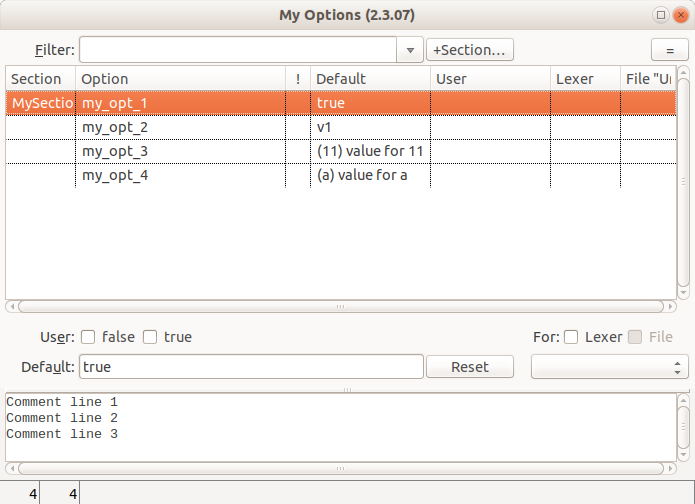](</File:cudatext_options_editor.png>) | |
| 3725 | + | ||
| 3726 | + | Options Editor stores values in JSON with trailing comma, so to read these options, plugin must use cudax_lib.get_opt() instead of json.load(). | |
| 3727 | + | ||
| 3728 | + | ## API of Project Manager | |
| 3729 | + | ||
| 3730 | + | **Opening project from plugin** | |
| 3731 | + | ||
| 3732 | + | To open a project, you need to call the Project Manager's method Command.action_open_project, which can be done via action PROC_EXEC_PLUGIN. For example, this code loads the project "/home/user/tt.cuda-proj": | |
| 3733 | + | ``` | |
| 3734 | + | app_proc(PROC_EXEC_PLUGIN, 'cuda_project_man,action_open_project,/home/user/tt.cuda-proj') | |
| 3735 | + | ``` | |
| 3736 | + | ||
| 3737 | + | **Getting current project info** | |
| 3738 | + | ||
| 3739 | + | Project Manager plugin (preinstalled in CudaText) gives API to read properties of currently opened project. It has global variable **global_project_info** , which is dict with keys: | |
| 3740 | + | ||
| 3741 | + | * "filename": Path of project file (*.cuda-proj), or empty string if project is not saved. | |
| 3742 | + | * "mainfile": Path of "main file" (which must be set by user from Project Manager context menu). | |
| 3743 | + | * "nodes": List of root project nodes, ie folder and file paths in the root level. | |
| 3744 | + | * "vars": List of variables defined in the Project Properties dialog. List of strings in the form "name=value". | |
| 3745 | + | ||
| 3746 | + | Example gets list of root project items: | |
| 3747 | + | ``` | |
| 3748 | + | import cuda_project_man as p | |
| 3749 | + | nodes = p.global_project_info['nodes'] | |
| 3750 | + | ``` | |
| 3751 | + | ||
| 3752 | + | Result without opened project: | |
| 3753 | + | ``` | |
| 3754 | + | >>> p.global_project_info | |
| 3755 | + | {'filename': '', 'nodes': [], 'vars': [], 'mainfile': ''} | |
| 3756 | + | ``` | |
| 3757 | + | ||
| 3758 | + | Result with opened folder in unsaved project: | |
| 3759 | + | ``` | |
| 3760 | + | >>> p.global_project_info | |
| 3761 | + | {'filename': '', 'nodes': ['/home/name/datadir'], 'vars': [], 'mainfile': ''} | |
| 3762 | + | ``` | |
| 3763 | + | ||
| 3764 | + | Result with opened folder in saved project: | |
| 3765 | + | ``` | |
| 3766 | + | >>> p.global_project_info | |
| 3767 | + | {'filename': '/home/name/test.cuda-proj', 'nodes': ['/home/name/datadir'], 'vars': [], 'mainfile': ''} | |
| 3768 | + | ``` | |
| 3769 | + | ||
| 3770 | + | Also global function **project_variables()** exists, which is handy wrapper around global_project_info. It returns dict with keys: | |
| 3771 | + | ||
| 3772 | + | * "ProjDir": Folder of project file (*.cuda-proj). | |
| 3773 | + | * "ProjMainFile": Path of "main file". | |
| 3774 | + | * "ProjMainFileNameOnly": Only name of "main file", without path. | |
| 3775 | + | * "ProjMainFileNameNoExt": Name of "main file", without path and extension. | |
| 3776 | + | * Additional keys for project variables. | |
| 3777 | + | ||
| 3778 | + | Its code currently is: | |
| 3779 | + | ``` | |
| 3780 | + | def project_variables(): | |
| 3781 | + | res = collections.OrderedDict() | |
| 3782 | + | data = global_project_info | |
| 3783 | + | res['ProjDir'] = os.path.dirname(data.get('filename', '')) | |
| 3784 | + | ||
| 3785 | + | fn = data.get('mainfile', '') | |
| 3786 | + | res['ProjMainFile'] = fn | |
| 3787 | + | res['ProjMainFileNameOnly'] = os.path.basename(fn) | |
| 3788 | + | res['ProjMainFileNameNoExt'] = '.'.join(os.path.basename(fn).split('.')[0:-1]) | |
| 3789 | + | ||
| 3790 | + | data = global_project_info.get('vars', []) | |
| 3791 | + | for item in data: | |
| 3792 | + | s1, s2 = item.split('=', maxsplit=1) | |
| 3793 | + | res[s1] = s2 | |
| 3794 | + | return res | |
| 3795 | + | ``` | |
| 3796 | + | ||
| 3797 | + | # Questions | |
| 3798 | + | ||
| 3799 | + | ## How plugin can fill code-tree | |
| 3800 | + | ||
| 3801 | + | * Handle events on_open, on_focus, on_change_slow (better don't use on_change, it slows down the app) | |
| 3802 | + | * Get handle of code-tree: h_tree = app_proc(PROC_GET_CODETREE, "") | |
| 3803 | + | * Fill tree via tree_proc(h_tree, ...) | |
| 3804 | + | * Disable standard tree filling via ed.set_prop(PROP_CODETREE, False) | |
| 3805 | + | * Clear tree via tree_proc(h_tree, TREE_ITEM_DELETE, id_item=0) | |
| 3806 | + | * On adding tree items, set range for them via tree_proc(h_tree, TREE_ITEM_SET_RANGE...) | |
| 3807 | + | ||
| 3808 | + | ## How plugin can show tooltips on mouse-over | |
| 3809 | + | ||
| 3810 | + | * Create dialog for tooltip, via dlg_proc() | |
| 3811 | + | ||
| 3812 | + | * Handle events on_open, on_focus, on_change_slow (better don't use on_change, it will slow down the app) | |
| 3813 | + | * Find text regions which need tooltip | |
| 3814 | + | * Delete old hotspots via ed.hotspot(HOTSPOT_DELETE_BY_TAG...) | |
| 3815 | + | * Add hotspots via ed.hotspots(HOTSPOT_ADD...) | |
| 3816 | + | ||
| 3817 | + | * Handle event on_hotspot | |
| 3818 | + | * Find which text region is under cursor | |
| 3819 | + | * Fill dialog via dlg_proc() | |
| 3820 | + | * Set dialog prop "p" to the handle of editor, ed_self.h. Don't use ed.h, because it is virtual handle 0. | |
| 3821 | + | * Set dialog pos (props "x", "y") to editor-related pixel coords. It is complex. See example: plugin HTML Tooltips. | |
| 3822 | + | * Show dialog via dlg_proc(..., DLG_SHOW_NONMODAL) | |
| 3823 | + | * On exiting hotspot, hide dialog | |
| 3824 | + | ||
| 3825 | + | ## How to make auto-completion plugin | |
| 3826 | + | ||
| 3827 | + | Good example is "HTML Class Complete": <https://github.com/CudaText-addons/cuda_html_class_complete> | |
| 3828 | + | ||
| 3829 | + | * Use CudaText menu item "Plugins / Make Plugin" to create empty plugin. In the "Make Plugin" dialog, check event "on_complete", so method Command.on_complete is called when user pressed Ctrl+Space. | |
| 3830 | + | ||
| 3831 | + | * Plugin files are located in the "py/cuda_nnnn" folder. In install.inf, add line "lexers=NNNN" for the event on_complete, so event is called only for lexer NNN. | |
| 3832 | + | ||
| 3833 | + | * In plugin .py file, in method on_complete, read editor text via ed.get_text_all() or ed.get_text_line(), read caret position via ed.get_carets(), make the completions list. | |
| 3834 | + | ||
| 3835 | + | * Call ed.complete() or ed.complete_alt() to show completions list. | |
| 3836 | + | ||
| 3837 | + | ## Show me the template of complex plugin with side-panel and bottom-panel | |
| 3838 | + | ||
| 3839 | + | Here is the example plugin: <https://github.com/CudaText-addons/cuda_r_plugin> . It provides: | |
| 3840 | + | ||
| 3841 | + | * Main toolbar, separate from the CudaText toolbar. Contains 2 dummy buttons. | |
| 3842 | + | * Side-panel, which contains the small toolbar (with 2 dummy buttons) and listbox (filled with dummy data). Double-click on listbox - inserts clicked item to the current editor. | |
| 3843 | + | * Bottom-panel, which contains the "console input" control and "console log" multi-line control. You can enter commands in the "input" and they will show in the log. Entered commands (last 10) are also stored to the file "[CudaText]/settings/cuda_r_plugin.ini" and re-read on start, you can recall them by clicking the down arrow in the "input" combobox. | |
| 3844 | + | * Plugin supports few options. Saved in the file "[CudaText]/settings/cuda_r_plugin.ini". | |
| 3845 | + | * Menu items in "Plugins / R Plugin", to open side-panel and bottom-panel. | |
| 3846 | + | * Menu item in the "Options / Settings-plugins / R Plugin", to open the config file. | |
| 3847 | + | * Predefined red buttons "R" in the CudaText sidebar and bottom bar. Visible even before the plugin is activated from Plugins menu. | |
| 3848 | + | ||
| 3849 | + | # History | |
| 3850 | + | ||
| 3851 | + | 1.0.167 | |
| 3852 | + | ||
| 3853 | + | * add: timer_proc. | |
| 3854 | + | ||
| 3855 | + | 1.0.168 | |
| 3856 | + | ||
| 3857 | + | * add: app_proc: PROC_SAVE_SESSION/ PROC_LOAD_SESSION get bool (session was saved/loaded) | |
| 3858 | + | * add: dlg_custom: "label" has prop to right-align | |
| 3859 | + | * add: ed.get_prop/set_prop: value can be int/bool too | |
| 3860 | + | ||
| 3861 | + | 1.0.169 | |
| 3862 | + | ||
| 3863 | + | * add: ed.insert does append, if y too big | |
| 3864 | + | * add: ed.delete can use too big y2 | |
| 3865 | + | ||
| 3866 | + | 1.0.170 | |
| 3867 | + | ||
| 3868 | + | * add: app_proc: PROC_SET_CLIP_ALT | |
| 3869 | + | ||
| 3870 | + | 1.0.171 | |
| 3871 | + | ||
| 3872 | + | * add: app_proc: PROC_SIDEPANEL_ADD takes additional value icon_filename | |
| 3873 | + | * deprecated: app_log: LOG_PANEL_ADD | |
| 3874 | + | * deprecated: app_log: LOG_PANEL_DELETE | |
| 3875 | + | * deprecated: app_log: LOG_PANEL_FOCUS | |
| 3876 | + | ||
| 3877 | + | 1.0.172 | |
| 3878 | + | ||
| 3879 | + | * add: menu_proc() | |
| 3880 | + | * deprecated: app_proc actions: PROC_MENU_* | |
| 3881 | + | * change: PROP_ENC now uses short names, see [[CudaText|CudaText#Encodings]] | |
| 3882 | + | ||
| 3883 | + | 1.0.173 | |
| 3884 | + | ||
| 3885 | + | * add: dlg_commands() | |
| 3886 | + | * add: toolbar_proc() | |
| 3887 | + | * deprecated: app_proc actions: PROC_TOOLBAR_* | |
| 3888 | + | ||
| 3889 | + | 1.0.174 | |
| 3890 | + | ||
| 3891 | + | * add: dlg_custom: "name=" (not required) | |
| 3892 | + | * add: dlg_custom: "font=" | |
| 3893 | + | * add: dlg_custom: "type=filter_listbox", "type=filter_listview". To setup these filter controls, you must set "name=" for filter and its listbox/listview | |
| 3894 | + | * add: app_proc: PROC_ENUM_FONTS | |
| 3895 | + | ||
| 3896 | + | 1.0.175 | |
| 3897 | + | ||
| 3898 | + | * add: dlg_proc() | |
| 3899 | + | * add: dlg_custom: added props x= y= w= h= vis= color= font_name= font_size= font_color= | |
| 3900 | + | * add: timer_proc: can also use callbacks "module=nnn;cmd=nnn;" and "module=nnn;func=nnn;" | |
| 3901 | + | * add: timer_proc: added param "tag" | |
| 3902 | + | * add: menu_proc: actions MENU_CREATE, MENU_SHOW | |
| 3903 | + | ||
| 3904 | + | 1.0.176 | |
| 3905 | + | ||
| 3906 | + | * reworked dlg_proc, many form props+events added | |
| 3907 | + | * add: dlg_proc/dlg_custom: control type "treeview" | |
| 3908 | + | * add: dlg_proc/dlg_custom: control type "listbox_ex" | |
| 3909 | + | * add: dlg_proc/dlg_custom: control type "trackbar" | |
| 3910 | + | * add: dlg_proc/dlg_custom: control type "progressbar" | |
| 3911 | + | * add: dlg_proc/dlg_custom: control type "progressbar_ex" | |
| 3912 | + | * add: dlg_proc/dlg_custom: control type "bevel" | |
| 3913 | + | * add: file_open: added param "args" | |
| 3914 | + | * add: toolbar_proc: TOOLBAR_GET_CHECKED, TOOLBAR_SET_CHECKED | |
| 3915 | + | * delete: event on_dlg | |
| 3916 | + | * delete: dlg_proc/dlg_custom: prop "font" (use font_name, font_size, font_color) | |
| 3917 | + | * delete: deprecated APIs LOG_PANEL_ADD LOG_PANEL_DELETE LOG_PANEL_FOCUS | |
| 3918 | + | * delete: deprecated APIs PROC_TOOLBAR_* | |
| 3919 | + | ||
| 3920 | + | 1.0.177 | |
| 3921 | + | ||
| 3922 | + | * add: ed.replace | |
| 3923 | + | * add: ed.replace_lines | |
| 3924 | + | * add: dlg_custom: parameter "get_dict" to get new dict result (not tuple) | |
| 3925 | + | * add: dlg_proc: action DLG_SCALE | |
| 3926 | + | * add: app_proc: action PROC_GET_SYSTEM_PPI | |
| 3927 | + | ||
| 3928 | + | 1.0.178 | |
| 3929 | + | ||
| 3930 | + | * add: dlg_proc: control props for anchors/spacing: "a_*", "sp_*" | |
| 3931 | + | * add: dlg_proc: param "name" to specify controls by name | |
| 3932 | + | * add: dlg_proc: form prop "color" | |
| 3933 | + | * add: dlg_proc: form prop "autosize" | |
| 3934 | + | * add: dlg_proc: actions DLG_DOCK, DLG_UNDOCK | |
| 3935 | + | * add: dlg_custom/dlg_proc: control type "paintbox" | |
| 3936 | + | ||
| 3937 | + | 1.0.179 | |
| 3938 | + | ||
| 3939 | + | * add: dlg_proc/timer_proc/menu_proc: callbacks can be "callable", ie function names | |
| 3940 | + | * add: dlg_proc/timer_proc: callbacks can be with "info=...;" at end | |
| 3941 | + | * add: menu_proc: can use new-style callbacks like in dlg_proc | |
| 3942 | + | * deprecated: menu_proc old-style callbacks "module,method[,param]" | |
| 3943 | + | ||
| 3944 | + | 1.0.180 | |
| 3945 | + | ||
| 3946 | + | * add: app_proc: PROC_SHOW_SIDEBAR_GET, PROC_SHOW_SIDEBAR_SET | |
| 3947 | + | * add: app_proc: can pass not only string value | |
| 3948 | + | * add: ed.get_prop: PROP_COORDS | |
| 3949 | + | * add: dlg_proc/dlg_custom: type "panel", type "group" | |
| 3950 | + | * add: dlg_proc: control prop "p" (parent) | |
| 3951 | + | ||
| 3952 | + | 1.0.181 | |
| 3953 | + | ||
| 3954 | + | * add: dlg_proc/dlg_custom: type "pages" | |
| 3955 | + | * add: dlg_proc: control "paintbox" has sub-event "on_click" with info="x,y" | |
| 3956 | + | ||
| 3957 | + | 1.0.182 | |
| 3958 | + | ||
| 3959 | + | * add: dlg_proc: type "toolbar" | |
| 3960 | + | * add: app_proc: PROC_PROGRESSBAR | |
| 3961 | + | * add: app_proc: PROC_SPLITTER_GET, PROC_SPLITTER_SET | |
| 3962 | + | * deprecated: app_proc: PROC_GET_SPLIT, PROC_SET_SPLIT | |
| 3963 | + | * add: app_log: LOG_CONSOLE_GET_COMBO_LINES | |
| 3964 | + | * add: app_log: LOG_CONSOLE_GET_MEMO_LINES | |
| 3965 | + | * add: app_log: LOG_GET_LINES_LIST | |
| 3966 | + | * deprecated: app_log: LOG_CONSOLE_GET, LOG_CONSOLE_GET_LOG, LOG_GET_LINES | |
| 3967 | + | ||
| 3968 | + | 1.0.183 | |
| 3969 | + | ||
| 3970 | + | * big changes in dlg_proc: | |
| 3971 | + | * deleted: parameter 'id_event' | |
| 3972 | + | * deleted: props 'callback', 'events' | |
| 3973 | + | * form events is not called for controls (forms have own events, controls have own events) | |
| 3974 | + | * add: events for forms: 'on_resize', 'on_close', 'on_close_query', 'on_key_down', 'on_key_up' | |
| 3975 | + | * add: events for controls: 'on_change', 'on_click', 'on_click_dbl', 'on_select', 'on_menu' | |
| 3976 | + | * add: events for 'treeview' control: 'on_fold', 'on_unfold' | |
| 3977 | + | ||
| 3978 | + | 1.0.184 | |
| 3979 | + | ||
| 3980 | + | * deprecated: app_proc: PROC_SIDEPANEL_ADD, PROC_BOTTOMPANEL_ADD | |
| 3981 | + | * deprecated: on_panel event | |
| 3982 | + | * add: app_proc: PROC_SIDEPANEL_ADD_DIALOG, PROC_BOTTOMPANEL_ADD_DIALOG | |
| 3983 | + | * add: tree_proc: TREE_ITEM_FOLD_LEVEL | |
| 3984 | + | * add: tree_proc: TREE_THEME | |
| 3985 | + | * add: listbox_proc: LISTBOX_THEME | |
| 3986 | + | * add: toolbar_proc: TOOLBAR_THEME | |
| 3987 | + | * add: toolbar_proc: used new callback form | |
| 3988 | + | * add: menu_proc: MENU_SHOW with command="" to show at cursor | |
| 3989 | + | * add: menu_proc: added param "hotkey" for MENU_ADD, "hotkey" returned from MENU_ENUM | |
| 3990 | + | * deleted deprecated: PROC_GET_SPLIT, PROC_SET_SPLIT | |
| 3991 | + | * deleted deprecated: LOG_GET_LINES | |
| 3992 | + | * deleted deprecated: LOG_CONSOLE_GET, LOG_CONSOLE_GET_LOG | |
| 3993 | + | ||
| 3994 | + | 1.0.185 (app 1.11.0) | |
| 3995 | + | ||
| 3996 | + | * add: menu_proc: for MENU_ADD added param "tag" | |
| 3997 | + | * add: menu_proc: MENU_SHOW can use 2-tuple (x,y) | |
| 3998 | + | * add: menu_proc: MENU_ENUM gives additional dict key "command" | |
| 3999 | + | * deprecated: menu_proc command values: "recents", "enc", "langs", "lexers", "plugins", "themes-ui", "themes-syntax" | |
| 4000 | + | ||
| 4001 | + | 1.0.186 (app 1.12.0) | |
| 4002 | + | ||
| 4003 | + | * add: tree_proc: TREE_ICON_GET_SIZES, TREE_ICON_SET_SIZES | |
| 4004 | + | * deleted deprecated: app_proc: PROC_MENU_* actions | |
| 4005 | + | * deleted deprecated: app_proc: PROC_SIDEPANEL_ADD, PROC_BOTTOMPANEL_ADD | |
| 4006 | + | ||
| 4007 | + | 1.0.187 (app 1.12.2) | |
| 4008 | + | ||
| 4009 | + | * add: lexer_proc: LEXER_GET_PROP | |
| 4010 | + | * deprecated: lexer_proc: LEXER_GET_EXT, LEXER_GET_ENABLED, LEXER_GET_COMMENT, LEXER_GET_COMMENT_STREAM, LEXER_GET_COMMENT_LINED, LEXER_GET_LINKS, LEXER_GET_STYLES, LEXER_GET_STYLES_COMMENTS, LEXER_GET_STYLES_STRINGS | |
| 4011 | + | * deleted: lexer_proc: actions didnt work, lexer files were not saved: LEXER_SET_*, LEXER_DELETE, LEXER_IMPORT | |
| 4012 | + | * add: dlg_proc: control "listview" on_select returns "data" param with 2-tuple | |
| 4013 | + | ||
| 4014 | + | 1.0.188 (app 1.13.0) | |
| 4015 | + | ||
| 4016 | + | * add: imagelist_proc() | |
| 4017 | + | * add: tree_proc: TREE_GET_IMAGELIST | |
| 4018 | + | * add: toolbar_proc: TOOLBAR_GET_IMAGELIST | |
| 4019 | + | * add: lexer_proc: LEXER_GET_LEXERS | |
| 4020 | + | * deprecated: tree_proc: TREE_ICON_ADD, TREE_ICON_DELETE, TREE_ICON_GET_SIZES, TREE_ICON_SET_SIZES | |
| 4021 | + | * deprecated: toolbar_proc: TOOLBAR_GET_ICON_SIZES, TOOLBAR_SET_ICON_SIZES, TOOLBAR_ADD_ICON | |
| 4022 | + | * deprecated: lexer_proc: LEXER_GET_LIST | |
| 4023 | + | ||
| 4024 | + | 1.0.189 (app 1.13.1) | |
| 4025 | + | ||
| 4026 | + | * add: tree_proc: TREE_ITEM_SHOW | |
| 4027 | + | ||
| 4028 | + | 1.0.190 (app 1.14.0) | |
| 4029 | + | ||
| 4030 | + | * add: app_proc: PROC_GET_TAB_IMAGELIST | |
| 4031 | + | * add: ed.get_prop/ed.set_prop: PROP_TAB_ICON | |
| 4032 | + | * add: imagelist_proc: IMAGELIST_PAINT | |
| 4033 | + | ||
| 4034 | + | 1.0.191 (app 1.14.2) | |
| 4035 | + | ||
| 4036 | + | * add: dlg_proc: form property "border" | |
| 4037 | + | * add: dlg_proc: control type "button_ex" | |
| 4038 | + | * add: button_proc() to work with "button_ex" | |
| 4039 | + | ||
| 4040 | + | 1.0.192 (app 1.14.8) | |
| 4041 | + | ||
| 4042 | + | * add: dlg_proc: control type "splitter" | |
| 4043 | + | * add: dlg_proc: control prop "align" | |
| 4044 | + | * add: dlg_proc: control "listbox_ex" has event "on_draw_item" | |
| 4045 | + | * add: listbox_proc: actions LISTBOX_GET_ITEM_H, LISTBOX_SET_ITEM_H | |
| 4046 | + | * add: listbox_proc: actions LISTBOX_GET_DRAWN, LISTBOX_SET_DRAWN | |
| 4047 | + | * add: event on_paste | |
| 4048 | + | * deleted deprecated: event on_panel | |
| 4049 | + | * deleted deprecated: menu_proc spec strings: "recents", "enc", "langs", "lexers", "plugins", "themes-ui", "themes-syntax" | |
| 4050 | + | ||
| 4051 | + | 1.0.193 (app 1.15.0) | |
| 4052 | + | ||
| 4053 | + | * add: image_proc() | |
| 4054 | + | * deleted: canvas_proc actions: CANVAS_IMAGE, CANVAS_IMAGE_SIZED (use image_proc instead) | |
| 4055 | + | * add: dlg_menu can have argument of type list/tuple | |
| 4056 | + | * add: dlg_menu can have argument "caption" | |
| 4057 | + | ||
| 4058 | + | 1.0.194 (app 1.15.4) | |
| 4059 | + | ||
| 4060 | + | * add: app_proc: PROC_SIDEPANEL_ACTIVATE has 2nd param | |
| 4061 | + | * add: menu_proc: MENU_GET_PROP | |
| 4062 | + | * add: menu_proc: MENU_SET_CAPTION | |
| 4063 | + | * add: menu_proc: MENU_SET_VISIBLE | |
| 4064 | + | * add: menu_proc: MENU_SET_ENABLED | |
| 4065 | + | * add: menu_proc: MENU_SET_CHECKED | |
| 4066 | + | * add: menu_proc: MENU_SET_RADIOITEM | |
| 4067 | + | * add: menu_proc: MENU_SET_HOTKEY | |
| 4068 | + | * add: tree_proc: TREE_ITEM_GET_PROPS | |
| 4069 | + | * deprecated: tree_proc: TREE_ITEM_GET_PROP, TREE_ITEM_GET_PARENT | |
| 4070 | + | ||
| 4071 | + | 1.0.195 (app 1.15.5) | |
| 4072 | + | ||
| 4073 | + | * add: dlg_proc: control prop "border" | |
| 4074 | + | * add: dlg_proc: control "linklabel" uses "on_click" (after opening URL if it's valid) | |
| 4075 | + | ||
| 4076 | + | 1.0.196 (app 1.16.2) | |
| 4077 | + | ||
| 4078 | + | * add: ed.dim() | |
| 4079 | + | ||
| 4080 | + | 1.0.197 (app 1.17.2) | |
| 4081 | + | ||
| 4082 | + | * add: dlg_proc: type "editor" | |
| 4083 | + | * add: object ed_goto | |
| 4084 | + | * add: objects ed_con_log, ed_con_in | |
| 4085 | + | * add: events: on_goto_enter, on_goto_change, on_goto_caret, on_goto_key, on_goto_key_up | |
| 4086 | + | * add: ed.get_prop/set_prop: PROP_ONE_LINE | |
| 4087 | + | * add: ed.get_prop/set_prop: PROP_LINE_NUMBERS | |
| 4088 | + | ||
| 4089 | + | 1.0.198 (app 1.18.0) | |
| 4090 | + | ||
| 4091 | + | * add: constants WRAP_nnn | |
| 4092 | + | * add: ed.set_prop works for PROP_LINE_STATE | |
| 4093 | + | ||
| 4094 | + | 1.0.199 (app 1.19.2) | |
| 4095 | + | ||
| 4096 | + | * add: toolbar_proc: TOOLBAR_GET_VERTICAL, TOOLBAR_SET_VERTICAL | |
| 4097 | + | * add: toolbar_proc: TOOLBAR_GET_WRAP, TOOLBAR_SET_WRAP | |
| 4098 | + | * deleted deprecated: TOOLBAR_GET_ICON_SIZES, TOOLBAR_SET_ICON_SIZES, TOOLBAR_ADD_ICON | |
| 4099 | + | * deleted deprecated: TREE_ITEM_GET_PROP, TREE_ITEM_GET_PARENT | |
| 4100 | + | * deleted deprecated: TREE_ICON_ADD, TREE_ICON_DELETE, TREE_ICON_GET_SIZES, TREE_ICON_SET_SIZES | |
| 4101 | + | * deleted deprecated: LEXER_GET_LIST, LEXER_GET_EXT, LEXER_GET_ENABLED, LEXER_GET_COMMENT, LEXER_GET_COMMENT_STREAM, LEXER_GET_COMMENT_LINED, LEXER_GET_LINKS, LEXER_GET_STYLES, LEXER_GET_STYLES_COMMENTS, LEXER_GET_STYLES_STRINGS | |
| 4102 | + | ||
| 4103 | + | 1.0.200 (app 1.20.2) | |
| 4104 | + | ||
| 4105 | + | * add: event on_insert | |
| 4106 | + | ||
| 4107 | + | 1.0.201 (app 1.21.0) | |
| 4108 | + | ||
| 4109 | + | * add: several commands in cudatext_cmd.py: simple word jump, goto abs line begin/end | |
| 4110 | + | ||
| 4111 | + | 1.0.202 (app 1.23.0) | |
| 4112 | + | ||
| 4113 | + | * add: file_open: can open preview-tab | |
| 4114 | + | * add: file_open: can open file ignoring history | |
| 4115 | + | * change: renamed file_open param "args" to "options" | |
| 4116 | + | ||
| 4117 | + | 1.0.203 (app 1.23.4) | |
| 4118 | + | ||
| 4119 | + | * add: event on_scroll | |
| 4120 | + | * add: event on_group | |
| 4121 | + | * add: file_open: options can have "/noevent" | |
| 4122 | + | ||
| 4123 | + | 1.0.204 (app 1.23.5) | |
| 4124 | + | ||
| 4125 | + | * add: ed.get_wrapinfo() | |
| 4126 | + | * add: ed.get_prop/ed.set_prop: PROP_SCROLL_VERT, PROP_SCROLL_HORZ | |
| 4127 | + | * add: ed.export_html() | |
| 4128 | + | * deleted: ed.set_prop: PROP_EXPORT_HTML | |
| 4129 | + | ||
| 4130 | + | 1.0.205 (app 1.24.1) | |
| 4131 | + | ||
| 4132 | + | * add: dlg_proc: ctl "edit" supports "on_change" (if "act":True) | |
| 4133 | + | ||
| 4134 | + | 1.0.206 (app 1.24.2) | |
| 4135 | + | ||
| 4136 | + | * add: dlg_proc: added ctl property "focused" | |
| 4137 | + | * add: dlg_proc: added form events "on_act", "on_deact" | |
| 4138 | + | ||
| 4139 | + | 1.0.207 (app 1.25.1) | |
| 4140 | + | ||
| 4141 | + | * add: app_proc: PROC_GET_COMMANDS | |
| 4142 | + | ||
| 4143 | + | 1.0.208 (app 1.26.2) | |
| 4144 | + | ||
| 4145 | + | * add: lexer_proc supports lite lexers too (their names have " ^" suffix) | |
| 4146 | + | ||
| 4147 | + | 1.0.208 (app 1.27.2) | |
| 4148 | + | ||
| 4149 | + | * add: menu_proc: added MENU_SET_IMAGELIST, MENU_SET_IMAGEINDEX | |
| 4150 | + | * add: file_open: for zip files, returns True if zip installation completed | |
| 4151 | + | ||
| 4152 | + | 1.0.210 (app 1.29.0) | |
| 4153 | + | ||
| 4154 | + | * add: file_open: for binary viewer, pass options='/binary' | |
| 4155 | + | * add: ed.get_prop/set_prop: PROP_KIND, PROP_V_MODE, PROP_V_POS, PROP_V_SEL_START, PROP_V_SEL_LEN | |
| 4156 | + | ||
| 4157 | + | 1.0.211 (app 1.32.0) | |
| 4158 | + | ||
| 4159 | + | * add: statusbar_proc() | |
| 4160 | + | * add: dlg_proc: added type "statusbar" | |
| 4161 | + | * add: toolbar_proc: TOOLBAR_UPDATE | |
| 4162 | + | ||
| 4163 | + | 1.0.212 (app 1.32.2) | |
| 4164 | + | ||
| 4165 | + | * add: toolbar_proc: TOOLBAR_GET_COUNT | |
| 4166 | + | * add: toolbar_proc: TOOLBAR_GET_BUTTON_HANDLE | |
| 4167 | + | * add: button_proc: BTN_GET_TEXT, BTN_SET_TEXT | |
| 4168 | + | * add: button_proc: BTN_GET_ENABLED, BTN_SET_ENABLED | |
| 4169 | + | * add: button_proc: BTN_GET_VISIBLE, BTN_SET_VISIBLE | |
| 4170 | + | * add: button_proc: BTN_GET_HINT, BTN_SET_HINT | |
| 4171 | + | * add: button_proc: BTN_GET_DATA1, BTN_SET_DATA1, BTN_GET_DATA2, BTN_SET_DATA2 | |
| 4172 | + | * change: toolbar_proc: TOOLBAR_ENUM returns int value of "kind", before it was str | |
| 4173 | + | * deprecated: TOOLBAR_GET_CHECKED, TOOLBAR_SET_CHECKED - now use TOOLBAR_GET_BUTTON_HANDLE + button_proc() | |
| 4174 | + | * deprecated: PROC_GET_COMMAND, PROC_GET_COMMAND_INITIAL, PROC_GET_COMMAND_PLUGIN - now use PROC_GET_COMMANDS instead | |
| 4175 | + | ||
| 4176 | + | 1.0.213 (app 1.32.3) | |
| 4177 | + | ||
| 4178 | + | * add: button_proc: BTN_GET_MENU, BTN_SET_MENU | |
| 4179 | + | * add: button_proc: BTN_GET_ARROW, BTN_SET_ARROW | |
| 4180 | + | * add: button_proc: BTN_GET_FOCUSABLE, BTN_SET_FOCUSABLE | |
| 4181 | + | * add: button_proc: BTN_GET_FLAT, BTN_SET_FLAT | |
| 4182 | + | * add: toolbar_proc: TOOLBAR_ADD_ITEM, TOOLBAR_ADD_MENU | |
| 4183 | + | * deprecated: toolbar_proc: TOOLBAR_ADD_BUTTON - now use TOOLBAR_ADD_ITEM/TOOLBAR_ADD_MENU + button_proc() | |
| 4184 | + | * deprecated: toolbar_proc: TOOLBAR_SET_BUTTON - now use TOOLBAR_GET_BUTTON_HANDLE + button_proc() | |
| 4185 | + | * deprecated: toolbar_proc: TOOLBAR_ENUM - now use TOOLBAR_GET_COUNT + TOOLBAR_GET_BUTTON_HANDLE + button_proc() | |
| 4186 | + | ||
| 4187 | + | 1.0.214 (app 1.32.4) | |
| 4188 | + | ||
| 4189 | + | * add: button_proc supports callable param "value" | |
| 4190 | + | ||
| 4191 | + | 1.0.215 (app 1.34.1) | |
| 4192 | + | ||
| 4193 | + | * add: dlg_proc: DLG_CTL_PROP_GET returns key "items" for controls "listview", "checklistview", "listbox", "checklistbox" | |
| 4194 | + | ||
| 4195 | + | 1.0.216 (app 1.34.2) | |
| 4196 | + | ||
| 4197 | + | * add: statusbar_proc: STATUSBAR_GET_CELL_AUTOSIZE, STATUSBAR_SET_CELL_AUTOSIZE | |
| 4198 | + | * add: statusbar_proc: STATUSBAR_GET_CELL_AUTOSTRETCH, STATUSBAR_SET_CELL_AUTOSTRETCH | |
| 4199 | + | * add: statusbar_proc: 10 actions to get/set colors, STATUSBAR_GET/SET_COLOR_* | |
| 4200 | + | * deleted: STATUSBAR_GET_COLOR_BORDER, STATUSBAR_SET_COLOR_BORDER | |
| 4201 | + | * deleted: STATUSBAR_AUTOSIZE_CELL - now use STATUSBAR_SET_CELL_AUTOSTRETCH | |
| 4202 | + | ||
| 4203 | + | 1.0.217 (app 1.34.4) | |
| 4204 | + | ||
| 4205 | + | * add: button_proc: const BTNKIND_TEXT_CHOICE | |
| 4206 | + | * add: button_proc: BTN_GET_WIDTH, BTN_SET_WIDTH | |
| 4207 | + | * add: button_proc: BTN_GET_ITEMS, BTN_SET_ITEMS | |
| 4208 | + | * add: button_proc: BTN_GET_ITEMINDEX, BTN_SET_ITEMINDEX | |
| 4209 | + | * add: button_proc: BTN_GET_ARROW_ALIGN, BTN_SET_ARROW_ALIGN | |
| 4210 | + | * add: button_proc: BTN_UPDATE | |
| 4211 | + | ||
| 4212 | + | 1.0.218 (app 1.38.0) | |
| 4213 | + | ||
| 4214 | + | * add: Editor.hotspots() | |
| 4215 | + | * add: event on_hotspot | |
| 4216 | + | * add: app_proc: PROC_GET_MOUSE_POS | |
| 4217 | + | * add: dlg_proc: DLG_PROP_SET supports prop "p" (parent of form) | |
| 4218 | + | * add: Editor.convert: CONVERT_SCREEN_TO_LOCAL, CONVERT_LOCAL_TO_SCREEN | |
| 4219 | + | * add: Editor.convert: CONVERT_PIXELS_TO_CARET, CONVERT_CARET_TO_PIXELS | |
| 4220 | + | * add: Editor.markers: MARKERS_DELETE_BY_TAG | |
| 4221 | + | * add: Editor.get_prop: PROP_CELL_SIZE | |
| 4222 | + | ||
| 4223 | + | 1.0.219 (app 1.38.1) | |
| 4224 | + | ||
| 4225 | + | * add: app_proc: PROC_THEME_UI_DATA_GET | |
| 4226 | + | * add: app_proc: PROC_THEME_SYNTAX_DATA_GET | |
| 4227 | + | ||
| 4228 | + | 1.0.220 (app 1.38.2) | |
| 4229 | + | ||
| 4230 | + | * add: on_state supports new constants APPSTATE_nnnn | |
| 4231 | + | ||
| 4232 | + | 1.0.221 (app 1.38.3) | |
| 4233 | + | ||
| 4234 | + | * add: Editor.get_prop/set_prop: PROP_INDENT_SIZE, PROP_INDENT_KEEP_ALIGN, PROP_INDENT_AUTO, PROP_INDENT_KIND | |
| 4235 | + | ||
| 4236 | + | 1.0.222 (app 1.38.5) | |
| 4237 | + | ||
| 4238 | + | * add: dlg_proc: form events "on_mouse_enter", "on_mouse_exit" | |
| 4239 | + | * add: dlg_proc: form events "on_show", "on_hide" | |
| 4240 | + | * add: dlg_proc: control events "on_mouse_enter", "on_mouse_exit", "on_mouse_down", "on_mouse_up" | |
| 4241 | + | ||
| 4242 | + | 1.0.223 (app 1.39.1) | |
| 4243 | + | ||
| 4244 | + | * add: install.inf supports param [info] os=, value is comma separated strings: win, linux, macos | |
| 4245 | + | * add: menu_proc: support for spec menu id "_oplugins" | |
| 4246 | + | ||
| 4247 | + | 1.0.224 (app 1.39.5) | |
| 4248 | + | ||
| 4249 | + | * add: dlg_proc: control prop "ex" | |
| 4250 | + | * deprecated: dlg_proc/dlg_custom prop "props" - now use "ex0"..."ex9" | |
| 4251 | + | * deprecated: BOOKMARK_CLEAR_HINTS | |
| 4252 | + | ||
| 4253 | + | 1.0.225 (app 1.40.0) | |
| 4254 | + | ||
| 4255 | + | * add: app_proc: PROC_SEND_MESSAGE | |
| 4256 | + | ||
| 4257 | + | 1.0.226 (app 1.40.1) | |
| 4258 | + | ||
| 4259 | + | * add: app_proc: PROC_GET_CODETREE | |
| 4260 | + | * add: Editor.get_prop/set_prop: PROP_CODETREE | |
| 4261 | + | * add: tree_proc: TREE_ITEM_GET_RANGE, TREE_ITEM_SET_RANGE | |
| 4262 | + | * deprecated: tree_proc: TREE_ITEM_GET_SYNTAX_RANGE | |
| 4263 | + | * change: changed Code-Tree button caption from "Tree" to "Code tree" | |
| 4264 | + | ||
| 4265 | + | 1.0.227 (app 1.40.2) | |
| 4266 | + | ||
| 4267 | + | * add: file_open: added options "/passive", "/nonear" | |
| 4268 | + | ||
| 4269 | + | 1.0.228 (app 1.40.7) | |
| 4270 | + | ||
| 4271 | + | * add: event on_tab_change | |
| 4272 | + | ||
| 4273 | + | 1.0.229 (app 1.43.0) | |
| 4274 | + | ||
| 4275 | + | * add: plugins can force show sidebar button, even if they don't run on start. New install.inf sections [sidebar1] .. [sidebar3]. Examples: ProjectManager, TabsList. | |
| 4276 | + | ||
| 4277 | + | 1.0.230 (app 1.44.0) | |
| 4278 | + | ||
| 4279 | + | * add: dlg_proc: control "listview"/"checklistview" has event "on_click_header" | |
| 4280 | + | * add: install.inf: allow os= values with bitness: win32, win64, linux32, linux64, freebsd32, freebsd64 | |
| 4281 | + | * deleted deprecated: PROC_GET_COMMAND | |
| 4282 | + | * deleted deprecated: PROC_GET_COMMAND_INITIAL | |
| 4283 | + | * deleted deprecated: PROC_GET_COMMAND_PLUGIN | |
| 4284 | + | ||
| 4285 | + | 1.0.231 (app 1.45.5) | |
| 4286 | + | ||
| 4287 | + | * add: dlg_proc: control "listview" has prop "columns" | |
| 4288 | + | * removed: on_group; on_state(..., APPSTATE_GROUPS) called instead | |
| 4289 | + | ||
| 4290 | + | 1.0.232 (app 1.46.2) | |
| 4291 | + | ||
| 4292 | + | * add: dlg_proc: control "radiogroup" has prop "columns" | |
| 4293 | + | * add: dlg_proc: control "radiogroup" has prop "ex0" | |
| 4294 | + | * add: Editor.get_prop/set_prop: PROP_GUTTER_ALL, PROP_GUTTER_STATES | |
| 4295 | + | ||
| 4296 | + | 1.0.233 (app 1.47.0) | |
| 4297 | + | ||
| 4298 | + | * add: dlg_menu: option MENU_NO_FUZZY | |
| 4299 | + | * add: dlg_menu: option MENU_NO_FULLFILTER | |
| 4300 | + | ||
| 4301 | + | 1.0.233 (app 1.47.1) | |
| 4302 | + | ||
| 4303 | + | * add: app_proc: PROC_GET_GUI_HEIGHT supports name "scrollbar" | |
| 4304 | + | ||
| 4305 | + | 1.0.234 (app 1.47.5) | |
| 4306 | + | ||
| 4307 | + | * add: event on_exit | |
| 4308 | + | * add: ed.get_prop/set_prop: PROP_UNPRINTED_SPACES_TRAILING | |
| 4309 | + | * add: ed.get_prop/set_prop: PROP_LAST_LINE_ON_TOP | |
| 4310 | + | * add: ed.get_prop/set_prop: PROP_HILITE_CUR_COL | |
| 4311 | + | * add: ed.get_prop/set_prop: PROP_HILITE_CUR_LINE | |
| 4312 | + | * add: ed.get_prop/set_prop: PROP_HILITE_CUR_LINE_MINIMAL | |
| 4313 | + | * add: ed.get_prop/set_prop: PROP_HILITE_CUR_LINE_IF_FOCUS | |
| 4314 | + | * add: ed.get_prop/set_prop: PROP_MODERN_SCROLLBAR | |
| 4315 | + | ||
| 4316 | + | 1.0.235 (app 1.48.2) | |
| 4317 | + | ||
| 4318 | + | * add: support for "lazy events" | |
| 4319 | + | * add: event on_console_print | |
| 4320 | + | * add: lexer_proc: LEXER_REREAD_LIB | |
| 4321 | + | ||
| 4322 | + | 1.0.236 (app 1.48.3) | |
| 4323 | + | ||
| 4324 | + | * add: dlg_proc: controls have props "w_min/w_max/h_min/h_max", like forms | |
| 4325 | + | * fix: bug in dlg_proc/dlg_custom: controls with changed parent become not findable by name/index (and count of controls becomes smaller) | |
| 4326 | + | ||
| 4327 | + | 1.0.237 (app 1.49.1) | |
| 4328 | + | ||
| 4329 | + | * add: statusbar_proc: STATUSBAR_GET_CELL_HINT, STATUSBAR_SET_CELL_HINT | |
| 4330 | + | ||
| 4331 | + | 1.0.238 (app 1.49.5) | |
| 4332 | + | ||
| 4333 | + | * add: dlg_proc/dlg_custom: controls have prop "font_style" | |
| 4334 | + | * add: file_open: options "/view-text", "/view-binary", "/view-hex", "/view-unicode" | |
| 4335 | + | * change: file_open: deleted option "/binary" | |
| 4336 | + | ||
| 4337 | + | 1.0.239 (app 1.51.2) | |
| 4338 | + | ||
| 4339 | + | * add: event on_mouse_stop | |
| 4340 | + | ||
| 4341 | + | 1.0.240 (app 1.52.1) | |
| 4342 | + | ||
| 4343 | + | * add: ed.bookmark: BOOKMARK_SET can specify "delete bookmark on deleting line" | |
| 4344 | + | * deleted deprecated: BOOKMARK_CLEAR_HINTS | |
| 4345 | + | * deleted deprecated: TREE_ITEM_GET_SYNTAX_RANGE | |
| 4346 | + | ||
| 4347 | + | 1.0.242 (app 1.53.6) | |
| 4348 | + | ||
| 4349 | + | * add/change: dlg_proc: form property "border" is now enum, with DBORDER_nnn values | |
| 4350 | + | * deprecated: dlg_proc: form property "resize" | |
| 4351 | + | * deleted deprecated: TOOLBAR_SET_BUTTON, TOOLBAR_ADD_BUTTON, TOOLBAR_ENUM, TOOLBAR_GET_CHECKED, TOOLBAR_SET_CHECKED | |
| 4352 | + | ||
| 4353 | + | 1.0.243 (app 1.55.0) | |
| 4354 | + | ||
| 4355 | + | * add: event on_click_gutter | |
| 4356 | + | * deleted: events on_goto_enter, on_goto_change, on_goto_caret, on_goto_key, on_goto_key_up | |
| 4357 | + | * add: additional group indexes 6..8 for floating groups | |
| 4358 | + | * add: app_proc: PROC_SHOW_FLOATGROUP1_GET, PROC_SHOW_FLOATGROUP1_SET | |
| 4359 | + | * add: app_proc: PROC_SHOW_FLOATGROUP2_GET, PROC_SHOW_FLOATGROUP2_SET | |
| 4360 | + | * add: app_proc: PROC_SHOW_FLOATGROUP3_GET, PROC_SHOW_FLOATGROUP3_SET | |
| 4361 | + | * add: app_proc: PROC_FLOAT_SIDE_GET, PROC_FLOAT_SIDE_SET | |
| 4362 | + | * add: app_proc: PROC_FLOAT_BOTTOM_GET, PROC_FLOAT_BOTTOM_SET | |
| 4363 | + | ||
| 4364 | + | 1.0.244 (app 1.55.1) | |
| 4365 | + | ||
| 4366 | + | * deleted: object ed_goto | |
| 4367 | + | ||
| 4368 | + | 1.0.245 (app 1.55.3) | |
| 4369 | + | ||
| 4370 | + | * add: Editor.get_prop/set_prop: PROP_CARET_STOP_UNFOCUSED | |
| 4371 | + | * add: addon can require other addon(s) via install.inf: [info] req=cuda_aa,cuda_bb | |
| 4372 | + | ||
| 4373 | + | 1.0.246 (app 1.56.1) | |
| 4374 | + | ||
| 4375 | + | * add: dlg_proc: controls have prop "autosize" | |
| 4376 | + | * add: dlg_proc: added events for control "editor": on_change, on_caret, on_scroll, on_key_down, on_key_up, on_click_gutter, on_click_gap, on_paste | |
| 4377 | + | * add: addon can require lexer(s) via install.inf: [info] reqlexer=Name1,Name2 | |
| 4378 | + | ||
| 4379 | + | 1.0.247 (app 1.56.3) | |
| 4380 | + | ||
| 4381 | + | * add: event on_close_pre | |
| 4382 | + | * add: ed.get_prop/set_prop: PROP_FOLD_ALWAYS | |
| 4383 | + | * add: ed.get_prop/set_prop: PROP_FOLD_ICONS | |
| 4384 | + | * add: ed.get_prop/set_prop: PROP_FOLD_TOOLTIP_SHOW | |
| 4385 | + | ||
| 4386 | + | 1.0.248 (app 1.56.6) | |
| 4387 | + | ||
| 4388 | + | * add: app_proc: PROC_GET_FINDER_PROP | |
| 4389 | + | * add: app_proc: PROC_SET_FINDER_PROP | |
| 4390 | + | * deprecated: app_proc: PROC_GET_FIND_OPTIONS | |
| 4391 | + | * deprecated: app_proc: PROC_SET_FIND_OPTIONS | |
| 4392 | + | * deprecated: app_proc: PROC_GET_FIND_STRINGS | |
| 4393 | + | ||
| 4394 | + | 1.0.249 (app 1.57.5) | |
| 4395 | + | ||
| 4396 | + | * add: dlg_proc: control "pages" supports prop "val" | |
| 4397 | + | * add: dlg_proc: control event "on_menu" can return False to disable default menu | |
| 4398 | + | * add: Editor.get_token: TOKEN_LIST, TOKEN_LIST_SUB | |
| 4399 | + | * add: Editor.get_token: index params are optional now | |
| 4400 | + | * deprecated: Editor.get_token: TOKEN_AT_POS, TOKEN_INDEX (now use TOKEN_LIST, TOKEN_LIST_SUB) | |
| 4401 | + | ||
| 4402 | + | 1.0.250 (app 1.57.7) | |
| 4403 | + | ||
| 4404 | + | * add: event "on_open_none" | |
| 4405 | + | * add: dlg_proc: event "on_menu" has filled param "data" like in "on_mouse_down" | |
| 4406 | + | ||
| 4407 | + | 1.0.251 (app 1.57.8) | |
| 4408 | + | ||
| 4409 | + | * add: Editor.get_prop: PROP_ACTIVATION_TIME | |
| 4410 | + | ||
| 4411 | + | 1.0.252 (app 1.58.1) | |
| 4412 | + | ||
| 4413 | + | * add: app_log: added optional param "panel" | |
| 4414 | + | * add: Editor.bookmark: added 3 optional params: "auto_del", "show", "tag" | |
| 4415 | + | * add: Editor.bookmark: BOOKMARK_GET_ALL | |
| 4416 | + | * add: Editor.bookmark: BOOKMARK_GET_PROP | |
| 4417 | + | * add: Editor.bookmark: BOOKMARK_DELETE_BY_TAG | |
| 4418 | + | * change: Editor.bookmark: BOOKMARK_SET sets flag "delete on deleting line" from new param "auto_del" now (before: from "ncolor=1") | |
| 4419 | + | * change: on_change/on_change_slow now isn't called on file opening | |
| 4420 | + | * deprecated: app_log: LOG_SET_PANEL (now use parameter "panel") | |
| 4421 | + | * deprecated: Editor.bookmark: BOOKMARK_GET (now use BOOKMARK_GET_PROP) | |
| 4422 | + | ||
| 4423 | + | 1.0.253 (app 1.59.0) | |
| 4424 | + | ||
| 4425 | + | * add: Editor.attr: added optional param "show_on_map" | |
| 4426 | + | * add: Editor.get_prop(PROP_ACTIVATION_TIME) is 0 for not yet focused tabs | |
| 4427 | + | * add: app_proc: PROC_BOTTOMPANEL_ACTIVATE now handles tuple like PROC_SIDEPANEL_ACTIVATE | |
| 4428 | + | ||
| 4429 | + | 1.0.254 (app 1.60.1) | |
| 4430 | + | ||
| 4431 | + | * add: event on_tab_switch | |
| 4432 | + | ||
| 4433 | + | 1.0.255 (app 1.60.5) | |
| 4434 | + | ||
| 4435 | + | * add: module cudax_nodejs | |
| 4436 | + | * add: menu_proc: support menu id "tab" | |
| 4437 | + | * add: menu_proc: MENU_REMOVE | |
| 4438 | + | * add: Editor.folding: FOLDING_FOLD_ALL | |
| 4439 | + | * add: Editor.folding: FOLDING_FOLD_LEVEL | |
| 4440 | + | * add: Editor.folding: FOLDING_UNFOLD_ALL | |
| 4441 | + | * add: Editor.folding: FOLDING_UNFOLD_LINE | |
| 4442 | + | ||
| 4443 | + | 1.0.256 (app 1.60.7) | |
| 4444 | + | ||
| 4445 | + | * add: Editor.decor() | |
| 4446 | + | ||
| 4447 | + | 1.0.257 (app 1.62.0) | |
| 4448 | + | ||
| 4449 | + | * deleted deprecated: TOKEN_AT_POS, TOKEN_INDEX (now use TOKEN_LIST, TOKEN_LIST_SUB) | |
| 4450 | + | * deleted deprecated: BOOKMARK_GET (now use BOOKMARK_GET_PROP) | |
| 4451 | + | * deleted deprecated: LOG_SET_PANEL (now use parameter "panel") | |
| 4452 | + | ||
| 4453 | + | 1.0.258 (app 1.62.5) | |
| 4454 | + | ||
| 4455 | + | * deleted deprecated: PROC_GET_FIND_OPTIONS, PROC_GET_FIND_STRINGS (now use PROC_GET_FINDER_PROP) | |
| 4456 | + | * deleted deprecated: PROC_SET_FIND_OPTIONS (now use PROC_SET_FINDER_PROP) | |
| 4457 | + | ||
| 4458 | + | 1.0.259 (app 1.63.5) | |
| 4459 | + | ||
| 4460 | + | * add: Editor.get_prop/set_prop: PROP_SAVE_HISTORY | |
| 4461 | + | * add: Editor.get_prop/set_prop: PROP_PREVIEW | |
| 4462 | + | ||
| 4463 | + | 1.0.260 (app 1.63.6) | |
| 4464 | + | ||
| 4465 | + | * deleted event "on_console" | |
| 4466 | + | * deleted event "on_console_print" | |
| 4467 | + | ||
| 4468 | + | 1.0.261 (app 1.64.2) | |
| 4469 | + | ||
| 4470 | + | * add: event on_goto_enter | |
| 4471 | + | * add: Editor.get_prop/set_prop: PROP_CARET_VIEW, PROP_CARET_VIEW_OVR, PROP_CARET_VIEW_RO | |
| 4472 | + | * deleted: Editor.get_prop/set_prop: PROP_CARET_SHAPE, PROP_CARET_SHAPE_OVR, PROP_CARET_SHAPE_RO | |
| 4473 | + | ||
| 4474 | + | 1.0.262 (app 1.64.4) | |
| 4475 | + | ||
| 4476 | + | * add: ini_proc() | |
| 4477 | + | * add: app_proc: PROC_GET_KEYSTATE returns also state of pressed mouse buttons | |
| 4478 | + | ||
| 4479 | + | 1.0.263 (app 1.65.6) | |
| 4480 | + | ||
| 4481 | + | * add: event on_lexer_parsed | |
| 4482 | + | ||
| 4483 | + | 1.0.264 (app 1.66.7) | |
| 4484 | + | ||
| 4485 | + | * add: app_proc: PROC_SHOW_TREEFILTER_GET, _SET | |
| 4486 | + | * add: Editor.get_prop/set_prop: PROP_UNDO_GROUPED | |
| 4487 | + | * add: Editor.get_prop/set_prop: PROP_UNDO_LIMIT | |
| 4488 | + | ||
| 4489 | + | 1.0.265 (app 1.66.9) | |
| 4490 | + | ||
| 4491 | + | * add: Editor.get_prop/set_prop: PROP_UNDO_DATA | |
| 4492 | + | * add: Editor.get_prop/set_prop: PROP_REDO_DATA | |
| 4493 | + | * add: Editor.folding: FOLDING_GET_LIST_FILTERED | |
| 4494 | + | ||
| 4495 | + | 1.0.266 (app 1.67.0) | |
| 4496 | + | ||
| 4497 | + | * add: dlg_commands: add COMMANDS_CENTERED | |
| 4498 | + | * add: dlg_commands: add "title" param | |
| 4499 | + | ||
| 4500 | + | 1.0.267 (app 1.70.3) | |
| 4501 | + | ||
| 4502 | + | * add: on_state supports also APPSTATE_CONFIG_REREAD | |
| 4503 | + | * add: on_state supports also APPSTATE_SESSION_LOAD | |
| 4504 | + | ||
| 4505 | + | 1.0.268 (app 1.71.5) | |
| 4506 | + | ||
| 4507 | + | * add: event on_save_naming | |
| 4508 | + | ||
| 4509 | + | 1.0.269 (app 1.71.6) | |
| 4510 | + | ||
| 4511 | + | * add: Editor.gap: allowed gap before the first line (line index = -1) | |
| 4512 | + | * add: file_open: options "/nontext-view-text", "/nontext-view-binary", "/nontext-view-hex", "/nontext-view-unicode", "/nontext-cancel" | |
| 4513 | + | * add: file_open: options "/nozip", "/nopictures" | |
| 4514 | + | ||
| 4515 | + | 1.0.270 (app 1.72.1) | |
| 4516 | + | ||
| 4517 | + | * add: app_proc: PROC_WINDOW_TOPMOST_GET, PROC_WINDOW_TOPMOST_SET | |
| 4518 | + | ||
| 4519 | + | 1.0.271 (app 1.73.1) | |
| 4520 | + | ||
| 4521 | + | * add: Editor.bookmark: added actions BOOKMARK2_* | |
| 4522 | + | ||
| 4523 | + | 1.0.272 (app 1.74.0) | |
| 4524 | + | ||
| 4525 | + | * add: file_open: can open 2 files in a single tab | |
| 4526 | + | * add: Editor.get_prop/set_prop: PROP_EDITORS_LINKED | |
| 4527 | + | * add: Editor.get_prop/set_prop: PROP_SPLIT | |
| 4528 | + | * add: Editor.get_prop: PROP_HANDLE_SELF, PROP_HANDLE_PRIMARY, PROP_HANDLE_SECONDARY | |
| 4529 | + | * add: Editor.get_prop: PROP_RECT_CLIENT, PROP_RECT_TEXT | |
| 4530 | + | * change: deleted object "ed_bro" | |
| 4531 | + | * deprecated: file_save(); use ed.save() instead | |
| 4532 | + | * deprecated: Editor.get_split, Editor.set_split; use PROP_SPLIT instead | |
| 4533 | + | ||
| 4534 | + | 1.0.273 (app 1.74.1) | |
| 4535 | + | ||
| 4536 | + | * add: Editor.gap: added params "size", "color" | |
| 4537 | + | * add: app_proc: PROC_SIDEPANEL_GET | |
| 4538 | + | * add: app_proc: PROC_BOTTOMPANEL_GET | |
| 4539 | + | ||
| 4540 | + | 1.0.274 (app 1.74.7) | |
| 4541 | + | ||
| 4542 | + | * deleted deprecated: file_save() | |
| 4543 | + | * deleted deprecated: Editor.get_split, Editor.set_split | |
| 4544 | + | * add: Editor.gap: no limit for gap height | |
| 4545 | + | ||
| 4546 | + | 1.0.275 (app 1.76.0) | |
| 4547 | + | ||
| 4548 | + | * add: Editor.get_text_line has optional param "max_len" | |
| 4549 | + | * add: dlg_menu: added MENU_CENTERED | |
| 4550 | + | ||
| 4551 | + | 1.0.276 (app 1.76.6) | |
| 4552 | + | ||
| 4553 | + | * add: dlg_proc: form has property "p" (handle of parent form) | |
| 4554 | + | ||
| 4555 | + | 1.0.277 (app 1.77.2) | |
| 4556 | + | ||
| 4557 | + | * change: dlg_proc: "memo" value must encode tab as chr(3) now (was chr(2)) | |
| 4558 | + | * add: get_prop: PROP_CODETREE_MODIFIED_VERSION | |
| 4559 | + | ||
| 4560 | + | 1.0.278 (app 1.77.4) | |
| 4561 | + | ||
| 4562 | + | * add: Editor.get_prop/set_prop: PROP_SAVING_FORCE_FINAL_EOL | |
| 4563 | + | * add: Editor.get_prop/set_prop: PROP_SAVING_TRIM_SPACES | |
| 4564 | + | * add: Editor.get_prop/set_prop: PROP_SAVING_TRIM_FINAL_EMPTY_LINES | |
| 4565 | + | ||
| 4566 | + | 1.0.279 (app 1.77.6) | |
| 4567 | + | ||
| 4568 | + | * add: app_proc: PROC_CONFIG_READ | |
| 4569 | + | * add: app_proc: PROC_CONFIG_NEWDOC_EOL_GET | |
| 4570 | + | * add: app_proc: PROC_CONFIG_NEWDOC_EOL_SET | |
| 4571 | + | * add: app_proc: PROC_CONFIG_NEWDOC_ENC_GET | |
| 4572 | + | * add: app_proc: PROC_CONFIG_NEWDOC_ENC_SET | |
| 4573 | + | ||
| 4574 | + | 1.0.280 (app 1.77.6) | |
| 4575 | + | ||
| 4576 | + | * add: Editor.get_prop/set_prop: PROP_NEWLINE | |
| 4577 | + | * deprecated: PROP_EOL | |
| 4578 | + | ||
| 4579 | + | 1.0.281 (app 1.78.5) | |
| 4580 | + | ||
| 4581 | + | * add: Editor.get_prop/set_prop: PROP_SCROLL_VERT_SMOOTH, PROP_SCROLL_HORZ_SMOOTH | |
| 4582 | + | * add: Editor.get_prop: PROP_SCROLL_VERT_INFO, PROP_SCROLL_HORZ_INFO | |
| 4583 | + | * add: Editor.get_wrapinfo: dict result has additional "initial" field | |
| 4584 | + | * deprecated: PROP_COLUMN_LEFT; use PROP_SCROLL_HORZ instead | |
| 4585 | + | ||
| 4586 | + | 1.0.282 (app 1.78.6) | |
| 4587 | + | ||
| 4588 | + | * add: Editor.get_prop: PROP_LINE_STATES | |
| 4589 | + | * add: Editor.get_prop: PROP_LINE_STATES_UPDATED | |
| 4590 | + | * change: PROP_TAG is now stored per Editor object, so primary and secondary editors (in the same tab) have different PROP_TAG values | |
| 4591 | + | * add: TreeHelper getter can return not "list" type, to not refresh code tree | |
| 4592 | + | ||
| 4593 | + | 1.0.283 (app 1.78.7) | |
| 4594 | + | ||
| 4595 | + | * add: Editor.get_prop/set_prop: PROP_ZEBRA | |
| 4596 | + | ||
| 4597 | + | 1.0.284 (app 1.79.0) | |
| 4598 | + | ||
| 4599 | + | * add: msg_box_ex() | |
| 4600 | + | * add: Editor.get_prop/set_prop: COLOR_ID_BorderFocused, COLOR_ID_MinimapTooltipBg, COLOR_ID_MinimapTooltipBorder, COLOR_ID_BlockStapleActive | |
| 4601 | + | * add: app_proc: ids SPLITTER_G4, SPLITTER_G5 | |
| 4602 | + | ||
| 4603 | + | 1.0.285 (app 1.79.1) | |
| 4604 | + | ||
| 4605 | + | * add: Editor.gap: GAP_GET_ALL | |
| 4606 | + | * deprecated: GAP_GET_LIST | |
| 4607 | + | ||
| 4608 | + | 1.0.286 (app 1.79.2) | |
| 4609 | + | ||
| 4610 | + | * add: Editor.get_prop: PROP_HANDLE_PARENT | |
| 4611 | + | * add: const COLOR_DEFAULT | |
| 4612 | + | ||
| 4613 | + | 1.0.287 (app 1.79.3) | |
| 4614 | + | ||
| 4615 | + | * add: Editor.set_caret: param "options" | |
| 4616 | + | * add: Editor.set_caret: CARET_DELETE_INDEX | |
| 4617 | + | * add: Editor.get_filename: param "options" | |
| 4618 | + | * add: toolbar_proc: TOOLBAR_GET_BUTTON_HANDLES | |
| 4619 | + | ||
| 4620 | + | 1.0.288 (app 1.81.0) | |
| 4621 | + | ||
| 4622 | + | * add: for BOOKMARK_SETUP it's allowed to use COLOR_DEFAULT | |
| 4623 | + | * change: removed menu id "_langs" | |
| 4624 | + | * change: removed menu id "_themes-ui" | |
| 4625 | + | * change: removed menu id "_themes-syntax" | |
| 4626 | + | ||
| 4627 | + | 1.0.289 (app 1.81.2) | |
| 4628 | + | ||
| 4629 | + | * add: Editor.action() | |
| 4630 | + | * deprecated: Editor.lexer_scan() | |
| 4631 | + | * deprecated: Editor.export_html() | |
| 4632 | + | ||
| 4633 | + | 1.0.290 (app 1.81.3) | |
| 4634 | + | ||
| 4635 | + | * add: listbox_proc: LISTBOX_GET_COLUMN_SEP, LISTBOX_SET_COLUMN_SEP | |
| 4636 | + | * add: listbox_proc: LISTBOX_GET_COLUMNS, LISTBOX_SET_COLUMNS | |
| 4637 | + | * removed: LISTBOX_THEME | |
| 4638 | + | * removed: event "on_tab_switch" | |
| 4639 | + | ||
| 4640 | + | 1.0.291 (app 1.83.0) | |
| 4641 | + | ||
| 4642 | + | * add: emmet() | |
| 4643 | + | * add: app_proc: PROC_GET_FINDER_PROP dict has keys for option "Allowed syntax elements" | |
| 4644 | + | ||
| 4645 | + | 1.0.292 (app 1.83.2) | |
| 4646 | + | ||
| 4647 | + | * add: Editor.action: EDACTION_UPDATE | |
| 4648 | + | * add: Editor.action: EDACTION_SHOW_POS | |
| 4649 | + | ||
| 4650 | + | 1.0.293 (app 1.84.2) | |
| 4651 | + | ||
| 4652 | + | * removed deprecated: Editor.lexer_scan | |
| 4653 | + | * removed deprecated: Editor.export_html | |
| 4654 | + | * removed deprecated: PROP_COLUMN_LEFT | |
| 4655 | + | * removed deprecated: GAP_GET_LIST | |
| 4656 | + | * removed deprecated: PROP_EOL | |
| 4657 | + | * add: install.inf support for data with empty "subdir" | |
| 4658 | + | * add: install.inf support for "type=cudatext-package" | |
| 4659 | + | ||
| 4660 | + | 1.0.294 (app 1.84.5) | |
| 4661 | + | ||
| 4662 | + | * add: timer_proc: behaviour when TIMER_START* restarts existing timer: now action updates old timer's tag to new value | |
| 4663 | + | ||
| 4664 | + | 1.0.295 (app 1.84.6) | |
| 4665 | + | ||
| 4666 | + | * change: msg_status_alt now shows floating tooltip on the top (before: was statusbar on the bottom) | |
| 4667 | + | ||
| 4668 | + | 1.0.296 (app 1.85.1) | |
| 4669 | + | ||
| 4670 | + | * add: dlg_proc: control property "texthint" | |
| 4671 | + | ||
| 4672 | + | 1.0.297 (app 1.85.1) | |
| 4673 | + | ||
| 4674 | + | * add: dlg_dir: param "caption" | |
| 4675 | + | * add: dlg_file: param "caption" | |
| 4676 | + | ||
| 4677 | + | 1.0.298 (app 1.85.2) | |
| 4678 | + | ||
| 4679 | + | * add: dlg_proc: control events "on_focus_enter", "on_focus_exit" | |
| 4680 | + | ||
| 4681 | + | 1.0.299 (app 1.86.0) | |
| 4682 | + | ||
| 4683 | + | * change: Windows: embedded Python updated to 3.6 | |
| 4684 | + | * change: Editor.set_text_all now looses Undo information | |
| 4685 | + | ||
| 4686 | + | 1.0.300 (app 1.86.2) | |
| 4687 | + | ||
| 4688 | + | * deleted: STATUSBAR_GET_COLOR_FONT, STATUSBAR_SET_COLOR_FONT (other actions allow to get/set it) | |
| 4689 | + | * add: statusbar_proc: STATUSBAR_SET_CELL_FONT_NAME, STATUSBAR_GET_CELL_FONT_NAME | |
| 4690 | + | * add: statusbar_proc: STATUSBAR_SET_CELL_FONT_SIZE, STATUSBAR_GET_CELL_FONT_SIZE | |
| 4691 | + | * add: dlg_proc: DLG_LOCK, DLG_UNLOCK | |
| 4692 | + | ||
| 4693 | + | 1.0.301 (app 1.86.2) | |
| 4694 | + | ||
| 4695 | + | * add: lexer_proc: LEXER_GET_STYLES | |
| 4696 | + | ||
| 4697 | + | 1.0.302 (app 1.86.3) | |
| 4698 | + | ||
| 4699 | + | * add: app_proc: PROC_THEME_UI_DICT_GET | |
| 4700 | + | * add: app_proc: PROC_THEME_SYNTAX_DICT_GET | |
| 4701 | + | * deprecated: PROC_THEME_UI_DATA_GET | |
| 4702 | + | * deprecated: PROC_THEME_SYNTAX_DATA_GET | |
| 4703 | + | ||
| 4704 | + | 1.0.303 (app 1.87.5) | |
| 4705 | + | ||
| 4706 | + | * add: listbox_proc: LISTBOX_GET_SHOW_X, LISTBOX_SET_SHOW_X | |
| 4707 | + | * add: listbox_proc: LISTBOX_GET_HOTTRACK, LISTBOX_SET_HOTTRACK | |
| 4708 | + | * add: listbox_proc: LISTBOX_GET_ITEM_PROP, LISTBOX_SET_ITEM_PROP | |
| 4709 | + | * add: listbox_proc: LISTBOX_ADD returns count of items | |
| 4710 | + | * add: dlg_proc: control "listbox_ex" has new event "on_click_x" | |
| 4711 | + | ||
| 4712 | + | 1.0.304 (app 1.87.5) | |
| 4713 | + | ||
| 4714 | + | * add: listbox_proc: LISTBOX_ADD_PROP | |
| 4715 | + | ||
| 4716 | + | 1.0.305 (app 1.87.6) | |
| 4717 | + | ||
| 4718 | + | * add: Editor.markers, Editor.attr: MARKERS_DELETE_BY_INDEX | |
| 4719 | + | * add: Editor.markers, Editor.attr: list allows "duplicate" items with the same x:y pos; attr list applies all "duplicate" items, left to right | |
| 4720 | + | ||
| 4721 | + | 1.0.306 (app 1.88.2) | |
| 4722 | + | ||
| 4723 | + | * change: menu_proc: removed special menu id "_lexers" | |
| 4724 | + | ||
| 4725 | + | 1.0.307 (app 1.88.6) | |
| 4726 | + | ||
| 4727 | + | * add: Editor.get_token: add TOKEN_GET_KIND | |
| 4728 | + | * add: Editor.action: add EDACTION_FIND_BRACKET | |
| 4729 | + | ||
| 4730 | + | 1.0.310 (app 1.88.8) | |
| 4731 | + | ||
| 4732 | + | * add: Editor.attr: param "show_on_map" can be int | |
| 4733 | + | * add: Editor.attr: param "len" can be <0 to paint multiline micromap mark | |
| 4734 | + | * add: Editor.attr: added param "map_only" | |
| 4735 | + | * add: Editor.attr: MARKERS_ADD_MANY | |
| 4736 | + | * change: Editor.attr: added tuple item in MARKERS_GET | |
| 4737 | + | * add: Editor.action: EDACTION_MICROMAPCOL_GET | |
| 4738 | + | * add: Editor.action: EDACTION_MICROMAPCOL_ADD | |
| 4739 | + | * add: Editor.action: EDACTION_MICROMAPCOL_DELETE | |
| 4740 | + | ||
| 4741 | + | 1.0.312 (app 1.89.1) | |
| 4742 | + | ||
| 4743 | + | * add: listbox_proc: LISTBOX_GET_SCROLLPOS_HORZ | |
| 4744 | + | * add: listbox_proc: LISTBOX_SET_SCROLLPOS_HORZ | |
| 4745 | + | * add: listbox_proc: LISTBOX_GET_SCROLLSTYLE_HORZ | |
| 4746 | + | * add: listbox_proc: LISTBOX_SET_SCROLLSTYLE_HORZ | |
| 4747 | + | * add: listbox_proc: LISTBOX_GET_SCROLLSTYLE_VERT | |
| 4748 | + | * add: listbox_proc: LISTBOX_SET_SCROLLSTYLE_VERT | |
| 4749 | + | ||
| 4750 | + | 1.0.313 (app 1.89.2) | |
| 4751 | + | ||
| 4752 | + | * add: Editor.get_prop/set_prop: PROP_SCROLLSTYLE_HORZ, PROP_SCROLLSTYLE_VERT | |
| 4753 | + | * add: Editor.attr: MARKERS_GET_DICT | |
| 4754 | + | ||
| 4755 | + | 1.0.314 (app 1.89.4) | |
| 4756 | + | ||
| 4757 | + | * add: Editor.action: EDACTION_FIND_BRACKETS | |
| 4758 | + | * deleted: EDACTION_FIND_BRACKET | |
| 4759 | + | * deleted deprecated: PROC_THEME_UI_DATA_GET | |
| 4760 | + | * deleted deprecated: PROC_THEME_SYNTAX_DATA_GET | |
| 4761 | + | ||
| 4762 | + | 1.0.315 (app 1.89.6) | |
| 4763 | + | ||
| 4764 | + | * add: Editor.get_prop/set_prop: PROP_CODETREE_SUBLEXER | |
| 4765 | + | * add: dlg_commands: COMMANDS_FILES | |
| 4766 | + | * add: dlg_commands: COMMANDS_RECENTS | |
| 4767 | + | ||
| 4768 | + | 1.0.316 (app 1.90.0) | |
| 4769 | + | ||
| 4770 | + | * add: app_proc: PROC_GET_COMMANDS returns new kinds "openedfile", "recentfile" | |
| 4771 | + | ||
| 4772 | + | 1.0.317 (app 1.91.1) | |
| 4773 | + | ||
| 4774 | + | * add: supported encodings UTF-32 (LE and BE, with and without BOM) | |
| 4775 | + | ||
| 4776 | + | 1.0.318 (app 1.92.0) | |
| 4777 | + | ||
| 4778 | + | * add: Editor.action: EDACTION_FIND_ONE | |
| 4779 | + | * add: Editor.action: EDACTION_FIND_ALL | |
| 4780 | + | ||
| 4781 | + | 1.0.319 (app 1.92.5) | |
| 4782 | + | ||
| 4783 | + | * removed: menu_proc special constant "_enc" | |
| 4784 | + | ||
| 4785 | + | 1.0.320 (app 1.94.0) | |
| 4786 | + | ||
| 4787 | + | * change: event on_state does not support EDSTATE_ values | |
| 4788 | + | * change: events are now called with ed_self==None: on_state, on_start, on_exit, on_output_nav, on_console_nav | |
| 4789 | + | * add: event on_state_ed | |
| 4790 | + | ||
| 4791 | + | 1.0.321 (app 1.94.5) | |
| 4792 | + | ||
| 4793 | + | * add: events on_open / on_open_pre support filtering via "keys=" in install.inf like on_key | |
| 4794 | + | ||
| 4795 | + | 1.0.322 (app 1.96.2) | |
| 4796 | + | ||
| 4797 | + | * add: Editor.action: EDACTION_FIND_ALL supports param3 | |
| 4798 | + | * add: lexer_proc: LEXER_DETECT can give tuple result | |
| 4799 | + | ||
| 4800 | + | 1.0.323 (app 1.97.1) | |
| 4801 | + | ||
| 4802 | + | * add: Editor.get_prop/set_prop: PROP_SCALE_FONT | |
| 4803 | + | ||
| 4804 | + | 1.0.324 (app 1.97.2) | |
| 4805 | + | ||
| 4806 | + | * add: app_proc: PROC_SET_FOLDER | |
| 4807 | + | * add: file_open: added option "/nolexerdetect" | |
| 4808 | + | * add: file_open: added option "/noopenedevent" | |
| 4809 | + | * add: file_open: added option "/nononeevent" | |
| 4810 | + | ||
| 4811 | + | 1.0.325 (app 1.97.5.2) | |
| 4812 | + | ||
| 4813 | + | * add: Editor.get_prop: PROP_IN_SESSION | |
| 4814 | + | * add: Editor.get_prop: PROP_IN_HISTORY | |
| 4815 | + | ||
| 4816 | + | 1.0.326 (app 1.98.3) | |
| 4817 | + | ||
| 4818 | + | * add: dlg_proc: DLG_CTL_PROP_GET returns also the parent info in key "p" | |
| 4819 | + | ||
| 4820 | + | 1.0.327 (app 1.99.5) | |
| 4821 | + | ||
| 4822 | + | * add: event "on_click_link" | |
| 4823 | + | * add: install.inf supports sections "bottombar*" to show button on sidebar near Console/Output, without loading the plugin | |
| 4824 | + | * change: install.inf supports sections "item*", earlier allowed sections were limited by regex "item\d+" | |
| 4825 | + | * change: install.inf supports sections "sidebar*", earlier allowed sections were limited by regex "sidebar\d+" | |
| 4826 | + | * change: install.inf supports sections "treehelper*", earlier allowed sections were limited by regex "treehelper\d+" | |
| 4827 | + | * add: dlg_proc: control "radiogroup" supports event "on_change" | |
| 4828 | + | * add: dlg_proc: control "checkgroup" supports event "on_change" | |
| 4829 | + | ||
| 4830 | + | 1.0.328 (app 1.100.5) | |
| 4831 | + | ||
| 4832 | + | * change: changed format of string in PROP_UNDO_DATA, PROP_REDO_DATA (field "line state" was inserted in the middle of lines, could not append it to the end) | |
| 4833 | + | ||
| 4834 | + | 1.0.329 (app 1.101.0) | |
| 4835 | + | ||
| 4836 | + | * add: event "on_message" | |
| 4837 | + | ||
| 4838 | + | 1.0.330 (app 1.102.2) | |
| 4839 | + | ||
| 4840 | + | * add: Editor.get_prop/set_prop: PROP_FONT, PROP_FONT_B, PROP_FONT_I, PROP_FONT_BI | |
| 4841 | + | * add: Editor.get_prop/set_prop: PROP_ZEBRA_STEP | |
| 4842 | + | * add: Editor.get_prop/set_prop: PROP_LINKS_SHOW | |
| 4843 | + | * add: Editor.get_prop/set_prop: PROP_LINKS_REGEX | |
| 4844 | + | * add: Editor.get_prop/set_prop: PROP_LINKS_CLICKS | |
| 4845 | + | * add: dlg_proc: editor event "on_click_link" | |
| 4846 | + | ||
| 4847 | + | 1.0.331 (app 1.102.6) | |
| 4848 | + | ||
| 4849 | + | * add: Editor.micromap() | |
| 4850 | + | * change: Editor.action: deleted actions EDACTION_MICROMAPCOL_* | |
| 4851 | + | * add: constant "cudatext.API", which will replace "cudatext.app_api_version" later | |
| 4852 | + | ||
| 4853 | + | 1.0.332 (app 1.102.7) | |
| 4854 | + | ||
| 4855 | + | * add: lexer_proc: LEXER_ADD_VIRTUAL | |
| 4856 | + | * add: finder options as string (several APIs): support also "b" for backward search | |
| 4857 | + | * add: Editor.action: EDACTION_REPLACE_ONE | |
| 4858 | + | ||
| 4859 | + | 1.0.333 (app 1.103.2) | |
| 4860 | + | ||
| 4861 | + | * add: Editor.action: EDACTION_REPLACE_ALL | |
| 4862 | + | ||
| 4863 | + | 1.0.334 (app 1.104.1) | |
| 4864 | + | ||
| 4865 | + | * add: dlg_menu: params "clip", "w", "h" | |
| 4866 | + | * add: dlg_commands: COMMANDS_CONFIG_LEXER | |
| 4867 | + | ||
| 4868 | + | 1.0.335 (app 1.104.5) | |
| 4869 | + | ||
| 4870 | + | * add: dlg_commands: params "w", "h" | |
| 4871 | + | * add: support encodings "koi8r", "koi8u", "koi8ru" | |
| 4872 | + | ||
| 4873 | + | 1.0.336 (app 1.105.1) | |
| 4874 | + | ||
| 4875 | + | * add: Editor.set_prop: PROP_ENC_RELOAD | |
| 4876 | + | ||
| 4877 | + | 1.0.337 (app 1.105.1) | |
| 4878 | + | ||
| 4879 | + | * fix: lexer_proc: LEXER_GET_PROP didn't return "sub" key | |
| 4880 | + | * add: lexer_proc: LEXER_GET_PROP returns new "kinds" key | |
| 4881 | + | * add: Editor.get_token: TOKEN_LIST_ALT | |
| 4882 | + | ||
| 4883 | + | 1.0.338 (app 1.105.2) | |
| 4884 | + | ||
| 4885 | + | * add: msg_box_ex: added param "focused" | |
| 4886 | + | ||
| 4887 | + | 1.0.339 (app 1.105.3) | |
| 4888 | + | ||
| 4889 | + | * deleted: Editor.get_token: TOKEN_LIST_ALT | |
| 4890 | + | * add: Editor.get_token: TOKEN_LIST* return additional keys "ki", "ks" | |
| 4891 | + | * add: lexer_proc: LEXER_GET_STYLES returns additional key "tkind" | |
| 4892 | + | ||
| 4893 | + | 1.0.340 (app 1.105.3) | |
| 4894 | + | ||
| 4895 | + | * add: Editor.get_prop/set_prop: PROP_V_WIDTH_HEX, PROP_V_WIDTH_UHEX | |
| 4896 | + | * add: Editor.set_prop: setting PROP_V_MODE for usual editor switches editor to viewer, with given mode | |
| 4897 | + | * add: Editor.get_prop/set_prop: can switch from viewer to editor using new value VMODE_NONE | |
| 4898 | + | ||
| 4899 | + | 1.0.341 (app 1.105.6) | |
| 4900 | + | ||
| 4901 | + | * add: Editor.action: EDACTION_UPDATE handles "param1" | |
| 4902 | + | ||
| 4903 | + | 1.0.342 (app 1.106.1) | |
| 4904 | + | ||
| 4905 | + | * add: support loading plugin events also from settings/plugins.ini [events] cuda_modulename=comma_separated_events | |
| 4906 | + | * change: Editor.action: EDACTION_FIND* and EDACTION_REPLACE* return False for incorrect RegEx | |
| 4907 | + | * add: Editor.set_prop: PROP_PREVIEW is writable now | |
| 4908 | + | ||
| 4909 | + | 1.0.343 (app 1.106.8) | |
| 4910 | + | ||
| 4911 | + | * add: app_proc: PROC_CONFIG_SCALE_GET, PROC_CONFIG_SCALE_SET | |
| 4912 | + | * add: finder_proc() | |
| 4913 | + | ||
| 4914 | + | 1.0.344 (app 1.106.8) | |
| 4915 | + | ||
| 4916 | + | * add: dlg_proc: controls "editor_edit", "editor_combo" | |
| 4917 | + | * add: Editor.get_prop/set_prop: PROP_COMBO_ITEMS | |
| 4918 | + | ||
| 4919 | + | 1.0.345 (app 1.107.0) | |
| 4920 | + | ||
| 4921 | + | * add: override Python's builtins.input() with CudaText implementation | |
| 4922 | + | ||
| 4923 | + | 1.0.346 (app 1.107.2) | |
| 4924 | + | ||
| 4925 | + | * add: dlg_menu: option MENU_EDITORFONT | |
| 4926 | + | ||
| 4927 | + | 1.0.347 (app 1.107.6) | |
| 4928 | + | ||
| 4929 | + | * add: app_proc: PROC_GET_FINDER_PROP/PROC_SET_FINDER_PROP support new keys: "find_h", "rep_h" | |
| 4930 | + | ||
| 4931 | + | 1.0.348 (app 1.108.0) | |
| 4932 | + | ||
| 4933 | + | * add: Editor.action: EDACTION_UNDOGROUP_BEGIN, EDACTION_UNDOGROUP_END | |
| 4934 | + | ||
| 4935 | + | 1.0.349 (app 1.108.6) | |
| 4936 | + | ||
| 4937 | + | * add: dlg_proc: DLG_POS_GET_STR, DLG_POS_SET_FROM_STR | |
| 4938 | + | ||
| 4939 | + | 1.0.350 (app 1.110.0) | |
| 4940 | + | ||
| 4941 | + | * add: toolbar_proc: actions TOOLBAR_ADD_ITEM, TOOLBAR_ADD_MENU return handle of new button | |
| 4942 | + | * change: Editor.complete: "tooltip" line part is now shown only in tooltip, but not in listbox | |
| 4943 | + | * add: Editor.complete: "tooltip" line part can be multi-line, separator is chr(2) | |
| 4944 | + | ||
| 4945 | + | 1.0.351 (app 1.114.0) | |
| 4946 | + | ||
| 4947 | + | * add: event on_app_activate | |
| 4948 | + | * add: event on_app_deactivate | |
| 4949 | + | ||
| 4950 | + | 1.0.352 (app 1.115.6) | |
| 4951 | + | ||
| 4952 | + | * add: app_path: APP_DIR_SETTINGS_DEF | |
| 4953 | + | * add: file_open: added option "/nontext-view-uhex" | |
| 4954 | + | ||
| 4955 | + | 1.0.353 (app 1.115.7) | |
| 4956 | + | ||
| 4957 | + | * add: Editor.markers: add param "line_len" | |
| 4958 | + | * add: Editor.markers: MARKERS_GET_DICT | |
| 4959 | + | ||
| 4960 | + | 1.0.354 (app 1.117.2) | |
| 4961 | + | ||
| 4962 | + | * add: Editor.bookmark: BOOKMARK_GET_ALL gets additional dict key "auto_delx" | |
| 4963 | + | ||
| 4964 | + | 1.0.355 (app 1.119.5) | |
| 4965 | + | ||
| 4966 | + | * change: Editor.attr: change param 'map_only' type from bool to int (enum) | |
| 4967 | + | ||
| 4968 | + | 1.0.357 (app 1.121.4) | |
| 4969 | + | ||
| 4970 | + | * add: statusbar_proc: STATUSBAR_SET_CELL_CALLBACK, STATUSBAR_GET_CELL_CALLBACK | |
| 4971 | + | * add: app_proc: PROC_GET_UNIQUE_TAG | |
| 4972 | + | ||
| 4973 | + | 1.0.358 (app 1.123.0) | |
| 4974 | + | ||
| 4975 | + | * add: dlg_proc: added props for control "listview": "imagelist_small", "imagelist_large", "imageindexes" | |
| 4976 | + | * add: tree_proc: added param "data" for TREE_ITEM_ADD | |
| 4977 | + | * add: tree_proc: added result key "data" for TREE_ITEM_GET_PROPS | |
| 4978 | + | * add: tree_proc: added TREE_ITEM_ENUM_EX | |
| 4979 | + | ||
| 4980 | + | 1.0.360 (app 1.123.0) | |
| 4981 | + | ||
| 4982 | + | * add: dlg_proc: controls "tabs"/"pages" give property "tab_hovered" | |
| 4983 | + | * add: dlg_proc: control "pages" gives property "ex0" for tab-position | |
| 4984 | + | * change: dlg_proc: control "tabs" gives prop "ex0" with 4 values '0'..'3', previously it was bool '0'/'1' | |
| 4985 | + | * add: toolbar_proc: add TOOLBAR_GET_INDEX_HOVERED | |
| 4986 | + | ||
| 4987 | + | 1.0.362 (app 1.123.2) | |
| 4988 | + | ||
| 4989 | + | * add: dlg_proc: DLG_PROP_GET returns also events, if they are set: 'on_close', 'on_close_query', 'on_key_down', 'on_key_up', 'on_resize', 'on_mouse_enter', 'on_mouse_exit', 'on_show', 'on_hide' | |
| 4990 | + | * add: dlg_proc: DLG_CTL_PROP_GET returns also events, if they are set: 'on_change', 'on_click', 'on_click_dbl', 'on_focus_enter', 'on_focus_exit', 'on_menu', 'on_select', 'on_fold', 'on_unfold', 'on_listbox_draw_item', 'on_mouse_enter', 'on_mouse_exit', 'on_mouse_down', 'on_mouse_up', 'on_editor_caret', 'on_editor_scroll', 'on_editor_key_down', 'on_editor_key_up', 'on_editor_click_gutter', 'on_editor_click_gap', 'on_editor_click_link', 'on_editor_paste' | |
| 4991 | + | * add: app_proc: add PROC_GET_CONSOLE_FORM | |
| 4992 | + | * deleted: editor objects "ed_con_log", "ed_con_in" | |
| 4993 | + | ||
| 4994 | + | 1.0.364 (app 1.123.5) | |
| 4995 | + | ||
| 4996 | + | * change: dlg_menu: make aliases of MENU_* constants to DMENU_*; old MENU_ names are deprecated | |
| 4997 | + | * add: app_proc: PROC_CLIP_ENUM | |
| 4998 | + | * add: app_proc: PROC_CLIP_SAVE_PIC | |
| 4999 | + | ||
| 5000 | + | 1.0.365 (app 1.124.1) | |
| 5001 | + | ||
| 5002 | + | * add: dlg_proc: property 'tab_hovered' is now returned also for controls 'toolbar', 'statusbar' | |
| 5003 | + | * add: dlg_proc: DLG_TO_FRONT | |
| 5004 | + | * add: dlg_proc: DLG_CTL_TO_FRONT, DLG_CTL_TO_BACK | |
| 5005 | + | * add: Editor.get_prop: PROP_RECT_GUTTER, PROP_RECT_MINIMAP, PROP_RECT_MICROMAP, PROP_RECT_RULER | |
| 5006 | + | * add: app_proc: PROC_SIDEPANEL_SET_PROP | |
| 5007 | + | * add: app_proc: PROC_BOTTOMPANEL_SET_PROP | |
| 5008 | + | * add: app_proc: PROC_SIDEPANEL_GET_IMAGELIST | |
| 5009 | + | ||
| 5010 | + | 1.0.366 (app 1.124.1) | |
| 5011 | + | ||
| 5012 | + | * add: app_proc: PROC_SIDEPANEL_ENUM_ALL | |
| 5013 | + | * add: app_proc: PROC_BOTTOMPANEL_ENUM_ALL | |
| 5014 | + | * deprecated: app_proc: PROC_SIDEPANEL_ENUM | |
| 5015 | + | * deprecated: app_proc: PROC_BOTTOMPANEL_ENUM | |
| 5016 | + | ||
| 5017 | + | 1.0.367 (app 1.124.3) | |
| 5018 | + | ||
| 5019 | + | * add: Editor.get_prop/set_prop: PROP_FOCUSED | |
| 5020 | + | * fix: control 'statusbar' crashed with "align" left/right/client | |
| 5021 | + | ||
| 5022 | + | 1.0.368 (app 1.125.0) | |
| 5023 | + | ||
| 5024 | + | * add: can compare Editor objects by ==, it will be correct now because tests PROP_HANDLE_SELF values | |
| 5025 | + | ||
| 5026 | + | 1.0.369 (app 1.125.0) | |
| 5027 | + | ||
| 5028 | + | * add: statusbar_proc: STATUSBAR_GET_CELL_COLOR_LINE | |
| 5029 | + | * add: statusbar_proc: STATUSBAR_SET_CELL_COLOR_LINE | |
| 5030 | + | * add: statusbar_proc: STATUSBAR_GET_CELL_COLOR_LINE2 | |
| 5031 | + | * add: statusbar_proc: STATUSBAR_SET_CELL_COLOR_LINE2 | |
| 5032 | + | * add: statusbar_proc: STATUSBAR_GET_CELL_OVERLAY | |
| 5033 | + | * add: statusbar_proc: STATUSBAR_SET_CELL_OVERLAY | |
| 5034 | + | * add: button_proc: BTN_GET_OVERLAY | |
| 5035 | + | * add: button_proc: BTN_SET_OVERLAY | |
| 5036 | + | * add: button_proc: BTN_GET_COLOR_LINE | |
| 5037 | + | * add: button_proc: BTN_SET_COLOR_LINE | |
| 5038 | + | * add: button_proc: BTN_GET_COLOR_LINE2 | |
| 5039 | + | * add: button_proc: BTN_SET_COLOR_LINE2 | |
| 5040 | + | ||
| 5041 | + | 1.0.370 (app 1.128.1) | |
| 5042 | + | ||
| 5043 | + | * deleted deprecated API: dlg_proc/dlg_custom "props" - now use "ex0"..."ex9" | |
| 5044 | + | ||
| 5045 | + | 1.0.371 (app 1.128.5) | |
| 5046 | + | ||
| 5047 | + | * add: Editor.get_prop/set_prop: PROP_MASKCHAR | |
| 5048 | + | * add: Editor.get_prop/set_prop: PROP_MASKCHAR_USED | |
| 5049 | + | ||
| 5050 | + | 1.0.372 (app 1.128.5) | |
| 5051 | + | ||
| 5052 | + | * add: Editor.get_prop/set_prop: PROP_NUMBERS_ONLY | |
| 5053 | + | * add: Editor.get_prop/set_prop: PROP_NUMBERS_NEGATIVE | |
| 5054 | + | ||
| 5055 | + | 1.0.373 (app 1.129.4) | |
| 5056 | + | ||
| 5057 | + | * change: timer_proc: minimal interval is now 10 msec | |
| 5058 | + | * change: timer_proc: specifying interval<10 will run timer with value 10 | |
| 5059 | + | ||
| 5060 | + | 1.0.374 (app 1.129.7) | |
| 5061 | + | ||
| 5062 | + | * change: Editor.get_carets() returns [] if no items | |
| 5063 | + | * change: Editor.markers(MARKERS_GET) returns [] if no items | |
| 5064 | + | * change: Editor.attr(MARKERS_GET) returns [] if no items | |
| 5065 | + | ||
| 5066 | + | 1.0.375 (app 1.129.8) | |
| 5067 | + | ||
| 5068 | + | * add: Editor.get_prop/set_prop: PROP_TAB_PINNED | |
| 5069 | + | * add: on_state_ed: new flag EDSTATE_PINNED | |
| 5070 | + | * add: on_state_ed: new flag EDSTATE_READONLY | |
| 5071 | + | * add: on_state_ed: new flag EDSTATE_WRAP | |
| 5072 | + | ||
| 5073 | + | 1.0.376 (app 1.130.1) | |
| 5074 | + | ||
| 5075 | + | * add: on_func_hint() propagation can be stopped by returning True | |
| 5076 | + | * change: Editor.bookmark returns [] if no items | |
| 5077 | + | * change: Editor.hotspots returns [] if no items | |
| 5078 | + | * change: Editor.decor returns [] if no items | |
| 5079 | + | * change: Editor.get_wrapinfo returns [] if no items | |
| 5080 | + | * change: Editor.folding returns [] if no items | |
| 5081 | + | * change: Editor.dim returns [] if no items | |
| 5082 | + | * change: Editor.gap returns [] if no items | |
| 5083 | + | ||
| 5084 | + | 1.0.377 (app 1.130.5) | |
| 5085 | + | ||
| 5086 | + | * change: changed values of cCommand_MoveSelection* commands | |
| 5087 | + | ||
| 5088 | + | 1.0.379 (app 1.131.0) | |
| 5089 | + | ||
| 5090 | + | * add: file_open: added option "/noloadundo" | |
| 5091 | + | * add: app_proc: PROC_GET_OUTPUT_FORM | |
| 5092 | + | * add: app_proc: PROC_GET_VALIDATE_FORM | |
| 5093 | + | ||
| 5094 | + | 1.0.381 (app 1.131.1) | |
| 5095 | + | ||
| 5096 | + | * change: app_log: param "tag" is now ignored | |
| 5097 | + | * add: on_state supports also APPSTATE_SESSION_LOAD_BEGIN, APPSTATE_SESSION_LOAD_FAIL | |
| 5098 | + | ||
| 5099 | + | 1.0.383 (app 1.132.0) | |
| 5100 | + | ||
| 5101 | + | * add: msg_status_alt: added params "pos", "x", "y" | |
| 5102 | + | * add: app_proc: PROC_GET_FINDER_PROP/PROC_SET_FINDER_PROP support new key "op_hi_d" | |
| 5103 | + | ||
| 5104 | + | 1.0.385 (app 1.132.0) | |
| 5105 | + | ||
| 5106 | + | * add: app_proc: PROC_SET_PROJECT | |
| 5107 | + | * add: event on_state supports also APPSTATE_PROJECT | |
| 5108 | + | * add: event on_console_nav: also it's called when Console input is changed | |
| 5109 | + | ||
| 5110 | + | 1.0.388 (app 1.132.9) | |
| 5111 | + | ||
| 5112 | + | * add: dlg_proc: control "splitter" supports property "color" | |
| 5113 | + | * add: dlg_proc: control "listbox_ex" supports event "on_click_header" | |
| 5114 | + | * add: listbox_proc: LISTBOX_GET_HEADER, LISTBOX_SET_HEADER | |
| 5115 | + | * add: listbox_proc: LISTBOX_GET_HEADER_IMAGELIST, LISTBOX_SET_HEADER_IMAGELIST | |
| 5116 | + | * add: listbox_proc: LISTBOX_GET_HEADER_IMAGEINDEXES, LISTBOX_SET_HEADER_IMAGEINDEXES | |
| 5117 | + | * fix: controls "editor_edit" and "editor_combo" didn't support PROP_RO | |
| 5118 | + | ||
| 5119 | + | 1.0.390 (app 1.133.0) | |
| 5120 | + | ||
| 5121 | + | * change: listbox_proc: LISTBOX_SET_COLUMNS calcs "percent values" (value<0) after the counting "pixel values" (value>0) | |
| 5122 | + | * add: dlg_proc: control "listbox_ex" border is themed now | |
| 5123 | + | * add: app_proc: PROC_GET_OS_SUFFIX | |
| 5124 | + | ||
| 5125 | + | 1.0.391 (app 1.133.1) | |
| 5126 | + | ||
| 5127 | + | * add: tree_proc: TREE_ITEM_SELECT with id_item=0 removes the selection | |
| 5128 | + | ||
| 5129 | + | 1.0.392 (app 1.133.2) | |
| 5130 | + | ||
| 5131 | + | * add: event on_state supports also APPSTATE_CODETREE_* | |
| 5132 | + | * add: app_proc: PROC_SIDEPANEL_ENUM_ALL/PROC_BOTTOMPANEL_ENUM_ALL gets also button handles | |
| 5133 | + | ||
| 5134 | + | 1.0.393 (app 1.133.6) | |
| 5135 | + | ||
| 5136 | + | * add: Editor.gap: add GAP_DELETE_BY_TAG | |
| 5137 | + | * add: Editor.gap: GAP_ADD can also add the dialog, using its handle | |
| 5138 | + | ||
| 5139 | + | 1.0.394 (app 1.134.1.2) | |
| 5140 | + | ||
| 5141 | + | * add: app_proc: PROC_GET_MAIN_TOOLBAR | |
| 5142 | + | * add: app_proc: PROC_GET_MAIN_STATUSBAR | |
| 5143 | + | * delete: redundant "API" constant which had the API version (seems no one used it) | |
| 5144 | + | * deprecate: toolbar_proc() special string handle "top" | |
| 5145 | + | * deprecate: statusbar_proc() special string handle "main" | |
| 5146 | + | ||
| 5147 | + | 1.0.397 (app 1.135.2) | |
| 5148 | + | ||
| 5149 | + | * add: Editor.get_wrapinfo: add optional params to specify lines range | |
| 5150 | + | * add: Editor.convert: CONVERT_OFFSET_TO_CARET | |
| 5151 | + | * add: Editor.convert: CONVERT_CARET_TO_OFFSET | |
| 5152 | + | * add: Editor.get_prop/set_prop: PROP_TAB_UI_SHOW | |
| 5153 | + | * add: editors in ui-tabs are now placed on a hidden form to support dlg_proc() API, you can get this form's handle via PROP_HANDLE_PARENT | |
| 5154 | + | ||
| 5155 | + | 1.0.398 (app 1.136.1) | |
| 5156 | + | ||
| 5157 | + | * add: tree_proc: TREE_FIND_FOR_TEXT_POS | |
| 5158 | + | ||
| 5159 | + | 1.0.399 (app 1.136.2) | |
| 5160 | + | ||
| 5161 | + | * add: statusbar_proc: STATUSBAR_GET_PADDING | |
| 5162 | + | * add: statusbar_proc: STATUSBAR_SET_PADDING | |
| 5163 | + | ||
| 5164 | + | 1.0.401 (app 1.137.1) | |
| 5165 | + | ||
| 5166 | + | * add: statusbar_proc: STATUSBAR_GET_SEPARATOR | |
| 5167 | + | * add: statusbar_proc: STATUSBAR_SET_SEPARATOR | |
| 5168 | + | * add: statusbar_proc: STATUSBAR_GET_COLOR_BORDER_BOTTOM | |
| 5169 | + | * add: statusbar_proc: STATUSBAR_SET_COLOR_BORDER_BOTTOM | |
| 5170 | + | * add: statusbar_proc: STATUSBAR_GET_OVERFLOW_LEFT | |
| 5171 | + | * add: statusbar_proc: STATUSBAR_SET_OVERFLOW_LEFT | |
| 5172 | + | * add: statusbar_proc: STATUSBAR_GET_CELL_RECT | |
| 5173 | + | ||
| 5174 | + | 1.0.402 (app 1.137.3) | |
| 5175 | + | ||
| 5176 | + | * add: dlg_proc: forms have the "on_form_state" event | |
| 5177 | + | * add: dlg_proc: forms have additional property "form_state" | |
| 5178 | + | * deleted deprecated: MENU_LIST, MENU_LIST_ALT, MENU_NO_FUZZY, MENU_NO_FULLFILTER, MENU_CENTERED, MENU_EDITORFONT | |
| 5179 | + | ||
| 5180 | + | 1.0.403 (app 1.137.3) | |
| 5181 | + | ||
| 5182 | + | * add: code-tree is compatible with dlg_proc() API, you can get its form handle via app_proc(PROC_SIDEPANEL_GET_CONTROL, 'Code tree') | |
| 5183 | + | * add: tree_proc: TREE_SET_IMAGELIST | |
| 5184 | + | * add: file_open: option "/donear" | |
| 5185 | + | ||
| 5186 | + | 1.0.404 (app 1.137.7) | |
| 5187 | + | ||
| 5188 | + | * add: forms now have "on_key_press" event | |
| 5189 | + | ||
| 5190 | + | 1.0.405 (app 1.139.0) | |
| 5191 | + | ||
| 5192 | + | * add: Editor.action: EDACTION_APPLY_THEME | |
| 5193 | + | ||
| 5194 | + | 1.0.406 (app 1.139.1) | |
| 5195 | + | ||
| 5196 | + | * add: on_state_ed is fired with EDSTATE_ZOOM | |
| 5197 | + | * add: on_state_ed is fired with EDSTATE_BOOKMARK | |
| 5198 | + | ||
| 5199 | + | 1.0.407 (app 1.139.2) | |
| 5200 | + | ||
| 5201 | + | * add: Editor.get_prop/set_prop: PROP_THEMED | |
| 5202 | + | * add: app_proc: PROC_GET_KEYSTATE returns flags for 4th/5th mouse buttons | |
| 5203 | + | ||
| 5204 | + | 1.0.408 (app 1.140.6) | |
| 5205 | + | ||
| 5206 | + | * add: Editor.get_prop: PROP_COMMAND_LOG | |
| 5207 | + | * add: Editor.get_prop/set_prop: PROP_COMMAND_LOG_LIMIT | |
| 5208 | + | ||
| 5209 | + | 1.0.409 (app 1.142.0) | |
| 5210 | + | ||
| 5211 | + | * change: auto-completion is allowed in comments, if lexer name has 'HTML' | |
| 5212 | + | * add: event "on_cli" | |
| 5213 | + | ||
| 5214 | + | 1.0.410 (app 1.142.1) | |
| 5215 | + | ||
| 5216 | + | * deprecate: option CARET_OPTION_UNFOLD (it's always On now) | |
| 5217 | + | * add: event on_state supports also APPSTATE_API_SUBCOMMANDS, APPSTATE_API_MENU_xxxx | |
| 5218 | + | ||
| 5219 | + | 1.0.411 (app 1.145.1) | |
| 5220 | + | ||
| 5221 | + | * add: callbacks (e.g. in toolbar buttons) can have form "exec=command_line_here" | |
| 5222 | + | * add: app_proc: PROC_PARSE_COMMAND_LINE | |
| 5223 | + | ||
| 5224 | + | 1.0.412 (app 1.146.1) | |
| 5225 | + | ||
| 5226 | + | * change: command "macros: start recording" is renamed to "start/stop recording", commands "stop recording" and "cancel recording" are deprecated | |
| 5227 | + | ||
| 5228 | + | 1.0.413 (app 1.148.1) | |
| 5229 | + | ||
| 5230 | + | * add: dlg_proc: new control "scrollbox" | |
| 5231 | + | ||
| 5232 | + | 1.0.414 (app 1.149.4) | |
| 5233 | + | ||
| 5234 | + | * add: app_proc: PROC_GET_FINDER_PROP/PROC_SET_FINDER_PROP support new keys "op_regex_subst", "op_regex_subst_d" | |
| 5235 | + | ||
| 5236 | + | 1.0.415 (app 1.153.1) | |
| 5237 | + | ||
| 5238 | + | * add: app_proc: PROC_SAVE_SESSION supports additional parameters | |
| 5239 | + | ||
| 5240 | + | 1.0.416 (app 1.157.2) | |
| 5241 | + | ||
| 5242 | + | * add: app_proc: PROC_GET_CLIP_EX | |
| 5243 | + | * add: app_proc: additional chars in result of PROC_CLIP_ENUM | |
| 5244 | + | * deleted deprecated: "resize" property of forms in dlg_proc() | |
| 5245 | + | ||
| 5246 | + | 1.0.417 (app 1.157.6) | |
| 5247 | + | ||
| 5248 | + | * add: app_proc: PROC_GET_COMPILER_INFO | |
| 5249 | + | ||
| 5250 | + | 1.0.418 (app 1.158.3) | |
| 5251 | + | ||
| 5252 | + | * add: app_proc: session-related actions support specifying of JSON path for sessions | |
| 5253 | + | ||
| 5254 | + | 1.0.419 (app 1.159.0) | |
| 5255 | + | ||
| 5256 | + | * add: event on_delete_file | |
| 5257 | + | ||
| 5258 | + | 1.0.420 (app 1.159.3) | |
| 5259 | + | ||
| 5260 | + | * add: Editor.decor: allow to fill cell background, if "text" is empty and "image" is -1 | |
| 5261 | + | * add: Editor.decor: allow 2 decor items for the same line index | |
| 5262 | + | ||
| 5263 | + | 1.0.421 (app 1.163.2) | |
| 5264 | + | ||
| 5265 | + | * add: tree_proc: TREE_GET_MULSELECT, TREE_SET_MULSELECT | |
| 5266 | + | * add: tree_proc: TREE_GET_SELECTIONS | |
| 5267 | + | ||
| 5268 | + | 1.0.422 (app 1.166.0) | |
| 5269 | + | ||
| 5270 | + | * add: ed.get_prop/set_prop: PROP_V_ENC | |
| 5271 | + | * add: app_proc: PROC_ENUM_ENCODINGS | |
| 5272 | + | ||
| 5273 | + | 1.0.423 (app 1.166.1) | |
| 5274 | + | ||
| 5275 | + | * add: Editor.cmd: cmd(cmd_DialogCommands, text) now sets text as initial filter of Command Palette | |
| 5276 | + | * add: Editor.set_text_line: support special value -2 | |
| 5277 | + | ||
| 5278 | + | 1.0.424 (app 1.166.4) | |
| 5279 | + | ||
| 5280 | + | * add: Editor.markers: MARKERS_DELETE_BY_POS | |
| 5281 | + | * add: Editor.attr: MARKERS_DELETE_BY_POS | |
| 5282 | + | ||
| 5283 | + | 1.0.425 (app 1.166.6) | |
| 5284 | + | ||
| 5285 | + | * add: Editor.get_prop/set_prop: PROP_GUTTER_EMPTY | |
| 5286 | + | * add: Editor.get_prop/set_prop: PROP_GUTTER_EMPTY_WIDTH | |
| 5287 | + | * add: Editor.attr: MARKERS_ADD_MANY allows lists for params "color_*" and "font_*" | |
| 5288 | + | * add: Editor.markers/attr: MARKERS_GET_DUPS | |
| 5289 | + | * add: Editor.markers/attr: MARKERS_SET_DUPS | |
| 5290 | + | * add: event "on_sidebar_popup" | |
| 5291 | + | ||
| 5292 | + | 1.0.426 (app 1.167.2) | |
| 5293 | + | ||
| 5294 | + | * add: Editor.get_prop/set_prop: PROP_WHEEL_ZOOMS | |
| 5295 | + | ||
| 5296 | + | 1.0.427 (app 1.169.1) | |
| 5297 | + | ||
| 5298 | + | * add: Editor.decor: item "text" can contain tooltip after chr(1) | |
| 5299 | + | ||
| 5300 | + | 1.0.428 (app 1.169.5) | |
| 5301 | + | ||
| 5302 | + | * add: event "on_caret_slow" | |
| 5303 | + | * add: app_proc: PROC_GET_AUTOCOMPLETION_INVOKE | |
| 5304 | + | * add: Editor.get_prop/set_prop: PROP_TAB_COLOR_FONT | |
| 5305 | + | ||
| 5306 | + | 1.0.429 (app 1.170.1) | |
| 5307 | + | ||
| 5308 | + | * add: dlg_proc: form property "taskbar" | |
| 5309 | + | * add: Editor.get_prop/set_prop: PROP_DIM_UNFOCUSED | |
| 5310 | + | ||
| 5311 | + | 1.0.430 (app 1.171.0) | |
| 5312 | + | ||
| 5313 | + | * delete deprecated: statusbar_proc special handle 'main' | |
| 5314 | + | * delete depreacted: toolbar_proc special handle 'top' | |
| 5315 | + | * add: statusbar_proc: STATUSBAR_MOVE_CELL | |
| 5316 | + | * add: Editor.get_prop/set_prop: PROP_CARET_MULTI | |
| 5317 | + | * add: Editor.set_prop: PROP_TAB_TITLE setting to empty str, resets the caption | |
| 5318 | + | * fix: Editor.action: EDACTION_UPDATE did not work sometimes (cmd_RepaintEditor worked better) | |
| 5319 | + | ||
| 5320 | + | 1.0.431 (app 1.171.5) | |
| 5321 | + | ||
| 5322 | + | * add: Editor.complete, Editor.complete_alt: if cell begins with "<html>", HTML tags are allowed: b, i, u, s | |
| 5323 | + | * add: Editor.get_prop/set_prop: PROP_MINIMAP_CHAR_WIDTH | |
| 5324 | + | * add: Editor.get_prop/set_prop: PROP_MINIMAP_SCALE | |
| 5325 | + | * add: Editor.get_prop/set_prop: PROP_MINIMAP_AT_LEFT | |
| 5326 | + | ||
| 5327 | + | 1.0.432 (app 1.172.1) | |
| 5328 | + | ||
| 5329 | + | * delete deprecated: PROC_SIDEPANEL_ENUM | |
| 5330 | + | * delete deprecated: PROC_BOTTOMPANEL_ENUM | |
| 5331 | + | ||
| 5332 | + | 1.0.433 (app 1.173.0) | |
| 5333 | + | ||
| 5334 | + | * add: Editor.complete, Editor.complete_alt: support HTML tag "font color=..." | |
| 5335 | + | ||
| 5336 | + | 1.0.435 (app 1.176.5) | |
| 5337 | + | ||
| 5338 | + | * add: event on_start2 | |
| 5339 | + | * add: Editor() supports handle==1 to get editor from right-clicked tab | |
| 5340 | + | ||
| 5341 | + | 1.0.436 (app 1.178.0) | |
| 5342 | + | ||
| 5343 | + | * add: event on_tab_menu | |
| 5344 | + | ||
| 5345 | + | 1.0.437 (app 1.180.5) | |
| 5346 | + | ||
| 5347 | + | * add: event on_click_right | |
| 5348 | + | ||
| 5349 | + | 1.0.438 (app 1.182.0) | |
| 5350 | + | ||
| 5351 | + | * add: Editor.action: EDACTION_EXPORT_HTML: added optional params "line_begin", "line_end", "col_begin", "col_end" | |
| 5352 | + | * add: Editor.action: EDACTION_EXPORT_HTML: allow to export to memory by specifying "file_name" as "-" | |
| 5353 | + | * add: app_proc: PROC_SET_CLIP_HTML | |
| 5354 | + | * add: Editor.get_prop/set_prop: PROP_TAB_TITLE_REASON | |
| 5355 | + | ||
| 5356 | + | 1.0.439 (app 1.184.0) | |
| 5357 | + | ||
| 5358 | + | * add: Editor.get_prop/set_prop: PROP_RULER_TEXT (it allows HTML formatting too) | |
| 5359 | + | ||
| 5360 | + | 1.0.441 (app 1.185.5) | |
| 5361 | + | ||
| 5362 | + | * add: app_proc: PROC_GET_FINDER_PROP/PROC_SET_FINDER_PROP support new keys "op_prescase", "op_prescase_d" | |
| 5363 | + | * add: menu_proc: MENU_SET_AUTO_HOTKEY, MENU_SET_AUTO_HOTKEY_DEEP | |
| 5364 | + | ||
| 5365 | + | 1.0.442 (app 1.186.1) | |
| 5366 | + | ||
| 5367 | + | * add: event on_caret_line | |
| 5368 | + | * add: Editor.get_line_len() | |
| 5369 | + | ||
| 5370 | + | 1.0.443 (app 1.186.5) | |
| 5371 | + | ||
| 5372 | + | * add: app_proc: PROC_GET_WINDOW_STATE | |
| 5373 | + | * add: event on_state supports also APPSTATE_WINDOW | |
| 5374 | + | * fix: event on_click_gutter was not called for gutter bands "line numbers" and "folding" | |
| 5375 | + | * add: event on_click_gutter was not able to block default processing | |
| 5376 | + | ||
| 5377 | + | 1.0.444 (app 1.189.0) | |
| 5378 | + | ||
| 5379 | + | * add: event on_console_complete | |
| 5380 | + | * add: Editor(h).cmd(cmd_FileClose) now closes the handle's ui-tab (before it closed the active tab) | |
| 5381 | + | ||
| 5382 | + | 1.0.445 (app 1.190.1) | |
| 5383 | + | ||
| 5384 | + | * add: Editor.get_prop/set_prop: PROP_TAB_SMART | |
| 5385 | + | ||
| 5386 | + | 1.0.446 (app 1.195.1) | |
| 5387 | + | ||
| 5388 | + | * delete event on_caret_line | |
| 5389 | + | ||
| 5390 | + | 1.0.447 (app 1.196.3) | |
| 5391 | + | ||
| 5392 | + | * add: PROC_GET_FINDER_PROP new option "op_wrap_c", and new option "A" in the string form of search options | |
| 5393 | + | ||
| 5394 | + | 1.0.448 (app 1.197.0) | |
| 5395 | + | ||
| 5396 | + | * add: Editor.folding: FOLDING_ENUM | |
| 5397 | + | * add: Editor.folding: add optional params "item_x2", "item_tag" | |
| 5398 | + | * deprecate FOLDING_GET_LIST and FOLDING_GET_LIST_FILTERED (use FOLDING_ENUM instead of them) | |
| 5399 | + | * add: Editor.get_prop/set_prop: PROP_BORDER_COLOR | |
| 5400 | + | * add: Editor.get_prop/set_prop: PROP_BORDER_COLOR_WIDTH | |
| 5401 | + | * add: Editor.get_prop/set_prop: PROP_CORNER_TEXT | |
| 5402 | + | * add: Editor.get_prop/set_prop: PROP_CORNER_COLOR_FONT | |
| 5403 | + | * add: Editor.get_prop/set_prop: PROP_CORNER_COLOR_BACK | |
| 5404 | + | * add: Editor.get_prop/set_prop: PROP_CORNER_COLOR_BORDER | |
| 5405 | + | * add: Editor.get_prop/set_prop: PROP_CORNER2_TEXT | |
| 5406 | + | * add: Editor.get_prop/set_prop: PROP_CORNER2_COLOR_FONT | |
| 5407 | + | * add: Editor.get_prop/set_prop: PROP_CORNER2_COLOR_BACK | |
| 5408 | + | * add: Editor.get_prop/set_prop: PROP_CORNER2_COLOR_BORDER | |
| 5409 | + | ||
| 5410 | + | 1.0.449 (app 1.206.0) | |
| 5411 | + | ||
| 5412 | + | * add: event on_init_plugins_menu | |
| 5413 | + | * change: initing of "Plugins" menu is now performed _after_ on_start2, before on_init_plugins_menu | |
| 5414 | + | * change: menu_proc: don't return redundant dict key 'command' | |
| 5415 | + | * change: menu_proc: don't return dict keys if they are defaults: 'vis', 'en', 'checked', 'radio', 'hotkey', 'hint', 'tag' | |
| 5416 | + | * add: menu items in "Plugins" menu support introspection by menu_proc() better: "hint" property is filled for them now | |
| 5417 | + | ||
| 5418 | + | 1.0.450 (app 1.206.4) | |
| 5419 | + | ||
| 5420 | + | * delete deprecated actions FOLDING_GET_LIST and FOLDING_GET_LIST_FILTERED (use FOLDING_ENUM instead of them) | |
| 5421 | + | * add: file_open: option "/noupdateaddons" | |
| 5422 | + | ||
| 5423 | + | 1.0.451 (app 1.206.6) | |
| 5424 | + | ||
| 5425 | + | * delete deprecated key "auto_del" in results of BOOKMARK_GET_ALL | |
| 5426 | + | * change: Editor.get_prop/set_prop: PROP_ACTIVATION_TIME is now available for editors created via dlg_proc; it is different now for primary/secondary editor in the same ui-tab | |
| 5427 | + | ||
| 5428 | + | 1.0.452 (app 1.209.0) | |
| 5429 | + | ||
| 5430 | + | * add: Editor.decor: DECOR_GET_ALL now can return all items for given line, if "line">=0 | |
| 5431 | + | * add: Editor.save: add optional parameter "as_copy" | |
| 5432 | + | * add: PROP_CORNER_TEXT supports multi-line text | |
| 5433 | + | * add: Editor.get_prop/set_prop: PROP_CORNER_FONT_NAME | |
| 5434 | + | * add: Editor.get_prop/set_prop: PROP_CORNER_FONT_SIZE | |
| 5435 | + | * add: Editor.get_prop/set_prop: PROP_CORNER2_FONT_NAME | |
| 5436 | + | * add: Editor.get_prop/set_prop: PROP_CORNER2_FONT_SIZE | |
| 5437 | + | ||
| 5438 | + | 1.0.453 (app 1.210.5) | |
| 5439 | + | ||
| 5440 | + | * add: image_proc: support WEBP format | |
| 5441 | + | ||
| 5442 | + | 1.0.454 (app 1.211.3) | |
| 5443 | + | ||
| 5444 | + | * add: Editor.get_char_count | |
| 5445 | + | * add: Editor.action: EDACTION_FIND_ALL supports multi-selections when searching with 's' option (before it handled only first selection) | |
| 5446 | + | * delete deprecated CARET_OPTION_UNFOLD | |
| 5447 | + | ||
| 5448 | + | 1.0.455 (app 1.212.1) | |
| 5449 | + | ||
| 5450 | + | * change: Editor.micromap: changed scale of parameter "column width" from 'percents of char cell' (e.g. 50) to 'percents of normal column' (e.g. 100) | |
| 5451 | + | * delete deprecated: delete param "tag" in app_log() | |
| 5452 | + | ||
| 5453 | + | 1.0.456 (app 1.214.2) | |
| 5454 | + | ||
| 5455 | + | * deprecate: APP_FILE_RECENTS | |
| 5456 | + | * add: app_path: APP_FILE_RECENT_LIST | |
| 5457 | + | * add: app_proc: PROC_CONFIG_HISTORY_SAVE | |
| 5458 | + | ||
| 5459 | + | 1.0.457 (app 1.214.7) | |
| 5460 | + | ||
| 5461 | + | * add: on_state new Id APPSTATE_CODETREE_DBL_CLICK | |
| 5462 | + | * add: tree_proc: TREE_ITEM_SET_ICON_2 | |
| 5463 | + | ||
| 5464 | + | 1.0.458 (app 1.214.7.2) | |
| 5465 | + | ||
| 5466 | + | * deleted: DLG_POS_GET_STR (use DLG_PROP_GET instead) | |
| 5467 | + | * deleted: DLG_POS_SET_FROM_STR (use DLG_PROP_SET instead) | |
| 5468 | + | ||
| 5469 | + | 1.0.459 (app 1.215.0) | |
| 5470 | + | ||
| 5471 | + | * add: Editor.get_prop/set_prop: PROP_UNPRINTED_END_ONLY_WRAP | |
| 5472 | + | * delete deprecated: APP_FILE_RECENTS (use APP_FILE_RECENT_LIST instead) | |
| 5473 | + | * delete deprecated: GROUPS_3PLUS (use GROUPS_1P2VERT instead) | |
| 5474 | + | * delete deprecated: menu_proc() callback in the form "module,method" / "module,method,param" | |
| 5475 | + | ||
| 5476 | + | 1.0.460 (app 1.216.0) | |
| 5477 | + | ||
| 5478 | + | * add: on_state new Id APPSTATE_CODETREE_BEFORE_CLEAR | |
| 5479 | + | * add: on_state new Id APPSTATE_CODETREE_FOLDED_UNFOLDED | |
| 5480 | + | * add: app_proc: PROC_GET_CODETREE_CURRENT_NODE | |
| 5481 | + | * add: dlg_proc: treeview event handler on_fold/on_unfold can return False to disable folding/unfolding | |
| 5482 | + | * add: Editor.get_prop/set_prop: COLOR_ID_BookmarkIcon | |
| 5483 | + | ||
| 5484 | + | 1.0.461 (app 1.218.0) | |
| 5485 | + | ||
| 5486 | + | * deprecate PROP_SCROLL_VERT | |
| 5487 | + | * deprecate PROP_SCROLL_HORZ | |
| 5488 | + | * deprecate PROP_SCROLL_VERT_SMOOTH | |
| 5489 | + | * deprecate PROP_SCROLL_HORZ_SMOOTH | |
| 5490 | + | * add: Editor.set_prop supports PROP_SCROLL_VERT_INFO (Editor.get_prop supports it already) | |
| 5491 | + | * add: Editor.set_prop supports PROP_SCROLL_HORZ_INFO (Editor.get_prop supports it already) | |
| 5492 | + | ||
| 5493 | + | 1.0.462 (app 1.219.0) | |
| 5494 | + | ||
| 5495 | + | * add: Editor.set_caret: added CARET_OPTION_NO_EVENT | |
| 5496 | + | * add: Editor.get_prop/set_prop: PROP_UNPRINTED_WRAPS | |
| 5497 | + | * add: Editor.get_prop/set_prop: PROP_GUTTER_STATES_WIDTH | |
| 5498 | + | * add: Editor.get_prop/set_prop: PROP_GUTTER_FOLD_WIDTH | |
| 5499 | + | * add: Editor.get_prop/set_prop: PROP_GUTTER_BM_WIDTH | |
| 5500 | + | * delete PROP_UNPRINTED_END_ONLY_WRAP (replaced with PROP_UNPRINTED_WRAPS with different logic) | |
| 5501 | + | * change: tree_proc: TREE_ITEM_ENUM* return empty list when no items (before they returned None) | |
| 5502 | + | ||
| 5503 | + | 1.0.463 (app 1.222.0) | |
| 5504 | + | ||
| 5505 | + | * add: dlg_custom, dlg_proc: "memo" control has new property "ex3" - word wrap state | |
| 5506 | + | * add: app_proc: PROC_SET_FILE_RECENTS | |
| 5507 | + | * add: menu_proc: MENU_SET_GROUPINDEX | |
| 5508 | + | ||
| 5509 | + | 1.0.464 (app 1.223.6) | |
| 5510 | + | ||
| 5511 | + | * add: finder_proc documentation was missed in the Wiki by mistake, now it's published | |
| 5512 | + | * add: finder_proc: published constants HOWREP_nnnn | |
| 5513 | + | ||
| 5514 | + | --- | |
| 5515 | + | *From the Free Pascal wiki, page "CudaText API", as the Internet Archive kept it on 2025-06-17, last changed on 2025-05-11. Copyright stays with the author who wrote it, according to the old wiki's [[Licensing]] page. If you have concerns about this material, [message the admin](/wiki-contact).* |