

BGRABitmap AggPas: what changed
Revision 1 to 2. Removed lines have a minus sign; added lines have a plus sign.
| Old | New | Line | |
|---|---|---|---|
| 1 | - | ||
| 1 | + | Here is a series of projects demonstrating advanced capabilities in [[BGRABitmap]] similar to [AggPas](<http://www.crossgl.com/aggpas/>) | |
| 2 | 2 | ||
| 3 | - | ||
| 3 | + | The projects are in the **bgraaggtest** folder in [BGRABitmap repository](<https://github.com/bgrabitmap/bgrabitmap/tree/master/test/bgraaggtest>) | |
| 4 | 4 | ||
| 5 | + | ## Contents | |
| 6 | + | ||
| 7 | + | * 1 Antialiasing demo (AA demo) | |
| 8 | + | * 2 Alpha gradient | |
| 9 | + | * 3 Blur | |
| 10 | + | * 4 Bézier like splines (B-spline) | |
| 11 | + | * 5 Distortions | |
| 12 | + | * 6 Gouraud shading | |
| 13 | + | * 7 Image filters 2 | |
| 14 | + | * 8 Image perspective | |
| 15 | + | ||
| 5 | 16 | ### Antialiasing demo (AA demo) | |
| 6 | 17 | ||
| 7 | - | ||
| 18 | + | This program shows how the gamma factor affects how antialiasing is rendered. | |
| 8 | 19 | ||
| 9 | - | ||
| 10 | - | ||
| 11 | - | ||
| 12 | - | ||
| 20 | + | [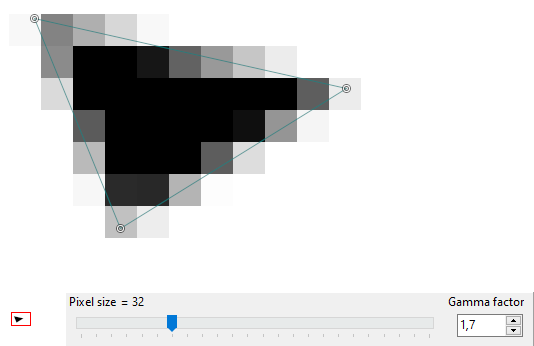](</File:aa_demo.png>) | |
| 13 | 21 | ||
| 14 | 22 | ### Alpha gradient | |
| 15 | 23 | ||
| 16 | - | ||
| 24 | + | This program shows how to apply a complex alpha mask based on a custom gradient. See [[BGRABitmap tutorial 11|Tutorial 11]] on how to create a custom scanner. | |
| 17 | 25 | ||
| 18 | - | ||
| 19 | - | ||
| 20 | - | ||
| 21 | - | ||
| 26 | + | [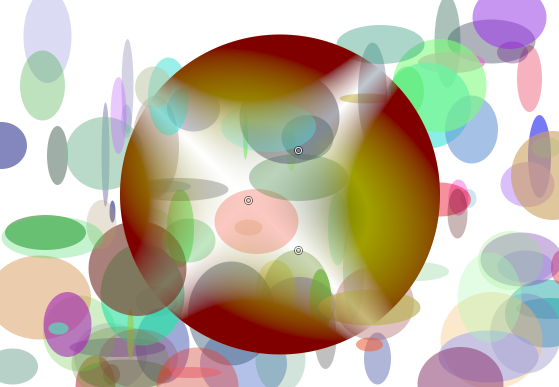](</File:alpha_gradient.png>) | |
| 22 | 27 | ||
| 23 | 28 | ### Blur | |
| 24 | 29 | ||
| 25 | - | ||
| 30 | + | This program shows the different types of blurs and their speed. | |
| 26 | 31 | ||
| 27 | - | ||
| 28 | - | ||
| 29 | - | ||
| 30 | - | ||
| 32 | + | [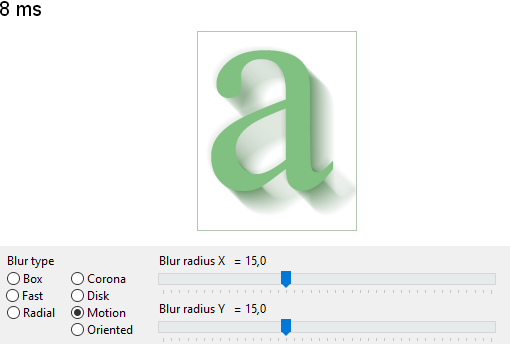](</File:blur.png>) | |
| 31 | 33 | ||
| 32 | 34 | ### Bézier like splines (B-spline) | |
| 33 | 35 | ||
| 34 | - | ||
| 36 | + | This program to demonstrate various kind of spline interpolations and how to use a path cursor. | |
| 35 | 37 | ||
| 36 | - | ||
| 37 | - | ||
| 38 | - | ||
| 39 | - | ||
| 38 | + | [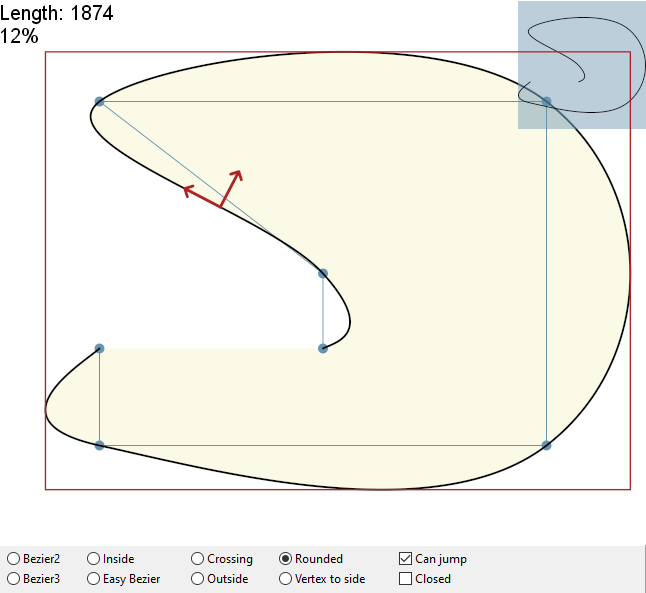](</File:bspline.png>) | |
| 40 | 39 | ||
| 41 | - | ||
| 40 | + | The TBGRAPath objet takes a series of instructions to draw a path in a similar way as with HTML canvas. To define a polygon, you can call `moveTo(x,y)` to define the first point, and then `lineTo(x,y)` for each subsequent point. Finally you can call `closePath` to end the polygon. | |
| 42 | 41 | ||
| 43 | - | ||
| 42 | + | Once the path is created, you can draw it and fill it, either using its `stroke` and `fill` functions, or by calling `TBGRABitmap.DrawPath` or `FillPath` functions. | |
| 44 | 43 | ||
| 45 | - | ||
| 44 | + | Do draw a symbol along the path, you can use `TBGRAPath.CreateCursor` function to create a cursor. The cursor has `MoveForward` and `MoveBackward` for example to move along the path. They return the actual moved length, which will be 0 when the end of the path has been reached. | |
| 46 | 45 | ||
| 47 | - | ||
| 46 | + | The `CurrentCoordinate` property contains the current position and the `CurrentTangent` contains a unit vector to align the shape. | |
| 48 | 47 | ||
| 49 | 48 | ### Distortions | |
| 50 | 49 | ||
| 51 | - | ||
| 50 | + | This program shows how to apply a distortion to an image or a gradient. | |
| 52 | 51 | ||
| 53 | - | ||
| 54 | - | ||
| 55 | - | ||
| 56 | - | ||
| 52 | + | [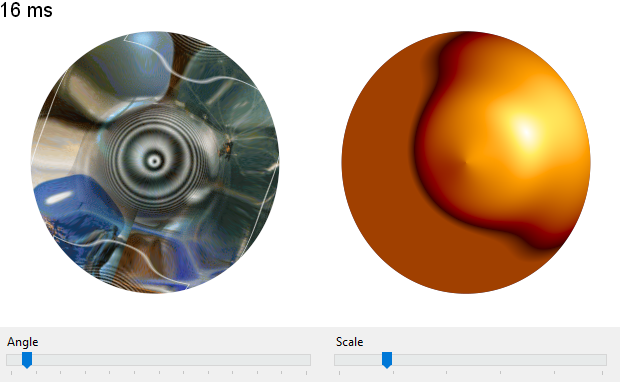](</File:distortions.png>) | |
| 57 | 53 | ||
| 58 | 54 | ### Gouraud shading | |
| 59 | 55 | ||
| 60 | - | ||
| 56 | + | This program demonstrates how to do a multi-polygon Gouraud shading. | |
| 61 | 57 | ||
| 62 | - | ||
| 63 | - | ||
| 64 | - | ||
| 65 | - | ||
| 58 | + | [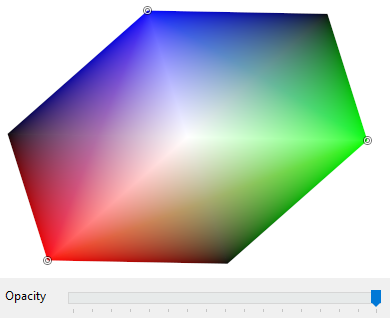](</File:gouraud.png>) | |
| 66 | 59 | ||
| 67 | 60 | ### Image filters 2 | |
| 68 | 61 | ||
| 69 | - | ||
| 62 | + | This program shows the various interpolation filters that can be used when resampling. | |
| 70 | 63 | ||
| 71 | - | ||
| 72 | - | ||
| 73 | - | ||
| 74 | - | ||
| 64 | + | [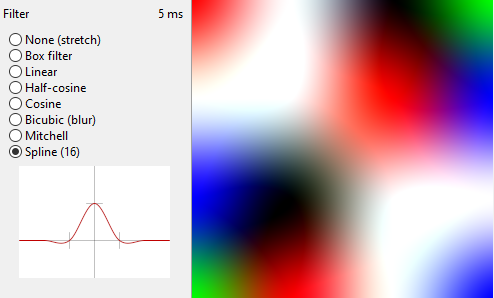](</File:image_filters2.png>) | |
| 75 | 65 | ||
| 76 | 66 | ### Image perspective | |
| 77 | 67 | ||
| 78 | - | ||
| 68 | + | This program demonstrates the different ways of applying a texture to a quad. | |
| 79 | 69 | ||
| 80 | - | ||
| 81 | - | ||
| 82 | - | ||
| 83 | - | ||
| 70 | + | [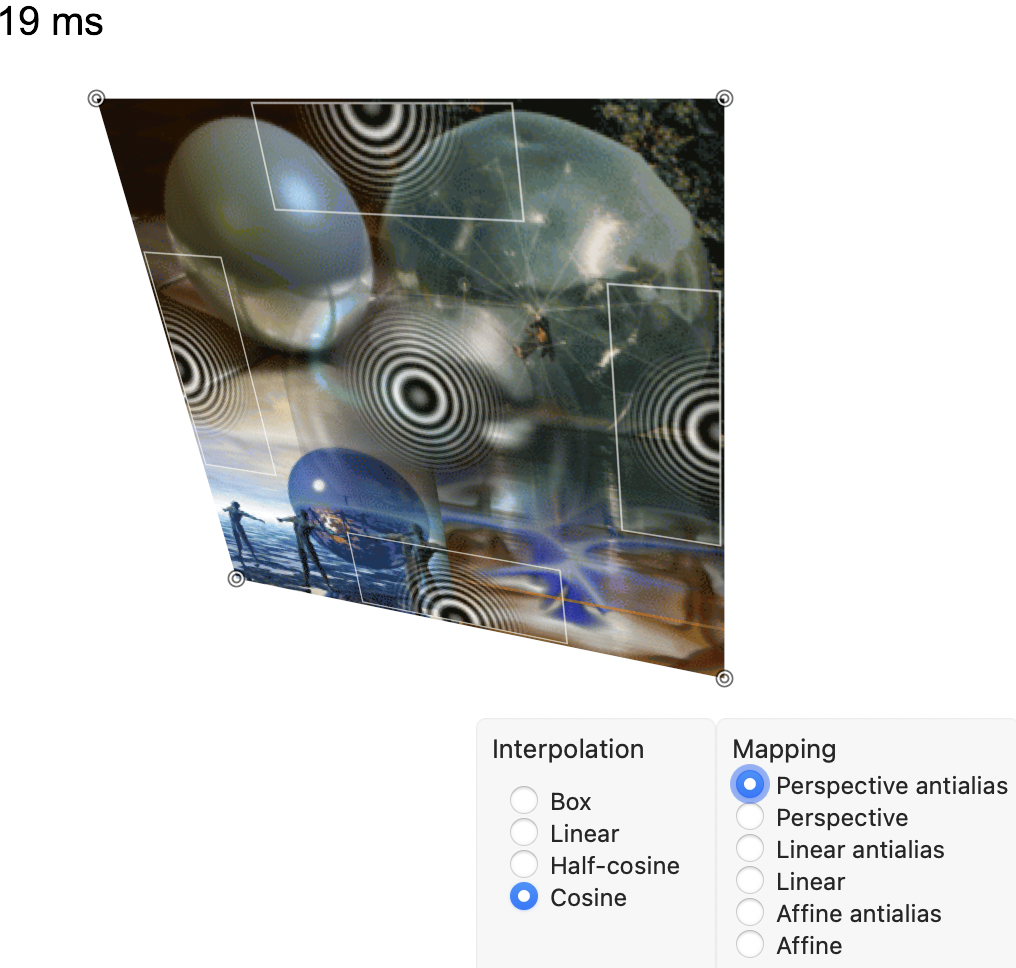](</File:image_perspective.png>) | |
| 84 | 71 | ||
| 85 | 72 | --- | |
| 86 | - | ||
| 73 | + | *From the Free Pascal wiki, page "BGRABitmap AggPas", as the Internet Archive kept it on 2023-05-30. Copyright stays with the author who wrote it, according to the old wiki's [[Licensing]] page. If you have concerns about this material, [message the admin](/wiki-contact).* |