Sign in Join

Live chat for Free Pascal, Lazarus, Delphi and every Pascal programmer.

Mailing lists / lazarus / 2017-03

Mac Hi-DPI 2

7 messages · 3 people · –

Reply by email Subscribe to this list Your subscription

Read-only archive. Use j and k to move between messages.

Alexey

Ondrej,

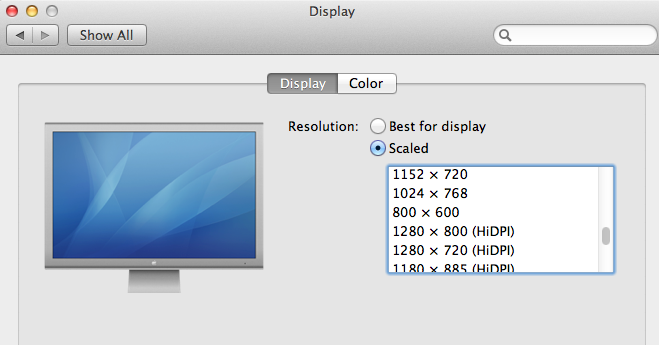
seems I cannot see how scaling works on Mac. Reason: MacOS don't scale coords of controls, and don't have event "scale changed". It scales using Retina thing when i call video mode "nnn x nnn hi-dpi". It means: only DPI changes, coords dont change (controls must draw in high dpi, but on same x,y-x2,y2)

Regards, Alexey

Reply by email

Ondrej Pokorny
to Alexey: seems I cannot see how scaling works on Mac. Reason: MacOS don't scale coords of…
Alexey wrote 5 lines
seems I cannot see how scaling works on Mac. Reason: MacOS don't scale coords of controls, and don't have event "scale changed". It scales using Retina thing when i call video mode "nnn x nnn hi-dpi". It means: only DPI changes, coords dont change (controls must draw in high dpi, but on same x,y-x2,y2)

To me it looks like Carbon applications are scaled automatically by the OS. Something similar to what also Windows uses if you switch High-DPI awarness off.

That means the regardless of your screen (retina, non-retina) the DPI is always 96. So there shouldn't be any LCL-scaling involved.

It's only what I see from the pictures and the code, I cannot test it myself because I don't have a retina screen to check.

Ondrej

Reply by email

Alexey
to Ondrej Pokorny
To me it looks like Carbon applications are scaled automatically by

the OS. Something similar to what also Windows

yes, it is what I see too. Scaled automatically by OS

That means the regardless of your screen (retina, non-retina) the DPI

is always 96. So there shouldn't be any LCL-scaling involved.

yes. right. But i tested only 10.8, and not sure about new OSes, 10.11, 10.12...

Regards, Alexey

Reply by email

zeljko
to Ondrej Pokorny: To me it looks like Carbon applications are scaled automatically by the OS. Something…
Ondrej Pokorny wrote 6 lines
To me it looks like Carbon applications are scaled automatically by the OS. Something similar to what also Windows uses if you switch High-DPI awarness off. That means the regardless of your screen (retina, non-retina) the DPI is always 96. So there shouldn't be any LCL-scaling involved.

hm...just tested Qt4 and Qt5 on MacOSX.
Qt4 - MacOSX 10.8.6 32 bit (qt4 library uses carbon for it's widgets) Qt5 - MacOSX 10.11 64 bit (qt5 library uses cocoa for it's widgets).

When Application.Scaled = False fonts of some controls are resized to smaller fonts (DesignTimePPI on both macs says 72 ) - so my question are here:
1. is 96dpi hardcoded somewhere, so it underscales some fonts in case when dpi is 72 - even with Application.Scaled := False. ?

2. Some forms eg. About lazarus is shown too small, seem that it's scaled to the smaller size because of dpi 72. (ide have application.scaled := True by default), also Find Dialog is reduced but all child controls of FindDialog haven't scaled fonts ,so dialog isn't sized well.

Note that both cases were fine before HiDPI changes, also please keep in mind that Lazarus OSX isn't carbon or cocoa only, but qt4 and qt5 too.

On linux and windows everything works pretty nice (Application.Scaled :=
true and Application.Scaled := false) with qt4 and qt5 widgetsets.

My app is designed on linux (96 dpi) and then just rebuilded on mac (if that matters), also Mac 10.8.6 is iMac with resolution 1440x900 72dpi, Mac 10.11 have resolution 1920x1200 72dpi (this one is running inside vmware).

Any hints ?

zeljko

Reply by email

Ondrej Pokorny
to zeljko
zeljko wrote 20 lines
Qt4 - MacOSX 10.8.6 32 bit (qt4 library uses carbon for it's widgets) Qt5 - MacOSX 10.11 64 bit (qt5 library uses cocoa for it's widgets). When Application.Scaled = False fonts of some controls are resized to smaller fonts (DesignTimePPI on both macs says 72 ) - so my question are here: 1. is 96dpi hardcoded somewhere, so it underscales some fonts in case when dpi is 72 - even with Application.Scaled := False. ? 2. Some forms eg. About lazarus is shown too small, seem that it's scaled to the smaller size because of dpi 72. (ide have application.scaled := True by default), also Find Dialog is reduced but all child controls of FindDialog haven't scaled fonts ,so dialog isn't sized well. Note that both cases were fine before HiDPI changes, also please keep in mind that Lazarus OSX isn't carbon or cocoa only, but qt4 and qt5 too. On linux and windows everything works pretty nice (Application.Scaled := true and Application.Scaled := false) with qt4 and qt5 widgetsets.

The LCL expects 100% scaling at 96 PPI. This is hard-coded now.

We have 2 possible solutions:

A.) Force Qt4 and Qt5 on Mac OSX to return 96 PPI instead of 72 PPI (the same to what I changed Carbon and Cocoa in
http://mantis.freepascal.org/view.php?id=31037 ).

B.) Make the 100% scaling value OS-dependent. On Windows and Linux it would be 96 PPI and on Mac OSX 72 PPI. (This is what I suggested in the first email of the "Mac users: High-DPI" thread):

/[...] to create a relative DPI scaling to the default widgetset value - every DPI/PPI value will be compared to the WS DefaultPPI. So instead of DPI/PPI we'll have "ScaleFactor". E.g. it means that the property DesignTimePPI will be deleted and changed to DesignTimeScaleFactor. Also PixelsPerInch will have the ScaleFactor equivalent (I'll keep PixelsPerInch). Probably more changes will be needed. // //On Windows: DesignTimePPI=96 -> DesignTimeScaleFactor=100 <- On Mac: DesignTimePPI=72. The same goes for PixelsPerInch/ScaleFactor. // /
(A) is easier to implement so maybe we could test it first. Zeljko, could you please try with the attached patch (I am not sure about the DARWIN define - maybe you need another one for MacOSX).

Ondrej
-------------- next part --------------
An HTML attachment was scrubbed...
URL: <http://lists.lazarus-ide.org/pipermail/lazarus/attachments/20170311/433d5608/attachment.html> -------------- next part --------------
Index: lcl/interfaces/qt/qtwinapi.inc
=================================================================== --- lcl/interfaces/qt/qtwinapi.inc (revision 54381) +++ lcl/interfaces/qt/qtwinapi.inc (working copy)
@@ -2958,9 +2958,17 @@
SIZEPALETTE:

       Result := QPaintDevice_numColors(PaintDevice);
     LOGPIXELSX:

+ {$IFDEF DARWIN}
+ Result := 96;
+ {$ELSE}

       Result := QPaintDevice_logicalDpiX(PaintDevice);

+ {$ENDIF}
LOGPIXELSY:
+ {$IFDEF DARWIN}
+ Result := 96;
+ {$ELSE}

       Result := QPaintDevice_logicalDpiY(PaintDevice);

+ {$ENDIF}
VERTRES:

       Result := QPaintDevice_height(PaintDevice);
     NUMRESERVED:

Reply by email